
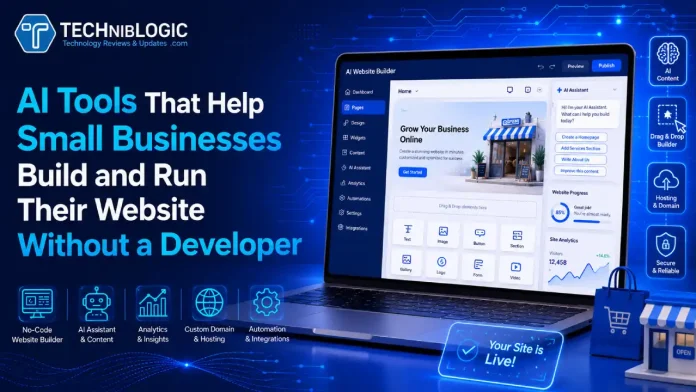
There’s a quiet shift in how small businesses get online. A few years ago, putting up a decent website meant one of two roads: hire a developer and wait weeks for a quote that started in the thousands, or wrestle a drag-and-drop editor at midnight, second-guessing every font choice. Both roads ended in the same place — a half-finished site, a stalled launch, and a business owner who’d rather be doing the actual work.
AI has collapsed most of that. Not by replacing the craft entirely, but by handling the repetitive, intimidating pieces — the blank page, the first draft, the asset cleanup — so a non-technical owner can go from idea to live site in an afternoon. The tools below each tackle one real job in that chain. None of them require you to write code, and most of them didn’t exist in a usable form two years ago.
A quick note before the list: AI is good at speed, not judgment. It will confidently produce a logo, a headline, or a layout that’s technically fine and strategically wrong. Treat every output as a strong first draft you steer, not a finished decision. Frameworks like the NIST AI Risk Management Framework exist precisely because automated systems need a human keeping watch on quality and bias. Keep that posture and these tools earn their keep.
Here are seven that cover the full job of building and running a small-business website without a developer.
1. Copywriting — Jasper
The hardest part of any website isn’t the design. It’s the words. Most owners freeze at the “About” page and never recover.
Jasper takes a few prompts — what you sell, who buys it, the tone you want — and drafts homepage copy, service descriptions, and calls to action you can actually edit instead of facing an empty screen. It’s strongest when you feed it specifics: your real differentiators, a couple of customer phrases, the objection you hear most. Vague inputs give you vague copy; specific inputs give you a draft that sounds like an actual business.
Use it for the rough shape, then rewrite the parts that matter most in your own voice. The header and the buttons are worth your personal attention; the boilerplate isn’t.
2. Logo and Branding — Looka
A logo used to mean a freelancer, a brief, and a week of back-and-forth. Looka compresses that into a short questionnaire about your industry, colors you like, and the vibe you’re after, then generates a stack of logo options plus a basic brand kit — fonts, palette, and social avatars that match.
It won’t replace a seasoned brand designer for a company betting everything on identity. But for a plumber, a bakery, or a bookkeeper who just needs a clean, professional mark that looks intentional, it’s more than enough. The trick is restraint: pick something simple and legible, resist the urge to cram in three icons, and make sure it reads at the size of a phone-screen favicon.
3. Image and Asset Cleanup — Photoroom
Your photos are probably fine. They’re just shot on a phone against a cluttered counter.
Photoroom handles the unglamorous-but-essential work of making product and service images look deliberate: removing busy backgrounds, standardizing sizes, cleaning up lighting, and dropping subjects onto clean backdrops so a row of images looks like a set instead of a scrapbook. For an online store or a services gallery, consistent imagery is the difference between a business that looks established and one that looks improvised.
It matters for performance, too. Bloated, unoptimized images are one of the most common reasons a site feels sluggish, and Google’s Core Web Vitals guidance treats loading speed and visual stability as direct ranking and experience signals. Lean, properly sized assets help you on both fronts.
4. AI Page Builder — Framer
For owners who want hands-on control of layout without touching CSS, Framer’s AI features turn a text prompt into a working page you can then drag, restyle, and publish. You describe the site you want, it scaffolds a responsive starting point, and you refine from there.
It sits in a useful middle ground — more guided than a raw website builder, more flexible than a rigid template. The tradeoff is that you’re still the one making design decisions, so it rewards people who enjoy tinkering and have a clear picture of what they want. If “I’ll know it when I see it” describes you, you’ll like it. If the thought of choosing a layout makes you want to close the laptop, the all-in-one option further down will suit you better.
5. SEO and AEO Assistant — Surfer SEO
A polished site nobody can find may as well not exist. Search is how most local customers actually discover a business, and increasingly that means answer engines — AI Overviews and chatbots that summarize rather than just link.
Surfer SEO analyzes what’s already ranking for your terms and tells you, in plain language, what your pages are missing: topics to cover, questions to answer, structure that helps both Google and AI assistants understand and quote you. For a small business, the value isn’t chasing a hundred keywords — it’s nailing the handful of “[service] near [town]” queries that bring in real calls. Feed it your core services and let it sharpen the pages that already exist before you build new ones.
6. Analytics Helper — Microsoft Clarity
Most owners install analytics, glance at it once, and never open it again because the dashboards bury the useful part under charts nobody reads.
Microsoft Clarity is free and refreshingly concrete: it records anonymized session replays and heatmaps so you can literally watch where visitors click, where they hesitate, and where they leave. Seeing three people in a row abandon your contact form tells you more than any bounce-rate chart. It turns “my site isn’t converting” into “people can’t find the phone number,” which is a problem you can actually fix this afternoon.
7. GrowLocal
The previous six tools assume you’re willing to assemble the pieces yourself — write here, design there, host somewhere else, schedule social separately. For plenty of owners, that’s still a part-time job they don’t have time for. This last category is for everyone else: tools that do the assembling for you.
GrowLocal is built around that idea, and it works differently from a typical website builder. Instead of handing you an empty editor, it’s an AI website platform that builds and hosts the site for you from your public business information — then lets you preview the finished result for free before you ever enter a card. The sites aren’t generic templates with your logo dropped in; they’re category-tailored, researched across 90-plus business types, so a plumber gets a plumber’s site and a musician gets a musician’s, down to the sections and language that fit the trade.
What makes it land for non-technical owners is how much is bundled into one subscription instead of stitched across vendors. A free custom domain and hosting are included. You get a CMS dashboard to edit text and images without touching code, plus a dedicated developer and unlimited revisions at the entry price — the kind of human help most platforms lock behind their expensive tiers. Social posting is included on every plan, and on the higher tiers the AI writes those posts from your actual services, hours, and brand voice, because the same system that built your site already understands your business. That’s the real distinction from a scheduling app that just hands you a blank box to fill.
Pricing runs $10 to $50 a month, with hosting and a custom domain folded in, and the preview-first model is the part worth underlining: you see your actual finished site before committing, which removes the usual gamble of paying first and hoping the result resembles the demo. For an owner who wants to be online without becoming a part-time webmaster, that’s a different proposition than buying six separate tools and learning to operate all of them.
Choosing What You Actually Need
You don’t need all seven. The point of this list is that the work of getting online has been broken into solvable parts, and you can pick up only the pieces you’re missing.
If you already have a site and just want it found, an SEO assistant and an analytics helper might be your whole toolkit. If you’re starting from nothing and the idea of assembling tools makes your eyes glaze over, a done-for-you platform replaces most of this list with a single subscription. And if you love the craft and want control over every pixel, the copywriter, the logo maker, the asset cleaner, and the page builder will take you a long way.
Whatever you choose, keep two habits. Treat AI output as a draft you direct, not a verdict you accept — the tools are fast, not wise. And measure what happens after launch, because a site that looks great but never gets a call needs different fixes than one nobody visits. Get online, then keep an eye on it. The tools above make both of those far easier than they were even a year ago — no developer, no all-nighter, and no thousand-dollar invoice to get started.

