Home Blog Page 304

The Key Mistakes of the Essay on Technology

If you are not a professional technical writer or do not have enough knowledge and experience to write an efficient essay on technology, then you can ask for an advice or have your essay written by real professionals. Such services are provided by special companies, for example, WriteMyEssayOnline. There are quite many such websites but you should be very careful while selecting one that is most suitable for you. Not every resource ensures the high quality of the written essay. Mind that and choose only proved sites.

Content duplication

It is obvious that duplicated content can be easily noticed. It is necessary not to copy the same text from different resources and paste these fragments directly to your essay. No plagiarism is acceptable. In the essay on technology, you should express your own thoughts or provide the results of your analysis.

Incorrect usage of quotations

According to the rule, quotation marks should be used only when the words of the original author are used in the text without any modifications. But you should not put in quotes your own words about some matter. Do not forget about plagiarism.

Incomplete sentences

This point is connected with grammar. Every English sentence should have both subject and predicate. Quite often the sentences can be incomplete – they do not have either subject or verb. It may seem strange but the practice shows that this is rather wide-spread issue, especially for complex sentences.

Usage of the second person

It is recommended to avoid the usage of the second person in the essays on technology. Instead of pronoun ‘you’, it is better to write ‘one’. The essays on technology should be written in the formal style.

Spelling mistakes

Nowadays, a huge number of various spell-checking programs are available. It is recommended to use several checkers. The essay with poor grammar will negatively influence on the readers. Besides that, it is very important to write correctly complex words – whether they are written with a hyphen or without it. Always double check the final version of your essay.

Avoid constructions

In the formal texts, it is recommended not to use constructions. Mind that while writing the essays on a technology topic.

Incorrect title

Rather often you pay attention to the title of the article and it seems that it suits you. But you start reading, you understand that the content does not match the actual title and you just waste your time. So while choosing the title for your essay, be very careful in order not to repeat the same mistake.

Text size

The usage of too many words is not always better. In such a case, there is a high possibility that you can make more mistakes – grammar as well as punctuation errors. Besides that, when the text is rather large and full of new and unknown information, then it will be quite difficult to comprehend everything clearly without any misconceptions. Thus, a too short essay will show that you are not well-equated with selected topic.

Follow these tips and will write an impressive and effective essay on technology topic.

Several Tips on Writing the Essays on Technology

The nature of essays on technology is rather specific. There are several types of works about different technology subjects. One of such types is an expository essay. It is quite difficult to write a good one. Such essay contains the detailed description and explanation of the particular item. Besides that, it should include some checked factual data. All information used in the essay should be taken from reputable sources.

It is well-known that every essay consists of three essential sections. But the process of actual writing may sometimes cause difficulties. Surely, if the topic is pretty complex, then you should do some pre-working and even investigation in order to get good results. Here are several tips that will help to write an effective essay on technology.

Bring into focus one subject

The technological sphere is very complex and multi-leveled. You should focus on one main subject and fully describe the topic. In the case of technology, there are hundreds of different papers that explain the common and general topics. So it is better to select a more specific subject to attract the reader’s attention. Nobody wants to read the same materials many times. But at the same time, do not choose too difficult item that you cannot understand.

Review the information about the chosen topic

Never write the essay on the spot without any preparatory work, especially if you write the essay on technology. It is necessary to gather and analyze the facts that are relevant to your topic. You can use articles in magazines and newspapers, data of researches, books, statistical data and other information. But make sure that all these materials are up-to-date. It is important to use only current information. In the essay on technology, it is a must to use solid information.

Clearly provide the thesis statement

Every essay should contain the main statement and it should be clearly given either at the very beginning of the essay or at the very end. Besides that, you should provide it with enough supporting facts. The essay content should be logical and come to the clear conclusion. The main statement – the argument of your essay – should be well grounded; otherwise, you will lose the read’s attention.

Mind the essay structure

Besides the main parts, all text should be divided into separate paragraphs. It is very important to keep this tip while writing the main body of the essay. Every new idea should be described in a new paragraph. But, nevertheless, there should be a logical link between different paragraphs.

If you are not sure that you are able to cope with the task of writing the essay on technology, then you can ask for help. On the Internet, you can find special sites that provide such services, for instance, WritingDone. You will be able to get acquainted with different tutorial, get more useful recommendations and tips on essay writing or even to order the necessary topic. Besides that, you can read several samples of special topics in order to better understand the writing style and the peculiarities of content.

How to Write a Comprehensible Essay on Technology?

Modern life cannot be imagined without different technologies. They have become an inevitable part of our everyday life. A lot of specialists are engaged in the technological sphere. They design and create new technologies, develop innovative approaches and do various modifications.

Nowadays, a lot of universities and other educational establishments prepare the specialists of the field of science and technology. It is a pretty difficult task that requires a lot of effort and time. The students should prepare the essays on various technological topics. And they should do that well. They have to keep not only grammar rules but the requirements to the essay structure, content and formation.

Besides the actual technical knowledge, a good essay needs to be well-written according to specific norms and requirements. Despite the direct topic of the essay, for example, the work about space technologies, IT, nano technologies, military technologies and so on, the essay should include the obligatory parts and possess particular characteristics.

What Are the Main Attributes of Technology Essay?   

  • Information value
  • Content integrity
  • Actual continuity
  • Proper spelling and grammar
  • Well-planned structure
  • Data accuracy
  • High level of comprehensibility
  • Valid data and facts
  • Enough supporting materials
  • Outstanding features

Of course, this list is not full. But the above-mentioned items are considered to be the basic ones. It is very important to realize that you write for other people so the text should be easy-to-comprehend. The essay should not contain many unknown and difficult notions and terms. In such a case, nobody will understand anything.

It is recommended to write simply and clearly. But at the same time, do not oversimplify the technical matters and scientific facts. Provide the concepts and ideas with supporting materials, for example, provide the data of some research. Do not forget that it is a scientific paper.

Pay special attention to your writing style and the size of the essay. It should not be too short as you will not be able to fully cover the selected topic. And at the same time, the paper should not be too long. The obligatory parts of every essay are the introduction, main body, and conclusion. The middle part of the main body will be bigger that the other two parts.

On one hand, you can be very interested in technologies and you like to write different essays and get something new. But on the other hand, despite all interest, sometimes it is rather difficult to cope with the task. Fortunately, many different options are available nowadays.

There are special providers of the services of essay writing. You can just enter the site, for example, EssayShark, and order online the essay on the required topic. It is pretty simple and the quality of ready paper will not be poor. The essays will be written by the technical specialists according to all requirements and norm of writing.

Sometimes you should have some experience and skills for creating an informative and impassive essay on technology. And without such an experience, you will not be able to fulfill the task. In such cases, it is better to apply to the expert in order to reach the success.

Securing your Gmail Account after getting hacked

Google mail is one of the best webmail application used all over worldwide, which allow the user to send or receive a message, videos and much more. With the help of it, the user can stay connected with their old friends and families. It offers many features to its user to better the experience.

What should you need to do if your account has been hacked? First, you immediately need to modify the password of your account and also need to modify the security question. Here we will provide you some essential steps in Gmail account security.

You need to check your computer’s security. Most cyberpunks take password data using different software’s that has been already installed on your desktop or mobile phone if you are using Smartphone. No matter which Operating System you use, make sure that you are using updated anti-virus programs. You need to choose the configuration that will update automatically your system when solutions of new security issues are available. You can also go for the free security software available. To find these, you need to type “free security software reviews’ into the search field of the Google.

You need to review that all OS are well installed and working properly. To find these, you need to enter the name of the OS and check for the updates in the Google. You need to configure your system to update automatically for new updates so that your system gets secured from new attacks as soon as possible.

You need to change your password immediately. Execute this after updating your anti-malware programs else hackers will again gain your new password as well. So, modify your password to recover hacked Gmail account.

  • Configure Strong passwords have to be hard to guess.
  • Configure your account password which is at least 10 characters long, and use capital or lower case letters, numbers and symbols in your password.
  • Don’t use words that can be easily found in a dictionary then, it’s simple for hackers to break.
  • You can also make shortcuts of phrases which help you to configure a strong password for your account, for example, Go8upGo8up2Day! Translates to got up, got up, today.

You must need to notify your contacts by sending an email to your contacts saying that your account is hacked. When you get an email which comes from your known then you will definitely access it and click on links within it – even if the subject sounds peculiar.

No prestigious bank or company is ever going to ask about your detail online: If you get any mail in your inbox with a link to one of these sites, then don’t click on it, instead of it use your search engine to visit on the site own your own and log in it. If the message was authorized, and then it will be waiting for you in your Gmail account. These are some important things which you should need to take care when your account has been compromised.


YouTube Channel Optimization Techniques

0

Why should every business know how to rank on YouTube using SEO? The quick answer is summarized in six words: 1 billion viewing hours per day. In February 2017, Youtube owner Google announced that people are now watching a billion hours of YouTube content every single day.

“Around the world, people are spending a billion hours every day rewarding their curiosity, discovering great music, keeping up with the news, connecting with their favorite personalities, or catching up with the latest trend,” according to the world’s largest search engine. With YouTube’s immense power to reach out to consumers, should you not be rolling up your sleeves and driving traffic to your YouTube account?

Explore this helpful guide to YouTube SEO, including exciting optimization tactics and other tips to produce engaging video content.

The power of video keywords

To win any game, you should know the rules well. Millions of videos are posted online every day, whether in YouTube, Vimeo or other platforms. How can you generate a top search result ranking? SEO expert Brian Dean shares a four-point guide on how to drive traffic to your YouTube video or website via SEO:

  1. Find “video keywords”
  2. Make your (awesome) video
  3. Upload your video with YouTube SEO in mind
  4. Get video views

“Video keywords” are those that have YouTube results on the first page of Google’s search results page. These types of keywords include how-tos, reviews, and tutorials. Google also tends to rank high those videos that are fitness or sports related and those with funny content (“cute animals”). By using these recommended keyword types, you’ll generate traffic not only from users searching on YouTube, but also those searching via Google.

After choosing a video keyword, Dean suggests checking whether it gets at least 300 Google searches per month. “If a keyword boasts of at least 300 searches per month, then you know it also gets a decent amount of searches within YouTube itself,” Dean shares. If you get your video to rank in Google, you get a huge chance of earning high-quality visitors to your video and website.

“Make your video awesome” was quite easy to achieve for a beginner just some decades ago because Youtube gave inbuilt video editor where you could make very simple video edits like adding text to video, adding track, shorten a video length or cut out unnecessary part. Bad news: it is no longer available. Good news: you can use Windows Movie Maker with the same level of simplicity or Freemake Video Converter – for working with even exotic file formats. I found this guide on how to make video cuts amazing. It also allows rotating clips if you upload some videos from your phone and this is quite a common problem for smartphone (iPhone for sure) clips. If you know how to work with the Movie Maker – go for it just bear on mind it works with WMV files only. If you are working with some other file format, go for Freemake.

Google’s signals in ranking videos on YouTube

Ultimately, the quality of your content would drive your SEO. If your video is unoriginal and unappealing, keywords can do little to help you. Google uses 200 signals that can guide you in creating video content. The most important of these “clues” are title tag information, audience retention, description tag keywords, tags, video length, number of subscribers after watching, and interactions, which include comments, likes, and dislikes.

According to ComScore, an average YouTube video is 4.4 minutes. The statistics suggest that people prefer watching shorter videos over longer content. Wistia also reports that fewer than 65% of viewers are still watching a video after 4 to 5 minutes. The challenge is in breaking your content into digestible parts, which are still interesting and informative. You can create a series of short videos to keep viewers’ attention and build anticipation.

Keep it personal

You may have watched one of Thai Life Insurance’s viral sad videos. “Unsung Hero”, which is about a young man who performs various acts of kindness, has earned more than 29 million views in less than three years. Instead of the casting celebrities, the production team worked with people with “more relatable features” and used a simple script with a simple message: kindness offers intangible benefits.

Campaigns focus on highly personal issues that leave a lasting impact on people. One notable example is Dove’s Real Beauty campaign. The beauty brand used a study on 3,000+ women from 10 different countries as the core of their campaign. They found that fewer than 5% considered themselves beautiful. Dove created inspirational ads focusing on women’s unique characteristics that make them beautiful in their own right. Create videos in which your target audience can relate. 

Optimized metadata for your YouTube channel

After creating an appealing video, what are the next steps for your YouTube channel optimization? Optimize your metadata or the information that clearly define the subject of a video. These include the title, description, and tags. In creating a title, use key phrases that incorporate long tail keywords. The description provides details about the video and includes a relevant URL to your website. SEO experts recommend adding 10 to 20 tags per video in words and phrases. These tags may be relevant keywords that you cannot fit in the title or description and should be predictive of what people may use in searching such a video.

“Optimizing your metadata helps your videos get discovered by a relevant audience who will more likely to watch your video. The more views a video gets in a short period of time, the higher it will rank for a variety of key phrases related to its subject,” says Brian Honigman, social media account manager at LunaMetrics.

Advance SEO YouTube tactics you should know

Here are 8 least known YouTube optimization techniques from SEO experts you should explore:

  1. Choose a jpeg file for your YouTube channel image. Make sure to edit the title of the file, its description, and author properties;
  2. Add links in the header section of your main website, social media pages, and other websites you run;
  3. Boost video views by sharing your video in online communities;
  4. Use the keyword in the video’s filename;
  5. Place your keywords at the beginning of the video title, but avoid keyword-stuffing by keeping the title at least five words;
  6. Add your video links in your email signatures and embed your content in blog posts;
  7. Build internal links by creating sub-playlists; and
  8. Add a few popular and authoritative channels in your Favorite Channels.

YouTube is just beginning to change our world. People can influence others’ political views and encourage social reform through a powerful video. How many “ordinary” individuals have turned into instant celebrities via vlogging? For businesses, YouTube is an important marketing platform. Understand how it can help you achieve your business goals.

Gmail Releasing Snooze for More Flexible and Organized Email Inbox !!!!

Snooze, as the name suggests; is something like an alert or a reminder that is given for the accomplishment of a specific purpose. The same applies with Google email account inbox where a reminder makes the user aware of the message by taking the message out of the inbox in the form of a popup at the time of snooze. Once, users check the reminder or snooze, the same email goes back to the exact location in the inbox; where it was placed. Snooze or reminders are set on a temporary basis to remove the messages from your inbox on a temporary basis to gain the user’s attention. It can come back to the top of the inbox as per the requirement of the user. The snoozed items can be seen any time in the category ‘Snoozed’ shown on the menu with three line icon.

There are certain options to set the Snooze in Gmail account:

  • Snooze until Suggested Time: Snoozing the notifications accumulated in Email inbox message that contains date and time, will provide the option to the user to get the alert or notification through snooze at a suggested time on a specific date such as a date on which concert is organized or package will arrive. Details are automatically derived from information in the email messages stored in the inbox.
  • Snooze till specific time: Once the snooze is selected, certain ways are available to snooze to a certain time and date until a user turn-off the snooze.
  • Today, tomorrow, this week, this weekend or next week are the quick default options available to set snooze till specific time period and date.
  • How to pick date and time: Choose the date and then the specific time. As per the time is concerned, choose the preset time options in which Custom or Silent is available.
  • At last, choose the custom time you recently used to set another snooze or reminder for another email to arrive from specific email or reminder.
  • Default snooze times can be modified by navigating to the settings option and change it to morning, afternoon or evening.
  • Modifications in Weekend. In many countries like USA and Canada, weekend generally means Saturday and Sunday and in other countries, it’s something other than this. In order to avoid those complexities, days of the week can be changed and marked as weekends. If you are not able to do so, then nothing to worry as Google; by default, can set your weekends with the country specified.
  • Snooze Until Someday: For some message or emails regarding which you as a user, are not sure about what to do with them, can get the best fit in the option ‘Snooze until someday’ and later, can take a decision regarding what to do with them. Every bit of detail can be seen in the someday list by navigating through the Menu and then select Snoozed. The someday section can be seen at the bottom that needs to be selected for those specific messages which have to read again for taking further actions. The email or reminder will stay in snoozed option until you take a specific action or move it to your inbox.
  • Snooze until you arrive at a place: The snooze can be set for message and reminders to come out of the inbox in the form of pop-up until a user is at the destined place such as home or work, where he/she can check the messages in the top of the inbox as well as get notifications on the mobile even if alerts are turned off.

Here are the steps to set a snooze for the particular email; until you arrive at a place:

  • Open an email message from the inbox or a reminder set in the calendar and then click snooze.
  • Now click or tap on pick place
  • When the section is displayed to pick a place or to enter a new address, choose the options amongst home, work or new address.
  • Add a Reminder to an Email Before Snoozing: Before you start snoozing an email for a specific date or some day later, then add a note or reminder alongside what to be done with this email. This can be done by following an appropriate procedure.
  • Open a specific email from the list being reflected in the inbox.
  • Click or Tap on pin
  • Type where it says “remember to……” on the top of the email
  • Click or Tap on Save
  • Now again Tap on Snooze and select the option
  • Create A Repeating Reminder: If there is something, you need to do on a regular basis, there is a regular snooze or a reminder that can be created at your will, which keeps on repeating until you disable the same. Here are the steps that you need to perform for creating a repeating reminder.
  • Open inbox and go to create option by clicking or tapping on the icon.
  • Then click or tap on the reminder.
  • Now type the text what action has to be taken upon reading the email message.
  • Then type in your reminder.
  • Then again, click or Tap on snooze option.
  • Now select the option, pick the date and time.
  • Now choose the first day of your reminder and then choose the time
  • Once it is done, tap or clicks on the option “Does Not Repeat” and choose the one option among items in the sub-menu.
  • Again, click or tap on the reminder button to save the settings.

The snooze icon will only be reflected in your web browser if you are using an upgraded version of Banana tag for Chrome or Mozilla Firefox. The shiny snooze button will appear above each message you receive in the inbox. It’s just a matter of click and you will find preset times for sending a reminder about specific email. In case, you are one amongst those users facing issue while creating a snooze, Gmail helpdesk services can be availed anytime; dialing Google email toll-free number for quick communication with certified experts to get the instant help of any kind.

A Brief Guide of How to Write a Technology Essay

0

It is very important to fully comprehend the difference between a personal and technical or technology essay. The general structure of both these types is the same. They include a brief introduction, a main body and a constructive conclusion. But if to talk about the content, then they are totally different. And do not forget that the technology essay has several requirements that should be obligatory met.

First of all, the technology essay is dedicated to the particular technical subject. This may be some technological innovations, new approaches in some technical area, etc. Its main goal is to inform about a specified technology topic. You can find special websites that will help you to write a good technical essay, for instances, https://gpalabs.com/college-paper-writing/buy-college-essay.html. Such sources will show you the main tricks of effective writing about technology.

Essay Layout

As it has been mentioned before, the essay consists of three obligatory sections: introduction or beginning, main body or middle part and the end or conclusion. It is necessary to clearly introduce the subject of your essay. It should be a brief input of what you are going to write in the main body. Sometimes it is better to write the middle part of your essay and only after that add the introduction and conclusion. In such a way, it will be easier.

The beginning of the essay should prepare your reader of what will be next. It should contain some background of the topic, necessary information for further understanding of the essay, etc. Besides that, the obligatory parts, it is better to divide the main body into several sections too. This will help to easily comprehend the topic, especially if it rather difficult. In total, the whole essay will contain 4-5 sections.

Essay Style

The formal style is the suitable one for writing technology essay. It is recommended not to use ‘I’ – use the impersonal style. All paragraphs should be interconnected – at the end of every paragraph, add the logical link to next one. In such way, the whole text will be comprehended as a single entity. Always mind your grammar. Avoid personal critics and evaluations.

Essay Content

The main content will be written in the middle part of your essay. Here, you should demonstrate your reader all your knowledge of the topic. Use only checked data from the authoritative sources. You should double check all the information that you use in your essay. If you are not sure in some statements, it is better not to use them. It is rather good practice to add some schemes, tables or graphs. The visualization of your content will help the reader to better understand your topic.

Essay Formatting

But you should remember that every university or college as well as every professor has their own requirements for essay formatting. Usually, all works are written in a serif font. The general size of the selected font can be 11-12 points. Mind that every page should have a proper number.

6 Tips on Building a Customer Support Knowledge Base

0

Businesses around the globe are always trying to find more efficient means of establishing a better and far more potent position in their industry and the market. Some of these transformations are usually shaped by new technologies and software solutions, as well by the new trends in the marketing industry.

At the moment most of the efforts are being focused on the customers. As a result of this we now have customer centric marketing, new developments in the customer relationship management field and excelled customer support.

Out of these three fields, the one with the highest impact on ROI and customer retention is customer support. And good and efficient customer support is something that can provide a business with that edge it needs to surpass other competitors on the market. If one wants to provide an excellent customer support service, having a good customer support knowledge base is very important.

Here are some tips that could help businesses build customer support knowledge base and raise the customer satisfaction to a whole other level.

Set the Goals for Customer Support Knowledge Base

“Documentation empowers reproducibility of results.” – Eric Anderson, Information Manager.

Customer support knowledge base consists of big chunks of data presented through text. It usually contains valuable information on the company’s products, services and procedures. But all this information can quickly become a trap for anyone to fall into. This is why it is important to set your goals right at the start.

Is the main reason of building and having such a knowledge base just to provide additional information to customers? Do you want to the documentation to be interactive? Will it contain in-depth manuals and guides?

Will it focus only on common issues and problems an average customer might experience when using the company’s product or service? Should it also contain helpful information for the company’s employees and will it be used to speed up the onboarding process?

What will the Knowledge Base Contain

Once there are answers to the questions from the chapter above, it will become much easier and clearer to decide what to document. Since creating documentation and building a knowledge base is a heavy lifting process, in most cases it is strongly advised to have it done in such a way that it contains data that is useful to both customers and employees.

For instance, procedural information related to business processes and employees’ responsibilities can speed up the training process during the onboarding process. When it comes to customers, in-depth guides and answers to FAQs that are within two clicks away are certainly going to improve your customer satisfaction rates.

This way a company will have a knowledge foundation that will increase efficiency and productivity and at the same time serve as a unique and powerful customer support tool.

Take Care of the Document’s and Knowledge Base’s Structure

The general rule here is to start by documenting the simplest of things and work your way towards the most complicated and delicate instructions and guides. Why is this important? Well, this is the best way to make sure there are no gaps in the information a customer support knowledge base contains. Another great bit of advice for this occasion is to bring some diagrams into the picture, because they make it much easier for customers to recognize the items they are reading about.

Also, by grouping documents into categories it will be much easier for anyone to browse through the knowledge base. By having all the data properly structured, you ensure that there will be no frustrated customers.

Use Knowledge Base Software

In the Internet era it is impossible to make something efficient and useful without putting it online. As a matter of fact, it is considered a must for any business that wants to stay competitive. This online documentation is also known as a help center or support center. And the best way to put it to use is to integrate it with an official business website or with any other means a business is using to establish online presence, such as a mobile app or different types of widgets.

This is where knowledge base software solution comes in handy. It can be used as resource center, where employees can share and find information and it can also serve as a help center for customers. What makes knowledge base software so good is that it also supports a search option where customers can look for anything that interests them and quickly access all the necessary information.

On top of that, this software solution is mobile friendly. This means that all of the documentation can be clearly viewed on any screen size.

Implementing Online FAQ Software

Frequently asked questions is usually the first bist of documentation that a customer or employee refers to when an issue with a product or service pops up. This documentation should always be kept updated and it should contain the most frequently asked questions and answers based on the support team’s experience.

What makes online FAQ software and knowledge base software work perfectly together is that businesses can have an insight into what customers are searching for and quickly add those answers to FAQ pages, and also add them to tutorials or guides in different categories, according to the topic.

Make the Help Center User-friendly

When considering using knowledge base software as a help center, it is strongly advised that a business goes with a theme that is pretty simple, yet very functional. There is no need to make the help center complicated. It should serve customers as a problem solving solution, not vice a versa.

The most common outline of such a help center consists of a clearly visible search box, followed by the most popular categories that can allow an average viewer to get started quickly. Also, it is always better to present the documentation in order, based on the complexity of the issue. To make it even more efficient it is best to make “getting started”, “advanced tips and tricks” and FAQ subcategories for each topic separately.

Seeing all these tips on one place might be something that makes building a customer support knowledge base seem like a very hard task. And, yeah, it might be hard in terms of time and effort invested, but in the end a business establishment will have a perfect tool that has impact on several important business relevant issues: customer retention and satisfaction rate and ticket deflection. If this topic has your attention, feel free to expand your knowledge by reading other online articles on this subject

How to fix ERR_CONNECTION_REFUSED error in Chrome [Solved]

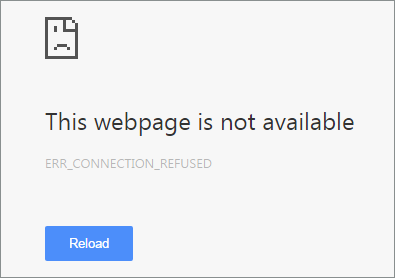
Now, we are going to fix the error code ERR_CONNECTION_REFUSED, which we recently encountered with the chrome browser. The error state ‘This webpage is not available’ with the error code ‘ ERR_CONNETION_REFUSED ’. The error occurred when we tried to access web pages like Google, YouTube.

ERR_CONNECTION_REFUSED error
ERR_CONNECTION_REFUSED error in Chrome

Basically, the error is shown due to the problem in internet connection or a misconfigured device’s network setting. So, here are two solutions that you can try to rectify the error in your browser.

Solution 1: Via Command prompt

Step 1: Open CMD (Command Prompt). It is mandatory that you run the CMD application in the Administrator mode.

Step 2: Execute these commands one by one.

  • ipconfig/release
  • ipconfig/all
  • ipconfig/flushdns
  • ipconfig/renew
  • netsh int ip set dns
  • netsh winsock reset

Step 3: Restart your computer.

Step 4: ERR_CONNECTION_REFUSED Error Solved

Solution 2: Change TCP/IP4 Proxy

Step 1: Open Network Connection.

Step 2: Right click on your preferred using connection.

dns probe error no internet network sharing

Step 3: Select properties.

Step 4: Select internet protocol version 4 (TCP/IPv4).

dns-probe-error-dns-server-change

Step 5: Change the DS address into following.

  • Preferred DNS server: 8.8.8.8
  • Alternate DNS server: 8.8.4.4

Step 6: Save the setting.

Step 7: Restart.

Step 8: Now ERR_CONNECTION_REFUSED Error has been removed

In our research, we found out that these solutions are working very fine with error code ‘ ERR_CONNECTION_REFUSED ’. So, in order to solve the problem, follow these above steps carefully.

Well, we hope you liked hanging out with us and if you have any query feel free to drop your suggestions and views in the comment section below. Till then, that’s all for this guys and stay tuned for next update.

5 Tips for Selecting the Right HR Software for Your Business

0

Choosing the right HR software for your company or organization can be a daunting task. Companies like advance systems can help you automate payroll administration, attendance tracking, workforce scheduling, performance management, and so much more. The software will also enable you to recruit the best employees through applicant tracking systems (ATS), screening, and onboarding. Now that you know the benefits of HR software, the question you may be asking is, “How do I select the right HR software for my business?”

How to Select the Right HR Software

  1. Identify the needs of your organization – Businesses and organizations may have unique requirements specific to their industries. For example, banks, manufacturing companies, and government institutions have different needs. When choosing a Human Resources Management System (HRMS), consider the size of your workforce, work processes, and record keeping requirements.
  2. Compare the various HR software available on the market – After identifying the needs of your company, the next step is to compare the features and capabilities of various HR software. Also, know beforehand how much you are willing to spend for HR automation so you won’t go over budget. To have a better perspective, you can ask around. Find out what other companies are using and get feedback from them.
  3. Ask for a demo – Contact the software providers that satisfy your requirements and price criteria. This one is important – before buying, request for a demo. Test the software’s features, functionality, and compatibility. Data entry should be simple and straightforward. See if your company’s core HR, workforce management, and strategic HR are in-line with the capabilities of the software. Analyze the performance, reporting capability, and flexibility of the HRMS.
  4. Check if it is easy to implement – The application should be easy to learn, not requiring constant outside intervention or help from the software provider. Also, software implementation should be seamless and completed within a reasonable period. The HRMS should be fully integrated into the workflow of your organization. Implementation is also useful in checking for bugs and other unexpected issues that may arise during the process.
  5. Make sure that the software provider has an excellent after-sales service – If and when problems do arise, it is crucial that you can count on the vendor’s technical support to provide assistance. Aside from the help page from their website, you should be able to call, email, or live chat with their technical support team. The relationship between customer and seller must not end with the purchase; after sales service is an integral part of the customer life cycle.

So to summarize, when selecting the right HR software for your company, make sure you do the following things: identify your needs, compare various HR software, ask for a demo, check if it’s easy to implement and make sure that the vendor has an excellent after sales service.

How to get Business Powerpoint Templates

0

What is a template?

To create beautiful presentation you need to follow a few main steps. It’s important to choose a high-quality background for presentation, which corresponds to the theme of the presentation. Selecting the appropriate background for the presentation, which don’t too distract from the main information (in this case text), you will make your Powerpoint slide show, presentable and impressive, having achieved the main goal – to convey to the audience the essence of the work and will not leave anyone indifferent to Your performance

Why we need PowerPoint templates?

Everyone, who is going to create a great presentation believes, that his presentation won’t be like an uninteresting and unreadable set of slides. At the same time, we always don’t have sufficient time to prepare,  and we become to make it, when the deadline is really near.

What if you want to do everything in the most beautiful way and at the same time as soon as possible? The only solution is to use the PowerPoint templates!

Presentation templates significantly simplify and accelerate the work:

  • Allow to assign the same style for all future presentations.
  • They have the “right” colors and sets of font, because they created by professionals,.
  • Names exist in a huge number of options where you choose what you need.

In other words you just have to add to the template content: text, graphics, tables, images.

How to get Business Powerpoint Templates 1

How to choose a presentation template?

It’s important to remember, that the template’s style must match to the topic of the presentation. For example, if your presentation is devoted to some business issues, then the background must match. It must  be strict, serious, have soft colors and unobtrusive pictures.

So you can find background Powerpoint, specially designed for businessmen, executives and corporate personnel who need to keep their presentations at a high level.

There is nothing easier, than in the running PowerPoint to open the menu document and click the “Create”. Such easy manipulation will call sheet templates.

Any of the templates can be previously seen, so you can decide if it fits you. Some are created as if explicitly for learning, and others more suitable for strict operational reports.

And where to get more templates for PowerPoint?

Templates for presentations are available to all owners of the licensed PowerPoint .It is enough to enter one of those themes into the search box and select templates being online. The program will find all you need.

However, you can download them from other websites: in this case, it is enough to move the template files in folder located on your computer at:

C:\Users\Username\Documents\Custom Office templates (for windows 8)

In the same folder , there are the PowerPoint templates downloaded from the official website by the program.

It’s not necessary to go manually to this folder. If you try to open the template presentation, PowerPoint will open it as a normal file and you will need to just resave it in the desired format.


Ever Wondered! What these Symbols on your Memory Cards means?

In this rapidly growing smartphone industry, there are plenty of things to buy. Every day there is a new tech in the market. The key problem these day users have is the one related to storage. You have to admit that the more technology expands, the more you have the data. Back in 2000’s, you were satisfied with the mere 1.44 MB of a floppy drive, but now it is impossible to use the floppy drive as your daily storage solution.

And what came after that? Pen drive, Memory Cards. I remember using a 16MB memory card, it had lots of GIF images and songs converted in .m4a format. Well, we are not here to stroll down on the amnesia lane of tech. So, let’s talk about some of the important factors of storage devices.

There are many things in a storage device that people tend to ignore. Obviously, because they are not aware of that certain factor while buying them. Such as Memory Cards. When you order a memory card do you actually know what you’re buying or you just see the Storage capacity and select them. Well, no worry because we are here to help you understand those factor in a jiffy.

What are Storage types in Memory Cards?

There are basically three types of cards.

memory-card -sd-formats

  • microSD (Secure Digital): These cards can store data up to 2GB. As we know that the devices these days support both SDHC and SD we can say that they are compatible in every micoSD card slot out there.
  • SDHC (Secure digital high capacity): These cards can store data up to 2GB to 32GB. If your device specification state ‘Expandable up to 8/16/32GB’ then it is an SDHC card slot. In that case, we Strongly recommend you to not buy a higher capacity storage device, it will not support your device.
  • SDXC (Secure digital extended capacity): These cards can store data up to 32GB to 2 TB. Although, the biggest storage card currently available is only 512GB. We will still recommend you to buy the memory card by checking your smartphone’s storage specification, and clearly, do not buy any memory card with higher capacity than the mentioned one.

What is a class?

These are not your study class, obviously. However, classes are divided into four main section regarding the memory card. Every class defines writing and reading speed of the memory card. The reading and writing speed are not always precise as they have mentioned but they deliver near about performance.

memory-card-class-icons

Class Write Speed Read speed
Class 2 2 MBps 8 MBps
Class 4 4 MBps 15 MBps
Class 6 6 MBps 20 MBps
Class 10 10 MBps 30 MBps

Also, note that there are faster cards. These cards are specifically marked with the reading speed in large letters. Such as 45MB/s and 95MB/s.

 What is UHS?

UHS basically stands for ‘Ultra high speed.’ There is only two UHS standard out there. These cards are used in high-end devices, especially those devices which can capture 4k and 2k videos.

memory-card-uhs-speed

UHS 1: Writing speed up to 10 MBps.

UHS 3: Writing speed up to 30 MBps.

Understanding the biggest myth of all

Most of the time people get confused in between MBps and Mbps. The first thing you need to keep in your mind is that these are not same. They both have a different meaning.

  • MBps: It stands for MegaByte per second.
  • Mbps or mbps: It stands for Megabits per second.

8 bits are equivalent to 1 Byte. So if they write the speed in bits per second. For example 80mbps. If the card state 80mbps then actually they are talking about bits per second. You can always calculate the speed in MegaByte per second dividing the value by 8, which means the speed, in this case, is 8 MBps.

Well, there are many things to consider, but once you understand things like speed, specs. It becomes much easier to make a choice. We recommend you to buy specific Memory Cards for specific tasks. This way you can guarantee the best combination of speed and capacity for your hardware.

If we missed anything, please mention them below. Also feel free to share your views in the comment section below. That’s all for this guys, stay tuned for next update.