Chinese tech marketing is spreading its legs in each direction. The XIAOMI Drone is the best example for it. Yes, you heard it right XIAOMI has finally come up with a new futuristic device named as Mi Drone. It is available to buy on the XIAOMI official store and Gearbest, the links are down below. The drone is currently being priced at $419 after Discount.
Now, here are few things that we need to know about new XIAOMI Mi Drone, which is not yet released globally.
The Drone features up a 4K UHD camera supports max to 3840 x 2160P 30fps video recording, the key feature of the camera is it’s capable of 360-degree recording which is attached underneath the main body. This Drone is packed with a Waypoints, Route Planning and Surrounded Flight Like Advance Features.
XIAOMI is also promising a 27 minute non-stop flying, which is fulfilled by a 5100 mAh battery. A GPS system is also inbuilt into the device which is configured with the GLONASS GPS and One key automatic taking off / return / landing, real-time battery level monitoring and low-voltage return warning as well.
There is an autopilot option, which will help mostly at the time of takeoff and landing or circling around any object, which sounds awesome. The device comes with a remote controller which is attachable to any android phone for live display. XIAOMI has provided a special drone app to control the device via smartphone. Cant wait to test it in Real.
Key feature: – 4-propeller system with detachable shields – 17.4V battery 5100mAh, 27 minutes non-stop flying – 4K, with 104° wide-angle lens – Camera attached to a 3-axis gimbal, stabilizes up to 2000 vibrations per second – Unbelievably lightweight design – GPS + GLONASS + vision-based positioning for max precision – Autopilot options: automatic take-off + landing, waypoint flight path planning, tap to fly on map, circle an object on the ground – Intelligently detects low battery and returns home automatically – Real-time location tracking for easy retrieval even post-crash – Hovers automatically at the edge of no-fly zones – Built-in PCB antenna array in remote control for maximum reach – Modular design and foldable landing gear
So far is that the drone is available in China only. But you can buy and import it very easily by Gearbest.com in Low Cost ($419) as they are offering various Discount Offers and Deals everytime on Xioami Devices. So make sure to Check out the More Details of this Mi Drone on Gearbest Website.
So, please stay tune for more update. To keep up with the good work, please subscribe to our website. 🙂
Taiwanese tech giant, Asus has finally launched their premium Asus ZenBook range of laptops in India after showcasing them at the Compute 2018. The three variants launched include the Asus ZenBook Pro at a starting price of Rs. 1,79,990, the Asus ZenBook S at a price of Rs. 1,29,990 and the Asus ZenBook 13 at a starting price of Rs. 66,990. All these models will be available to the consumers from August 13 via retail stores, e-commerce portals and channel partners.
The new Asus ZenBook Pro models come with the dual display from future. They have finally implemented an LCD display in Touchpad which makes worlds first device to implement full display touchpad pad which can be used as per your usage. The SDK code for the touchpad is also open source which means you can develop your own application and after that install and use on the touchpad as per your display. The ScreenPad is a 5.5-inch full-HD IPS touchscreen in place of the usual trackpad. You can use it as a secondary monitor in Extension Display mode (sic), and Windows treats it just like any external display. You can run mini apps on it in ScreenPad mode, very much like the desktop gadgets which is very helpful in many scenarios.
You can control all the application on the screen pad with the help of your phone, still, there are many bugs which are needed to be fixed.
The ZenBook Pro UX580 comes up to a six-core Intel Core i9 CPU and a super-accurate Pantone-validated 4K screen. This devices also support two Thunderbolt 3 ports to let you connect up to three external monitors. We also the support of fingerprint sensor in UX580. We also get GeForce GTX 1050 Ti on the UX580 supported with 16GB of RAM, up to 1TB of PCIe SSD storage, Wi-Fi 802.11ac, and Bluetooth 5.0.
Rest will update more about it once we get a proper unit to test it for few days, without testing it aggressively we cannot comment on its practical usage.
Asus has made its intention clear in the Indian market to provide products in a wide variety. All the laptops launched feature a fingerprint sensor and come with Harman Kardon certified audio systems. These products have a way for Asus in the Indian market in the premium laptop range.
We all have heard a lot about online shooting games like Call of duty, Sniper Mission etc., but this article is all about the best offline multiplayer shooting games for Android that you can choose to play with your friends. The basic logic behind choosing a shooting game is that gamers are awed by the mechanics of the game and its strategies or it can be because of the graphics. These games are challenging, and competitive, and most of the time people group up to play these games as a team against another team.
With offline multiplayer shooting games I mean, the games that can be played among multiple devices which can be connected to a single Wi-Fi connection or a Mobile Hotspot and you can enjoy playing games with your friends.
If you are searching for a game that would give you the exact fun that you used to have while playing shooter games on your computer then your search ends here. Shades is a shooter game that you can play with your friends by connecting with a phone’s Wi-Fi hotspot. You can also play in the online multiplayer mode or you can play in a single-player mode; against the robots. This game offers a feature of customization by which you can customize your character to add some uniqueness to it. This game has three modes- Deathmatch, Team-Deathmatch or Capture the Area to add more fun to the game. This is one of the best offline Multiplayer shooting games.
With this game, you can enhance your shooting experience by using multiple weapons like a sniper, shotgun flamethrower, bazooka, and more. You can play with more than 5 players online or with 12 players using local Wi-Fi (offline mode). Mini-Militia has gained a lot of popularity over time because in this game you get the opportunity to face opponents from all over the world. This game is divided into various levels and each and every level consists of sufficient game space to move around and escape from your enemies. Doodle Army 2 is one of the best offline multiplayer shooting games. This game is considered as the best offline multiplayer shooting games
Standoff Multiplayer is another free offline multiplayer game that offers you the online and offline confrontation of terrorist and counter-terrorist. In this game, you can choose multiple roles like your character can be a stormtrooper, or sniper or you can choose stealth operations. Not only this much, but you also get to use a variety of weapons in multiple game modes like- Team Deathmatch, Capture the Flag, Arms Race, or Sniper Duel and get a chance to display your supremacy.
This shooting game has immersive gameplay and offers highly customizable controls so that you can play the FPS games in the way you want to. It features advanced user interfaces with amazing animations. Character customization allows you to customize your head, pants, body, and armor with special powers that make you look unique. Players can also socialize and create allies for the real battles of games with the help of group chats. Maze Militia is one of the best offline multiplayer shooting games.
This game is inspired by the legendary Counter-Strike 1.6 and is a first-person action game that offers a game experience similar to a mythic game called Valvee”. The controls of this game are easy to use and understand and you can enjoy many additional game modes like zombie mode, capture the flag mode, and many more. The thing that makes it more special is that this game has all the weapons that the original counter-strike had. Special Forces is one of the best offline multiplayer shooting games.
This game allows you to battle with your friends at any place and at any time on a local network. This game is easy to play and the user interface is highly intuitive and the game is built with awesome graphics. The game has 5 levels of difficulty so that the users can sharpen their skills. The zombie survival mode contains a brand new Multi-Player Zombie system and this game supports up to 10 players at a time.This game also comes in the list of offline multiplayer shooting games.
Verdict
My personal favorite is the Mini Militia as its multiplayer mode also allows you to create your own game room and customize its time and modes accordingly. It gets exciting if there are many players. The competition gets quite tough if someone gets their hands on a sniper or a bazooka. But with the right strategy and teamwork, one can win this game while having loads of fun. For more such Content follow Techniblogic.
Which are the best offline multiplayer shooting games?
The best offline multiplayer shooting games are listed below Mini Militia Coverfire Special Forces Group 2 Mazemilitia
Which is the highest rated offline multiplayer shooting games?
MiniMilitia is considered as the highest rated offline multiplayer shooting game.
What does it mean by offline multiplayer shooting games?
Games that can be played among multiple devices which can be connected to a single Wi-Fi connection or a Mobile Hotspot and you can enjoy playing games with your friends.
GPS or Global Positioning System detects your current location on your smartphones. Whenever you launch any application on your smartphones like Facebook, tinder, Instagram or Uber, these apps ask you to enable GPS on your smartphone so that one can easily get navigation on their smartphone.
But there are many fake GPS Android applications that are not available for your country or area hence you can use fake GPS Android apps on your smartphone that shows a constant reading when not moving and even when the app is in simulating movement, only the latitude and longitude values get updated. The fake GPS apps allow you to easily change your current location and you can use the app to get a fake location. Though there are many applications available on play store here is the list of best 5 apps for fake GPS Android with mock Location.
This is an app by Samboking. It is a perfect app and has never failed. You can use this application to sneak out and fake your location. It is a location changer app and you have to use a joystick in three ways. First, move the joystick and it can be positioned by dragging around. Second, click and hold the joystick feature which is hidden around the joystick. And at the last, set the joystick which can be moved away from the preferences.
With the help of this application, you can teleport anywhere you want by using a real-time joystick. This application forms a mock GPS on your device and the other applications will get your fake location as a reallocation. This app supports the topmost features like teleportation, joystick and, configurations. When this application is running in the background you just have to update your location using a joystick which is available on screen and then you are all sorted with fake locations.
This application allows you to fake information about the location of your phone by GPS and network operator. It is easy to use the application you just have to navigate the route on the map and press the GO and then all the applications on your smartphone will give fake information regarding the location. This application has an ability to create a route on roads, ability to set breakpoints and specify the stay in them and ability to set a variable speed.
This app helps you to fake your location on the go. This app can help you to prank your friends on any social network to think you are somewhere else as it hides your current location and overwrites the reallocation with the fake one. The basic features offered by this application includes standard spoofing on all Android versions, no root mode available on Android 6.0 and above and you can change the update interval.
Fake GPS Location
[appbox googleplay com.lexa.fakegps screenshots]
Lexa is an android developer and the current app portfolio contains 3 applications. Fake GPS Location is an application by lexa. This app sets up a fake location so that every application installed on your smartphone believes you are there and hence teleporting your phone to any place in the world. This app has good ratings on the app store and is loved by people because they can use any application from their home and can fake locations.
Verdict
Though the above-mentioned apps are the best apps for Fake GPS Android with mock locations every application mentioned here has its own advantages and disadvantages. click here to download them. Out of these 5 applications, the app that I personally recommend is Fake GPS go location Spoofer free because it has a simple user interface which makes it user-friendly and easy to use. But, to find the best from the best you need to try to all the above-mentioned apps, since some apps may not sync with your device hardware. To read more such content, visit Techniblogic.
Is the Fake GPS Android app Free?
Fake GPS Go is a free fake GPS Android application
Is faking GPS location illegal?
From a legal perspective, it is important to understand that GPS spoofing is illegal in many jurisdictions.
How do spoofing apps work?
Using a technique called app spoofing, a rogue app fakes or misrepresents the app information sent through the bid request.
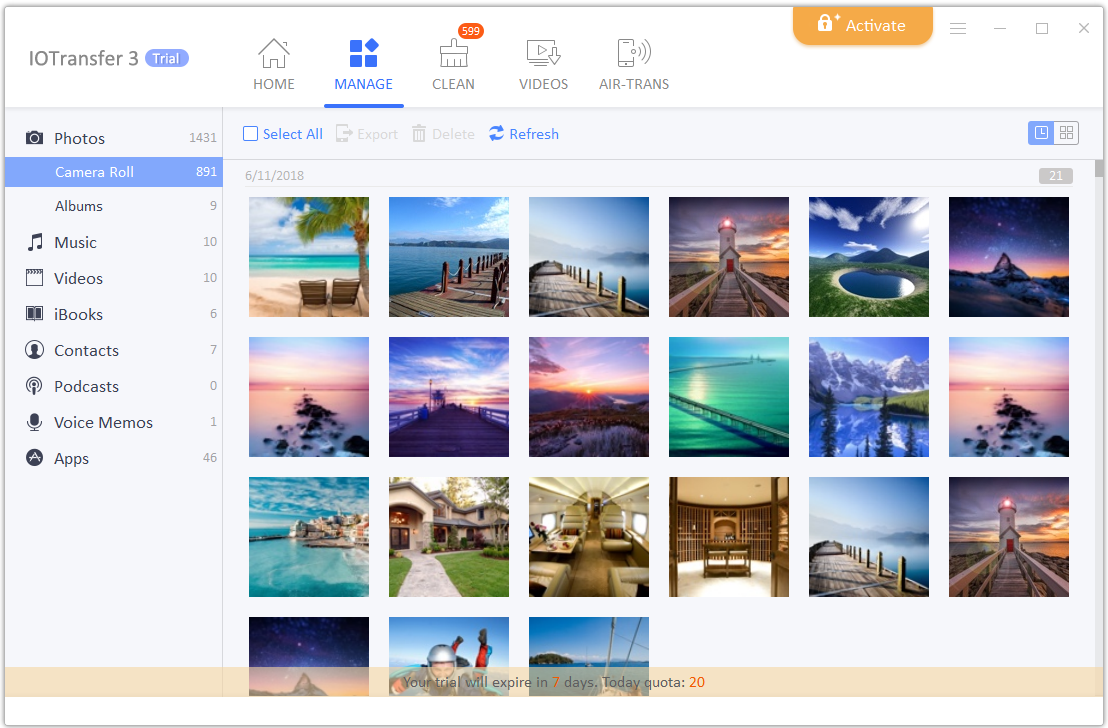
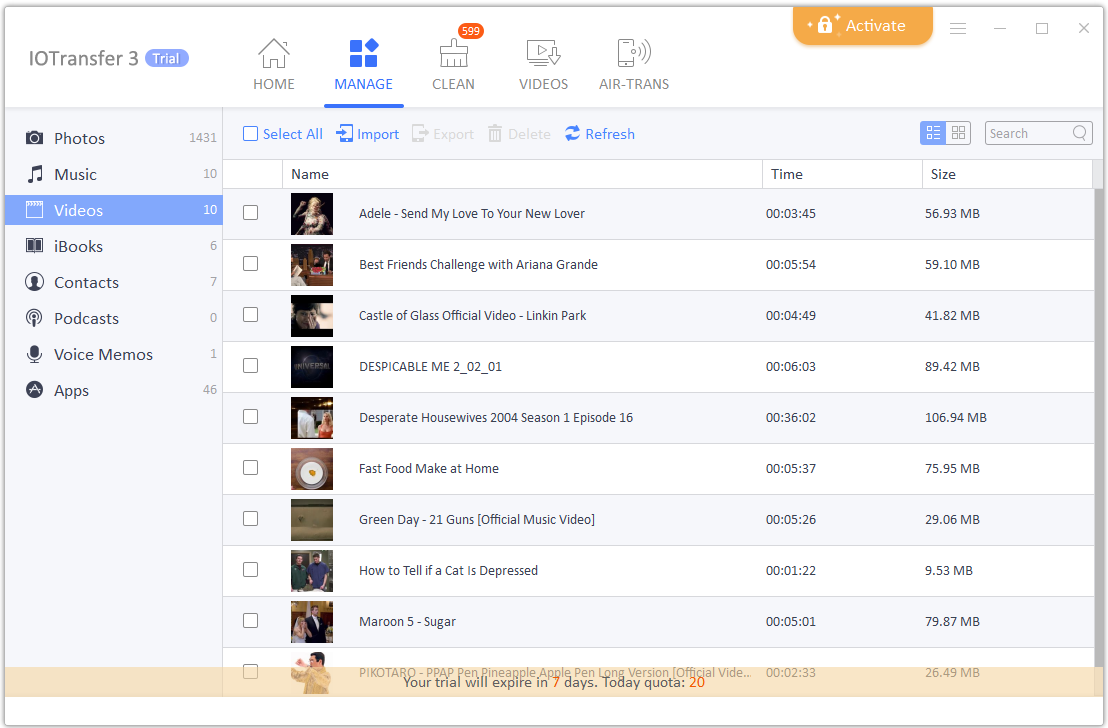
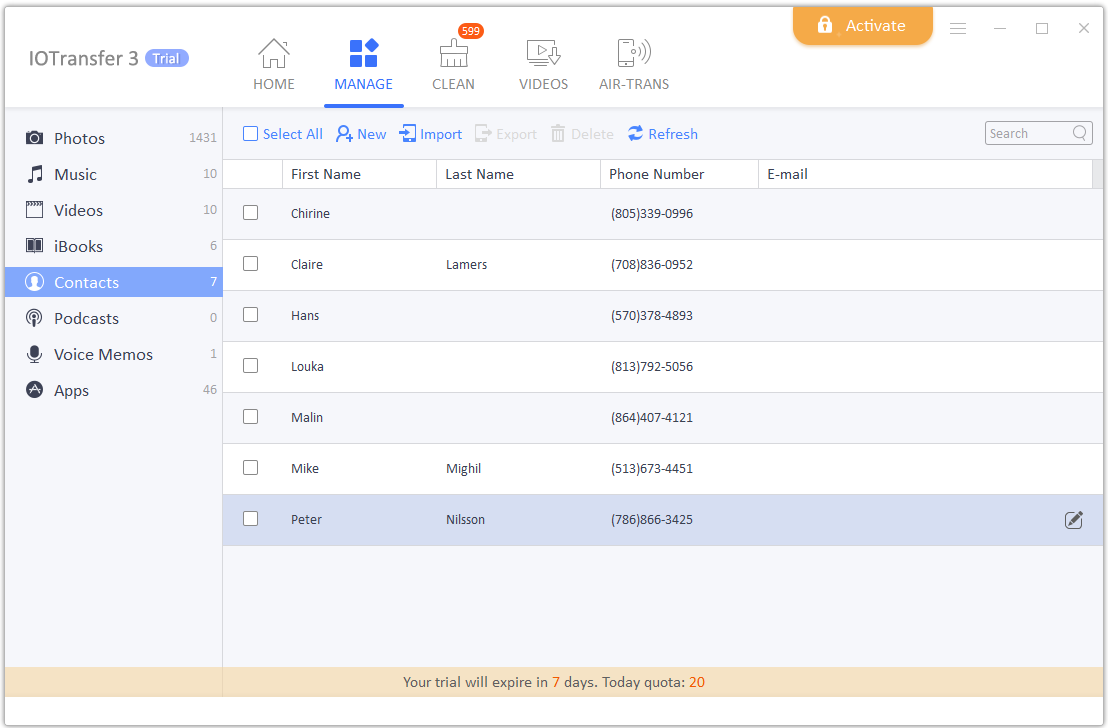
Around 90 million people in the world use iPhone, iPad and other iOS devices. However, managing the iPhone with a window computer is somehow complex. For example, if you want to transfer your photos from an iPhone to a laptop, then it will definitely take more time than single clicks. But fortunately, IOTransfer has the easiest solution for the iOS users because IOTransfer users can easily and swiftly transfer files, images, videos, and data from their iOS device to and from a computer. But why IOTransfer? There are many software’s that promises the same feature as IOTransfer does but most of them are heavy, slow, space and RAM occupied. IOTransfer is also a wise option for those who don’t have a fast computer.
IOTransfer is basically a tool that groups all iCloud photos, movies, videos and audios in a single place.
1 of 3
IOTransfer - Your Ultimate Choice of iPhone Manager 1
IOTransfer as an iPhone transfer software is not only lightweight but also requires very few clicks to download. You can get the downloadable file from the website iotransfer.com. The best thing about IOTransfer is that it is not only a file transfer software, but it also is a perfect YouTube video downloader that allows users to download videos from YouTube, Netflix and another online video website in any format that includes MP4, MKV, MPG, 3GP and many more. There are not many video downloaders available for iOS devices with such ease.
Another unique feature of IOTransfer is converting HEIC file to JPG. iPhone saves the file in the HEIC format that don’t normally runs on a computer unless you have some special software to run HEIC format. With IOTransfrer you can simply convert HEIC to JPG format meanwhile maintain the quality of the picture. Moreover, IOTransfer is an ideal software for eBook fans as well. People these days love to read ebooks on iPhone and iPad, so with IOTransfer they can transfer the eBooks to iOS devices to enjoy them regardless of time and place.
We believe that appearance should not be the only quality that a phone should possess. A good smartphone should provide users with flexibility, functionality, and stability. IOTransfer is definitely a software that makes iOS devices as flexible as their user wants it to be and as stable as you expected. With IOTransfer, you can transfer files easily to the iPhone, download YouTube videos with just a click and convert HEIC to JPG with ease. Download IOTransfer right now from iotransfer.net to enjoy the features with your iOS devices more smoothly!
So, there are so many brands which are launching their new devices in India every now and then. So are at the top end and some are at the mediocre range. There are two categories of devices which are available in Indian Market one is an Online market or I would say Online exclusive products and other is offline products or in other words, offline specific products which will be available on different retail stores and you don’t need to wait for any delivery for these products.
So, here we have gathered some of the top phones which are the best selling in Indian Offline market that too in mediocre price.
List of Best Offline Phone in India
Xiaomi Redmi Note 5
Xiaomi Redmi Note 5 phone comes with a 5.99-inch touchscreen display with a resolution of 1080 pixels by 2160 pixels at a PPI of 403 pixels per inch. The Xiaomi Redmi Note 5 is powered by 2GHz octa-core Qualcomm Snapdragon 625 processor and it comes with 3GB of RAM. Redmi Note 5 (India Version) packs 32GB of internal storage that can be expanded up to 128GB via a microSD card. And Redmi Note 5 packs a 12-megapixel primary camera on the rear and a 5-megapixel front shooter for selfies. The Xiaomi Redmi Note 5 runs Android 7.1.2 and is powered by a 4000mAh non-removable battery. It measures 158.50 x 75.45 x 8.05 (height x width x thickness) and weigh 179.50 grams. Xiaomi Redmi Note 5 Price in India Rs9,999 for 3GB Version and Rs 11,999 for 4GB Version.
Mobiistar X1 Dual
After the launch of Mobiistar XQ dual and Mobiistar CQ, they came up with different offline products in the Indian Market. Out of all offline product X1, Dual is the best looking device with great selfie camera. The brand is focusing on great selfie that too in the budget.
This X1 Dual Smartphone comes with a 13MP+ 8MP dual camera and a 120-degree wide angle lens with 7 level beauty modes for impeccable group selfies. The 13-megapixel rear camera with HDR capture and PDAF (faster autofocus). This New Mobiistar X1 Dual price in India is Rs.10,500.
Tecno Camon i
The Tecno Camon i comes with triple tray slot which supports dual-SIM (Nano) as well as dedicated micro SD card slot in it. The devices run on Android 7.0 with their own skin named as HiOS v3.2.0. The phone sports with 5.65-inch HD+ display with the resolution of 720×1440 pixels. The devices comes with the aspect ratio of 18:9. We get MTK 6737H processor which is supported with 3GB of RAM and 32GB Internal Storage. The phone is priced at Rs. 8,999.
In terms of the camera, the phone comes with a 13-megapixel rear sensor with quad-LED flash whereas in front we get a 13-megapixel sensor with single LED flash as well as screen flash. We get a large 3050mAh battery in the device.
Itel S42
Itel S42 is powered by 1.4GHz quad-core processor and it comes with 3GB of RAM. Itel S42 packs 16GB of internal storage that can be expanded up to 128GB via a microSD card. As far as the cameras are concerned, the Itel S42 packs a 13-megapixel primary camera on the rear and a 13-megapixel front shooter for selfies. The Itel S42 runs Android 8.0 and is powered by a 3000mAh.
Mobiistar XQ Dual
Mobiistar is a well-known reputed brand in the Vietnam market and always comes with something new and unique there. As the Indian market is one of the largest markets for smartphone makers, Mobiistar decided to launch some of their entry-level devices in Indian Market.
Mobiistar XQ dual comes with an amazing price point of Rs. 7,999 and is available on both online and offline platforms. The device features 5.5″ FHD display with a support of snapdragon 430. XQ dual is featured with the 3000 mAh Battery. This is not enough in front we also get 13+8-megapixel selfie camera supported with a flash.
Conclusion
Overall, these are some of the products which are having most sales record as per our research in the different market. Everyone has its own choice and in the offline market, everyone first wants to check to feel the device by using it for a couple of minutes and then wanna buy it directly.
Vivo a few days back launched an amazing device in the Indian market. The device is innovative in all its aspects. As of now for as a normal user I don’t think so there is any flaw in this device. Even the pricing of the device is quite aggressive this time if we consider the technology which they have used in their device. It is the basically a flagship which is way better and ahead of Samsung and apple. So, Let’s see how the device performs in the real daily use scenario.
I have been using the Vivo Nex for past couple of days now and trust me the 6.59″ FHD+ screen with a 93% Screen-to-body ratio give me great experience. We get a 19:9 which is again new from 18:9 device still it offers a better and bigger display from any other device in the market. Turning the device around we get the curvy feel with glass and aluminum finish all over. Even with a full front, back glass and aluminum, body device is a bit heavy but still feel quite comfortable while using the device n regular basis. Adding the glass makes the device a bit slippery, which make me suggest to use some case or skin on it, which is already available in the box.
We get a glass built, with Snapdragon processor, great elevated selfie camera and best under display fingerprint sensor. The device also has AI support all over which I will explain later. The device is priced at Rs. 44,990 for 128GB Variant and 8GB RAM. The device fits perfectly in your hand even after having such large display. The price seems to be at the best when we see the innovation made in the device. This hardware with high-end premium feel, price justify the device totally.
Starting with the design part; at the front top, we get a most refined thing in the world which is world’s first pop up elevated camera. The camera is just amazing, you will love the quality. Below that we get a large 6.59-inch FHD+ display which also has many different innovative technologies which we have never seen ever in any other devices. I will explain all the features under the display section.
Coming little bit down we get USB Type-C port which supports quick charge 3.0, besides it, we get a Primary mic, Speaker, and a Dual sim tray slot.
Moving further to the left we get a dedicated JOVI button which can be customized as per your usage. But by default, the Jovi button is a button for AI which is connected to google lens. Google lens uses the camera to detect different stuff.
Turning around on right we get Volume rockers and power buttons which works quite well and made up of the metal itself.
On the top side, we get a 3.5mm audio jack which finally is not removed and is a positive point. Beside it we get a Secondary noise cancellation MIC this is not enough besides it, we get a proper port of Elevated camera which came up while using front-facing camera. I just love it when it pops up which using the front-facing camera.
Finally coming to the back portion of the phone we get the complete rainbow color glass back. Seeing the device odd angles will change the color of the device. We also get 12+5-megapixel cameras at the back which is supported with dual tone LED flash. We also get Vivo Branding at the back and nothing much which need to explain over here.
Display of Vivo NEX is another most amazing thing in the device. It is going to attract you in a single shot. Vivo NEX comes with a 6.59-inch FHD+ Display with a resolution of 1080 X 2316. The display gives you the ratio of 19:9 which will be quite odd initially but after that, you will be habitual as well as you can increase the ratio of the application by going into the setting panel. The display which we get is a Super AMOLED and colors on the display is sharp and playing games look great. The display looks dark and increases the experience of watching movies to another level. The Sunlight legibility is also good. Overall no complaints about the display. The best thing is that we get Full display no notch is there as the device is having another level of technology used in the display.
1. Under display fingerprint sensor: Now vivo is the world’s first company to implement under display fingerprint sensor. Now, this is amazing and perfectly fine. The fingerprint is accurate and is perfect. It is not as fast as we get another fingerprint in vivo or Oneplsu devices as it is generation 1 still it is really very fast.
2. Bone conduction Technology: Vivo has used bone conduction technology in there display where the whole frame starts getting vibration and using that mean you can hear the voice. There is no dedicated front speaker for receiving calls but you can place your ear anywhere on the display and you can talk easily. This is an amazing technology which was first implemented by Xiaomi in MI MIX. You will love using this technology but if you are in the very crowded area it might be sometimes difficult to hear the other person very clearly.
Overall Vivo NEX is full on innovation and has all the stuff which a person can expect in a future phone.
Vivo NEX Performance
The phone comes with Snapdragon 845 processor which features an 8 GB Ram and a 12+5 megapixel camera. This combo makes it a perfect device. Out of 128 GB of internal storage you get about 110 GB free.
We get Antutu Score of 269117 and certain other scores are also good. I don’t think so with thing top notch hardware anyone will be facing any issue. They have also given all the sensors which are required by any normal person. We can also use VR with this device as it supports gyroscope sensor. Even while using GPS it will give you proper accuracy as it also has a magnetic and orientation sensor.
Coming to the gaming part, we can play almost all games. In my use, I have not seen any lag or frame drops even in Asphalt 9 high setting. Every game even in the high-end setting is working well. I have tried playing most of the games like Asphalt 9, Fornite Unofficial Beta, Batman at Adreno 630 GPU and Kryo 385. The support of Snapdragon 845 processor works well. Pubg on HDR and High setting working fine on it with no lag and issue. If you play games for more than 1.5 hours that too on high end setting the device maximum temperature which I noticed is 42-degree Celsius. Still, the device is at top place in terms of performance.
Vivo NEX Camera
Vivo NEX features dual camera sensors (12MP+5MP) on the rear end. The dual camera captures some really great shots. It also has many other manual features which make you shot in a professional way.
Vivo NEX Is world’s first phone with elevated front camera
It produces images with good natural looking colors even in indoor and low lighting. When it comes to the camera and picture’s quality, we are amazed at the quality images it captures. Low light shots, daylight shots and all kinds of shots just came out perfect with Vivo NEX.
Coming to the front part here we get a large 8-megapixel world’s first elevated camera which came out from the NEX body very elegantly. We get front display flash. I would say taking selfies in good light as well as no light will come out perfect just like we can expect in any Vivo device. Selfies are always on top priority.
Rest, we have already attached all the camera samples which will help you to analyze the quality of the device.
Out of the box, Vivo NEX comes up with Android 8.1 Oreo with the skin of Funtouch OS 4.0 running on top of it. This OS seems to be inspired by iOS and is not having any app drawer. Rest you can also change different themes by downloading it from their itheme application. Rest there is nothing much which I think must be explained over there. The UI seems to be very smooth and lag free. Rest there are many new small features like eye protection, power saving mode and the best one is gesture navigation where you can hide the below on-screen navigation and use full display perfectly by using gestures to go back, which will help you in the day to day usage.
Vivo NEX Battery
Vivo NEX comes up with 4000mAh battery. Overall it took about 1 Hour 10 minutes to charge from 0 to 100% from their default charger. Even with my heavy usage with containing whole day Wifi Hotspot+dual Sim+ Whole day calling and messaging and browsing. Until the end of the day, I left with 35% of battery. The device supports quick charge 3.0 which makes the device charge really fast. This means you need not to worry about battery while using the phone it will last you long.
Verdict
For the latest technology and innovation lovers, this device is just perfect for you. Vivo is the only brand which is as of now working and providing latest and innovative technology to the world. Overall in daily usage, you won’t find any issue. Under display, the fingerprint with the combination of the elevated front camera is just love.
Pros
Great Selfie Camera with elevated camera
Software Optimisation
Good audio quality
Fast fingerprint sensor ( Under Display Fingerprint sensor)
Digitek India, leading in the field of manufacturing Photographic & Smartphone accessories, announced the launch of high-quality Bluetooth Stereo Headphones in three variants DBH-005, DBH-011 and DBH-012. These Digitek Bluetooth Stereo Headphones are a step further both in Audio Experience and Style. These sleek Bluetooth headphones are built with a quality to provide the best listening experience with no matter the genre of music. With a powerful bass and dynamic higher tones, they are even ideal for games and movies. These high-performance wireless Bluetooth headphones can be used with ease in gyms or sports.
All the three variants of the Bluetooth Stereo Headphones are light and have a sleek design. They can also be used with soft ear pads to reduce the noise. The headphones produce a stereo effect with loud and clear sound. The DBH-011 and DBH-012 headphones are foldable that makes them extremely handy and travel-friendly. These two variants also support the use of TF Card.
The headphones have Bluetooth 4.2+EDR implemented and can work up to the range of 10m. They pack a rechargeable Li-Polymer battery and offer a standby time of 120 hrs. They provide an excellent performance of talk time and music playback for at least 8 hours with just 2 to 3 hrs of battery charging through the USB cable. The devices are equipped with control buttons for wireless operations such as Switching ON / OFF the phone, Pairing with another Bluetooth device, Answering and Rejecting a Call, Redialing Last Number. You can also Increase or Decrease volume, Connect two phones at a time, Listen to music from computer or phone, Switch to previous or next songs. These devices are compatible with most smartphones, iPad, MP3/MP4 players, and laptops. These robust devices with attractive and lovely design are a perfect blend of quality with looks. These devices can deliver a balanced and powerful audio experience to the music and tech aficionados.
Mr Amit Saraf, Managing Director, IMS Mercantiles Pvt. Ltd, the parent company of Digitek said, “Digitek is working on bringing the best and the latest to our loyal customers in the mobile accessories market. These light and stylish headphones are a delight for the music and tech enthusiasts, who can conveniently use them everywhere, while on the move or exercising, gaming etc.”
The variant DBH 005 of headphones are priced at Rs. 1495 and the variants DBH 011 & DBH 012 are priced at Rs. 1995 each. These devices are available at all leading stores of Mobile Accessories and E-Commerce Platforms such as Amazon, Flipkart, Snapdeal, etc.
There is a wide range of tablets available online. It is always difficult to choose, which specs to priorities in the affordable end-market of entertainment-centric tablets. Chinese manufacturer Alldocube has launched the Alldocube X tablet, which is equipped with all the latest features at the very low price. Alldocube X is an amazing gadget that can fulfil your high-quality entertainment needs as it is being designed with a focus on entertainment.
Tell me, how Alldocube X works?
Alldocube X is an android based tablet which runs on android 8.1 Oreo. It is powered by MediaTek along with high-end specifications and a sleek design. Talking about the highlights, the company claims that it can challenge the Samsung galaxy tab s4 as it has features that include an 8,000 mAh battery and a brilliant AMOLED display from Samsung.
Features:
It comes with 10.5 inches Samsung super AMOLED display with 2560×1600 resolution and w/105 per cent NTSC gamut.
It is full laminated all metal CNC unibody design which is 6.9mm ultra-thin.
It runs on Android1 Oreo operating system.
It has 2.1 GHz Hexacore Media Tek MT8176 SoC.
It is equipped with large storage combination of 4GB RAM and 64GB ROM which is expandable up to 128 GB via micro SD card.
It supports 8MP rear + 8MP front cameras.
It has 8000 mAh battery with pump express 2.0 quick charging.
It supports AKM Hi-fi chip to provide premium theatre quality sound.
It has a fingerprint scanner which can securely and instantly unlock your device.
Why should one go for Alldocube X?
It can easily handle multitasking and can respond smoothly. It has been optimized for high-quality media entertainment with theatre like experience. It provides you with highly advanced features at a very affordable price.
Availability
Alldocube X is available on Indiegogo.com, and the price is just 219 USD. So, hurry up before the offer expires.
In this fast-moving era, each and everything is being documented or formatted. It may be your annual report or a mail sent by you to your manager, everything needs to be written in a proper form without any sort of grammatical mistakes. The grammar part has become one of the most essential parts which most of us are not too good at or tend to ignore, but the thing is, a well formatted and grammatically correct document says a lot about our personality. It makes you look much more professional and who knows you may even crack that deal with your efficient, error less grammar.
What is a Grammar Checker?
A grammar checker is one of those tools which help you to correct all sorts of grammatical errors in your documents. Suppose of it in a way that you draft a mail and you’re not sure that whether your mail is completely correct or not. Then here grammar checker tools help you out. It tries to remove all the possible grammatical inconsistencies and thus helping you to produce an error-free effective outcome. Before going further, let us know a few things before using any of these tools;
1. Accuracy
Accuracy refers to the property of a grammar checker specifying how correctly the grammar checker can point out your mistakes. It should not correct the sentences or words which are already having the correct usage. It should only point out and correct inconsistencies present.
2. Ease of Use
By ease of use, we mean that whatever checker you’re using should not be too complicated. It should be easy to run and understanding. Moreover, it should be compatible to whatever editor you’re using.
3. Efficiency
The grammar checker should be efficient enough means that it should point out our mistakes and help us correct them as soon as possible. Different users have a different pace of typing, therefore, it should adjust with the writers’ typing speed and display the errors to him as he writes.
So these were some of the points, one must remember while using a grammar checker. Now let us talk about the top 5 best grammar checker available in the market.
Grammarly is one of the most popular grammar checker website used worldwide. It has got a wide variety of tools to help you out with your report. It supports almost all browsers to which it can be easily added. There are many more tools in its premium plan which are available at decent rates. The only con is that its MS Office Add-on is not compatible with Mac OS.
Ginger Software is another grammar checking tool which is not only lightweight but also supports translation to over more than 40 languages. The good thing about Ginger is that it not only corrects your mistakes but also makes you learn from them. The application provides user access to its learning centre where users can not only get their skills upgraded but also keep records of their progress.
This website is a user-friendly grammar checker website. The website has got various tools where the grammar checker is one of them. The interface is quite easy to understand and work with. You can either enter the text directly or upload your text file to get it checked.
Prowriting aid is an amazingly great online editor which identifies all your grammatical mistakes, spelling mistakes, plagiarized content, and contextual errors. The thing that makes this website great is that it not only corrects you but also suggests you about thousands of improvements while making your writing a much more effective and errorless.
Spellcheck plus pro is a sort of an online teaching tool for students. Now, these tools come in two version; one the basic one and the pro one. The basic version allows you to only submit 2000 characters at a time, however, the pro version offers no restrictions and provides many more features such as a detailed summary of errors. The pro version also gives some grammar exercises which will surely help you out in increasing your efficiency while writing.
Conclusion
All the Grammar Checker Online tool mentioned here serve their purpose and are good in their own ways. However, if you’re looking for some amazing features and fast processing techniques, you should go for Grammarly or Prowriting Aid. If you want a lightweight grammar checker along with a translator feature, try Ginger software. Other than that, Grammar Checker by Nimtools.com and Spellcheck plus pro do serve their purpose quite decently. If you know any other such grammar checker tool, do let us know. Don’t forget to share and subscribe. Keep writing!
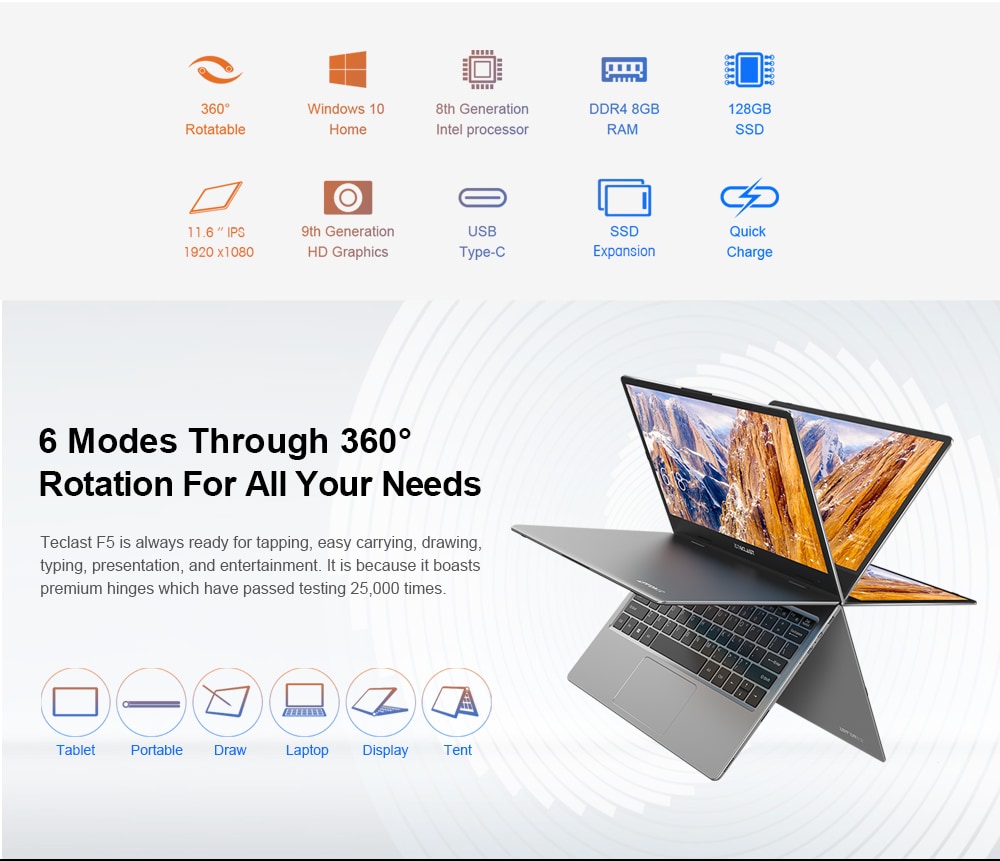
Teclast F5 laptop has been in news lately. It is a 360° rotating laptop that allows you to have its access to whichever side of the laptop you are sitting. Being equipped with 360-hinge, it can be switched among four versatile modes that include a tablet, laptop, stand and tent mode. Let’s see what are the other specifications.
Teclast F5 laptop runs on Microsoft Windows 10 that proffers fluent and wonderful user experience along with more powerful performance. It sports an Intel Gemini Lake N4100 Quad Core 1.1GHz up to 2.4GHz processor which, in case of having ultra-low voltage, will provide maximum high-efficiency power. The model has Intel UHD Graphics 600 GPU that bolsters up the high image quality for updating users on social media and basic photo editing and casual gaming is the part of key features of this set.
The laptop has 11.6 inches full HD IPS Screen display with 1920 x 1080 Resolution. It provides a good experience while watching videos and browsing the Web. Coming on to the storage, the device has 8GB DDR4 RAM for advanced multitasking which includes substantial high-bandwidth RAM to run your games, photos and video-editing applications without any glitches.128GB SSD internal Storage Capacity has been provided to the system for storing the collection of pictures, videos, music, files and more.
Teclast F5 laptop has been equipped with 0.92 MP Front Camera for Photos and Face-to-face Chat and to secure upcoming memories. Other features include HDMI Output that can connect the device to a high-definition monitor or projector or TV according to your convenience, giving you the opportunity to turn your home into a home theatre.
The device supports dual-band 2.4GHz / 5.0GHz WiFi that ensures you a high-speed surfing throughout the connection. It has 3.5mm Headphone Jack and Bluetooth of 4.0 with TF card slot. Package contents include 1 English manual,1 notebook, and a power adapter with cable.
You can buy this amazing Teclast F5 Laptop on www.gearbest.com at an affordable price tag of$329.99, you can also use Gearbest Promo Code to get extra Discount.


![Top 5 Best Apps for Fake GPS Android with Mock Location [No Root]](https://techniblogic.com/wp-content/webp-express/webp-images/uploads/2016/12/mobile-gps.jpg.webp "Top 5 Best Apps for Fake GPS Android with Mock Location [No Root]")