Huawei is celebrating the 2nd anniversary of their Honor handset in India. And in the verge of that, they have launched their flagship Honor 8 along with two other devices. Honor 8 Smart and Honor Holly 3. Huawei is also excited to announce their first ‘Make in India’ smartphone, the Honor Holly 3. The honor 8 is available to buy on Flipkart and Amazonand also at the Honor official store. The other two devices are yet to come in the Indian market.
Honor Holly 3
The honor Holly 3 is a budget device, which is the first ever device of Huawei in the ‘Make in India’ campaign. The device is available in three attractive colors black, white and gold. The device is professionally designed and comes with a 3B back cover for extra protection. The honor Holly 3 is packed with a 1.2ghz Kirin 620 octa-core, which is backed by a 2GB of RAM and 16GB of internal storage. Which can be expandable up to 128 Gb via micro-SD card?
The device has a 5.5inch HD IPS LCD screen with a pixel resolution of 1280 x 720, which gives a crystal clear display. The honor Holly 3 is equipped with a 13MP rear and 8MP front camera, which both have a f/2.0 aperture. The device powered by a 3,100 mAh battery. The device will be available later on Flipkart, and it is priced at 9,999 INR.
Honor 8 Smart
The honor 8 Smart is a new successor of the honor series. The aircraft grand aluminum alloy framed design is a sturdy and premium build for the fantastic audience. Device will be available in three attractive colors black, white and gold. The honor 8 Smart is packed with a 2.0Ghz Kirin 650 octa-core processor, which is backed by a 2GB of RAM and 16GB of internal storage. Which can be expandable up to 128 Gb via micro-SD card?
The device has a 5.2 inch full HD IPS LCD screen with a pixel resolution of 1920 x 1080. The honor 8 is equipped with a 13MP rear and 8MP front camera, and both have a f/2.0 aperture. It also supports a 24-bit DAC HI6402 chipset. The device is running the latest Android 6.0 marshmallow with the EMUI on top of it. The device powered by a 3,000 mAh battery. The device will be available later on Flipkart, Amazon and it is priced at 19,999 INR.
Honor 8
The honor 8 is creating news with the launch. The Honor 8 is the worth awaited smartphone of the honor series. The aircraft grand aluminum alloy framed design is a sturdy and premium build for the fantastic audience. Device will be available in three attractive colors black, white and gold. The honor 8 Smart is packed with a 2.3Ghz Kirin 950 octa-core processor, which is backed by a 4GB of RAM and 32GB of internal storage, which can be expandable up to 256 Gb via micro-SD card.
The phone has a 3D fingerprint, which a superfast unlock time. The device also supports NFC and Fast charging, which guarantees 50% of charge in just 30 minutes.
The device has a 5.2 inch full HD LTPS (Low-temperature poly-silicon) display with a pixel resolution of 1920 x 1080, covered with the 2.5D Corning Gorilla Glass protection. Following the honor p9 the honor 8 is equipped with a dual rear camera, the device has two 12MP rear camera with Sony IMX286 sensor and the front camera is an 8MP shooter with an aperture of f/2.4, both have a f/2.0 aperture. The device powered by a 3,000 mAh battery. The device will be available later on Flipkart, Amazon and honor store and it is priced at 29,999 INR.
That’s all for this guys, stay tuned for more update and please subscribe to our YouTube channel and website for a more awesome update.
Do you normally download free software or paid products for your computer? Wouldn’t it be great if you could get premium software that normally costs anywhere from $10 to $300 for free and with no catch involved? You might say that’s impossible, but we’ve found a website that offers just that.
Giveaway Club is a website where anyone can download premium software being given away for free without even having to register an account. The software is fully functional, made by top-rated developers, tested malware and adware-free and effective. There is even a Games section there that gives out great premium games for free.
But giveaways is not all that the Club does. You can stay in the know on all things tech by reading the articles in the Giveaway Club blog. Those cover hot news from the world of gadgets and cutting edge technology. You will always have the latest info on newly invented or released tech gizmos, see what the future holds for us in terms of technologies and get your hands on programs or devices that can simplify your life.
The team at Giveaway Club knows a good joke when they see it. The ‘Joke of the day’ section on their website serves up a portion of hilarious content every day to dilute serious topics for you with a bit of laughter.
Giveaway Club is a site that breaks stereotypes. Check them out today and you will be able to get a free license key to some great software, a serving of tech news and a good laugh, all in the same place. We believe you will find something there to like.
You can also subscribe to there Club’s page on social networks and get giveaway alerts, news and jokes delivered to your timeline, so you won’t miss a thing.
Data loss is one of the major concerns and even more frustrating when you could not found any solution to retrieve your data. Data is always priceless and very precious. Data may be in the form of yours precious moments like pictures or videos. Or maybe some important files that could be worth more than thousands of dollars. Data loss could be of different reason. One can lose data due to virus attack or system crash, formatting of hard disk without a backup. Sometimes data loss is due to device failed to boot.
Some of the tips are given below to avoid data loss.
You should always have a backup of your important data on Google drive or iCloud storage.
You should have a genuine antivirus software that could protect you against the virus attack or malware software and other spams online.
You should have a password protected device always so that unwanted person couldn’t have access to your device. Another reason for data loss is due to younger cousin may format your device unintentionally
Avoid installed untrusted software available online that could result in system crash or virus attack
Always install updates available of the Operating system because it brings patches that could be very helpful.
Still, if you have lost the data after going through all these precautions and you don’t have the backup on Google drive or iCloud still you don’t have to worry about much because there are many online data recovery software available online. I am going to describe here is one of the best data recovery software.
EaseUS Data Recovery Wizard free:
EaseUS Data Recovery Wizard Free is one of the best data recovery software that helps its user to download up to 2 GB of the data absolutely free. It is the best free data recovery software that helps it user to recover data from almost anything i.e. lost data from your PC, laptop, hard drive, music player, digital camera, partition loss or any unknown reason.
The interface is very simple and easy to use. This software will help you to recover data only in three steps. Three steps are explained as below.
First of all, you have to Launch EaseUS Data Recovery Wizard Free and you have to select the specific file type you wanted to recover
Now in step 2 you have to select the disk in which data loss problem has occurred. Afterward, you have to hit the scan button and it will automatically start scanning. Two different types of modes are available for this scan.
After you are done with scanning hit the recover button to get your data back safely .
Your e-commerce business must be suffering from a life-threatening illness. It is a tricky one, as it can hide in many different ways, and you won’t notice it until it has ruined with your sales. And its name is SEO mistakes.
Because SEO has frequently been related to content, it is common that many e-commerce websites think that it has nothing or very little to do with them. But this is the first mistake that you can make: ignoring its importance.
And more will follow.
# 1 – Creating poor product descriptions
Your product is the soul of your business. You want that your customers look at it, love it, and buy it. And as you are an online business, you need to convince them with your product description, right? So you understand if they are poorly written, they won’t help you to make any conversions. And for this reason, you should consider adding the right keywords to it, transforming your descriptions into your strongest SEO’s weapon.
# 2 – Not even creating a product description
Ok, it can always be worse. So, yes, worse than writing a bad product description is writing no description at all. And if you think it is too weird, you should know that they are plenty of online business doing it right now. They believe that a good photo and 2 or 3 words are all that takes to ensure purchases and that Google’s algorithm will make sense out of it. They couldn’t be more wrong.
# 3 – Duplicate page titles
You might not have thought about it, but have you considered if your page titles are too similar? Or maybe even the same? If so, you should change hem immediately. It will make harder for search engines to set them apart, and you want that they have a happy time on the website.
# 4 – Lack of a reviews/rating system
It is a common belief that Google’s algorithm takes reviews and ratings into consideration. So if you have none, it will count against you. They give you credibility, even if you have some negative ones it makes the results even better, as nobody can achieve unanimity. So if you don’t have a review or rating tool on your e-commerce business, you should consider adding it as soon as possible.
# 5 – Keyword stuffing
Another thing that you want to avoid is keyword stuffing. Some online entrepreneurs are great on getting a keyword search tool, writing down all possible keywords they get, and then spreading them all over their website as if they were a highly contagious plague. But it can only bring the wrong results, as their content becomes unnatural and hard to understand. And the search engines will say that they are trying to game the system as well.
# 6 – Duplicate title tags or meta descriptions
Title tags and meta descriptions are part essential of your SEO settings. They are what your potential customers will see when they search for a product like yours on a search engine, so you need to get them right.
But what many e-commerce websites do is just copy and paste the same title tags and meta descriptions over and over. It will add no value to their business and will be quickly spotted by the search engines. And this is when they are being good because many entrepreneurs will just leave the SERP plugin as blank as it is.
# 7 – Ignoring URLs
Your URLs are another thing that you should take good care. They are essential to your e-commerce business as they are responsible for directing your customer to the page you want. And yes, they are also indexed by the search engines. That is to say that they should be too similar and that they must include a valuable keyword related to the page’s content.
# 8 – Duplicate content
Laziness is a common reason for failure on e-commerce. You probably have come across a website where the content is virtually (if not exactly) the same everywhere. You can barely notice that you clicked on a different page! Needless to say how confused customers and search engines will be there.
# 9 – Not offering fresh content
Now, you will have got a mistake that it is quite understandable, but you still should avoid it. Because you are selling a product, and it is not like they change that frequently, you might think that the “fresh content” rule doesn’t apply to you. Unfortunately, search engines will still look down on you because of it.
Amazon, eBay, Alibaba, and Etsy get away with the fact that there are always new products being added to their platforms. But if this isn’t your case, you should consider creating a blog so you can offer news to your customers. Have no idea of how to do it? Then look for some online writing services or tools like Hemingway App or BestEssay.Education. You can also search for detailed reviews of services that can help you on it.
# 10 – Weird images file names and alt text
As Google Search can’t read images, it will rely on their file names and alt text to understand what they are about. So if they don’t make any sense, they won’t help you to be on the first page. Go back to your gallery and see how bad the situation is (because you might have missed this point) and start fixing it right now.
# 11 – Missing text on your pages
Your texts can’t be stuffed with keywords, should be engaging, well written, fresh, and so. But they must be there. It is not because you think that category’s name explain itself that you are allowed to leave it with no description at all. Same goes for your delivery process, payment options, and anything else that your customer need so to make a conscious decision.
# 12 – Plenty of 404 errors
Nothing can put someone more off a website than 404 errors. They waste your time and make you think that the company doesn’t care about their customers or sales. So make sure that you keep one eye on them and fix them as soon as you notice them.
# 13 – Low load speed
You are a salesperson, and you know it. If you want to sell something, you have to do it fast. Same way, if your website takes too long to load, it will harm your conversions for sure. It might be caused by heavy content (especially images that you didn’t compress), but it can be your host’s fault. So find the culprit and get rid of it.
Wrapping it up
So there you got 13 SEO mistakes that will bury your e-commerce business if you don’t take action against them. Maybe you didn’t have a clue about them, and it is OK. Just get back to your website and fix what you can – or get help from an expert if you need it. Then all you will have to do is keep following your analytics so that you can see the benefits on your reports.
Coolpad has launched so many devices previously, and all of them do very well in Indian Market. There Previous Year Beast Coolpad Note 3 and Note 3 Plus and now get a Bigger brother with excellent Specs, and when you hear the price you will say it real. Coolpad has launched the Note 5 in India. This time, they added some great features and specs in there Note 5. They have added an all full metal body with a 2.5D glass which adds this device in a premium segment. The phone is going to be available on Amazon.in at a price of INR 10,999. There will be two variants for the phone royal gold and space gray. The sale will start from 18 October 2016. Beside it is being made up full metal, still won’t be loosing your grip on it.
Now Starting with the front part of the phone, first at the top you will get 8 MP Camera beside it Front facing flash and besides it different sensors and ear piece. Coming a little bit down you will get a 5.5 Inch FHD Display which covers up with 2.5 D curve display, that adds extra protection to the phone. Coming to the back keys, in this phone, you get back capacitive keys which won’t light up.
On the Top portion of the phone, you will get a 3.5mm audio jack and nothing else. Turning around to the down portion, it houses a Speaker, primary mic, and a Normal micro USB port which support fast charging.
Coming to the left side of the phone you will get a volume rockers and turning around to the other hand you will get a Sim Tray slot which supports Dual Sim at the same time or single sim + Micro SD card up to 64 gigs which make it a hybrid SIM tray. Below it, there is a power lock key which gives proper tactile feel when you use them.
At the back panel of the phone you will get a 13 MP camera with secondary Mic and Single LED Flash and below that houses a Finger Print sensor, which like its other previous device is super fast. Just put your finger on it and in 0.2 ns or may be less it will unlock the device.
Display
Coolpad Note 5 comes with a 5.5-inch FHD with a resolution of 1920 x 1080 and pixel density of 401ppi. The Display colors are more towards natural tone and watching movies and playing games looks awesome. While watching a movie on to the phone give immense experience. The Sunlight legibility is also good because of its brightness. When we compare the brightness with Xiaomi Redmi Note 3, Coolpad Note 5 has better sunlight experience.
Viewing Angle is good, and blacks are decent enough. While watching movies from odd angle won’t effect you in any way. There are different color modes, which you can change by going into the setting panel as per your usage.
Performance
The phone comes with Qualcomm SD 617 Octacore processor which features a 4 GB Ram. This combo makes it a beast with this price. Out of 32 GB of internal storage you get about 24 GB free after that also you can expand it to up-to 64 GB as the phone support Hybrid SIM tray, which means whether you can install dual sim at the same time or you can install one sim and one micro SD Card in it.
This power with this combo won’t is disappointing you in any way. We can run multiple apps and games on continuous bases and experienced no lag or frame drop or glitch at all. Even after long high-end gaming we won’t found any heating issues. Over all, you can do intense multitasking on Coolpad Note 5, and you won’t face any lag.
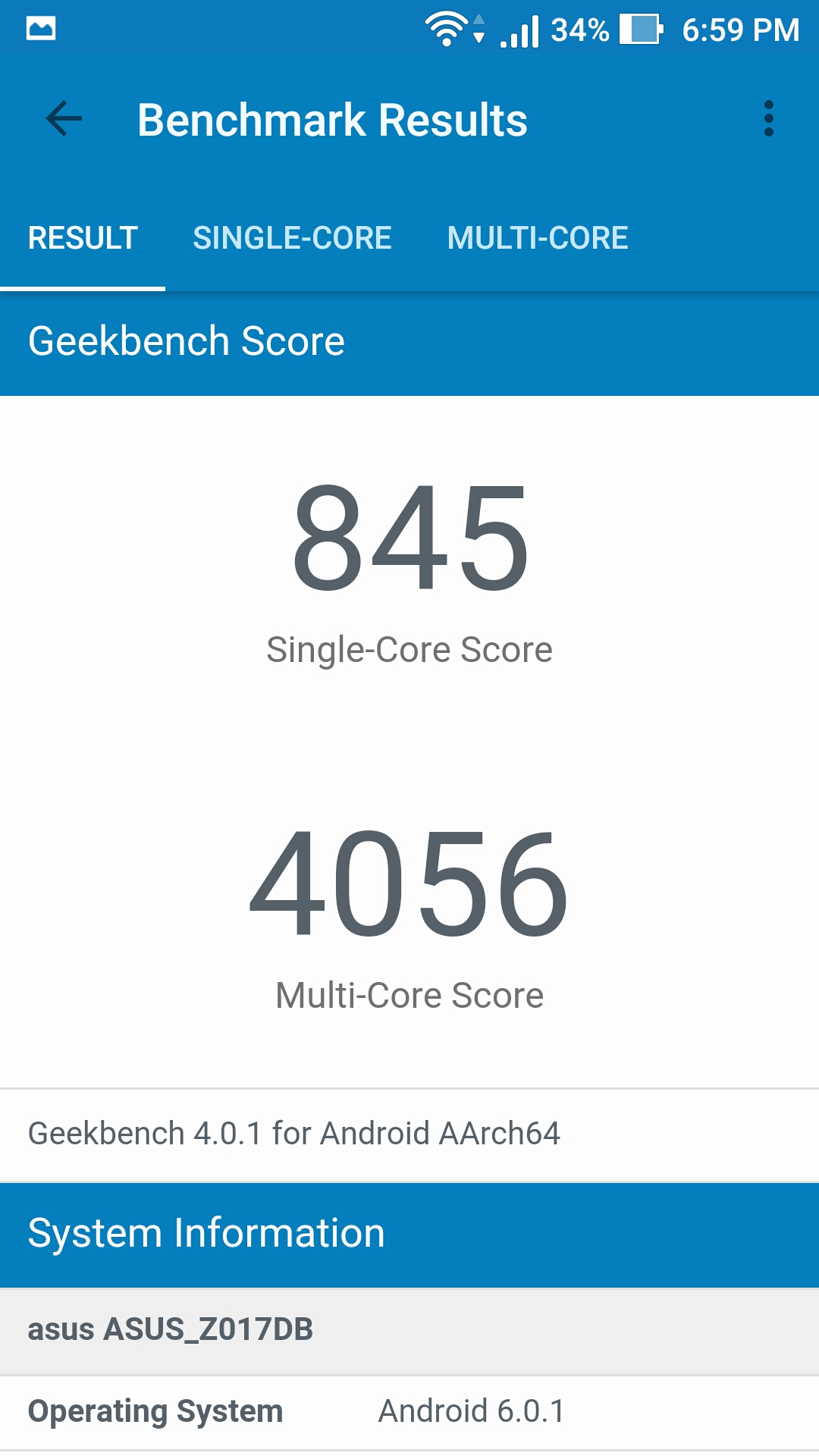
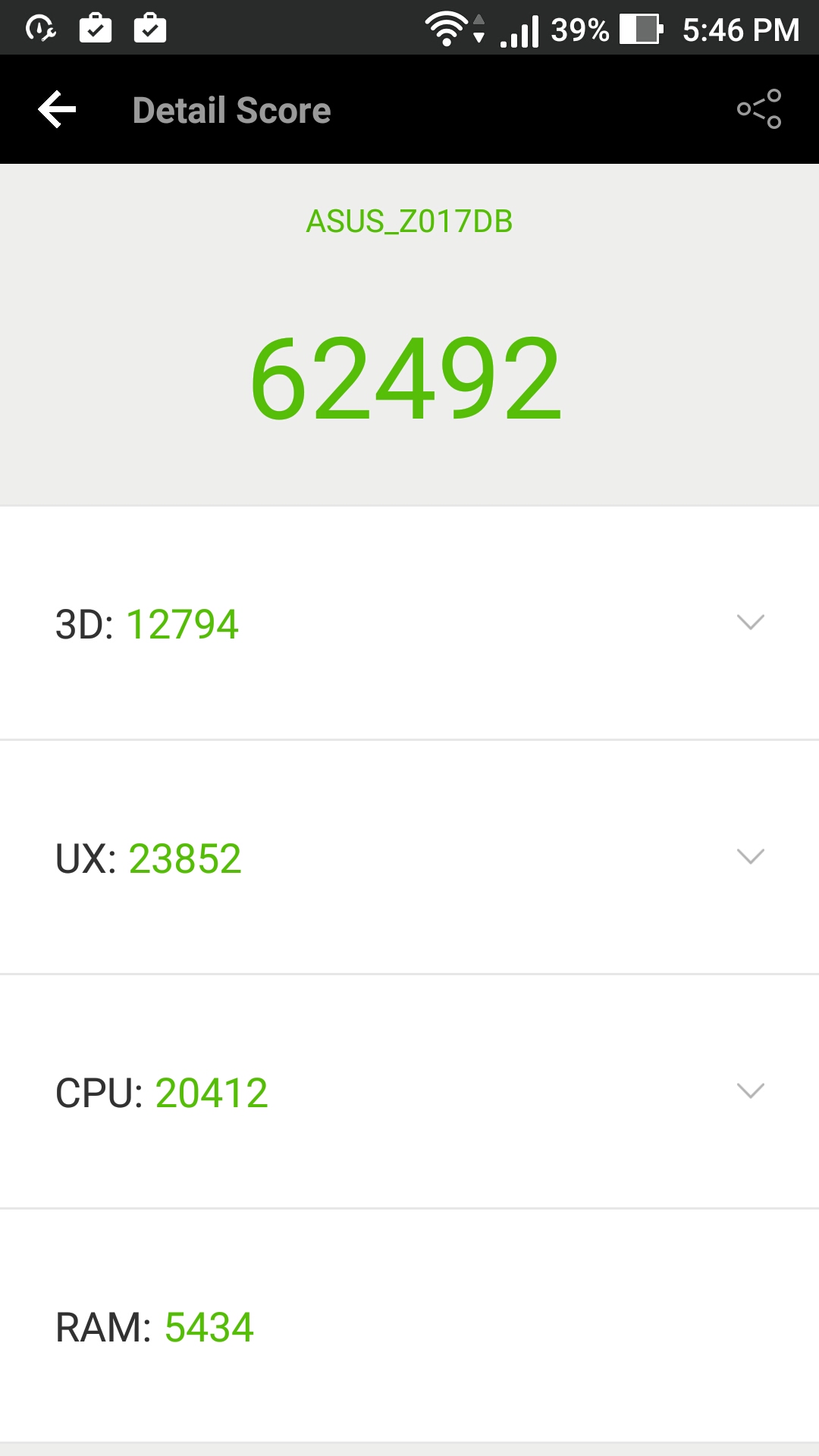
Coming to the Antutu Score and geekbench score, As per the price it is good enough to handle almost everything you wanna try on them.
Camera
As always Coolpad comes up with great camera quality. This time also Coolpad Note 5 comes up with 13 MP rear Camera which capture really great images if we compare it with other device with same price segment. Rest, i will be posting different camera review on my YouTube channel. Photo Clarity has proper details and natural colors, you wont find any over saturation in the images. Focus is decent, and in low light images has a little bit noise in it. Coming to the front facing camera of 8 MP with LED Flash in front as well as back, which makes the device with dual LED Flash. This is one of the rarest phone which you can find after Itel with front flash in this price. Due to front flash you can click selfie even in no light and the quality will be top of the mark.
Battery
Now, another great thing about this device is its battery life. It comes up with 4010mAh, which will easily last you for 2 days in normal usage or may be even more. If you are a heavy user like more gaming and movies and other high-end stuff, the phone will easily last you for Days very easily. Due to its battery, GB Ram and Full metal body the weight of the device is a little bit towards high. But when we compare specs, performance and price it is a 100% great deal.
The Phone Support Fast Charging and take my words in 35 Minutes, it charged from 0% to 70% using its charger which supports 2A charging.
Verdict
This device is the combo of all, the thing you ask, you will find in it. And we have already reviewed previous Coolpad Device; it is one of the best among all of them because the thing you want is already present in the phone. Quality is good, and what all you can expect from an 11k INR phone.
If you want a good phone in your budget with all the stuff like performance, camera, battery just go and buy one.
As we know that the Asus Republic of Gamers has launched their brand new high-end laptop in India. And by launching these two beauties Asus has made the news. The Asus ROG GLV502VS and G752VS, these two models will be available in exclusive store and the price start from 1,84,990 and 2,47,990 INR. So, should you buy it, because you can buy a MacBook pro in this price bracket; honestly.Let’s find out…
The Asus ROG comes with a spectacular specs and performance. The ROG series of the laptop are made for gaming or power users. The ROG series currently rank as the number one gaming laptop brand worldwide with 40% of market share. Some of the ASUS ROG series laptop with NVIDIA GeForce GTX series graphics have also topped the global sale charts. The ASUS ROG series is not just any normal laptop that you’ll find; it is a beast. You’ll also say it, once you’ll give a look at this.
The ROG G752VS
The ROG G752VS comes with and incredible design and color, for gamers it is a dream. The laptop comes with the NVIDIA GeForce GTX 1070 GPU with 6th generation Intel Skylake unlocked Core i7 processor and up to 64GB of DDR4 RAM. The NVIDIA graphics card alone delivers up to 80% of higher performance, and the unlocked processor has a toolkit, which is an overclocking software. The tool allows the system to boost up the speed up to 4.0 GHz.
The laptop gives a superfast 120Hz refresh rate, which delivers immense display. Those 60Gb game that you wanted to play at the maximum setting, you can do that in this. The laptop also has this backlit anti-ghosting keyboard with 30-key rollover for the most accurate control and input. The build and the specs are just excellent; you won’t be able to find that in your MacBook Pro.
The ROG Strix GL502VS
The Strix is not just a powerful laptop; it is a supercomputer itself. The NVIDIA GeForce GTX 1070 GPU is a VR ready graphics card, which offers a next level VR experience in gaming. The VR experience is shutter-free and visual tearing free, means you’ll not see any distorted pixel at all, the device will give you real VR gaming experience with the best of the graphics.
The laptop is ultra-portable, so you’ll be able to carry on it anywhere you want, the device weight only 2.3 kg. The laptop has this 15-inch wide-view panel which gives a 178-degree viewing angle; the display is great with some of the best pixel density and resolutions.
The notebook has 32GB of DDR4 RAM, the laptop design is a cooling efficient model, which takes the cool from the bottom and flow it backwards of the laptop. The laptop also has the state of the art ambient noise free audio system, which gives a tremendous amount of sound. The ASUS GameFirst III technology optimizes network traffic and creates a faster and more friendly environment for the gaming experience. Overall the laptop gives an excellent performance, something which you’ll not found in any MacBook ever.
Why to buy?
Well, the specs are obviously great at this price range, which you’ll not get in any laptop. But here not just specs are important, but the overall build quality and management is also important. You’ll have not just the specs but the overall experience, which is obviously a new kind of experience. Both the devices are capable of handling in any environment, and they are really-really good at it. The device doesn’t show any major heating problem and keeps it cool at the time.
AVAILABILITY & PRICING
ASUS ROG GL502VS & G752VS will be available across all online & offline leading retailers and Asus Exclusive Stores at a starting price of INR 1,81,990/- & INR 2,47,990 respectively.
More attention has been paid to the cloud and its potential than any single technology since the advent of the Internet, and it’s tempting to dismiss yet another article on cloud benefits as another artifact of the enormous hype that has surrounded cloud-based technologies. But cloud-based disaster recovery (DR) is an approach to creating a disaster recovery plan that provides real benefits in cost, simplicity, flexibility, and effectiveness.
The cloud offers an entirely new level of effectiveness for DR because cloud-based recovery does not rely on an already-compromised data center to execute the recovery process. On the contrary, cloud DR plans, like much of cloud computing, is based on virtualization, so that the entire system, from the server – along with its operating systems, patches, data, and applications – is loaded onto a virtual server, which itself might be a distributed, redundant cluster. The system components once virtualized and bundled, can be copied onto a virtual host in mere minutes, significantly reducing recovery times when compared with disaster recovery that takes place in traditional, physical data centers.
In addition, cloud service providers ensure your data is SSL-encrypted in transit or at rest, provide state-of-the-art firewalls, access control, intrusion detection, auditing and monitoring, and on-site patrols to prevent physical site intrusion.
Types of cloud solutions
The cloud solutions types can vary but they usually follow one of the following models.
Public: In a public cloud solution, the infrastructure is owned by the cloud service provider (CSP) and the system is accessible via the Internet. One prominent and well-known example of public cloud solutions is Amazon AWS. A public solution, where infrastructure is provided by the CSP, provides effective data services and disaster recovery in an affordable environment.
Private: A private cloud solution is a system operated by or for a single organization. It is maintained within the organization’s firewall and must be accessed by a direct connection. A private cloud will be more expensive to set up but will be highly flexible and tuned to an organization’s needs. However, because of the private nature of this type of cloud solution, lack of in-house cloud expertise can result in the solution having some of the same vulnerabilities as an in-house data center, such as inadequate planning or unavailability of key personnel when disaster strikes.
Community: A community cloud is basically a private cloud shared among multiple organizations. This is a compromise solution that can somewhat ameliorate the risks and costs of strictly private or strictly-public solutions.
Hybrid: A hybrid cloud solution is when an organization combines more than one of these solutions, assigning different types of cloud solutions to different functions within the company or organization, basing the decision on the sensitivity and hierarchy of the data, and the resulting variable needs for recovery in case of disaster.
Reasons for cloud-based disaster recovery
All IT pros know that whether it comes in the form of natural disasters, fires, power outages, or malicious attacks, disasters will happen. And when they do, systems need to be restored as quickly as possible. Not only can downtime have an effect on business, many organizations have legal or regulatory requirements to meet that require fast recovery and data protection.
While organizations are getting more aware of security threats, all too many organizations have insufficient DR plans in place or no plans at all. Businesses and agencies often cite reasons for this lack that include the perceived likelihood of a system failure being too low to justify the costs and time commitment inherent in setting up the infrastructure and accompanying data recovery plan. But either it is through human error, human malice, or natural disaster, system failures happens. With some up-front research and preparation, an organization can implement a DR plan without incurring great costs or dedicate an unreasonable amount of time to it – especially if they leverage existing knowledge and infrastructure by hiring a CSP.
DR plans are meant to protect a company’s data integrity and confidentiality, as well as ensuring the availability of systems and applications. A cloud-based disaster recovery plan, by providing anytime-anywhere access to crucial data, can reduce downtime and ensure an organization has 24/7 access to its business-critical data and applications. As such, a DR plan is a necessary part of any security risk management. In addition, organizations that have legal and regulatory compliance concerns can hire a CSP with expertise in that area, and which already have security controls built into their architecture that can help meet regulatory demands. Specialty CSPs may also be able to assist with audits and to supply necessary documentation.
Benefits of Cloud-based disaster recovery
Infrastructure, including updates: A data center is costly, and keeping it up to date with changing technology and maintaining resistance to ever-changing threats requires additional expenditures which contracting with a CSP can significantly mitigate including continuing maintenance and upgrade costs in the contract.
Remote access: By using cloud-based solutions, including cloud-based DR, even in the case of disasters, the data remains accessible. Even if personnel cannot be on site due to fire, flood, or any other cause, remote access means that critical functions can be accessed from any location, guaranteeing continuity of critical business functions for your organization.
IT Expertise: Cloud solutions give your organization access to the IT expertise of the CSP, allowing internal IT personnel to concentrate on business-driven data issues and development, rather than having to develop internal expertise in storage and security technologies.
Round-the-clock support every day of the year: Your Service Level Agreement (SLA) with your CSP should include anytime response, 24-7, 365 days a year. If your system fails, whatever the cause, your CSP should have a support team ready to implement your disaster recovery plan immediately, without your organization having to set up and maintain full-time coverage.
Minimal downtime: The cost of even an hour’s downtime is costly to any organization in our fully-connected world. Staffing expenses, lost business, regulatory risks, and customer goodwill all suffer when internal and/or external systems fail, leaving you – and possibly your customers – without access to data and applications. Cloud-based systems, by using virtualized systems and cluster computing, are well-positioned to have almost no downtime when executing a failover, and because of the distributed nature of the computing, it is almost impossible to have the backup systems affected by the same disaster that affected the primary system.
Ease of Deployment: Compared with setting up your own disaster recovery plan and dedicating time, money, and people, using the existing expertise and infrastructure of a CSP is quick and easy. Experts can smooth the way, relying on their experience in helping organizations like yours get a cloud solution in place with a minimum of trouble for your organization.
Cost-effectiveness: Leveraging the expertise of your CSP for disaster recovery means that implementing a DR plan is not only simple but will cost less. No secondary data centers need to be set up, and replication, failover, and failback routines are already in place for much less than you would spend to implement these safety measures on your own. CSPs offer scalable plans, so organizations only pay for what they need, and can change their service terms by changing their subscription as business needs change – not by making another significant investment.
Flexible: DR plans are complicated and time-consuming to develop on your own, but your CSP already has the essentials in place, waiting to be customized to your organization’s unique needs, which the CSP can quickly identify, relying on expertise and experience.
Additional Security: While on-site data centers might seem to offer the fastest recovery times, those centers are often affected by the same factors that caused the initial failure. Cloud-based solutions mean that the recovery center is operational, and not similarly unable to function.
Steps in cloud disaster recovery
As clear as the reasons may be, determining where to start building your DR plan can be challenging. The following steps can help you navigate this process.
Assess threats: Every organization has a different set of needs, and a good place to start planning your cloud disaster recovery plan is by assessing the needs of your organization. It helps to understand your risks, and what areas of your company are affected by each risk. Threats to consider usually come under the following categories:
Acts of nature such as a hurricane, tornadoes, earthquakes, ice storm, fire or flood, or other natural disasters. These often incur physical damage as well as threatening data storage and transmission.
Human error is possibly the single greatest cause of system failure: poor configurations, careless coding, failure to test existing systems and recovery plans, accidental activity, lost passwords, and other unintentional human failures put your organization at risk for large-scale system failure.
Malicious activity can include disgruntled employees sabotaging a system or causing physical damage employees damaging or sabotaging data, as well as external hackers, malware, or acts of terrorism or espionage.
Triage Systems for Recovery: Different aspects of your organization use different systems for different purposes, which may each have different recovery requirements. Stakeholder input can help you determine a hierarchy for recovery, based on the urgency of a business function and/or the sensitivity of data at risk. Assign tiers or levels of hierarchy to each business-critical application or type of data, to make it easier in moving your data recovery components to the cloud, and to ensure that each app or data tier is triaged appropriately.Once you’ve identified the different areas and their risks, you can assign recovery time objectives to each system and type of data, taking into account the factors that can affect recovery times. Based on this assessment, you can more accurately select the most appropriate recovery procedure for each. Business-critical applications and data can cost thousands of dollars per minute of downtime, so those should be high on your recovery list, as should data and systems involved in regulatory compliance. On the other hand, you may have archived data that won’t be missed for some days or even longer. Knowing what you have and how it’s used can help you and your CSP formulates an effective DR plan scaled and customized to your organization’s needs.
Assign Roles: Ensure that you’re CSP and your IT department has defined their roles and understand what they need to do in case of a failure. Using the services of a CSP does not remove all responsibility from your in-house information teams. IT management should be a major stakeholder when it comes to planning, implementing, and testing the DR plan with your CSP.Ensure all roles are understood by all participants, so people can swing into action immediately in case of a failure.
Determine CSP Capabilities: Make sure your CSP is able to meet your needs by asking some key questions. While your needs will determine the extent of questions you should ask, the following questions will apply to almost all situations:
What security measures are in place? Data security requires protection on many fronts to protect against hackers, malware, social engineering attacks, physical invasion of the premises, and natural disasters. Find out what security measures your CSP is using against all kinds of threats. The CSP’s response should include:
state-of-the-art perimeter protection;
auditing;
monitoring;
Physical location surveillance and security.
What redundancies are in use? Your CSP should have redundancy in the following areas:
Protected data should exist in at least two separate physical locations to protect against localized disasters.
All equipment should have uninterrupted power supplies, and in the case of major outages, CSPs should have generators at all physical locations.
You should be able to quickly access your data and applications on a network that does not rely on the connection that might have been interrupted in the original failure.
What is the CSP’s Service Level Agreement? Does SLA provide support and recovery options twenty-four hours a day, seven days a week, and 365 days a year? What is the intended recovery time? Note that recovery time can be affected by many conditions, so potentially the range can be from a couple of hours to several days. Some factors that have to be taken into account are:
The complexity of the main server setup. Cloud-based virtual machines can be reloaded as is from a single data bundle if properly planned for, while reconfiguration of physical servers can take 24 hours, plus one more hour per additional server. This includes the reconfiguration of the servers as well as the upload of data.
Availability of key recovery personnel. Will the appropriate personnel be on site? Is there an absence/vacation/emergency backup?
State of the disaster recovery plan. Is your organization’s DR plan complete and fully tested? Untested plans may contain surprises, errors, and gaps that are only apparent when they are put into use for the first time, causing delays that could have been avoided with a little additional preparation.
Equipment replacement needs. If the failure extends to equipment, time to replace the hardware must be factored in.
Sufficient budget. Did your organization fully account for its needs in case of failure, and did you budget accordingly, so the CSP has the appropriate measures in place?
Set-up: Once you have identified your organization’s vulnerabilities, requirements, and resources, you can start setting yourself up for disaster recovery in the cloud. It’s a good idea to start by moving one component at a time to the cloud: one application, or tier of data storage.This will allow you to monitor one component at a time and test the effectiveness methodically.
Evaluate your plan: Work with your CSP to test your DR plan to see if it is effective so that you don’t find out that it has glitches when you are implementing it. Set up test scenarios and evaluate the outcome. Fill in gaps, including those of education and individual preparedness.
Maintain and Evolve: Developing your initial plan is only the first step.Frequent testing and staying current with security patches is essential, and reevaluating the plan in the context of newer technology is mandatory because threats – especially malicious threats – are constantly evolving their technology as well.
Final thoughts
Cloud-based backup is a safer, more reliable, and more cost-efficient way to ensure you have a robust disaster recovery plan. By outsourcing your organization’s data backup to a hosted provider, the technology can do the work of monitoring, maintaining, and supporting the disaster recovery of the business.
Using cloud-based backup-as-a-service is the first step in establishing a fully cloud-based disaster recovery solution. Cloud-based solutions are capable of delivering the fastest recovery after a failure, as well as optimizing protection by making it easier, more cost-efficient and lowering risk.
Benefits are realized by outsourcing the process, including responsibility for system upgrades, patches, and staying on the leading edge as new technologies emerge, and are a technology worth considering for your organization, whether you have to upgrade or initiate your DR plan.
Huawei are making some incredible devices from past couple of years, they have launched many devices like Honor 5C, nexus 6P and many other which gives excellent performance with great battery life too. So, there is one more incredible device which they have launched a few weeks back, the Huawei P9. This time they have focused more on all expect like battery looks, quality and especially focused on there camera.
They have used Dual Camera with branding of Leica on it. If you are a Photography enthusiast you musty be knowing what is Leica and what quality images they can provide with there camera and there incredible lenses. Huawei is the first company who has used Leica camera with dual lens technology in there phones, and take my words the quality is impressive. You can even take RAW images. RAW images means you can create anything with that images anything is possible the end is just your imagination.
The Huawei P9 with Dual Leica Lens is a marvelous piece of engineering and art. They have again worked a lot on their EMUI software which is now one of the most stable skins over Android, even in some aspect better than stock Android.
So, Let’s see how the Huawei P9 fares and its dual lens performs:
Design
The Huawei P9 is having a premium look with a uni body design. It is being solidly built with compact design and specially designed for one-handed use. It is having chamfered edges and is nicely curved under the aluminum frame.
As it is having a compact design with 5.2″ screen size means , it can easily be used using one hand. These days most of the flagships which are made are having compact design so that it can be used easily. The Weight of the device as per its specification is also very low. It comes up with only 144 grams and 7mm of thickness. While holding the hand it gives you a proper grip, means you wont able to slip the device so quickly.
At the back houses the dual 12 MP camera which is very advance with the top branding of Leica next to it. This time, they are also not having any bumped out camera, so you need to worry about any scratches onto it.
So, there is no doubt that P9 is one of the best camera phones till date. Coming to the hardware part of the phone:
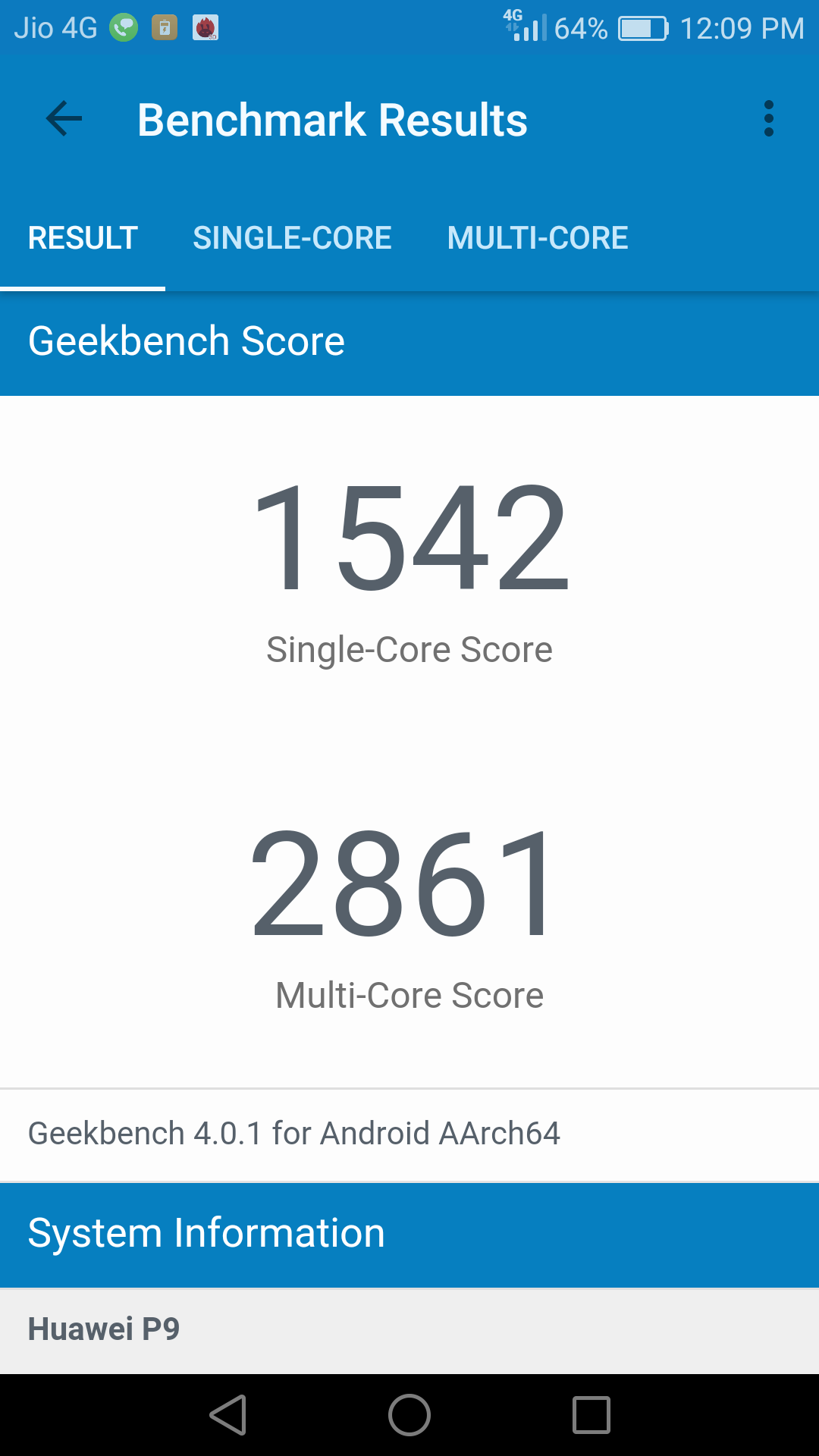
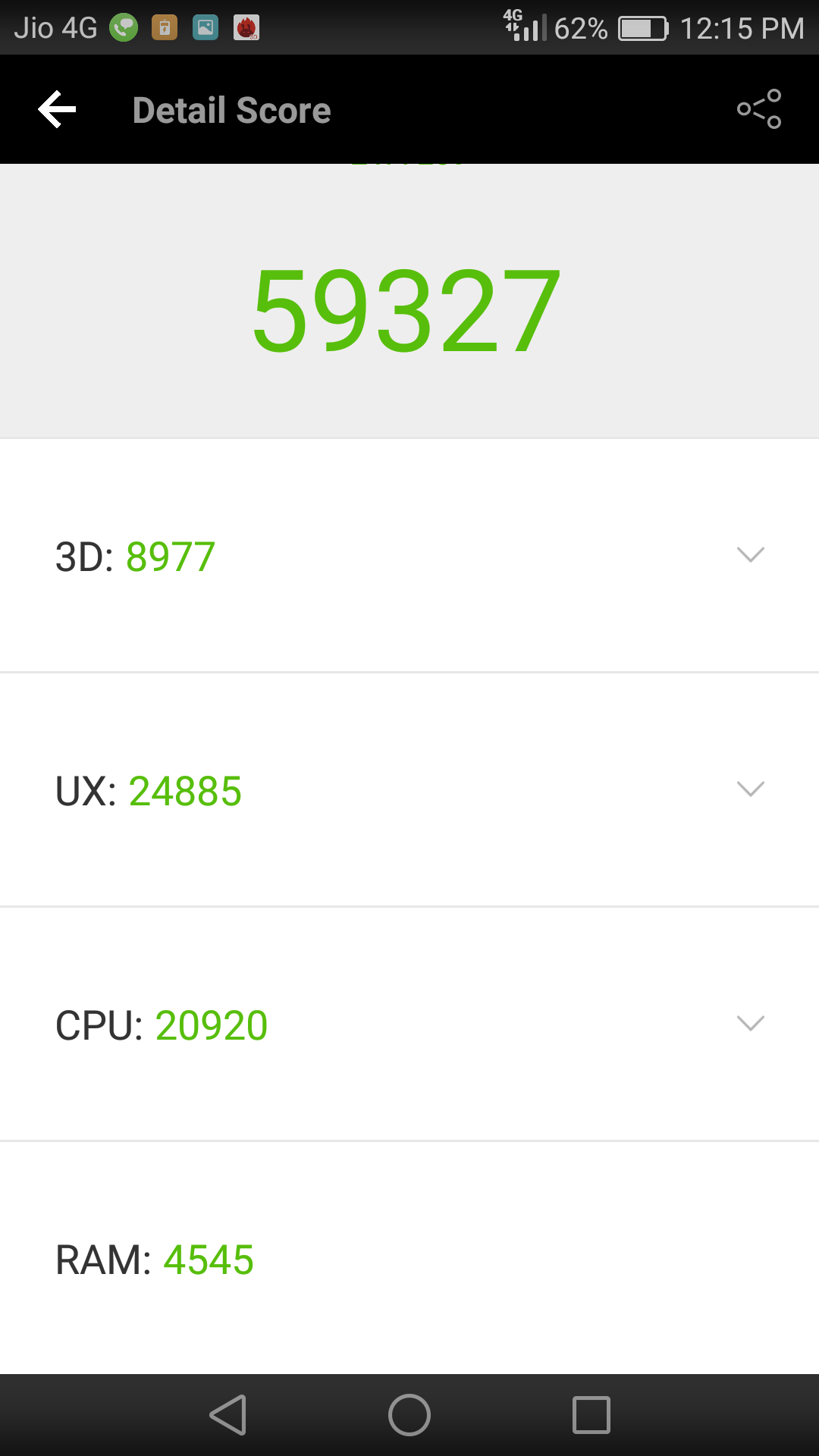
So after Honor 5C, Huawei enter with there own processor in the market which is Kirin. SO, as it was going successful in the market they came up with Kirin 955 chipset in Huawei P9 with four Cortex-A72 cores clocked at 2.5GHz and 4 Cortex-A53 cores clocked at 1.8GHz, the phone is packed up with 3GB of RAM and 32GB of internal storage which is also expandable up to 128 GB. The Only drawback is, the phone is not having dual Sim Compatibility.
1 of 2
huawei-p9-geekbench-score-techniblogic
huawei-p9-antutu-score-techniblogic
Like there previous Kirin Processor, Kirin 955 has enough power which can handle anything you want. i have install about 10 High intensive graphic games and play them simultaneously without clearing the Ram and they all work fine with no frame drops, The device wont even heat up on high end gaming. From multi tasking to multiple browsing, from Videos to hD movies P9 can handle almost everything smoothly.
The only drawback of this phone which i personally think is its price and its RAM, in this price we are getting excellent hardware and camera but still the RAM is 3 GB. It can handle anything but still there are so many other device with better hardware, but here the camera and the EMUI is the only point of deal. Overall Kirin 955 offer a fluid Android experience with great camera.
Now coming to the Fingerprint sensor of the phone. P9 is having one of the fastest fingerprint sensor till now even better than iPhone. P9 fingerprint can recognize your finger from any direction which means it support 360-degree recognition, which you will find on very few devices. But this is not enough you can even configure the fingerprint sensor for additional functions like answering calls, taking phones and swiping screens and many more.
Even in its software which is EMUI, you will get several gesture and different feature which will help you in the day to day usage.
One con which i have already explained in P9 is that it is not having any Hybrid SIM slow where as it is having only nano sim slot + a Micro SD card support. One more thing that nano sim car only supports 4G LTE and no VoLTe till now, may be in future they will shoot out some update for it.
Display
The Huawei P9 comes with a compact 5.2-inch Full HD IPS LCD. The display is perfectly sized for regular and professional users. In personal experience i watch movies, play games and most of the time surfing on internet and take my words the display is great. The pixel density P9 is around 423ppi . The colors are crisp, and you can watch movies and videos from any angles as it is also having high viewing angles. P9 is also protected with 2.5D curved glass which add up more premium look to the phone.
The sunlight legibility is good enough but still you need to increase the brightness or set is to Auto. Overall, the display is sharp and watching a movie give enhanced experience.
Software
The software which P9 comes with is EMUI which is a custom UI skin on top of Android 6.0 Marshmallow. Just from a skin, it is having a tons of features and optimized system. It is one of the best optimized Skin till now in the market with so many added geatures and other feature which you wont find in any other Android UI.
In EMUI you won’t find any app drawer and will give you a feel of using a IOS. It supports and looks almost like like IOS with Android capability. They have there own phone management system which helps you to increase the battery life as well optimize it for better memory and usage.
EMUI is stable and very user-friendly. And still, if you don’t like EMUI launcher you can switch it normally with other launchers which are available on play store.
Battery life
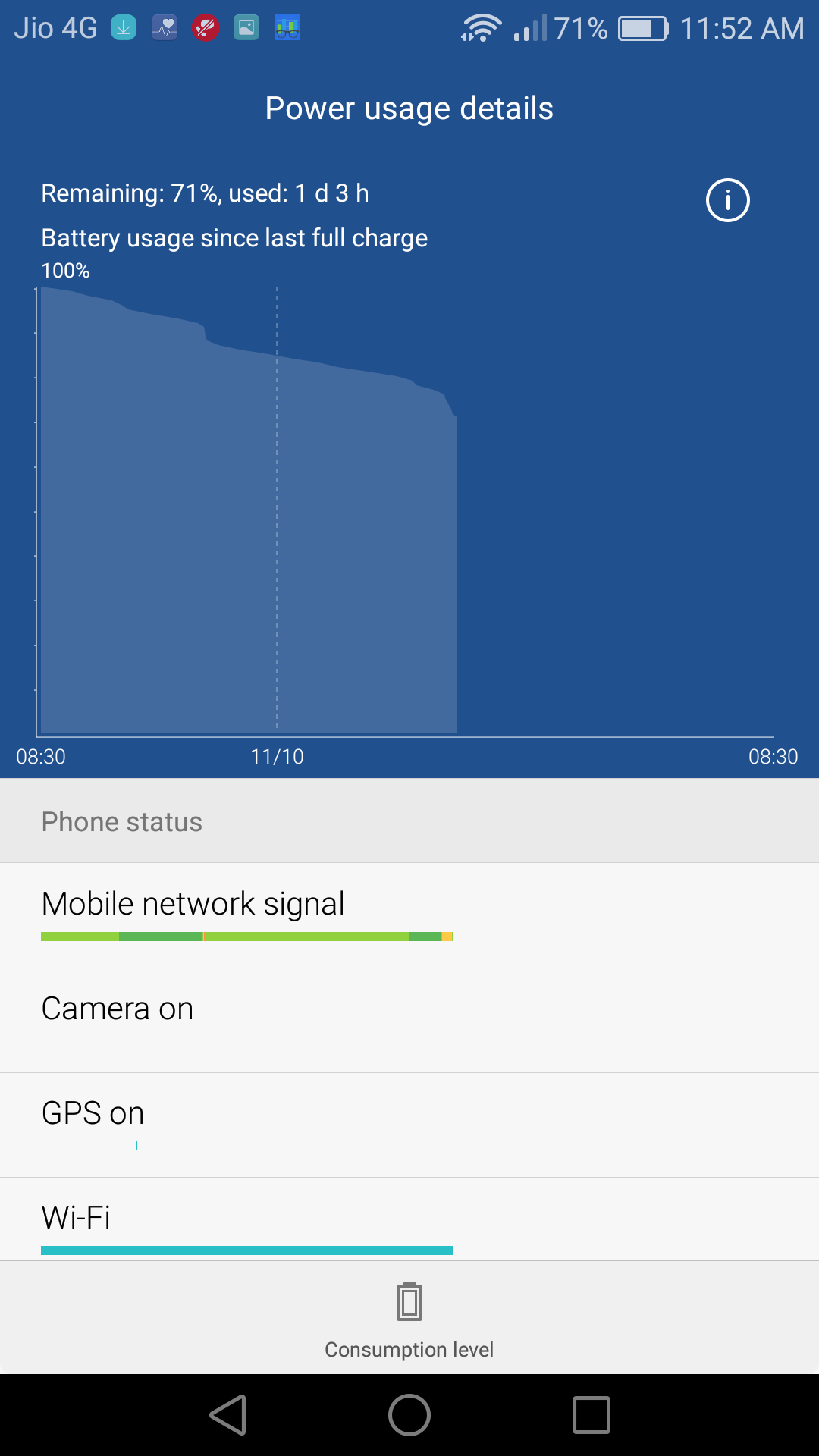
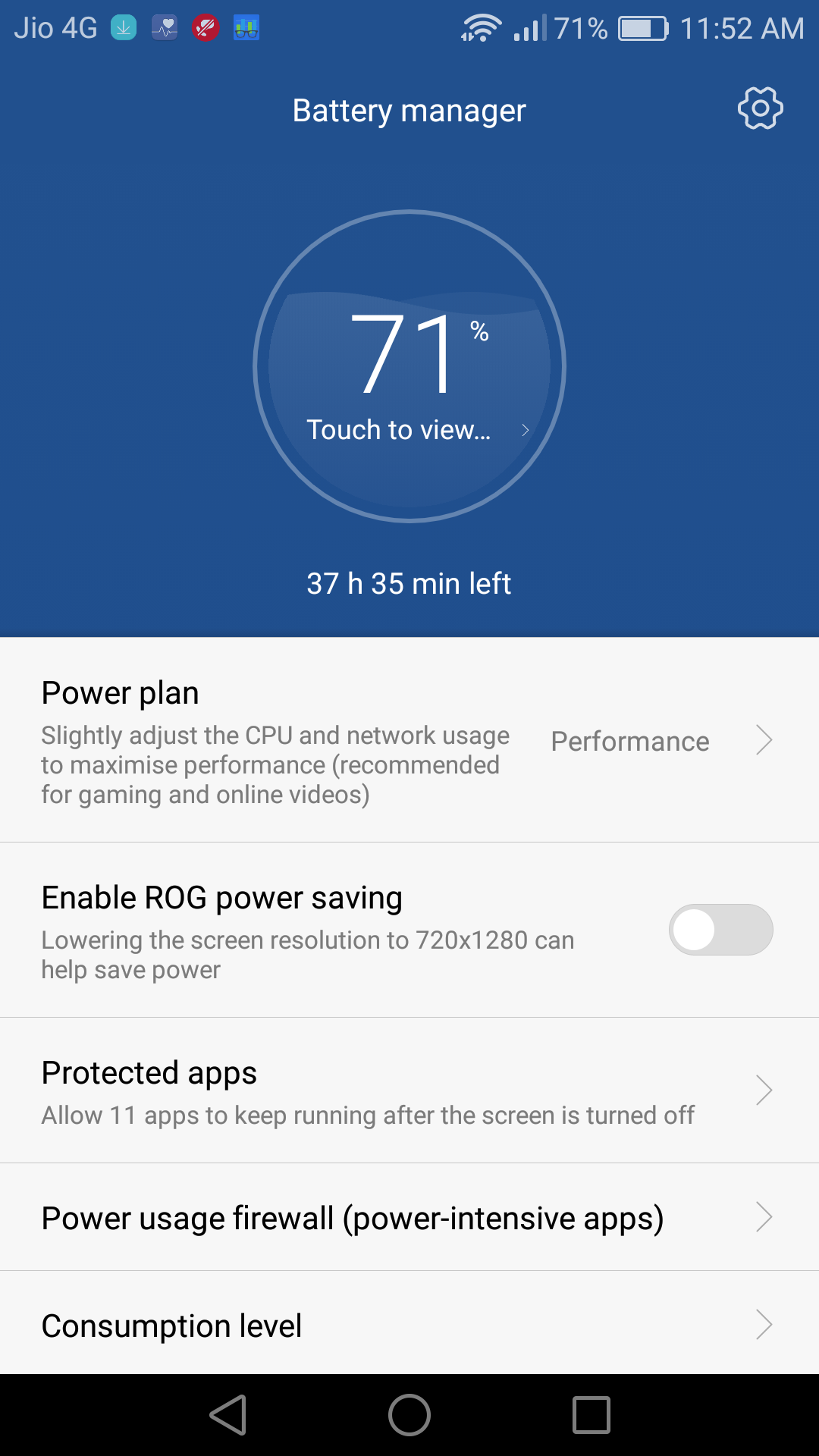
The P9 comes with a non removable 3,000mAh battery, even with this massive size battery they have managed to make the device so slim and light weight. With even high usgae you can easily last the battery for whole day, thanks to optimized EMUI which they have updates i was using it with Jio 4G on full time with call messages, movies and games and it last me easily for 2 days. You can even get more juice by using ‘ROG power saving’ mode which reduces the phone’s resolution to 720p which is an excellent feature and all the smart phone brand should also opt it..
1 of 2
huawei-p9-battery-life-techniblogic
huawei-p9-battery-modes-techniblogic
Overall, the battery life on the P9 is pretty good and as it support fast charging but the supplied charger is the standard 5V/2A charger which makes it charge more than 2 hours to charge the phone from 0 to 100%, you need to get additional fast charger to charge the device rapidly.
Camera
As well all know the most highlight feature of P9 is its camera which is powered by Dual Leica lens. And after using the phone the photos clicked with the P9 are some of my best shots clicked with a smartphones. The 12-megapixel camera has a lot with it, and the amazing part is that, you can capture RAW images which i mostly use as you can add numerous effect in it with compression loss.
The back side of P9 is packs two sensors one is TGB for colored images and other one is Monochrome from black and white excellent clicks which only talks with your imagination clicks. Beside it sits a dual-tone LED flash, which works fine with low light images. Even by using the Dual Lens you are getting better 3D effect in images as well as better dept of feel in pictures.
The P9 has also added a dedicated mimic depth sensor which allows users to get the depth of field like we get while shooting with DSLRs.
1 of 4
Coming to the front, you will get a 8 MP camera which also capture some great shots but in low light sometime it struggle to get images without noise. They is a separate manual mode using which you can add your professionalism into your shots by adjusting focus, IOS, shutter speed and all the other function. You can also select RAW image function for more control on your shots.
Now coming to the video recording, P9 can capture videos at 1080p with 60fps and you cannot shoot at 4K at this price WHY?. But still i don’t care about 4K recording because i never use it because of precious low memory i am having with my Lapie. You still get manual controls over there which most of the phone lack behind.
Verdict
SO, overall P9 is a formidable choice which come up with high quality premium material and excellent camera with added EMUI optimized software. At ₹39,999, the P9 is a bit expensive but the quality it offers its worth it if you can afford it.
Huawei P9 360 Degree View is also coming soon.
If you love smartphone photography, then this deal is for you. Go ahead with it.
ASUS entered Indian smartphone market in 2014 with the launch of Zenfone 5. Then they continued with their additional series and launched Zenfone 2 which world’s first smartphone that comes with 4GB of RAM. But the prices which they offer were incredible. This year, Asus launched their 3rd generation Zenfone 3 in different variants. Zenfone 3 is available in two different screen size, the 5.2 inch ZE520KL, and 5.5 inch ZE550KL. It features Snapdragon 625 Octa core processor coupled with 3GB RAM and 32GB storage, whereas 5.5″ model comes with 64GB storage and 4Gb Ram which obviously makes it better.
Zenfone 3 comes with 16MP rear camera with added OIS, at the front, you get 8MP camera and a 2650mAh battery which support fast charging. The device is priced at Rs 21,999, which means with this high pricing of Zenfone 3 they are trying to enter into premium segment market.You may also Like : Zenfone 3 360 Degree View
So, Let’s check out all other stuff in our full review:
Design and Build:
So, once you take the device in the hand the first thing which will be there in your mind will be it look awesome, I think the best-looking device I have ever seen till date. With their Zenfone 3, we finally say bye to their plastic body phones as this one is something special with whole glass and metal finished from both the sides. ASUS has finally used 2.5D curved Gorilla glass in front as well as in their rear panel which makes it looks too good and feel premium in hand. The company’s exclusive circle pattern is still present at the rear panel of the phone, and take my words it looks so beautiful.
It is having curved edges with chamfered chrome finishing which perfectly merges into a glass and gives a premium look. The phone is having good grip because of its size but feels quite slippery as it is made up of glass and metal. There are no visible antenna bands on zenfone 3 which is till now the only phone which is having this feature. They have given those antenna bands in there chamfered edges. At the back you also get a 16 MP bumped out the camera which is protected with sapphire glass (most protected glass ever made). The camera is coupled with dual tone LED flash and added up with a laser autofocus which makes its focus ultra fast.
Below all these stuff you will get a premium looking fingerprint scanner with a unique rectangular shape which performs amazingly fast and finally below that sits the ASUS logo.
Coming to the bottom section, it comes up with USB C Type port beside it a speaker grill which gives decent sound quality and a mic.
AT the top of the phones houses the 3.5mm audio jack and at the left portion of the phone, you will get a dual SIM card tray and the right side houses the power and volume keys which give quite good a tactile feel while you press them.
At the front, there is 8 MP camera beside it sit different sensors and LED notification light. Coming down you get a 5.2″ FHD display and three capacitive buttons which are not backlit.
ASUS has created and marvelous piece of art with their Zenfone 3 which feels premium from all angles.
Display:
ASUS Zenfone 3 comes with 5.2 inch Full HD display with the resolution of 1920 X 1080p and 424 ppi. They are giving up a peak brightness of 600nits which means in bright sunlight also you can use it very easily, the display is incredibly sharp and has good colors and deeps black. Coming to the side viewing angle, you won’t find it odd while seeing the display from any angle. It will be one of the best looking devices which can handle any kind of multimedia as well as games.
The touch response of the display is very fast, and you won’t find any problem with it. It feels buttery smooth while using the device in day to day life. Overall, I was impressed while using the device, watching movies and games give great experience. The best thing is if you are traveling in public transport one or other guy will surely ask you which device is this, it looks awesome (personally experienced).
Software:
Asus which always comes with there custom Skin of Zen UI, on Android. This time, they came up with same but updated version and out of the box it comes with Android 6.0.This time, ASUS has done many changes to Zen UI with 3.0 version in Zenfone 3. They came up with some new UI which looks refreshing comparing it with other devices from ASUS.
This time home screen offers a lot of changes and customization like new fonts, icons Etc. After they have launched their custom theme contest where you can sell your customs theme, more paid and free theme are available which look much better and advance compare with old themes which were there
They have also added some of the new apps like new Mobile Manager which is used to free RAM and storage space and at the same time check performance. But still as per their announcement that they have removed all the bloatware. Still it is present which you can uninstall normally.
Zen UI also comes with different features like One handed Mode, Kids Mode and Easy Mode which is some essential feature which may help some of the users in a variety of ways.
Performance:
Zenfone 3 comes with Qualcomm Snapdragon 625 Octa core bundled with 3GB RAM and 32GB internal storage in 5.2″ Variant. In daily use it is smooth, or I should say buttery smooth, all games work fine with no frame drops, if you want to do multitasking 3 GB ram will always take care of you. But due to ZEN UI out of 3 GB, only 1 GB is available which will still never effect you in any multitasking.
1 of 2
While playing graphic Intensive games no lag and frame drops are there; even no heat issue is there. You can play games for an hour and the device won’t heat. Overall, the processor works perfectly with this optimized beauty.
The fingerprint sensor of the phone is highly responsive and accurate. Overall the performance is good and gives decent antutu score as well.
Camera:
ASUS Zenfone 3 came with a 13 MP bumped out the camera with a square shape and added up a sapphire glass on top of it. It is loaded with Dual Tone LED flash with a laser autofocus which makes it one of the best focus camera phone. Its focus is super fast even in low light. Whereas at the front it comes with an 8MP camera which takes some great shots. The camera is the most highlighted feature from the company as it also supports different modes and one of the best modes which I always wanted is also present over there, which is the manual camera.
In daylight, the camera produced some excellent shots with great colors and details. The low light photos also come quite good, but some of them get pix-elated shots, may be some software tweak is needed to settle it down. The Dual Tone flash also works quite well in low light.
The 8MP front camera also captures great seflies in most of the conditions. There are lots of modes which are also available in front camera.
The phone can record up to 4K video recording, and the OIS present in the phone works extremely well with it. This is one of the best camera phones which ASUS has ever made and you can capture great shots with it, what all you need it your imagination to flow in the air to get ideas.
Battery Life:
ASUS Zenfone 3 comes with a 2650mAh battery (ZE520KL), and it is coupled with fast charging using USB C Type port. They have improved a lot in the there battery compartment. Even with such battery capacity, it performs well. You can easily use it for a whole day on over average usage like playing normal games, normal videos, songs and internet surfing with chatting stuff. Rest as it has fast charging capability you need not worry about it anymore.
They have also added various battery modes which you can switch and use as per your usage and demand.
Verdict:
So should you buy this one or not is the only question that arises in mind. If you are addictive to it looks and beauty then don’t think to go for it, and if you are specs concentric then you have a lot of choice in the market with better specs at this price. But wait you won’t be getting that beauty with great camera and performance then. ASUS Zenfone 3 is a good buy at 21,999 just because It offers some great build, updated software with decent performance.
ASUS has done almost everything to its best, but the only thing they should correct is the price. At Rs 21,999, it is a tough competition for ASUS in the market. But as the phone is available in the offline market as well it will surely give its best in the market.
As we all know there are so many mobile brands which are available in India these days and increasing day by day. Recently there is a new startup company up with their featured phones and now entering into smartphones. They have launched itel Selfie Pro it1511 within the affordable price segment in India.
The phone is available for Rs 6,999 and is powered by 1 GHz quad-core processor, 1 GB RAM (which seems quite small for this price) compare to other devices, 8GB internal memory and due to which they are going to face a large competition from other Chinese phones which are already available in the market, like Coolpad Note 3 Lite, Meizu M2 Etc.
But the main selling point for this will be an offline market. As all the Chinese brands are available in the online market and rest of the brands which are available in the offline market are not among affordability. So, if a person is having a tight budget and only prefer the offline market to buy stuff, this can be the first choice to them.
While using the device, we found that after even having 1 GB ram it was working smooth in normal usage.
So, let’s see what works for it.
Design
The smartphone looks and feels decent. While holding the device it feels comfortable because of its leather back feel, but it is a good quality plastic. It also offers physical camera button that allows you to quickly launch the camera app and even capture the images using it. Overall The device is bit thick but is having very light weight.
At the back side, you will get a 8 MP camera beside it Dual LED Flash. The Camera capture decent images but the application is sometimes laggy and slow, but you can install the third party for that.
Below that there is a primary speaker, which offers decent sound quality and you won’t be complaining anything about it.
At Front Side, you will get a 2MP selfie Camera with a Front facing flash which works great in low light while taking images. You can also take great front facing video because of this front facing flash. It works really fine with this phone.
At down portion of the phone, you will get a Primary Mic and nothing else just standard metal edges all over.
At left side houses Volume rockers which have no patter feel on it, but give proper tactile feel when you press them.
At Left side houses camera shutter button which has patterned feel on it so that you won’t confuse between power lock key and shutter button. Beside camera shutter button you will get a power lock key which works well on a regular basis.
On the top portion of the phone houses a 3.5mm audio jack and beside it a normal Micro SUB port which won’t support Quick Charge.
Display
It comes up with handy 5-inch HD IPS display produce decent colors, while you are using it for watching movies and playing games. The viewing angles are good and won’t fade out when you see it from an odd angle.
Performance
Itel it1511 comes with 1GHz quad-core processor which gives you modest performance while working with different ongoing apps in the background. It can also handle high-end games like Asphalt 8: Airborne and GT Racing 2 very well.
The phones run on Android 6.0 Marshmallow and come built in 4G unable which means your jio sim will work in it. It also comes up with dual-SIM/dual-standby capability which means both the sims will work at same time.
The smartphone is packed up with 2,500mAh battery and can easily run for a day with regular use, which includes watching a video series + calls + message + browsing and many other ordinary things which an average consumer do in there daily life.
Positives of itel Selfie Pro
The best part for this phone is availability, and you can buy this phone anywhere in the offline market. You can feel the device and then purchase the device. As the device is under budget oriented segment with decent specs, for the offline market it is a great deal.
The battery life of the device is quite good because after playing the games and watching movie still some juice is left after 6 hours.
The back 8 MP camera is decent enough to capture above average images. The colors are good, and even the low light is decent. Coming to the Front cam, I just love it, there is some noise while taking images because of it 2 MP front cam still the video recording from front cam using the front facing flash is impressive.
I have compared it with other devices, but the light, and other color are a lots better in front camera from itel. The only suggestion to them for the future device is to increase the pixel size in front camera as well with same color quality.
Some Cons which is not good
While using the device in day to day use, i found some time the touch response is not good. You need press little bit to make it work. I don’t know whether this problem is with my unit only or with other devices also. Compare to other competitors they deliver much better touch response.
While you are using too many application as multi-tasking, it shows performance lag due to only 1 GB ram. But still while playing games, it won’t affect any thing, no lag and no frame drops are there, which is a positive point towards this device.
The camera is a little bit laggy, but the images which we capture using this device is above average. Nice details and colors are there.
Itel, the Indian smartphone startup has launched its new Android device in the Indian market. The it1520. The device features a 13 MP front camera and an IRIS Scanner. The handset is priced at 8,490 INR.
So far this is what we know about the New it1520, the device comes in with 2GB RAM and 16GB storage, which is expandable via micro SD-card up to 32 GB. It is packed with 64-bit quad-core 1.3 GHz Mediatek quad core processor. The it1520 has a lovely display with a 5 inch HD IPS (1280 x 720 pixels) screen, which gives the device a smoother touch and swipe experience.
The device is powered by Android 6.0 Marshmallow. The it1520 also augmented with the VoLTE feature that enables users to have a high definition audio calls. It has a 13-megapixel front camera and rear camera. The front camera is great, gives a pretty good selfie shot. The it1520 is action packed with a 2,500 mAh battery, which delivers a long-lasting performance.
13MP rear camera, 13MP front camera with LED flash
Connectivity
Wi-Fi, 3G/4G/2G, GPS, Bluetooth
Battery
2,500mAh
Resolution
1280*720
Weight
155- 165 grams
Price
8,490
The brand itel has been encountered with some overwhelming response and exciting customers, their first quarter of the launch was very efficacious. Overall the device is quite good for general use, according to our research the it1520 is the cheapest smartphone with IRIS scanner out there.
So, that was all for this guy. Please subscribe to our YouTube channel for awesome video and our website for news upcoming.
The Fossil Group is a known brand of classic and trendy watches; they have been in the market for a very long time. Fossil has taken a further step into the world of wearables; smartwatches. Today the company launched their first smartwatch and wearable hybrid products. Fossil has introduced a unique range of devices of which six are their brands like – Fossil Q, Michael Kors Connected, Chaps, Emporio Armani, Skagen connected and Misfit. The company is focused on creating an executive set of device, which have a verity of designs and at the same time they should be a symbol of haute couture.
The company is also having its focus on some hybrid watches and fitness band. All the devices will be fashion friendly and updated in tech. The smart wearable will have some unique features, with extensive range or product fossil is all set to try their hand on the tech industry.
Preliminary, fossil has launched six wearable devices.
Misfit:
Misfit had extensive their list of product and added two new devices, Misfit Shine 2 and Misfit Ray. Both the devices are trendy and stylish and have the classic smartwatch features, such as tracking sensor, notification alert, and much more. The devices are priced at 7,495 INR.
Fossil Q watches:
Fossil Q watches have launched, The Q wander and Q Marshal. Both the smartwatch has a touchscreen panel built in a steel case and trendy leather straps, these devices can give up to a day of power. These devices have an interchangeable strap availability. So, you’ll never get out of fashion. Both the devices are truly compatible with iOS and Android and are available in Indian market at the price of 21,995 and 22,595 INR.
Michael Kors:
Michael Kors is a popular brand of fashionable products and sportswear. The company is now stepping in the world of tech by launching the Michael Kors Access. The design is based on the famous Bradshaw and Dylan styles. The device has a customizable display so that you can transform your look of the device every day. The device is rocking with the features like voice activation, display faces, wireless charging, activity tracker and much more. Bradshaw and Dylan’s access are available at the price of 25,995 and 29,495 INR.
Skagen:
Skagen is a lifestyle brand, which is inspired by some of the Danish designs. The company will debut their first smartwatch and wearable technology line. The devices are Hagen connected hybrid smart watches and a Skagen connected activity tracker. The devices have a simple design and classical design, which is implemented with the cutting age touchingly of today. The devices are focused to be a trendy and tech savvy. The collections are priced at 14,295 – 15,495 INR.
Emporio Armani:
Emporio Armani is a collective brand of the men and women fashion lifestyles. The Emporio Armani watches are a symbol of modern shapes and materials with balanced and classic styles. The company has launched their smartwatch collections with the Italian styles and trendy fashion designs, and the devices are available in different color option from black, gold, gunmetal, stainless steel all the device have a robust design and very stylish premium look. The devices are priced between 17,495 to 27,995 INR.
Chaps:
The Chaps connected hybrid smart watches are perfect and budget friendly, they are stylish; they are built with the premium metal finish, a classic, fashionable strap. The device offers all the tech features from the sensor to alert slider, alert notification and much more. The device is priced between 9,995 to 10,495 INR.
Smartphones are great, they make our life easier. We do a lot of things in them and maybe, just maybe most of the features will not suit for you. So, what can we do. Somebody wants a better camera, some wants a large speaker and some just want an extra set juice for their long day. Everything has a limit, even smartphones. So, what more can you do, is there any possible way to upgrade the hardware of the phone, just the shiny one. What if I say yes?
As we know that the Moto Z is finally here in India. Here are some of the things you have missed about the unique modular Moto Z and Moto Z Play.
What is a modular phone?
Google may have stopped their modular phone project but Motorola is not ready to say quit yet. The new modular moto z has launched in India and they are just awesome. Basically a modular phone is smartphone in which you can swap out some parts and install a new one. For example, upgrading RAM or the camera module or some extra battery on the back. You can add any modular equipment, and this equipment are called ‘mods’ and so we get the term ‘modular phone’.
How good the Motorola modular phones are?
Well, let’s assume they are really-really good, I mean modules. I can change the specs, the CPU, the camera but wait, the moto z might have some limitation. As we know that these are the first publicly launch modular phones. They are not that much modular than we have imagined, you have to still go the service center for that broken screen.
The thing Motorola wanted to do is to bring the tech to everyone, not so many people wants modular phones, they are very happy with their phones performance. And unlike everyone, we need simplicity. Swap in swap out; hardware changed. The biggest problems are changing internal hardware, everything is integrated to the motherboard and making every tiny sensor and chipset into mods is not easy. We need a supported hardware, the right equipment and even if we have all of that we need a software which is capable of recognizing all the diverse mod. More similar to a USB device that we attach to our computer and use it. Some geeks might find it easy but majority of people will say no to.
Motorola came with a unique idea of limited set of mods. Well these mods are specifically designed for the phone, with the complete hardware and software support. So you just need to attach the device and use it as a secondary device of your smartphone. Voila!
Moto mods:
With moto mods you can configure some of the feature and have the most advance mod experience.
Hasselblad true zoom: The Hasselblad mod adds advance imaging functionality to your phone, with 10x optical zoom lens and Xenon flash light this mod is perfect for that family photo of yours. A part from that the mod carries unique features like depth of field and an awesome wide angle shoot. The mod also has physical shutter and zoom controls, you’ll also be able to capture RAW format, which delivers a high quality image.
Moto Insta-Share Projector: This mod is a small projector, so you are always ready for that surprise photo slide and video. It can instantly turn nay surface into a 70” tv. The projector display works fine on any white color wall. The biggest disadvantage of this mod is it drains a lot of battery.
JBL Sound Boost Speaker: The JBL sound mod boost up the smartphone with powerful stereo sound, which is powered by JBL® SoundBoost technology. These speakers are very loud and delivers a quality sound.
Power Pack Batteries: Battery is low, don’t worry. Incipio offGRID power pack is the all way solution for that. Attach the mod to the device and get a 20-hour life to your phone.
Moto Style Shell: These style shells are unique designed back cover, with a premium touch. You can also choose premium material like real wood and leather etc.
Moto Mods
Pricing
Bundle pricing:
JBL® SoundBoost Speaker
INR 6999
INR 5999
Hasselblad True Zoom Camera
NR 19999
NR 14999
Instashare Projector
INR 19999
INR 15999
Incipio offGRIDtm Power Pack
INR 5999
INR 4999
Style Shells:
Wood and ballistic nylon
Leather
INR 1099
INR 1599
INR 899
INR 1299
Both the Moto Z and Moto Z Play will go on sale, starting 17th October exclusively on Amazon.in and Flipkart at INR 39,999 and INR 24,999.
That’s all for this guys, stay tuned for more update and please subscribe to our YouTube channel for awesome tech videos.
For many higher education students, the time needed to write dissertations is simply greater than exists. To the avail of dissertation writers everywhere, MasterThesisWriting.com is a professional and reliable academic writing service. As the name suggests, Masters level writing is offered and specifically, dissertations are a specialty. Looking at the site, you will see that they have dissertation chapters broken out as different paper types. This service can provide a whole dissertation, or just specific sections of it.
The Order Process:
This website has an easy ordering process via an online form, accessed under the “prices” tab. Choose the paper type from the drop down menu. Each selection of the dissertation counts as its own paper type. If more than one section is needed, select “other” and then type in the sections you need in the box that appears. To the right of that, select the number of pages the paper requires. Note that the prices listed on the charts are per page. Next, choose the academic level of the work- Masters or PHD and finally, the deadline.
Depending on how much assistance is needed, a dissertation will require at least a thirty day or longer deadline lead time. Contact the support line to work out a deadline schedule that meets the student’s academic needs as well as determine what is realistic for a writer to complete.
The next step is to confirm the choices made in the first step plus submit additional information including the subject or discipline, the paper topic and paper instructions. The instructions need to be detailed. Succeeding in this step is the difference between getting a near-perfect draft on the first try, and having rounds of revisions. Is there a specific example you want illustrated? What is the goal of the paper? Is there a font preference? Be sure to articulate the requirements of the assignment exactly as assigned. Please note, the writers cannot conduct the research necessary for writing assignments, such as administer surveys, questionnaires, etc.
Once the description is complete, choose the amount of sources used for the paper then upload any documents that would be helpful for the writer to review and necessary to cite. Examples include notes, texts to be quoted, survey and questionnaire results, etc. Select the citation style and move on to calculate price. Finalize the paper details and check any add-ons you like. Finalize. Pay.
The Experience:
Once the sale is finalized, a confirmation email from support will be sent. After that, the only communication will be to provide clarification on the paper or receive the draft.
Once the draft is received, be sure to read it thoroughly. The service gives 14 days to review and request unlimited revision changes. After 14 days the system automatically approves the piece. From that point, you have 7 days to request edits, at no extra charge. After that date the extra fees are charged based on complexity and amount of changes. The cost is 35% of the from-scratch cost to rewrite 50% of the paper and 50% of the from-scratch cost to rewrite 70% of the paper. As stated earlier, be sure to give specific paper directions and this will eliminate the need for extensive edits.
Tips and Perks:
The Progressive Delivery service is specifically designed for long term writing projects. For an extra 10% of the cost, the dissertation will be delivered and approved in stages as well as enable a pay-as -you-go option.
There is a discount program based on the amount of money you spend. A LIFETIME discount! The spending thresholds to qualify are pretty low considering how much a dissertation can cost.
Check the messages within the site regularly for questions from the writer, a delay in response will delay the paper.
Compared to other writing services available online, this site ranks highly for usability and pricing. The ease of usability is due to the neatly laid out interface and logical ordering process. As far as pricing, for the quality of paper ordered from a generalist writing company, it fits squarely into mid-market price points.
Leaving one’s culminating academic work in the hands of an online writing service can be a daunting task for a studious, yet time-restricted individual. MastersThesisWriting.com is the best decision for the most intense worrier. From the rigorous hiring process for writers, secure payment systems and responsive support team, students with the highest standards can trust their custom written dissertations needs to this site.
There are more and more solutions that are used for increasing companies’ efficiency from year to year. Software is one of them. In fact, it is one of the most important and strategic ones.
All these products, in terms of uniqueness, can be divided into several types: standard software, typical representatives – graphic editors, office suites, constructors that require constant improvements in implementing, despite the fact that they are available in standardized form. And finally – a unique information system, made with the help of outsourcing php development to meet custom needs.
Advantages of individual software
A decision to install particular program is accepted on the basis of parameters that are important for the company. Considering the risks associated with that, nixsolutions has presented all important benefits in order to take them into account when choosing software.
The decision about possibility of ordering individual soft appears when:
business is expanding or significant changes happen;
there is a new installation of technological process, technology or function, which standard soft is not able to process;
it is required to provide full information data protection or financial security.
All software purchase categories have their own advantages and disadvantages; each of them occupies certain places on the market. However, individual soft development is popular now. Why is that happening?
The most obvious, but not the only reason for choosing an individual development – existence of specific businesses, for which it is impossible to find a ready-made system. Individual soft will be developed on business needs basis, so it will clearly solve all your problems.
You get feature set you want to and don’t pay for unnecessary program services and functions.
Ordering software you become the full program owner and save yourself from the need of buying a license at occurrence of new workplaces.
Another serious reason why individual soft is ordered – the need to provide a high-grade information security. Usually, ready-made systems are unable to meet these requirements. Customized software is focused on a specific regulatory framework and on creating comprehensive information security system.
Reworking of existing soft has great importance, as well as technical support provision. If work is organized correctly, urgent customer requirements can be met as soon as possible.
Customized software is a profitable and fast-payback investment, which allows bringing business to a new level.
What to pay attention to when choosing a developer
It is necessary to take care about selected developer company’s reputation. Turning to unscrupulous developers you are risking – important for your business project may be incomplete. Select a company by the following features:
complex innovative approach to solving clients’ problems;
diversity of services provided by the company;
wide coverage of development platforms;
competitive prices for services;
reliability;
privacy of any data.
Considering all these factors, process of your business automation will be simple and promising.
As we know that Lenovo has launched its new smartphone, Lenovo Z2 Plus with a groundbreaking specification and price. The Company yesterday announced that the device will go on a massive sale from today aka 1st October. Right now the device is a primary interest of costumer who are becoming a Part of the Amazon India’s Great Indian festival. The device itself is offers many discount package.
Lenovo is offering phone exchange offer to buy the Z2 Plus. In this scheme you can buy the Z2 Plus by exchanging your old smartphone. You can also get additional 2,000 INR of cashback on the value of your old smartphone. The maximum discount that you can get on exchange of your old smartphone is 12,000 INR.
No Cost EMI
The company has tied up with 8 Banks, which will offer you no cost EMI on the purchase of the Z2 Plus. You just have to pay from your credit card and the interest amount will be returned to ad cashback.
* For credit card users only
* EMI available on HDFC Bank, Citibank, ICICI Bank, SBI Card, Standard Chartered Bank, Kotak Mahindra Bank, Axis Bank and HSBC credit cards.
* No Cost EMI is only available for Bajaj Finserv coustomers.
HDFC Bank Cashback
Use HDFC Bank credit or debit card to avail a 15% Cashback on the Lenovo Z2 Plus*.
*Get a max cashback of Rs.1500 while shopping for Z2 Plus.
Z2 Plus comes in 2 memory/storage variants and 2 colors(White/Black) and is available exclusively on amazon.in.
The 3GB +32GB variant is available for Rs.17,999/-
The 4GB+64GB variant is available for Rs.19,999/-
Marketing is very important for both the small as well as big businesses to get succeeded. People who carry out small business should know some effective, creative and cost-effective marketing tactics that you can bring into play to increase awareness of your products and services. People generally have a false assumption that they have to spend huge amount of money on their marketing strategies to be visible among their competition. Remember that there are many marketing methods you can utilize that won’t go beyond your small marketing budget. Here are some effective marketing ideas for small businesses working on a small budget:
Content Marketing
Since content marketing is inexpensive, it’s a great marketing idea for small businesses. Creating and sharing good and top quality content offers you with the opportunity to drive traffic to your website. It can finally enhance customer acquisition as well. All in all, content marketing comprises creating and publishing blog posts, videos, images, and other content.
Content marketing really costs less than traditional marketing methods and it also creates more leads than traditional marketing. If you generate helpful content, your customers will appreciate it and consider the time spent reading your content was a good. There is always a chance that they may share this information with others and you will be able to establish your credibility as well as build trust with your clients.
Email Marketing
Email marketing is commonly one of the last things that small businesses concentrate on promoting their business. Keep in mind that Small businesses have plenty to take advantage of a successful email marketing campaign. Email marketing is possibly the easiest, inexpensive, and most effectual marketing tactic available. Emails are indeed a cheap method to promote your content, services and product.
Small businesses can utilize email to persuade your current customers to buy something, inform customers about new products, policy, and future events. You can aid customers to know how helpful your product or service is by sharing them information about your business through emails. Emails stand as pretty good reminders about your business and emails let you to stay in front of your clients frequently. Emails assist you to build a long-term relationship with your customers and create loyal clients who keep coming back repeatedly.
Social Media Marketing
Social media marketing is one of the cost effective and most important marketing techniques that small businesses can draw on. Using social media for marketing can allow small business to enhance their reach to more customers. Today, people are spending more time on social networks like Facebook, Twitter, LinkedIn, Google+, Pinterest, Instagram, etc. So, if you promote your business through these social networks, you can reach to different types of customers and earn new customers at once.
Social media marketing includes implementation of a variety of social media networks with the purpose of attaining marketing communication and branding goals. Today, a lot of clients used to interact with many brands and services via social media. As a result, if you can plan a strong social media marketing strategy and improve your presence on the web, you can earn more customers and know their interest. Social media marketing let you to enhance website traffic, build conversions, increase brand awareness, create a brand identity and positive brand association, and develop communication and communication with key clients.
SEO
Small businesses have a lot to benefit from SEO. Search engine optimization (SEO) is a one of the most important and effective method to implement for small businesses to promote their services, brands and products. SEO can increase your web page’s visibility in the search engines and drive more traffic to your website. You can enhance awareness, drive traffic to your website, earn new customers and be top among st your competitors through SEO.
SEO lets your website to rank top for particular keywords that people are searching for. Ranking top in search engine result pages will present you more targeted visits and essentially to more customers. By creating and sharing helpful and high quality content, you can get listed on the first page of Google for your targeted keywords. SEO will aid you to form an enhanced, faster and friendlier website for users. Obviously, an SEO optimized website is quick, user-friendly and attuned with mobile and tablet devices.
Guest Post
Make sure to guest post on popular niche sites so that you can reach to plenty of clients. Guest posts offer a new perspective to advertising your website or online business. Guest posting is a great way to get to a whole new audience. If you have the knack to write valuable and high quality articles, then guest posting come as a handy option to promote your small business without spending much money. When you submit a guest post to a popular blog on the web, don’t fail to remember to incorporate a link back to your site in your article part or author bio section.
Customer Referral Program
Customer Referral Program can be an effective method to reach to plenty of new clients. When you provide current customers a free product, free service, discounts, or some other reward for referring new customers, they can suggest you some of their friends. If your current customers tell their friends about your business, products, services or brands, it is valuable and a good way of getting new clients. So, persuade people to become brand ambassadors of your product or service through effective referral programs.
Take Part in Forums and Groups
There are plenty of forums and online groups that you can partake in such as Quora, Reddit, LinkedIn Groups, and Google+ communities. If you focus on partaking in these communities, you can definitely develop your online network with prospective new customers. You can share your views, opinions, and take part in conversations with a variety of people. It can enhance the standing and trust to your brand. You can also add a link to your website or blog when you share your views and opinions to assist people to learn more about your business, products or services.
Create a Blog
Creating a blog for your small or big online businesses has become a top priority. Blog is a great marketing instrument for businesses. Many of the successful small businesses online used blogging as a top marketing tool. Although, it takes time to set up your blog, the results are valuable and well worth. You should focus on posting informative and useful contents in your blog frequently.
OnePlus has always been the intruding tech company in the Chinese market. Their primary device OnePlus 1, OnePlus 2, OnePlus 3 have made lots of name and fame; globally. The company is now operating in over 35 countries. On the cutting edge demand of different color variants, OnePlus has now launched the new ‘Soft Gold’ variant in India yesterday. Earlier company launched the phone with the Graphite color variant.
Digit.in – “The OnePlus 3 can indeed juice up one day of battery life in 30 minutes flat“.
Pricing and availability in India, the Soft Gold variant of the OnePlus 3 will be available exclusively on Amazon.in, 12.01AM onwards starting October 01, 2016 at the same attractive price point of INR 27,999/-
The Soft Gold color variant is a beautiful and crafted design, which has this burnished craftsmanship; a one of its kind. By the looks, the device is an eye catching smartphone. The texture finish is just perfect and it look silky-soft while holding.
The Times of India- “the OnePlus 3 is still one of the best Android handsets you can get right now in its price bracket, even if it’s a tad steep.”
So far this is what we know about the phone. The device features a 6GB of RAM with a 16MP primary camera and an 8MP front camera, the device has an optic AMOLED capacitive touchscreen with Full HD resolution.
The device is powered by a quad-core Qualcomm Snapdragon 820 processor and supports 4G dual Nano Sim and VoLTE. The device has its unique Oxygen OS with android Marshmallow 6.0.1 on top. The OnePlus 3 also carries some unique features like Dash Charging, which charges the 3,000 mAh battery up to 60% in just 30 minutes. The device also keeps fast charging even when streaming video or playing heavy games.
Specification:
Processor Snapdragon 820 (up to 2.2 GHz)
GPU Adreno 530 GPU
Internal Memory 64GB (UFS 2.0 Flash)
RAM 6GB LPDDR4 RAM
Camera Rear: 16 MP Sony IMX 298 (F/2.0) Front: 8 MP Sony IMX179 (F/2.0)
Battery 3,000 mAh Li-Po
Quick Charge Dash Charge (A day’s power in half an hour)
The Chinese smartphone manufacturer CoolPad is back again with its new awesome device with a groundbreaking specification and an incredibly low price. The new CoolPad Note 5 is launched in just 10,999 INR. The device will be going on open sale on Amazon.in from October 20th. As we know that many smartphone manufacturers have tied up for the ‘Make in India’ initiative, the Note 5 is a product of that initiative.
The Note 5 is professionally designed and have a very light metal unibody look, which gives the user a premium look and feel. The device also has the 2.5D curved glass up front, which we saw on CoolPad Mega 2.5D. The Note 5 packed with a 1.5ghz Snapdragon 617 hexacore processor, which backed by a 4GB of RAM and 32GB of internal storage.
The device has a 5.5inch Full HD IPS LCD screen with a pixel resolution of 1920 x 1820, which gives a crystal clear display. The device has a hybrid SIM tray so that it would be a little bit disappointing for the dual SIM users, but the internal storage is 32GB, which fills all the need of your storage use. The device can support micro Sd card up to 64Gb.
The CoolPad Note 5 also has a fingerprint sensor, which installed on the back of the device. The camera in the device is a 13 Megapixel shooter with and aperture of f/2.2. The front camera is an 8 Megapixel shooter with a LED flash. The device also carries a 4,010 mAh humongous battery which last for more than a day in standby mode.
Overall the device is a spectacular phone in this price bracket, with a good performance and a long lasting use. The 4Gb of RAM is just exemplary in all way, which will be a good help in multitasking.
Coolpad Note 5 Key Specs
Model
Coolpad Note 5
Display
5.5-Inch, Full HD Display
Processor
Snapdragon 617 octa-core processor, Adreno 405
RAM
4GB
Internal Storage
32GB (expandable up to 64GB)
Software
Android Marshmallow based CoolUI
Primary Camera
13MP sensor, dual LED Flash, F/2.2 aperture lens
Secondary Camera
8MP Front-Facing Camera with Flash
Batter
4010 mAh, Fast charging
Others
4G VoLTE, Dual SIM, WiFi, Micro USB and fingerprint scanner, OTG
Price
Rs 10,999
That’s all for this guys and stay tuned for more update.
With the upgrade of windows operating systems, more and more users are familiar with disk partition management. Even not professional IT guys know some basic terminologies with disk management task, such as resize and remove partitions, merge partitions and delete partitions. But as we all know that there are many defect & limitations in the Windows built-in Disk Management, it’s not a ideal program to use built-in Disk Management to deal with all PC problems and it can’t deal with the issues with computers neither. One of the third-party partition software called AOMEI Partition Assistant is poplar with windows users not only professional ITs but also novices.
Basic Functions of AOMEI Partition Assistant Standard Version
AOMEI Partition Assistant Standard is a free windows disk management software containing basic partition functions and advanced options. The basic partition management is simple to use with neat-user interface and those features of deleting, formatting, labeling, creating and checking partition can be executed easily.
Change Partition Size, such as extend partition wizard, resize and move Partition, split partition
System Data Migration: Migrate OS from MBR Disk to SSD, Migrate OS from MBR Disk to MBR Disk, Copy Partition, Copy Disk.
Convert Disk and Partition: Convert Data Disk between MBR and GPT Partition Styles, Convert File System between NTFS and FAT32.
Disk Partition Utilities: Recover Partition, Align Partition, Rebuild MBR, Wipe Disk or Partition, Hide or Unhide Partition, Check Bad Sector.
Functions That You May Not Have Good Experience in Other Disk Management Program
Merge partition, merge unallocated space. The merge partitions function can be found on built-in Disk Management. But you should delete some other partition before you merge partitions, because Disk Management is unable to resize partition directly. AOMEI Partition Assistant Standard can merge partitions with one-key stop.
Windows 10/8 To Go Creator. It supports you to deploy a full corporate environment that will boot from a USB drive or external USB hard drive.
Command line partitioning. It provides partassist.exe utility for users to partition hard drive from command prompt like Diskpart but more powerful. The GUI is easy and clean, the options and commands are simple to understand.
AOMEI Partition Assistant Standard is a useful partition tool, overall. It has many practical functions to resolve partition issues easily. You can always undo your every steps if there are any problem.
Data is one of the basic and typical element of the modern economy. Almost everyone’s personal or professional data lies tons of your work, music, documents, images, videos and more of the others. Windows built-in backup tool provides the basic backup options to windows users, but there are many limited features and it’s complex for basic users. There are many backup programs provide even more backup functions comparing with windows tool and today, we would like to show one of those best backup software called AOMEI Backupper 3.5.
AOMEI Backupper 3.5 comes from AOMEI Technology, a software company that is famous for its data backup solution and partition managing software. As we have reviewed AOMEI Backupper 3.2 before, here we will introduce three key features of it.
Backup: there are multiple methods you can create backups with AOMEI Backupper, from individual files to partition, disk and system backup. Creating images takes a long time if your files are large. In that case, you can use incremental and differential backup instead of full backup. This saves time and storage space by only backing up changed data.
Clone: Clone is another format of backup. You can the cloned backup without restoration. Disk clone can help to upgrade hard disk from old small disk to a new larger one without re-installation of operating system and the applications. It can help to transfer all the data on a disk to others quickly, such as, Migrate HDD to SSD, etc.
Ease of Use: The procedures are not easy even you use some other backup programs, but AOMEI Backupper’s intuitive graphical user interface helps you get all steps done easily and quickly when doing backups while restoration. It supports the command line commands with batch scripts as well. You can even do unattended and multi-task backups with AOMEI Backupper.
AOMEI Backupper is really good disk backup software, even the free version does it’s job perfectly!