UCWeb Inc. (UCWeb) is a business within Alibaba Group’s mobile business division and a leading provider of mobile internet software and services.UC News is an app launched by the company which meant exclusively for India. UC News is powered by big data technology and is a one-stop source of trending and curated news content covering all popular categories that Indian users can consume on the go.
The company also announced that UC Browser India’s monthly active user base has reached 80 million and continues to grow rapidly. UC Browser is now revamped as a content aggregator and, according to StatCounter, the most used mobile browser in India with over 58% market share as of May 2016.
UC Browser’s usage data shows 73% of its 80 million MAU are tagged as “News Feeds Consumers”. On an average, each UC Browser’s Indian user consumes 6 pieces of news/feeds per day.
Commenting on the new strategy, Kenny Ye, General Manager of UCWeb, Alibaba Mobile Business Group said, “Digital content consumption is on the rise and the challenge is how we can customize, curate and present diverse content to users. Content providers face difficulties in distributing content of different formats, while consumers are swamped by an information overload. Our answer to these challenges is to position ourselves as a content aggregator. The newly launched UC News and upgraded UC Browser for India are two contemporary products embedded with the aim of content aggregation.”
Big data-driven UC News: A smart way to access and consume content
UC News offers a platform that brings together both traditional and new media content creators in a single place, and introduces them to millions of Indian users who already enjoy a faster browsing experience on UC Bowser. UC News is an easy to use app, and features a unique and highly user-friendly interface. It is a one-stop source of trending and curated news content covering all the popular categories of news with 20+ featured channels including news, cricket, technology, entertainment, movies, lifestyle, health, humour, etc.
UC News tracks and matches the trending keywords on Facebook and Twitter, and decides on the trending topics before recommending them to the user. UC News also allows users to customize content subscription, as they can choose any kind of content they wish to consume.
UCWeb in India has grown on the strength of its technology and innovation. The data compression algorithms of UC Browser have helped millions of Indians gain access to the internet at faster speeds without premium pricing, thereby making UC Browser a window to the world for many first time mobile phone users. UC News App is live , you can download it for free from 9Apps or Google Play store.
Are you going to buy a smartphone or you have a phone but you don’t know what’s Inside your Smartphone ? dual-core, quad-core, octa-core, Snapdragon, Mediatek what exactly are these? So let’s figure out.
What’s a CPU?
A CPU is a single computing component with two or more independent actual processing unit called “cores”, which are the units that read and execute program instruction. The instructions are ordinary CPU instructions but the multiple cores can run multiple instructions at the same time. Manufacturers typically integrate the cores onto a single integrated circuit which we know as processor.
via androidauthority.net
Basically, a processor executes what you want your smartphone to do. behind that amazing touchscreen display is a full-fledged computer, responsible for telling your apps how to function, your GPS how to get you home and many more things. The processor is the brains of the operation.
Understanding Multiple Cores
As we know a core is a single processing unit, which executes the task or a process. Now it’s true the more core you have the more task or process your phone will do. Aftermath, apps load quickly, a better multitasking, you can capture high-quality photos or HD video and then browse through your collection without pause. Games don’t get bogged down.
via syprisresearch.com
All chips being used in smartphones like Android, Windows Phone and Apple devices-are designed by ARM. So ARM processors form the basis of every phone. The entire system is placed on a single chip, popularly known as SoC (System on Chip). ARM has come out with different designs like the Cortex A5, A7, A8, A9 and A15. According to experts, each chip is better than its predecessor. For instance, the single-core A9 chip will dominate the A8.
Are these factor enough?
via recombu.com
Probably not, having a multiple core processor is not enough, and then the clock speed comes in. A clock speed which is basically measured in MHz (megahertz) or GHz (gigahertz). The higher the number of cores and the higher the clock speed can result a more powerful and much faster smartphone. But there might be an exception, a 2 ghz quad-core cpu will deliver a far better performance than the 1 ghz octa-core cpu will. Even if it has eight core it will not match in front of the quad-core processor, just because of the clock speed. The google nexus 5 is a best example for this.
Conclusion
Now you know what makes a processor a good processor. A high-end processor means a high-end processing which basically stands for heavy gaming and multitasking. Some of you might not need that kind of high-end feature, maybe the work you’ll do in your smartphone can be easily taken care off by the smaller processor. Maybe the apps you use will never fully utilize the processor. It is more like buying a Gaming PC and using it for web browsing, I’m sure you’ll have a super fast app working but the overall use of the PC is redundant because you can do that same work in less high end computer. So, please don’t go out there and buy that high end phone just because its new.
Gionee always launches great products in decent price. Where Gionee S Plus is a great example for that. Gionee S Plus is being powered by Mediatek MT 6753 Processor which is clocked at 1.3 GHz Octa-core, backed up with 3GB of RAM. It has 16GB internal storage, which can be expandable by using a MicroSD card, 3150mAh battery, 4G/LTE dual SIM network support, Wi-Fi, and Bluetooth 4.0. It runs Android 5.1 Lollipop out-of-the-box.
It is a great deal to buy this awesome smartphone as it comes with a great performance as well as a slim design for Rs 16,999.
Build Quality and Design
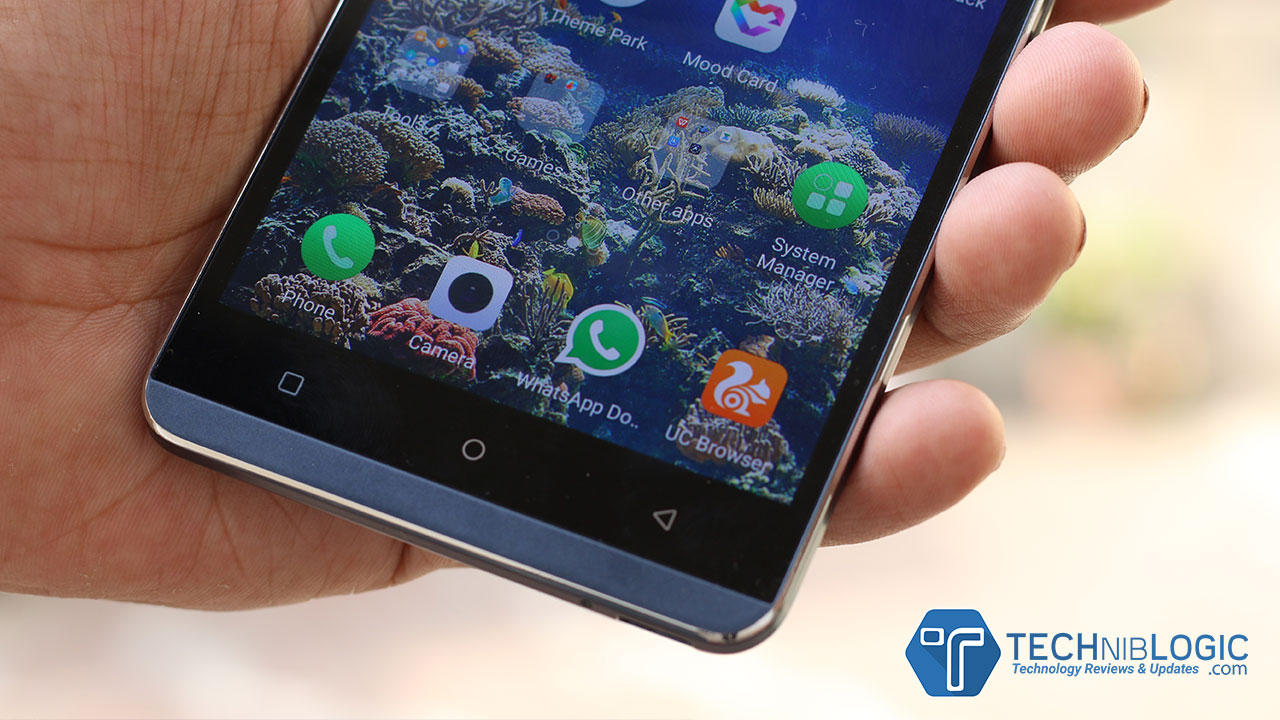
Now, let come to the build quality of this device. This phone has great look & feel while holding in your hands. At the back of the phone, it comes with diamond patterned back panel with looks really good, but sometimes it becomes very slippery to handle in hand. At the front Gionee S Plus has fixed capacitive buttons with back-light keys. Overall the phone look decent and stylish with extra sleekness in it.
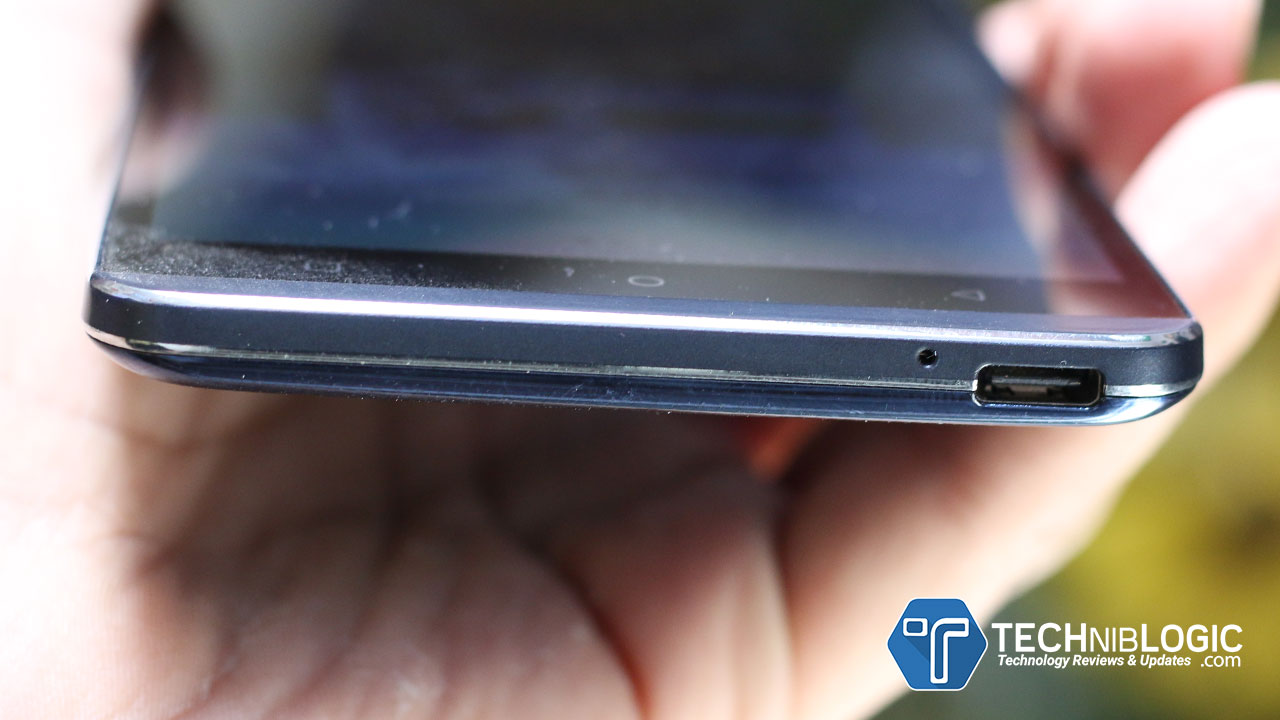
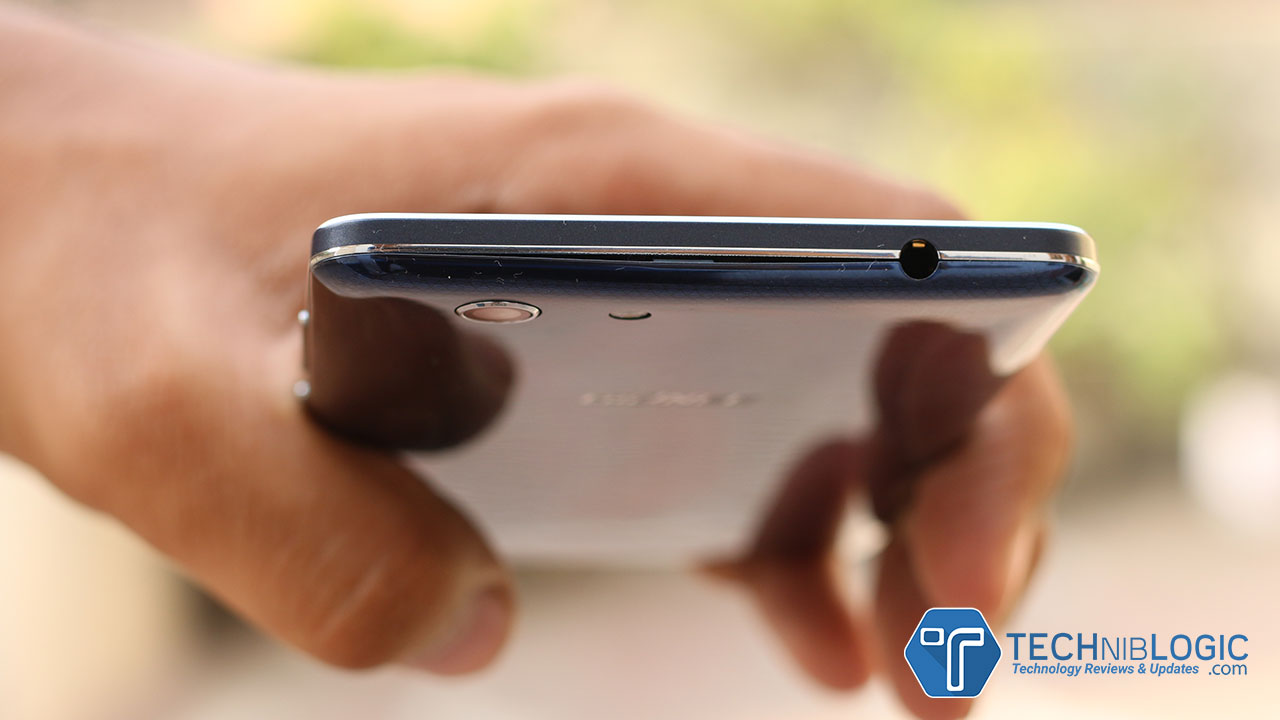
At the top of the device it has a 3.5mm audio jack and coming to the down portion of the device, there is USB Type-C charging port and primary microphone beside it. The USB Type-C also offers faster charging and faster data transfer rate comparing it with normal Charging.
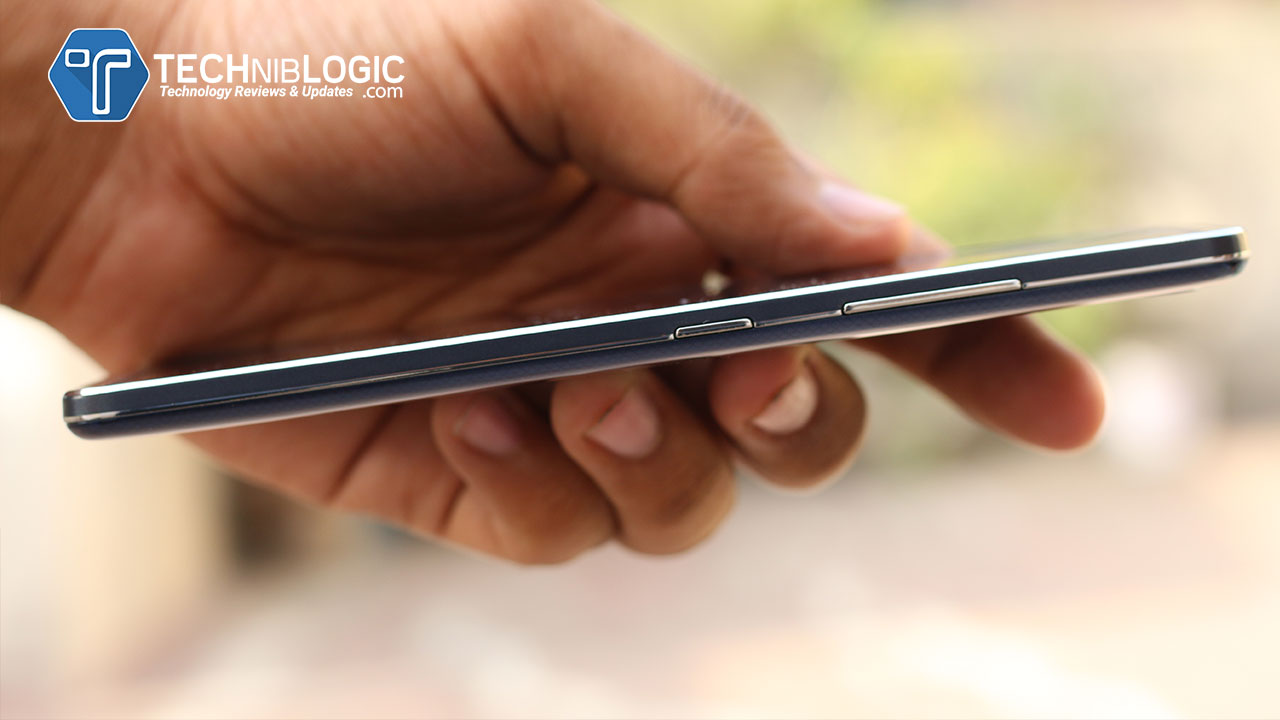
At the right side of the phone, you will get a power lock button as well as the volume control buttons with a good and clean finishing, which are quite pressy and clicky.
It comes with a 3150 mAh powerful battery which is removable also. It is offering some smart power consumption options which always keeps you on the go, so that you will never run out of power.
Display & Performance
Gionee S Plus comes with a 5.5-inch 720p HD AMOLED display that looks stunning. This Smartphone is powered by a MT6753 64 bit 1.3GHz Octa Core and is packed with 16GB + 3GB of memory.
Camera
When we come to the Rear Camera of this phone, it comes with 13.0 Mega Pixel Camera which captures great images in various different conditions. And it also supports FHD Video Recording.
Coming to the front camera of this smartphone, it comes with 5.0 Mega Pixel which captures sharp and decent quality images .
Geekbuying is celebrating its 4th anniversary this year with a big Sale that involves huge discounts and super deals on a large selection of gadgets.If you want to buy, any of the available products this will be a great time to purchase from geekbuying as it saves your lot of money.Geekbuying Anniversary Sale offers great deals which will save your money.They provide 2 promotional code claiming the discounts on the different excited products in different categories.These promotional discount offers will start from June 1 and will expire on June 17.
Geekbuying.com is giving two coupon codes as follows:
GKB4TH– Applying this coupon code you can avail a discount of $20 to $350. It is valid across all products and expires on 17:00 (UTC+8) on June 14.
4THOFF– Applying this coupon code you can avail a discount of $10 to $350. It is valid from 17:00 (UTC+8) June 14 to 17:00 (UTC+8) June 17.
You must Check their Today’s Deals
And all the products are from top brands such as xiaomi,letv,Meizu,cubot and much more.All these brands have their great products.And now you have a chance to buy these products at the lesser price on Geekbuying.
So, if you want a Flagship without considering the budget you will move towards Samsung Galaxy S7 and S7 edge but wait, because HTC is here to change your mind. HTC has hard aggressive years in the past, but with their HTC m9 and other devices, they have finally make a come back in the world. The much-awaited device which is HTC 10, device which created a bang in the US market is finally landed in India. They have released 8 other devices with this flagship.
Coming to the HTC 10 it is having a full metal built design and the biggest attraction on it are its broad chamfered edges which give it a unique look and feel. Coming to the overall design of the device, on the front, you can find a 5MP camera which also has an auto-focus feature in it. Beside it, you can find an earpiece and different sensors which are very useful.
Coming down you will get a 5.2-Inch, 2K S-LCD Display which is also having a Gorilla glass 4 protection on it, which makes the device safe from scratches. Moving further down you will get a home button as well as a back capacitive button and an all in one integrated fingerprint sensor in it. All these things in a single module, now this is what we say is the innovation. just touch the button you will move back like we see on Meizu devices. Just click the button you will move to the home button and that same module is a fingerprint sensor as well.
Coming to the downside of the device it is having a USB Type-C port which means it is future proof and support fast charging as well. Beside it, you can see the speaker grill and a primary MIC. The speaker of HTC 10 is quite loud enough to give a clear and crisp sound with a little much of bass in it.
Moving further to the sides of the device. It is having the thin chamfered edges which I have already mentioned above. On the left side of the HTC 10, you will see a Micro SD card slot tray which is expandable up to 200GB.
Turning around to the other side of the device you will see a Sim tray slot which supports a nano sim and no dual sim below that you will find a volume rockers, which feels really good while pressing and has an instant response time. Moving further below you will get a power-lock key which is also having a pattern on it which make it easy to press while using one-handed in daily use, as you won’t get confuse while pressing the lock key or volume rocker.
Now finally coming to its rear side where you will get a 12MP camera which just capture amazing pictures and can record Slow motion videos in 120 FPS. Beside it, you will find a dual tone LED flash.
As the device is made up of Full Metal built you can also see the two antenna bands and on top of the antenna band you can also see a secondary noise cancellation mic. Overall the Device feels sturdy in the hand and won’t slip easily because off compactness which is there in it.
Performance and Software
The Device is being Powered by Snapdragon 820 quad-core chipset, the HTC sense is now looking more closer to stock Android as they are working with Google for the UI which is a good thing. It is being filled up with a 3000 mAh battery that supports rapid charging using USB Type C, and the company claims that it goes from 10 percent to 50 percent in 30 minutes.
Hi, guys in the era of the 21st century wherein technology everything is possible. The thing which you imagine in few days you will find it in your hand in working mode. From past two years, you all must be listing and seeing the Google project, the project era which is in test and beta phase. But Lg is here with the world first Modular Device, you change the battery add different modules using it like Additional camera module for professional camera shoots, Adding speakers with bass in it and many other modules.
After seeing the device it looks normal like other devices but when we use it, see its features, test it. You gonna love it for sure. Starting with the Looks and feel of the device. When we come to the front side of the Device at the top you will find the 8MP front facing camera which captures really very good images, after using it you will love it.
Beside it, you will find the different sensors and earpiece. Moving below you will get a 5.3″ Quad HD Display which offers 554ppi (Pixel per inch), which is just amazing.
There are no capacitive touch buttons it, which mean you need to use the home screen buttons only which are also customizable according to your use and easiness. You can also see the LG branding below the quad HD screen on a small bezel.
Moving further, at the bottom side of the device you will see a USB Type – C port which means it is capable of Fast Charging and is future proof. Beside it, you will find the Speaker grill which looks cool and a primary microphone as well.
On the Top Side of the device, you will find the 3.5mm Audio Jack with a Secondary mic beside it. The audio jack support Hi end audio output which I love on their headphones.
Coming to the side of the Device it is having chamfered edges, but on the top side, it is not having any chamfered edges to add some different look to it. On the Left side of the device, you can see the Volume Rockers which has no patterned feel on it but give quite good haptic feedback.
Below on that side you will also find a small push kind of button which is used to pull out the battery module from the device. You just need to press it and push the battery a bit out and here you go, the battery will be out from its place and you can change the module accordingly.
Like here I have installed the camera module which in itself also having a 4000mAh battery inside it. Using this you can handle the LG G5 like professional camera functionality.
Moving towards the other side of the device you will only find a Sim Tray slot which supports single sim with a Micro SD Card with it. It supports up to 200GB of Card Slot which is good for a heavy user. The battery which comes with the device is 2800 mAh which seems to be quite low with all these functionalities but you can always get a new battery for this device as you can change the battery anytime on the go.
Moving further to the back side of the device you will find the Dual camera specially built in for wide angle shots. LG had a demo zone over there where you could shoot a 135-degree wide photo from just a few feet away. The picture is, however, was curved at the edges. It is easy to toggle between Wide angle and normal mode. Between both the cameras, you can see the Single LED flash and a Laser Auto-focus which help the device to focus in just nanoseconds. Below it ,you will see a fingerprint sensor which is really very fast and that fingerprint act as a power-lock key as well, which is a nice feature which is being added by LG in this new innovative device. But sometimes it really takes time to find that power lock key if you are new to the device.
Moving further below you will see the G5 branding over there. which is normal for other devices.
When we come to the UI of the Device it is really very smooth like butter and is running on Android 6.0 Marshmallow with LG Optimus UX 5.0 on top of it, which LG own Skin for all its android devices. Overall the UI experience is good and smooth, multitasking was just too good no lag was there while I was opening so a lot of apps at a single time.
Coming to the camera interface it is good and also has manual controls which are necessary with this high-end camera device. I made some camera samples and clips will be uploading desperately on the channel and will add the link below as well for it.
So, guys do share your views regarding it by commenting.
There are tons of solution for backing up your data. However, rarely you will find a reliable software solution like EaseUS Todo Backup Free that is easy to use and that can easily help you in cloning a hard drive that you can get back to at any time after you decide. On top of that, you can move the whole operating system to a hard drive. The best thing is that EaseUS also works with the latest version of Windows, so you can cloning software for windows easily with it.
The software is light and easy to install. All you need to do is download it from any reputable website and you will have a great backup software solution that can do multiple things. It was highly rated by tons of tech media giants (most notable cNet) and with over 6 million users it is one of the most used backup software in the world. Let’s see why.
Features
It can do a full system backup in few simple steps. That means that it can restore your operating system to the state before the deletion or virus or any other problem that destroyed it. Besides this, it can do various different types of backup. Of course, the file backup is the core of the software. Every folder or specific files will be backed up. But you can also integrate it with Microsoft Volume Shadow and back up any file that is in use and performs open files backup. It is a great solution for full backup, it backs up anything you may or may not need.
Also, it does the backup smartly, and it backs up the disks or volumes. Most importantly it does the backup quietly and fast because when changes occur in the large files, it backs up only the changes and not the whole large files. This is due the block-level disk imaging.
Of course, you can easily recover your files, volumes, folders and the whole operating system with EaseUS. But, there are tons of recovery options, besides the basic one. You can perform flexible, selective and pre-os environment restore. But, what makes EaseUS stand out is also the system migration. You can migrate the system to an SSD without going through the same installation of Windows again.
EaseUS is practically the king of backup, not only because of all these features but also because of the tons of various backup management tools. Any backup can be viewed, edited, updated, deleted. You can compress the backups to keep them small and light. You can split any back and encrypt them with the 256 bit AES encryption. For each backup, there is a log which records everything.
Data Loss and Recovery Video
Final Thoughts
At the end, we would like to state some of the working environments standards it fulfills. For example for the OS migration, It supports the latest HDD standard and USB 3.0. Like we said it supports all Windows operating systems after XP including the newest Windows 10. It is available in multiple languages (more than 10). All these makes EaseUS one of the best backup software solutions on the Internet right now.
Sometimes it is hard to imagine being without email as it is embedded into our work and personal lives. Everything ranging from bills to shopping receipts to business matters are implemented via email, so the question is could you cope if you lost it?
There are multiple messages your inbox is having going back years and they include crucial information such as login details for websites, contacts, business information and etc. Dealing with data loss is frightening thought and it is essential that you should do a backup before any critical situation happens.
Email can be stored online like Gmail, Outlook, Yahoo! Mail as well as offline like Windows Live Mail, Outlook Express, Outlook, and Thunderbird. The difference between online and offline is that when our messages stored online, it does not matter which computer, tablet or smartphone you use because you can always access your mail except when things go wrong. And moreover, there is no service guarantee that you will not face any data loss, it could happen. Also, there are chances that your account may get hacked and you lose access to your webmail. On the other hand, if your messages are stored offline on the computer then also chances of data loss is high. Because we don’t know when crises suddenly occur. For example, you replace a faulty disk drive or purchase a new computer then how will you transfer your email to it? Fortunately, email files exist in disk drive is easy to back up and move from one computer to another
Backing up emails in Windows Live Mail is important as backing up your crucial documents and photos. And moreover, you will not be able to back them up unless and until if you don’t know where they are.
Windows Live Mail is freeware email application provided by Microsoft. It is an update of the previous version of Outlook express and Windows Mail. Windows Live Mail enables to send and receive emails and allow to set up webmail account within it along with improved features. You will get to know that all the features and menus are similar to those of Windows Mail and Outlook Express. It not only just take features from Microsoft Office and Outlook but also gets some from Hotmail, like proficient to share photos over email by creating a photo album.
As Windows Live Mail is rich in features and due to its easy working process, any user can easily operate it. It stores several email messages, contacts, notes etc. so sometimes it become necessary for us to backup Windows Live Mail data file. Another question that strikes in Windows Live Mail user’s mind about how do I backup Windows Live Mail files?
How to backup Windows Live Mail files?
Below are the directions for backing up emails in windows live mail on a computer with Windows 7 OS. But the directions work on other versions of Windows OS and Windows Live Mail as well. All Windows Live Mail contacts, e-mail messages, and account settings will be backed up.
Before the backup Windows Live Mail data, it is necessary to create folders on the computer where the backups can be saved. In My Document folder, create a folder called WLM backups and within that folder, create an individual folder of Mail, Contacts, and Messages.
Steps to backup Windows Live Mail data
Backup Mail account settings
Open Windows Live Mail application
Click the Arrow present on the top left corner of Windows Live Mail
Select Export Mail and click on Account
Highlight the mail account you need to backup
Click on Export
Browse to the Mail folder that you created earlier, provide a descriptive name to a file and click Save.
Repeat the process for every email account which is configured on your computer
Backup emails messages
Open Windows Live Mail application
Click the Arrow present on the top left corner of Window Live Mail
Select Export email >> click on email messages
Highlight Windows Live Mail format >> click on Next
Browse the folder you created previously and click Next
Select all folders and click on Next
When done with backup process >> click finish
Backup Windows Live Mail contacts
Click contacts on the lower left of WLM
Click Export option present at the top of WLM >> select Comma Separated Values (CSV)
Browse to the contacts folder you created earlier. Give descriptive name to the contacts file >> Click on Save button >> Click Next >> Click finish
Note: Computers can easily crash anywhere anytime. This is a great time to take backup Windows Live Mail data so that they can be stored safely. You can copy your Windows Live Mail backup data on USB drive or any external drive for safe keeping.
Sometimes user goes through a situation when the Windows Live Mail backup data which is crucial to them stored on the computer and them unable to read them due to many reasons like switching to the different operating system or different email application. Many Outlook users try to read Windows Live Mail data but they failed because Outlook does not support Windows Live Mail format. To overcome this complicated situation, users start to search a solution in order to backup Windows Live Mail to Outlook. You can apply Windows Live Mail Converter which can quickly backup Windows Live Mail to Outlook in a matter of seconds. 3. It automatically detects the location, extract backup Windows Live Mail data and then converts Windows Live Mail to Outlook with attachments and other information.
Hey Guys as earlier there were Only Kingston and Sandisk making high end SSD’s for you, but now finally Samsung jumps up in Indian market with there high end 750 Evo series which were just creating the bang in other countries.
The 750 EVO solid state drive (SSD) will now be available in 3 different storage medium 120GB, 250GB and all new 500GB capacity (which is just lined up in there series). The 750 EVO SSDs will provide mainstream consumers and PC builders a special path from there old slow hard disk drives (HDDs) towards the new high speed and more reliable SSD’s, which will help them in there daily storage solution.
Samsung is offering cutting-edge memory solutions, with there 750 EVO SSDs by using advanced NAND flash technology and which are packed with the company’s proprietary TurboWrite, Dynamic Thermal Guard protection and RAPID Mode features that work together to get high performance. The 750 EVO SSDs provide sequential read and write speeds of up to 540MB/s and 520MB/s respectively, when TurboWrite is used.
The 750 EVO line-up is the only PC upgrade option that will give turbo-charge computing and multi-tasking at home, school and office. With the use of Samsung Data Migration and Magician software, upgrading to the 750 EVO from existing storage device is quick and easy. The SSD also comes up with reliable AES 256-bit hardware encryption to ensure stored data remain safe and secure. Unlike an HDD, the 750 EVO SSD has no moving parts like rings, so you do not need to worry about the wear and tear of those moving parts that can result in lost or corrupted data.
Samsung is also lined up and will offer the new 750 EVO 500GB with a three-year limited warranty or 100 terabytes written (TBW) in more than 50 countries and areas, including the USA, Europe, China, Korea, and other regions starting in early June. The 750 EVO 500GB’s MSRP (Manufacturer’s Suggested Retail Price) will be available in India for Rs 12,999, where as prices for lower end storage capacity will obviously be lower.
Hey, guys Yu Televentures has finally unveiled their next flagship, Yunicorn. As per them there are going to redefine the market with their new flagship, but as per my views no not at all. They have just approach towards the flagship phones by adding this to their line up. Yunicorn has made many promises onto the paper but what is true let see.
Previously Yu was coming with there some called Saturn ring design beside all over the camera module at the rear, but finally, they have changed the designed with some brushed metal finish and chamfered edges on to it. But wait do you think it looks something similar to another device, then you can guess it correctly.
When we come to the overall design statement of Yunicorn. On the front you can find the 5MP front facing camera beside it there is an earpiece and some other sensors. The screen it offers is 5.5″ 1080p Full HD resolution with 2.5D curved glass which also has a gorilla glass protection on top of it.
When we move further towards the home button, it is really pressy and acts as a fingerprint scanner as well as the home button, which means you get two home button one on screen and one off-screen.
Moving further below you get a normal Micro USB port and no USB Type-C, Beside it you will found two speaker grills out of which one is the real speaker and another one is having the primary mic in it which is common these days.
Turning around the corners, on the right side of the device you will get the Volume rockers and below that, a power lock key which gives quite good haptic feedback bar has no pattern feel on it. Turning towards another side you will see the SIM Card slot which supports dual sim cards as well as a micro SD Card (Hybrid SIM Tray).
Moving towards the top side of the device you will get a 3.5mm regular audio jack with a secondary noise cancellation MIC beside it.
Moving further to the rear of the device you will find a 13 MP camera which capture the decent quality of images and below that a dual tone LED Flash which is nice for YU. On real On top and down both the sides you can also see the antenna bands as this device is full Metal Built with a Brushed Metal finish which feel good in the hand antennas are mandatory. At down portion, you can also see the YU branding over there.
Overall when we come to the overall Software and UI. It is quite smooth they have worked a lot on it software which is Android on Steroids (AOS), they have added many features on to it. The best which I found is that by just one click you can book your cab, Ola, Uber everything is just being integrated into it. It has a new app launcher, settings menu, notification etc. all on android Lollipop, whereas they have promised to give the update of Android 6.0 Marshmallow soon. They have added 4 GB ram due to which you get fast performance with no lag in it, which I feel while using the device at that moment.
Now, when we come to the pricing of the device they have set the price to Rs. 12,999 and will exclusively av available on Flipkart with some amazing additional offers for first flash sale.
10% cash back for the SBI card users for the first flash sale
UDIO wallet will be loaded with INR 100 after the first transaction, INR 100 in the second month and INR 100 in the third month
YUNICORN will have 6 months free access to premium Gaana+ services that gives them access to unlimited song downloads
Free first consultation from Lybrate, 30% off on two subsequent consultations and free answers to the common health queries anytime, anywhere
One more thing to mention is that after the first sale the prices will increase by Rs. 1000 which means after the first flash Sale Yu Yunicorn will be available for Rs. 13,999.
Video Review
Now, what will you comment about the price comparing with other competitors in the market like LeEco and Xiaomi and Meizu? Do share your view guys regarding it.
Hey guys, as you all know in Taipei (Taiwan), world’s largest and the biggest computer event, is going on names Computex 2016. In Computex 2016 Asus has revealed some of their beasts with beauty in the market. Why I am saying them the beast with beauty, you will soon be going to know it.
ZenFone 3 Deluxe — World’s First Smartphone with Invisible Antenna
ZenFone 3 Deluxe is the flagship device from ZenFone 3 lineup family and one of the best and the ultimate expression of ASUS smartphone design. It is made up of strong and light aluminum alloy and has no antenna lines on its rear.
ZenFone 3 Deluxe comes with 5.7-inch Full HD (1920 X 1080) SAmoled display. Inside, ZenFone 3 Deluxe it has been powered by Qualcomm® Snapdragon™ 820 Series processor, Adreno™ 530 GPU, and integrated X12 LTE modem, and a beast of 6GB RAM which is going to deliver the best performance on demanding apps, games, and media.
ZenFone 3 Deluxe comes with incredible 23MP camera which is featuring the latest Sony IMX318 image sensor, a large f/2.0 aperture lens, and 4-axis optical image stabilization for high-resolution. It also comes with 3-axis electronic image stabilization for steady videos. It is Coupled with an ASUS TriTech autofocus system that automatically selects 2nd generation laser, phase detection, or continuous autofocus to provide accurate and nearly instant focusing and subject tracking, as well as exclusive PixelMaster 3.0 technology, ZenFone 3 Deluxe which captures stunning photos and videos.
ZenFone 3 Deluxe has its built-in fingerprint sensor that’s on its rear side. It also covers the Quick Charge 3.0 technology which automatically reduces battery recharge times and a reversible USB 3.0 Type-C which is track towards future.
ZenFone 3
After a long wait ZenFone 3 is here . It is being packed with premium design and performance. It comes with 5.5-inch Full HD (1920 x 1080) Super IPS+ display, Zenfone 3 comes with an almost narrow bezel. The front and rear of the phone are packed up with scratch-resistant 2.5D Corning® Gorilla® Glass that gently gives curves to the edges of the screen with a smooth finish on it.
ZenFone 3 comes up with updated 16MP camera with some ASUS TriTech autofocus that automatically selects 2nd generation laser, phase detection, and continuous autofocus.
Zenfone 3 is powered by new Qualcomm Snapdragon 625 octa‑core processor and comes with 4GB RAM. ZenFone 3 has an inbuilt fingerprint sensor that is on the rear of the phone and unlocks the phone in just a fraction of a second.
ZenFone 3 Ultra – Something Big
Another Asus Line up beast the ZenFone 3 Ultra is a smartphone designed with a 6.8-inch Full HD (1920 X 1080) display. The world’s first smartphone which is having ASUS-exclusive Tru2Life+ Video technology, which gives a high-end 4K UHD TV-grade image processor to optimize every pixel before it is displayed to you. ZenFone 3 Ultra has an awesome audio system as well with its two new powerful five-magnet stereo speakers and an NXP smart amplifier that provides clear crisp sound. You can also enjoy Hi-Res Audio (HRA) that provides up to 4 times the better sound quality.
It is the world’s first to have no antenna lines at its back. ZenFone 3 Ultra is equipped 23MP camera with same technology which we get on Zenfone 3 and Zenfone 3 Delux The device is powered by the Qualcomm Snapdragon 652 octa-core processor, Adreno 510 graphics, and 4GB of RAM. A built-in fingerprint sensor is being positioned in the front of the phone.
ZenFone 3 Ultra also has a high-capacity 4600mAh battery for long-lasting performance and Quick Charge 3.0 technology for rapid recharge times. ZenFone 3 Ultra even works as a power bank with 1.5A output for quickly charging other mobile devices.
ZenBook 3 — Better than MacBook Air
The next-generation Zen Series completely redesigned with zenBook and even all its devices. Hats of to the new designer they are having. ZenBook 3 comes with ultra-sleek 11.9mm chassis that only weighs 910g. To get that strength in ZenBook 3 it is crafted from aerospace-grade aluminum alloy, it is also having a spun-metal finish on it. ZenBook 3 will be available in three exclusive colors — Royal Blue, Rose Gold and Quartz Grey.
ZenBook 3 has its different series according to the pricing but the highest model comes with Intel® Core™ i7 processor, 16GB of 2133MHz RAM, up to a 1TB PCIe® Gen 3 x4 SSD, a next-gen USB Type-C port, and powerful quad-speaker audio by Harman Kardon. Its high-resolution 12.5-inch display has an edge-to-edge covering, scratch-resistant Corning Gorilla Glass 4. ZenBook 3 the world’s thinnest fan design at just 3mm.
It features a full-size backlit keyboard. A glass is covered on a touchpad that provides smooth and accurate input, Smart Gestures, and handwriting support is also added for enhanced usability. A built-in fingerprint reader with Windows Hello support gives users instant one-touch access which is just awesome. Now, No more PINS and PASSWORDS.
ZenBook 3 also provides up to 9 hours of battery life and when it’s time to recharge it supports fast-charge technology that charges to 60% capacity in just 49 minutes.
ASUS Transformer 3 Pro — Competitor to Microsoft
ASUS Transformer 3 Pro is a 2-in-1 PC that combines performance with portability for work on the go. The Aluminium crafted ASUS Transformer 3 Pro is only 8.35mm thin, and has diamond-cut & will be available in Icicle Gold and Glacier Gray color.
ASUS Transformer 3 Pro has an inbuilt metal kickstand. The package will also include ASUS Transformer Cover Keyboard which is a backlit keyboard that provides laptop-grade comfortable typing experience which is also available in four attractive colors — Stone, Charcoal, Taupe, and Amber. ASUS Transformer 3 Pro is having a 12.6-inch display with a resolution of 2880 X 1920 and a 275ppi pixel density. Dual front stereo speakers provide Crip and clear sound for a good listening experience.
ASUS Transformer 3 Pro is powered by an Intel Core i7 processor and 1TB PCIe x4 SSD and 16GB of 2133MHz RAM. It also comes with future technology of USB Type-C connector ASUS Transformer 3 Pro also comes with USB 3.0 and HDMI ports. It is having a 13MP rear camera lets users capture high-resolution photos and videos.
ASUS Transformer 3 Pro also has an ASUS Pen which is a beautifully crafted for writing and drawing that offers 1024 levels of precision for completely natural note taking and sketching experiences. Users can also capture photos with ASUS Transformer 3 Pros directly with ASUS Pen. ASUS also comes with a Universal Dock hub like MacBook that provides all connectivity ports, including USB-C 3.1, USB 3.0, HDMI, VGA, RJ45 LAN, and a 3-in-1 SD card reader. ASUS Audio Pod includes four powerful speakers which deliver amazing 360° virtual 5.1-channel surround sound. ROG XG Station 2 is an external graphics card dock that gives ASUS Transformer 3 Pro desktop-grade graphics performance, turning it into a VR-ready gaming powerhouse and you can even connect Nvidia GTX 1080 to it.
ASUS Transformer 3
ASUS Transformer 3 is an ultra-slim and compact 2-in-1 PC that provides users the portability. Very fine crafted aluminum, ASUS Transformer 3 only weighs 695g, and is only 6.9mm thin. It is equipped with the detachable ASUS Transformer Sleeve Keyboard that is only 1.4mm, an integral 2-position display stand, and a glass-covered precision touchpad, The ASUS Transformer Sleeve Keyboard is also available in four colors — Stone, Charcoal, Taupe, and Amber.
Transformer 3 is having a 12.6-inch display with a resolution of 2880 X 1920 and a 275ppi pixel density. Transformer 3 contains four high-quality speakers with audio by Harman Kardon. It also automatically adjusts the direction of the sound depending on the orientation of the device, ensuring users will always enjoy optimum audio quality (a New Feature).
ASUS Transformer 3 is powered by 7th Gen Intel Core processors (which i have not seen in any other devices) and a 512GB SSD with 8GB RAM. It also has a future USB Type-C connector. A built-in fingerprint reader is also integrated which means no password or PIN. ASUS Transformer 3 also includes a 13MP camera.
ASUS Transformer 3 is expandable with a range of accessories — including ASUS Pen, ASUS Universal Dock, ASUS Audio Pod, and ROG XG Station 2 which i have already explained.
ASUS Designo Curve MX34VQ
ASUS Designo Curve MX34VQ is a 34-inch, ultra-wide UWQHD (3440 X 1440) curved monitor with a 21:9 aspect ratio to provide realistic images. Its frameless design adds a beautiful addition to your place It also incooperates ASUS SonicMaster audio that has two 8-watt stereo speakers for incredible sound. There is one more addition to it which is a new innovation to it, the base of the monitor serves as a wireless charging pad for Qi-enabled mobile devices.
Sony after so long has unveiled its all new “X” series smartphones with the launch of – XperiaTM X and XperiaTM XA. These smartphones are designed to give some premium feel to the consumers. The Xperia X Dual (seen below) has been priced at Rs. 48,990, and will be available from June 7; while the Xperia XA Dual has been priced at Rs. 20,990, and will be available from the third week of June.
The two Xperia X-Series smartphones have gone up for pre-booking via the Amazon.com, and authorised Sony retailers across the country.
Gameloft and Modern Combat: Pre-installed Full HD games with free credits worth Rs. 780 exclusively in Xperia X
When we come to the overall specs of both Xperia X Dual and Xperoa XA Dual smartphones. They run on Android 6.0 Marshmallow with company’s UI on top of it. Sony Xperia X Dual features a 5-inch full-HD (1080×1920 pixels). It also comes with a 23-megapixel rear camera with an f/2.0 aperture and pulse LED flash, 13-megapixel front camera with an f/2.0 aperture; 3GB of RAM; 32GB inbuilt storage, expandable storage support up to 200GB via microSD card, and 4G LTE support. The Xperia X Dual packs a Qualcomm Snapdragon 650 processor. The Sony Xperia X measures 142.7×69.4×7.9mm and weighs 153 grams. It is backed by a 2620mAh battery. The handset’s dual-SIM version packs 64GB inbuilt storage
Where as, Xperia XA Dual features a 5-inch HD (720×1280 pixels) display powered by Mobile Bravia engine 2. It is powered by a MediaTek MT6755 coupled with 2GB of RAM and 16GB of built-in storage. Like the Xperia X, the Xperia XA Dual also supports expandable storage via microSD card (up to 200GB). The Android 6.0 Marshmallow smartphone sports a 13-megapixel camera with Exmor RS for mobile sensor, hybrid autofocus, and LED flash. It also houses an 8-megapixel front camera. It is backed by a 2300mAh battery, measures 143.6×66.8×7.9mm, and weighs 138 grams.
So finally it’s here. San Francisco based company lands in India. The Phone that make its awesome presence in USA, because of its USP which is 100 GB free cloud storage due to which you will never run out of data. But will it Survive in India?, lets check it out.
The place where getting a working Internet Connection is a huge challenge with astonishingly slow speed, here comes the Nextbit Robin the Device from San Francisco. The USP of the device is its cloud storage, but when we keep this thing aside and come to the overall aspect, take my words you will love it after taking this thing in your hand.
When all the other companies are making almost the same kind of design with same metal built, and almost same kind of colors and looks here it comes with some different rectangular shape design and plastic? yes made up of plastic but top quality plastic which feels so classy while you hold it. A perfect fit with 5.2″ display.
It’s a boxy like device with dual front facing speaker. There are 4 LEDs underlying the cloud at the back side of the device. It offers really good matte feel, and the built quality is awesome.
while on the sides there are two mint color dots which are actually the volume rockers, they give quite good hap-tic feedback and is quite clicky while you click them.
When we come to the other side of the device it is having a Sim tray which only supports single sim, which can be drawback for few of the users. Upon the sim tray there is a Power lock key which also has a fingerprint scanner which is really very good and has good response time, But here when sometime you want to find the fingerprint it is quite difficult as it is being stayed within the body and you wont feel the button or something like that.
Storage
When we come to the Storage of the device it comes with 32GB of inbuilt storage which is enough for some of you but it also offers a smart storage option which make this robin something unique, But for that you need to have a high speed internet with you. The device saves all your data on to the cloud (As per your permission) and you can only see small files (like cache) and need a internet connection to load the full size image from the cloud.
The Apps which you don’t use on the frequent will be transferred to your personal and Nextbit Cloud space (100GB). The app data will still remain on the phone only the .APK file is being moved on cloud, and when ever you want is just tap on that app it will be directly loaded on to your phone.
The apps which you don’t want to be moved on cloud just click on it drag on the home screen and pin it over there and now it will be leaving your phone. You can also choose the files to be uploaded only while on WiFi.
Camera
When we come to the camera of the device it comes with 13MP Dual tone LED Flash which captures a decent quality of pictures and has a really good wide angle lens. Some of the camera samples are loaded below, they are low light images almost no light in the room. The front facing camera it comes with is MP which is also decent while taking picture.
Overall if you want something new and unique in your life just go for it.
MobileGo is one of the product from Wondershare due to which its name is being kept as Wondershare MobileGo. The MobileGo app for Android is actually a device cleaning and optimizing app which is having a whole bunch of features which is going to help you to speed up and boost your phone.
When we come to the second part of it, it is also having the PC application for it that provides really amazing features and tools which are used for managing your Android device in different ways.
The MobileGo Android app is free which comprises an app manager and a device optimization tools, as well as a section which is dedicated to solving some system issues. The app basically helps you out in space management and make to uninstalled all the unused apps. It clears up the caches which automatically boosts up the memory and make your phone fast. It also helps in getting more battery life and high performance from the same old device.
It also comes with a home screen widget that also gives you quick access to boost your RAM and also provides you quick access to device’s settings & features like the camera, flashlight etc.
In this app, you can even manage your files by identifying the areas where the most of the storage and can manually selecting them, you can delete those files which are unwanted to you. It can even find the similar looking photos in your album, and delete it as per your permission.
When we come to the UI, it’s easy to understand. There are some of the additional features in the settings which you can easily explore after using the MobileGo app.
The MobileGo app even extends to the Windows by installing the MobileGo app for windows. It provides more tools to your device like Wireless file transfer, Mirror the screen of Android to windows which I loved the most. You can even backup and restore your device, and can easily manage your media and apps.
To access all MobileGo features on windows, you can even use or WIFI or need to enable USB debugging on your device by just going into the developers option. Once you are done, connecting is easily over USB or Wi-Fi (with an on-screen QR code for easy pairing).
Using the Windows application you can manage everything like contacts to media and even do message using it. The new thing which I got over there is it has the ability to root the devices by just one click.
MobileGo’s desktop software works very well and is very simple to use. The main drawback is that all this is not free for IOS devices and for windows version you need to pay it. But there is 15 days trial, and I bet you are defiantly going to like it.
How to Wireless Share Between Mobile and Desktop ?
Today, mobile apps have acquired a dominant share in the market and almost all the business units whether small or large, are resorting to the creation of a personalized app for the ease of users as well as to enhance the user app experience. At this time, the role of an entrepreneur becomes pivotal as they can help to develop such a dedicated app that would interact with the users as well. Gone are the times when audiences were allured by the content or creativity of an ad copy. In this technologically driven era, there is much more to just developing a creative and aesthetically designed ad copy.
Since audiences and the target customers are spread across various channels in the entire world, so to enrich their experience and attain favorable outcomes, it is quite essential to segment the audiences, apply the quantitative metrics and analyze the content as well. Since mobile apps have acquired a major share in the market, therefore the role of marketer has become increasingly complex and a lot of dexterity and proper skills are required on his part along with diligence in order to accomplish success.
It is extremely imperative to capture the interest and preferences of the users in order to gain enriched user experience. The content of the app should be specific and personalized so that conveys the users what they actually desire from a particular app and also help them to give their valuable feedbacks. This is because users, whether they are active that time or not, expect a good response from the app in return. In order to achieve in the field of mobile marketing, a clear understanding of all the marketing strategy is vital and this can be achieved if the user’s interest on other channels is tracked. Whatever actions you perform, must be aligned and parallel with the other marketing channels.
2. USING PROMOTIONAL TOOLS
If you want to keep the interest of users engaged and want them to be loyal towards your app, then you can simply do this by adopting several methods like surveys, reminders, videos, push notifications etc. This will ensure good and valuable feedback for the users. Moreover, you should take care of the subject and the timing and also make sure that rate of responsiveness towards the audiences is high so that you can address any type of issues or details provided by the users.
3. BUILDING USER LOYALTY
It is very important to build user loyalty. For this purpose, high amount of advertising in the form of billboards, newspaper signs, emailing newsletters etc can be undertaken. In order to build a goodwill and recognition, it is very crucial that you maintain the customer loyalty towards your product or service for staying closer to the customers at all times.
To bridge the gap between live apps and directing and guiding the users towards the features or attributes of the app that they have missed, it is required that marketers have a good connection with the product management at all times which can lead to a more significant impact on the value of a particular app. In order to carry out the marketing tasks affluently, it is very much required to have good marketing skills, expanded and broad mental horizons and intellectual capacities. They all must be kept in mind to perform the challenging task of marketing.
There was a time when India was regarded as a country of snake charmers and Indian women were only supposed to look after household duties. Times have changed, India has become urbanised and there is a greater emphasis on education and career. I feel very proud in saying that when it comes to Technology and especially information technology India is not only catering to its own country but also to the rest of the world.
According to a recent study, it was found that India currently has more than 7000 IT service providers and the industry is in full swing and is projected to grow at continuous 40% for the next decade. Initially, there were industries only in major cosmopolitan cities and students came to cities like Delhi and Bangalore to pursue higher studies in IT but now even tier 2 and tier 3 cities are producing very capable IT resources.
Many big IT companies hire Senior Java developers from various parts of the country, train them and outsource them for onsite projects. Many IT companies play a very vital role in training young and talented graduates who later prove to be very fruitful resources for their companies. There are many successful IT companies in Tier 2 cities such as Rajkot who are providing very efficient senior Java developers for companies how are looking to get their platform developed.
Java is one of the most widely used languages for software development. Many companies in the UK and the USA are always on a lookout for Hire Senior Java developers, what better to get in touch with companies who hire resources and provide them with first-hand experience and train then with latest technologies who can later provide services to clients abroad.
When it comes to Hiring Senior Java developers following are few of the things which need to be kept in mind
Study of the skill set-It is very important to understand the skill set of the resource and match it with the requirement of the company. Sometimes the skills do not match up with the requirements then, it is important to fill that gap with extra training and certifications.
Your strong points- Make sure to keep in mind your strong points and how you can put them to use. This helps both the service provider as well as the company who is hiring Senior Java developer
Your innovations and an endeavours-The market are full of advancements and innovations. There may be something which is in vogue today but the same thing might get outdated in few days. Therefore, make sure to mention your achievements and your accomplishments. This would help bring in new and better technology in the market.
By keeping in mind the above few points you would be able to hire the best senior Java developers that too at the most competitive price.
Hi guys today this article is for those who just want to expand there business there small talent, there small selling on to a large base of selling online. Whenever you go to the market like in Delhi (INDIA) deli hat, where you will see small sellers selling handicrafts and different handmade items. These people are unaware of the huge online market and is being selling in that small area. Same like them there are so many small villages where you can found the same talent. So, for those people, I request you all guys to share this articles and make those people teach for such platform.
There is a new website name ezebee.com where anyone can sell, without charging any kind of fee. So now everyone just just open there store online and start selling anything they just want to sell.
So it is basically a leading cloud-based, social e-commerce platform which is specially designed for small and medium-sized businesses. There main goal is to offer business owners worldwide free access to their own website including an international marketplace to sell directly to online buyers with no restrictions.
You can even find DIY products, travel, alternative transport and various other things, the thing you want just search and you will find it out & some new upgrading is going to be there soon on ezebee.com
Import option: You can import products to ezebee.com from any other website simply by pasting the link into the import bar and all the data including image will be uploaded in seconds.
Pin option: Pin products from other websites, in a similar way to Pinterest, and then users will be redirected to original website when clicking on this offer in the ezebee.com marketplace.
Chat & Buy system: When you want to purchase an offer, just click on ‘chat & buy’ to talk directly with merchant. This means users can negotiate shipping options and prices.
Internal currency: EZB Coins enable users from all over the world to swap products without the use of money. This makes it fair for trade between countries, such as India to Europe, USA or else, and means sellers can make a fair living.
Technical Platform: mobile first and full responsive, graph-based search engine, tag-based product segmentation, algorithmic business logic, fast and easy csv-import functions for big data and product uploads
Now, you might be thinking that if we gonna register on this there must be some signing amount, but for the basic account you don’t need to pay anything but if you want to opt premium account with additional features you need to pay a small amount to them.
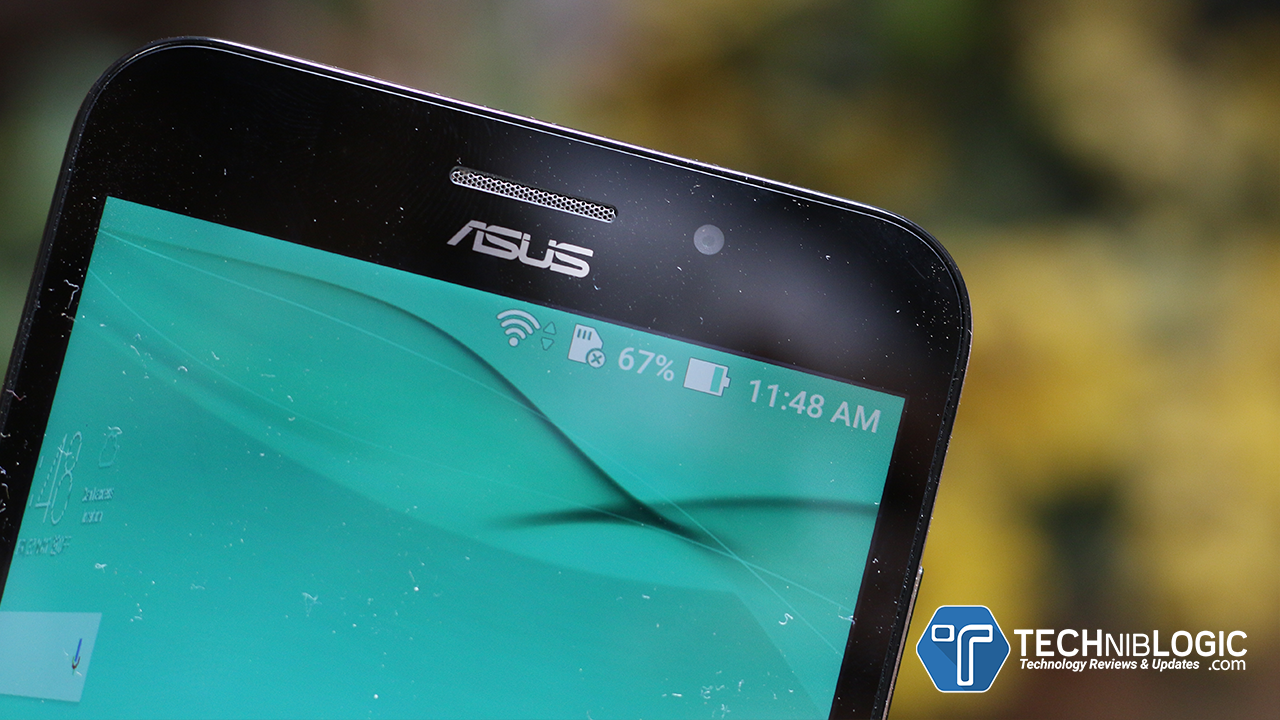
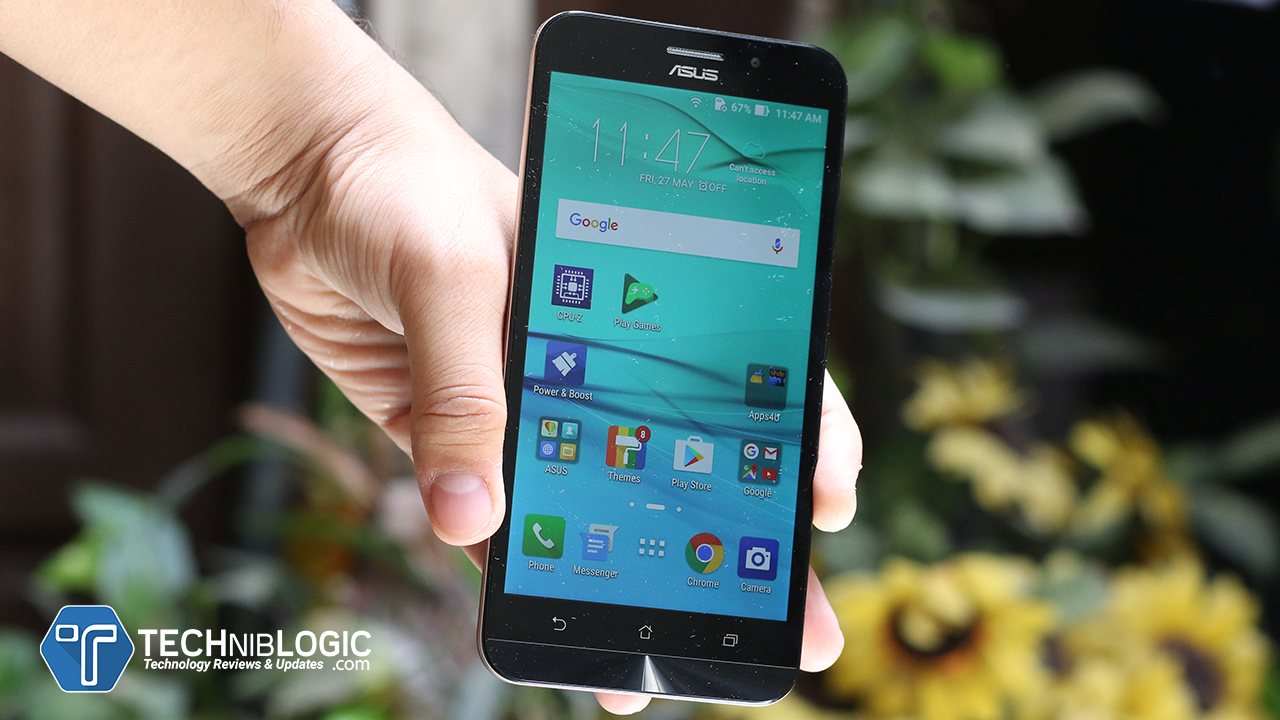
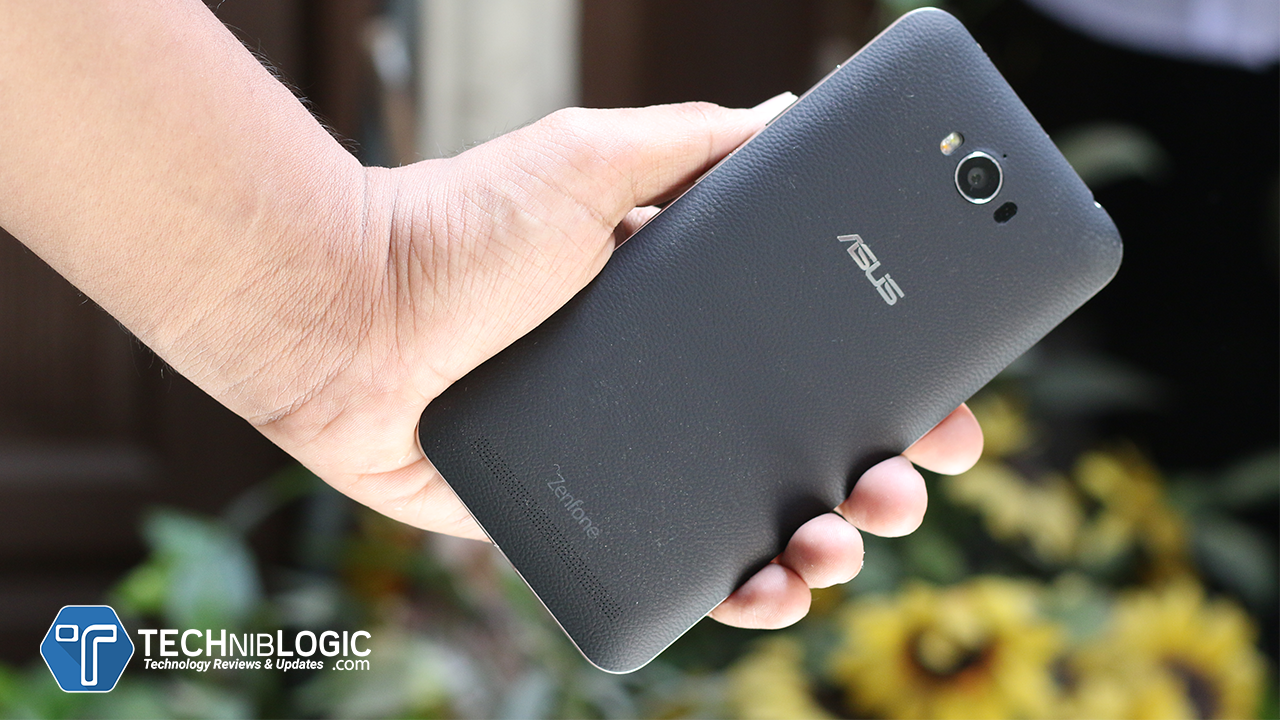
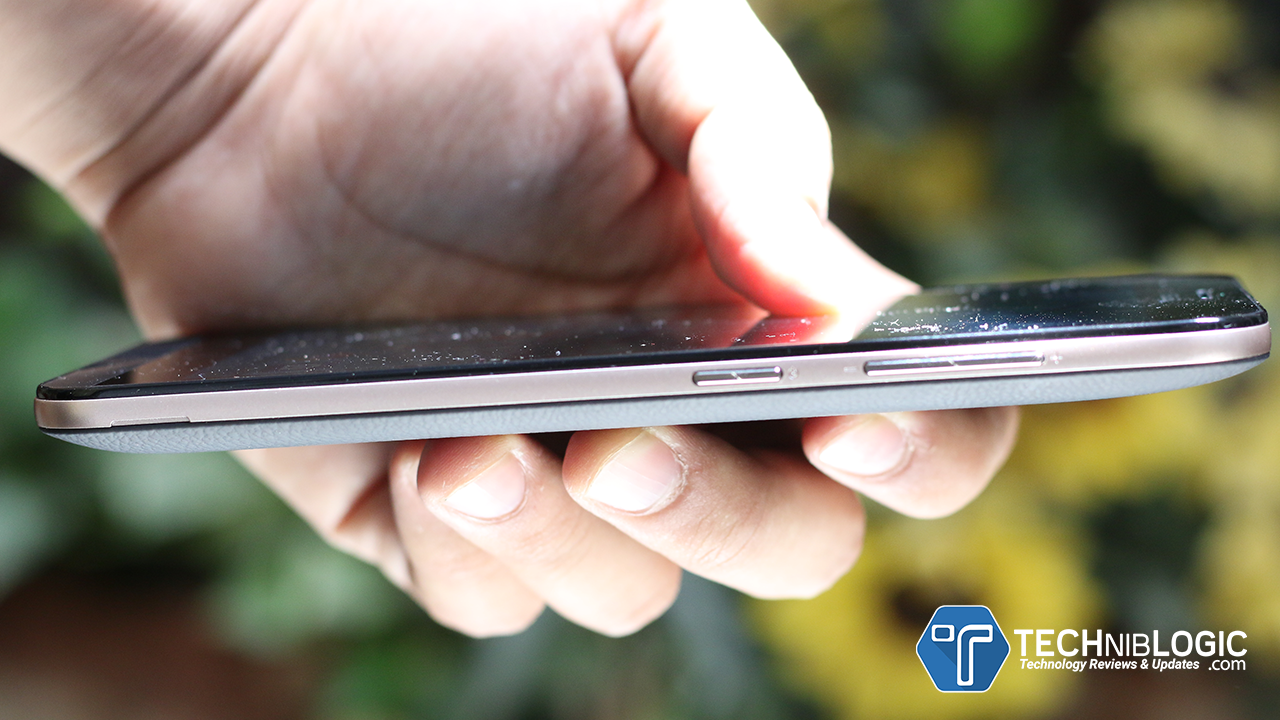
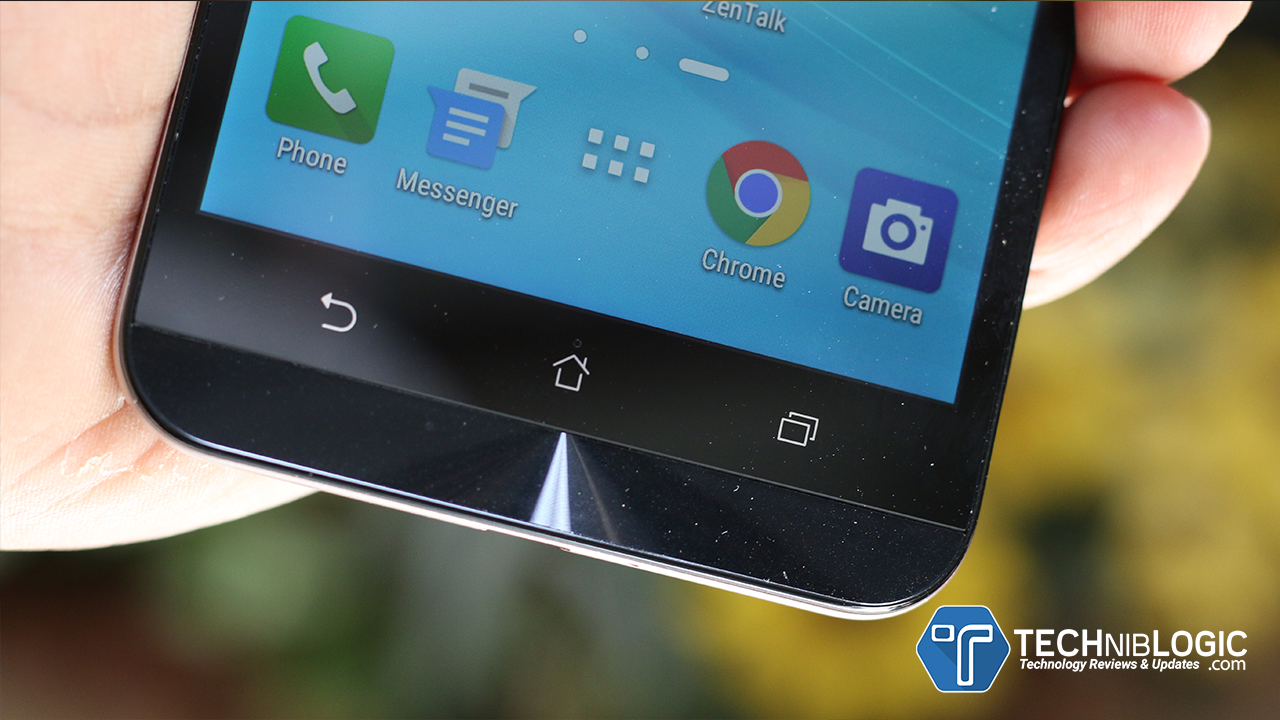
ASUS has launched the advanced and upscale version of one of its best-selling smartphone – Zenfone Max. The Max is known for its 5000 mAh battery and called up as the best battery backup device in the market with some stylish looks, this smartphone is meant for users who are always on the move and demand maximum performance along with Battery Backup. The new Zenfone Max is being powered by a Qualcomm Snapdragon 615 Octa-Core processor and provides the users an option to opt for a 2GB or 3GB RAM Versions. The internal memory of the phone has now been increased to 32GB, in addition to an expandable memory of up to 64GB. Zenfone Max with 2GB RAM is available for Rs. 9,999 and can be pre-ordered on Flipkart while Zenfone Max with 3GB RAM is available for Rs. 12,999 and can be purchased from Amazon, Snapdeal, and Flipkart. The 3GB RAM variant will also be available at ASUS Exclusive stores and all other retail stores across India.
The Zenfone Max is being equipped with a 5000 mAh battery and can last longer without charging and is also capable of being used as a power bank for other gadgets which make it an essential product for daily use.
Full Video Review
Enhanced the Performance
The new 2016 Edition Zenfone Max gives you the super-responsive lag-free experience because of its new Qualcomm Snapdragon 615 Octa-Core processor with a 2GB or 3GB RAM. The use of the latest 4G LTE technology enables the users to utilize high mobile data speeds. You can now enjoy multi-tasking and fast performance.
Fashion and Style Statement
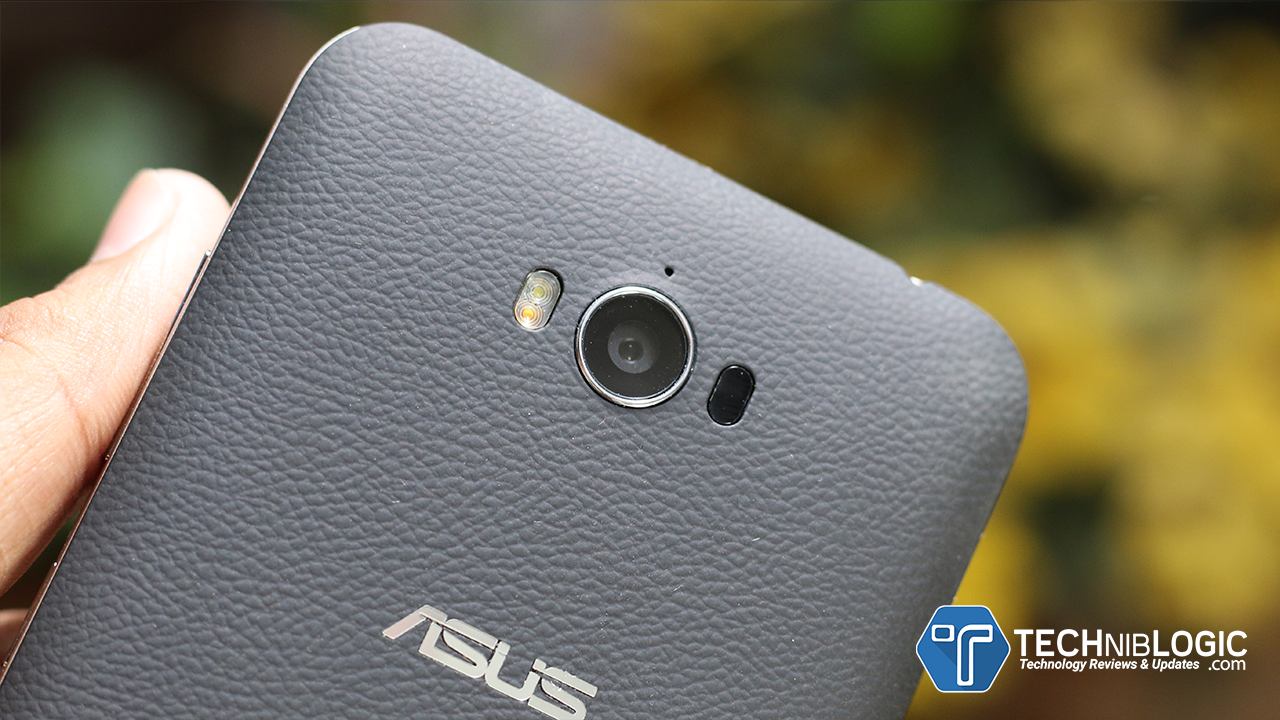
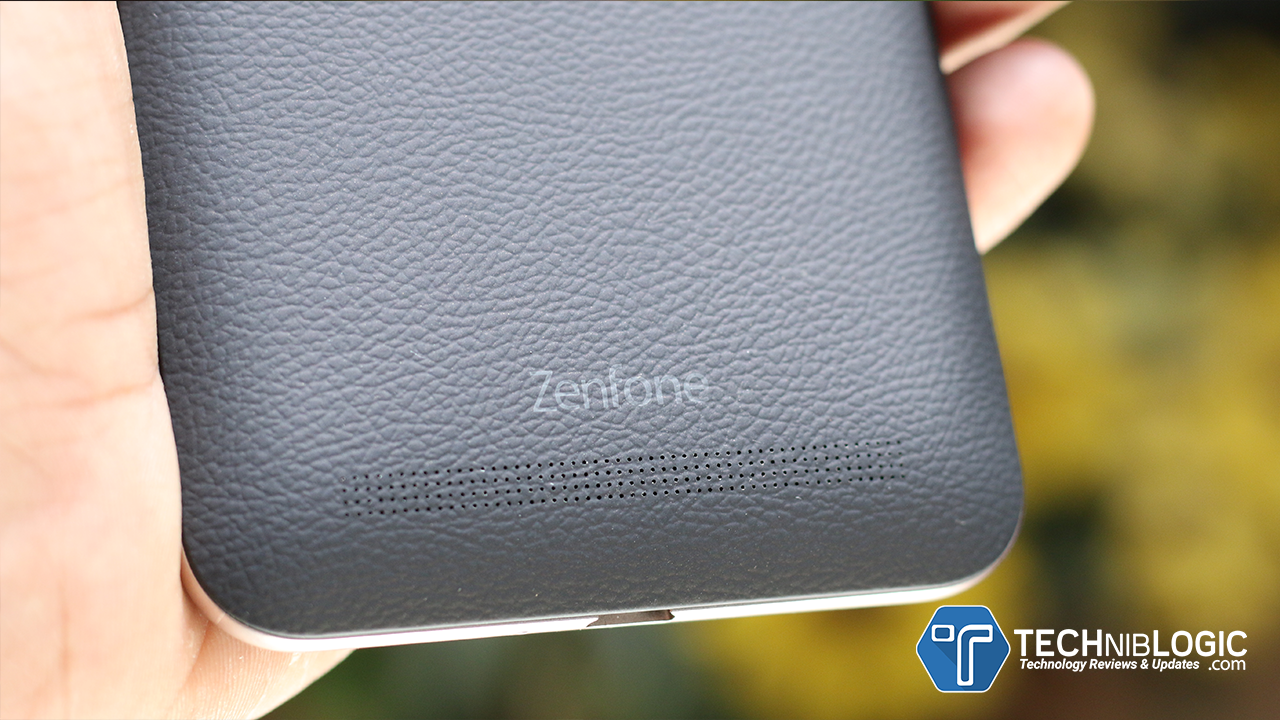
To add new fashion and style statement the Max is available in three different colours – black, orange and blue, It also comes with 5.2 mmmetal-like edge which makes it durable while the back with the look and feel of embossed leather makes the phone look Premium and fashionable for every occasion.
A Battery That Lasts Longer
The powerful 5000 mAh battery which means it requires fewer charging cycles making the phone last longer and more time period. The Device comes with OTG cable that can turn the phone into a charger to power up the users’ other gadgets, and can also be used as normal OTG.
User Interface
The Device is being powered by Android M 6.0.1 and ASUS ZenUI, It also includes advanced features to satisfy power users. The Power Saver mode helps users manage and extend the battery life even more. With five battery modes and two smart switches that users can configure to make their own battery optimization settings and help the battery last even longer.
Camera
The new ZenFone Max comes with 13 Megapixel, f/2.0-aperture rear camera with the ASUS PixelMaster 2.0 technology and dual-LED flash for natural-looking photography. It also features Laser Auto Focus technology that helps to focus on an object as fast as 0.03 seconds.
The front camera it offers is 5 Megapixel, f/2.0-aperture camera with 85̊ wide-viewing angle.
Display
The Max comes with 5.5 inch HD (1280 x 720) IPS display with full-screen lamination and ASUS TruVivid technology, the new Zenfone Max provides superior clarity, brightness, and touch responsiveness. The Bluelight Filter for Eye Care protects the users’ eyes from strain during prolonged usage.
We published an article about MultCloud before, it was 3.2 version. However, the latest version is 3.8 with many changes. At the beginning of the last article, there is a poster show you what cloud drives supported by MultCloud. Now visit MultCloud’s homepage, you can find it has changed. MultCloud supports more cloud services, as many as 25 so far! They are Dropbox, Google Drive, Box, Amazon S3, Amazon Cloud Drive, SugarSync, Alfresco, Hubic, Evernote, OneDrive, MEGA, CloudMe, Cubby, MyDrive, WEB.DE, Yandex, HiDrive, MySQL, Flickr, MediaFire, OwnCloud, ADrive, BaiDu, WebDav and FTP/SFTP.
Enter MultCloud has a new way – Experience without signing up. MultCloud will provide you a random username and password. It also allows you to bind your own email address whenever you want. I think this is a great and easy way to attract more people to try first.
About functions, of course with many changes. Right click a file in MEGA, at the bottom is “Go to official site” option, which means you can access to the target file in your cloud drive directly. Notice that this feature does not work on all clouds. Upload option added upload URL feature, usually, the URL is a download link. Changes of Share option can be found on the left new added Shares tab. Preview supports more file types especially txt, HTML and js. Now you see, multiple cloud storage manager – MultCloud is powerful than before.
Next, it comes to MultCloud’s Chrome extension. You can search from Google Web Store then install this extension on your browser. Either Chrome or another browser that supports Chrome extension is OK. Vivaldi is a good example. After installed, there will be an icon on the toolbar of the browser.
The icon has two functions:
Ask you sign in MultCloud if you haven’t.
Let you check task(s) of MultCloud.
In Google Drive, there will be a new button – TRANSFER TO CLOUD. Click it will guide you transfer Google Drive to another account or transfer from another account to Google Drive. In short, we highly recommend you add this extension to your browser, thus your life will become much easier!
Repairing damaged or corrupted MS Outlook PST file as well as recovering all its data items has become much more streamlined with the advanced version of Stellar Phoenix Outlook PST Repair Software. Launched in April this year, it is a flagship product that intends to enhance customer experience with its even better and advantageous features in the process of PST repair.
New Features in Version 6.0
Supports Microsoft Office 2016
Allows transferring license of the registered software to another system
Know the Primary Objective of the Utility
Repairing the PST file of the desktop email client and recovering all the stored contents such as emails, tasks, attachments, contacts, calendars, notes as well as journals is a primary and the chief objective of this utility. Here, your recovered data items are stored in a newly created PST file, which can be imported and accessed in Outlook directly!
Get Acquainted with the Benefits of the Software
Well! the Outlook PST Recovery tool comprises of several features that makes it attracting to users when compared to other similar applications from third parties, plus the Outlook’s in-built Inbox Repair Tool from the developer company, Microsoft. However, other features might be more appealing in similar tool, from other brands. The below mentioned benefits are not only the guaranteed ones, but have been tried and tested:
Repairs your damaged/inaccessible PST and saves all your email items into a new Personal Storage Table.
Permits saving your recovered emails in several file formats like as EML, MSG, PDF, RTF and HTML formats. This feature makes a great one as you usually prefer the mails in these formats.
Possesses the ability to repair the PST file that you might have either encrypted or protected with a password.
Allows saving your repaired PST files in Office 365 format (Only in Technician version)
Supports all Outlook versions ranging from 2000 to 2016.
Stellar Phoenix Outlook PST Repair vs. Inbox Repair (scanpst.exe) Utility
Although Microsoft provides a free-of-cost in-built utility in Outlook for the repair of your corrupted Personal Folders, you may fall in the need of an external software to fix corrupt PST file most of the times. This is because in addition to a few advantages, the Inbox Repair Utility that is provided by Microsoft carries with it a number of limitations.
The advantages associated with the Inbox Repair Tool are that it is a free-of-cost utility, maintains data integrity and can recover all Outlook data items.
Bad Corners of the Scanpst.exe
Fails in Cases of Extreme Corruption – In case the Personal Storage Table file suffers deep and complex corruption issues, it shall become almost impossible for you to repair the file and get it working accurately with scanpst.exe. In other words, it won’t help you out in cases of extreme corruption.
Easily Affected by Virus Attack – The Inbox Repair Tool that you might use due to its free-of-cost availability gets easily affected by virus and other online attacks, and fails to serve the very purpose it is designed and developed for.
Halts Midway of the Process – The tool has often been found to halt in between the execution process. In this way, the process shall remain incomplete and of no use to you.
Based on the above cited disadvantages, it can be easily concluded that the success rate of the scanpst.exe is comparatively lower than you expected. Furthermore, it performs inconsistently as, at times, it provides extremely good results, while it is exactly the opposite during other times. On the other hand, Stellar PST Repair software has been found to excel in the Outlook data file repair procedure regardless of the level of corruption no matter high, medium, or low. In addition, it allows saving of the electronic mails in several formats such as EML, MSG, PDF, HTML, and RTF which is not possible with the Inbox Repair Tool.
Findings
I found that the third party software is an apt substitute to scanpst.exe as it contains some extraordinary characteristics, simplifying the process of Outlook Personal Folders repair.
The user interface is similar to Outlook, which makes it convenient for users to use the software.
It gives repaired PST file and the restored contents in a time bound period.
The latest release of the tool provides support for Office 2016 edition.
Installation of the software requires very less time.
The success rate is very high.
The size of the utility is very less (50 MB).
I am quite impressed that the software allowed me to preview the recovered files without spending money. Also, I like the freedom I was granted to go back if I was not satisfied with the preview of the recovered files. I feel this is a great advantage in favor of users. As far as I know, quite a few developers allow users to go back from this point.
However, it is a paid utility but we can’t ignore the importance of data for individual or business level users. So, I think $99 is not too high for repairing PST file and saving the recovered items.
Ratings:
If I would have to rate the utility, it would be 8.5 out of 10
Availability of Demo Version:
You can check the efficiency of software at free of cost by downloading its trial version from the official page.
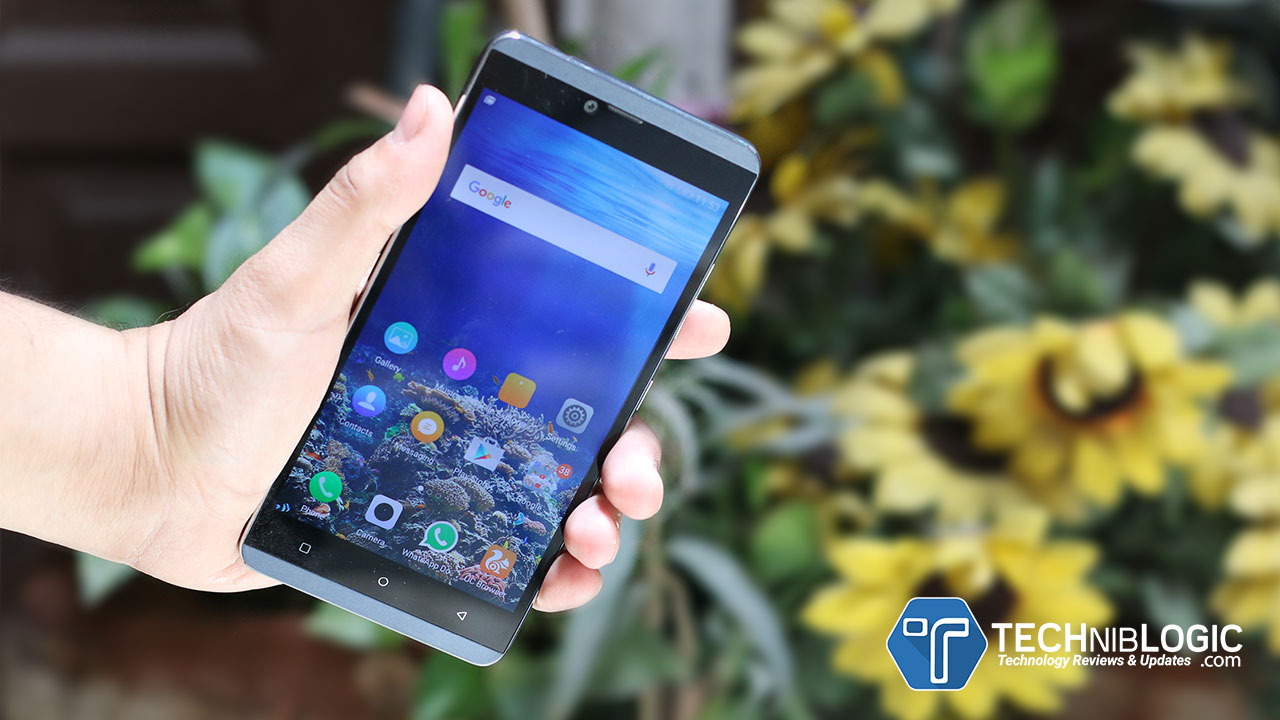
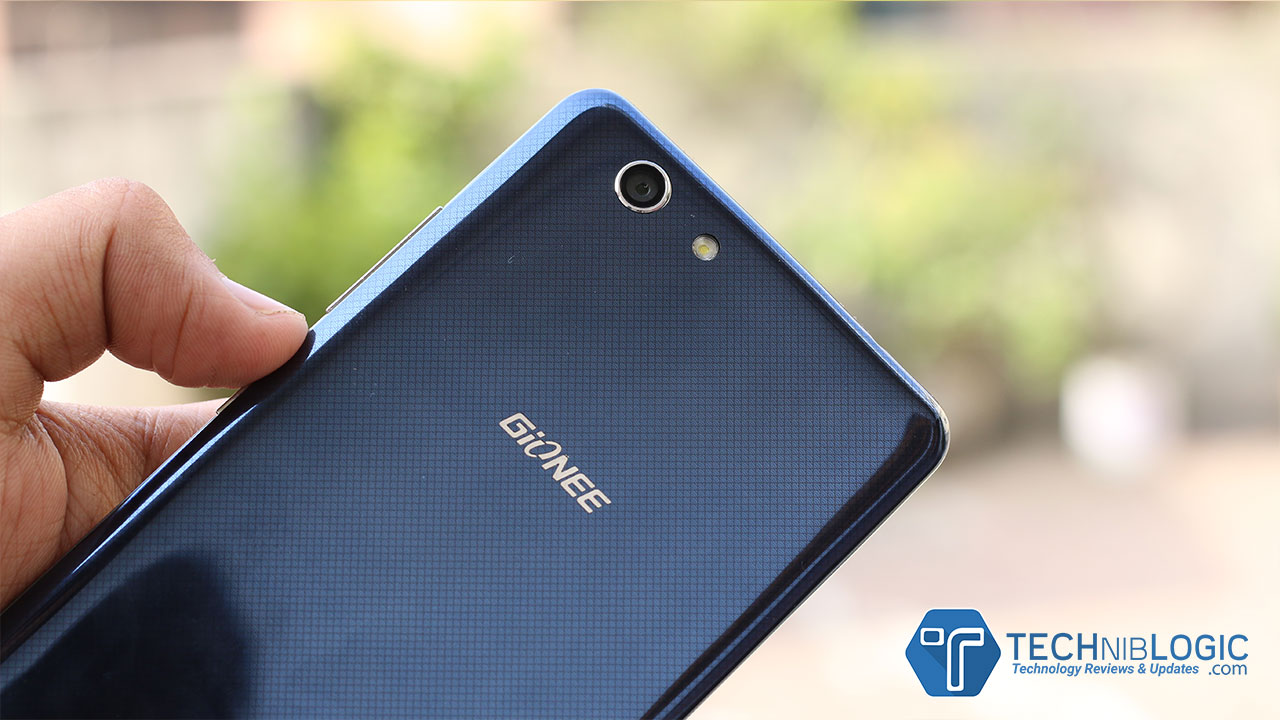
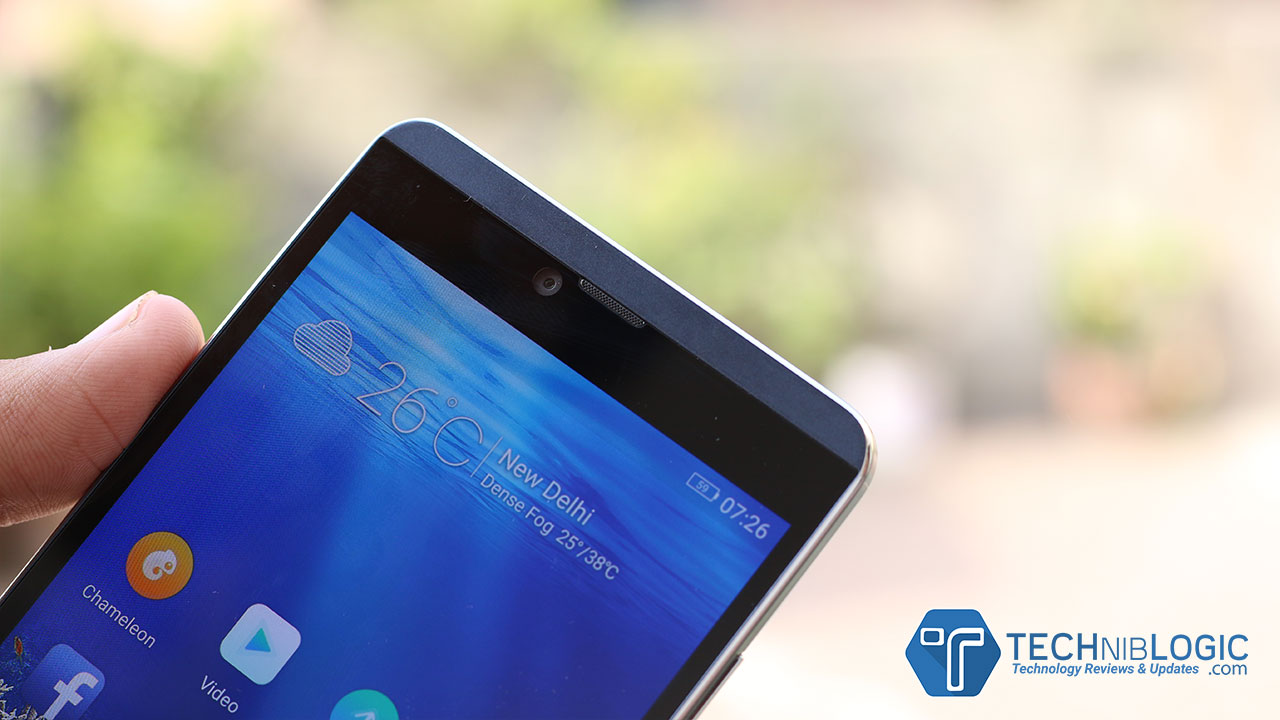
Gionee finally added up a new successor in there Marathon Series with name M5 Plus, it is a power packed smartphone with 5020mAh battery capacity and smart power consumption system, which is being housed in an ultra slim full metal body. The phone is also future proof, offering both 4G with VoLTE and CDMA SIM support. M5 Plus is also the first Gionee phone in India to carry the new smiling logo. The device will be available across retail outlets in India, as well as online exclusively through Flipkart.
As the device is being Powered by a 5020mAh Li-ion battery, M5 Plus has an impressive talk time of up to 21 hours, offering a day-long stress-free usage. Despite the large battery, the design is stylish and ergonomic with an ultra slim full metal body and a centrally placed camera. The phone has 2.5D FHD AMOLED water drop display screen. The device is equipped with 3GB RAM and 64GB ROM, which is also having expandable memory support for upto 128GB. The Marathon M5 Plus is advanced with the fast and convenient touch sensitivity, giving access to make things work smoother.
When we come to the charger front of the device it is being enabled with dual charging chip, which is further meeting the standard of the Indian consumers. The device is authorized with fingerprint security option by customizing the security standards as per the need and choice of the user.
The Gionee Marathon M5 Plus runs on the advanced Amigo 3.1 and has highly optimised software for flawless and smooth experience. The device comes equipped with features like Amiclone, that allows users to transfer and switch data from their old device at a fraction of a second like we see now on many other devices as well. The smartphone comes with an energy efficient mode comprising of Eco Mode, Power Saving Mode, Extreme Mode allowing customers have a better power management experience.
Gionee Marathon M5 Plus is having 13MP rear camera with LED flash and front facing 5MP camera.
Some of the additional added features are like mobile security solution for anti-theft, Child mode app, Gionee abroad services displaying two countries time zones (which can also be done by using 3rd party apps), flight information and hotel information for those travelling international frequently, the theme park and the prime version theme.
Gionee Marathon M5 Plus will be available at Flipkart for INR 26,999 in the Indian markets.


![[Deal Alert] Super Deals on Geekbuying Anniversary Sale – Hurry Up!](https://techniblogic.com/wp-content/webp-express/webp-images/uploads/2016/06/Super-Deals-on-Geekbuying-Anniversary-Sale-techniblogic-768x397.jpg.webp "[Deal Alert] Super Deals on Geekbuying Anniversary Sale – Hurry Up!")