Home Blog Page 359

Drones Serving in Singapore Restaurants as Waiters

Do you like to travel a lot? Do you guys like to visit different restaurants then this place is for you guys. If you are going to travel to Singapore in the near future so you guys must visit this restaurant. You all must me thinking that what is so special in the restaurant, but it is not an ordinary restaurant with the ordinary waiters taking the order rather they are having Drones which are going to get back to you to provide your order. You must be thinking that this all may look good in science fiction movies but it is true. Fortunately these ‘bots just want to bring you beer and pizza in starting.

They have been testing these drones in-house to improve service to its customers. Each drone is capable of carrying about five pounds, which means they can easily deliver for two — say, a couple of pints and a whole pizza.

According to them deploying drones will allow the restaurant to make better use of its staff, who will still do the actual order taking and handing off  the drones will simply come to you with your orders from the kitchen out to the dining area. Infinium’s CEO Junyang Woon is confident that his company’s drones will ensure that “staff are able to interact more with customers and enhance their dining experience.”

Flying drone waiters

You must be worried that the airspace above the tables might get a little dangerous during dining rushes? The company providing the drones, Infinium Robotics, says you needn’t be. They’ve equipped the fleet with everything the drones need to avoid collisions both with each other and the restaurant’s paying customers. As long as their batteries don’t unexpectedly deplete mid-flight, as this is a exception to it.

https://www.youtube.com/watch?v=jITcEf7dHtQ

The only reason that the restaurant is going to add drones is not because to popularize themselves in a different way, but in Singapore it is not easy to find staff for the serving purpose and the young once are shy for the serve job due to which they are deploying the drones in the restaurants which will ultimately popularize them in a modern way as well as decrease the cost of staff.


Decoded Hidden Meaning behind Smileys

DECODED… SMILEYS…. MYSTERY…….

You remember when you’re texting your loved ones with the feelings of being on the top of the world and butterflies flying in your stomach ….. those feeling causes excitements and nervousness makes you to take more and more time to type a single message so that you can make a perfect sentence and then finally click the send button.

But here is the secret …. You will totally surprise with the fact that the key to getting some loving might not have anything to do with words- IT’S ALL ABOUT THE SMILEYS FACES……. According to a popular survey held by match.com, some interesting facts are revealed.

Single people who use Emoji’s have more scope to get into relationships if they constantly share smileys with the person they chat than those singles who do not get their smileys faces on. So if you wana express more and more of your feelings then the best way is to make use of more and more smileys, this will help you to go more closer to your loved ones. SO KEEP SENDING SMILEYS.

Smileys

According to the survey for getting and showing off love the most popular smileys were the winking face, the blushing smiley and the kissing face with a heart.

So what are the favorite smileys of single girls and boys??

Single women were much more likely to use the kissing face with the heart to show their love, whereas single men use the blushing smiley.

And the least popular Emoji’s among people turned out to be the woman flipping her hair, the red lips, and monkey covering his eye.

We’re not saying that these little guys are real deal breaker or maker but just keep in mind our small suggestions before texting.

Expressing feelings when you’re apart from each other whether through Emoji’s or by simple text messages builds anticipation and a much stronger relationship when you eventually meet in reality.

So keep sending smileys and keep expressing your feelings.

Please share your views and experiences in the comments below.

 Editor – Tejaswini

Flipkart Big Billion Day is Coming Back

Yayiiiii !!!!

Shopping Alert ….. Strategies behind Flipkart ………

Brace yourself … guysss …. E- Commerce’s giant, our very own Flipkart is gearing up for its Next Big Billion Day Sale. This event is to be many times bigger than the previous one. Big discounted sale day which happened last October had created history. Flipkart is doing almost everything which one can imagine in E – commerce industry for achieving success.

Flipkart is working to enhance its ability to forecast demand, faster delivery and no sub-standard or cheap quality products.

So this time, be prepared to enjoy flawless online shopping experience.

Shopping

 “Big Billion Day this year will be many times bigger. We also want to see our mobile platform play a larger role in serving customers during this years’ sale,” in an interview with ET Sachin Bansal , CEO and co-founder of Flipkart.

This time Flipkart is giving extremely special attention to its mobile app users to offer personalized experiences not only users but to marketplace platform and supply chain network.

Your every bit of data which lies with Flipkart will be examined with the purpose of drawing conclusions about that information to allow organization to make better business decisions and to verify or disprove existing models or theories.

According to statistics, Mobile commerce is growing at really faster pace and more than half of the company’s sale happening through its mobile app only.

“The pace at which this medium is catching up with and even surpassing desktops is faster than what we have seen in the US or China, where the concept of mobile commerce has been around for longer,” Bansal said.

During the Big Billion Day sale only Flipkart generated almost 500 TB of commerce data. “We primarily use data to predict customer trends based on region, gender, wish list etc., to drive an enriching shopping experience,” said Bansal.

“We aim to have at least 10,000 sellers become millionaires this year through the sales generated on our platform,” said Ankit Nagori, SVP – Marketplace at Flipkart.

“We also have on-ground teams carrying out quality checks at seller facilities from time to time along with mystery shoppers who are constantly monitoring sellers for product quality, delivery timelines and customer friendly return/replacement policies,” Nagori said.

Being such a giant and because of its complex structure company face difficulty  controlling the qualities of products, so this time all blacklisted sellers won’t qualify to sell on Flipkart. For sellers, they need to be get registered their business first with the certificates of originalities and warranties of their products as Flipkart does not want a single spot on their brand name.

Well, we are waiting impatiently and we had contacted Flipkart for more details and asked for most awaited day of the year ….. FINGERS CROSSED…..

We will update this post as soon as we hear from the Flipkart.

Please share your views and experiences in the comments below.

Never Seen Google Tricks

Google is everything in today’s world. Everyone uses it for different searches and for different purposes but no one know some of the Tricks that Google offers which can be a real good fun in front of your friends or in any college event to show off or to make the audience shock when you use these tricks.

You will sure going to ask me that what is the use of these things,and how how these gonna work. I would simply say that it’s just for fun, and to use it is piety simple.. It is something you can show to your friends, impress them , show them your geeky side. so, Here it goes:

1Atari Breakout Trick: So it was a game of 70s and it will change the whole Google page into the gaming portal and you can play it normally. you just have to open the Google Images and type “Atari Breakout” and just search it and it will work.

Atari Breakout

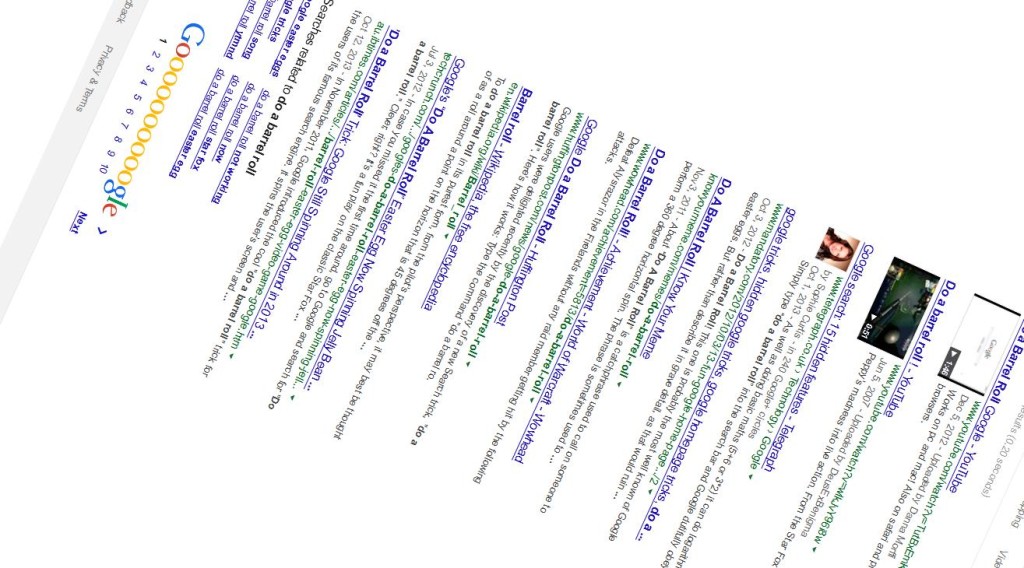
2. Do a barrel roll trick: In this trick your Google search screen will do a barrel roll or we can say it will rotate two times. to start this you just need to open Google search and type “do a barrel roll” and press enter and see what happens.

do a barrel roll

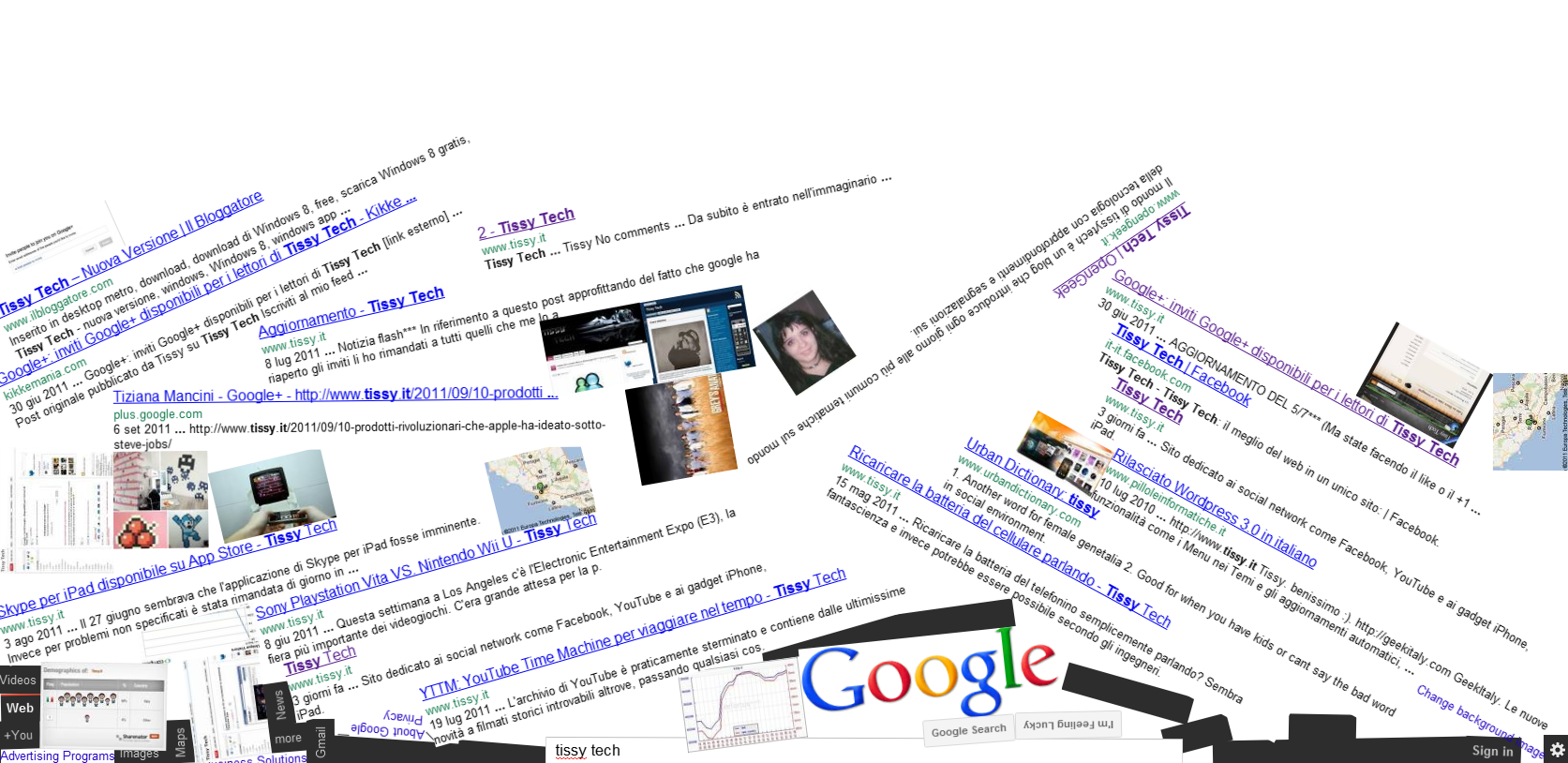
3. Google Gravity: In this trick your Google page will fall like it has no gravity and you can play with it and the search will also work side by side. For this you just have to open the Google and Type in “Google Gravity ” in their homepage and then click on the “I’ m feeling lucky” button or the first Google search which is coming. It will redirect you to one of the fun projects called “Google Gravity”.

google gravity


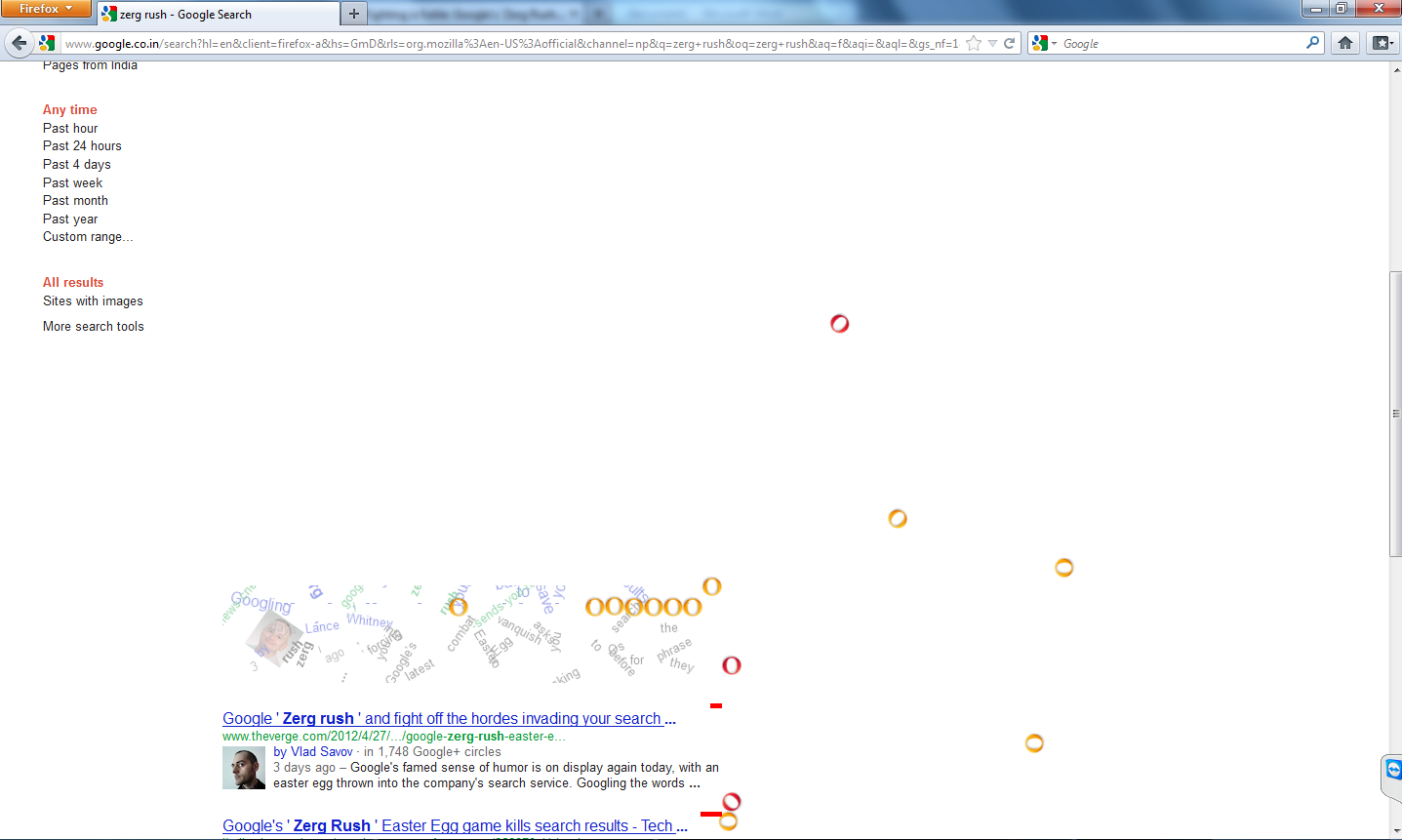
4. Zerg Rush: In this the ‘o’ and ‘o’ of Google appears from the top and the right of the Google page and slowly eats up the whole page leaving nothing and it looks really fun when the whole process was going on. you just need to type “zerg rush” in Google.

zerg rush

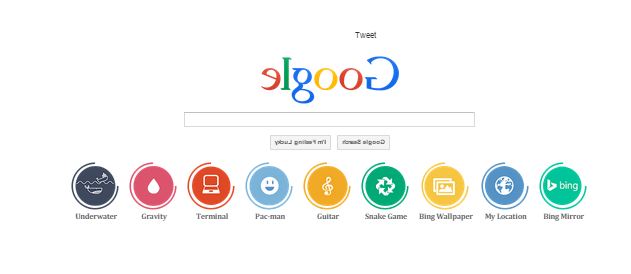
5. Mirror Google: A rotated or we can say a Mirror version of Google.com, kind of google tricks. Provides you with a reversed Google site, known as Google backwards. You can also do surfing on elgoog.im, it’s fun. you just have to Visit elgoog.im

Reverse Google

 6. Recursion trick: Search for “recursion” on Google and you will get stuck in an infinite loop much like recursion . Recursion means repeating. Google will show “did you mean recursion?” every time  searching for recursion . It is a fun act of Google for all the geeks who understand what is recursion.

 Recursion trick


7. Tilt page trick: In this the Google seacrh screen will get a little Tilt for this you just nee to type “tilt” and just see how the screen get a little tilt.

Tilt Screen

How to enable Google Now on Android 5.0 Lollipop in Nepal and other countries

I had posted a guide earlier this year on ways to Enable Google Now in Nepal and other countries. That method works flawlessly on both Rooted and Non-Rooted devices running Android 4.0 to Android 4.4.4 Kitkat. Android has now gone into major overhaul in both design and software functions like ART being now default in Android 5.0 Lollipop. But with the new version of Android, same old problem arrived for the people living in Nepal and many other countries – “Location reporting is not available in your country”.

Tried every available method to enable Google Now? Still no luck??  Keep calm guys, I have a solution. Remember that this method works only on Rooted devices.

Here are the steps to follow

Step 1 :

Install any custom launcher. I installed Nova Launcher. Open the launcher and make it default.
Then clear Google Now launcher from Recents View.

Download Nova Launcher

Step 2 :

Install a Root explorer or file manager. Fx file manager worked for me. Also make sure you install its Root Ad-on for using root functionality.

Download Fx File Manager

Download Root Ad-on for Fx File Manager

Step 3 :

Download an older Google Search apk from the link below.

Download Google Search-2.6.7.721924

Step 4 :

Rename the downloaded apk to Velvet.apk

Step 5 :

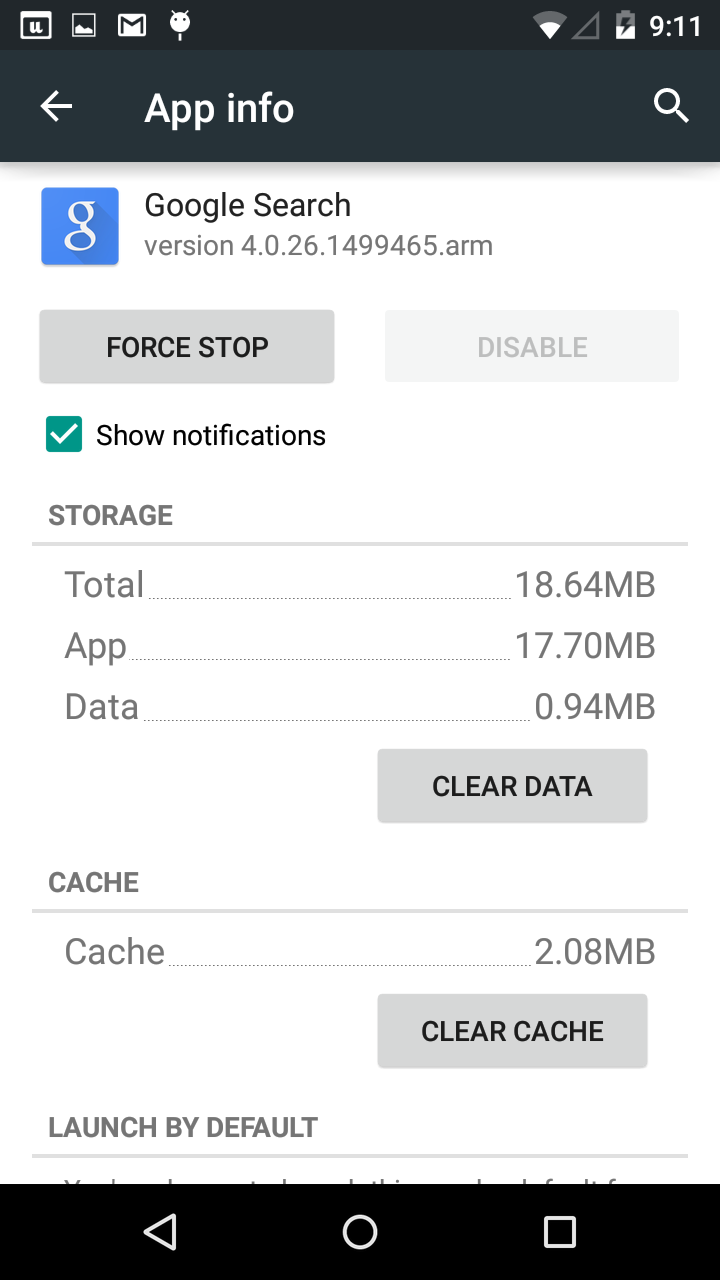
Go to Settings/Apps/All and scroll down to Google Search. Tap it and Clear data. This will remove all your settings for Google Now Launcher but let’s not worry about it much.

How to enable Google Now on Android 5.0 Lollipop in Nepal and other countries 1
How to enable Google Now on Android 5.0 Lollipop in Nepal and other countries 2

Step 6 :

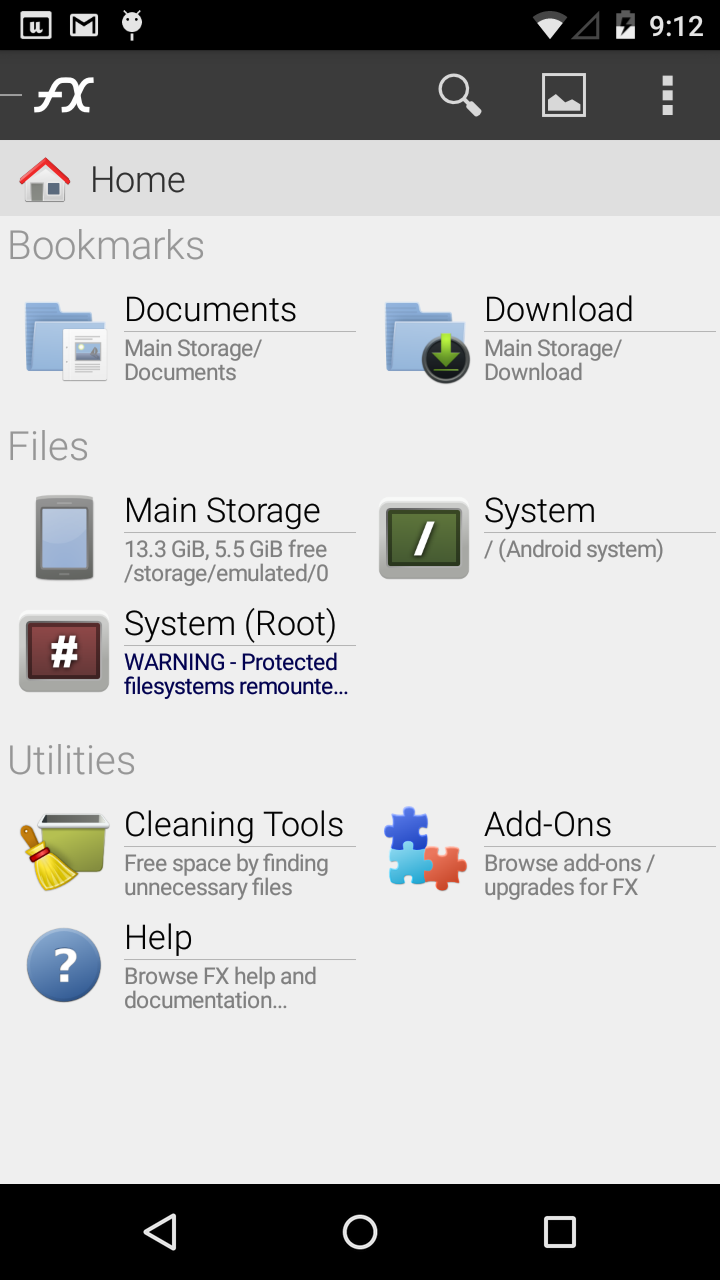
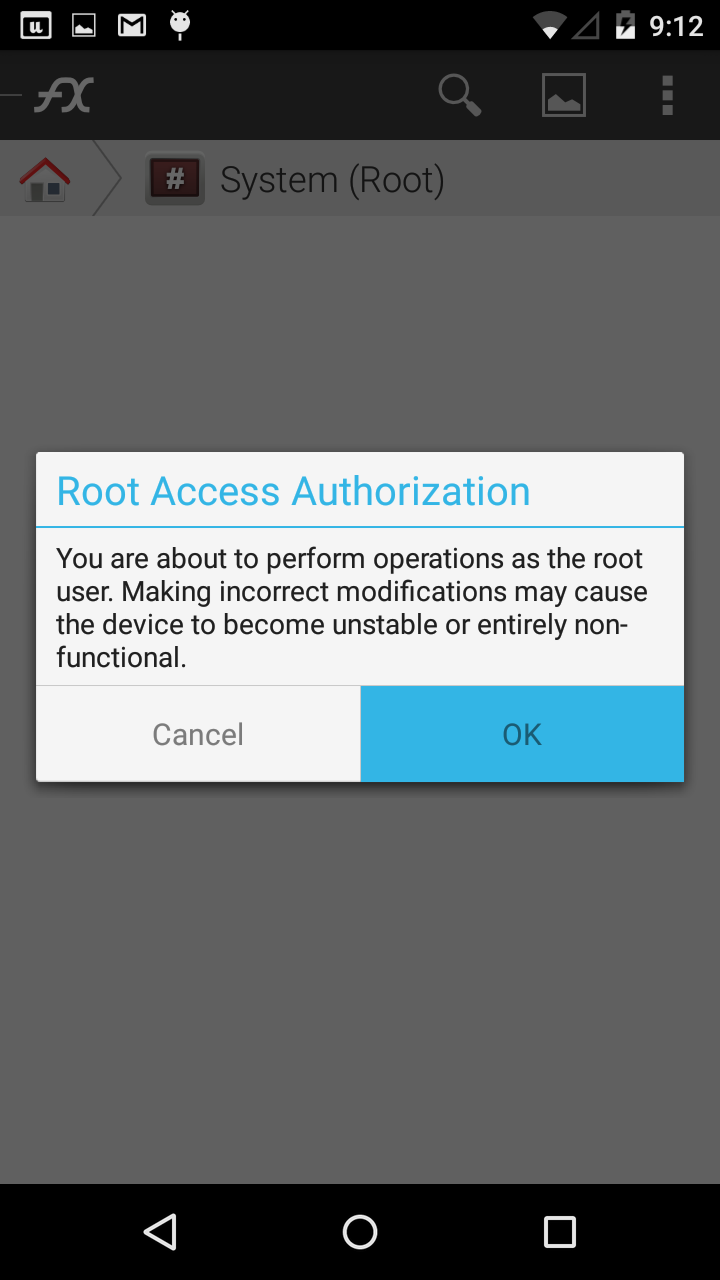
Open Fx File Manager. Tap on System(Root). Go to system/priv-app. Copy the Velvet folder and all its contents to Sd-card. Then go back to the system/priv-app/Velvet. Delete all the contents of that folder.

How to enable Google Now on Android 5.0 Lollipop in Nepal and other countries 3
How to enable Google Now on Android 5.0 Lollipop in Nepal and other countries 4

Step 7 :

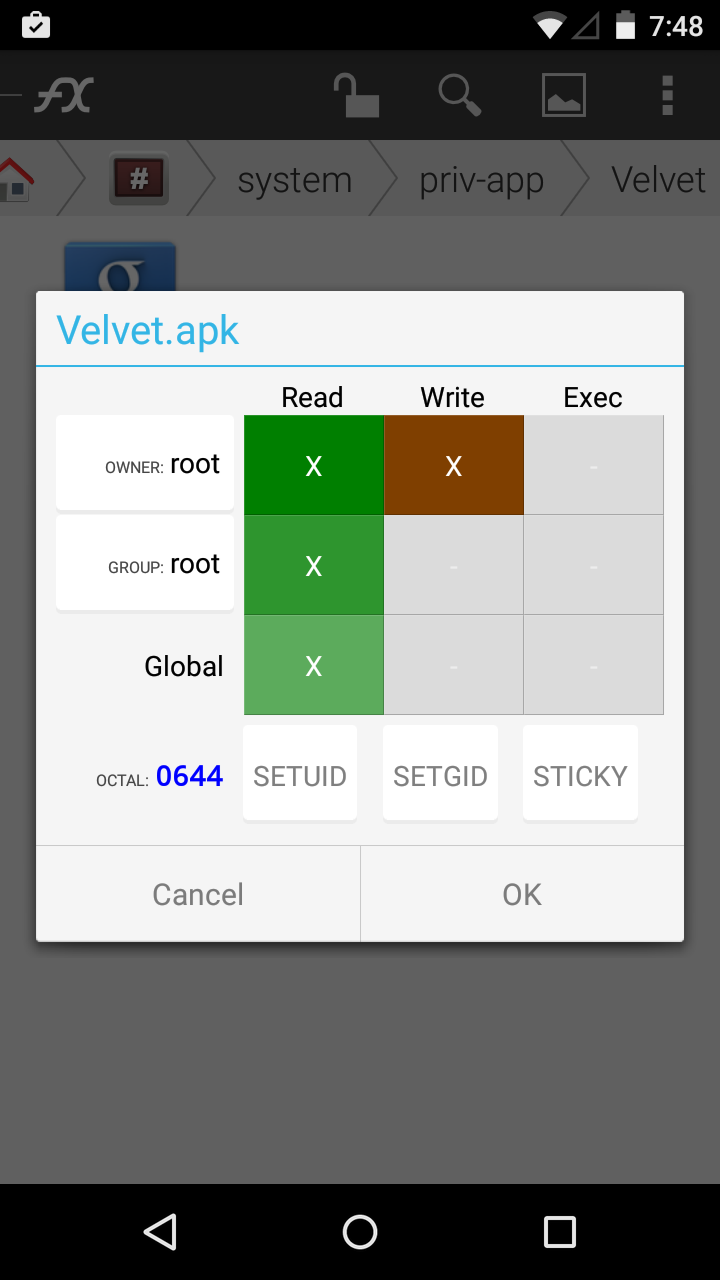
Copy the Velvet.apk file you downloaded and renamed. Then paste it inside the system/priv-app/Velvet folder. Now Long press the Velvet.apk file and tap on Permissions. Make sure the permission is set to OCTAL : 0644 as shown in the picture below. You may be prompted to Mount Read-write, do that by tapping in the settings menu on top and select “Mount Read-write”

How to enable Google Now on Android 5.0 Lollipop in Nepal and other countries 5
How to enable Google Now on Android 5.0 Lollipop in Nepal and other countries 6

Step 8 :

Restart your device. Then open Google Search from app drawer. Then tap on Yes, I am In.

Step 9 :

Now open the Fx File Manager. Copy the contents of the Velvet folder you copied in Step 6.
Then go to system/priv-app/Velvet. Then paste the copied contents and overwrite the file. Then long-press the Velvet.apk file and go to permissions. Make sure the permission is set to OCTAL :0644 by modifying the permissions to look like the screenshot below. Likewise set the permission of 3 files in /velvet/lib/arm too OCTAL :0644.  Then set permissions for folders(velvet,lib,arm) to OCTAL :0755.

How to enable Google Now on Android 5.0 Lollipop in Nepal and other countries 5
How to enable Google Now on Android 5.0 Lollipop in Nepal and other countries 6

Step 10 :

Restart your phone and Voilà! you now have Google Now enabled in your Android 5.0 Lollipop running device.

Let me know if this method worked for you 🙂

How to Add Featured Image in WordPress RSS Feed ?

One of the first things I do at whatever point I introduce a new form of WordPress is to empower emphasized pictures to appear in my RSS channel.  Add Featured Image in WordPress RSS Feed , While some individuals may think RSS channels are dead, they are still utilized by many administrations.
Take after the steps to add emphasized pictures to your RSS Feed in WordPress:

Step 1 :

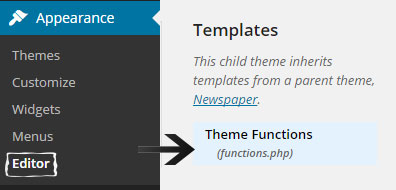
We have to add some code to your functions.php record, so first go to the appearance editor , then Scroll down and find your functions.php file in right side of your Screen

wordpress appearance editor

Step 2:

At that point put the accompanying code at the base of your functions.php document (If you don’t realize what you are doing, make beyond any doubt to reinforcement your functions.php record before altering it)

function featuredtoRSS($content) {
global $post;
if ( has_post_thumbnail( $post->ID ) ){
$content = '<div>' . get_the_post_thumbnail( $post->ID, 'medium', array( 'style' => 'margin-bottom: 15px;' ) ) . '</div>' . $content;
}
return $content;
}
 
add_filter('the_excerpt_rss', 'featuredtoRSS');
add_filter('the_content_feed', 'featuredtoRSS');

Step 3:

In the above code we utilized medium for the thumbnail size. This will show up like our RSS channel underneath. You could change this to thumbnail or full on the off chance that you favor. Medium appears to work the best for all stages.

LIVE DEMO

OnePlus names its Android ROM ‘OxygenOS’

Finally OnePlus one has announced the final name for there official ROM which they have promised to be launch in Feb.

The name is being decided “OxygenOS” taken from the participant of the contest they have started on there official forum.
After the contest there were lakh of suggestion from the fans of Oneplus one.
They have nit mentioned much about there OS but just said that it will be more open then Cyanogen. As they don’t want to continue with Cyanogen after such a response of cyanogen in India. As they have tied a separate contract with Micromax and forget the deal fir deal on global level.

According to there forum they said

As an element, OxygenOS is the epitome of simplicity, yet it’s also extraordinarily powerful.

OxygenOS is all around us. It’s part of us and everything we do. It creates the water that carves out valleys and moves mountains. By itself, it’s simple and pure—a fundamental building block. But, as a part of something greater, it can do amazing things. Just like us.

As for the little amount of information that has been out about the OS itself, OnePlus has simply said that it will be “open, customizable, and free of bloat and unnecessary features.” Make of that what you will.

OnePlus will announce more information about OxygenOS on Feb. 12.

What do you think of the ROM and what are all reviews you thought about it? Let us know.

Xiaomi Mi4 Launched In India For Rs 19,999

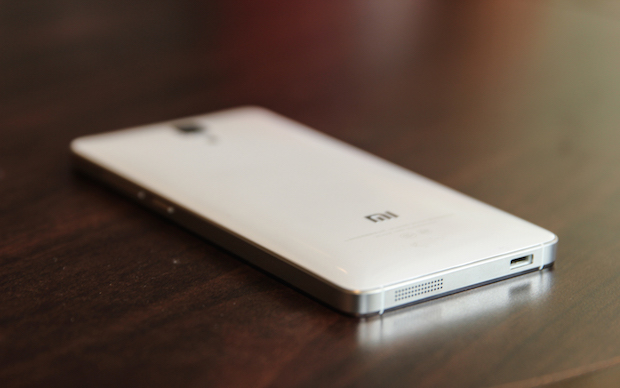
So guys your wait is almost over for Xiaomi Flagship Killer the Mi4 as today (28-1-2015) they have announced the release of Xiaomi Mi4 Launched In India For Rs 19,999 with the price which is very competitive if we compare it with the different other models which are available in the market with such hardware configuration.

They are going to release the device on 10th Feb 2015 Exclusively on Flipkart.com with the price of Rs. 19,999 which is the price of 16 GB variant in which about 13.45 GB will be available to further use. The main disadvantage I feel is that 16 GB is quite low when even they are not offering the external card slot in the device and it also not support 4G in 16 GB variant which is a a big negative point.

Like other Xiaomi devices it will also be available only to the registered users and on “First Come Fist Serve Bases” which sometimes becomes a very big problem who need the device urgently.

When we come to the comparison with other flagship killer which was launch last year in December the Oneplus one 64 GB variant which is available only for Rs. 22,000, but it also has a drawback that it is available to only those who has the invite to buy the device. When we come to the invite they are easily available now a days as amazon is sending invites to all the owners and as well as to those who are subscribed to their oneplus one page on amazon.in.

Xiaomi Mi4

When we come to the hardware which Xiaomi Mi4 is offering is, it powered by a 2.5GHz Qualcomm Snapdragon 801 quad-core processor and 3GB RAM. It will be available in 16GB variants in India first. The phone runs MIUI 6, a new version of the company’s operating system, based on Android 4.4 KitKat. The phone sports a 13MP rear and 8MP front Sony stacked CMOS camera and a 3080mAh battery. According to Xiaomi, the battery would last one and a half day with normal usage and will offer quick charging, reaching 60% charge in an hour’s time.

In terms of connectivity, the phone supports 3G, Wi-Fi 802.11ac, Bluetooth 4.0 and GPS. It doesn’t support 4G data and NFC.

Commenting on the launch, Hugo Barra, vice president, Xiaomi Global, said, “I am truly excited to be bringing the Mi 4 to India, after listening to the feedback of so many fans. The Xiaomi team has put a lot of effort into designing a gorgeous device packed with powerful specs, and I trust that Mi 4 will be warmly welcomed by all our Indian fans. I believe India Mi fans will love MIUI 6, the most exciting update to our software platform to date.”

Manu Jain, operations head, Mi India, said: “The Mi 4 re-affirms our commitment to bring more Mi products to India. We will continue to work on offering our Mi fans incredible value as we introduce even more great devices in the coming year, and the best user experience ever.”

Facebook was not working ! Facebook Server goes down

What the F !!!!!!!!! Facebook Server goes down !!!

Today, we had Facebook Server goes down….. instagram down……… On web as well as on mobile  apps …It seems that the down was experienced for exactly 40 minutes… isn’t it insane,,,, services are back online after that….Pheww…. 

The cause for the shutdown is not clear yet, shutdown  occurred at about late afternoon. However, The same company’s messaging service WhatsApp is running as usual.

On the otherhand at the time of down, the facebook just acknowledged by quoting “Sorry, something went wrong. We’re working on it and we’ll get it fixed as soon as we can,” on their website.

According to the sources the responsibility of this outage goes to some suspicious hacker groups by DDos attack.

This kinda instance of facebook was earlier experienced last year in the month of September for nearly 15 minutes but twice that month.

While for that same time the Twitter was working normally and all the angers of the users of facebook and instagram was conveyed through more than 4000000 tweets as per recordes in just less than an hour….

I just wana say…  to all those angry twitters.. to keep clam and Say Hi to mom and Dad and like have real Discussions, Fight with siblings,,,  Reality of life just begins …… ( I know its hard to follow…. isn’t it !!!!! )

Well we had contacted Facebook for more details and the exact cause of down. We will update this post as soon as we hear back.

Please share your views on the Facebook instagram down …… In the comments below.

New Water Resistant Material That Bounce Water Back

Scientists at the University of Rochester have created a new laser-scratching innovation that makes a super hydrophobic sheet of material. The material is hydrophobic to the point that water drops bounce off until they tumble off the edge.the special thing about the new innovation is that its significantly more tricky than Teflon, utilized normal hydrophobic material that regularly layers nonstick pans. It’s  dissimilar to non stick griddle, the new laser-treated metals doesn’t require to tilt the metal for water to move off the surface. Since broiling skillet use concoction covering which wears off over the time. The new engineering can be utilized as a part of various applications, for example, rust anticipation, hostile to icing, or even in sanitation employments.

drip

As the water bobs off the surface, it additionally gathers dust particles. Analysts likewise tried this utilizing standard dust from a vacuum cleaner and dumped it onto the treated surface. About 50% of the dust particles were uprooted with only three drops of water. It took just twelve drops to leave the surface spotless. Additionally it remained totally dry.

“The material is so strongly water-repellent, the water actually gets bounced off. Then it lands on the surface again, gets bounced off again, and then it will just roll off from the surface,” said Guo, professor of optics in the University’s Hajim School of Engineering and Applied Sciences. That whole process takes less than a second.

“In these regions, collecting rain water is vital and using super-hydrophobic materials could increase the efficiency without the need to use large funnels with high-pitched angles to prevent water from sticking to the surface,” says Guo. “A second application could be creating latrines that are cleaner and healthier to use.”

drip

drip

According to them the manufacturing process is not ready for large-scale manufacturing as it takes an hour to etch a one-inch-square piece of metal.

Check out the magical metal in action in this video, uploaded to YouTube by the University Of Rochester.

How to Find Lost Android Smartphone IMEI Number

For every phone there is a IMEI (International Mobile Station Equipment Identity) number which is a unique code for every phone. It is a kind of unique product ID. It is a 15 digit number. Based on this number, you can check all information about the device, eg brand or model etc.  To check the IMEI number when you are having with the device is just dialing *#06# in the dialer pad. IMEI number is also used when you take your phone to the repair all the mobile details and the warranty status is identified by the IMEI number.

Finally this article is useful to those who have lost there Android smartphones and don’t know there IMEI number so that they can block (Blacklist) the device by registering the compliant so that further the device cannot be used. Many of you have tried different ways to find the IMEI number but this article tells you some unique way, For this Follow the Bellow Steps:

Steps:  Find Lost Android Smartphone IMEI Number

Key point is to Find Lost Android Smartphone IMEI Number using the Gmail Account.

  • Gmail Link
  • Open the link and login with your Gmail account you were using in the stolen/Lost device.
  • When your account will be signed in,  scroll down and click on the dashboard under the Account Tools box.
  • After clicking on the dashboard button there appears lot of options such as account,chrome,calendar,gmail,android ect.Then here click on the android section to expand the details.

Gmail Account Dashboard

  • There you will get all the information about the devices list which are linked with your Gmail address.
  • After that you will able to knowr the android smartphone which is lost from the list and there you can get all the information about the Android name ,model name and IMEI number of your device.


So by following the above steps the user can easily find the IMEI number for it Lost Android Smartphone.

Transfer Money using Twitter Account

Have you ever thought that you will able to transfer the money from twitter ??

Our very own ICICI bank with millions and millions of customers and India’s largest private sector bank has come up with a brilliant use of technology.

ICICI is leading the way in showing how banks can use social media to their advantage by using the social medium like twitter. Always the first to explore new technology mediums, ICICI Bank has been in the forefront of using technology to maintain its competitive edge. So, now the Bank announced that its customers based in India can now send money to other people via Twitter. This service is called icici bank pay.

This service enables ICICI Bank customers to transfer money to anyone in the country who has a Twitter account, check account balance, view last three transactions and recharge prepaid mobile in a completely secure manner. Rajiv Sabharwal, Executive Director, ICICI Bank said that they are the first bank in Asia and globally the second one to introduce transfer of funds via Twitter.
ICICI Twitter

“With the growing prominence of social media in every-day life, we believe our customers would be delighted to have yet another avenue which allows them to bank while they are on social media. In line with this, we introduced the world’s most comprehensive banking facility on Facebook in 2013. Now, ‘icicibankpay’ will help our customers to execute banking transactions while they are socialising on Twitter,” Rajiv Sabharwal added.

In the year 2015, the lender also plans to launch digital wallets and digital wearables to increase the services offered under this medium. About 50-55% of the bank’s customer now transact via the digital medium.

As per the Reserve Bank of India data, in the month of October ICICI Bank had recorded transactions worth Rs 1416.52 crore via banking on mobile devices.

This facility is only applicable only if you have ICICI Bank savings account customer, has a mobile number registered with the bank and has a Twitter account. The customer can send money to anyone in India even if the recipient does not have an ICICI Bank savings account. Once you done with this you need to register yourself.

To register for the service, you needs to follow the bank’s Twitter account, @ICICIBank and send a Direct Message(DM) in the format “#reg <space> <registered mobile number with ICICI Bank>”. As a safety measure, the customer will receive a ‘one time password'(OTPyou’re your registered mobile number, which in turn is required to be sent as a DM from her Twitter account to the bank’s twitter account in the format “#regotp <space> <OTP>”.

Just four easy steps to register for ‘icicibankpay’:

  • Follow twitter.com/ICICIBank
  • Send DM: #reg <space> <registered mobile number>
  • Receive six digit OTP on registered mobile number
  • Send DM: #regotp <space> <OTP that you received>

Once registered, the customer can transfer funds, check account balance, view last three transactions and recharge prepaid mobile by simply sending a DM from her Twitter account to the Bank’s Twitter account in the following formats.

twitter ICICI

Exciting features of icicibankpay

  • To Transfer money: A unique feature that allows the customers of ICICI Bank to send money to anyone with a savings account and a Twitter account
    • #Pay <space> @<twitter account of the recipient> <space> <Amount>
    • Upon sending the DM on Twitter, the customer will receive a SMS on her registered mobile number with a four digit redemption passcode, which she will have to share with the beneficiary. This passcode is valid for usage within three days of the creation of the request
    • The beneficiary will also receive a Tweet from the bank with the link of its website
    • To receive money, the beneficiary has to click on the link sent by the bank, which will take her to a secured page on ICICI Bank’s website. Here, the beneficiary will be required to verify her Twitter account along with providing name, account number, IFSC code of the account where she wants to receive the money and the four digit passcode received from the sender of the fund.
  • View account balance: Using this, the customer can view her savings account balance
    • #ibal – to know balance in the primary account
  • View recent transactions: This feature allows the customer to know the last three transactions of her savings bank account
    • #itran – to know last three transactions in the primary account
  • Recharge prepaid mobile: Using this, customers can recharge their prepaid mobile phone
    • #TopUp <space> <10-digit mobile no.> <space> <OperatorCode> <space> <Amount>

To seek clarification on the service, customers can also send a Direct Message #Help to twitter.com/ICICIBank.

This is the huge step taken by ICICI bank in the technology-led innovative services. We wish the service comes out to be a great success.

let us know your experience with icicibankpay via the comments.

Editor – Tejaswini Salunkhe