Guys privacy is the main issue for everyone, at every place at every website. Even Google is tracking you at every point of time time. Every search you do on Google is being tracked by them. It will tell you your location the time the date at which you have searched that item on Google & what all websites you have accessed. In the past there was already the option that was being launched by Google through which you can download your Google search history and delete it from the server also. download and delete your search history.
And again they came up with the new thing where you can stop Google in being track you at every point of time and yes you have heard it right, you can stop Google from tracking your searches and browsing activity, websites which as visited by you , all the information from your devices, your different searches and commands, and even videos you search for on YouTube.
So, guys this post is to let you know how you can stop Google from snooping in your data, but Google claim that the data they collect is for enhancing the user experience on the web, so you need not to disable all the options. Here are the steps to disable Google tracker.
Step 1
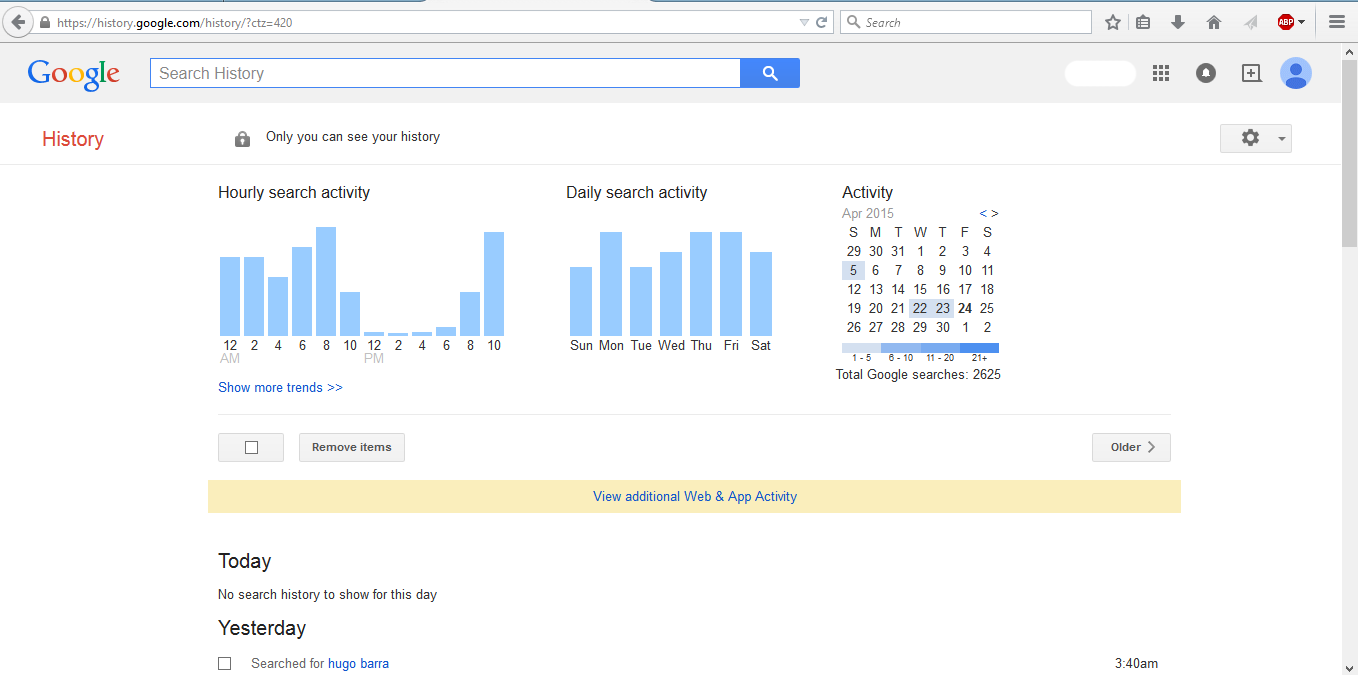
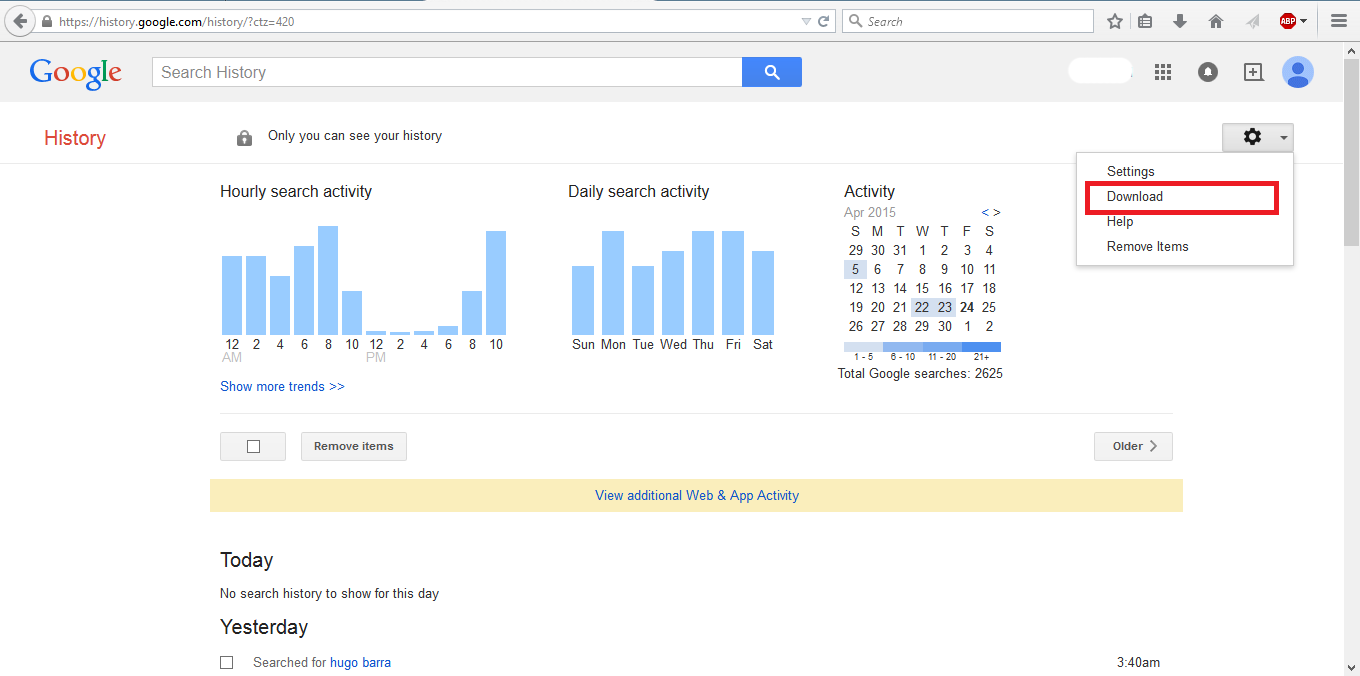
The first step in order to do this is to login to Google Web and App Activity Page. Now click on Gear icon which will open some options.
STEP 2
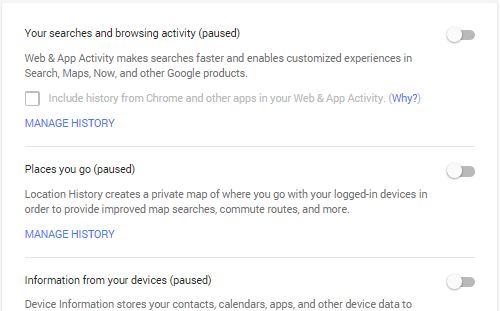
Now Click on Settings, it will open your accounts history settings. You can disable the searches and browsing activity from here or click on SHOW MORE SETTINGS to see other options.
Step 3
Now it’s final step to stop Google from tracking you, all you need to do is to disable the option by clicking on the slide buttons located at the right side of every option. Now you can disable the options you want.
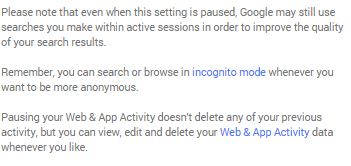
Now as you disabled Google from tracking you, you need not to worry about all the things you search on Google as it will not be able to track you further more. But yes, if they want they can still look into your search for sometimes in order to improve the quality of your search results, or as they say. To go complete anonymous, incognito mode is a better way.
guys if you like this post do give your suggestion in the comment section below and do share with your friends for awareness purpose.
Social media management tools have grown in recent years from purely offering publishing features to including social media monitoring and analytics . In this Post, there are 10 differenttools that will help improve your social media managementand add efficiency to your work flow.
Buffer
Buffer is a very popularsocial media scheduling application for fastest blogging sharing .This tool makes it easy to share contentand automatically schedule the distributionto Twitter, Facebook, Linkedin, and Google Plus.Now, it works by staggering content throughout the dayso you’ll set the pace and then Buffer will do the rest.What’s nice is it lets you continueto add content to your queue,you don’t have to worry about when to post itor about posting it too frequently.Simply fill Buffer with content it will also give you analytics about each postwhich lets you quickly see what ideasare working and what aren’t,and both free and paid plans are available.
IFTTT is an abbreviation for “If This, Then That” and this site helps you to create customtriggers to automated your social media sharing .With IFTTT, you’ll be creating what they refer to as“recipes”, essentially a set of instructionsfor what you want to happen.Now a recipe requires a source, which they refer to asa Channel, followed by a Trigger.The trigger is what has to happen before the tool moves on.Then, once the trigger occurs, you’lltell IFTTT to take an action.You might create something that says, “If I postto Facebook, then post the same update to Twitter.
HootSuite is a comprehensive social media dashboard.And it’s an excellent toolfor small to medium-sized businesses.It allows you to manage your contentacross multiple social media channels,listen to conversations, and measure results,all from one dashboard.HootSuite is really great if you’re managingone or more of social media networksand trying to consolidate the workload.It’s also set up to handle teams,which makes it easier to conduct customer servicesince you can see what conversations have been taking place.Now, HootSuite has a lot of features,some free, but most are paid.
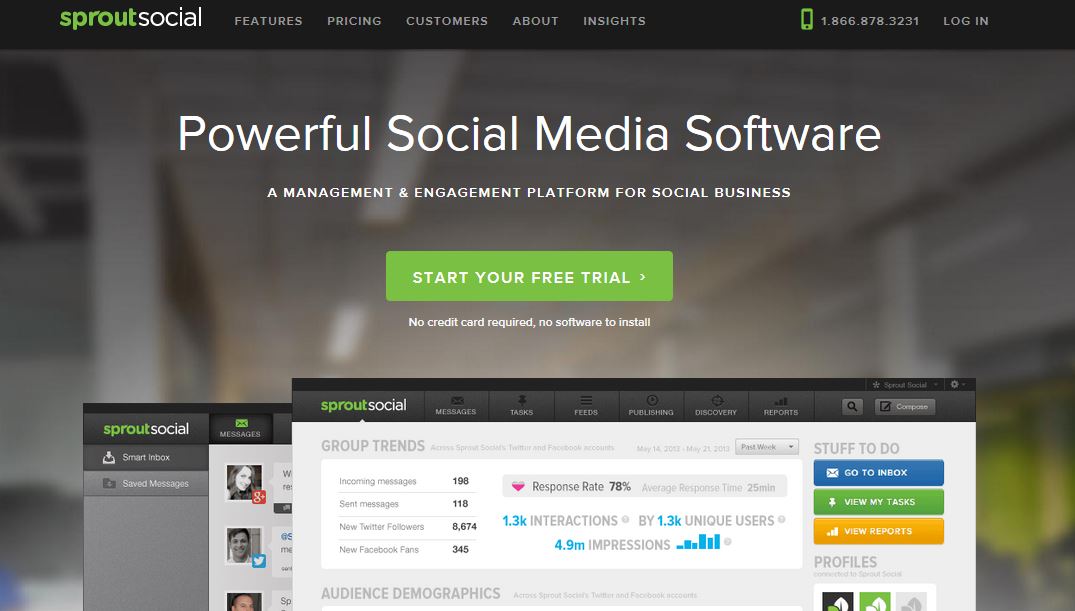
Sprout Social is a social mediamanagement platform similar like Hootsuite,and it offers up the serviceto manage multiple social networks all-in-one place. SproutSocial is a social media management tool created to help businesses find new customers & grow their social media presence
Pagemodo is another unique social media toolwith a bias towards Facebook,and in my mind, it has two key features,the ability to design visual Facebook postsand create an interactive Facebook page.It’s basic plan is $9.00 a month,which is a great value,but at the time of this recording,it was on sale for $4.50 a month,so it can likely be had for even cheaper.To show you the power of Pagemodo,let’s set up a free trial,and we can do that by choosingthe large green button in the center of the screen.The first thing we need to dois add in our Facebook account,and be sure to use a Facebook accountthat is already connected to the Facebook pageyou want to be managing.
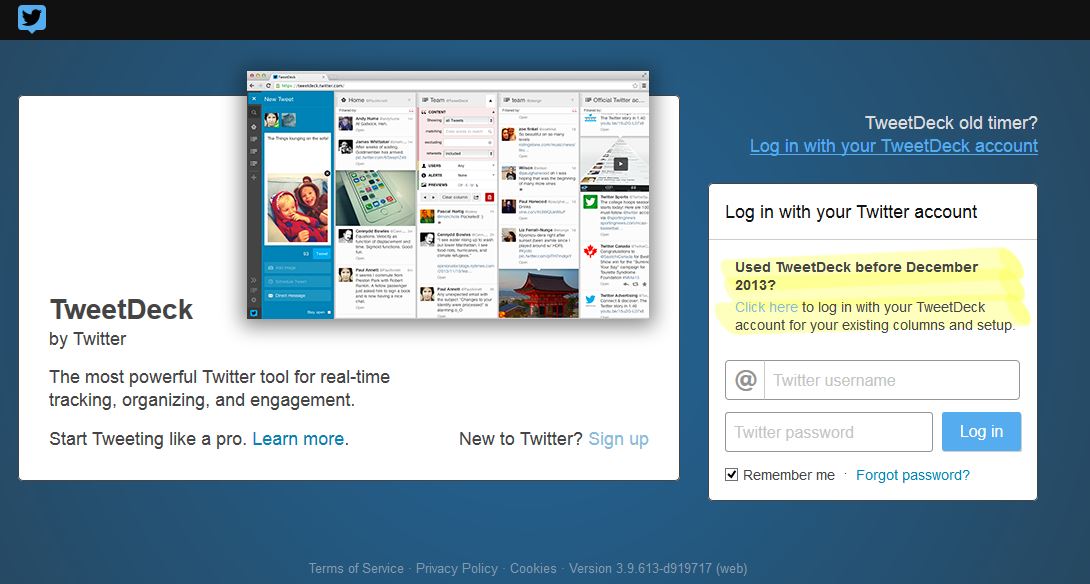
It is also a social mediamanagement tool for Twitter, As Twitter is constantly improvingand updating their platform.With new features like Lists and Analytics .If you’re spending a lot of timemanaging your Twitter efforts,then TweetDeck is for you.This application is part of Twitterand it’s a natural expansion on the Twitter interface.With it, you can can create and build custom timelines,schedule Tweets, keep track of lists, searches,and even manage multiple accounts.
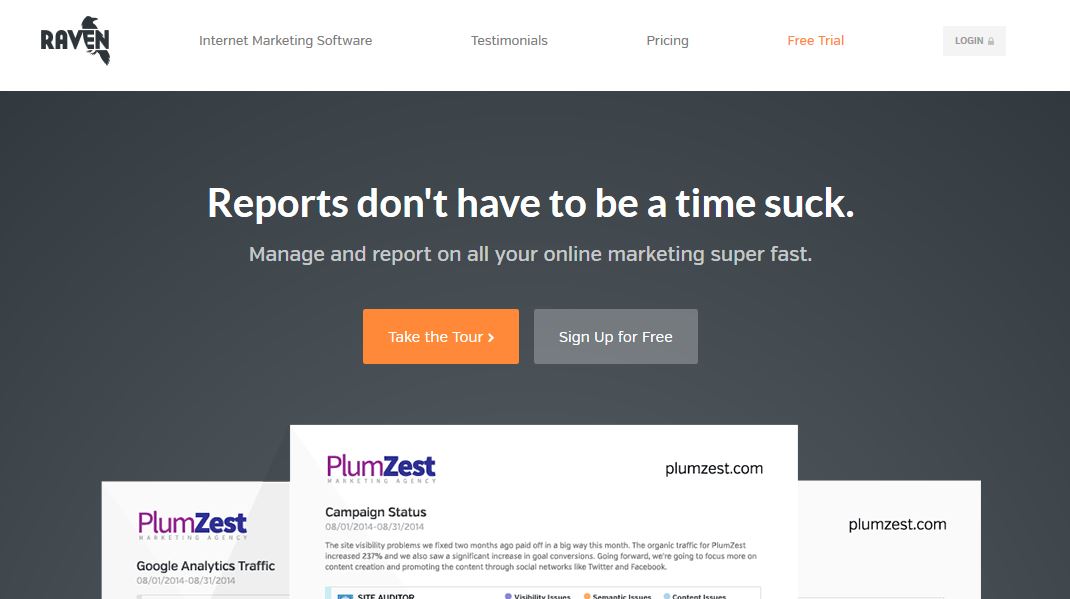
If you have a moderately sized social media presence,then Raven tools is definitely worth a close look.It’s similar in function to Hootsuite and SproutSocial,but it’s tailored more for thosewho manage a lot of accounts.With Raven social, you can do all the basicsof a social media dashboard: plan and distribute content,review mentions, and understand your data.But they go above and beyond withtheir brand monitoring software.They’ll look for mentions of your companyaround the web as well.In addition to their social media suite,the dashboard features SEO tools,content management software, reporting,and even pay per click management.
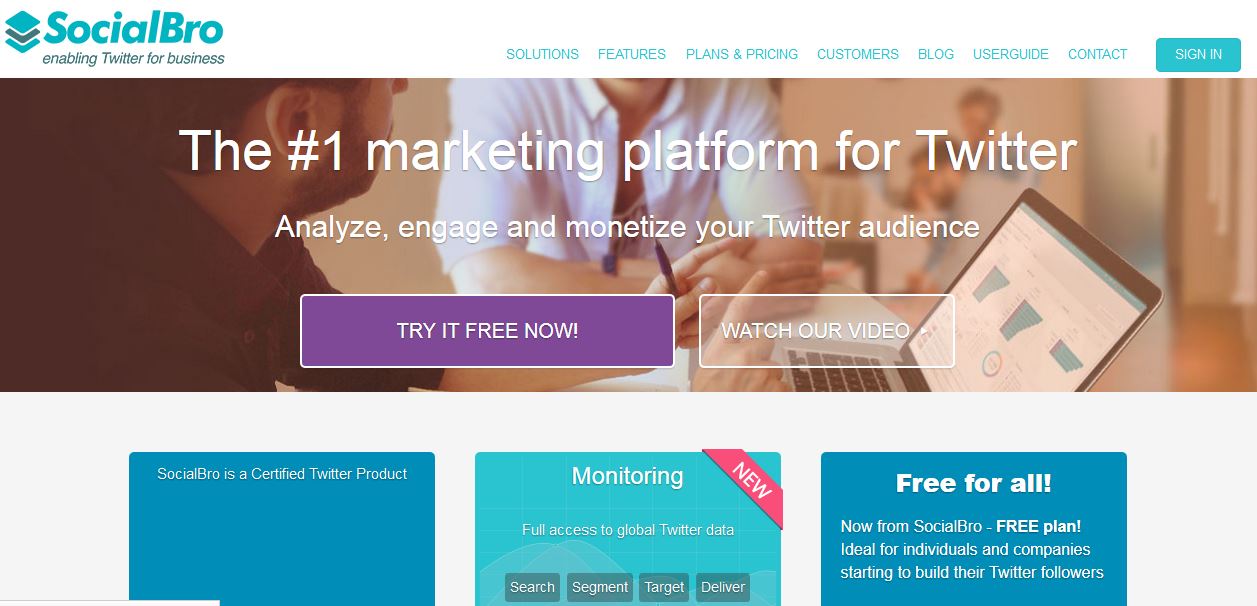
SocialBro is a social mediamanagement tool , if you are conducting a lot of marketing on Twitter.This tool is for you , it will provides you with more depththan the standard Twitter interface.SocialBro has four main features:targeting, engagement, analytics, and management.With their targeting platform,you’ll be able to identify opportunities.You can then monitor Twitter for hash tags and conversationsabout your brand or even your competitors.Hope you will like it
Everypost brings the ability to post contentto all of your social media networksdirectly from your mobile phone.The mobile-only interface is intuitive,and it makes it easy to manageyour social presence on the go.It’s not packed with a lot of features,and I think that’s actually a nice thing.One of the nice features is the abilityto customize your social media posts per network,so you can draft one message but tweak it slightlyto fit the 140 character requirements of Twitter.
Social media is really a good platformfor sharing your content.Well thought out, engaging, and relevant contentprovides exposure to your brand and helps to increase your popularity in the social world .BuzzSumo is a content marketing tool that allows you to explore and discover contentto see what works and who’s influentialin delivering the message.The first is content insights,which allow you to discover what content is popularon all social networks,and you can even run some comprehensive reports.
hey guys it was 24th April 2014 when xiaomi has his great global launch in Delhi at siri fort auditorium where they just launch their new device the “Xiaomi Mi4i” which is just a great device with all the feature and the new display which is sunlight friendly and with new 2nd generation snapdragon 615 processor which according to them will heat not that much, what actually they meant about this line will be able to know after the phone will be available to the users.
And today which is 27th April 2015 Honor comes with a direct attach on xiaomi Mi4i on there official website which is hiHonor, where they directly compare some of the features of both the device on the website with also making the fun of the tagline of xiaomi lauch event which was “i is coming” which honor just converts into “i was wrong”
There are different comparison between them like:
Mi4i doesn’t support the card slot by honor 4x does.
Same with the Screen size
camera sensors of both the devices
And, the best part the prices of both the device which is the main difference.
but with there is a lot more difference also which we should consider before getting to the actual point which is better like:
Mi4i has 2nd Generation snapdragon 615 where as honor 4x comes with snapdragon 410.
Mi4i has better sunlight capabilty
and many more difference which will be practically known after the device get officially launched in the market and the users will buy the product and give there comments then only we can get to the actual point of comparison.
But, the main point is the direct attach which is done on the official website og honor.
Guys this post is special for the people whos relatives or any one is there in nepal and they are not able to find it after the natural distaster of earthquake over there. The google which is the master of all search engine in the world has launched the application using which they can find there knows by using it.
The main function of the app is to find the victim of earthquake in Himalayan Kingdom of Nepal. The web application is focused on to help people gather and relay information about those who are affected by the disaster.
The web application is aimed at helping individuals to post details of the victime and search for the status of family members or friends affected by the earthquake in the area.
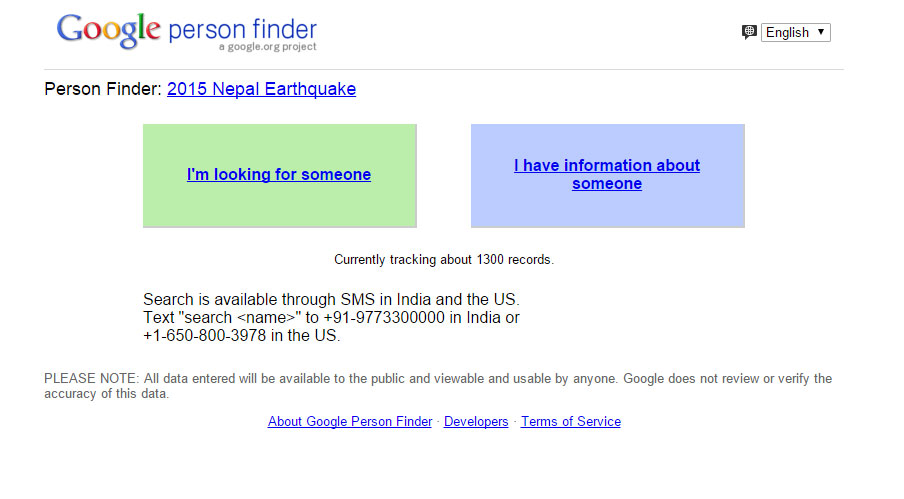
The application has two options
‘I’m looking for someone’
‘I have information about someone’
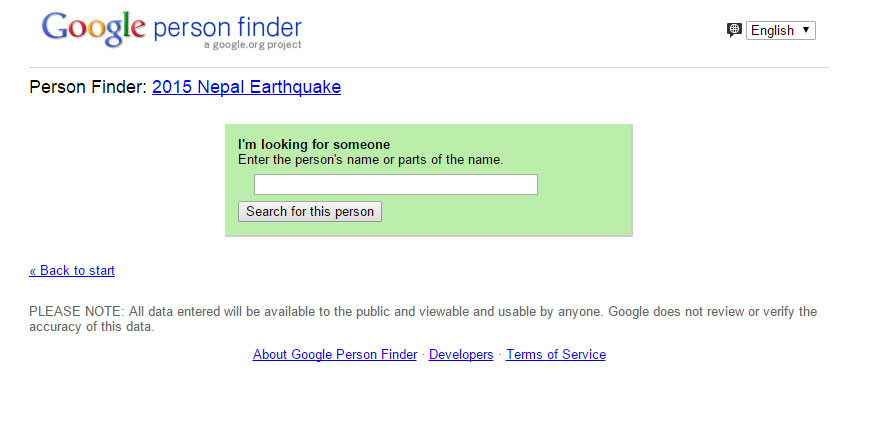
For those who are looking for someone trapped or lost in the disaster, they can click on ‘I’m looking for someone’ and type in his/her name.
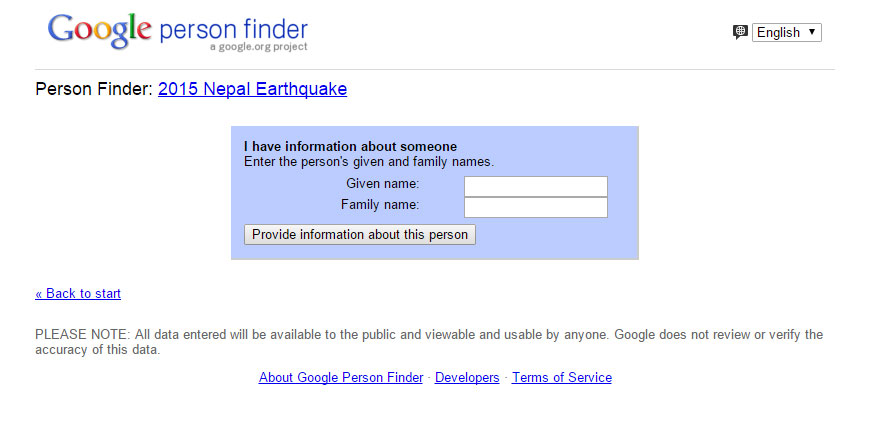
& If an individual wants his relatives or friends to know that he is safe, or if he has heard from someone or about someone stuck in the disaster affected area, then he can share the information through ‘I have information about someone’.
Google is offering People finder support in both English and Nepali.
The internet giant has used this application previously too during natural calamities in Jammu & Kashmir last year and in Uttarakhand in June 2013.
A earthquake killed thousands in Nepal on 25 April 2015 morning. The massive 7.9 magnitude earthquake rocked Nepal with devastating force less than 50 miles from the capital, Kathmandu causing tremors in northern India as well.
Please a request to everyone to share this article or this app Google Person finder with everyone so that they can able find who they want to and maximum people can be benefitted out of it.
Google now allows there users to download or we can say to export there search history which can be risky as well a useful features for some of the users. As if they make the history share publicly someone can misuse it and it can be useful as to know the different search they made and learn difference thing using analytic by it.
Last year Google have tested this feature of downloading the history of search and now finally this feature is available to everyone out there on the web. you all might be thinking that what is the use of download the search history? but the main point is that no one wants trail of their Google search behind, and it is an efficient way to check what Google is storing behind you on there server.
This feature was discovered by a blog and it tells that tells “Google now” lets your export all your search history to Google Drive and then you can download the searches in a ZIP archive form. The files in the ZIP archive are arranged by year and quarter.
Here is how you can download your Google search history, take a look:
Step 1.
To download your search history, first you need to sign in to that account then head on over to Google Web History. Now Click on the gear button and click on download.
Step 2.
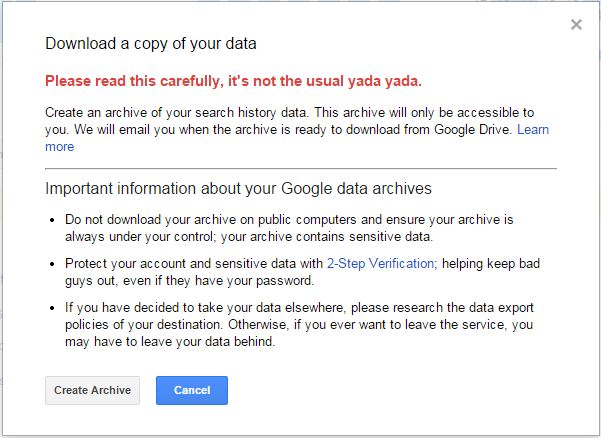
Now Google will display you a warning as your Google search history may have some sensitive information.
It’ll be good if you are not downloading your search archive at public or shared computer. Now click on Create Archive.
Step 3.
Now open your Gmail account and you will find an Email, open it and you can download your Google search history from there.
Warning: Do not download your Google search history at shared or public computer.
So Finally after Voice calling which was just integrated to Whatsapp on there android platform last month, and on Iphone’s it was launched this week only. Voice calling features was liked by everyone as most of the population are now a days using whatsapp and it is really very easy to call and be in contact using whatsapp.
So after launching the voice calling Facebook the owner of whatsapp are going to integrate video calling on the whatsapp which is again going to be a very useful feature and it may going to replace Skype from the smart devices. If it comes In may, which it can be, it is going to give a very tough competition to Skype and other video calling services which are there in the market like Hangout, Skype etc.
As Facebook has invested a huge amount of money to take Whatsapp and to gain a large number of audience using it they are going to use it with every new aspect and Facebook messenger is going to integrate whatsapp in it.
Facebook messenger is also now on Facebook web messenger just like whatsapp web which is very useful feature who just don’t want to use there phone for chatting other purpose rather they enjoy chatting while typing on a PC keyboard.
A recent report by The Rem claims that WhatsApp is all sent to roll out free WhatsApp video calling feature in May. According to the report, messaging app has already out a trail version for WhatsApp employees.
image – therim
This unannounced feature will be initially available to selected Android users which are actually the employees of the company and may be in the near future it is going to be available to all the other devices.
So, what do you guys think about whatsapp video calling. Please do share your views in the comment.
Hey guys i know you all must be exited to know all about the Xiaomi event which is going on in Delhi at Siri Fort Auditorium, Asian Games Village Complex, Gautam Nagar, New Delhi so here are some of the updates and pics i have just click it over here and soon the post will be updates with every new announcements which will take over here in the event so till then sill say and welcome Xiaomi in India fro its first global launch.
Hands On Video
Xiaomi Global Launch going to start in 5 mins with hugo barra on stage
And finally the name is out with Xiaomi Mi4i the new device from xiaomi is going to launch.
Some of the blur images of xiaomi mi4i HD images will be uploaded soo
It comes with a larger battery of 3150 mah with 4.4v Battery which highest charging rate till now with comparison to any of the device in the market
xiaomi mi4i launch with price INR Rs. 12,999
The main thing is its price at which it is going to be release with registration which is exclusively with Flipkart only not with amazon.in and snapdeal.com after contract also.
Goodies received by the visitors at the Event.
Xiaomi mi4i Launch Goodies Received
There is a
– Key chain In shape of Xiaomi Logo
– T shirt with MI branding
– MI band (Which was the surprise) for the visitors.
Hey guys finally back after a long break with a great news due to which the Galaxy S6 or S6 edge user may loose some of these important feature which are really important in many of the cases. As we all know earlier in this month April 2015, Samsung has released it two new flagship devices Samsung Galaxy s6 and Galaxy s6 Edge with new UI (User Interface) by cutting down some of the in the newer version of TouchWiz, but still some of the people are rooting there devices so that they can disable or remove some the apps which are not required by them while using there device which will additionally make the UI more smoother and increase the disk space too.
However, if you still ROOT it you will loose Samsung Pay feature as the integrity gets breached, which is really very important for such sensitive features like mobile payments. If you think that Samsung Pay is of no use to you, think again as it use your fingerprint to authorize payments through your smartphone at payment gateways just like Apple Pay you but Samsung Pay work much better than Apple Pay as t is compatible with MST (Magnetic Secure Transmission) as well as NFC based payment systems.
image – sam mobile
MST is the technology due to which you can pay at any place where there is the support for your debit card your credit card you can swipe the card without having the card by just putting your finger on the fingerprint sensor to give the payment portal access.
Samsung acquired LoopPay in February, in order to use MST in the Galaxy S6 and the S6 edge, and may be in future, we’ll see more Samsung devices making use of Samsung Pay.
Even at the start LoopPay’s idea was better, but they initially failed because they were trying to sell cases for iPhones which were embedded with MST. However, now that Samsung’s devices are embedded with that technology, the adoption would be much better with better looks too.
At this point of time, Samsung Pay is a much better payment system according to me if you want to use your smartphone for making payments.
In order to achieve success on Facebook you must have anyone who listening to you, and if there’s no one listening to you, it’s difficult to build brand awareness as well as It will reduce the Traffic as your popularity in the Social World Decreases
Therefore,Here is a list of Top 5 Websites to Getting Free Facebook Likes , Twitter Followers, YouTube Views, YouTube Channel Subscribers, Google Plus, Google Circles and website views easily and free.
Addmefast.com
AddMeFast is a network that will help you grow your social presence. It allows you to look and choose who you want to like/subscribe/follow/view and skip those who you are not interested in. Easy registration, 50 points at the start and 200 daily bonus points for active users. It has more than 3.000.000 active users from more than 220 countries
Addmefast.me
AddMeFast is the best & free way to advertise your social network pages including your website & earn money while you’re using
With AddMeFast, you can now EASILY earn money by converting coins into real cash. Which can be used to withdraw or buy AddMeFast goods with the Minimum of $0.50 withdrawal ( Paypal payouts only )
Youlikehits.com
YouLikeHits is a promotional tool that will help you grow your Twitter, MySpace, YouTube, Google+, StumbleUpon, Pinterest, SoundCloud and Websites for FREE. It allows you to pick and choose who you want to follow, like, friend, view, share or visit and skip those who you’re not interested in
Likesss.com
Facebook Auto Liker & Follower tool for those who want to gain fame among their friends & catch their attention by popularizing their status & photos likes . It is one of the Best Facebook Auto Inviter, Liker, Auto Commenter and Auto Follower website since 2012 with over 2 million users. And the Best Part of it is that no need of Earning any Points for Exchanging the Likes . Just you have to enter access token and you will start getting followers.
Like4Like.org
Like4Like Social Exchange allows you gain social attention instantly.Gaining Social Attention is very simple. Every time you like,follow or view another member social media pages you will receive coins which then you can use to get more followers, likes, views or visitors to your website or social media pages.
Real-time visitor tracking tools have been popping up ever since 2007. Therefore there are Many Websites which are giving the live tracking services .Here are collection of Top 5 Tools For Live Website Visitor Tracking in 2015 which I founded.
Among them, Feedjit is perhaps the most popular traffic counter commonly seen on majority of free blogs (especially those hosted freely on blogspot) in early days .Its intuitive way of displaying live visitors is still unparalleled to any traffic counter of its kind! If you are a regular reader of this blog then you might have noticed a small change – Feedjit gone and Now I Replaced it with ‘ The Ultimate Live Tracker‘ by live.nimlinks.com
Live.nimlinks.com is a great upcoming Web application which is Better then Feedjit in many terms and Features . I also Posted a full review of Live.nimlinks.com Web Application CLICK HERE
The main Difference between them are follows :
Design
Feedjit has a very ugly looking unresponsive design as well as it doesn’t match with the new material design, websites templates which are mostly used these days, where as live.nimlinks.com has a fully responsive and material designing look and feel with its tracking widget in a very small packet.
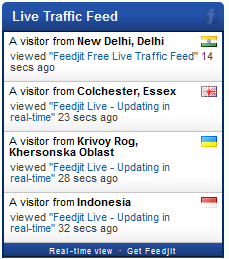
feedjit widget
live.nimlinks.com widget
User Interface
Both are having the same type of User Interface as both of them shows the visitors data in a Tabular Form but Live.nimlinks.com shows more information of visitors then Feedjit, like Detailed Info and shows the visitors Online Countries in a 3D Map which helps to easy track of the visitors and from where are they coming (which country).
feedjit visitor tracking table
live.nimlinks.com visitor tracking table
live.nimlinks.com visitor globe
Tracking Features
The Feedjit Live Traffic Feed is used to track live traffic in real-time and it is the only Feature that Feedjit is giving but it is not same as the The Ultimate Live Tracker (live.nimlinks.com) .The Ultimate Live Tracker gives the main Live Tracking Traffic Feature as well as it is also giving the feature of Page view Counter and Online Visitors Tracking . Thus, It is the Combo( All in One ) of :
Live Tracking Feed+ Visitors Online + Page Views Counter
Advertisements
Ads are the main Source of generating Revenue from the visitors but it is not good to show others ads freely on our website to get the Tracking Service . Feedjit make the the Widget more Wired by showing the Advertisements under every Widget on every Website , It also looks ugly on the website and may cause a bad looking website experience, but Live.nimlinks.com shows no ads of any advertisements companies and it’s looks cool and match with the website theme with its Material Design Template.
WordPress Plugin
It is quit nice to have a WordPress plugin because if you are running a WordPress self hosted Website or Blog, you can just click on the Install button and the widget is there, no need to copy-paste the code . And if you want to change or modify the Designing of the Widget just change the WordPress Widget Settings and your widget design will be modified according to your needs, no need for copying and pasting codes again and again to change a simple color of the widget .
Both Feedjit and live.nimlinks.com have released a WordPress Plugin for the WordPress Users .
Feedjit have a WordPress plugin called ‘ Feedjit Live Traffic Feed ‘ . It gives all the useful features of installing and customizing the Widget .
feedjit Customize panel
But Again it misses one important feature that every user need and i.e. the Live Preview of Changing Widget Design in Widget Customizer Panel . The point is if you can not see that what has being changed in the widget and how it exactly looks like after changing the color and other things , we have to SAVE it again-again to see how the Widget will Look in different color combinations on our website.
Live.nimlinks.com also have a WordPress plugin called ‘ The Ultimate Live Tracker ‘. Both the Plugins have the Same Functioning but in this WordPress Plugin there is a lot more freedom of Customizing the Widget as well as it shows the Live Preview of the Widget Design by Changing it in the Widget Customizer Panel.
live.nimlinks.com Customize-panel
As it is Shown in the above image, it has a feature of Viewing the Live Demo of whats the Widget will exactly look on the website without again – again Saving and Viewing on the Website.
Conclusion (Feedjit Vs Live.nimlinks.com)
As I already say , Feedjit is lacking with various features as compare to Live.nimlinks.com and Live.nimlinks.com is giving all of these features for FREE without charging any single amount of money. these features are now-a-days are very important which The Ultimate Live Tracker by live.nimlinks.com giving under one single block of code. Due to which i was being forced to change the plugin and to change the service from feedjit to live.nimlinks.com.
Hence, I Strongly Recommend you to go for the “Live.nimlinks.com” The Ultimate Live Tracking Widget and get a responsive great design as well as the Tracking Accuracy in a Single Packet with No-Ads which is clean and safe to use.
Hey guys you all must love to play Candy crush and just love play it ion idol time, likw while traveling or when you are getting bore somewhere. But sometimes while playing the candy crush you just loose your lives which are actually 5 times and you have to wait for a particular time to get the life again to play the game and to make other level unlock.
So, this irritation and frustration can be removed from candy crush saga’s by just a very simple HACK which can be done by anyone any time any where and get unlimited life’s and level immediately to play. They just don’t have to wait a lot to get more life’s to play the game further.
This can be done by bypass the time restrictions, and the video guide fromKiboshGamingwill guide you how you can do it on both Android and iOS devices.
Actually there is no real “hacking” involved over here. Whenever you lose all 5 of your lives and have to wait to play, you simply change your device’s date and time manually to trick Candy Crush to give you more lives earlier before the actual time. This also will help you bypass the 24-hour time restrictions for new Mystery Quest levels—without bugging your Facebook friends.
image – KiboshGaming
Getting New Lives Faster on Android Phones & Tablets
It’s a really very easy process, but you have to follow it exactly. The below instructions are for a Nexus 7 tablet with Android 4.4 KitKat, but adjusting time/date settings on other Android devices will be very similar.
Lose all lives
Exit the Candy Crush app
Open your device’s Settings menu
Tap on Date & time
Unselect Automatic date & time
Tap on Set date
Change the date to at least 1 day earlier
Tap on Done
Exit the Settings app
Go back to Candy Crush
Verify you have new lives
DO NOT PLAY
Return to your Date & time settings first
Select Automatic date & time
Then go back to Candy Crush and play
If you start playing before you change the date/time back to automatic, the next time you lose all of your lives you will receive a ridiculously large countdown to your next set of lives. This amount of time will roughly equal the amount of time you set your date back.
To fix, just go back and set your date/time manually to be ahead of the countdown time, verify you have new lives in Candy Crush, set the time/date back to automatic—then play.
Getting New Lives Faster on iPads, iPhones, & iPod Touches
To get new lives quicker on iOS devices, the process is pretty much the same as above. The instructions below are for an iPhone 7and for ios 8 I have not tested it yet.
After you lose all of your 5 lives in Candy Crush, or when you receive one of the 24-hour waiting periods during a Mystery Quest level, you’ve got to do the following steps exactly. If you screw up, you’ll get a really large countdown clock the next time you lose all of your lives or finish a Mystery Quest level.
Lose all lives
Exit Candy Crush
Go to your Settings app
Tap on General
Tap on Date & Time
Disable Set Automatically
Tap on the current date
Change the time ahead (3 hours works; 1 day is easier)
Go back to Candy Crush
Verify you have 5 new lives
DO NOT PLAY
Go back to the Date & Time settings
Tap on the Set Automatically button
Go back to Candy Crush
Play
Repeat
And that’s all steps you need to follow every single time, you’ll never have to wait to play again, you’ll never have to connect to Facebook to bug friends, and you’ll never have to pay the amount of money.
Facebook is coming daily with some kind of new innovation in there products. couple of days back there was a news from Geek times regarding Whatsapp is Integrated in Facebook using Facebook app which can be privacy issue for many of the user of whatsapp. As whatsapp is meant to for privacy purpose because of their encrypted servers.
Now, Facebook continues to make the Messenger stronger by taking the new step by launching the new dedicated messenger service firstly on web server with the name of messenger.com. On Wednesday, 8 April 2015, the social networking giant reveals its plans with new service of a dedicated chat interface. Till now this service has been launched to only English speaking regions and soon its going to be rolled out with different language support to the other part of the world.
Now you can chat with your Facebook friends by using messenger.com. As company wants the user to give different experience on messenger.com as they will not be distracted by the news feed and other updates of our friends which we receive on the Facebook page after lo-gin in. This can be a step where may be in the future Facebook is going to make Facebook and messenger.com a different platform by providing some kind of safe and private server for chat like whatsapp offers.
How to Use Dedicated Messenger for Facebook chat?
Step 1:
Open Messenger.com on you web browser & you will see the following screen.
Image – messenger.com
Step 2:
Login using your Facebook account username and password. You will be directed to the Messenger in your web browser & it will look like this.
Therefor, Facebook is working pretty hard to making it service better and powerful by implementing them in new ways, like integrating of whatsapp in Facebook , giving whatsapp calling feature in it and may in future whatsapp video calling also.
So, Guys did you like this idea of a making a separate Messenger for web browsers? Tell us in comments!