Home Blog Page 89

The Benefits of a Free Antivirus Software

It does not make much sense for users to browse the internet without using antivirus software in today’s world. However, there are so many great options out there, and with free Antivirus Software solutions.

What are the major benefits of a free antivirus software solution? First, by understanding how these programs work, users can feel confident that they are not putting themselves at risk when online for any reason.

Benefits of a Free Antivirus Software

Free Antivirus Software
Scan for Potential Viruses

Protecting a computer from all threats

By the 1980s, viruses and malware were already becoming an issue for computers. Early versions of antivirus software were developed around this time and have been in existence ever since.

In today’s world, there are more potential threats out there than ever before. Malicious activity continues to thrive. However, users do not have to worry nearly as much with the right software and general knowledge.

There are plenty of paid versions that are outstanding solutions, but this article focuses more on free antivirus software. So when users ask themselves, “Should I get free antivirus software,” it’s a no-brainer to try at least a few of the top-rated options and see what works best. The best ways to maximize free antivirus protection effectiveness

These are the best ways to benefit greatly from free antivirus software. Some of these tips are pretty self-explanatory, but those who are using this type of software for the first time should be aware that their computer is protected as much as possible.

Enable the antivirus software

It sounds like a simple step, but many users download antivirus software and never fully enable it. Having it running at all times will ensure that a computer is protected as much as possible. There are also numerous settings for users to play with to get the type of protection they want.

Stay up-to-date

Downloading free antivirus protection is a great first step, but it needs to be updated to prevent potential security problems. There are always new issues popping up that need proper protection, and out-of-date software will not provide the best level of care. The good news is that many software updates automatically, but it is worth checking once in a while to make sure that the latest version is installed.

It’s tempting when an update is available to postpone it for later. That might be necessary for the middle of the work or school day, but putting it off for too long could cause a user to miss a critical update.

Stick with one antivirus option

There are many free antivirus software options out there but stick to having one downloaded at a time. There can be potential conflicts with different software versions, which causes more trouble than it’s worth.

Scan all new software

Whether it is new software or a brand new program, users should scan everything before putting it on their computer. It’s an extra layer of security that can help users have a bit more peace of mind. The vast majority of downloads will be perfectly fine, but it just takes one with a virus or malware attached to cause significant issues.

One thing to keep an eye out for is imposter software solutions. Users believe that when they see a trusted brand, it is automatically safe to download. However, there are clever ways to disguise official downloads.

Schedule full scans during non-peak hours

Antivirus software is constantly running checks, but a full scan is also necessary once in a while. Those who do not want to be bogged down by these full scans can schedule it during non-peak hours.

Antivirus software scans do not take up too much time, but they can be inconvenient if they happen during the middle of the workday. Scheduling full scans during non-peak hours is the best way to keep that from happening while still maximizing protection.

Pay close attention to email messages

Many problems originate with emails, so it’s important to scan both incoming and outgoing messages to ensure no viruses, worms, malware, or other issues. Most software can be set up automatically to do this without causing an inconvenience to the user.

Backup all files routinely

If possible, have a setup where files are backed up automatically. If that isn’t possible, make sure to back up critical files in case anything does happen. Some computer infections can wipe a computer clean, and the last thing a user wants is to lose all of their valuable files.

Need more assistance? Consider paid versions

A lot of users will be more than satisfied with free products that provide anti-malware solutions. With so much competition, they are becoming better than ever; users often do not need to spend money to get the protection they need.

However, some advanced users might want to spend a little on antivirus programs. There are some great options, including some that are part of bigger utilities that improve computers in various ways.

One of the top options is System Mechanic® Pro or System Mechanic® Ultimate Defense™ from iolo. Users can purchase either suite, which automatically comes with the tools to fight against viruses and malware. In particular, their tools System Shield, Malware Killer, and Privacy Guardian all ensure that people are at a low risk of anything happening to them. (System Shield is available in both Pro and Ultimate Defense suites. Malware Killer and Privacy Guardian, along with ByePass password manager, are available in the Ultimate Defense suite.)

Paid versions are very affordable options, and most come with quality customer support. Of course, not everyone will find it necessary to make an actual purchase, but it is worth exploring if free is not cutting it.

How to Increase Employee Morale of Your Warehouse

When it comes to running a large eCommerce business, you have a lot on your plate. But, first, you want to make sure that your workers are alright, that your business is running well and that you are always growing. You must Increase Employee Morale to get best output.

However, it can be difficult to juggle all of this, which can mean that you might not be giving enough attention to things as you probably should be – namely, your workers’ morale. So here’s how you can raise the morale of your warehouse workers, and it can have positive knock-on effects on other areas of your business too.

[toc]

Increase Employee Morale of Your Warehouse

Employee Morale

#1 Have the right equipment and keep it well maintained

Having the right equipment for warehouse work, such as an automated forklift or a pallet lifter. It can raise productivity levels and make your workers’ jobs far easier. But the trick to really helping your workers’ morale is to make sure that it’s well maintained.

This can sound like a bit of a handful, but it’s better that your equipment and tech go for check-ups and nothing is found wrong with them every month or so than to have downtime because the equipment is broken or the worst-case scenario where one of your workers gets hurt. 

#2 High levels of organization and investing in helpful software to achieve goals

Good organization is imperative to making a business work. So, there is no shame in bringing in software that will help you keep on top of everything that needs to be done.

There are a lot of upsides to working with tech-based software. Firstly, you can use it over long distances to be operated between work floors and different warehouses across the country. This can be useful if there is a lot of miscommunication within your business. Secondly, you can easily keep track of how your other groups are doing. Lastly, you can ensure that everyone knows exactly what they are doing and manage their time accordingly.

#3 Keep your work environment safe

This isn’t just safety when it comes to equipment. This can be the safety of people in cultural minorities and actively combatting racism and sexism in the workplace. People will work better if they feel safer, and having support from internal or outsourced HR services or even a workers’ union, can help with this. At your level, you should enforce a zero-tolerance policy towards hateful or aggressive behaviour against underrepresented groups in your company. 

A few final thoughts

When running a large eCommerce business, you want to make sure that all of your workers are feeling safe and well looked after. In addition, you want to make sure that your morale is high among your workers; otherwise, they won’t work as well, and you might even get a rapid turnaround of employees because nobody wants to work for you for more than a few months, which can effectively mean an end to your business.

Why Essay Writing Skills Are Important

Have you ever wondered why professors assign you so many writing tasks? Wouldn’t it be easier for students to express themselves in oral form? The logic behind essay writing is quite simple; teachers help you develop your essay writing skills.

Remember that before you graduate, you’ll be required to write and present a dissertation before judges to determine if you’re ready for the job market. So, writing all these essays throughout college prepares you for the biggest assignment you have to complete before finishing school.

And if you enjoy expressing yourself in oral form, you get an opportunity to do so when you’re presenting your dissertation. Note that your oral presentation will only be as good as the paper you’ve written. After all, you cannot present something you’ve not researched, studied and written. That said, don’t let the prospect of writing a dissertation in your final year scare you. You can always rely on professional writers for hire when you get stuck.

Essay Writing Skills Is Important

When you take essay writing seriously, you’re able to develop your writing skills, vocabulary and a unique writing style. As you can already tell, you can’t possibly achieve these skills with oral activity because the mouth only speaks of what the brain already knows. But writing allows you to encounter new information and explore new ideas.

With time, thinking logically and writing creatively will come naturally to you. Ensure you always write in a peaceful environment so that you can polish these writing skills. Even if you’re tackling a difficult essay, a conducive writing environment allows you to think outside the box and find the right approach for your arguments.

So, you see, essay writing is part of the process that prepares you for higher levels of learning. Good essay writing skills will offer you the opportunity to simultaneously catch on to many other vital facets of academic learning. Continue reading to learn why essay writing skills are important.

Essay Writing Skills

Source: Pixels

Improve Your Communication Skills

Century-Communications-Landline-versus-Mobile

Communication is a skill that will come in handy even after you graduate. Communication includes both oral and non-verbal practices that play an essential role in relaying information. When you master impressive communication skills, you’ll be able to succeed throughout life in academic and non-academic fields.

If you look carefully at how life works, you can tell that life has no essence without communication. So, when you improve your communication skills, you ensure that you can experience life in its full glory. Since writing is deeply ingrained in school curricula, educators understand its role in boosting students’ communication skills.

Through writing, students can use an avenue to learn all the rules of different languages and how to apply them. Because language is the life source of communication, when a student masters a given language, they can better organize their thoughts and ideas. Coherent writing not only gives you more points but it boosts your social experience with the school community.

Punctuation, spelling, grammar, and paralinguistics are all aspects of writing that improve a student’s communication skills. Likewise, you can improve your communication skills when you learn how to use all elements of non-verbal communication the right way.

Sharpen Your Creativity and Imagination Levels

Why Essay Writing Skills Are Important 1

When was the last time thinking outside the box enabled you to find a quick solution to a problem bugging you? Did you know that all of us are naturally creative, and some students are more creative than others because they flex their creativity muscles often? If you don’t remember the last time you flexed your creativity muscle, this is your cue to get out of your comfort zone.

Your brain is capable of great things, but it cannot achieve greatness if you don’t command it to. So, the next time you find yourself in a sticky situation, rather than solving the problem the conventional way, be creative about it and see how that makes you feel.

An excellent way of gradually sharpening your creativity is to write often. The more you let your brain explore new ideas, the deeper you’ll be able to think. Writing changes your whole perspective because you begin to see that life is not always black and white. Writing activates certain areas of your brain that are usually dormant when you are doing other activities. By awakening the seat of creativity, you also boost your imagination.

The part of the brain known as the frontal cortex is responsible for letting you experience life like you’re not used to. The more you activate this part of the brain, the more likely it will dominate and intervene in your normal day to day life. Enhancing the whole of your brain allows you to generate novel ideas when needed. That’s when you’ll start solving real-life problems more proactively and efficiently.

Widen Your Knowledge Base

6 Tips on Building a Customer Support Knowledge Base

Writing automatically widens your knowledge base because every time you’re tasked with an essay assignment, you have to conduct extensive research before you start writing. In addition, interacting with new information ensures that you know more than is taught in class.

Reading is a surefire of learning because when you internalize new information, the brain stores the newly found knowledge for future reference. So one day, you’ll be having a random conversation with friends, and somehow, you’ll have something to contribute because of your proactive reading every now and then.

To be a good writer, you first have to be an avid reader because how else will you access the information you’ll put down on paper. You especially widen your knowledge base when you’re tackling a challenging essay paper that requires extensive research every step of the way. The more you write throughout your college years, the more information your brain stores, and the better your memory gets. You end up with excellent memory retention because necessity breeds invention. The brain makes itself better because it has to be sharp when you have a lot of information to remember.

Wrapping Up

Essay writing plays an essential role in molding independent thinkers who are not afraid to explore non-conventional solutions. The more you write, the more you’ll be prepared for challenges, academic or otherwise. Even if you still don’t have your way with words, trust the process because one day, you’ll be grateful that your professor gave you so many writing assignments.

Nothing Ear 1 earbuds to be available

Carl Pei, one of the co-founders of the company “OnePlus”, left it last year to start a new journey of his own which is named “Nothing”. This news made a lot of stride in the tech world, and people were eagerly looking forward to what the company has to offer with Nothing Ear 1.

Nothing Ear 1 earbuds

Nothing Ear 1 earbuds

Nothing sounds really interesting, and the name itself grabs your attention for a while. This company was founded in October 2020 and has gathered a load of investors since then. And, people do have quite high expectations from this brand. Nothing announced in May 2021 that they will be launching their first product – Nothing Ear 1 earbuds.

Nothing Ear 1 earbuds were earlier said to be launched in June, but it looks like it has been delayed until next month. So now we have a timeline and a launch date on our hands for the company’s first product. The “Nothing Ear 1 earbuds” is said to be launched on July 27 at 6:30 PM (IST) and 14:00 PM (BST). It is set to be launched globally, and as of now, we know that Nothing partnered with Flipkart. This was tweeted by Manu Sharma on June 25th this year.

With their first launch event set for the 27th of July, the tech enthusiasts are looking forward to getting their hands on-ear(1). The company website is currently running a countdown until the date of launch where it says “Nothing Ear 1 earbuds” is the first step in our journey; combining raw beauty and precise engineering for a pure sound experience.”

We know this for a fact it’s going to be an audio-related product, but the features and other specifications can’t be confirmed. They may have great sound or great active noise cancellation; we may also see a couple of new features which we didn’t expect. I guess we will just have to wait for further information from the Nothing team or its members.

Other details and pricing for the gadget are yet to be revealed, but we can only hope it fits the budget for most. The aesthetics and vibes that I can sense from this product seem to be futuristic. The company has said multiple times and has been quoted in several places saying that “the current tech has gotten boring”. Of course, I am paraphrasing here, but it basically means the same.

The hype is being created, and the marketing team has been doing a great deal to promote their product. Many tech YouTubers like “MKBHD” and “Unboxing Therapy” have been provided with a glass plaque that carries a scannable code on the top, which leads to Nothing’s website. And guess what? There are only 50 pieces of these glass plaques that would have been sent to different places around the globe.

A lot is yet to be uncovered; we can see many leaks in the upcoming days regarding Nothing Ear 1 earbuds design, features, pricing, and so on. There will be many variables in play here, so we should probably look into verified sources only until the product is launched in a couple of weeks.

How to Stop Phishing Emails

How to Stop Phishing Emails? A phishing attack used to be quite common to deceive people. A massive chunk of people got smart along the way and understood how to deal with such cybersecurity issues. But, there’s a matter of concern again as many people have shifted to online classes/working. It creates a massive opportunity for hackers to spoof your email and steal your sensitive information. 

What is a phishing attack & How to Stop Phishing Emails?

How to Stop Phishing Emails

For those who are not aware of this, a phishing attack is generally made with the help of emails where a corrupted version of an email of a popular site, bank, friend, etc., would be sent to you. It’s majorly done in bulk, and they try to impersonate something or someone you know. If you are not careful enough, you may find it quite professional in some cases. If you click the link, that can lead to the theft of sensitive data. 

I mentioned the term “spoofing” in the first paragraph. It means the forgery of an email header so that the text’s message appears to have originated from somewhere else other than the actual source. This is done majorly to trick the recipient into opening a message or unknowingly installing malware. 

How can you spot a phishing email?

With time, attackers have gotten smart with their approach. But there are some common things to look out for to spot a spoofed email. 

  1. It may often start with an impersonal greeting. Example – It wouldn’t mention your name; it will display a statement like “Dear Valued Customer” 
  2. You need to be careful about how they spell things; there’s a good chance you will spot many spelling mistakes in the text they have sent. 
  3. There can be a phishing email that acts as an urgent notice or creates an urgent call for action, such as a mail with the subject “Your Account has been suspended” or “Your Bank verification is Pending” so that they can trick you into clicking those links and causing a lot of damage if you are not careful. 
  4. The spelling in the URLs or the email from which the text is sent often is not semantically correct most of the time. You should keep an eye out on such factors too! A good fear-inducing message can actually trick you into clicking the link they want you to. 

In a 2015 study, 97% of people were unable to identify sophisticated phishing emails. Phishing can be extremely personalized if someone goes out of their way to make the perfect phishing mechanism. A friend of yours can have a public profile, and a hacker can get some basic idea on how to interact with you or trick you into believing that he’s the same friend of yours, and in turn, you can probably send him money (in case of money required urgency created by the phishing). 

What can be done to avoid this scam?

  1. You should go through the above pointers and ensure that you gauge the authenticity of the email with the suggested criteria mentioned above.
  2. Exercise extreme caution when you come across website URLs that seem fishy. If you feel like you are receiving an email from a friend or family, call them to be sure about the same. 
  3. Keep deleting suspicious emails. You don’t have to open it or click it; just make sure that you constantly delete the emails and report them as spam or inappropriate, or phishing where needed. 
  4. Open the original website to make sure that you are using the correct link. Use the company’s number to confirm where needed based on the email. 

A lot of emails can pass through any spam alert or, in worst cases, even antivirus software.

  • A good antivirus may help in some cases to avoid these emails, but you still have to be on your toes when it comes to this. You will have to be super smart about this and tread very carefully. 
  • There are options attached to every email that you get in an inbox that says “Report Phishing.” So, if you suspect something, choose to use that option freely and at all times when needed. 

In conclusion, ensure that you are actively checking your inbox for spam or spoofed emails. The least we can do is act smartly! In case of extreme doubt, just go ahead and delete the mail entirely after reporting it for phishing.

How to Schedule Employees for Your Small Business

The current pandemic has had a significant impact on the working environment of small businesses. Some companies had to initiate work-from-home procedures to accommodate regulations while ensuring that their employees remained as safe as possible.

However, the time has come to ensure that these teams are brought back to their offices, particularly now that vaccines have been widely distributed. During this time, small businesses might undergo massive struggles to ensure that all shifts are covered. As such, looking into scheduling early on can be beneficial for large and small businesses alike.

[toc]

Schedule Employees for Your Small Business

To help you maximize efficiency and effectiveness during this challenging time, here’s how to schedule employees for your small business.

Adopt The Right Scheduling Software

The internet access and thousands of applications must be on the top of your list among the number of ways to distract you from work. But, honestly, would you blame only smartphones for distracting you or keeping you from your work? Because, if you look objectively, smartphones serve as one of the key devices to help increase your productivity. You can schedule appointments, manage tasks, set reminders and do a lot more through your smartphone, on the go. One great example is BlackBerry Hub that gives the phone a productivity boost, whether it’s integrating all your email, text and social messages into one place or giving you a really smart Calendar. It makes sure that doing stuff on your smartphone is effortless and really smart, therefore, increasing your productivity dramatically. Here are five useful tips to help you tap into your smartphone's productivity power: Note down THAT idea now: Keep track of your to-do lists or your bucket list, make notes for a presentation or action items from a meeting, all on your smartphone, anytime, anywhere. Suddenly hit up with that great idea? Just note it down on your phone. Some phones also offer features that synchronize your notes with Microsoft Exchange and Microsoft Outlook. So you can shoot these ideas when you believe you are ready to. Smoothen the process: Make use of applications such as launcher that turn multi-step actions like sending an email or calling a friend into a one-click task. It lets you organize apps, widgets, and shortcuts on customized home screen panels for instant access. You can view any application widget by simply swiping up or down across the icon on your home screen, giving you fast access to the information you need, whenever you need it. BlackBerry Hub is another great feature that BlackBerry devices offer, it integrates all your email, text and social messages into one place. This unified inbox is an irreplaceable tool for consolidating all of your messages in one place – whether it’s email, calendar, social or phone calls. Collaborate without worrying about security and privacy: Handing memos to co-workers is a thing of the past and should stay there. We live in a hyper-connected world, with a propensity for instant access to information and things. Smartphones come in handy for sending texts, voice, video or having a group chat. However, this also imposes severe privacy and security vulnerabilities on the individuals and the organization. Therefore, security-conscious individuals and organizations consider BBM, which is complete instant messaging platform and meets regulatory compliance standards, protecting data with a high level of encryption from end-to-end (in transit and at rest) across Android™, iOS, Windows®, and macOS. Meetings and Calendar: Your smartphone can help you schedule a meeting and also act as a reminder. Moreover, for example, when you use a calendar on your Blackberry phone, you don't have to worry about double booking. When you create or change events, you can avoid double bookings by viewing if you’re busy. Using the Join Now feature, you can instantly dial into your meetings directly from your event reminder. Isn't that like having a personal assistant on the go? Stay focused: Sometimes, all you need is to give deadlines to yourself and set reminders to get the work done. And what could act as a better reminder than your smartphones that stays with you almost 24*7. Blackberry Task is an interesting feature that will increase your efficiency at work by creating tasks, and setting due dates and reminders to help you stay focused and meet your deadlines. You will receive notifications for upcoming tasks. It also syncs recurring tasks, due dates, and reminders. So go on and get the work done. You can either blame all evil in the world on smartphones, new technologies, and internet or you can make use of these to enhance your productivity and simplify your work-life and beyond. The options are available and the choice is yours!


No matter your field of speciality, having the right tools is essential to getting the job done properly. When corporations are rapidly moving to cloud integration, it is also important to select a solution that stays in line with the latest technologies.

Getting the right employee scheduling software makes it easy to adopt efficient schedules in small business settings. Software solutions with built-in templates, customizable scheduling rules, and employee guidelines help you get the work done without any hassle.

Create the Schedules In Advance

You must assess the staffing needs of your small business. This deep understanding of your staffing requirements puts you in a better position to comprehend your small business’s seasonal and production variations.

In turn, you are able to figure out how to fill the existing gaps in your scheduling, which goes a long way towards putting together early schedules. Posting an early schedule to the employee portal or workplace bulletin board also gives you ample time to initiate reviews and make changes whenever the need arises.

Have a Clear Understanding of Employees’ Needs

Schedule Employees for Your Small Business

Besides establishing your scheduling needs based on your available staff, you also need to assess your employees’ expectations from you. Remember that employees may have other commitments or restrictions on their plate that they will need you to work around. Your recruitment interviews can help you determine whether prospective hires have any special scheduling needs. Make sure to note unique scheduling requests from your employees, so you can reference these notes during scheduling.

At the same time, you should follow the lead of organizations establishing empathic management by opening a direct communication channel with existing employees, like a company-wide messaging app. By noting down key information such as employee availability and the number of hours they will work in a day, you can make optimal decisions while rolling out your schedule.

Have a Clear Absence Management Plan

What if an employee falls sick? What if an injury occurs? It is best to think about such issues when you are scheduling employees or posting a schedule. To manage these issues, you should establish a standby or on-call team that could come in to help when such emergencies happen.

On the other hand, you may get more creative by initiating a cross-training program. Instead of depending on on-call employees, you can ensure that all employees understand the day-to-day operations of your small business. In addition, you may encourage your employees to expand their job skills, which would be beneficial whenever one of your employees is absent.

It Is Essential To Think Beyond The Ordinary

Since your needs may vary from other businesses in your sector, it is best not to blindly adopt other organizations’ approaches to scheduling. Instead, treat your small business as a unique venture that is free to explore diverse options and innovate as much as you can to meet your specific needs.

You may indeed have been used to the traditional spreadsheet in your scheduling agenda, but business needs are dynamic, and organizations must adapt to changes in technology and processes. Therefore, to make the most out of your scheduling efforts, you should try out other creative scheduling options that are available in the market.

Each organization has a different approach to scheduling, employee management, and resource allocation. As a result, your system will need to account for your specific needs and requirements, which opens doors to overall flexibility and productivity.

By taking the above ideas into consideration, you can ensure the long-term efficiency of your business. Don’t be afraid to get creative with scheduling and take your own approach to make sure your business is staffed and your employees are happy.

7 Common Social Engineering Attacks

Experts are noticing something interesting with cybersecurity attacks. Some malicious hackers are shifting focus away from exploiting technical vulnerabilities in software. Instead, they’re using social engineering attacks.

A social engineering attack uses psychological manipulation to trick people into sharing confidential data or installing malicious software like ransomware or spyware. A hacker may use malicious software to commit financial or identity crimes.

[toc]

Social Engineering Attacks

Social Engineering Attacks

Let’s look at some common social engineering attacks that are hitting businesses and home users alike:

Scareware

This type of social engineering attack uses fear to commit cybercrimes. For example, in an IP address scam, a hacker may bombard a person’s computer screen with popup ads that claim that he has a dangerous computer virus. The message may ask the victim to call a “tech support representative”. But, of course, the technician happens to be part of the hacking team.

Honey Trap

A honey trap is a romance scam where a hacker team may take months to earn a victim’s trust by pretending to be romantic interests. Then, after gaining their target’s trust, they may try to commit financial crimes or yield confidential company information.

Phishing Campaigns

A phishing attack usually uses a fake email, text message, or social media message to trick people into downloading malware or share confidential data. Generally, phishing is easy to spot because it targets a broad range of users.

For example, a phishing email from your bank may look real until you scratch beneath the surface and notice spelling and grammatical mistakes, low-resolution images, and a link that leads you to a strange URL.

Spear Phishing Attacks

A spear-phishing attack is a more targeted phishing attack that uses personal information to appear more convincing. For example, a spear-phishing email may appear to be from your boss, employee, colleague, vendor, or potential business partner. In addition, cybercriminals can use your social media data to craft a spear-phishing attack or information from your hacked accounts.

Trojan Horse Attacks

A Trojan horse attack looks like a legitimate piece of software but is loaded with dangers. For example, a trojan malware may come in the shape of free accounting software that carries malicious infectious software designed to breach your network security defences.

Baiting

Baiting is a more physical type of social engineering attack. It functions a little like a Trojan horse attack. For example, an corporate espionage agent may leave an enticing-looking piece of media like a DVD or a USB drive in an office and hope that an employee may try to use it out of curiosity. Of course, the media is infected with malware.

Pretexting

Some social engineering attacks, like hone traps, are made more convincing by pretexting. Here, a cybercriminal crafts a realistic backstory, or pretext, to win the target’s trust. For example, they may befriend their target online, pretending to work remotely for the same company. Over time, they may ask for a password or another type of sensitive data.

As more people work online, many cybercriminals realize that social engineering attacks are a cost-effective way to breach networks with ransomware, spyware, and other types of malware. The best way to counter a social engineering attack is education. Verify a suspicious piece of communication immediately to stay safe.

11 Unique Web Design Trends for eCommerce Sites

0

As the Covid-19 pandemic continues with no signs of abating in 2021, more and more customers are turning to eCommerce sites to fulfil their shopping needs.

In this increasingly saturated market, every web design agency needs to be aware of the latest web design trends to stay ahead of their competitors.

[toc]

Unique Web Design Trends

In this article, we’ll take a look at some of these trends that have emerged in 2021.          

1. Asymmetric Layouts

Web Design Trends

The traditional layout of product galleries is being replaced by multidirectional grid layouts on many sites. The old gird was confined to 90-degree angles, with product images being placed horizontally and vertically. In asymmetric layouts, the grid is discarded, and items can be placed at any angle that the designer can think of to capture the customers’ attention.  

2. Vapourware Aesthetics

11 Unique Web Design Trends for eCommerce Sites 2

Vapourware aesthetics is a catch-all term that includes various subcultures that have existed individually since the 1980s. The visual element of futurism, surrealism and nostalgia come under the umbrella of vaporwave aesthetics. Some characteristic elements of the aesthetic include psychedelic typography, neon pastel colour schemes and grainy, low-resolution visuals.

3. Navigation Menu Focus

11 Unique Web Design Trends for eCommerce Sites 3

Websites have had a navigation menu since the dawn of the internet. But usually, this navigation menu was relegated to a sidebar or was accessed separately.  In this new trend, the navigation menu takes a more dominant role. With resources being spent on making the menu more visually appealing to customers. Efforts are also made to make the menu easier to navigate.

4. Dark Mode

11 Unique Web Design Trends for eCommerce Sites 4

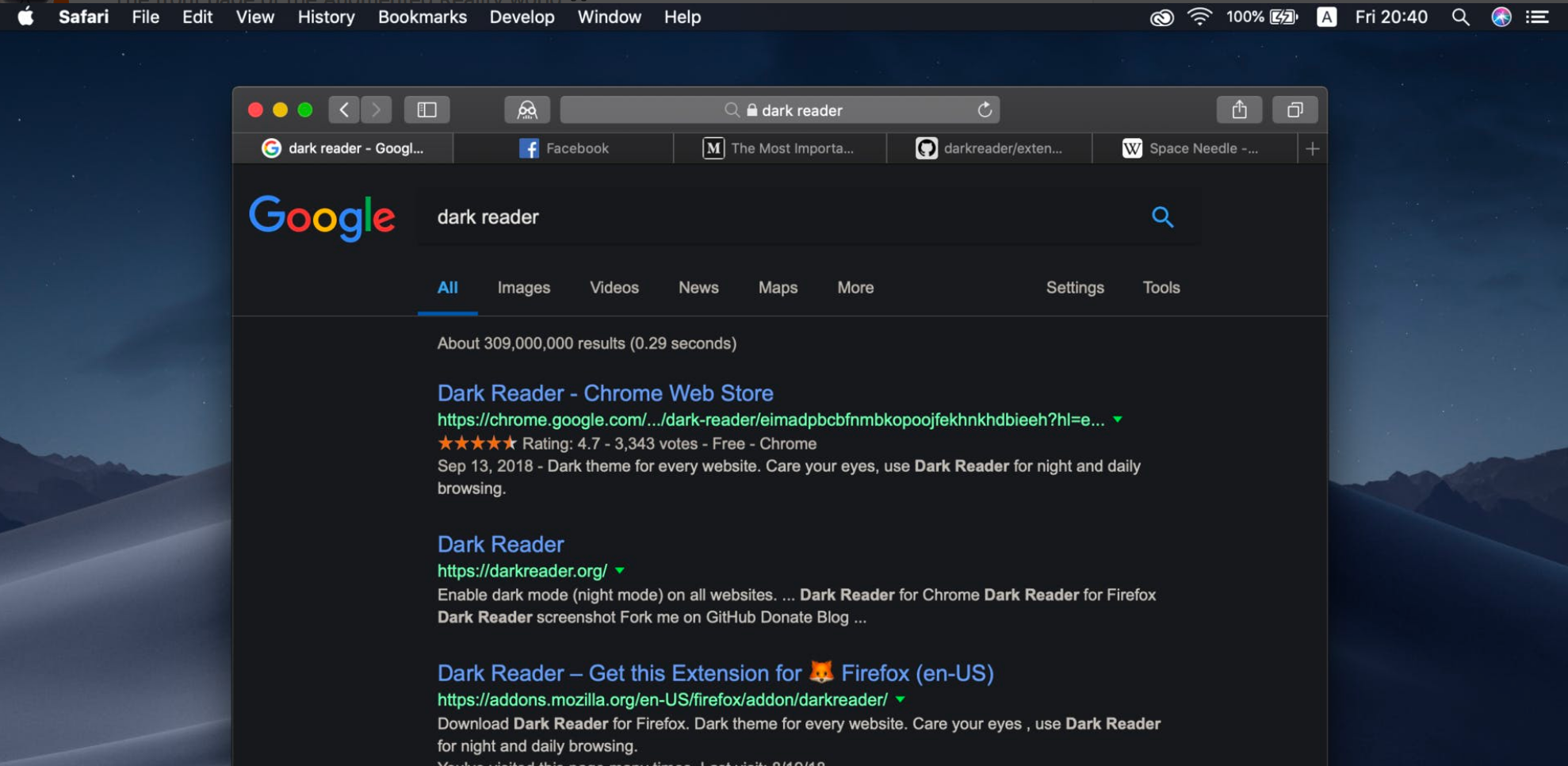
The dark mode or night mode is an alternative look for a site that changes it’s aesthetic completely. Dark mode has darker colours with fewer whites. This reduces strain on the viewer’s eyes, ensuring they have an easier time browsing the website. The dark mode works well with OLED screens, reducing power costs and extending the screen’s lifespan.

5. Neutral Background Colors

11 Unique Web Design Trends for eCommerce Sites 5

Perhaps due to vivid colour palettes like neon pink and electric blue, sites are increasingly adopting lighter and softer background colours. These gentler colours are easier on the eyes and give the reader a more relaxed viewing experience. The more neutral backgrounds let the viewer focus their attention on the other visual elements of the site, like images and product portfolios.

6. Ovals

11 Unique Web Design Trends for eCommerce Sites 6

Web designers are using the oval as an image frame and for buttons. This trend is particularly prevalent with sites looking to portray a more casual image to their consumers. Ovals and circles are used in graphics design to give images a more friendly look. The circle has been used frequently to convey this friendly aesthetic, but the use of the oval this past year is a unique trend.

7. Chatbots

11 Unique Web Design Trends for eCommerce Sites 7

The implementation of chatbots is another trend that has become more popular this past year. Businesses can reduce the costs of customer support by allowing customers to have their questions answered by chatbots. And today, chatbots have become advanced enough to send emojis and tell jokes. So the chatbot becomes more like a friend than customer support which is something that consumers appreciate.

8. Shoppable Photos

11 Unique Web Design Trends for eCommerce Sites 8

Shoppable pictures are a type of rich media that can make up a collection of images. The shoppable image is usually high quality and shows one or many products in a single image. Customers can view multiple products in a single image. There are callouts beside each product displaying its price and specifications.

9. Pastel Colour Palettes

11 Unique Web Design Trends for eCommerce Sites 9

Pastel colours generate emotional associations of happiness and freshness. Web designers are using these colours on sites to create a positive connection between customers and businesses. Pastel colours work well with minimalist web design, used by businesses going for a simple aesthetic.

10. Fun Search Filter Functions

11 Unique Web Design Trends for eCommerce Sites 10

More search filters, more product categories, and precise product tags are part of this need trend. eCommerce sites are introducing new search tools that allow customers to find the exact product they are looking for. This lets customers save time when making a purchase. These search functions are being made more visually appealing to keep prospective customers’ attention.

11. Mobile-First Approach

11 Unique Web Design Trends for eCommerce Sites 11

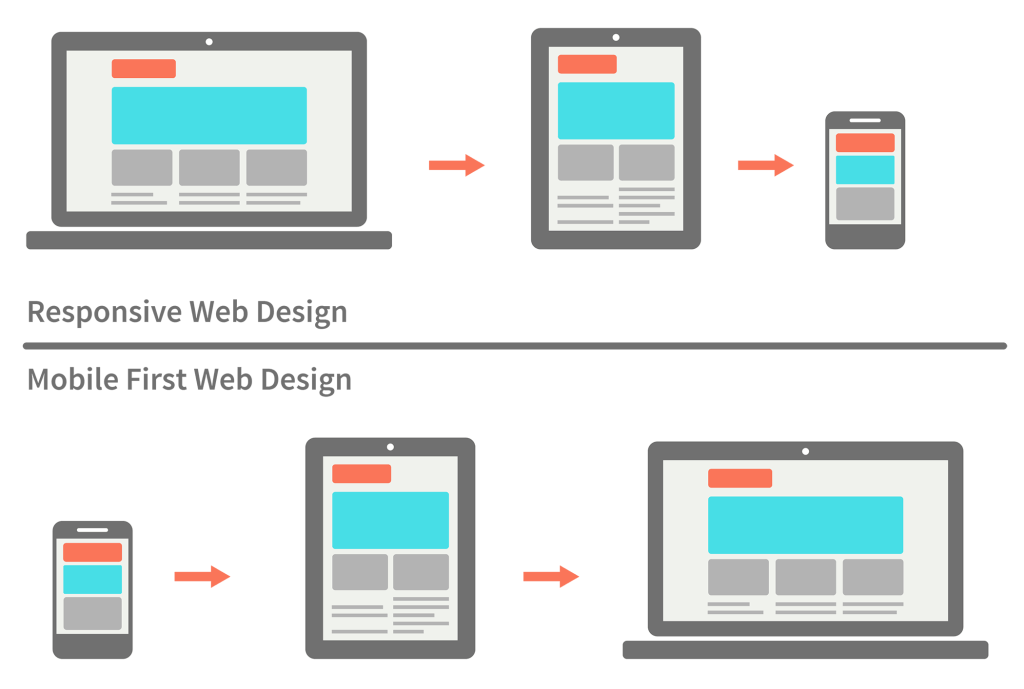
With a downturn in customer traffic in physical stores due to the pandemic, more and more purchases are being made through smartphones. Web Designers are redesigning their sites to make them more mobile-friendly. Although this means virtually redesigning the entire site, the costs are offset by smartphone sales’ potential sales.   

5 Industries Where Voice Recognition Market Will Grow

0

The growth of the speech and voice recognition market is expected to reach $26.8 billion by 2025. Artificial intelligence (AI) is the core technology comprising voice, estimated to add $5.8 trillion in value annually. This is no surprise when you consider how companies across almost all industries invest in a connected future through speech technology. According to Amir Hirsh of Audioburst, an audio search and delivery platform, we’re at the beginning of an era of content consumption centred around audio.

“Research has shown that when we interact – even between two human beings or a crowd, and definitely with a brand and their target audiences, that audio works way better than video,” says Hirsh.

The conversational tech industry is ripe for growth, particularly as its adoption is vast.

[toc]

Here are 5 areas where we can expect voice recognition explosive growth

Voice Recognition

Travel & Customer Service

The travel industry has suffered from long waits at the counter and on the phone waiting for a human customer representative to help with our needs. Hong Kong-headquartered Cathay Pacific has put a new chatbot experience into play, helping with higher efficiencies across the business. The airline flies passengers to 80 destinations in Asia, Africa, Europe, North America, and the Middle East. Since implementing the chatbot, it’s reduced the unnecessary contact with the customer so that the agent can handle more complicated cases, more complex cases.

“Our chatbot can deflect 40% to 60% of the chats. So I think that actually implies 40% to 60% of cost-saving because of the number of human contacts, human handle chats that we’re able to adjust,” said Gordon Chu, assistant manager, Digital Products and Technology of Cathay Pacific Airways.

Pharma and Healthcare

The global pandemic has caused accelerated adoption and integration of conversational design into healthcare, especially in pharma. According to Shwen Gwee, VP and head of Global Digital Strategy at Bristol Myers Squibb, voice tech is leveraged to engage patients, caregivers, and healthcare professionals.

“There had to be a lot more emphasis and a lot more priority given to doing things virtually, leveraging digital to do all the things that, traditionally, we could’ve done in a face-to-face environment,” said Gwee with regards to voice tech being used during the pandemic.

Before COVID 19, a 2019 consumer study conducted by Voicebot.ai and Orbita found that 52% of consumers were interested in voice technology for health. In fact, many consumers already Google their symptoms — a trend that now also includes asking voice assistants about illness symptoms and medication information.

Payments and FinTech

Mastercard leverages AI and voice tech to take customer orders from A to Z for quick service restaurant customer questions. Another is AI-powered frictionless payments for retail. Combining AI with computer vision means you could literally walk into a shop, select an item, and pay for it without ever reaching for your wallet (or your phone).

Meanwhile, Visa uses AI-powered voice technology that focuses on user identification for customer service, order-taking, and, of course, to enable payments. In all of these scenarios, identifying the customer is critical. Visa sees vocal assistants as providing better identification less intrusive than the traditional questions and answers paradigm.

Senior Citizens and Boomers

Newer technologies such as voice are not just for youngsters. Paulo Narciso of the AARP Foundation says that voice-enabled technologies can advance the needs of older adults. Narciso’s role is to create new products and services for the foundation that serves the needs of vulnerable older Americans, who benefited from the combination of video and voice-enabled technologies when tackling the challenges related to isolation, inclusion, and quality of life during COVID.

“Once seniors learn how to be able to use a device like Alexa or being able to use voice on your phone, we find that it becomes their preferred medium of communication and being able to interact with technology,” said Narciso. Text is too small, for instance, to be able to use on their phone. It is effective in many ways, but a voice is certainly freeing from a screen perspective,”

Smart speakers are already being explored as companions in nursing homes to reduce loneliness, with 34% of U.S. senior households with broadband use smart speakers or smart displays.

Entertainment

The Philadelphia Eagles are leveraging deep conversational tech and development expertise to embrace this emerging technology and to share the messaging developed by its content team each week. The team makes it easy for fans to connect via Alexa and Google Assistant through a series of simple commands. They can receive daily news, hear players’ updates, follow the draft, hear the Eagle Insider podcast, create conversations, and more. The team’s secret sauce for building greater engagement? “incorporating the players and coaches” voices in place of the voice of Alexa or Google to help bring the personalities directly into fans’ homes.

Voice tech is still an emerging field with lots of room to grow, and there’s so much more to learn and experiment with, but its future is bright. As TuneIn CEO Richard Stern states, “The thing with conversational audio is that you want to interact with it, you want to join the conversation. And voice technology provides us with a tremendous capability in that regard. So much listening is happening on connected devices with voice assistant capabilities. I think there’s lots of room to explore and innovate together using voice technology.”

Whether trying to play a game or learn a new language, voice is the perfect tool for people of all ages.

What other industries and individuals are benefiting from voice? Check out the award-winning monthly VOICE Talks internet talk show to hear from industry experts, developers, and marketers about how they are incorporating voice into their brands.

About Pete Erickson 

Pete Erickson is the founder of Modev, a network of technology enthusiasts, marketers and event producers committed to building voice tech and AI communities. The company organizes VOICE Global, virtual speakers from consumer tech, healthcare, entertainment, travel, and other industries. As the producer of the regular monthly, award-winning internet show, VOICE Talks, he welcomes the opportunity to hear from both established companies and startups innovating in the space. So be sure to reach out.

Startup Businesses: How to Take Advantage of Internet Marketing

It is no secret that trying to run a startup business in any industry is a challenge. But, by using internet marketing, we can always achieve our’s best. However, even if it might be a relatively relaxed industry without too much competition, it does not change that you still have to compete with older businesses right off the bat. Considering that most industries have stiff competition, it means a startup owner begins their career at a huge disadvantage.

That said, the startup owner has an opportunity to make a great start, which will undoubtedly propel a company owner’s career. But, of course, the goal of any startup is to get the attention of its target audience right away, which is where Internet marketing comes in.

[toc]

Take Advantage of Internet Marketing

Internet Marketing

Does traditional marketing still matter?

The short answer is yes, but not nearly as much as digital marketing in this age. But, of course, it’s course, it’s called the digital age for a reason, and the past two years, in particular, have had people staying indoors and preferring online services to just about everything else. There are even online groceries where families can purchase what they need without having to go outside.

It’s not a good idea to completely eliminate print and traditional marketing, but it does not have the same stranglehold it did in the past.

Building a foundation with the company website

7 Marketing and Website Trends

If you want to get started with Internet marketing, the first thing to consider would be the business website. After all, you can have a great marketing strategy and attract many potential customers — only for them to leave due to the confusing mess that is an unoptimized company website. Before accomplishing anything else with Internet marketing, the first thing to do is ensure that the landing page gets the job done.

Thankfully, it’s a relatively straightforward process. With the help of web design professionals and proper direction, a company website will attract online users and convert them to buyers. A focus on simplicity and ease of use when it comes to navigation is the key. It’s a win-win situation, as you are accomplishing more with less.

Understanding metrics

It can be challenging for any startup owner to run an effective business or online store if they are unsure of the metrics. There might be something causing a high abandonment or bounce rate for the website, but it is practically impossible to make the right decision without the right information.

Fortunately, many different apps and services can help find out the site’s overall metrics and help you focus on the aspects that need the most work. With the right apps, you can check any website traffic without trouble.

Once you have the necessary tools and an optimized website to get the job done, the next step is to build an effective social media marketing strategy. For example, getting the help of social media influencers in your platform of choice can help spread brand awareness for your company. It would also be a good idea to look into digital marketing experts that can help point you in the right direction.

9 Best 1440p Monitor for Gaming with 144hz/240hz

1440p Monitors made their entry into the market quite a while ago. They are still popular in today’s age and a lot of tech enthusiasts prefer to use these screens over 1080p and sometimes even over 4K.

Also See: Best Voice Changer for Discord

This post will consist of a list of some of the commonly used 1440p Monitor for Gaming and share some thoughts on if they really are worth the upgrade.

[toc]

What is 1440p Monitor?

1440p basically means a vertical resolution of 1440 pixels. It’s also known as QHD (quad HD) or more accurately WQHD (Wide Quad HD). This screen has been commonly used in gaming and console displays. If the question “which one is better 4K or 1440p?” arises; the answer is “It Depends”. Let me share an example here – Suppose you are a gamer with a medium budget graphic card and you have been playing at 1080p for quite some time but you want to upgrade.

The next thing that you will have to consider is does your GPU has enough juice to render or allow you to have a seamless experience in 4K? if the answer is no, then the idea of upgrading to 4K would be a waste of money. Unless you got a powerful GPU like the RTX 3080 to run whatever AAA title you need with decent bearable frame rates.

TLDR, if you got a powerful GPU at hand, you can go ahead and get a 4K monitor for a decent experience. If you are still a proud owner of medium-ranged GPUs, I would recommend sticking to a higher refresh rate 1440p monitor for the best experience. Let’s look into some 1440p monitors available for gaming.

Best 1440p Monitor for Gaming 2026

[affegg id=109]

1.GIGABYTE G34WQC 34″ 144 Hz

[affegg id=109 template=egg_big_image_list offset=0 limit=1]

It is one the best 1440p Monitor for gaming that you can buy from Amazon. With a super-fast response time of 1ms, a refresh rate of 144 Hz, and a high resolution, this has to be one of the popular gaming monitors out there. This monitor has 34 inches of 3440 x 1440 VA display and features an immersive ultrawide aspect ratio of 16:9 The native 1500R Curvature along with smooth gameplay and AMD FreeSync brings out the best images on the screen. The price varies drastically these days but at the time of writing, it was priced at $555.

2.LG 34GN850-B 34 Inches UltraGear Curved QHD

[affegg id=109 template=egg_big_image_list offset=1 limit=1]

This monitor features a nano IPS 34 inches display having a resolution of 3440 x 1440. It boasts a 144 Hz refresh rate and 1 ms of response time. It is also compatible with NVIDIA G-Sync and has a DCI-P3 98% color gamut with VESA Display HDR 400. It’s virtually borderless and you can tilt and adjust the height of this monitor according to your needs. The 21:9 ratio ensures a great gameplay experience. It is currently priced at $ 1,196.

3.ViewSonic ELITE XG270QG

[affegg id=109 template=egg_big_image_list offset=2 limit=1]

This monitor comes with a fully adjustable ergonomic stand which provides all-day comfort for those extended gaming sessions. With IPS Nano color technology, it boasts vibrant colors and synchronized frame rates with the help of NVIDIA G-Sync. The monitor has 165 Hz frequency via Display Port and up to 60 Hz with HDMI. It has a frameless design and is priced at approximately $674.

4.GIGABYTE M27Q

[affegg id=109 template=egg_big_image_list offset=3 limit=1]

This monitor by Gigabyte has a 27 inches display with a resolution of 2560×1440 with a refresh rate of 170 Hz and 0.5 ms Response Time. It also has features like Aim Stabilizer, Black Equalizer, and OSD Sidekick to help you set the display options with keyboard and mouse. The ergonomic stand allows you to a height adjustment of 130 mm and the tilt allows a range of 5-20 degrees. This gaming monitor is priced at $319.99.

5.GIGABYTE G27Q

[affegg id=109 template=egg_big_image_list offset=4 limit=1]

This 1440p gaming monitor has 1 display port 1.2, 2 HDMI 2.0, and 2 USB 3.0 to enable all kinds of connectivity. It has a 27 inches screen with a resolution of 2560 x 1440 and 1 ms Response Time. The 144 Hz refresh allows you to experience the higher frame rates with detailed quality and fluid gaming. It is certified by TUV Rheinland for eye health protection and offers a decent audio experience. This product is priced at roughly $480.

6.Omen X 27” Gaming Monitor

[affegg id=109 template=egg_big_image_list offset=5 limit=1]

This monitor features up to 240 Hz refresh rate and has a response time of 1 ms. AMD Radeon FreeSync 2 HDR technology provides you with low latency, a wide adaptive refresh rate, and low frame rate compensation where needed. With 3.7 million pixels it provides you with improved color accuracy and sharpness with deeper black and white contrasts. It comes along with a height-adjustable stand. It is currently priced approximately at $688.

7.ASUS VG27BQ TUF Series Gaming Monitor

[affegg id=109 template=egg_big_image_list offset=6 limit=1]

Priced at $369, this one looks like a steal! It has a 27 inches display with a refresh rate of 144 Hz and a 0.4 ms response rate. There is extremely low motion blur technology to reduce screen tearing and ghosting. It’s always ready to use with the help of ASUS Eye Care Technology to minimize the stress and fatigue on your eyes while working or playing too long. The ergonomic stand allows you to tilt, swivel, pivot adjustments as per your need. The Shadow Boost enhances the image details in darker regions without over-exposing bright areas.

8.ASUS ROG Strix XG27AQ

[affegg id=109 template=egg_big_image_list offset=7 limit=1]

With HDR technology and professional color gamut delivers contrast and color performance that meets the DCI – P3 95% color gamut and DisplayHDR 400 certification. It’s also certified as G-Sync compatible which delivers a seamless and tear-free gaming experience to all its users. It has extremely low motion blur and dynamic shadow boost along with GamePlus which offers in-game enhancements so that you can get the most out of your game. With a 170 Hz high refresh rate, this monitor is priced at $499.99

9.HP 27xq Gaming Monitor

[affegg id=109 template=egg_big_image_list offset=8 limit=1]

The HP 27xq is a 27 inches monitor with a 16:9 aspect ratio and a 170-degree view anti-glare TN Panel. It has a response time of 1 ms with overdrive and supports AMD’s FreeSync Technology to eliminate lag, display stutter, or any kind of screen tears at virtually any frame rate. It sports a narrow bezel look with adjustable height for ease and comfort. The display port allows for higher frequency so keep that in mind when you are trying to add it to your system.

FAQ: Best 1440p Monitor

Is a 1440p monitor worth it?

Yes, 1440p monitor is worth it if you are a gamer and want a good display in budget. This screen has been commonly used in gaming and console displays.

Is 1440p better than 4K?

It Depends, Suppose you are a gamer with a medium budget graphic card and you have been playing at 1080p for quite some time but you want to upgrade. 4k is always better if you have good budget.

Is 2K the same as 1440p?

No, 2K and 1440p are not exactly same. 2k has 2048*1080 resolution and 1440p has 2560*1440 resolution. By this logic 2560×1440 should be not “2k”, but “2.5k”. 

What monitors are 1440p?

There are lot of 1440p 144hz monitor in the market. GIGABYTE G34WQC 34″ 144 Hz is the one that you can go with or check out our full list of Best 1440p 144hz monitor.

1080p vs 1440p : Which Gaming Monitor is better?

In this video, Full 1080p vs 1440p Monitor comparison is done by Nicolas11x12 English YT Channel

My Thoughts on Best 1440p Monitor

This was a list of some of the Best 1440p Monitor for gaming which don’t burn a crazy hole in your pocket. Anyway, some of them will for sure but you have to be smart about your needs and demands when you are out shopping for a gaming monitor. What you need to do before hitting the buy button is see what comes in the box and what kind of feedback they have gotten. Most of these items have fairly decent reviews and they won’t disappoint.

Best Doom Wallpaper 4k & HD for PC & Mobile

0

Are you fan of DOOM Game like me? Looking for Best DOOM WALLPAPER 4k Quality for FREE? Then this post is for you. Doom has been one of the most popular first-person shooters to date.

Do you want hell on earth? Check!

Do you want a crazy meticulous soundtrack? Check!

Do you like crazy visuals and a straight-up shooter gamer with no non-sense? Check!

This is the official Doom Eternal 2021 Trailer

This game checks most of the said items and more. With crazy adrenaline-pumping missions and boss fights, this game turned out to be one of the first-person masterpieces that have ever been made.

We have compiled a list of Doom Wallpapers for you just in case you don’t miss out on Doom’s majestic gore and beauty when you are not playing this game!

[toc]

Best Doom Wallpaper in 4k & HD

1.The Doom Slayer

The Doom Slayer Wallpaper

The “demon” killer, with his suited-up armor and a weapon of choice brings out a vibrant color palette so that you can reminisce over your happy memories of slaying those demons. This image got it all – The Helmet, Armor, and the weapon!

Download Doom Wallpaper from Here

2.Doom Eternal Wallpaper 4k

Best Doom Wallpaper 4k & HD for PC & Mobile 12

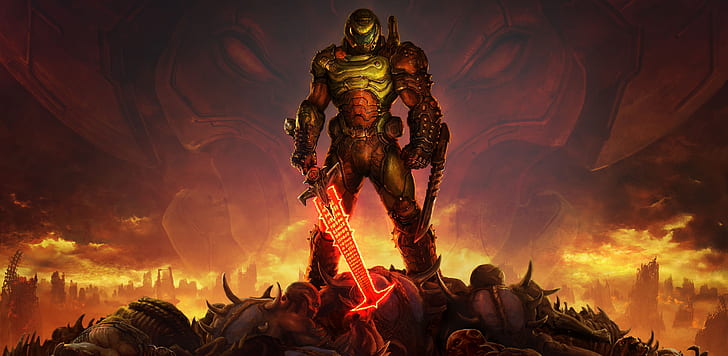
This has been one of the most popular promotional images for this game franchise. The signature poster by “Doom Eternal”. With the demon slayer, standing tall over the battlefield of destruction, this one could be an excellent choice for your wallpaper.

Download Doom Wallpaper from Here

3.Doom Eternal Wallpaper Slayer Reloading

Best Doom Wallpaper 4k & HD for PC & Mobile 13

This wallpaper includes the hero of the game reloading his shotgun that will probably be used to blow away the guts of the demons and their friends. This intense screen art definitely brings out a lot of chill vibes.

4.Doom Guy in Action

Best Doom Wallpaper 4k & HD for PC & Mobile 14

The Doom Guy or the main protagonist of the game looks full of pride and confidence as it seems like he has killed all the troops by the Alien Maykr. Maykr probably wanted to destroy the earth and its humanity but it seems like the doom guy has the upper hand in this wallpaper.

Download Doom Wallpaper from Here

5.Doom Eternal Marauder

Best Doom Wallpaper 4k & HD for PC & Mobile 15

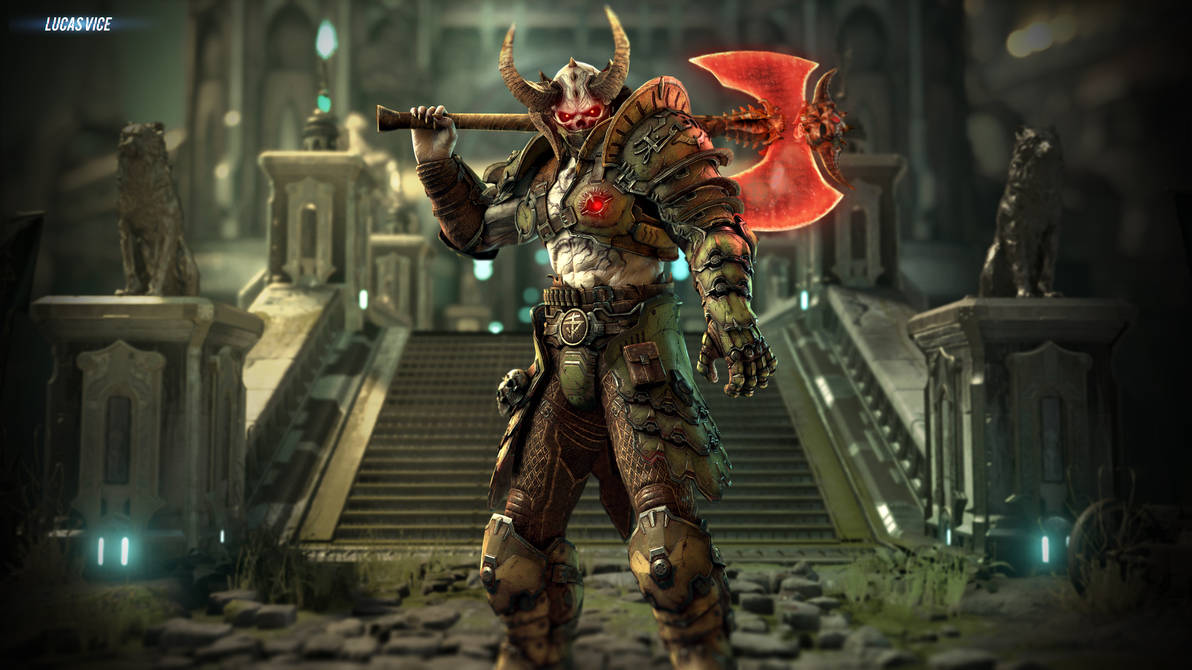
One of the vicious enemies in Doom, “The Marauder” looks the best and displays his epitome of strength in this wallpaper. With his crazy strong ax, he does become a challenging opponent during the game. The only thing missing from this image is his shield!

Download Doom Wallpaper from Here

6.Satan

Best Doom Wallpaper 4k & HD for PC & Mobile 16

This Satan Graphic may not be appreciated by the elderly (unless ofc they play doom), but in any case, this satanic art could probably be a great addition to your desktop. Because who doesn’t love villains? (or the bad guys!)

Download Doom Wallpaper from Here

7. DOOM Eternal Wallpaper – Flame Belch

Best Doom Wallpaper 4k & HD for PC & Mobile 17

Similar to the one mentioned above, this image has also been used extensively to promote this first-person shooter. Crazy Sword? Flame Thrower? Dead Demons? This image has it all. This one will probably be one of my top choices for my own desktop background.

Download Doom Wallpaper from Here

8.Boss Man

Doom Wallpaper 4k

The single-player campaign may be relatively short but it keeps you engaged for the most of it with various enemies, guns, and boss fights! This image well portrays the complex nature of this game!

Download Doom Wallpaper from Here

9.The One with Red

Best Doom Wallpaper 4k & HD for PC & Mobile 18

Hellish vibes, hell on the planet, a gazillion of demons to hunt and kill. This image resembles the essence of the game. Unlike the bright light and party colors of the fight, this image shows a calm deep red with intense feelings of the doom guy who is just as ready as ever to blast and kill off his nemesis.

Download Doom Wallpaper from Here

10.God Complex

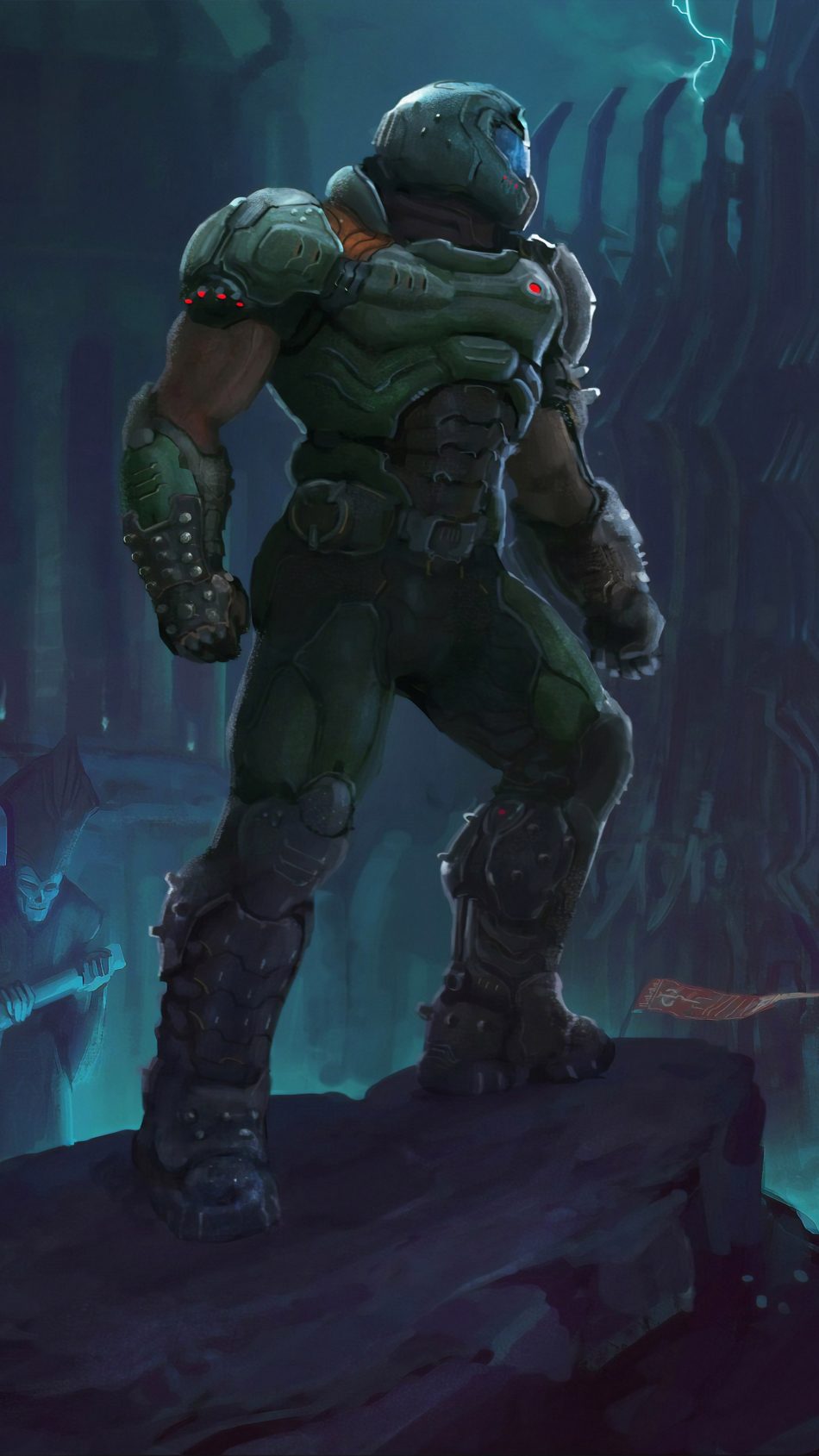
This wallpaper symbolizes the superiority of the hunter. The hunter seems to be unaffected and he is standing tall with shattered and broken demons around the floor and the struggling attacker coming towards his own doom.

Download Doom Wallpaper from Here

11.The Main Dude

Best Doom Wallpaper 4k & HD for PC & Mobile 19

Amongst many name games given to the protagonist, he is the savior and conqueror to protect humanity and the earth. This teal-colored filter on this image helps portray the strength of this great slayer.

Download Doom Wallpaper from Here

12.Endgame?

Best Doom Wallpaper 4k & HD for PC & Mobile 20

This image gives us a reminder of what pure evil can look like when they come together. At the same time, it shows the strength of the lone wolf aka The Doom Guy who is willing to sacrifice everything to kill the last of these bloody demons!

Download Doom Wallpaper from Here

13.Bold Slayer

Best Doom Wallpaper 4k & HD for PC & Mobile 21

One of the most classic-looking wallpaper of all time! “DOOM” with the deep dark tones all around the image with the protagonist in the center. What else do we need?

Download Doom Wallpaper from Here

Many more screen captures from the gameplay, and in-between-scenes snapshots are equally mesmerizing and make you want to repeatedly play this run and gun slasher FPV game. Till then, happy hunting!