Hit the Road to Rio with Asphalt 8 Latest Version [Download Now]

If you are a mobile Gamer you defiantly must have played many version of Asphalt Series. Asphalt is a 12 years series with no less than 8 main titles and 4 spin-offs. Isn’t that interesting, there are over 350+ million downloads on Android and IOS devices. This game is not limited to its Game App but it goes more than that, about 1.2 million fans are on Asphalt Facebook Page and there are Millions of views on Asphalt official Videos.

Asphalt 8 : Airborne is the latest titled game by Gameloft. This game has more fans than any other high-end games on Mobile devices. Recently Asphalt 8 Latest Version gets an update in which users will now witness the thrill of a new playing field in the Rio streets and get hands on 7 Premium Exclusive Cars including the highly requested FENYR Supersport, Aston Martin, Cadillac and Mercedes. I know these new cars will increase your excitement and you want to update your Asphalt 8 Airborne without wasting any time, but this is not only you are getting on this Asphalt 8 Update.

Gameloft organized a special event in India for introducing their Asphalt 8 New Update to game lovers. All the gamers are every excited about the new cars and Rio street. They also experienced the Asphalt 8 new version by playing in demo zone and not just playing a tournament also organized to among gamers to show their passion towards gaming.

Asphalt 8 Latest Version

New Updates of Asphalt 8 Latest Version

  • NEW LOCATION: Discover the bustling streets of Rio. From its impressive mountains to the incredible beaches, dive into this very exotic city!
  • LOGIN REWARDS: Check in on the game every day for increasingly awesome prizes with our Daily Login Rewards.
  • VIP SYSTEM: Now there’s, even more, a value in every purchase as each one boosts your VIP status, granting you extra rewards, special boxes, exclusive cars and more!
  • NEW CARS: New cars are just ’round the bend! So check in often to catch the Mercedes-Benz GLC Coupe, Cadillac ATS-V Coupe, Donkervoort D8 GTO, Fenyr Supersport and more.
  • NEW EVENTS: More Enduro Double Down and R&D events are here! Overcome the challenges & bring some sweet rides home.

Download Now

Easy Ways To Optimize And Speed Up Your WordPress Site

WordPress is the best platform for maintaining the eCommerce websites. But, it comes with a drawback that a WordPress site slows down a lot. In this case, it becomes very important to speed up your WordPress site. The speed of the site is very important as when the user visits your site and if it doesn’t land at a particular speed, then the visitor won’t visit your site again and as a result, the ranking of your site also goes down. To optimize and speed your WordPress website, there are few easy ways which are described as below.

Choosing a Good Host
It is not at all advisable to use a shared host for your WordPress website as it will slow down the speed your site, especially during high traffic duration. So, it is always a better decision to choose a good host when you have very important data or content to publish on your site.

Have a Strong Framework/Theme
There are many frameworks that work speedily like Twenty Fifteen framework and Thesis Theme which are really strong ones and also light-weighted due to which they have got a tremendous speed. This will, in turn, increase the landing speed of your WordPress website.

Using An Effective Caching Plugin
WordPress plugins are extremely useful to facilitate with different functionalities in the website. The most effective plugins of WordPress are the ones that fall under the category of caching. The caching plugins have the most effective features that are required for your website and are also easy to install. W3 Total cache is one of the best ones among the other caching plugins.

Using a CDN-Content Delivery Network
This is a very important tool for optimizing your WordPress website. It takes all your static files and keeps them on the server so that the visitors can download them as fast as possible.

Optimizing Images
Many of the search engines have got their own in-built image optimizer like Yahoo has the image optimizer called Smush. There is also a free plugin available called WP-SmushIt that processes all your images and compresses them so that they do not occupy much of the space and thereby, the website loads in a speedy process.

Optimizing Your Homepage To Load Quickly
You can optimize your homepage by reducing the number of posts on the page that are not needed, removing unnecessary sharing of widgets from the homepage, removing inactive plugins and widgets that are not required, and most importantly, try to keep the minimum of the content on the homepage so that it loads quickly.

Optimizing Your WordPress Database
There are few plugins available for this purpose and you can use any of them to optimize your database. You can use WP-Optimize plugin or the WP-DB Manager plugin for fulfilling the same purpose.

Adding An Expires Header To Static Resources
This is helpful in specifying the time far enough in the future for facilitating the clients for they don’t need to re-fetch any static content.

Using CSS Sprites
A sprite is an image that contains all your other images and with the help of this, you can hide all your images under one image that is required to show.

Using P3 Profiler Plugin
This plugin is developed by Godaddy and is helpful in tracking those plugins on your website that actually slow it down.

Controlling The Amount Of The Revisions Stored
For fulfilling this purpose, Revision Control plugin is available that ensures that you keep the minimum of the revisions on your website so as to prevent the slowing down of your website.

Turning Off Pingbacks And Trackbacks
Turning off the pingbacks and trackbacks will generate a lot of work for your site and will not at all destroy the backlinks of your site. This is important to do as WordPress by default interacts with other blogs that are equipped with pingbacks and trackbacks and every time other blog mentions you, it not only notifies your site but also updates its data which in turn, will slow down your site.

Using Cloudfare
This plugin works very much similar to CDN but this plugin will not improve the speed of your site, but also will make the security of your site stronger.

Conclusion:
Thus, the above mentioned plugins are very much helpful in optimizing your WordPress website and are also useful in increasing the speed of your website. There are lot many others too which are not mentioned here.

How to Bypass Windows 8/8.1 Admin Password

Are you trying to remove or bypass Windows 8/8.1 admin password. This tutorial shows you 2 top ways to bypass Windows 8.1/8 administrator password with or without password software.

We’re using Windows 8.1 Update for this tutorial, but the steps also work on all previous versions of Windows 8. Now using the method outlined below to regain access to your computer.

Option 1: Bypass Windows 8.1/8 Admin Password to Sign in

Option 2: Bypass Windows 8.1/8 Admin Password with Windows Password Key

Option 1: Bypass Windows 8.1/8 Admin Password to Sign in

As is known, there are several sign-in options available on Windows computer. So if your Windows 8/8.1 computer is setup login with local user, and you have added the sign-in options, now you can select PIN code, Picture password etc to sign in computer even though Windows 8 admin password has been forgotten.

On Windows 8/8.1 logon screen, choose Sign-in options, then picture password and PIN code options would appear under password input field. Select one of them you have created, and type it in password box. Press Enter to access Windows PC/laptop/tablet.

Option 2: Bypass Windows 8.1/8 Admin Password with Windows Password Key

What I know the tool that can remove Windows password effectively is Windows Password Key. Windows Password Key is the best windows password remover which could remove, reset and change Windows user and admin password, no matter the computer is accessible or locked. Just follow the steps below to wipe out password on Windows.

Step 1: Download and Install the Program

Download, install and launch a free demo version of Windows Password Key Enterprise on an accessible computer.

Step 2: Burn Windows password Key Enterprise to CD/DVD/USB Flash Drive

Click “Browse” to choose the existing Windows Password Key image file. The file is usually located as the default. Select “CD/DVD” and specify the CD burning drive from the pull-down list. Insert a blank CD/DVD/USB disk into the computer. Click “Burn” to start burning. After burning successfully completes, click “OK” and eject CD/DVD.

Step 3: Remove Password with Bootable CD/DVD

Insert newly created CD/DVD or USB Flash Drive and reboot your computer from CD/DVD or USB flash drive. Select the user account you would like to remove the password, and then choose “Remove Windows password”. Click “Next” to proceed.

Windows password key - techniblogic

Now you have already removed the password successfully. Just click “Reboot” to restart your computer and login Windows system without any password.

By pass windows password - techniblogic

Now go ahead and reboot. When Windows loads the next time, you’ll notice that you’re logged in immediately, without a stop to the Windows 8 lock screen and password screen. If you wish to undo these changes and require login passwords once again, just repeat the steps above except this time make sure you check the box referenced above.


Cubot Max 4G – Bigger is Better

After Coolpad, LeEco and the huge success of Xiaomi the world seems to be very welcoming to new Chinese manufacturer. Cubot is an another Chinese manufacturer making their way to the list. The company is based in Shenzen, China and has successfully launched 20+ devices. Well, we are not here to discuss all the ups and downs of the Company, we are just here to talk about a new device that the company has launched and it got our attention.

The Cubot MAX is the new handset which the company is offering at the price of 129.9 USD (9000 INR approx.) The Cubot Max is powered by a MediaTek MT6753A Octa-Core 1.3GHz Processor based on Android 6.0 marshmallow, a 3 GB of RAM and a 32 GB of internal storage which is expandable via a microSD card up to 128GB and it is not having any kind of hybrid tray, you can easily insert dual sims as well as micro SD card.
The device is packed with a 13-Megapixel rear camera with two LED flashlight and a 5-Megapixel front camera. The battery is Huge, it’s a 4100mah large detachable Polymer battery. Coming to the Connectivity, we have here WIFI, Bluetooth, 4G FDD: B1/B3/B7/B20. It has a 6.0 inch HD screen (1280 x 720 pixels) which is backed by 2.5D curvy screen.

Cubot Max 4g dual sim - techniblogic

The overall specification is much more than the comparative price of the device. Even though the device is pretty amazing which comes in three color variant black/white/gold. The device is currently available at preorder on Tomtop.

Hopefully soon in India we can see it, or we can rather buy it from tomtop.com as for now we can freely import any consumer electronic from China without paying any custom duty till the value of Rs. 50,000. It is a great news and will surely attract you to buy such kind of unique devices.

BUY HERE

That’s all for this guys, stay tune for more update.


Coolpad Mega 2.5D Review – Budget Megaselfie Phone

After the great success of the Coolpad Note 3, Coolpad Note 3 Plus and Coolpad Note 3 lite, here comes another budget selfie expert Coolpad Mega 2.5D. The next generation phone from Coolpad is now available in India for Rs. 6,999 and you need to register for the sale which is on 24th August 2016 at 2 PM. It comes up with a standard combination of 3GB RAM and 16GB Internal Storage. Coolpad Mega ‘Selfie Maker’ captures very sharp and clear pictures.Coolpad Mega is stepped forward from its predecessor in many ways. The phone is powered by an Octa-Core MediaTek MT6735P processor. Coolpad Mega also brings up 2.5D curved display which gives extra protection to the phone.

Buy Now

Let’s see what comes in the Coolpad Mega Box:

coolpad-mega-2.5D-all-items

1. Handset
2. Travel Charger
3. Earphone
3. Data Cable
4. Prptective Film
5. Guide
6. Ejector Pin

Coolpad Mega has 5.5” HD Display which gives the pixel density of 233ppi. The camera is the main showcase for this phone. At front as well as back you will get 8 MP camera.
You can also see Coolpad Mega 360 Degree View on our website.Hope you will get the proper idea that how this device will look.

You may also like:

Look and feel

coolpad-mega-2.5D-techniblogic-back-panelSo Coming to the design part of the device, it looks and feels premium. After taking the device in the hand you won’t feel it is so cheap. The properly crafted premium design suits you and is quite different from the already available phones in the market.
Starting with the front side at the top, it is having 8MP shooter, with some added features (will explain it further in Camera Section), beside it an earpiece and some sensor with LED notification. Coming down you will get a 5.5” HD display, which gives quite sharp and accurate colors. Viewing angles are good and the screen is fully protected with 2.5D curved display, which adds up an extra amount of protection to the phone. Coming slightly down you get on Screen Back Keys, which can be changed in design and pattern by going into the setting panel. Below that you get a Coolpad Logo and nothing else.

coolpad-mega-2.5D-techniblogic-charging
Coming to the down portion of the device, you will see a micro USB port beside it a Primary Mic. The Micro USB port support charging into for 1.5A, which means it won’t support the quick charge.

coolpad-mega-2.5D-techniblogic-headphone-jack
Turning the phone around at the top you will get  3.5mm Audio Jack and nothing much over there.

coolpad-mega-2.5D-techniblogic-volume-buttonsFinally coming to the sides of the phone, at the left side you get Volume rockers which give proper pressing feels and won’t affect you in any way turning to another side you get a Power Lock key and besides it a Sim Tray. This Sim tray support Dual sim at the same time or Single Sim + Micro SD card Up to 32 GB, which makes this tray a Hybrid SIM Tray.

coolpad-mega-2.5D-techniblogic-sim-trayAll the sides are not metal but feel like a metal because of its premium quality finish. Coming to the back panel of the phone, you get a Secondary Mic below that a 8 MP camera with Sony sensor inside it. Beside it  a LED Flash, Coolpad Logo, and a speaker grill.

coolpad-mega-2.5D-techniblogic-back-speacker
The sound output of the Speaker is decent enough for normal use, but when you put the phone on the bed you won’t be able to hear the ringtone very easily. It is because the Back speaker grill gets blocked. The back panel looks as well as feels premium, it looks like metal but it is actually a high-quality plastic with Golden Matt finish.

Camera

coolpad-mega-2.5D-techniblogic-front-cameraThe Coolpad Mega 2.5D is showcasing their camera in this price. And after testing it, take my words at this price you won’t be getting a better camera than this. The 8-megapixel primary camera comes with autofocus and single-tone LED flash, while the front camera is also 8-megapixel Auto Focus, and numerous options as well like beauty mode, Age detection, Face detection, auto saturation and much more. Video recording goes up to 1080p for the rear camera and 720p for the front camera. The camera app is the same as before, and we impressed with such features at this price. We also get a pro mode which gives you more control over your camera settings like manual focus,ISO adjustments.

coolpad-mega-2.5D-techniblogic-rear-cameraThe camera takes good photos in Natural lighting conditions, such as outdoors in daylight. Colors are vibrant and images are sharp. However, it’s a decent camera for the price, and if you are having that much budget and want such camera addicted phone you gonna love this one.
Full Dedicated Camera Review will be up soon on our channel

Performance

coolpad-benchmarkAlthough it’s running on MediaTek MT6735P, performance on the Coolpad Mega 2.5D is fairly cool, all thanks to 3GB of RAM. Most of the apps and games load up fast and you won’t need to wait for it enough, moving to the new CoolUi 8.0 is comfortable enough to handle it. Performance while high-end gaming, you may find some snappiness over there, rest you won’t feel any kind of lag or issue in day to day use. In fact, you will love the smoothness which you are getting in this price range. Gaming and heavy activity may cause the phone to a bit warm but it won’t heat at all and is not uncomfortable at all.  The phone managed to run all sort of video test and experienced no noticeable problems.
The benchmark scores of the Coolpad Mega is not as good but it doesn’t matter as it performs well in its price. AnTuTu and Geekbench scored 25342 and 1312 respectively.
Stay Tunes for our gaming and performance test video

Software (UI)

coolpad-mega-2.5D-techniblogic-cooluiThe ROM or we can say UI on the phone is fairly stable. They have loaded up with CoolUI 8.0 but contains some bloatware. This includes apps such as Amazon (non-removable), Cool Service (Coolpad service; non-removable), Xplore (keyboard; non-removable) and some other widgets which you can easily get rid of.
This is understandable on Coolpad’s part because they’re attacking the Indian market with price and need more means to make a cut out of the price.
Rest, of all the UI of Coolpad Mega, is smooth with snappiness. They have also done certain changes which will make you remember some IOS features like pull down anywhere and you can search anything over there, you can even take a scroll down multiple screens in one which is really cool. There is inbuilt screen recorder, adaptive touch button and much more.

Watch over upcoming Coolpad Mega Tips and Tricks video for it.

Battery

coolpad-mega-2.5D-techniblogic-front-logoLastly, coming to the battery portion of the phone it comes up with 2500 mAh battery, which is fairly enough to handle this lightweight budget device for easily a day. If you can charge your daily then you can handle this phone easily. If you are a selfie lover with keeping the budget in mind, you will love the front and back camera of this phone.

Key Specs

Product name Coolpad Mega
OS Name Android 6.0 Marshmallow
Screen Size 5.5″ HD IPS Display
Camera Resolution 8.0MP+8.0MP
Processor MT6735P Quad Core
Battery Capacity 2500mAh
Memory 16GB+3GB
SIM Dual-SIM (4G+4G)/Sim2 Hybrid Slot


Verdict

Pros

1.    Price
2.    Screen Size with 2.5D curved Display
3.    Front Cam with Wide angle
4.    Rear cam with Sony sensor
5.    Very Lightweight
6.    Looks premium (even very premium) something new in looks
7.    Smooth UI
8.    Pro Camera Mode, Screen Recording, Adaptive button etc

Cons

1.    No Fingerprint (Need to switch to Coolpad Note 3 Lite)
2.    High-end gaming (some snappiness, but you can play)

My final wording regarding Coolpad Mega will be, for this price you won’t be getting such phone in the market. If you want to buy a large screen device with a good selfie camera and your budget is about Rs. 7000, then this phone is made for you. If you want a phone with a fingerprint and almost same hardware then Coolpad has another device but with the small screen of 5” named as Coolpad Note 3 Lite, which is being loaded up with a fingerprint sensor and will give you almost the same performance with the same smoothness of UI. So that’s all in this review of Coolpad’s new budget smartphone for selfie lovers.

Register Now

Coolpad Mega 2.5D Review – Budget Megaselfie Phone 1

Huawei P9 with dual-lens camera launched in India at Rs 39,999

The new Huawei P9 is ready to hit the Indian market, as far as we know the device is launched today. Huawei is known for its premium build smartphone which is comparatively inexpensive than the Samsung and the apple’s handset and delivers an equally better performance. Today Huawei has launched its flagship device of the P series in India as a rival to the today’s market dominating smartphones.

As far as we know, the Huawei P9 is an action pack camera device and Huawei is flaunting its every feature like a champ; and they should be. It, not the first time that any smartphone manufacturer has tied up with a camera manufacturer, we all have seen Carl Zeiss lenses in Nokia and Microsoft devices but it’s the first time we will be seeing a Leica branded imaging sensor in Huawei P9. In fact, Huawei has gone away ahead to add not one, but two different imaging sensors on the back of the smartphone. The P9 was first introduced in April and made available to the European market in late May.

Huawei P9 with dual-lens camera

Huawei is a groundbreaking dual-lens smartphone, it captures a brilliant color, striking black and white and the emotional appeal of Leica images. It captures more light with two imaging sensors, one RGB, and one monochrome. The P9’s merging algorithm, which intelligently combines by the Huawei P9’s IMAGEsmart 5.0 technology with colors taken by the RGB sensor and with the detail of the monochrome sensor. You can create professional photographic effects and access some unique functions, including a choice of film modes, wide aperture, monochrome and professional mode. The device also supports Raw imagery.

Huawei P6 will cost you for Rs 39,999.This device is packed with 1.8GHz octa-core HiSilicon Kirin 955 processor and it comes with 3GB of RAM. The internal storage is 32GB which can be expanded up to 256GB via a microSD card. The 5.2 inch of screen is spectacular in viewing with its full HD (1080 x 1920) resolution. The Huawei P9 also packs an 8-megapixel front shooter for selfies.
It runs on Android 6.0 marshmallow with Huawei EMUI 4.1 on top of it and is powered by a 3000mAh nonremovable battery. It measures 145.00 x 70.90 x 6.95 (HxWxT) and weighs 144.00 grams.

It is a single SIM (GSM) smartphone that accepts a regular SIM. In the connectivity, the section includes Wi-Fi+ 2.0, GPS, Bluetooth, NFC, 4G (with support for Band 40 used by some LTE networks in India).

P9 camera app

This device comes with Professional Camera Modes The Huawei P9 is action pack with a virtual Triple antenna, meaning you don’t need to worry about your call drops anymore. Sensors on the phone include Proximity sensor, Ambient light sensor, Accelerometer, and Gyroscope, it also has one of the fastest fingerprint scanner placed at the back of the smartphone.The Huawei P9 is slated to be available in the country beginning August 18th.

And this is not enough you will get VIP Service by Huawei in which there are 2 years Warranty of the device as well as 3 months Replacement/Display Damage Warranty and the best part of this service are you doesn’t have to go to the service centers, they provide you pickup and drop service as well. I will soon be updating its First Look & First Impression Video on my Youtube Channel so make sure you subscribed to my channel.

Stay tuned for more update on the device. 🙂

Neha Sharma kick-starts OPPO F1s First Sale in Delhi

After the huge success of Oppo F1s Sales, Oppo organized a special event in Delhi where  Neha Sharma, an Indian actress & model Kick-starts the first sale of Oppo F1s in Delhi. It was a great movement when such a famous actress was clicking selfies with their fans from Oppo phone. As Oppo F1s has one of the best selfie camera in that price segment. It was a horror to be there and meet Neha Sharma Live.

A feature packed Oppo F1s at a price of Rs 17,990, uses a 16 MP front camera with a 1/3.1-inch sensor, It provides high dynamic range and minimize the noise so that pictures come out with vivid colors and full depth and detail.

The F1s is a personalized selfie expert with the latest beautification feature – Beautify 4.0 which help you to click perfect selfies in low light as well. The current version of Beautify 4.0 has been upgraded with seven beautify levels, two skins tone modes and photo-processing algorithms and many other things. OPPO has also finally upgraded their software with Screen Flash Function which we see in iphone 6s which make you capture selfie in dark.

Oppo-f1s-techniblogicThe F1s is also backed up with powerful hardware which cruises on an Octa-core processor with 3GB RAM and 32GB ROM. The triple-slot card tray gives space for two Nano 4G SIM cards and an SD card to expand the storage space by up to 128 GB, which is a positive point for this phone.

The company will begin the first sale of the F1s from August 11 to 13 in numerous stores across Delhi, Mumbai, Bangalore, Kolkata, Trivandrum, Bhopal, Ludhiana, Gurgaon, Vijaywada, Hyderabad, Ghaziabad and Ahmedabad.

You can also see its overview and features in our Video :

Buy Here 

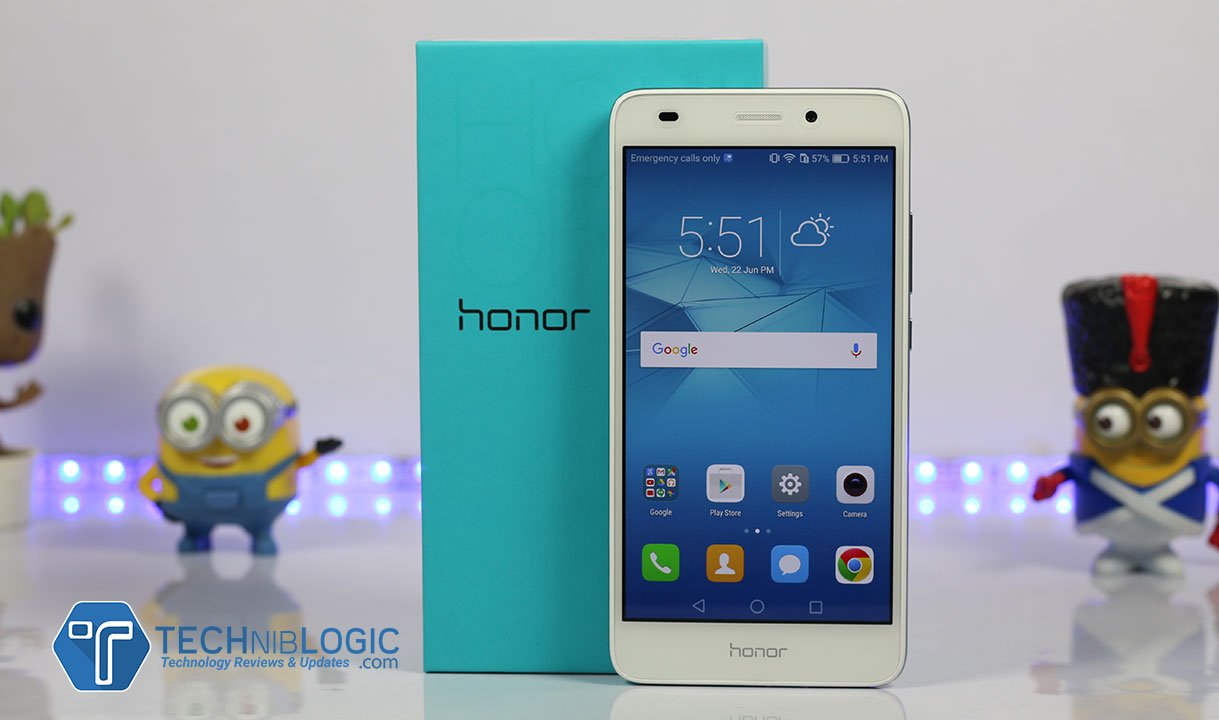
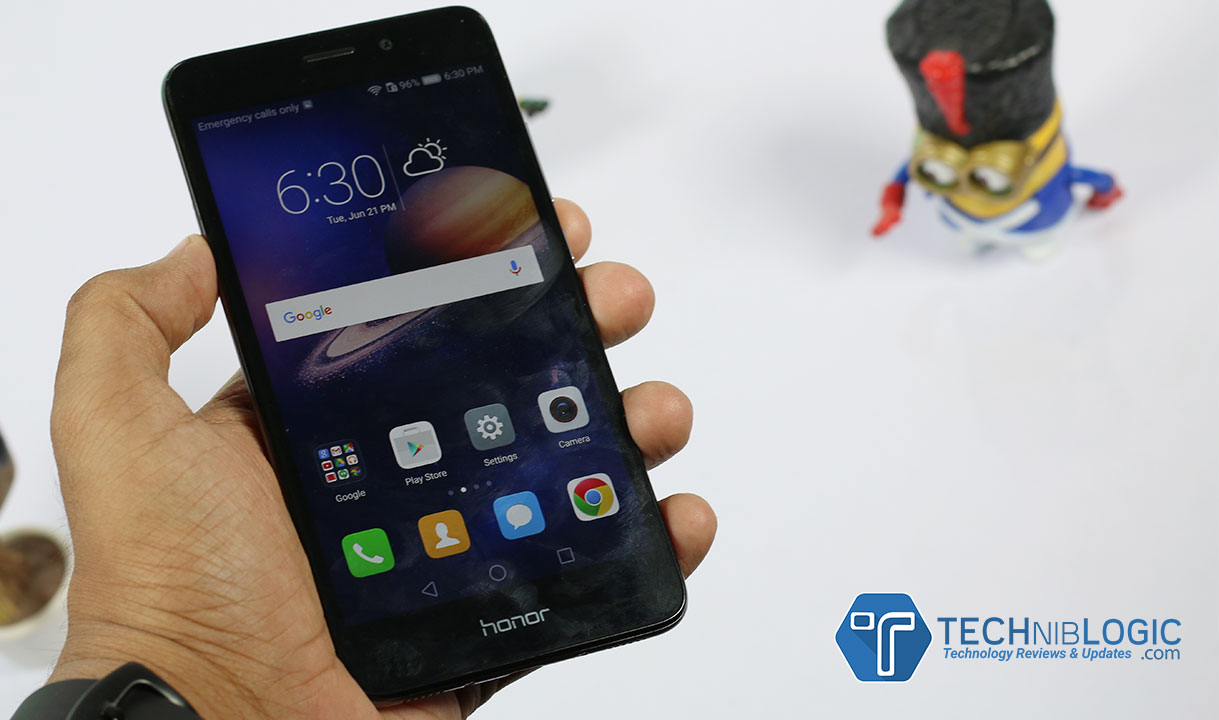
Honor 5C Review – Premium Design at a Budget Price

The Honor 5C is here with some great improvements and even with value for money. After Honor 5X, honor 5C is the next device. It is a full metal build, with slightly different design, and a lot more when we talked about it further.

Build Quality and Design

honor-5c-techniblogc-honor-logo

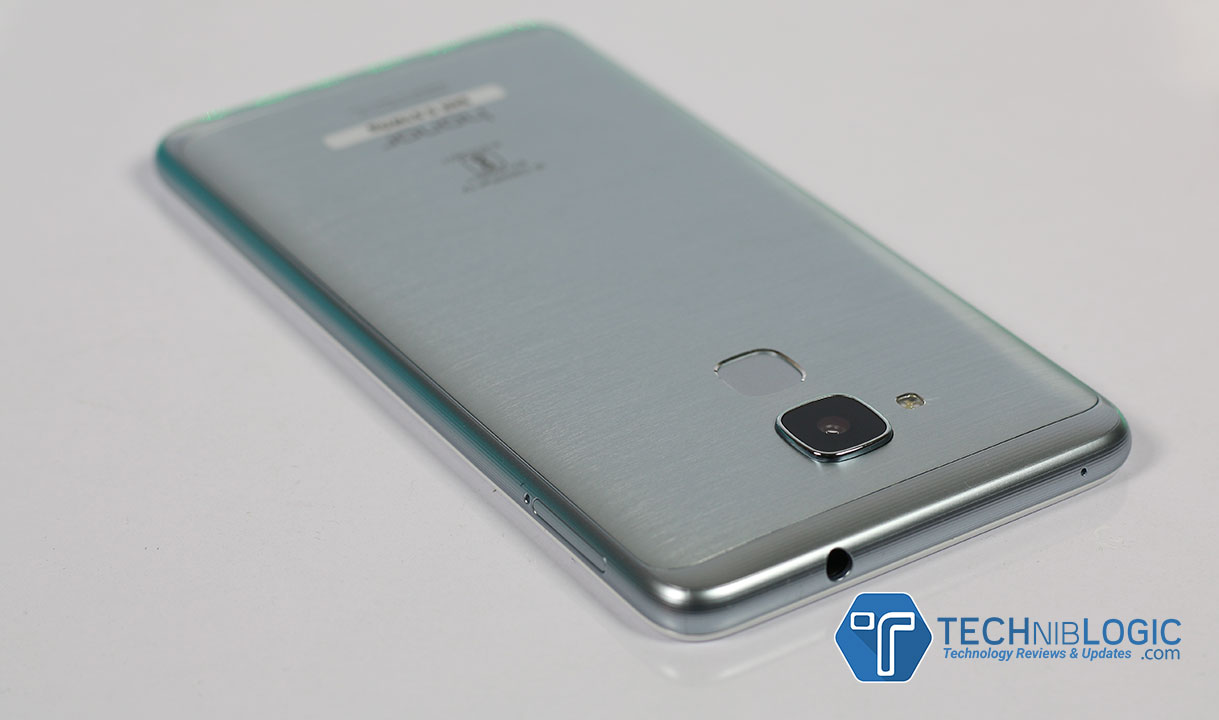
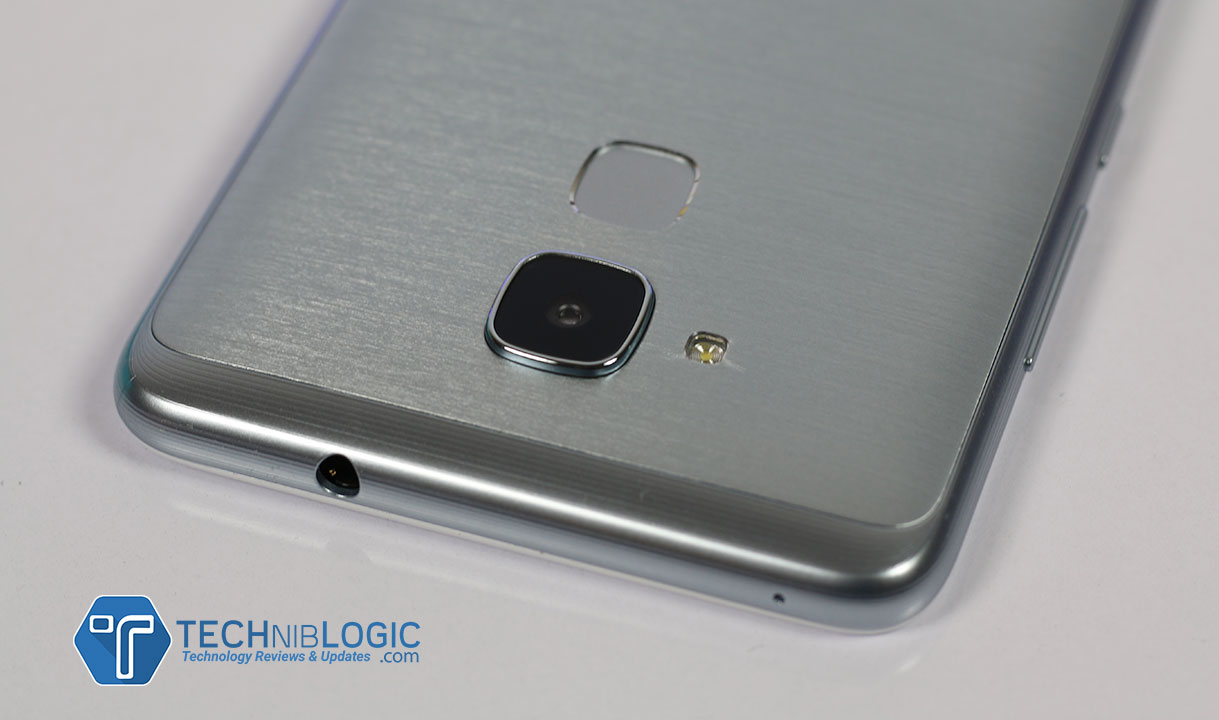
The Honor 5C feels same like previous 5X, but it is slightly different as well. The Honor 5C comes up with some rounded edges on all its sides which makes device easy to hold in day to day use. Honor 5C is 8.3mm in thinness, and weighs you about 156 grams. The Fingerprint sensor present at the back side of the phone is fairly accurate and fast. We can compare it will Le1s, Le2, Redmi note 3, Coolpad Note 3 and it’s performance is similar to these device, no complaints regarding it.

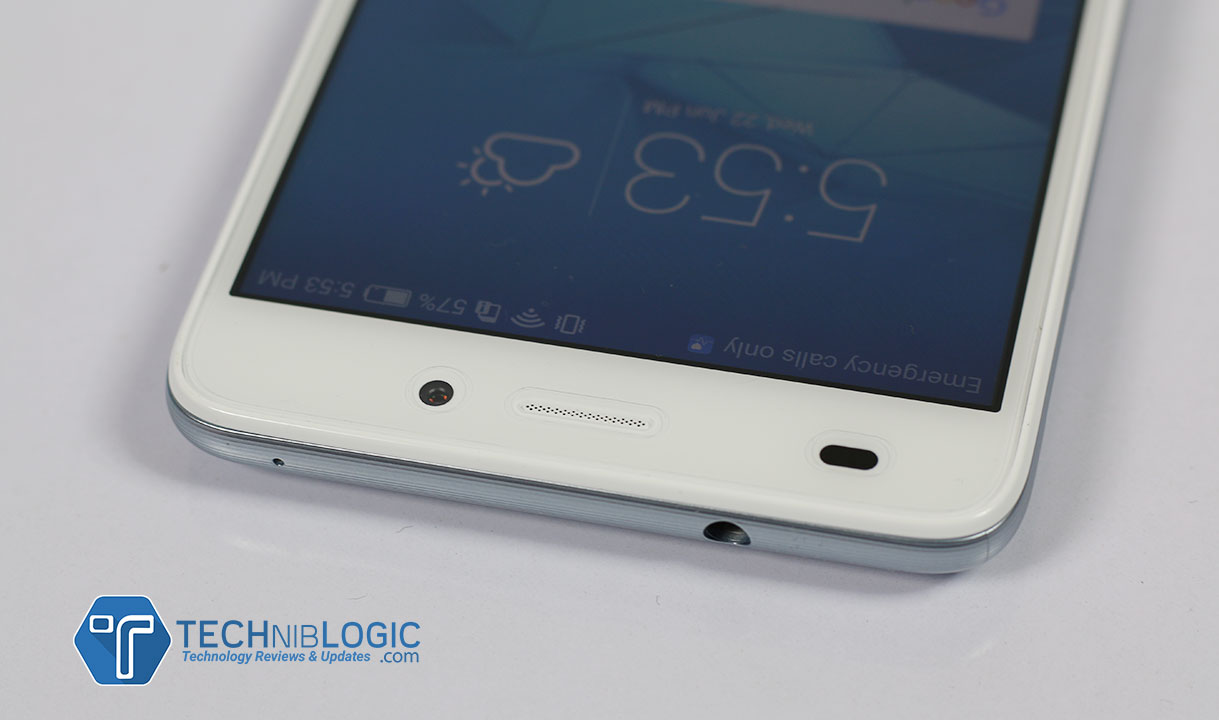
honor-5c-techniblogc-3.5mm-jack

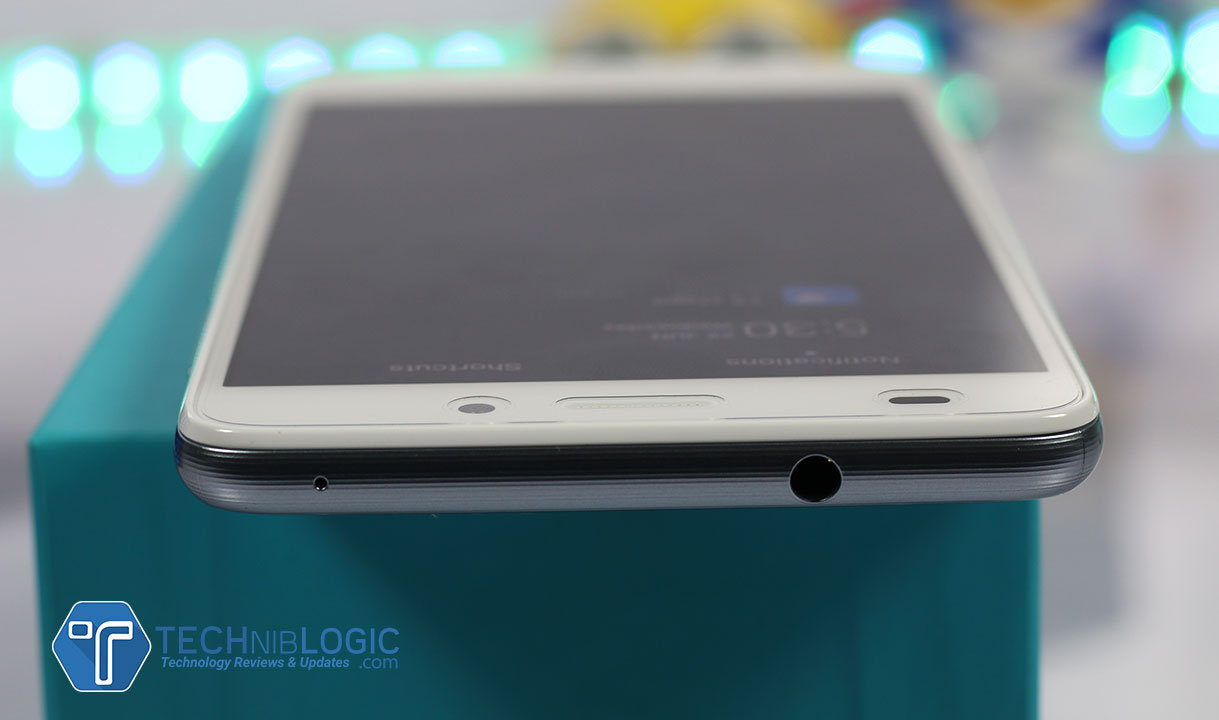
Moving towards the upper portion of Honor 5C, you get a 3.5mm Audio jack and beside a noice cancellation mic which let your caller hear proper noice free audio.

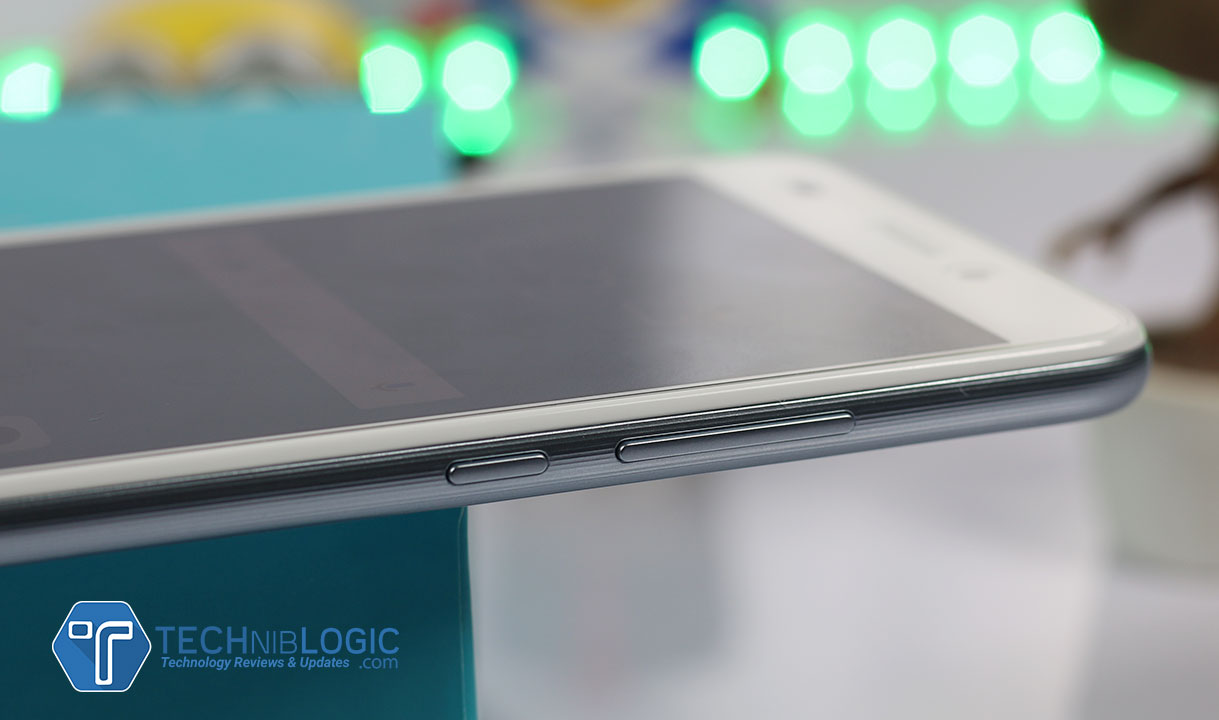
honor-5c-techniblogc-power-lock-buttons

Turning towards the right side of Honor 5C you can see the proper curvy body, which has some added pattern over it. It adds more humor and feel while you hold the phone. You will get volume rockers as well as below that a power lock key. All the buttons give proper tactile feel when you press them. No lag time is present.

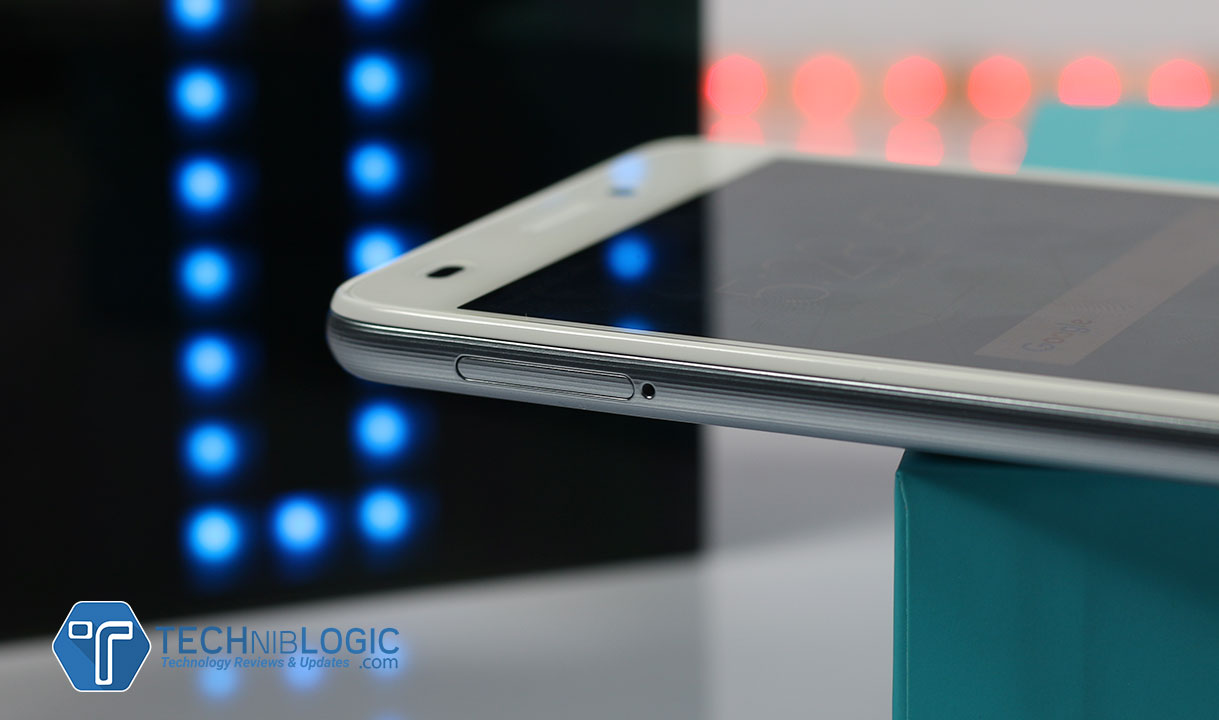
honor-5c-techniblogc-sim-tray-slot

Turning further you have Hybrid SIM tray slot which can support Dual SIM at present or Single SIM + Micro SD card which means you can expand your storage further as well.

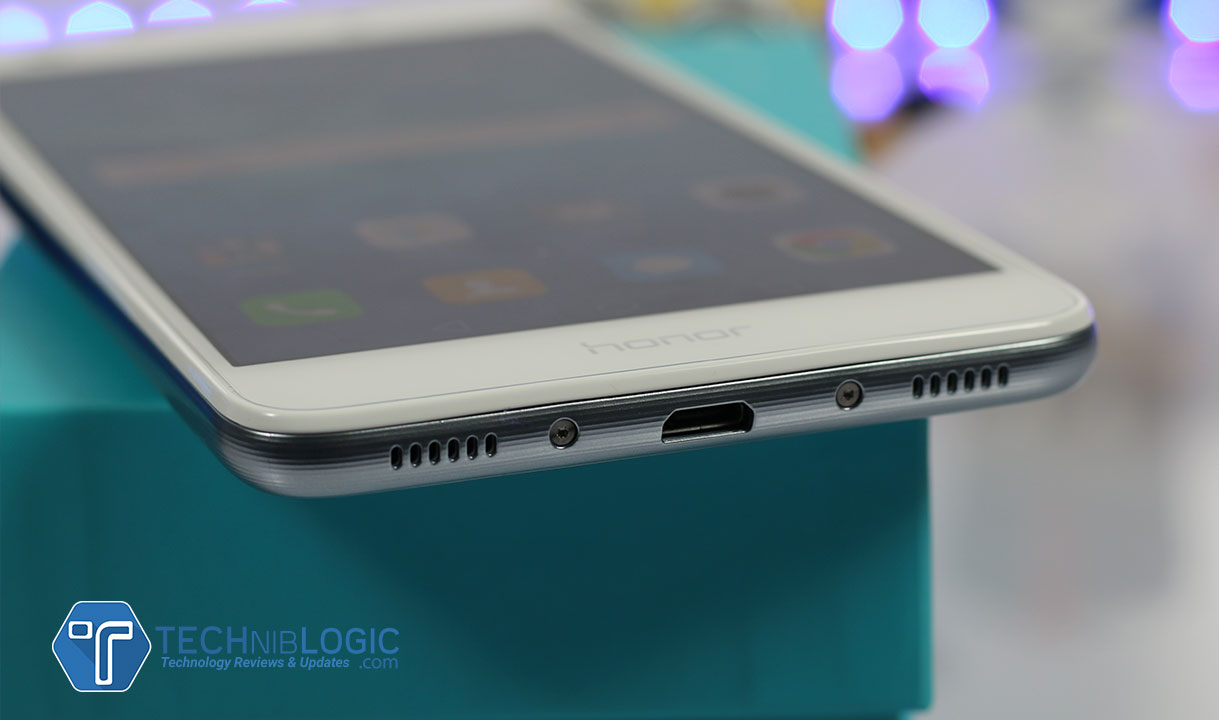
honor-5c-techniblogc-charging-port

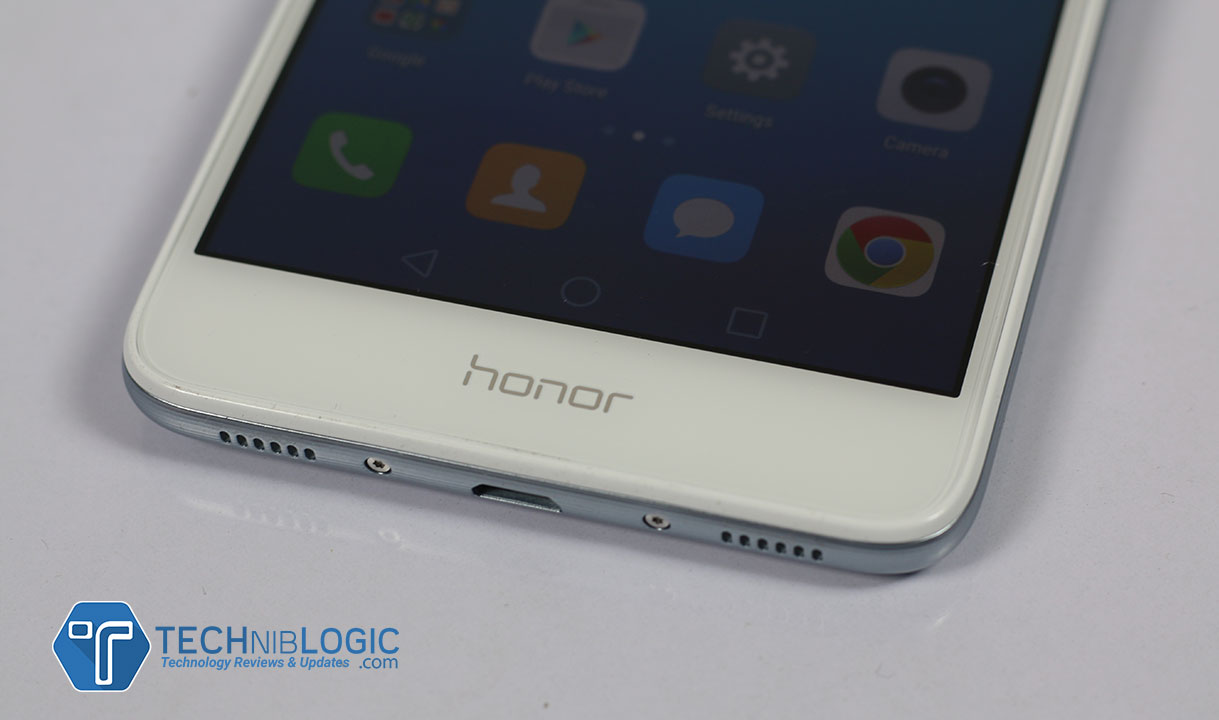
Now, coming to the down portion of the device, you will get a Micro USB Port, which till now don’t support OTG, but as promised in new update they will add it. beside it, there is two speaker grill out of which left one is having a primary MIC where as the right one is the actual speaker.

Display 

honor-5c-techniblogc-display

The Honor 5C comes up with 5.2-inch IPS LCD display which features you the screen resolution of 1080×1920 pixels, the best you can expect from a budget device. The display panel of Honor 5C is fairly sharp and vibrant. The colors are not at all over-saturated where as very vibrant.

Brightness levels are good and make you see easily in sunlight. The only down side over here is the lack of screen protection which may get some scratches if extra protection like screen guard or tempered glass is not added. The touch response is decent, no problem with that.

Software or UI

Huawei’s Honor 5C comes with Android 6.0 which is the latest version for android till now and it is loaded up with Honor custom skin EMUI v4.1 which provides custom icons, no app drawer making the layout clean and easy to use. There are some of the small tricks in the UI. Overall, the UI of Honor 5C is reasonably light, even after installing so many app ans making the device full with only 50 MB left in the memory it is working with no lag, i have never seen such kind of device with custom UI, which can manage the apps in such a way that you wont feel any issue in daily day to day use.

The last point for UI is that i love it, it is so stable and easy to use. There are so many small tricks which make the UI for normal user very easy and convenient.

 Performance

The Honor 5C is being powered with Huawei’s custom processor which is Kirin 650 SoC. It is clocked at 2GHz and 1.7GHz respectively. The GPU it is loaded up with is Mali-T830 GPU that give awesome performance you check the Gaming test video as well in which the device wont heat up at all in so high intense gaming .

The device also comes with 2GB of RAM which is a drawback in this price but it wont effect you because of there too good RAM Management. These all are just the numbers and the device performs fairly smoothly with no lag and issue in it.

Apps that you use on daily basis as well as app which you use occasionally all will work on this device with no lag and sluggishness. It is not at all slow, and offer flawlessly smooth performance in this price range like Le2 & and Xiaomi Redmi Note 3. On an overall note, it is fast enough to serve all you requirement.

One point which i forgot to mention is that, Honor 5C is having some kind of Dual Antennas which ultimately enhance there network quality. This is actually a very practical point and solution in India. I give the phone to my DAD, just to test the call quality for few days and he commented that “i want this phone even in DELHI METRO i can talk to my clients easily no call drop is there” and ultimately i bought the device to my dad just for the call quality

Camera

honor-5c-techniblogc-back-camera

The 13-megapixel rear camera provides enough options to toggle with. The manual as well as automatic will help you to find out the perfect shot. There you also get a  Pro modes which makes shooting stills and videos awesome, you can control metering, white balance, shutter speed, exposure compensation, ISO and the best part focusing.

The Honor 5C shoots very well sharp photographs under daylight. Colors are very accurate to the subject. If you love to twinkle with images like in photoshops, lightroom then the images which you get from Honor 5C is perfect for you. Rest you can check the camera review for the same on our channel.

The 8-megapixel front-facing camera works fairly well. Producing sharp photographs is quite good. Rest everything is decent and if you are a decent phone camera user you will get better from what you have expected.

honor-5c-techniblogc-back-camera

Battery

honor-5c-techniblogc-body

The Honor 5C offers enough or we can say a well optimized battery, which is having great stamina to last your entire day of work or even more, which is more than light usage. For the user like me with full gaming, 1.5 hours or call, so many emails and messages with whole time wifi or Internet, it last me easily for whole day. For my dad, no gaming is there but more than 2.5 hours or call more than 500 messages (business purpose), It easily last him 1.5 Days. Now you can imagine the real beast in small phone.

Gallery

Conclusion

Pros

  1. Dual Antennas’s
  2.  Battery
  3. Design and Feel
  4. Very Fast Fingerprint

Cons

  1. No OTG till now (no Update)
  2. Need 3 GB Ram compared to other competitors

LeEco & Coolpad Launched Cool1With Dual Rear Cameras and 4060mAh Battery

As we know, that the LeEco’s CEO Jia Yueting took over as Coolpad’s Chairman. The company has announced together a new handset as Cool1. The first variant of the Cool series. You can pre-order the smartphone which is now available on the Coolpad , LeMall, and Jd.com Websites. This device will go on sale on August 24 in china.

leeco-cool1-techniblogic

There is three variant of the smartphone:

  • Cool1(3GB Ram/32GB storage)- 1099CNY (11,100 INR)
  • Cool1(4GB Ram/32GB storage)- 1499CNY (15,100 INR)
  • Cool1(4GB Ram/64GB storage)- 1699CNY (17,100 INR)

The Primarily feature in the Cool1 is the 13-megapixel camera lens with aperture f/2.0, which is integrated with a PDAF sensor, a dual tone LED-Flash with 4K recording and 720p slow-mo, also a dual camera setup, it definitely looks promising. Going to the specification, we have a dual nano sim support running on android 6.0 marshmallow which is based on EUI 5.6, a 5.5-inch full-HD (1920×1080 pixels) IPS in-cell display with 450-nit brightness and 72 percent NTSC color gamut. The processor which is used in this is powered by Qualcomm Snapdragon 652 octa-core (quad-core 1.8GHz Cortex-A72 + quad-core 1.2GHz Cortex-A53) with Adreno 510 GPU.

The front camera is not so bad also, it is an 8-megapixel shooter with an aperture f/2.2 and an 80-degree wide angle lens, for the awesome selfie you take. The dimensions are 152×74.8×8.2mm and weigh 167 grams. Connectivity options include 4G with VoLTE, Wi-Fi 8802.1111 ac/a/b/g/n (2.4/5 GHz), Bluetooth 4.1, GPS, and USB Type-C port. This device is available in Gold, Silver and Rose Gold color variants.For more details, you must subscribe to our website… 🙂

Samsung Galaxy Note 7 : Pros & Cons – Worth to Buy ?

When we talk about coming new age technology, Samsung and Apple are the first that comes to our mind, Samsung on the other hand always been innovative with their smartphones, and most of the time when a company like Samsung launches a smartphone, it tends to make its name on the top 10 list of smartphones. The new Galaxy Note 7 is ready to hit the Indian market, the pre-registration for the device will start from today onward which will continue till August 30. Samsung launched the device in India on August 11, and it will hit the store till September 2nd. The Galaxy Note 7 will sell on 59,999 INR. The device is available in 4 color variant Blue Coral, Gold Platinum, Silver Titanium, Black Onyx.

note-7-techniblogic-back-panel

Galaxy Note & is the first Note device which has a Dual Curve screen, which looks awesome. As we know, it’s a Note so there will be a stylus attached to the device as the same way. The S7 noted is packed with the Vulkan API so the gaming performance will always be incredible. With a new security feature the Note 7 has done it again, An Iris scanner which will scan the retain of your eyes to protect your phone, a new level of security on your phone. There is also some astonishing feature like Samsung pay, water resistance to 1.5 meters up to 30 minutes,

note-7-techniblogic-front-camera

As far as we know, The Galaxy Note 7 is packed with Exynos 8890 Octa-core (4×2.3 GHz Mongoose & 4×1.6 GHz Cortex-A53) and it comes with 4GB of RAM. The internal storage is 64GB which can be expanded up to 256GB via a microSD card. The 5.7 inch of screen is spectacular in viewing with its Super AMOLED QHD (1440 x 2560) resolution display which delivers a sharp 518 ppi of pixel density.

note-7-techniblogic-back-camera

The front and the rear panel are protected via a Corning Gorilla Glass 5. The Galaxy Note 7 also packs a 12-megapixel rear camera with aperture f/1.7, phase detection autofocus, and OIS together, the sensor size is ½.5 inch which delivers incredible photographs, the camera also supports 4k recording (2160p@30fps, 1080p@60fps, 720p@240fps, HDR, dual-video rec), the secondary camera is 5MP shooter with an impressive aperture f/1.7 for the selfies you take.

note-7-techniblogic-charginf-portThe device runs on Android 6.0.1 marshmallow with Samsung’s classic TouchWiz UI on top of it and is powered by a 3500mAh non-removable Li-Po battery. It measures 153.5 x 73.9 x 7.9 (HxWxT) and weighs 169 grams. The device has a USB Type-C 3.1 support for fast charging and seamless data transfer.

note-7-techniblogic-sim-tray

It is a dual single SIM (GSM) smartphone with a hybrid SIM tray. In the connectivity section it includes Wi-Fi 802.11 a/b/g/n/ac, dual band, GPS, Bluetooth 4.2, NFC, 4G LTE, Sensors on the phone include Iris Scanner, Proximity sensor, compass, barometer, heart rate, Ambient light sensor, Accelerometer, and Gyroscope, it also has one of the fastest fingerprint scanners.

note-7-techniblogic-button

Pros

  • World’s First Gorilla Glass 5 Phone
  • Type C port
  • IR Scanner
  • Perfect S Pen with no Cons
  • IP68 water resistance including S Pen
  • Make small GIFs from videos using S Pen
  • Expandable memory up to 256GB
  • Best Camera till Now
  • Always ON Display
  • Compact Size with respect to Display Size (5.7-inch)
  • Massive 3500 mAh battery

Cons

  • Hybrid SIM
  • No FM
  • Non-removable battery
  • 4 GB RAM (In this Price)

Register Now

Stay tuned for more update on this device 🙂

[Deal Alert] Get $40 Extra discount on UMI Super Smartphone! Buy Now

There are lot of Chinese Smartphone brands coming to the market with better specs and even cheaper prices. UMI is a well-known brand for giving quality products at cheaper rates. UMI Super is a great budget device which you can buy from Tomtop.com as they arealso giving you $40 extra discount by using a coupon code on it. Let’s see what you will get in UMI Super.

$40 Coupon Code : Super36

UMI Super is  4G enabled phone. It is powered by Helio P10 64-bit Octa-Core which makes it a great device in such price segment. UMI Super has 5.5 Inches FHD 1920 * 1080 Pixels Screen which gives better viewing experience by adding accurate colors. It is having fast Fingerprint sensor which works at 360-degree angle in 0.1s-0.3s (Not Tested Personally).

Key Specs:

 UMI Super Smartphone

Display: 5.5” 1920*1080P FHD display
CPU and Storage:MTK6755 Helio P10 Max 2.0GHz 64-bit Octa-Core, 4GB RAM+32GB ROM, high efficiency of data processing.
Operation System: Latest Android 6.0 Marshmallow, safe and stable, support numerous smart APPs.
Camera:Back professional 13MP camera; 5MP selfies front camera.
Network: 4G FDD-LTE 2100/1800/2600/800MHz, 3G WCDMA, 2G GSM, nearly full global coverage.
Fingerprint Unlock: Support Fingerprint ID Unlock, 360-degree angle 0.1s-0.3s fast  speed recognition.
Battery: 4000mAh high capacity, PUMP EXPRESS Fast Charge.
Others: Support G-sensor, P-sensor, L-sensor, Multiple Applications, Book, Radio Tuner, Messaging, Wallpapers, Calendar, Calculator, Clock, etc.

Umi super prices about $219.99 but after you entered the Coupon Code you will get a $40 discount,give makes this phone cheaper i.e. $179.99 only.

$40 Coupon Code : Super36

Buy Now

Sunvell T95X Overview – Best Android TV Box?

Nowadays, Android TV boxes are getting popular in the market day by day. People are buying Android TV with their TV sets. In the TV Box market, there are many competitors so the question arises which one to buy? Which is Best Android TV Box in the market?. Today, I want to share about a Latest AndroidTV Box by Sunvell. This Android Box will add amazing features to your Television and will enrich your Experience. Sunvell T95X comes with Android 6.0 & Kodi 16.1 which is the latest software on any TvBox. So let’s start with some Specifications:

Specification

Sunvell T95X Overview - Best Android TV Box?

General Brand: Sunvell
Model: T95X
GPU: Mali-450
System: Android 6.0
CPU: Amlogic S905X
Core: 2.0GHz,Quad Core
RAM: 1G
ROM: 8G
Media Supported Decoder Format: “HD MPEG1/2/4,H.264,H.265,HD AVC/VC-1,RealVideo8/9/10,RM/RMVB,Xvid/DivX3/4/5/6
Video format: ASF,AVI,DAT,FLV,ISO,MKV,MOV,MPEG,MPG,RM,RMVB,TS,VOB,WMV
Audio format: AAC,AC3,APE,DDP,DTS,FLAC,HD,MP3,OGG,TrueHD,WAV,WMA
Photo Format: BMP,GIF,JPEG,PNG,TIFF
Product Details Power Supply: Charge Adapter
Interface: AV,DC Power Port,HDMI,RJ45,TF card,USB2.0
Language: Multi-language
Firmware Information KODI Pre-installed: Yes
KODI Version: 16.1
Power Requirement Power Type: External Power Adapter Mode
Dimension and Weight Product weight: 0.200 kg
Package weight: 0.370 kg
Product size (L x W x H): 9.30 x 9.30 x 1.70 cm / 3.66 x 3.66 x 0.67 inches
Package size (L x W x H): 16.00 x 10.00 x 7.00 cm / 6.3 x 3.94 x 2.76 inches
Package Contents Package Contents: 1 x Sunvell T95X TV Box, 1 x Remote Control, 1 x HDMI Cable, 1 x Power Adapter, 1 x English Manual

design

When we come to the design and the build quality of this Box, it has a plastic body finish which is very light weight and is small enough which make it more portable and easy to carry around.

Connectivity

Coming to the connectivity of this Tv Box, you can connect it by using a TF card, USB port, AV port, HD Port, LAN Port, USB port. It also has a Power port which give its the power to run. It supports the 1080P / AV / Dolby / 3G which makes you appreciate your entertainment time.

This TV Box support latest version of KODI which means you can run any format of video with no lag on it. So, Just and buy it, from the link given down below.

Buy Now

If you guys have any queries, feel free to comment down below.

Socket That can be Used in 150 Countries by STK

STK a leading of mobile phone accessories brand expands its travel range with the World Travel Charger. You must be think what it is, So it is a smarter solution that allows you charge all your devices at any part of the world. Its is being designed as a part of a travel accessories.

It is convenient and easy to use, as its’s 3-part design is allows you to change into another plug without and problem. As it can be broken down into three different parts it’s highly portable among travelers. Smart block is perfect for those who are always on the go.

Smart-Block-Travel-Charger-White-charger-divided

The smart block adapter enables you to charge your devices worldwide in over 150 countries like Europe, Australia, United Kingdom, USA etc. It also has a built-in safety fuse which protect you from some short circuiting (in any case). It also allows the AC power to be used as a USB charging, by giving additional USB port in it. Plug your any of your appliance into the AC power port and you can even charge your other mobile devices, tablets, cameras etc. via the USB ports. The USB port can support a maximum output of 1.0A (which is quite low in my scenario).

Its has a compact design that makes smart block the perfect travel accessory bringing hassle free experience while you are global vacations. It has a International (UK) standard of quality. The product is available with leading retail and etail stores in India.


Transform Your Business With Simplicity of Converged Infrastructure

In digital economy, there is a race which is going on to give better customer experience by every industry. From transportation, healthcare, retail, the every industry is just a few clicks away from a smartphones. Getting everything on one touch is making the market more competitive. Due to this IT enterprises are transforming itself from being an operations unit to a innovation engine.

Organisations with large sizes are moving rapidly towards solutions, which offer easy systems with proper security and flexibility. IT now needs to think, organize and prioritize there work in some different manner.

As there is increasing amount of data, the CIOs today have the dilemma to drive out cost and at the same time innovate new strategic business applications. It is important to develop user friendly mobile apps along with an optimization of investment which is made in it. For all such queries Converged infrastructure is the answer to the drastically changing business scenario.

The adoption of converged infrastructure solutions has transformed the IT infrastructure. There servers, storage, network connectivity, and software transforms them into a single, integrated solution. It enables the organizations to quickly deploy infrastructure to address the virtualization needs.

Converged Infrastructure technology is a pre-configured infrastructure that integrates, compute, storage and virtualization into a single appliance which modernizes the data center with simplified management and improved performance. It provides a flexible, fast, cost-effective new model that frees your organization to focus on business-building initiatives, and speed to market.

The impact of Converged infrastructure benefits your entire organization

For IT teams – It offers simplicity and flexibility

For CIOs – Reduces time to market and allows smooth digital transformation

For Application admin – Does everything faster with friction less IT

They have also released there Videos:

Online Product Design Tool Providers That Are Trusted and Reliable

Custom designed products sound exciting to the users. For e-commerce businesses as well as printing agencies, the need for such a tool that they can offer to their end users for custom product designing has always been there. The product designer tools used by the professional designers use are complex and cannot be made available to the users to design their choicest products. This need for a simple yet feature-rich product design tool has paved the way for the development of many such tools with their complexities hidden and equipped with user interfaces that are easy to manage even by a user who is not technically sound.

Everyone of us has some inclination towards the custom designed products and love to have products that are designed in a personalized manner. You must have seen many people wear t-shirts with the logo of their favorite football club or a witty one-liner. Mobile covers and coffee mugs with custom prints are also quite common. There are printing agencies where you can have your design created and printed on the merchandise. However, having the liberty of designing the products like coffee mugs, t-shirts, cushion covers, laptop skin, mobile covers, etc. on your own is a different experience

There are several online product design tools that offer a great feature set to easily create attractive designs on a diverse range of products. Some of the attributes that make these software popular among the users are usability, ease-of-operation, design resources, and the output file formats.

We have listed some of the online product design tool providers that offer great usability along with attributes like flexibility, scalability and rich design resources and many others.

  1. No-refresh

The online product design tool from No-refresh has all the features that should be present in a tool that is intended for the end users. You can drag and drop the texts written in different colors and fonts to the design area of the product and also add images and clip-arts. To further customize the products, there is also an option to upload your own image and use it in the design. The texts and images can be rotated, flipped, and resized with ease making it extremely easy to craft a design that you like.

No-refresh

2.inkyROBO

inkyROBO has been one of the topmost providers of online product design tool. The tool is made available to the customers in two versions- Open cart version and Developer version. If a printing company wishes to buy a tool that can be easily integrated into their existing OpenCart online portal, they can go for the OpenCart version. If they need to customize the tool according to their preferences, developer version is the best choice. The tool offers a rich user interface equipped with a vast library of images and clip-arts that can be used by the end users for crafting designs.

inkyROBO

3.theemon

theem’on is a marketplace for WordPress themes, plugins and HTML templates and one of its most sought-after products is online product customizer. It is a tool with an interactive user interface and design element resources that comprise images, clip-arts, and text fonts. The best part of this tool is that it is responsive and hence, enables you to cater those customers who wish to use this software on portable devices like smartphones and tablets. It can be used with your e-commerce portal and can also be customized to match the requirements of your business and target the right audience.

4.Rushordertees

As the name suggests, Rushordertees is essentially an online apparel design software but can be used to customize the design of many products like handbags, purses, laptop skin and wristband etc along with the t-shirts. You get features like add text, add art, layers, upload images etc. Additional goodies that you are provided with the tool is some useful e-commerce features like advanced search, multiple sizes to cart etc.

5.Shirttools

Shirttools is a shopping cart solution as well as a design tool provider. You can implement this easy-to-use tool to enable your customers to craft design on their favorite merchandise and order them. The output is print-ready and can be downloaded in a vector format for your use. As they are in vector format, scaling them to any size is never a problem. You can get high-resolution prints that are fit for vinyl cutters. This is a responsive tool and hence, it will cater your mobile users too. It is a one-time payment tool.

Closing Remarks

We are quite hopeful that you liked the collection of the online product designer tool providers that are quite popular these days. If you have been looking for one such tool, you can now easily find the one that best suits your business requirements. You can also pour in your suggestions to add any product tool design tool provider you think we have missed.

Yoky tag make yo Track any of your Thing

Have you ever forgot your phone somewhere in the shop? Or couldn’t able to find your keys? Then this magical device can help you track your things? Gida’s new gadget, which is Yoky Tag, can do that for you.

Yoky Tag Review - techniblogic

Now, Never lose your things

It is a small wireless tag that can be attached with your valuables keys, wallet or anything that you like to track them with your smartphone. Now by using the Yoky tag, you can track them, and even you can find your phone by shaking the tag thrice. It will even alerts you before you lose your phone or things by giving a beeping sound very loudly if you are about to leave your phone behind, and vice versa will be there if you leave behind the item which is tagged with Yoky.

Never loose things by having Yoky Tag - techniblogic

How it works

The Yoky Tag works by making a wireless link with the smartphone, using Bluetooth connection. When the Bluetooth is active, you can find the phone or tag and whenever the link breaks, the phone and the tag will raise an alert. While the Yoky Tag requires Bluetooth to be turned on all the time, you need not to worry about negative impact on the phone’s battery, because Bluetooth 4.0+ is extremely power efficient. Yoky doesn’t need to be charged as it comes with a replaceable battery and  can lasts for a year.

Locate Your Keys and Other items - Techniblogic

In built Fitness tracker

This Tag also works as a fitness tracker and measures your steps and estimated distance and calories burned. It doesn’t need to be connected to the phone to measure steps, or require repeated charging, and also offers a simple interface designed for the casual users. But the main point which arises over here is that how accurate it is? as we have not tested it yet.

Yoky Tag as a fitness tracker - techniblogic

Unique Tag everytime

Yoky Tag is a customized Tag which will have own photos or designs using a simple tool on www.yoky.io/#store. The store also offers more than 100 designs for people to choose express their own style.

Yoky tag is unique and customized - techniblogic

Specifications

The device has a maximum range of 150 feet, and works on smartphones with Bluetooth 4+ and iOS 8+ or Android 4.3+. It has a built-in 32-bit ARM cortex SoC, a 500mAh replaceable battery that lasts for at least 12 months, and 3-axis high precision accelerometer. The Yoky Tag app is available for free, and can connect up to 8 tags at any time.

The Yoky Tag retails at Rs. 999 including taxes and shipping, and is currently available on www.yoky.io


How to Buy Xiaomi Mi Band 2 in India ,Price and Specification

Xiaomi Mi band 2 is the great successor of it’s older versions. As the main drawback of MiBand 1 and MiBand 1s is that we cannot do anything without the smartphone. But in the upgraded version of MiBand, Xiaomi provides you a 0.42 inch OLED Display which helps you to check your status as well as works like a watch. You can directly check your heart rate without using your smartphone. And yes it is still waterproof and light weight with 21 days of battery in it. Take my words it is the best fitness tracking device with such a budget segment.

Specification

Mi Band 2 in India
General Brand: XiaoMi
Bluetooth version: V4.0
Waterproof Rating: IP67
Color: Black
Compatability: Android 4.4 + / iOS 7.0 +
Language: English
Special Features Health tracker: Measurement of heart rate,Sleep management,Pedometer,Calories burned measuring,Steps counting,Distance recording,Sedentary reminder
Other functions: Unlock phone without password,Call/APP message reminder,Time,Alarm Clock
Alert type: Vibration
Sensors: ADI ultra low-power acceleration sensor + optical heart rate sensor
Working temperature: -20°C ~ 70°C
Display Screen: 0.42 inch OLED Display Dialog
Touch key: Yes
Battery Battery type: Lithium polymer battery
Battery capacity: 70mAh
Standby time: About 20 days
Input current: 45mA (TYP), 65mA (MAX)
Input voltage: DC 5V
Material Mi-core material: Plastic + Alloy
Case material: TPEE
Band material: TPSiV
Weight and Size Band total length: 235 mm
Adjustable length: 155-210 mm
Product size (L x W x H): 40.3 x 15.7 x 10.5 mm
Product weight: 7.0g
Package Contents 1 x Xiaomi Band 2, 1 x Charger, 1 x User Manual

As we all know Xiaomi has great quality products but the problem is Where to buy? Xiaomi doesn’t have proper stock management to fulfil their product needs. In India, Xiaomi MiBand 1 is a great success but then also there is no sign of launching the new versions in India. But don’t worry I will give you all the options where you can Buy Mi Band 2 in India.

buy mi Band 2 in India

How to Organize Style Sheets in Ruby on Rails Projects

Although the asset pipeline in Ruby on Rails is a powerful feature, it can be pretty perplexing. Rails’ scaffold automatically generates a style sheet for each controller. As a result, your styles are organized according to the domain model of your application. You will not find it very convenient if you create a modular codebase and reusable components. In this case, a standard CSS architecture will be the most appropriate option since you’ll be able to create, change, and reuse the elements.

Before placing the assets in the public/assets folder, the asset pipeline pre-compiles, concatenates and minifies them. Sprockets and Tilt are two technologies that power the asset pipeline.

How to Organize Style Sheets in Ruby on Rails Projects

Tilt is a template engine used by Sprockets. It supports the file types such as saas, erb,
coffee, etc. which can be used in the Asset Pipeline.

The main function of Sprockets is to package the assets, that is, to gather the assets from all the specified paths, compile them, and place them in the public/assets folder.
Here emerges the question as to the principle and algorithm of files concatenation. The answer lies in a manifest file – the core of the asset pipeline. Based on the received directives, it marks the files to be included and defines the order in which they will be organized. The number of manifest files can be different and depends on your own needs and preferences. It’s up to you to choose one per layout or one per page.

CSS Preprocessing

Any CSS preprocessor (LESS, SASS or Sylus) can be easily used with the asset pipeline. As to us, we prefer SASS for two reasons: it comes with a Rails app by default and it’s simply great.
All CSS preprocessors allow you to use features, variables, mixins, and other useful stuff shared through all modules and files. However, before you can use them, SASS source code should be combined and then compiled to CSS.

The main challenge here is connected with Sprockets //=require syntax used to identify the files that should be combined. Firstly, Sprockets compiles your SASS source code as separate style sheets. After that, it combines the resulting CSS into a single file. There will be an exception if you try to use any mixin unless you have imported your mixins.sass at the top of each file. Using the @import syntax, you instruct the SASS compiler to combine the SASS source code first, and only then perform the compilation.

File organization

Although the majority of Rails projects feature several layouts with different styles, yet they share a common codebase. Here are some tips on how to organize your asset files and directories to make them easily extendable, flexible, and well-structured.

Base styles. All fixed base styles (reset, grids, spaces, and helpers) are placed in the base folder. They can be added to any manifest.

Manifest files per layout. If the layouts have different styles, you should create one manifest file for each layout. “Manifest” means not Sprockets manifest, but .sass file with all @imports of necessary files (variables, mixins, objects and modules).
CSS PreprocessingFolder for each manifest file. One folder should be allotted for each manifest file. It should have the same name: application folder for application.sass file as a default layout. The folder will contain layout styles, typography, all objects and modules used in this layout.
Every manifest folder can contain responsive styles in a responsive folder. You can also divide your interface into objects and modules and put them inside the appropriate folder. This will keep your styles independent and modular. If you need to reuse some styles from a different manifest folder, move them to a shared folder that is located on the same level as manifest itself.

It is highly important to organize the assets properly from the start; otherwise, you take the risk of getting lost in your style sheets after the first month of development. Following the conventions, you’ll prevent mixing styles of different layouts and divide your styles into smaller reusable parts. Ultimately, everything will be located in the right place.

Labeley – Free Online Label Maker

Venturing into a new business and making sure it runs smoothly represents a significant challenge, especially when working on a tight budget. You want to give your customers and clients the best possible service or product, yet you still want to make some profit. That is why it takes more than just being creative and having plenty of ideas to be an entrepreneur. You have to be a visionary, definitely a risk-taker and constantly out and about: in search of new trends, new ways, and resources to improve your business and get the most out of it.

Of course, in the highly competitive global market, where many small businesses make or break overnight, most things don’t come for free. However, every now and then, you can stumble upon a free resource that can help you out a step or two on your road to success.

Once they have a product ready, most businesses need some type of branding or labelling. Hiring a designer to make a company’s logo and design product labels is the usual scenario in this case and always comes with a price. However, with Labeley.com, which is a completely free online label maker, you have a chance to design and control your label making process every step of the way, and all for free.

The tool allows you to choose between different predesigned shapes, graphics, borders and many other design options that help you come up with a completely unique and attractive-looking label. Or, you can skip this step completely and go straight to the professional printing option, in case you already have a prepared design and you’re in need of quality printing.

Here is how it works:

  1. Visit Labeley.com and click on the Start Designing button.labeley 1
  1. Now, choose between different label categories depending your business’s needs.labeley 2
  1. This is where your creativity can be unleashed. Start by choosing your label’s shape so you can move on and play with different Backgrounds, Borders, Graphics and Text. If you are a registered user, you can also access your previous label designs anytime by clicking on the My Designs button or you can Upload any photo from your computer to fully personalize your label.labeley 3
  1. Once your new label is ready, you can save it for later or proceed to checkout if you need professionally printed labels. If you decide to do that, a new window will pop up offering various material types and other specifications needed to complete your order.labeley 4

Labeley’s simplicity and accessibility can come in handy even in situations when you’re not dealing with physical products, but rather a service such as an event planning, party organizing or even household management. With this tool, creating a label of your own choice and branding a product, event or personal item becomes a fun and enjoyable experience.

What is GPU? Why do you need it in your Smartphone?

GPU stands for graphic processor unit. A GPU in the smartphone is the only responsible unit for that clean and crispy images that you are seeing or the big FPS game you are playing. Now, these days GPU’s are playing major role in smartphone manufacturing, possibly because lots of smartphone these days are Ultra HD, Full HD or HD. Most of the consumer, even the tech personals do not talk about it that much, as much as they discuss about the Processor or the Camera configuration or maybe the build quality. My only point here is that GPU’s have always been to the side line. I mean, we have always bragged about or Computer’s graphic grad. So, why not the Smartphone GPU? This little fella may feel left alone, I’m just saying.

The GPU (Graphics Processing Unit) is a specialized circuit designed to accelerate the image output in a frame buffer intended for output to a display. GPUs are very efficient at manipulating computer graphics and are generally more effective than general-purpose CPUs for algorithms where processing of large blocks of data is done in parallel.

You may also Like :

GPU features include :-

  • 2-D or 3-D graphics
  • Digital output to flat panel display monitors
  • Texture mapping
  • Application support for high-intensity graphics software such as AutoCAD
  • Rendering polygons
  • Support for YUV color space
  • Hardware overlays
  • MPEG decoding

These features are designed to lessen the work of the CPU and produce faster video and graphics. Thus, GPUs became more popular in the modern smartphone age as the demand for graphic applications increased. Increasing Display resolution, different launcher animations, App animations, Video performance, gaming, to be honest a single CPU cannot handle this much of processing, however If we talk in theoretically then in some phase it will, but the higher CPU processing will obviously slow application performance, so a dedicate video processor is a spectacular solution. Eventually, GPU became not just an enhancement but a necessity for optimum performance of a Smartphone. Specialized logic chips now allow fast graphic and video implementations.

Top 10 GPU of today’s smartphone

Smartphone GPU Comparison

From thee results it seems like the apple A9X/PowerVR Series 7XT is the most power full GP of all, 384 Cuda cores and the GFX benchmark 140, its clearly a win, win. So, even in a GPU things matter like pixel shaders, Vertex Shaders, Core speed, Architecture and etc. and combined together they give a spectacular graphics and immaculate visual experience. Well, now you know.

10 Benefits of Having a Big Screen Phone

0

Over the years Chinese smartphone manufacturers are transforming the mobile landscape in India with affordable yet value for money devices.Players such as Coolpad, Oppo, Vivo, Lenovo and Xiaomi and front runners in this space. Earlier users want to buy small and handy phones which were just used for calling and messaging purpose.

But certainly, the trend seems to be changing as of now user what the whole access on their mobile phone because of more potable, as compared to a personal computer. They get easy to access their emails, bank details, and many other things directly on their phones in just one click. There is no need to turn on their computers for just checking their Emails.

These days almost all daily tasks can be performed on a mobile device, but wait here is a twist, previously we were having a huge computer screen where we get proper control on all the tools. Now if we access all those important things on our small screen phones which give lesser area to view and click, just one wrong click can delete your most important data.

So it is important to get a big screen phone if you are doing some important and precious work in daily use. A Bigger screen will ultimately enrich your user experience and way of doing work in a proper and errorless manner.

So, here are some of the benefits of having a Big Screen Phones:

Typing is much faster:

Are you a writer or love to chat a lot using different messaging apps then you are the one who need a Big screen device because it will ultimately help you to get more speed while typing as well as you will get almost no typing error which you get on small screen devices.

Easy Reading e-Books:

Are you a book reader and love to read E-books on your phones, then you need a switch from small screen phone to a large screen phone because it will help you in getting better reading experience and no strain on your eyes as well.

Better Gaming Experience:

Are you a gamer and love to play a whole lot of games on your phone, then for better gaming experience you need to switch to big screen devices as it will help you to get better access to on-screen keys as well as you will able to get better graphics and color on big screen devices compared to the smaller screen phones.

Documentation on finger tips:

Want to do most of the office work ON THE GO, then using small screen phone can punish you while using excel, word, and their other functions. To get the best usage out of it, maximum screen area is being needed which can only be possible by having a Large screen device.

Watching Movies:

Love watching movies on your phone, then again you need a large screen device to get better color, better details, and better clarity. Eg, we always love to watch movies in the theater, same as like watching the movie on small phones or on large screen phones.

Video chatting Experience:

If you have any loved once who live abroad or away from you and want to do video chat for long basis, then for better views and screen experience again large screen device will be your first preference.

Taking pictures:

Taking a picture using your small screen phones won’t give you whole access to all the controls easily because everything gets messed in that small panel but getting a larger screen phone give to more access and clarity of what you are clicking on more functions on the same screen.

Browsing the web:

Getting a large screen device gives to a better experience in browsing, as you get more screen area and large font to read the text. You can even add two tabs at a single time on a single screen by dividing the screen into two parts.

Bigger Battery:

Bigger device means big battery.  Getting the larger battery and get you more movie time, gaming time and obviously standby and talk time. This is because with a larger phone we get more space for the battery.

 Multi-tasking become easier:

Larger screen means getting more area where more things at the same time can be done like we do on our Laptops and Pc’s. We can do multitasking easily like watching YouTube + chatting. Playing a game as well as chatting with friends on the same screen by doing multitasking and opening different panels on the same screen.

Verdict

So these are some of the benefits which need to be taken care before buying any of the devices these days. The trend is again changing towards large screen phones because nowadays almost all our work we can do on our fingertips by using our smartphones. Then why to use small screen devices and make the typing mistake and other small mistakes when we can remove all those mistakes by just changing our phone with a large screen. For example, Coolpad a well-known Mobile brand launched various smartphones with 5.5-inch screen sizes such as Coolpad Note 3,Coolpad Note 3 Plus and CoolPad Max. And Customers are loving the Big Screen Phones in their daily usage. Now they can do almost all the regular working on their smartphone.

10 Benefits of Having a Big Screen Phone 2