Yu launches HealthYu and YuFit by attacking Xiaomi indirectly

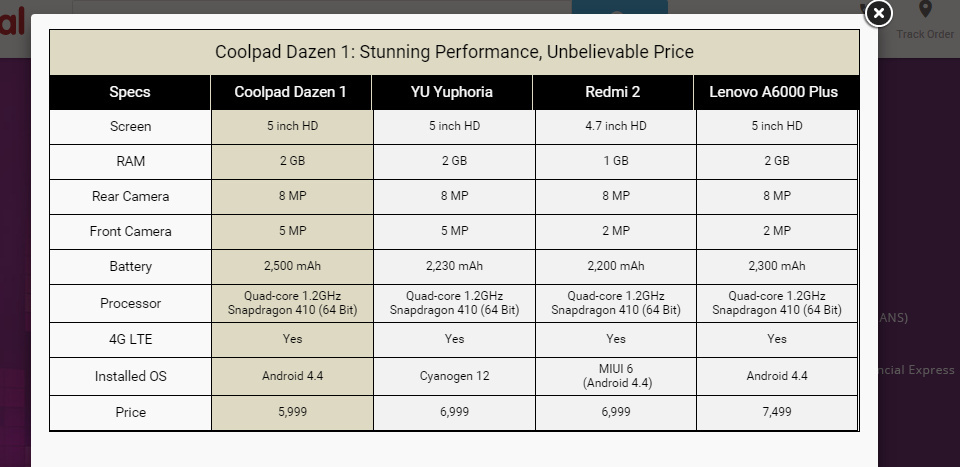
hey friends after a long wait Micromax has finally launched its new Android Device which is the successor of its Predecessor Micromax yureka with the name of Micromax Yuphoria. The Phone has really amazing specs with really awesome and new design (Micromax Yuphoria Specs). When we come to the price of the phone you will just get shock after seeing the specs and design as the price of the device is only Rs. 6,999 and you can registration it on Amazon.in . The phone is going to create a new bang in the Indian Market surely.

Micromax Yuphoria Specs

When we come to another thing, some days back Huawei has direcly attacked on xiaomi by comparing there Xiaomi mi4i (the xiaomi flagship) with Huawei honor 4x (Huawei Honor 4X Direct attack on Xiaomi Mi4i)  after that on 12 May 2015 micromax has indirectly attack Xiaomi by launching two new devices in the Indian market which is HealthYu and YuFit.

YuFit

Yu Fit Band micromax - techniblogic
Yu Fit Band micromax – techniblogic

Here YuFit is a health care band like Fitbit and micromax attacked xiaomi mi band by the

  • Price as both the bands are of same prices which is Rs. 999.
  • YuFit has a OLED display, which Mi band lags
  • YuFit also works like your watch, which Mi Band don’t support because of no display.
  • Firsly, in market MI band was the cheapest and value for money Fitness band available but now from next month much better option with Micromax YuFit will be available.
  • YuFit has better Software with new UI according to the launch event of micromax as it also support counting the calories of the food eaten by you.
  • Both YuFit and Mi Band are Waterproof.

Another attack was in the marketing approx like xiaomi they make there first 1000 buyer of MI band at Re. 1 each, Here also micromax is going to provide first thousand buyer the Band for free (not even charging single penny) with providing them personal trainer for some days for there daily workout (which is a new concept). The subscription for trainer will be Rs. 300 for 3 months.

The YUFit Band comes with an OLED Display and has the following functionalities :
Track Steps
Tracks Sleep
Tracks Calorie burnt
Tracks distance Walked
Finds your phone
informs call/message

In addition to this, Yu Fit Band can be synced with the Yu Health app. The app will not just show the number of steps you took and the calories burnt but can also be used to track food eaten and the number of calories consumed based on diet.

The food tracking allows users to input what they had for breakfast or lunch or dinner (Indian food items like samosas and dosas are also included) and based on what the user feeds into the app, the app will tell them the number of calories consumed and if they should go easy on the next meal. This is useful for those who are setting goals for their daily diet.

In addition to this Fitness tracking will allow the app to track if a user has reached their fitness goals. Fitness Tracking allows users to chat with personal health coaches, nutritionists, etc and is powered by the HealthifyMe app in which Micromax had recently invested. Micromax has not specify the cost for signing up for these Coach programmes.

 HealthYu

healthyu micromax - techniblogic
healthyu micromax – techniblogic

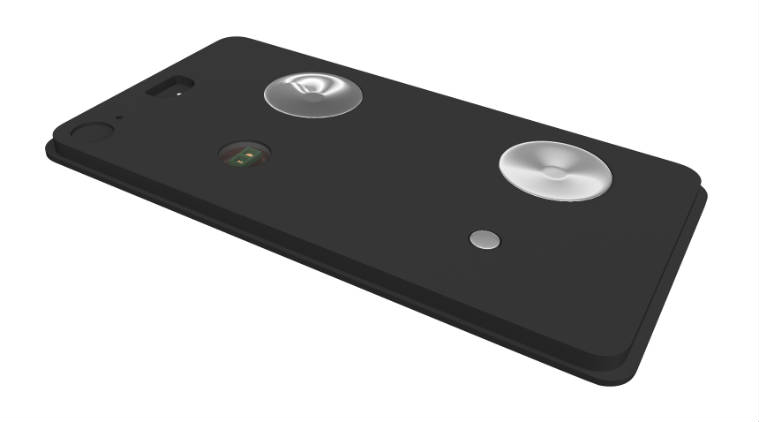
Another device which is being launched by Micromax was HealthYU Cassette is a device which will allow users to keep a track of essential body vitals like Respiration and Heart Rate, Blood Pressure, Blood Oxygen saturation, Body vitals, ECG, Body Temperature.

The Cassette can be attached to any Android smartphone and connects via Bluetooth. Users need to download the HealthYu app (from Google Play Store) and then the readings of the device will be reflected in the app.

The HealthYu app will record all the data and you can even send weekly reports from the app to your consultant doctor. The HealthYu app stores all the data on the cloud and gives around 90 readings per charge.

The two devices will be available from June 2015 via company website which is yuplaygod, it is also like xiaomi has done for there MI band.

So friends what are your views regarding the marketing techniques as well the devices which are being launched by Micromax do let me know by commenting below.

How to Find Duplicate Files in Windows

Guys there is always the problem to many of us like me too for the duplicate files which is being created on our system by the time goes on, that duplicate files take the lot of space on our hard drive which is a problem as it may also slow down the processing speed of different software’s an processes we do on our system. It is being very difficult to Find Duplicate Files in Windows manually, as we need to check each and every file and folder manually which is not being possible on regular basis.

There are lot of software’s available in the market and on internet that claim that they can clean or find all the duplicate files which are there in the system hard drive automatically.

Today i found Duplicate Files Finder light which is  fast to use. Duplicate Files Finder is a software that locates the duplicate files (same content, it is not necessarily to be of same name). You can delete them manually. The search used in this software is very fast compared other programs of  similar nature with hashing algorithms.

Firstly, all the files are sorted by size as duplicate files will have equal size. Other search software use hashing algorithms that scan the files completely. Also, additional caching of files improves the performance.

Take a look at some of its features:

  • Comparison is Byte by byte
  • Search is very fast
  • Support for symbolic links and hardlinks
  • Good interface for deleting files and creating links
  • Variety search options

How To Find Duplicate Files in your system?

Step 1.

First you need to download and install the Duplicate File Finder setup in your system. Download for Windows and Linux from HERE

Step 2.

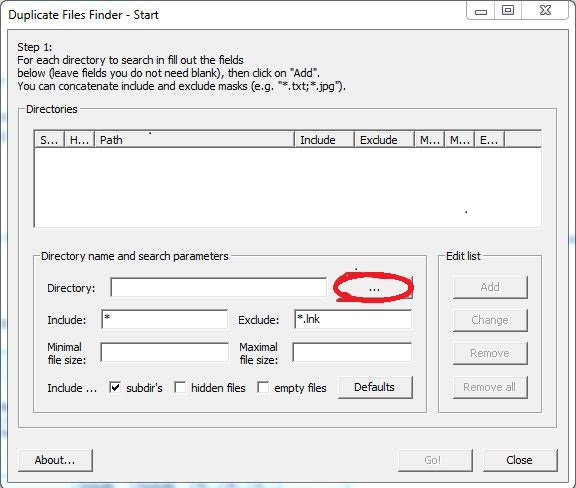
Open the Duplicate Files Finder and you will find this app window as shown in image below. Now click the button highlighted in the picture to choose the directory in which you are expecting the duplicate files. Once you selected the directory, click OK.

duplicate-file-finder - techniblogic

Step 3:

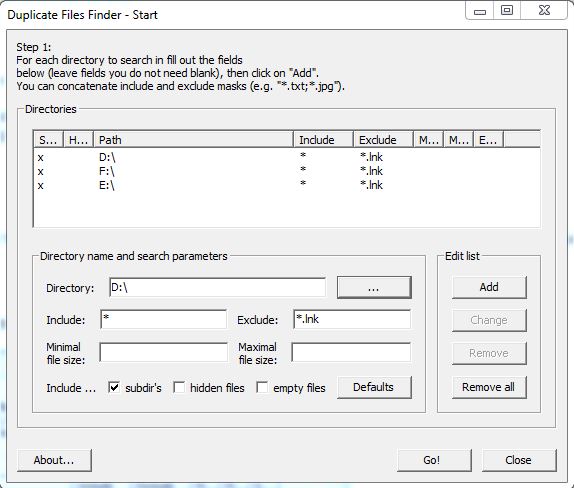
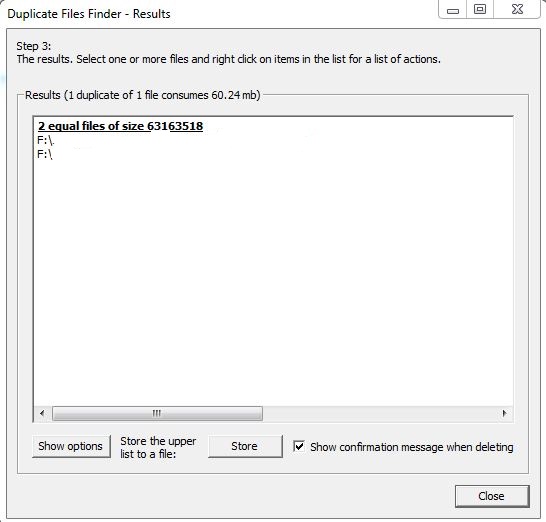
Now click on Add which is located at right hand side of directory option. Duplicate Files Finder gives you option to add multiple directories or folders at once in which you wishing to find the duplicate files.

selecting-multiple-directories-in-duplicate-file-finder - techniblogic

Step 4.

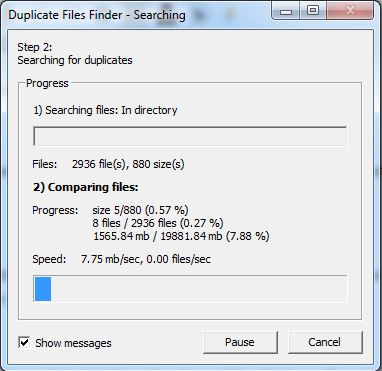
Once you selected all the directories or folders, click Go! Your Duplicate Files Finder will perform a quick search and return the names of duplicate files as well as in which folder they are being stored.

searching-for-duplicate-files - techniblogicduplicate-file-founded - techniblogic

Now You can delete the duplicate files from your windows without any issue and wasting any extra time finding the duplicate files manually.

If you find this post helpful? Tell us know in the comments!

How to Stop Google From Tracking you

Guys privacy is the main issue for everyone, at every place at every website. Even Google is tracking you at every point of time time. Every search you do on Google is being tracked by them. It will tell you your location the time the date at which you have searched that item on Google & what all websites you have accessed. In the past there was already the option that was being launched by Google through which you can download your Google search history and delete it from the server also. download and delete your search history.

And again they came up with the new thing where you can stop Google in being track you at every point of time and yes you have heard it right, you can stop Google from tracking your searches and browsing activity, websites which as visited by you , all the information from your devices, your different searches and commands, and even videos you search for on YouTube.

So, guys this post is to let you know how you can stop Google from snooping in your data, but Google claim that the data they collect is for enhancing the user experience on the web, so you need not to disable all the options. Here are the steps to disable Google tracker.

Step 1

The first step in order to do this is to login to Google Web and App Activity Page. Now click on Gear icon which will open some options.

Google Web History - techniblogic
google-web-app-activity-center - techniblogic

STEP 2

Now Click on Settings, it will open your accounts history settings. You can disable the searches and browsing activity from here or click on SHOW MORE SETTINGS to see other options.

google-web-app-activity-center-setting - techniblogic

Step 3

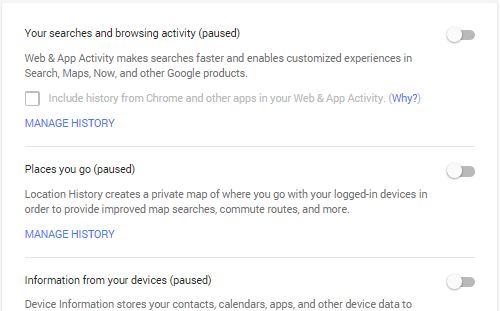
Now it’s final step to stop Google from tracking you, all you need to do is to disable the option by clicking on the slide buttons located at the right side of every option. Now you can disable the options you want.

stop-google-tracking-me - techniblogic

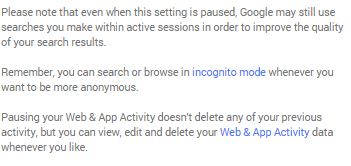
Now as you disabled Google from tracking you, you need not to worry about all the things you search on Google as it will not be able to track you further more. But yes, if they want they can still look into your search for sometimes in order to improve the quality of your search results, or as they say. To go complete anonymous, incognito mode is a better way.

google-warning - techniblogic

guys if you like this post do give your suggestion in the comment section below and do share with your friends for awareness purpose.

Top 10 Social Media Management Tools in 2015

3

Social media management tools have grown in recent years from purely offering publishing features to including social media monitoring and analytics . In this Post, there are 10 different tools that will help improve your social media management and add efficiency to your work flow. 

Buffer

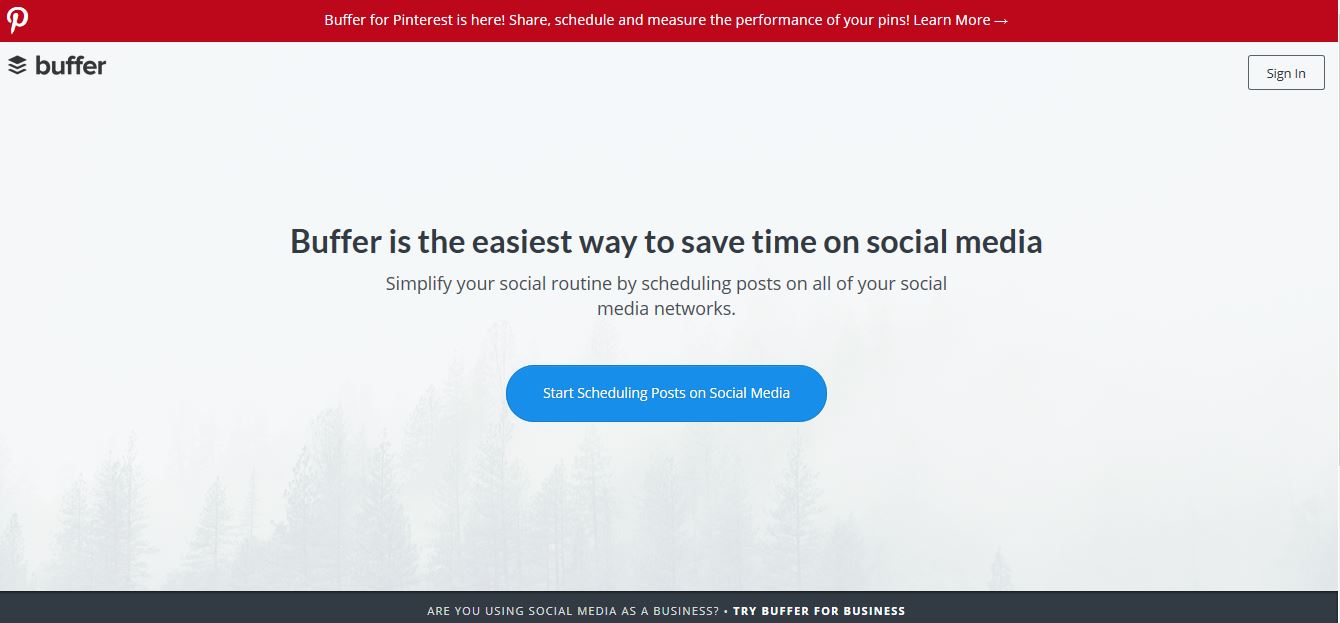
Buffer - A Smarter Way to Share on Social Media-techniblogicBuffer is a very popular social media scheduling application for fastest blogging sharing . This tool makes it easy to share content and automatically schedule the distribution to Twitter, Facebook, Linkedin, and Google Plus. Now, it works by staggering content throughout the day so you’ll set the pace and then Buffer will do the rest. What’s nice is it lets you continue to add content to your queue, you don’t have to worry about when to post it or about posting it too frequently. Simply fill Buffer with content it will also give you analytics about each post which lets you quickly see what ideas are working and what aren’t, and both free and paid plans are available.

VISIT NOW

IFTTT

IFTTT Put the internet to work for you-techniblogicIFTTT is an abbreviation for “If This, Then That” and this site helps you to create custom triggers to automated your social media sharing . With IFTTT, you’ll be creating what they refer to as “recipes”, essentially a set of instructions for what you want to happen. Now a recipe requires a source, which they refer to as a Channel, followed by a Trigger. The trigger is what has to happen before the tool moves on. Then, once the trigger occurs, you’ll tell IFTTT to take an action. You might create something that says, “If I post to Facebook, then post the same update to Twitter.

VISIT NOW

Hootsuite

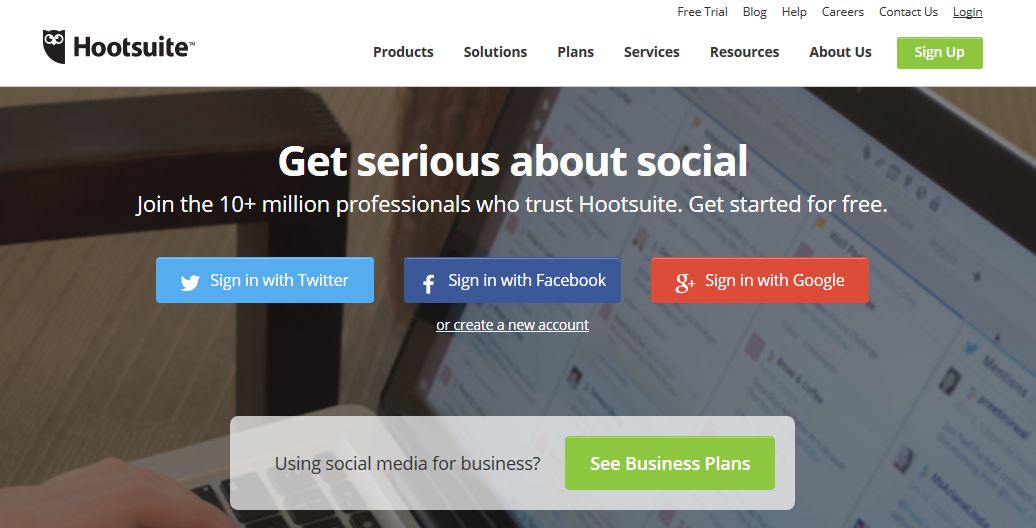
Hootsuite Social Media Management Dashboard -techniblogicHootSuite is a comprehensive social media dashboard. And it’s an excellent tool for small to medium-sized businesses. It allows you to manage your content across multiple social media channels, listen to conversations, and measure results, all from one dashboard. HootSuite is really great if you’re managing one or more of social media networks and trying to consolidate the workload. It’s also set up to handle teams, which makes it easier to conduct customer service since you can see what conversations have been taking place. Now, HootSuite has a lot of features, some free, but most are paid.

VISIT NOW

SproutSocial

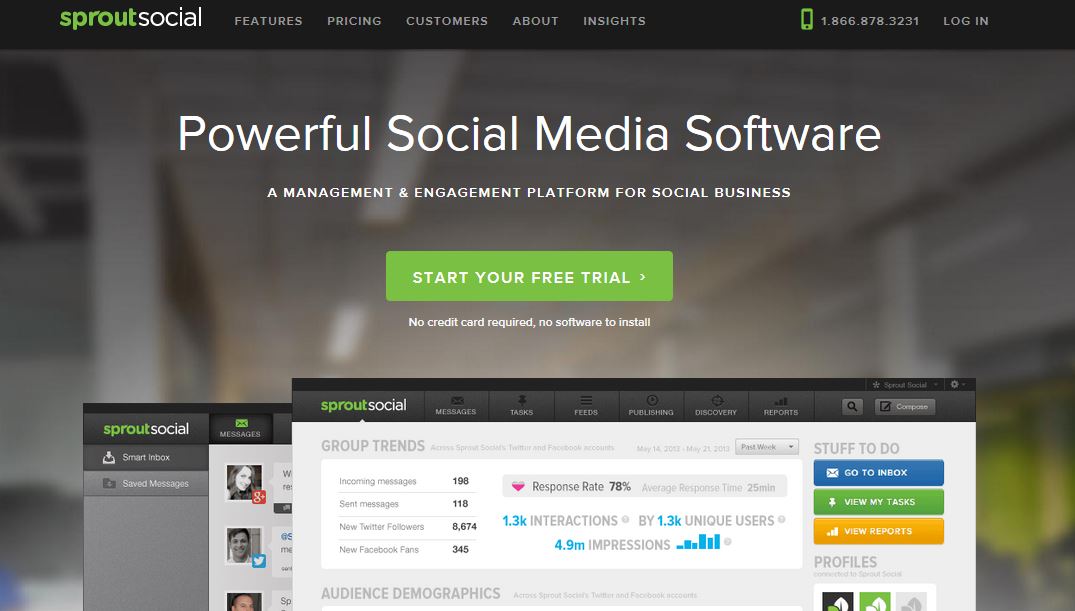
Sprout Social Social Media Management Software-techniblogicSprout Social is a social media management platform similar like Hootsuite, and it offers up the service to manage multiple social networks all-in-one place.  SproutSocial is a social media management tool created to help businesses find new customers & grow their social media presence

VISIT NOW

Pagemodo

Pagemodo Facebook Cover Photos, Photo Editor-techniblogicPagemodo is another unique social media tool with a bias towards Facebook, and in my mind, it has two key features, the ability to design visual Facebook posts and create an interactive Facebook page. It’s basic plan is $9.00 a month, which is a great value, but at the time of this recording, it was on sale for $4.50 a month, so it can likely be had for even cheaper. To show you the power of Pagemodo, let’s set up a free trial, and we can do that by choosing the large green button in the center of the screen. The first thing we need to do is add in our Facebook account, and be sure to use a Facebook account that is already connected to the Facebook page you want to be managing.

VISIT NOW

TweetDeck

tweetdeck-techniblogic

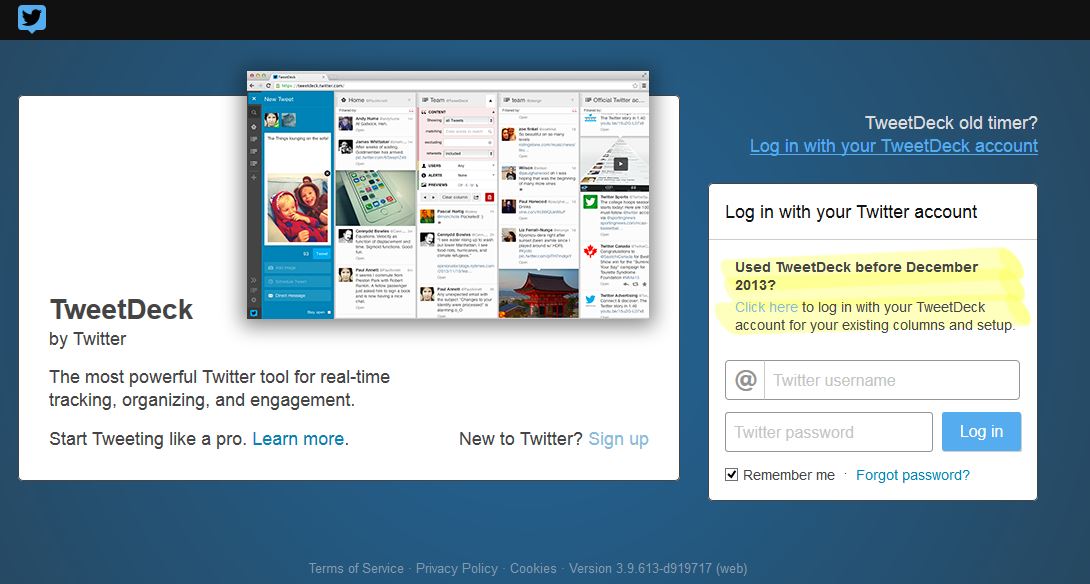
It is also a social media management tool for Twitter, As Twitter is constantly improving and updating their platform. With new features like Lists and Analytics . If you’re spending a lot of time managing your Twitter efforts,then TweetDeck is for you. This application is part of Twitter and it’s a natural expansion on the Twitter interface. With it, you can can create and build custom timelines, schedule Tweets, keep track of lists, searches, and even manage multiple accounts.

VISIT NOW

Raven

Raven Tools-techniblogic

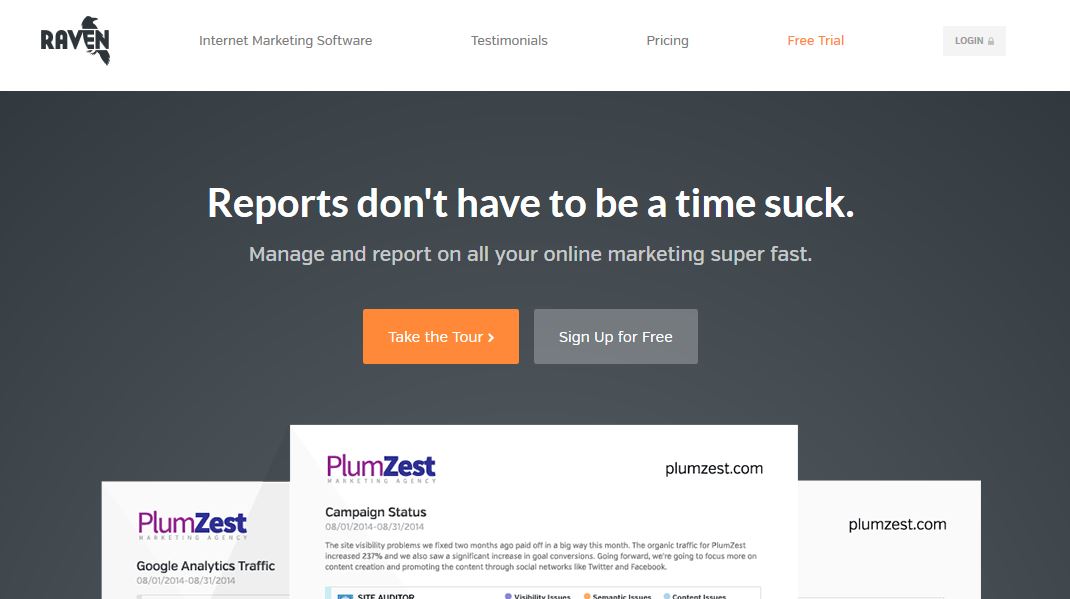
If you have a moderately sized social media presence, then Raven tools is definitely worth a close look. It’s similar in function to Hootsuite and SproutSocial, but it’s tailored more for those who manage a lot of accounts. With Raven social, you can do all the basics of a social media dashboard: plan and distribute content, review mentions, and understand your data. But they go above and beyond with their brand monitoring software. They’ll look for mentions of your company around the web as well. In addition to their social media suite, the dashboard features SEO tools, content management software, reporting, and even pay per click management.

VISIT NOW

SocialBro

SocialBro – The 1 marketing platform for Twitter -techniblogic

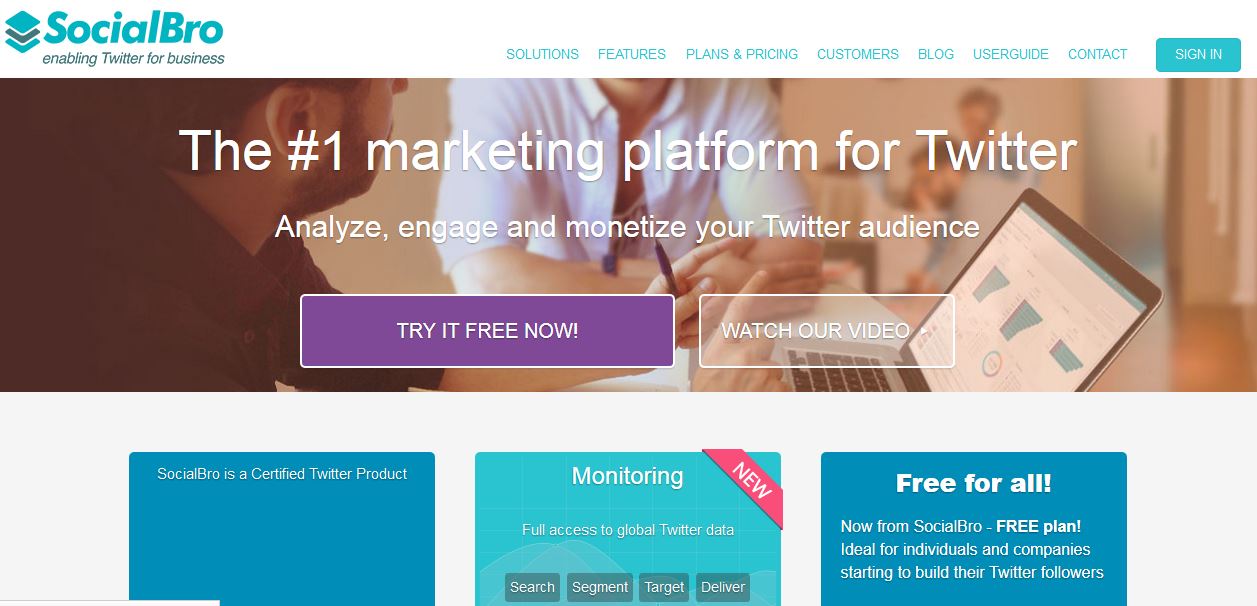
SocialBro is a social media management tool , if you are conducting a lot of marketing on Twitter. This tool is for you , it will provides you with more depth than the standard Twitter interface. SocialBro has four main features: targeting, engagement, analytics, and management. With their targeting platform, you’ll be able to identify opportunities. You can then monitor Twitter for hash tags and conversations about your brand or even your competitors.Hope you will like it

VISIT NOW

Everypost

Everypost-techniblogic

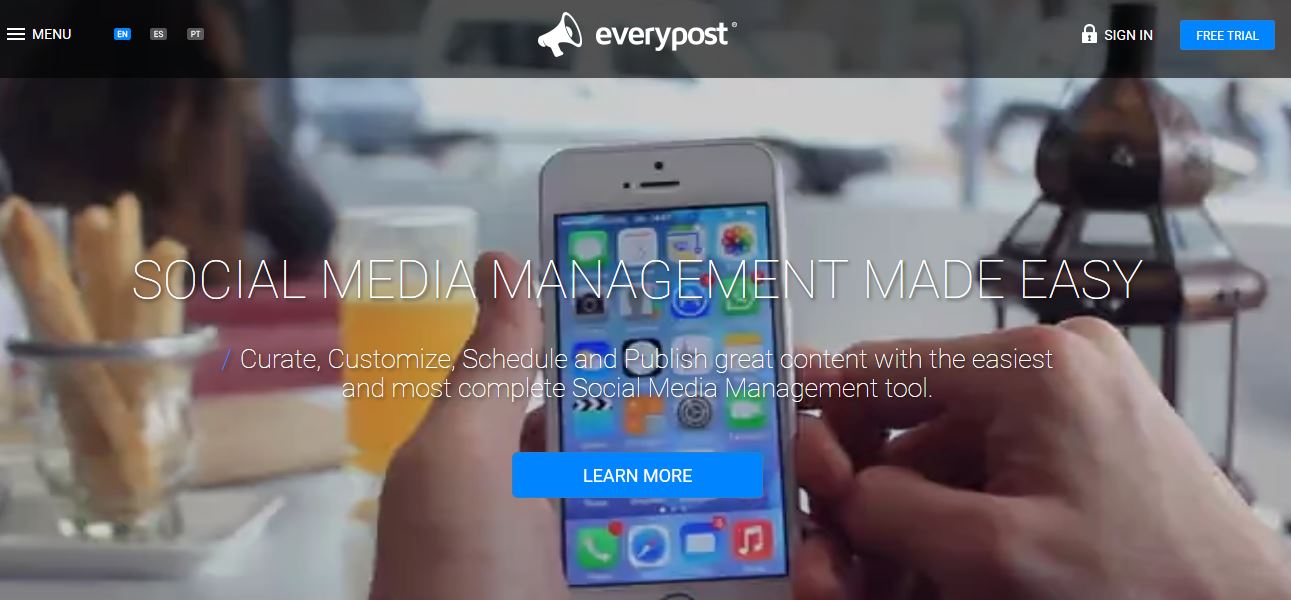
Everypost brings the ability to post content to all of your social media networks directly from your mobile phone. The mobile-only interface is intuitive, and it makes it easy to manage your social presence on the go. It’s not packed with a lot of features, and I think that’s actually a nice thing. One of the nice features is the ability to customize your social media posts per network, so you can draft one message but tweak it slightly to fit the 140 character requirements of Twitter. 

VISIT NOW

BuzzSumo

BuzzSumo Find the Most Shared Content and Key Influencers-techniblogic

Social media is really a good platform for sharing your content. Well thought out, engaging, and relevant content provides exposure to your brand and helps to increase your popularity in the social world . BuzzSumo is a content marketing tool that allows you to explore and discover content to see what works and who’s influential in delivering the message. The first is content insights, which allow you to discover what content is popular on all social networks, and you can even run some comprehensive reports.

VISIT NOW

What is your favorite social media management tool?

Huawei Honor 4X Direct attack on Xiaomi Mi4i

hey guys it was 24th April 2014 when xiaomi has his great global launch in Delhi at  siri fort auditorium where they just launch their new device the “Xiaomi Mi4i” which is just a great device with all the feature and the new display which is sunlight friendly and with new 2nd generation snapdragon 615 processor which according to them will heat not that much, what actually they meant about this line will be able to know after the phone will be available to the users.

And today which is 27th April 2015 Honor comes with a direct attach on xiaomi Mi4i on there official website which is hiHonor, where they directly compare some of the features of both the device on the website with also making the fun of the tagline of xiaomi lauch event which was “i is coming” which honor just converts into “i was wrong”

i-is-coming-launch - Techniblogic
i-was-wrong - techniblogic

There are different comparison between them like:

Mi4i doesn’t support the card slot by honor 4x does.

hono4x attacks card slot on Xiaomi mi4 - techniblogic

Same with the Screen size

hono4x attacks screen size on Xiaomi mi4 - techniblogic

camera sensors of both the devices

honor4x attacks camera on Xiaomi mi4 - techniblogic

And, the best part the prices of both the device which is the main difference.

honor4x attacks price on Xiaomi mi4 - techniblogic

but with there is a lot more difference also which we should consider before getting to the actual point which is better like:

Mi4i has 2nd Generation snapdragon 615 where as honor 4x comes with snapdragon 410.

Mi4i has better sunlight capabilty

and many more difference which will be practically known after the device get officially launched in the market and the users will buy the product and give there comments then only we can get to the actual point of comparison.

But, the main point is the direct attach which is done on the official website og honor.

So, guys what do you think about it, is it right.

Please give your view in the comment below.

Person Finder launched by Google for Nepal Earthquake

Guys this post is special for the people whos relatives or any one is there in nepal and they are not able to find it after the natural distaster of earthquake over there. The google which is the master of all search engine in the world has launched the application using which they can find there knows by using it.

GOOGLE PERSON FINDER FOR NEPAL EARTHQUAKE

The main function of the app is to find the victim of earthquake in Himalayan Kingdom of Nepal. The web application is focused on to help people gather and relay information about those who are affected by the disaster.

person-finder-for-nepal - Techniblogic

The web application is aimed at helping individuals to post details of the victime and search for the status of family members or friends affected by the earthquake in the area.

The application has two options

  1. ‘I’m looking for someone’
  2. ‘I have information about someone’

For those who are looking for someone trapped or lost in the disaster, they can click on ‘I’m looking for someone’ and type in his/her name.

person-finder-for-nepal-looking-for-someone- Techniblogic

& If an individual wants his relatives or friends to know that he is safe, or if he has heard from someone or about someone stuck in the disaster affected area, then he can share the information through ‘I have information about someone’.

person-finder-for-nepal-have-information-about-someone - Techniblogic

Google is offering People finder support in both English and Nepali.

The internet giant has used this application previously too during natural calamities in Jammu & Kashmir last year and in Uttarakhand in June 2013.

A  earthquake killed thousands in Nepal on 25 April 2015 morning. The massive 7.9 magnitude earthquake rocked Nepal with devastating force less than 50 miles from the capital, Kathmandu causing tremors in northern India as well.

Please a request to everyone to share this article or this app Google Person finder with everyone so that they can able find who they want to and maximum people can be benefitted out of it.

Download Your Search History from Google

Google now allows there users to download or we can say to export there search history which can be risky as well a useful features for some of the users. As if they make the history share publicly someone can misuse it and it can be useful as to know the different search they made and learn difference thing using analytic by it.

Last year Google have tested this feature of downloading the history of search and now finally this feature is available to everyone out there on the web.  you all might be thinking that what is the use of download the search history? but the main point is that no one wants trail of their Google search behind, and it is an efficient way to check what Google is storing behind you on there server.

This feature was discovered by a blog and it tells that tells “Google now” lets your export all your search history to Google Drive and then you can download the searches in a ZIP archive form. The files in the ZIP archive are arranged by year and quarter.

Here is how you can download your Google search history, take a look:

Step 1.

To download your search history, first you need to sign in to that account then head on over to Google Web History. Now Click on the gear button and click on download.

Google Web History - techniblogic

Step 2.

Now Google will display you a warning as your Google search history may have some sensitive information.

It’ll be good if you are not downloading your search archive at public or shared computer. Now click on Create Archive.

Google Web History Download - techniblogicGoogle History - techniblogic

Step 3.

Now open your Gmail account and you will find an Email, open it and you can download your Google search history from there.

Warning: Do not download your Google search history at shared or public computer.

Whatsapp Video Calling Is there

So Finally after Voice calling which was just integrated to Whatsapp on there android platform last month, and on Iphone’s it was launched this week only. Voice calling features was liked by everyone as most of the population are now a days using whatsapp and it is really very easy to call and be in contact using whatsapp.

So after launching the voice calling Facebook the owner of whatsapp are going to integrate video calling on the whatsapp which is again going to be a very useful feature and it may going to replace Skype from the smart devices. If it comes In may, which it can be, it is going to give a very tough competition to Skype and other video calling services which are there in the market like Hangout, Skype etc.

As Facebook has invested a huge amount of money to take Whatsapp and to gain a large number of audience using it they are going to use it with every new aspect and Facebook messenger is going to integrate whatsapp in it.

Facebook messenger is also now on Facebook web messenger just like whatsapp web which is very useful feature who just don’t want to use there phone for chatting other purpose rather they enjoy chatting while typing on a PC keyboard.

A recent report by The Rem claims that WhatsApp is all sent to roll out free WhatsApp video calling feature in May. According to the report, messaging app has already out a trail version for WhatsApp employees.

WhatsApp-adding-a-new-‘video-calling’-feature- Techniblogic
image – therim

This unannounced feature will be initially available to selected Android users which are actually the employees of the company and may be in the near future it is going to be available to all the other devices.

So, what do you guys think about whatsapp video calling. Please do share your views in the comment.

Xiaomi Global Launch in India Updates (Live)

Hey guys i know you all must be exited to know all about the Xiaomi event which is going on in Delhi at Siri Fort Auditorium, Asian Games Village Complex, Gautam Nagar, New Delhi so here are some of the updates and pics i have just click it over here and soon the post will be updates with every new announcements which will take over here in the event so till then sill say and welcome Xiaomi in India fro its first global launch.

Hands On Video

Xiaomi Mi4i hands On & quick Overview - Techniblogic
Xiaomi Global Launch going to start in 5 mins with hugo barra on stage - techniblogic
Xiaomi Global Launch going to start in 5 mins with hugo barra on stage

And finally the name is out with Xiaomi Mi4i the new device from xiaomi is going to launch.

Some of the blur images of xiaomi mi4i HD images will be uploaded soo

It comes with a larger battery of 3150 mah with 4.4v Battery which highest charging rate till now with comparison to any of the device in the market

xiaomi mi4i lauch with price INR Rs. 12,999xiaomi mi4i lauch with price INR Rs. 12,999
xiaomi mi4i launch with price INR Rs. 12,999

The main thing is its price at which it is going to be release with registration which is exclusively with Flipkart only not with amazon.in and snapdeal.com after contract also.

Goodies received by the visitors at the Event.

Xiaomi mi4i Launch Goodies Received by visitors - techniblogic
Xiaomi mi4i Launch Goodies Received

There is a

– Key chain In shape of Xiaomi Logo

– T shirt with MI branding

– MI band (Which was the surprise) for the visitors.

Xiaomi mi4i Launch Xiaomi Key chain Received by visitors - techniblogic
Xiaomi mi4i Launch Xiaomi Key chain Received

Thinking of rooting your Galaxy S6 or S6 edge? Don’t else you will lose some important features

Hey guys finally back after a long break with a great news due to which the Galaxy S6 or S6 edge user may loose some of these important feature which are really important in many of the cases. As we all know earlier in this month April 2015, Samsung has released it two new flagship devices Samsung Galaxy s6 and Galaxy s6 Edge with new UI (User Interface) by cutting down some of the in the newer version of TouchWiz, but still some of the people are rooting there devices so that they can disable or remove some the apps which are not required by them while using there device which will additionally make the UI more smoother and increase the disk space too.

However, if you still ROOT it you will loose Samsung Pay feature as the integrity gets breached, which is really very important for such sensitive features like mobile payments. If you think that Samsung Pay is of no use to you, think again as it use your fingerprint to authorize payments through your smartphone at payment gateways just like Apple Pay you but Samsung Pay work much better than Apple Pay as t is compatible with MST (Magnetic Secure Transmission) as well as NFC based payment systems.

samung-pay-techniblogic
image – sam mobile

MST is the technology due to which you can pay at any place where there is the support for your debit card your credit card you can swipe the card without having the card by just putting your finger on the fingerprint sensor to give the payment portal access.

Samsung acquired LoopPay in February, in order to use MST in the Galaxy S6 and the S6 edge, and may be in future, we’ll see more Samsung devices making use of Samsung Pay.

Even at the start LoopPay’s idea was better, but they initially failed because they were trying to sell cases for iPhones which were embedded with MST. However, now that Samsung’s devices are embedded with that technology, the adoption would be much better with better looks too.

At this point of time, Samsung Pay is a much better payment system according to me if you want to use your smartphone for making payments.

Top 5 Websites to Get Free Facebook Likes

0

In order to achieve success on Facebook you must have anyone who listening to you, and if there’s no one listening to you, it’s difficult to build brand awareness as well as It will reduce the Traffic as  your popularity in the Social World Decreases

You may also like :

Therefore,Here is a list of Top 5 Websites to Getting Free Facebook Likes , Twitter Followers, YouTube Views, YouTube Channel Subscribers, Google Plus, Google Circles and website views easily and free.

Addmefast.com

AddMeFast is a network that will help you grow your social presence. It allows you to look and choose who you want to like/subscribe/follow/view and skip those who you are not interested in.  Easy registration, 50 points at the start and 200 daily bonus points for active users. It has more than 3.000.000 active users from more than 220 countries

Addmefast.me

AddMeFast is the best & free way to advertise your social network pages including your website & earn money while you’re using

With AddMeFast, you can now EASILY earn money by converting coins into real cash. Which can be used to withdraw or buy AddMeFast goods with the Minimum of $0.50 withdrawal ( Paypal payouts only )

Youlikehits.com

YouLikeHits is a promotional tool that will help you grow your Twitter, MySpace, YouTube, Google+, StumbleUpon, Pinterest, SoundCloud and Websites for FREE. It allows you to pick and choose who you want to follow, like, friend, view, share or visit and skip those who you’re not interested in

Likesss.com

Facebook Auto Liker & Follower tool for those who want to gain fame among their friends & catch their attention by popularizing their status & photos likes . It is one of the Best Facebook Auto Inviter, Liker, Auto Commenter and Auto Follower website since 2012 with over 2 million users. And the Best Part of it is that no need of Earning any Points for Exchanging the Likes . Just you have to enter access token and you will start getting followers.

Like4Like.org

Like4Like Social Exchange allows you gain social attention instantly.Gaining Social Attention is very simple. Every time you like,follow or view another member social media pages you will receive coins which then you can use to get more followers, likes, views or visitors to your website or social media pages.

Its provides Facebook Photo Likes,Fanpage Likes,Facebook Followers,Facebook Website Likes,Twitter Tweets,Twitter Followers,Google+ Followers,Youtube Likes,Youtube Subscribers,Youtube Views,Website Traffic,LinkedIn Shares,StumbleUpon Followers + Banner Exchange For Effective Advertising.

Feedjit Vs Live.Nimlinks.com : Why I Replaced Feedjit?

Real-time visitor tracking tools have been popping up ever since 2007. Therefore there are Many Websites which are giving the live tracking services .Here are collection of Top 5 Tools For Live Website Visitor Tracking in 2015 which I founded.

Among them, Feedjit is perhaps the most popular traffic counter commonly seen on majority of free blogs (especially those hosted freely on blogspot) in early days .Its intuitive way of displaying live visitors is still unparalleled to any traffic counter of its kind! If you are a regular reader of this blog then you might have noticed a small change – Feedjit gone and Now I Replaced it with ‘ The Ultimate Live Tracker ‘ by live.nimlinks.com

Live.nimlinks.com is a great upcoming Web application which is Better then Feedjit in many terms and Features . I also Posted a full review of Live.nimlinks.com Web Application CLICK HERE

The main Difference between them are follows : 

Design

Feedjit has a very ugly looking unresponsive design  as well as it doesn’t match with the new material design, websites templates which are mostly used these days, where as live.nimlinks.com has a fully responsive and material designing look and feel with its tracking widget in a very small packet.

feedjit-widget-techniblogic
feedjit widget
livenimlinks-widget-techniblogic
live.nimlinks.com widget

User Interface

Both are having the same type of User Interface as both of them shows the visitors data in a Tabular Form but Live.nimlinks.com shows more information of visitors then Feedjit, like Detailed Info and shows the visitors Online Countries in a 3D Map which helps to easy track of the visitors and from where are they coming (which country).

feedjit-table-techniblogic
feedjit visitor tracking table
live.nimlinks.com  visitor tracking table
live.nimlinks.com visitor tracking table
livenimlinks-geoglobe-techniblogic
live.nimlinks.com visitor globe

Tracking Features

The Feedjit Live Traffic Feed is used to track live traffic in real-time and it is the only Feature that Feedjit is giving but it is not same as the The Ultimate Live Tracker (live.nimlinks.com) .The Ultimate Live Tracker gives the main Live Tracking Traffic Feature as well as it is also giving the feature of Page view Counter and Online Visitors Tracking . Thus, It is the Combo( All in One ) of :

 Live Tracking Feed+ Visitors Online + Page Views Counter

Advertisements

Ads are the main Source of generating  Revenue from the visitors but it is not good to show others ads freely on our website to get the Tracking Service . Feedjit make the the Widget more Wired by showing the Advertisements under every Widget on every Website , It also  looks ugly on the website and may cause a bad looking website experience, but  Live.nimlinks.com shows no ads of any advertisements companies and it’s looks cool and match with the website theme with its Material Design Template.

WordPress Plugin

It is quit nice to have a WordPress plugin because if you are running a WordPress self hosted Website or Blog, you can just click on the Install button and the widget is there, no need to copy-paste the code . And if you want to change or modify the Designing of the Widget just change the WordPress Widget Settings and your widget design will be modified according to your needs, no need for copying and pasting codes again and again to change a simple color of the widget .

Both Feedjit and live.nimlinks.com have released a WordPress Plugin for the WordPress Users .

Feedjit have a WordPress plugin called ‘ Feedjit Live Traffic Feed ‘ .  It gives all the useful features of installing and customizing the Widget .

feedjit-Customize-panel-techniblogic
feedjit Customize panel

But Again it misses one important feature that every user need and i.e. the Live Preview of  Changing Widget Design in Widget Customizer Panel . The point is if you can not see that what has being changed in the widget and how it exactly looks like after changing the color and other things , we have to SAVE it again-again to see how the Widget will Look in different color combinations on our website.

Live.nimlinks.com also have a WordPress plugin called ‘ The Ultimate Live Tracker ‘.  Both the Plugins have the Same Functioning but in this WordPress Plugin there is a lot more freedom of Customizing the Widget as well as it shows the Live Preview of the Widget Design by Changing it in the Widget Customizer Panel.

livenimlinks-Customize-panel-techniblogic
live.nimlinks.com Customize-panel

As it is Shown in the above image, it has a feature of Viewing the Live Demo of whats the Widget will exactly look on the website without again – again Saving and Viewing on the Website.

Conclusion (Feedjit Vs Live.nimlinks.com)

As I already say , Feedjit is lacking with various features as compare to Live.nimlinks.com and Live.nimlinks.com is giving all of these features for FREE without charging any single amount of money. these features are now-a-days are very important which The Ultimate Live Tracker by live.nimlinks.com giving under one single block of code. Due to which i was being forced to change the plugin and to change the service from feedjit to live.nimlinks.com.

Hence, I Strongly Recommend you to go for the “Live.nimlinks.com” The Ultimate Live Tracking Widget and get a responsive great design as well as the Tracking Accuracy in a Single Packet with No-Ads which is clean and safe to use.

How to Bypass Candy Crush Saga’s Waiting Period to Get New Lives & Levels Immediately

Hey guys you all must love to play Candy crush and just love play it ion idol time, likw while traveling or when you are getting bore somewhere. But sometimes while playing the candy crush you just loose your lives which are actually 5 times and you have to wait for a particular time to get the life again to play the game and to make other level unlock.

So, this irritation and frustration can be removed from candy crush saga’s by just a very simple HACK which can be done by anyone any time any where and get unlimited life’s and level immediately to play. They just don’t have to wait a lot to get more life’s to play the game further.

This can be done by bypass the time restrictions, and the video guide from KiboshGaming will guide you how you can do it on both Android and iOS devices.

Actually there is no real “hacking” involved over here. Whenever you lose all 5 of your lives and have to wait to play, you simply change your device’s date and time manually to trick Candy Crush to give you more lives earlier before the actual time. This also will help you bypass the 24-hour time restrictions for new Mystery Quest levels—without bugging your Facebook friends.

candy-crush-saga-time-bypass
image – KiboshGaming

Getting New Lives Faster on Android Phones & Tablets

It’s a really very easy process, but you have to follow it exactly. The below instructions are for a Nexus 7 tablet with Android 4.4 KitKat, but adjusting time/date settings on other Android devices will be very similar.

  1. Lose all lives
  2. Exit the Candy Crush app
  3. Open your device’s Settings menu
  4. Tap on Date & time
  5. Unselect Automatic date & time
  6. Tap on Set date
  7. Change the date to at least 1 day earlier
  8. Tap on Done
  9. Exit the Settings app
  10. Go back to Candy Crush
  11. Verify you have new lives
  12. DO NOT PLAY
  13. Return to your Date & time settings first
  14. Select Automatic date & time
  15. Then go back to Candy Crush and play

If you start playing before you change the date/time back to automatic, the next time you lose all of your lives you will receive a ridiculously large countdown to your next set of lives. This amount of time will roughly equal the amount of time you set your date back.

To fix, just go back and set your date/time manually to be ahead of the countdown time, verify you have new lives in Candy Crush, set the time/date back to automatic—then play.

Getting New Lives Faster on iPads, iPhones, & iPod Touches

To get new lives quicker on iOS devices, the process is pretty much the same as above. The instructions below are for an iPhone 7and for ios 8 I have not tested it yet.

After you lose all of your 5 lives in Candy Crush, or when you receive one of the 24-hour waiting periods during a Mystery Quest level, you’ve got to do the following steps exactly. If you screw up, you’ll get a really large countdown clock the next time you lose all of your lives or finish a Mystery Quest level.

  1. Lose all lives
  2. Exit Candy Crush
  3. Go to your Settings app
  4. Tap on General
  5. Tap on Date & Time
  6. Disable Set Automatically
  7. Tap on the current date
  8. Change the time ahead (3 hours works; 1 day is easier)
  9. Go back to Candy Crush
  10. Verify you have 5 new lives
  11. DO NOT PLAY
  12. Go back to the Date & Time settings
  13. Tap on the Set Automatically button
  14. Go back to Candy Crush
  15. Play
  16. Repeat

And that’s all steps you need to follow every single time, you’ll never have to wait to play again, you’ll never have to connect to Facebook to bug friends, and you’ll never have to pay the amount of money.

How to use Dedicated Facebook Messenger

1

Facebook is coming daily with some kind of new innovation in there products. couple of days back there was a news from Geek times regarding Whatsapp is Integrated in Facebook using Facebook app which can be privacy issue for many of the user of whatsapp. As whatsapp is meant to for privacy purpose because of their encrypted servers.

Now, Facebook continues to make the Messenger stronger by taking the new step by launching the new dedicated messenger service firstly on web server with the name of messenger.com. On Wednesday, 8 April 2015, the social networking giant reveals its plans with new service of a dedicated chat interface. Till now this service has been launched to only English speaking regions and soon its going to be rolled out with different language support to the other part of the world.

Now you can chat with your Facebook friends by using messenger.com. As company wants the user to give different experience on messenger.com as they will not be distracted by the news feed and other updates of our friends which we receive on the Facebook page after lo-gin in. This can be a step where may be in the future Facebook is going to make Facebook and messenger.com a different platform by providing some kind of safe and private server for chat like whatsapp offers.

How to Use Dedicated Messenger for Facebook chat?

Step 1:

Open Messenger.com on you web browser & you will see the following screen.

Facebook-dedicated-messenger
Image – messenger.com

Step 2: 

Login using your Facebook account username and password. You will be directed to the Messenger in your web browser & it will look like this.

Facebook-dedicated-messenger-chat

Therefor, Facebook is working pretty hard to making it service better and powerful by implementing them in new ways, like integrating of whatsapp in Facebook , giving whatsapp calling feature in it and may in future whatsapp video calling also.

So, Guys did you like this idea of a making a separate Messenger for web browsers? Tell us in comments!

Top 5 Android Apps for Cleaning Up Junk from your Phone

0

Every user of Android has some of the problems which are common among them and being faced by every one like draining of Battery and collection of lot of JUNK and unused waste files in the system of android like CACHE etc.

Also Read: Best way to Optimize and Save your Smartphone Battery

Now finally there are some of the developers working on the problem, so that the problem of memory full or please delete some files to install any app message can be removed just by cleaning up some of the wasteful of files which are being created by the system while the use of different app.

First, we will start with what are the Junk files or cache which can be deleted and will not harm the device rather it will make the device faster then it was before.

What is cache? (Wikipedia)

A cache is a component that stores data so future requests for that data can be served faster; the data stored in a cache might be the results of an earlier computation, or the duplicates of data stored elsewhere which will ultimately increase the RAM usage and data duplication in system storage.

It is very important to use a good cleaner else a bad cleaner app can block the disk space and even could possibly infect the device with unwanted virus and malwares however, not all cleaner apps are bad.

Top 5 Android Apps for Cleaning Up Junk

Clean Master

Its an excellent all-in-one package. Its cleans the junk accurately, its super fast and has good User Interface and it has a superior award winning antivirus.  Lets check the main features:

  • Cooling feature: This feature helps user to find the app which is causing the device to overheat and stop that app thus helping user to get a longer lasting battery.
  • Junk cleaner: Deletes cache and unused files to reclaim storage space hence improve the performance and speed of the device and SD card.
  • App Manager: Helps user to Uninstall unwanted apps or bloatware and back up the important files.
  • Antivirus: Scans the system for viruses, Trojans, vulnerabilities, adware and spyware. Clean Master also removes personal information from the device hence helps to maintain privacy of the user.
  • Memory booster: Helps users to boost games and apps, free up the CPU memory (RAM) which in turn helps to speed up the device and save more battery.
  • No root necessary in this app.

Download

Top-5-Cleaning-apps-for-Android
Image – Clean Master

CCleaner

Piriform has created an excellent cleaner known as CCleaner. CCleaner is the ultimate cleaner application which wipes off the junk files and makes the Windows and Android devices much cleaner and faster. The PiriForm CCleaner application also identifies the Junk data on the device through various scripts and codes and this cleaner will not delete any data without user’s permission or command.

  • It helps in increasing the speed of the phone as it can delete application cache, browser history, clipboard content and old call logs to name few of its features.
  • stalled applications can be removed quickly hence the reclamation of available storage space is easy with the CCleaner.
  • It is very easy to use even for first time users as it has been provided with simple User Interface helping users to get into the cleaning mode with just simple clicks.
  • No root necessary
    Piriform CCleaner can be downloaded for free of cost from below given

Download

top-5-android-junk-cleaner
Image – ccleaner

Startup Manager

It has been seen that sometimes the booting of the smartphone takes a very long time. This can be fixing up by configuring the start up apps which start at the time of first boot of the device like we do in our windows Operating system by going in msconfig option.

Now, the Startup Manager cleanup app, comes into the picture. The Startup Manager detects all the apps which run at startup, this includes the system apps as well as the user-installed apps. Once Startup Manager detects the trouble causing app, user would just need to disable that app from system startup by unchecking  the application from the list …Please note the item could be rechecked to restore and it will start again hence using Startup Manager is quite easy. The Startup Manager works on non-rooted devices also.

Download

top-5-android-junk-cleaner
image – Startup Manager

Duplicate Contacts & Utilities

As the name suggests this is a simple app that can help user to get rid of duplicate contacts and the app and also has some features which can help user to manage their contacts in much organized way. The app has some useful features like Duplicate Contacts Detector; Duplicate Contacts Remover based on Number and Name; Remove Unused and Duplicate Email Contacts; Remove Duplicates With In a Contact including Invisible and Empty Contacts; Import or Export Contacts on PDF and excel spreadsheets. The Exact Duplicate Removal and Merge Duplicate Contacts features are the Pro features or the paid services.

This app does not require to be rooted and it is easiest, fastest and secured way to organize the contact list in Android devices.

Download

Duplicate-Contacts-Utilities
image – Duplicate Contacts & Utilities

History Eraser

The History Cleaner helps user to clear the history of the apps on their devices. No root permission is required for this app. Usually the smartphone apps tend to use a lot of details from the history of the visited sites just for purpose of snooping for e.g. some ad agencies. With the History Eraser user can thus clear the history of the different apps and protect their privacy from snoopers and it also helps user to free up the internal storage.

With a single click History Eraser automatically clears Call logs, Browser history, Text messages, Google Search history, Gmail search history, YouTube history, all the Cache files, Clipboard data and many more. The History Eraser is available for free of cost however this version is accompanied with ads hence user can upgrade for paid version and get an ad free service.

Download

History-Eraser-Privacy-Clean
Image- History Eraser

These are the few Cleaner apps which can help you to get a better performance from their Android smartphones and tablets along with an increase in the storage space.

Please feel free to suggest the apps which they are using currently to clean up their devices and feel are better than the ones mentioned above. Please leave the details in the comment so that other readers might get benefit from those apps.

Best way to Optimize and Save your Smartphone Battery

All of us are having the android devices now a days, but the main issue of these devices are their battery life. As these device are have high end processors and ram and GPU’s due to which there consumption of battery increases and not even last for a single day, due to which we are having limitations of  battery capacities on Android devices.

Because of this issue there is app named “Greenify” which is going to maximize your battery life and will make your battery last for longer period of time. Initially when Greenify was first created and launched, it was not support on non rooted phone. Last year, Greenify’s “Auto Hibernation” feature was made fully accessible and usable on non-rooted smartphones. Greenify was selected as Lifehacker’s Top 1 Utility in 2013 Best Android Apps and Android Authority’s Top 3 Best Root Apps . Its battery saving benefits can currently be used without having root access in the phone which is a great way to save the battery of the android device.

Auto-hibernation means you can hibernate the apps that are selected so they don’t run in the background and will automatically decrease the power consumption of the device. with the free version of the app there is a limitation too which is  only apps from the Play store can be hibernated and not system apps can be hibernated, until the app is being upgraded to pro version by paying certain amount of money to the vendor.

Now, we come to the main point which is how to use Greenify on any android device. So, lets start:

How to Use Greenify
  • Download the Greenify App from Google Play(Download)

How-to-use-greenify

  • Open Greenify ,press add apps.

How-to-use-greenify

  • Select apps that you wish to hibernate and press done.How-to-use-greenify
  • From the list of running apps ,select apps for hibernation and click hibernate.How-to-use-greenify
  • Press Force stop to manually hibernate. To automate click Enable Automation.

How-to-use-greenify

  • Select Greenify and enable it.
  • Go back to Greenify App press hibernate button again,
  • Now your apps are successfully hibernated.

How-to-use-greenify

  • How-to-use-greenify
  • To make hibernation easy you can create ( Hibernate now or Hibernate+lock) shortcut or you can try using Auto-hibernation Now (need to be enabled in experimental features setting and does not support all devices)How-to-use-greenify
  • Next time you can click the shortcut on home screen or Google Pull up” gesture on Home soft-key to hibernate.

This is going to be the best way to save the battery of your android device.

If you guys have any of the query do let me know by commenting below.

Xiaomi and It’s Exclusive Partnership In India

Finally xiaomi has announced a partnership in India with two companies on the occasion of completing their five years. Xiaomi has announced that they will be joining hands with Snapdeal and Amazon as the company’s distribution partners and providing their products on their E-commerce portal which going to be awesome because now along with Flipkart, the Mobile Store and the Bharti Airtel stores, Xiaomi products will soon be available on Snapdeal and Amazon too which means  their will new offers on the xiaomi products on behalf of E-commerce portal because of competition among them.

We currently don’t have any other  information about if they’re going to stop the flash sale system just yet, though one thing is for certain – Xiaomi is here for a long period of time and want to capture and large market over here in India.

Manu Jain, India Head of Xiaomi, confirmed the same via a tweet –


Xiaomi entered the Indian market with the Xiaomi Mi3, which was launched on Flipkart in July 2014. Since then, the company has been releasing several handsets via Flipkart through the flash sales.

The company is also going to come up with a range of offers for their customers in India which will be valid only for a single day, i.e., April 8th, from 12 noon to 12 midnight. As according to their offers, the Xiaomi Mi 4 will get a price cut of Rs 2,000 on both, the 16GB and the 64GB variant. Buyers who want to purchase the Redmi Note 4G from online partners, Flipkart, Snapdeal or Amazon, will receive a Mi in-ear headphones for free and If the same Redmi 4G is purchased from the Airtel or The Mobile Store, the buyer will receive a 5,200mAh Mi Power Bank for free.

For Snapdeal, this will be a major upgrade as they have been left behind in getting exclusive partnerships with major tech brand. Meanwhile, Flipkart already enjoys the exclusive partner status with several smartphones like Motorola, Huawei (Honor series), Lenovo, etc. and Amazon is the exclusive seller of Micromax, Yu Yureka and OnePlus One.

So it’s going to change the market for snapdeal also.

No Waiting for the  Redmi 2 SALE , Buy directly by this Link (Click Here)

Microsoft Office Lens: A Scanner for Android and iOS

hey guys are you sick of clicking the pictures of all the notes on the whiteboard in class or meeting, or notes pictures from the friends and the pictures are not clear because of its camera angle and lighting. You just get frustrate when you really want that notes and you are unable to read it because of the angle of picture taken by you in hurry.

Now, finally there is no need to worry as when Microsoft is here with there development of IOS apps and Android apps with another great app after there Lock screen. The main function of app is that whenever you click a picture weather in a little low light or in any of the odd angle it will make it straighten or crop or do color correction or what so ever the picture require to correct it and make it readable or editable in PDF or any of the office format.

It is just a great app with the name of “Microsoft Office Lens”. The application will simply make you smartphone which can be a phone, a tablet or any other device with the Operating system of android, IOS or windows into a small pocket scanner. It is really very easy to use and install through there application store regarding the operating systems like for Android Office lens , and for IOS Microsoft Office lens . You can take the picture from the app at any angle it will make it out in a readable and in a correct form. As you can see below.

microsoft office lens
image – ITunes

microsoft office lens
image – ITunes


it can be used at any point of time even you are so much hurry to go.

The functionality of the Microsoft Office Lens app are as follows:

  • Office Lens recognizes the corners of a document and performs automatic cropping. It cleans up and enhances the quality of images to make it brighter and visible.
  • Microsoft Office Lens identifies printed text on the image with optical character recognition (OCR). Which makes it easier to search images by keyword from OneNote or OneDrive.
  • Converts images of paper documents and whiteboard notes into Word documents, PowerPoint presentations and PDF files for easy editing and reformatting.
  • Captures business cards and generates contacts you can add to your phone.
  • Inserts images to OneNote or OneDrive (as DOCX, PPTX, JPG or PDF format) and gives you options to save, export and share the image.


WhatsApp integrated into Facebook

guys finally a news which is out from Geek Times, from where we get our answer why Facebook has bought WhatsApp a year back in $19 billion which is a huge amount of money to invest by Facebook. They just want to capture their future competitor ans due to whatsapp the users of Facebook are coming down.

Almost after a year of acquisition of  platform smartphone messaging App, WhatsApp, Facebook has finally begun testing a new feature in its ‘Facebook for Android’ application that includes the first major integration of WhatsApp in it.

One of the clear signs of integration is the newly added  ‘Send’ button in Facebook for Android. The button comes with the familiar WhatsApp icon as a part of the status action buttons that appear under each status update.

The new button appears on the right side (for left-to-right languages) for some users in the most recent version of the Facebook for Android app, the Geek Time reported.

Facebook-whatsapp-Intergration
Image:Geektimes


This will be the first step from Facebook to show that they own whatsapp and again a new market capturing will start with the integration of facebook and whatsapp messaging service together which can be benefit the users by connecting the friends easily and can harm also as the privacy which we get on whatsapp messaging, will not be received on Facebook after integration of both the applications.

According to reports, teams are already working on a deeper integration that will include the ability to send messages between Facebook Messenger and WhatsApp.

WhatsApp, which has almost a billion monthly active users has already rolled out WhatsApp calling feature in Android smartphones which is a really awesome step taken by Facebook as it has benefits but right now that feature has many glitches like when we call another person and he/she doesn’t pick up the call the earpiece speaker stop working you need to restart the device to gain make it work. this step will take the messaging app in new era after integrated with Facebook for Android App.

Also See : Get Whatsapp Voice calling Feature without an Invite

The Nixie – World’s First Wearable Drone Camera

A program which is called Make It Wearable (MIW) Challenge was launched by Intel around a year ago. The program was aimed at creating some unique wearable devices of or for the future. Its final event was organized on 2-3 November and ten teams of enthusiastic and young individuals were selected to develop the next big thing in this field.

there are lot of time when we are alone no friends no family members with us and we are doing something which we just want to capture within the camera and make the moment live forever in the camera as a video or a still picture but we wont be able to take it as no one is near by to use the camera accordingly.

So this wearable drone which is The Nixie for those only. The main function of drone is, you can wear it as a wearable on your hand and as you will give the command to the drone to fly and take a video or the still picture it will take off from your wrist and will start following you buy taking the pictures and the video by adjusting the frames, doing some balancing and focusing tricks and clicks your picture and returns back to you obediently. There is no requirement of any of the friends or any family member to make them stand with the camera and say them to make the video or to take the still picture of you.

Wearable-drone
image- Intel

The best part of this wearable will be it will be a cool looking awesome band which we can wear and can take pictures or record videos accordingly we want at any place at any time without the help of any one.

In the program, Team Nixie has earned $50,000 funding and with Intel’s support this can become a reality someday.

Unlock Your iPhone With a Selfie

So, iPhone lover do you want to unlock your device with just clicking your selfie, your buy just making your face in front of your iPhone and unlock it just like the face recognition system that we all have in some of our laptops.  So, the dream of this just going to be happen by the next patent which has been make by apple Inc. for there future devices or to even implement in there on gong devices by just adding this feature in there new upcoming OS.

As due to  ever-growing trend of selfies are there, which is now inching forward to hit a new transformation. It’s time when selfies are going to be the safety patter or safety lock for your devices. In devices it can be your phone your tablet your smart watch etc. This is all going to be possible because of a new Apple patent which allows the users to unlock their iPhone with a selfie.

Patent US 20120235790A1 with title ‘Locking and Unlocking a mobile device using facial recognition’ proposed that this technology can use the camera on an iPhone to identify the user and then unlock or lock the phone by just recognizing the person in front of it.

Apple depicted a mixed bag of employments through the patent, however every last bit of it closures at the gadget taking a speedy picture and analyzing the face to focus the user. In the event if the face is recognized using the camera, the phone would open and otherwise it will ask for the password to get the access of the phone.

apple-patent-iphone-selfies

However, the facial recognizing system can be increased by adding the different facial of friends or family like the finger print recognizing system is already having. In this way the friend and family will also be able to access the phone just by placing there face  in front of the device and easily unlocking it. Apple iPhoto is already having such kind of feature in it recognize all the faces in a particular picture and we can name them accordingly.

Apple is not the first company to get such idea of getting the facial recognition system in there devices, but the main thing is that weather after patent it is going to work like other was not. However, No matter Apple is having the patent  of unlocking the phone based on facial recognition, but Apple needs to prove it among its consumers.