Home Blog Page 77

16 Best Rainmeter Skins 2024 for Windows [Free Download]

2

Looking for the Best Rainmeter Skins? The first thing you encounter while operating on a PC or laptop is how it actually looks. It may sound irrelevant, but sometimes, you’re judged by the wallpaper or theme you use on your system. Desktop themes have become old school, and customizable skins on your system are the latest trend that most people use nowadays.

Also See: Voice Changer for Discord

If this topic seems new to you, don’t worry. We are here to guide you with a tool called Rainmeter, which allows you to display customizable skins on your desktop, ranging from hardware usage bar to fully functional audio visualizers. The only thing you need is to be creative. So, presenting you with the top 10 websites where you can get the Best Rainmeter Skins for free.

[toc]

What is Rainmeter Skin?

As per Wikipedia, Rainmeter is a free and open-source desktop customization utility for Windows, released under the GNU GPL v2 license. It allows users to create and display user-generated customizable desktop widgets or applets called “skins” that display information.

Now to explain it further Rainmeter is just a tool that can be used to customize your Windows PC. Just like our android phone launchers, it includes a powerful set of features that can be customized and will continually surprise you at every point of time. However, it is very important to understand what actually Rainmeter does not do to your system:

Rainmeter does not change your Windows visual style. It cannot change the appearance of your taskbar, Start button, desktop icons, file explorer, or other built-in Windows components.

Many of my friends ask me whether a rainmeter is going to track your window’s actions or not; so the simple answer is it just doesn’t track anything. It just adds new looks to your windows PC.

By using Rainmeter, it does not replace any applications.

In short, Rainmeter is a kind of application using which you can transform your old looking windows to a new looking amazing desktop. Just by one click, all the looks of your desktop will be changed.

You can check our other article on Best Airpod Clones that you can Buy.

10 Best Rainmeter Skins 2024 for Free

1. Amatical

Amatical - Best Rainmeter Skins
Amatical is one of the Best Rainmeter Skins to download

Amatical is one of the Best Rainmeter Skins which you can customize as per your preference. Along with the date, time, and whether you’ll also be able to see your CPU, RAM, and Hard Disk usage. One amazing feature of this theme or would say skin is that you’ll be able to select a quote that you want to display on your screen.

You can also search for anything on Google using the search option on this theme. To open the settings, just move your mouse over the clock, date, or weather skin and double-click on it.

Download Best Rainmeter Skins: Windows

2. Ultralight 1.0.1

Best Rainmeter Skins
Ultralight 1.0.1 Rainmeter Skin

As the name suggests, this skin is very light and uses very little of your CPU. The objective of this theme is to keep things to a minimum, which will ensure the fast functioning of the system. Therefore, it is one of the best skins for your desktop to download.

Along with date and time, there are five other widgets that you can customize. The five icons include a browser, file explorer, music, video, and a game icon. This theme includes a very minimal number of items, which makes it an efficient Rainmeter theme.

Download Best Rainmeter Skins: Windows

3. Translucent Taskbar 1.2

Best Rainmeter Skins
Translucent Taskbar 1.2 Rainmeter Skin

Translucent Taskbar 1.2 makes your taskbar semi-transparent. There are no such widgets/icons to show on the screen. The only work this theme does is to make your taskbar translucent and hence the name. It makes your taskbar translucent by enabling the blur behind it.

As per the latest version, you can also disable the blur option. Along with the disabling blur option, you can also add support for more than two monitors. The only thing you need to ensure is that you’re using Windows 10, because this theme works only on that.

Download Best Rainmeter Skins: Windows

4. Rainmeter Win10

Best Rainmeter Skins
Rainmeter Win10 Rainmeter Skin

Like the previous theme, this one also works only on a specific version of Windows; Windows 10. In this theme, you’ll get various skins that you can easily customize as per your requirements. In the latest updates, this theme has several newly added features such as; a bigger clock, WiFi language, mini steam, steam id, and a game icon.

Along with these widgets, there are several other icons with which you can easily monitor the current activities of your system. These skins include RAM, hard disk storage, memory, processor information, and battery. This skin supports only two languages which are, English and Hungarian.

Download Best Rainmeter Skins: Windows

5. SYSMontior v1.2 1.2

Best Rainmeter Skins
SYSMontior Rainmeter Skin

SYSMontior v1.2 is a different kind of theme, whose sole purpose is to give you all the information about your system. It includes information regarding memory usage on all the partition drives of your system.  Network configuration, including LAN IP, WAN IP, upload speed, and download speed, is also displayed in this theme.

Other than that, it includes all the details about the processing unit as it shows power consumed by the CPU and its temperature. Using this theme, you can also see which thread is executed and by what core of the particular processor that you’re using. Overall this theme gives a detailed view of your CPU.

Download Best Rainmeter Skins: Windows

6. Rusa Jantan Suite

Best Rainmeter Skins
Rusa Jantan Suite Rainmeter Skin

Rusa Jantan is one of the coolest themes you’ll ever encounter. It includes all the essential widgets such as explorer, download, control panel, etc. A clock widget is also provided which looks quite attractive. Other than these useful widgets, you’ll also find icons for Spotify player and an AIMP player.

One important aspect of these themes is that multiple users can customize it as per their requirement and use it on the same system. There is a logout button on the skin using which users can switch among themselves.

Download Best Rainmeter Skins: Windows

7. Wisp v2.4.3 for Rainmeter

Best Rainmeter Skins
Wisp for Rainmeter

Talking about cool themes, you’ll surely love this one. Wisp2.4.3 boasts many features and all the widgets are displayed in a box-like structure making it look compact and viewable. The skin has an interactive configuration app, CPU information, memory drives, GPU, network, and weather widgets. It has also got an email skin that currently supports Gmail only.

Currently this theme in four different colors which are; green, red, blue, and dark orange. Make sure you have the 3.3.0.2438 or higher version of Rainmeter installed on your system for the smooth functioning of this amazing skin.

Download Best Rainmeter Skins: Windows

8. LIM!T [1.2]

Best Rainmeter Skins
LIM!T Rainmeter Skin

LIM!T Skin Suite is one of the most decent and simple skins that you’ll ever find. Its design is done in a great way; the text fills up as its value grows. For instance, on a second pass, the minute’s text fills up; on a minute pass, the hour’s text fills up; on an hour pass, the AM/PM fills up; and so on. The weather skin is shown in the text, which is represented by three colors: blue for low temperatures, red for high temperatures, and gold for the current temperature.

Thus, only by looking at the color, you can determine the weather temperature. You can not only determine the outside temperature but also your own CPU’s temperature using this skin. It may look conventional but it has got some pretty decent features.

Download Best Rainmeter Skins: Windows

9. Tron Tron Rainmeter

Best Rainmeter Skins
Tron Tron Rainmeter one of the best rainmeter skins for gamers

Tron, which is a very impressive theme, has some really cool technical design and features. It has widgets for the clock, weather, calendar, music player, and core memory information. Along with these widgets, it also has more than eight icons for skins such as mail, browser, video player, and many more. The amazing thing about this theme is that all the images in it have a glowing light, be it internal or external. This adds depth and an eye-catching dimension to the graphics.

Download Best Rainmeter Skins: Windows

10. Aliens

Best Rainmeter Skins
Aliens Rainmeter Skin

This theme has a slightly different design algorithm from the rest of the skins mentioned here. Here, you’ll find numerous widgets that will surely make your task much easier. You’re provided with skins such as Notepad, Google search, CPU and Hard Disk configuration, etc.

This theme also allows you to open a browser, play music, and so much more. One impressive feature is a live feed widget that displays all the live news directly on your desktop. Overall, this theme has some pretty amazing stuff that you’ll surely love to use.

Download Best Rainmeter Skins: Windows

11. MOND Rainmeter Skin

16 Best Rainmeter Skins 2024 for Windows [Free Download] 1

Among the most captivating Rainmeter Themes is Mond. In addition to the Weather widgets, it lets you add other custom widgets to your home screen. With Mod Rainmeter Theme and your choice of wallpaper, you can completely alter the appearance and feel of your PC. It uses little system resources and is a lightweight theme. In summary, Mond is a minimalistic Rainmeter Skin for Windows PC customization that is incredibly customizable.

12. FLHUD

16 Best Rainmeter Skins 2024 for Windows [Free Download] 2

The fantastic Rainmeter Theme FLHUD can quickly enhance your computer’s functionality and personalize the appearance and feel of your Windows desktop. It facilitates the creation of a Windows Screen widget featuring editable hyperlinks that let you quickly access a variety of web addresses. You can play around with your wallpaper and hide your taskbar to further enhance the theme.

13. Moderate Rainmeter Skin

16 Best Rainmeter Skins 2024 for Windows [Free Download] 3

The Moderate Rainmeter Theme is going to be your favorite if you have a touchscreen laptop and enjoy mobile user interfaces such as those found on Android or iOS. It has a user interface and all the features of a mobile device. Features like Quick Settings Toggle and Music Control are all accessible from the home screen. From the color palette, you can select your preferred hue for the theme. Installing Moderate Rainmeter Skin on a laptop with a touchscreen is a great theme overall.

14. Sonder Rainmeter Skin

16 Best Rainmeter Skins 2024 for Windows [Free Download] 4

Sonder is the ideal theme if you’re searching for a serene and calming nature-inspired design for your computer. It features nooks that are inspired by nature and a minimalist design. Green accents are used throughout the widgets, including the weather, clock, calendar, and system statistics. The transparent taskbar in the middle is another fantastic feature of this Rainmeter theme. It gives your desktop a sleek, contemporary appearance. Sonder is, therefore, among the greatest Rainmeter Skins for those looking to give their PC a more modern appearance and feel.

15. Spiderman Rainmeter Skin

16 Best Rainmeter Skins 2024 for Windows [Free Download] 5

Seventy percent of people who enjoy superhero movies will probably enjoy Spiderman, the character I grew up watching. You have to admit, he does look good. For fans of superheroes, Spiderman is a sophisticated yet straightforward Rainmeter theme that will make your PC look vibrant. The skin includes wallpapers and icons based on Spider-Man to give your computer a symmetrical appearance. Additionally, it offers a wealth of useful data, including disk information and upload speeds. For those who love superheroes, Spiderman is among the greatest Rainmeter Skins out there.

16. Doctor Who

16 Best Rainmeter Skins 2024 for Windows [Free Download] 6

Fans of Doctor Who can commemorate their beloved program and receive updates on their preferred apps in one Rainmeter skin. Among its many features are four app-launcher buttons, a visualizer, and widgets for computer system statistics. The app-launcher buttons are especially intriguing because, when you hover your mouse over them, they not only open specific apps but also show RSS feed updates related to those apps.

Opinions: Best Rainmeter Skins?

To make sure that all of these themes work smoothly on your computer, you just have to do two simple tasks. The first one is to install a Rainmeter application on your system and then download any of these skins via the given link. Make sure that the skin that you download has an extension of RM Skin. All the themes mentioned here are good in their own ways; if you’re looking for something geeky or more detailed, you must go for SYSMonitor, Aliens, Rainmeter Win10, and Tron Tron.

Download Rainmeter Installer

If you want a decent theme with a few important widgets, then Amatical, Ultralight, and Rusa Jantan are the ones that you should really prefer. Talking about the cool design factor, Wisp and LIM!T are pretty amazing in this genre. If you want nothing, just a full desktop screen without a taskbar, you know which theme to go for. Here, we are sure that you’ll definitely find a theme that best suits you. So, download and enjoy it.

Also See: Top 10 Best Video Players For Windows

If you have any suggestions for the best rainmeter skins that we should add to this list, feel free to contact us at [email protected]. We always welcome new ideas. Thank you, and stay subscribed for more content. Read more at techniblogic.com.

FAQ: Best Rainmeter Skins

Is the rain meter bad for your computer?

Rainmeter is very safe if used on your laptop and computer. You will see no performance issue on your PC’s performance.

Are Rainmeter skins safe?

Yes, Rainmeter skins safe. Rainmeter has been tested for security using more than 50 antivirus software and as a result, it has no viruses at all.

What are the best Rainmeter skins?

If you want a decent theme with a few important widgets, then you should really prefer Amatical, Ultralight, and Rusa Jantan.

Is rainmeter Safe 2024?

Yes, Rainmeter is safe. Rainmeter has been tested for security using more than 50 antivirus software.

Top 22 Mindblowing Snapchat Tricks 2024 That You Must Know.

They call these Snapchat tricks for a reason, and the reason is that the application’s best features are mostly hidden or somehow not instinctive enough. Yes, black paintbrush, the spotlight is all on you. Once you learn these Snapchat tricks, you should see Snapchat in a new light and take your Snapchat game to an all-new level.

Also Read: How to Find Instagram Trending Reels Song [4 Only Ways]

Yes, friends – this is the ultimate Snapchat manual that got lost in the mail. In this guide, you will learn how to access the lesser-known features and uncover a few more that become available through minor setting changes.
Ready?
Okay, let’s do this!

Here are 22 Secret Snapchat Tricks 2024

[toc]

1. Record video without pressing down the capture button

This way, the phone stays steady, making it much easier to flip front and back. You need to be on an iOS device to use this hack.
Guide:
1. Go to Settings
2. Select General
3. Find the Accessibility icon
4. Within the Interaction section, switch on the Assistive Touch feature to enable a small icon on the right side of the screen
5. Click Create New Gesture
6. On this page, press your finger on the screen and wait for the blue bar at the bottom to max out

Also See: Download 7 Android PAID Apps for FREE – LIMITED TIME Only!


7. Press Stop
8. Name and save the gesture
9. Open Snapchat and before recording a video, tap the small icon
10. Select Custom and a circle should appear on the screen
11. Now slowly click on the capture button and your Custom gesture will take care of the rest.

Hope you liked this amazing Snapchat trick.

2. Use the Zoom feature to enjoy intrinsic detail

If you’re too serious about your clicks, then this Snapchat hack is made for you.
Set it up:
On iOS
1. Go to Settings
2. Press General
3. Click on Accessibility
4. Within the Vision section, select zoom
5. Select Show Controller
6. Pick your Zoom Region (Window or full screen)
7. Fix Maximum Zoom Level to 15x

To use this Snapchat trick, follow the below mentioned steps.

On Android
1. Find Settings
2. Press Accessibility
3. Choose Vision
4. Tap Magnificent Gestures
5. Start Zoom
Using Snapchat on a Tablet or larger screens is a good idea for intricate masterpieces. Use a stylus to blow people’s minds with your works of art.

3. Apply up to 3 filters on each picture

Add a sepia filter, claim location, and the current temperature all at once
Guide:
1. Click a picture
2. Swipe left to choose your first filter
3. Once decided, hold your thumb anywhere on the screen to employ the first filter in place
4. Now take your free hand through the other filters
5. Once you have a pick on the second filter, release the touch off the screen for a bit before tapping and holding it down again. Now you can swipe left and pick the third one.
If the combination fails to impress you, then you can simply swipe right to undo all three filters to go straight back to the original, unfiltered image.

This way, you can conveniently flaunt and promote it across other social networks. After all, more followers can only mean greater and more pictures. Here’s the format:

www.snapchat.com/add/YOURUSERNAME

5. Add a soundtrack to your Snap

Otherwise pretty simple to do but it does require a bit of a sense of timing and precision to capture a specific bit of a song.
Guide:
1. Access a music app on your device
2. Play the song that describes you best
3. Run back to Snapchat and begin recording

6. Record more soundless videos

Loud and jarring backgrounds are never fun and it does ruin the tone of things. When that happens, go mute. Just send a Snap without the sound. After recording a video, tap on the microphone icon below in the left corner before hitting send.

7. Turn your emoji into bright filters


Steps:
1. Pick your favorite colored emoji
2. Move it to a corner of your screen
3. As you slide it to the corner, keep increasing its size. The pixelated, translucent edges serve as the filter
If you are in the mood, try layering different color emojis.
8. Swap between the date and time filters, as with the metric and imperial measurements

The simple text filters – time, speed, temperature, and altitude come with variations. For instance, miles per hour become kilometers per hour, Fahrenheit goes Celsius, feet become meters and time becomes the date.
Tap on the text filter of your choice to access more options. This is one of the unknown Snapchat tricks.

9. Frame your Snaps with characters

For instance, you can use the “O” to create a nice oval frame and the “A” to get a bold triangular border.
Guide:
1. After clicking the picture, with the largest size text (tap the ‘T’ icon), create a one-letter caption
2. Enlarge it to create a border around the image
3. Position the frame as per your desire.

Hope you like these mind-blowing Snapchat tricks.

Change the colors of individual words and letters

Steps:
1. Caption your Snap and tap the “T” icon to get the largest size text
2. Pick a color from the color palette
3. Choose a word and click the “Select” option to highlight it
4. Take the highlight over any word or letter that needs a color change
5. Pick another color from the color palette and repeat

11. Take turns in using the front and back camera while recording

This shouldn’t be very difficult to follow. While filming, simply double-tap the screen to switch between the selfie mode and point of view.

12. Tag those moving targets with emojis

Add some serious charm with the tongue-out/winking range of emojis!
Guide:
1. Film a video with a focus on moving objects
2. When done filming, tap the emoji icon on the preview screen and pick a favorite
3. Resize the emoji before pinning it
4. Tap and drag the emoji to the moving target (which should be frozen by now)
5. Hold touch over the object for a bit
6. The emojis will follow along as soon as Snapchat reloads the video.

Hope you like these mind-blowing Snapchat tricks.

13. Include drawings and captions to “Discover” content and share it with your friends

Tap and hold a Snap to share with friends while viewing content from Snapchat’s Discover partners. It will function as an automatic draft, and you can add to it the same way you would any of your Snaps. These can be shared via chat alone. Indeed, one of the best Snapchat tricks.

14. Get black, get white, and every other color shade

Android users have easy access to all the colors in the palette while iOS users have to do some additional swiping to get to them.
Steps:
1. To get white, tap the rainbow color palette and drag your finger to the top-left corner of the screen
2. To draw in black, tap the rainbow and take your finger to the bottom screen
3. To find darker or lighter shades of colors, tap on the desired shade and then drag your finger across the screen to find the perfect shade

15. Put multiple lines of text on your Snaps

Guide:
1. Start the Notes app on your device
2. Click the return button four to five times to create lines
3. Highlight and copy the empty lines
4. Open Snapchat and click or record
5. Tap the “T” icon and paste the empty lines in the caption area
6. Place your cursor on the line and begin typing

16. Edit and share photos stored on your phone through Chat

As a brand, you can involve followers and get them to message you to respond back with preconceived images of discount codes or any other call to action. It is a fun, time-saving, interactive engagement tactic.
Steps:
1. Swipe right on the username concerned to open up Chat
2. Once done, select the image icon and pick the image you desire to work on
3. Put in doodles, text, and filters as you would with a regular Snap
You won’t be able to edit your phone-stored video clips on Snapchat, but you will be able to share them anyway.

17. Record Snapchat videos and click pictures with the volume buttons

This is the same old default camera phone trick that works well with Snapchat too.
Use your volume control earbuds to do the same, and you won’t have to worry about holding your phone while doing it.

Hope you like these mind-blowing Snapchat tricks.

18. Save battery life with the “Travel Mode.”

With the Travel Mode enabled on your Snapchat, you can tap on Snaps and Stories to download instead of being downloaded automatically.
Guide:
1. Open up Snapchat and click on the ghost icon at the top of your screen
2. Tap the gear icon next
3. Within ADDITIONAL SERVICES, select Manage
4. Switch on Travel Mode

19. Remove a less loved Snap from your Story

Irrespective of the order, you can delete absolutely any Snap from your Story.
Steps:
1. Get to the Stories view by swiping right from the default camera on Snapchat
2. As and when your Story appears, swipe up/down to the Snap you want to be removed
3. Tap the trash icon and Delete.

Hope you like these mind-blowing Snapchat tricks.

20. Find out if they are following you back

Is your rival keeping tabs on you? Well, let’s find out!
Guide:
1. Go to Add Friends on Snapchat
2. Press Add by Username
3. Type in the Username
4. Press hold on their username
5. If you can see their Snapchat score, that would mean they are following you back

21. Use a finger to zoom right in and out

You don’t have to keep pinching your screen for this. Just a touch would do. While recording, slide your finger up to zoom in and slide down to zoom out.

22. To access old community geofilters, edit your Snaps in Memories

Saving a Snap to Memories enables automated saving of the available geofilters of the time. When you go back to edit a Snap, you can swipe to access those community geofilters.

Also Read: 10 Free Instagram Reels Video Download Online


For instance, you can edit that old vacation Snap in San Francisco in Memories to access the San Francisco city filter from your home.
Steps:
1. Press hold on a Snap
2. Start edits by tapping on the pencil icon
3. Edit your Snap naturally and swipe left to access the community geofilters that were available when the picture was captured
4. Click Done to save or discard changes
5. Swipe down to return to Memories

Bonus: Make your custom Snapchat geofilter

This is not exactly a Snapchat trick but an incredibly useful marketing tactic for you to work with. Build some brand awareness by making one of these for an event.
To learn how download our four-step guide and get started!

For now, that is the Snapchat Tricks for all of us to have more fun with – happy Snapchatting!. If you liked our content, stay tuned with us. Read more on Techniblogic.

What are some Snapchat tricks?

Some secret Snapchat tricks include recording video without pressing down the capture button, using the Zoom feature, etc.

Does Snapchat have a secret mode?

My Eyes Only is for Snaps that you want to keep extra private! 

What is the coolest Snapchat filter?

Cartoon 3D style is currently one of the most popular Snapchat filters. 

The Benefits of Sharing Ideas at Work With Digital Sticky Notes

Finding creative ways of working with your colleagues can be a challenge, but there are many different things you can explore to bring some life to a team meeting or new project. Using digital sticky notes is a great way to share ideas at work, with many benefits that enable teams and individuals to stay organized and on top of their workload. We’ll look at some of the benefits of sharing ideas at work using digital sticky notes below. 

Sharing Ideas at Work With Digital Sticky Notes

Easily Accessible 

Using online sticky notes is easy for everyone who has access to a computer and the internet. There are many digital platforms and apps that allow you to work together using a variety of sticky notes to share different ideas within different categories or areas. It’s always recommended that you ask your teammates to try out the software or website in advance of a meeting to avoid wasting any time during the meeting if the platform or connection isn’t working for one or more people. 

Organize and Color Coordinate 

Sticky notes enable people at work to organize and colour coordinate various aspects of a project. This can be very helpful if there are many moving parts of a long-term project, and different elements require separate brainstorming or other creative sessions. You can save the sticky notes and ideas by either downloading them to a desktop or saving them to the relevant software and accounts. This allows you to look back at the ideas and know that they are all kept in one place – a benefit that doesn’t come as easily with physical sticky notes.

Use Less Paper

Sticky Notes

One of the main benefits of working with digital sticky notes and other creative tools is that you will use less paper. Not only does this help many businesses meet environmental goals and targets, but it also makes it easier to simply delete unwanted notes rather than having to tidy up and physically dispose of them afterwards. While using online notes requires people to ideally have their own device, it’s still possible to find creative ways to use this method of working even when there are multiple people sharing the same device.

Take Them Wherever You Go 

If you want to meet another team and share the ideas that you and your colleagues have been discussing, you don’t need to take all the physical notes with you. Simply share the online sticky notes with other people directly or show them on your laptop or another device. This is one of the advantages of using any creative tools online since you can take them wherever you go rather than having to cart a stash of real notes around with you to meetings. 

There are numerous benefits to sharing your ideas using digital notes. While it might not work for every team or every project, there are clear advantages to making use of online notes when it comes to collaborative and creative work.  

5 Best Walking Pad 2024 – Best Foldable Treadmill to Buy!

0

Have you ever wondered if you could exercise at home, buy a treadmill and the rest of the workout gear, and start by yourself? We all have thought about it at some point, but though you can buy dumbbells, you can’t invest an ample amount of money in a high-grade treadmill But you can always invest a small amount in a walking pad, which is an alternative to the treadmill.

Also See: Best Non-Contact Thermometer

These are foldable, portable, and smooth pads that can easily be stored when not in use. Recently, Xiaomi’s Walking Pad A1 won the Reddot Design Award for innovation. The walking pads are compatible with various smartphone applications and let you monitor your training data on the app. Where some of the walking pads are controlled by remote few smart walking pads can be controlled by foot movements as well.

Best Walking Pad 2024

How to use the Walking Pad?

  1. Place the walking pad in an area where you need to do the exercise.
  2. Start walking on the footboard and use the remote to control the start, accelerate, decelerate, stop, and switch modes.
  3. For the machines with automatic mode, you can use your footsteps position to control the start, accelerate, decelerate, stop, and switch modes.
  4. When not in use, fold the machine and keep it somewhere safe.

Can you run on a walking pad?

best walking pad
Walking Pad

Yes! The Xiaomi KingSmith K9 Walking Pad is a 2-in-1 machine that is foldable, portable, and can even we used for running on the footboard belt. These are the best innovation which is being made to support the home exercise. At the time of lockdown, these walking pads are like the best thing to use in a daily workout.

1. The NordicTrack EXP 10i Treadmill

walking pad

[affegg id=55 template=egg_big_image_list offset=0 limit=1]

The NordicTrack EXP 10i Treadmill is a standout choice for shared living spaces, boasting durability and a wide range of features suitable for all fitness levels. With dimensions of 70.8 L x 34.9 W x 59.7 H inches and a weight capacity of 300 pounds, it accommodates various users comfortably. Its max speed of 10 miles per hour and incline range of 0% to 12% cater to diverse workout preferences.

This treadmill impresses with its stable and quiet operation, making it ideal for home use without disturbing others. The cushioned belt provides excellent support and shock absorption, enhancing comfort during workouts. Its large touchscreen displays essential metrics and connects to the iFit app for streaming classes, while the ability to create multiple user profiles adds convenience. Additional features like built-in fans, cup holders, and a device shelf further enhance the user experience.

While the included 30-day iFit membership is a plus, ongoing subscription costs are necessary for continued access to workouts. The folding mechanism is straightforward, allowing for easy storage when not in use.

2. ProForm Carbon TLX Treadmill

walking pad

[affegg id=55 template=egg_big_image_list offset=1 limit=1]

The ProForm Carbon TLX Treadmill offers compact yet feature-rich design, making it an excellent choice for users seeking a durable treadmill at a competitive price point. With dimensions of 74 L x 35 W x 59 H inches and a weight capacity of 300 pounds, it’s suitable for various users. Its max speed of 12 miles per hour and incline range of 0% to 12% cater to diverse workout needs.

Highlighted for its intuitive controls and reliability, this treadmill provides a stable and comfortable surface with ample cushioning, reducing the risk of discomfort or injury. The clear display and large buttons enhance usability, while compatibility with the iFit app adds versatility to workouts. Despite its budget-friendly nature, it folds easily and is suitable for smaller spaces.

Also See: Best Coronavirus Mask : Buy Online on Amazon!

Potential downsides include a desire for a larger screen and subscription costs for continued access to iFit workouts after the trial period. Folding the treadmill is straightforward: simply lift the back edge of the track until it clicks into place.

3. XTerra Fitness TR150 Folding Treadmill

best walking pad

[affegg id=55 template=egg_big_image_list offset=2 limit=1]

This foldable treadmill, boasting over 12,000 five-star reviews on Amazon, features a spacious running belt allowing speeds up to 10 mph. Its substantial console includes a book rack, accessory holders, and an LCD display tracking various metrics, with hand pulse sensors for heart rate monitoring. Reviewers praise its sturdiness and versatility, with a compact footprint suitable for home use.

While it offers 12 programmed workouts, adjusting the incline is manual, offering only three height options. The frame folds upright for storage. It caters well to casual walkers and beginners, though advanced runners may seek models with wider belts and automatic incline adjustments.

For those seeking more features, the brand’s TR260 model offers automatic incline adjustment. Overall, it’s a solid choice for home fitness, combining functionality with user-friendly design and positive user feedback.

4. Horizon Fitness 7.4 AT Treadmill

best fitness walking pad

[affegg id=55 template=egg_big_image_list offset=3 limit=1]


The Horizon Fitness 7.4 AT Treadmill delivers powerful performance with its supportive 22″ wide running deck and user-friendly dial controls for seamless speed and incline adjustments. Its intuitive design enables smooth transitions, ideal for interval training. With a maximum speed of 12 mph and an incline of 15%, it caters to both novice and competitive runners, as well as incline walkers, offering a versatile workout experience.

The hydraulic folding mechanism allows for easy upright storage when not in use. While lacking a touchscreen, it compensates with a built-in device holder for tablets or phones and Bluetooth connectivity for streaming music or shows through the treadmill’s speakers.

Users appreciate its sturdy build, quiet operation, and convenient device placement, making it a practical choice for home workouts despite the absence of advanced screen features.

5. Walking Pad S1

foldable walking pad

[affegg id=55 template=egg_big_image_list offset=4 limit=1]

It is one of the most elegant walking pad that is integrated with an SMC Spirituality design that makes the machine comfortable to use and makes it visually attractive. With the lockdown noise feature, the machine allows you to enjoy your own quiet sports time. Coming on to the footboard belt, then the high-quality sports footboard belt makes your feet more comfortable while running and the machine takes the proper care of your feet and knees.

Also See: 20 Best Selling Amazon Products in USA

The walking belt is non-slippery in nature and wear-resistant in nature. Moreover, the footboard belt offers a low coefficient of friction and cushioning effect. You can view your sports data clearly on the LED panel of the machine. It is easy to fold and store and is portable too. So, take your walking pad and never miss the exercise. You can purchase this stunning and elegant walking pad from gearbest.com for $551.81.

My Thoughts: The Best Walking Pad to Buy

This sums up the list of affordable, foldable, and safe treadmills or walking pads that one can own. In my opinion, WalkingPad C1 Foldable Fitness Walking Machine is the best among these 7 as it is the best seller machine with 4.81 ratings. This machine is made up of good materials and offers satisfactory support for an app via smartphone and iPhone. It is a compact and perfectly portable machine.

Moreover, Walking Pad A1 Foldable Treadmill Walking Pad is also one heck of the machine with a 3.7-star rating and is rated for its style, comfort, easy to foldable design and is a value for money machine. Do let us know in the comment section which walking pad is best according to you and why?

Also See:  Upcoming Smartphones in India 2026 : Price & Release Date!

If you have any suggestions for the best walking pad that we should add to this best walking pad treadmill list, feel free to contact us at [email protected]. We always welcome new ideas. Thank you, and stay subscribed for more content.

What is the best treadmill for walking?

Walking Pad A1 Pro, Walking Pad R1 Pro, and Walking Pad C1 are among the best treadmills for walking.

Is a walking pad as good as a treadmill?

Between a treadmill and a walking pad, the former has a higher range of speed. 

What is the disadvantage of folding a treadmill?

Because of the foldable treadmill’s design requirements, most folding models tend to be less sturdy than non-folding units, limiting their weight capacity.

Are walking pads safe?

Walking is a healthy activity you can do every day, so it’s safe to use your walking pad every day.

Guide to Choosing the Best Drill Bits – Factors to Consider

A lot of questions arise when it comes to drilling different materials and what are the best drill bits. Many people may wonder what drills or drill bits to use and their sizes. Those new to 3D printing may wonder whether it’s possible to drill products made via manufacturing or engineering methods.

Common materials used for 3Dprinting include plastic, metal, resins, carbon fiber, paper, and carbon paper. Drilling 3D parts made from these materials is possible, but you have to choose the best drill bits. It can be a daunting decision if you don’t know the types to pick. The good news is that you can opt for a 3D print service, find a practical solution, and gather vital information about the best drill bits.

Choosing the Best Drill Bits 

Choosing the best drill bit for a specific project may seem like a minor task, but there is much to do. Understanding what drill bit to use means you are on the right path to undertaking a successful project. The drill bit is the removal part of the drilling tool you use and helps make holes in different materials, even 3D print parts.  

Drill bit sizes and shapes vary and are appropriately designed to make them more suitable for cutting through certain materials. The size of the drill will make it easy to make the right hole, may it be small or bigger, and in the right position. To get the drill bit dimension right, here are a few things to consider:

The Material 

Before you pick your drill bit, it is essential to know the exact job you will use it. You have to figure out what material you are drilling, as each has its own specifications and considerations. Wood drill bits are most common, and they come with pointed tips and spurs to increase their efficiency.

Drill through other types of materials is unique, and there are specifications to make. Drill bits can also drill through metal, ceramic, stone, glass, and other materials. So, you have to pick special drill bits for the material you are drilling.

Accuracy

Drill bits are designed to be true to size or below your estimations. To drill accurately, you have to check the area where you are making holes, ensure it is secure, mark the depth, check the drilling angle, and then drill the hole. The drill bit size determines the holes’ accuracy and how they turn out. So, you need to consider the drill diameter and pick a bit that is the right size.

Key Features to Know 

There are various parts you should also know and will help pick the best drill bits. They include the following:

  • Spur sits at the dead center of the point of the bit, and aids get the drill into position.
  • The point is the con-shaped and pointed end that does all the cutting.
  • Cutting lip is the part that helps remove the materials and varies from the types of bits you come across.
  • Shank is clamped into a straight or spindle into the drill’s chuck.

Final Thoughts 

Choosing the right drill bit is vital for any manufacturing, engineering, or DIY project. Getting the right bit size is integral whether you match it to the material you are drilling, the hole depth, bit diameter, or the task you are undertaking. Drill bits types vary, and it is wise to do your research in-depth and pick a kind with the right size and will meet your needs.

[Detailed Review] Stellar Converter for NSF: Features, Performance

0

IBM Lotus Notes or HCL Notes is an email-server platform widely used by businesses, corporates, and individuals for its messaging and collaboration features. However, with technical advancement underway, many businesses and individuals are migrating from HCL or Lotus Notes to MS Outlook. The reason for this migration is justifiable as MS Outlook offers a user-friendly interface, affordable rates, better features, high-end security, and many other benefits.

However, you can’t just migrate from Lotus Notes to MS Outlook as the Lotus Notes NSF file, which stores mailbox data, is not supported by Outlook. You need to use a powerful NSF file converter to convert NSF files into Outlook PST format. There are many NSF to PST converter tools are available in the market. One such NSF to PST converter software is Stellar Converter for NSF.

Stellar Converter for NSF is advanced software with an easy-to-use UI that will help to convert your NSF files into PST format while keeping the original data intact. But is this converter as reliable as it claims? To find the answer, we used the software to its maximum limit. Read on to find out our experience with the software.

Download and Installation

The download and installation processes were relatively easy and took only a few minutes. We downloaded the software from the official website. The downloaded file was near to 14 MB only. We then installed it on our system by running the StellarConverterforNSF.exe file.

Stellar Converter for NSF

Figure 1: Official Website

[Detailed Review] Stellar Converter for NSF: Features, Performance 7

After accepting the terms and conditions, the installation process took only a few steps to finish. Overall, the whole download and install process was relatively easy, and a person with minimal technical knowledge could perform it within a few minutes.

Graphical User Interface

The Graphical User Interface (GUI) of the Stellar Converter for NSF is convenient and precise. The GUI of the tool and MS Office latest version is identical in many ways. The GUI makes the conversion of NSF files into PST effortless and convenient. All you have to keep in mind is choosing the file you wish to convert and following the interface to complete the task.

[Detailed Review] Stellar Converter for NSF: Features, Performance 8

Figure 2: Software UI

Furthermore, the software can do the required modifications automatically, making it convenient for even the newcomers to convert the files. Also, there are a lot of additional characteristics available in the buttons and ribbons, making the conversion manageable.

Performance

The hardware generally determines the performance of the software. However, the performance of Stellar Converter for NSF is not dependent on any hardware.

[Detailed Review] Stellar Converter for NSF: Features, Performance 9

Figure 3: Conversion Window

It doesn’t require any high-end hardware system to function. On the contrary, the requirements for Stellar Converter for NSF to function are quite meagre. Check out the system requirements to use the software below:

  • Processor: Pentium class
  • RAM: 4 GB
  • Storage: 250 GB
  • Operating System: Windows 8, 7, 8.1, and 10

If you are working with advanced hardware and software configuration, you can have better results. The size of the NSF file and the system configuration determines the time taken for the conversion of files and may vary accordingly.

Updating the Software

There are regular updates available from Stellar for the software. So never skip an update to ensure the smooth running of the software. There are various features included in the update that makes the software run seamlessly.

[Detailed Review] Stellar Converter for NSF: Features, Performance 10

Figure 4: Update Wizard

The application update option helps you to know whether there is an update available or not for the current software. The software update available may be major or minor. Minor updates are freely downloadable with the help of the Update Wizard present in the Menu Bar. But the major update is chargeable.

Available Versions

The software has two versions which you could buy from the official website or by clicking on the “Buy Now’ tab or “Activation” tab given in the menu bar if you have the activation key.

  • Corporate version: If you want to convert just a few files, this is the version for you. Buy it for $149 and $199 for 50 and 100 mailboxes, respectively.
  • Technician version: This version is suitable for those who wish to convert multiple files at once. Buy it for $399 for multiple systems.

Conversion of Files

Converting files was easy as the software UI is relatively straightforward. If you have used other converters by Stellar, you will find the converter a lot easy-to-use. The options to convert a file are almost presented before you, and all you need to do is read the given options and proceed.

[Detailed Review] Stellar Converter for NSF: Features, Performance 11

Figure 5: File Conversion

The conversion didn’t take us long. We converted a file of approximately 860 MB. It took us around 30 seconds, which is quite fast. You can also preview the converted files before saving them. However, there is a gap for a couple of seconds before you switch between the converted files. The demo version provides you with 10 free saves before you are requested to buy the software.

Click to see the time lag

There are multiple options to save the file in different formats, apart from PST format, which is a great addition to already brilliant software. However, to save the files, you will need an MS Outlook account. It would have been better if we save the files without logging into any MS Outlook account.

However, there were other features that impressed us while we were using the software, some of which are given below.

Finding Files

Stellar Converter for NSF

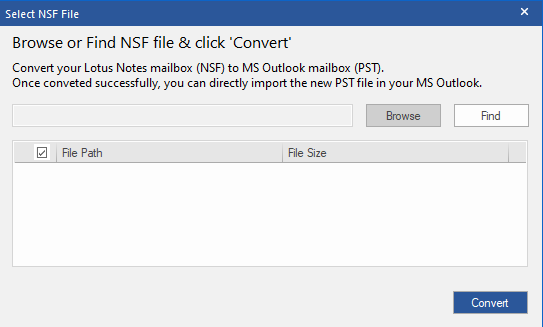
The option to find related files is always a great option in a converter. When we were trying to convert files, we were not searching into the folders in our system, as we did the software search for the files. With the “Find” option given in the software, we could find a list of NSF files on our computer quite easily and quickly.

Log Report

You can find the log report option in the software under the “View” tab in the Menu Bar. The option presented us with the amount of time the software took to complete the conversion process. It helped us to schedule ourselves based on the average conversion time based on the log reports. You can also save these log reports in .txt format in your system for further usage.

Previewing Converted Files

The preview option seems necessary in any converter and Stellar Converter for NSF does not shy away from providing us with it. We were able to make changes in the incorrect files after previewing them, which saved us from using incorrect files.

[Detailed Review] Stellar Converter for NSF: Features, Performance 12

Figure 6: File Preview

The preview of all the file items is available on the right-hand side of the screen. You can switch between the given files you want to preview.

Filter Option

The filter feature is our favourite. The filter option allowed us to convert only those items which we wanted to convert. This saved us a lot of time and reduced the clutter in the file after conversion. You may use the filter in two ways:

  • Exclude emails of a particular sender and filter all the other emails.
  • Select the range which you want to include or exclude while converting.

This feature helped us in organizing our files quickly and easily.

Multiple Saving Options

[Detailed Review] Stellar Converter for NSF: Features, Performance 13

The last feature which amazed us was the multiple file saving options. We were able to convert files into various formats and not just into PST. Moreover, we could save files into a newly created PST file or an existing PST file.

Conversion of Large Files

We converted a small file of 860 MB with the Stellar Converter for NSF. You don’t have to worry about the conversion of large files. As we found that the Stellar Converter for NSF can easily handle large files. For example, if the file size exceeds 50 GB, the converter can split the resulting PST file into smaller units.

The resulting PST file size might differ from one another based on the Outlook version available on your system. In the 2007 Outlook version, the file splits at 18 GB. But in the 2010 Outlook version, the files might split into the size range from 45-48 GB.

Conclusion

The latest version of Stellar Converter for NSF will help you switch from HCL or Lotus Notes to PST or Office 365 in a few clicks. The software guarantees swift migration and prevents data loss. It keeps every item of the file intact even after conversion.

Also, if you’re in a dilemma about whether to use the software or not, you can first use the demo version of the software. The good news is that the demo version offers to save 10 items per folder which will tell a lot about software capability and efficiency.

Becoming an Amazing Nintendo Player

Becoming a master Nintendo player is no easy task; it takes a great deal of time, perseverance, and skill to help you achieve your goals. While gaming may seem like an easy and relaxing pastime for many, it’s surprising to know just what it takes for amateur gamers to become pros in their field. As Nintendo is constantly advancing with new technologies, it’s important to stay up to date with the latest trends as well as attempt to enhance your tactics and reach your full potential as a gamer. If you’re hoping to master the art of Nintendo games, you’ve come to the right place. These are some of the best tips and tricks for becoming a better gamer in Nintendo games:

Invest in the correct equipment

The quality of equipment used will highly impact your capabilities of becoming a better Nintendo gamer. There are multiple Nintendo consoles out that, and if you want to ensure you become an amazing player, you will want to become an expert with each console. So make sure to get your hands on the latest consoles, including the Nintendo Switch, Nintendo 3DS, and Wii U. If you really want to go out there, you could see if you can get your hands on older versions.

In addition to the consoles, you will also want to have the other vital equipment in the first place. For example, if you will be spending hours on your Switch, you must be able to retain the correct posture with an ergonomic chair or at least a comfortable one.

Make gaming a daily habit

Just like any other hobby or sport, gaming requires practice and determination to master your skill. Therefore, you need to integrate gameplay as part of your daily timetable. In time, you’ll build on your expertise and strategies, which are crucial for becoming a successful Nintendo gamer. Create a gaming agenda that fits around your everyday life to build on your skillset. For example, take the time to perfect all the basic skills needed for the Legend of Zelda series or keep practising the level of Super Mario you can’t get all the stars in. Upon starting out, it can be a challenge to know how much practice you’ll need to progress; therefore, it would be best to make a list of your goals and roughly assess how long you’ll need to achieve them.

Play new games in your chosen category

As opposed to focusing on a single game at any one time, aim to play multiple games within your chosen category. For example, if you’re a fan of Super Mario Bros, you can make it your objective to play similar titles to boost your insight into similar strategies and generate ideas of how to navigate your main game. By purchasing OffGamers Nintendo eshop card, you’re free to access any game on the platform to improve your gaming experience.

Ensure you’re taking breaks

While you may believe that gaming constantly is sure to improve your tactics, failing to give yourself regular breaks could, in fact, negatively impact your progress. It’s extremely easy to get lost in the world of your favourite game; however, setting a timer will remind you to take yourself away from the screen and get out into the fresh air. Ensure you find the balance between retaining good focus to improving your gaming skills and taking care of your mind and body. This means you can keep playing Nintendo games for many more years to come without worry and become an amazing player.  

In Conclusion

Nintendo offers an incredible gaming opportunity, but it is worthwhile keeping the above tips in mind to maximize and optimize your techniques and gaming time. Taking regular breaks and ensuring you are hydrated at all times is crucial, and having the right equipment will only stand you in good stead.

6 Things You Should Know About a Dedicated Team Model

Today, a detailed specification is not enough to produce a competitive product.

The preparation process itself may take up to three months. The development stage takes even more than that. The time frames for projects are tight, and there is hardly an extra minute to spare. Searching for employees and monitoring the development takes a lot from the schedule.

Besides, the development process requires close contact of the coders with managers, marketers, business analysts, as well as constant feedback from users. With an eye on this, classic outsourcing models turn ineffective. This fact forces both customers and developers to look for a new form of cooperation.

What Is DTM?

The dedicated team model (DTM) is a project management pattern. It is quite popular in outsourcing and software development. Along with fixed price (FP) and time & material (T&M), a dedicated team is a form of relationship between a service provider and its customer.

Besides the deep involvement typical for this model, it offers transparency of the process, control over the progress, and quick scale-up. 

We call the team dedicated when the customer gets several team members at once, not one person. 

When employing a dedicated development team, startups get a well-coordinated autonomous being. Such groups would stay on the project even if something goes awry. Hiring a dedicated development team with extensive experience will give better results than engaging people separately. It allows you to grow and gain a competitive advantage.

Who Needs This Service?

An outsourced dedicated software development team may be needed by the product owner (PO), technical director in conditions when flexibility in setting tasks and quick results are essential.

  • PO needs to form or expand a development group within a limited time.
  • One person handles many projects at once.
  • There is an urge to reduce technical debt and no chance to put development on pause.
  • The existing group of coders does not cope, and its dismissal will create even greater difficulties.
  • The number of employees grows; yet, the number of releases does not.
  • The volume of development tasks takes more than 13 000 m/hr.

Companies and startups with similar issues can benefit if they hire a dedicated development team. 

Main Advantages of DTM

Better Communication

DTM creates conditions for communications at the level of managers on the part of the customer and developer. This allows them to work out issues requiring deep technical expertise at a higher rate of information exchange. Besides, this model helps avoid the loss of valuable information while transferring it from the customer to the developers.

Working on a certain project, the dedicated team gathers data and expertise that increases its overall qualification. One of the most valuable benefits of DTM is the resulting growth in highly skilled developers.

This model better suits the companies that do not provide a guaranteed workload for several people for a certain time. Using other models, companies may face troubles and loss of income.

  • There are force majeure situations when contracts expire before the appointed time or the load gets reduced sharply.
  • There is a risk of complex communication in the group.

Companies that have successfully implemented DTM

  • allocate resources between projects without tearing project groups apart;
  • distribute resources on the project, taking into account the scope of the task, priority in terms of time, and the exact number of people in the development team.

Financial Stability and Transparency

Projects working with DTs get stable figures in the budgetary report every month.

In the T&M model, the payment amount can vary depending on how much a specialist has developed in a month. Some customers do not want to pay for research, breaks, and time off. So, they set a tracker that counts only the time the programmer spends on the task. The result is a torn-apart invoice from one month to another. Such invoices mean that there is no stability in the payment amount and expenses.

DTs exclude the chance for miscommunication between developers and customers in terms of money. Other models imply that there are official payment rates included in the quotation, while the client knows nothing about the actual value of each developer. Hypothetically, this way, outsourcing companies can earn more. At the same time, more clients prefer establishing commitments and sharing risks. 

Thus, dedicated team development within the project could be a perfect choice to cut extra expenses. It helps avoid overpayments in the product creation process.

Easy Scale-up 

Ease of scaling-up concerns both the coding specialists and the project in general. From the very beginning, the customer decides how many people they need for software development. Customers can add members and reduce or increase the team. If the startup expands, it is easier to scale it up using a DTM model as it helps shorten the time for hiring new specialists.

Besides, any company can have a dedicated development team for hire at any time if the projected growth is unpredictable or too fast.

Suitability for Complex Long-Term Projects

This model is the best choice for projects that cannot be thought through to the end. For example, agile projects often change impromptu, which results in teams’ growth. The dedicated team model is flexible. It can adapt to any changes in the development process or work on software without a precise technical task.

If the project lasts for more than one year, the DTs gather enough experience to do the job faster than the groups of programmers that come and go.

Control Over the Development Process

The customer participates in hiring IT specialists and manages the development process at all stages. Yet, they do not have to look through tons of resumes and offers. There will be no sketchy data from several subcontractors. 

The developers and PMs provide regular reports on the completed tasks along the way. If necessary, the customer can entrust all the work on the project to an outsourcing company that provides a dedicated team.

High Reliability 

The flexibility of the model secures higher dependability, transparency, and 100% payback of the hired team. Experience shows that DTs are proactive and offer more efficient and innovative solutions.

The team members need to show a high level of personal reliability and excellent teamwork before entering the project. Thus, these programmers test their ability to work as a group before working for the client. Such a test guarantees no miscommunication and lowers stress levels for the group members.

The DT focuses on one task at a time. The coders never shift their attention to side work or extra tasks. The customer’s project receives full attention and dedication.

Dedicated Team Model

Do Not Hesitate to Try DTM

If in doubt whether to hire a dedicated development team, remember that you are investing in the future.

The success of a software development project is linked to the capacity of the technical team. Depending on the project’s scale, goals, features, and financial capabilities, the company chooses the most convenient model of interaction with the IT contractor. 

As said above, DTM is great for large, long-term projects where conditions change frequently. This model is flexible enough. It adapts to the changing scope of work, new tasks, or shifts in costs and resources.

What is Cloud Computing: A Beginner’s Guide

Cloud computing has been around for more than 20 years. But, it is only now that it is starting to take off. It’s because the adoption of cloud computing has become easier and more affordable.

Cloud Computing is a term used to describe the delivery of computing resources like software, services, and information technology (IT) as a service rather than a product. Cloud Computing can be explained as “delivering computing capability over the internet” and it has many potential advantages. It reduces investment in IT hardware, software, and maintenance costs, and increases scalability. Cloud Computing also provides greater security than traditional approaches because data is typically stored on servers that are not owned or operated by a single organization. 

Definition of the Cloud

In the cloud, computing resources are provided by organizations such as large corporations and government agencies, as well as by other organizations such as businesses, and non-profit organizations. In the cloud, a provider distributes applications and

services via a public Internet connection to users who request the availability of their application or service. The user’s application or service is accessible to the user via a web browser or mobile device. The source of the application or service is unattached from the user and is, therefore, able to move to another provider if desired.

How Is a Cloud System Different from an Application Server?

As described above, in an application server, there is a single processor and a small pool of storage.

What is Cloud Computing?

Cloud computing is a general term for storing or processing data on servers at a remote location. It allows you to store your files and programs, accesses them from any computer or device, and share them with others. Cloud computing services are often paid by the month, but they can also be free. There are many advantages of cloud computing, such as accessing your information from anywhere, saving money on hardware and maintenance costs, and having access to more powerful programs than your personal computer can offer. 

Benefits of Cloud Computing

Cloud computing provides various advantages over other types of computing. The most obvious advantage is that the user doesn’t have to worry about the physical infrastructure because it’s managed by a third party. There are major cloud service providers in North America, Asia, and Europe, etc. These providers have their own data centres so they don’t have to compete for real estate. They also have redundant power systems, operating systems, network connectivity, and data backup capabilities. Some other benefits are that users don’t need to manage software licenses or hardware purchases. These are just some of the many benefits that come with cloud computing.

Flexibility

Sovereign control over resources is critical for an efficient cloud environment. For example, if a user needs a particular database but cannot afford to purchase the underlying database, a cloud provider could provide the virtual instance of the database in a matter of seconds, giving a user immediate access to their desired database without having to pay the cost of the underlying database. Likewise, if a user wants to bring on a new team member but cannot afford to buy software, a cloud provider could provision a virtual instance of the software right away for the new team member, giving the team member immediate access to his or her computer and resources without having to purchase the software.

In short, the following are the advantages of cloud computing:

1)Budget-friendly (cost-effective)
2)Speed
3)Increased Productivity
4)Reliability
5)Better Performance
6)Security
7) Store, backup, and recover data
8)Deliver software on demand

Types of Cloud Computing Services :

1) Software as a Service (SaaS) – This type of cloud computing uses an application or software that is accessed and stored on a remote computer, which may be public or private. Think of it as renting an apartment. You rent the space and you can use it as you please within the rules and regulations of your rental agreement; 

2) Infrastructure as a Service (IaaS) – This type of cloud computing provides access to data centres, servers, storage devices, and networking components such as firewalls and switches. It also includes the maintenance of these services for you through remote monitoring. Imagine buying a home with all the appliances included. You still have to maintain them yourself but they were included when you first purchased the property;

3) Platform as a Service (PaaS) – This type of cloud computing provides an environment for the development as well as deployment of the applications. Operating system, programming language execution environment, database, web server, etc are provided in this service

Types of Cloud Computing

What is Cloud Computing

The three most popular types of cloud computing are public clouds, private clouds, and hybrid clouds. Public cloud: With public cloud, the resources such as hardware, storage are shared with other clients on the network. Private cloud: Private cloud means that your data resides on a server that only belongs to you. So it’s not shared with anyone else unless you invite them. Hybrid cloud: Hybrid clouds are made up of both public and private clouds. This means that some data will be stored on an external server while some will be hosted internally on your hardware

How does it work?

It may appear complicated, but once you understand the basic principles, then provisioning is remarkably straightforward. Cloud computing includes the following components:

  • User / Customer Providers / Virtual Servers Service Providers (e.g., storage, network, application, and collaboration services) Provider Management
  • Security (e.g., host-based security)
  • Management (e.g., access control, micro-segmentation)

Some common providers :

Microsoft Azure, Google Cloud Platform, Amazon Web Services (AWS) 

Is the cloud secure?

Yes. As cloud infrastructure is responsible for securely managing and allowing access to a shared pool of configurable resources (e.g., networks, servers, storage, applications, and various services) the underlying infrastructure should be state-of-the-art, highly reliable, highly secure. Cloud infrastructure providers are responsible for using proven methods to ensure that the shared computing resources under their control are not misused and that they are protected from unauthorized access.

Conclusion

Although there are numerous benefits to implementing an in-house cloud infrastructure, we believe that a cloud provider is the best option for the various challenges that we have addressed. Large companies can have the IT team they want – for example, the resources for a highly flexible, rapid response cloud computing

Solution. Smaller companies are often unable to offer the same levels of investment in software and hardware and also have significant operating costs to consider. A cloud provider can leverage its extensive global infrastructure to provide highly secure and flexible data centres that can be managed centrally from a single location, and offers very little administration, making it easier for smaller organizations to implement.

How to Perfect Your Social Media Accounts

Whether you’re interested in fine-tuning your personal social media accounts, or you want your business’ Facebook and Instagram pages to gather more followers and look the part, this is the guide for you. Below, we’ll look at what you’ll need to do to make your accounts pop with personality while being accessible and easy for followers and friends to find. You can use these tips to grow and finesse your audience, reach the right people, and create compelling content that will thrill and engage your followers.

Content

Your social media pages may be followed by thousands of people. You may have thousands of Facebook friends. But if you’re not creating content that they’ll enjoy, they might skip over your profile – personal or business – entirely. This means that content is king on social media and to keep it in people’s minds, you’re going to need to find new ways to entertain them. A written post might not be enough – videos of your travels, or photos of your creations, are great ways to keep people interested in you. So, make sure you’re videoing, photographing, editing and uploading at least once a week.

Followers

This tip is the same for personal accounts as it is for businesses: you’re not necessarily looking for quantity of likes, follows and friends – you’re looking for quality. Having 5,000 Facebook friends might look impressive, but if you only care about 500 of them you may wish to start shedding some of those old, forgotten followers. Meanwhile, you might wish to unblock someone on Facebook that you would actually quite like to catch up with. Meanwhile, businesses are looking for a certain demographic of followers – someone who will actually purchase things from your website. So, you’re looking to get quality followers who believe in your brand, not any old Facebook or Instagram user.

Marketing

You’ll fine-tune your follower base with good marketing. Marketing sounds like a business term, but it’s actually just as important for individuals who are looking to become Instagram influencers or who have something personal to promote. You can pay for targeted advertisements on most social media platforms, which helps you get seen by just the types of users you’re interested in attracting. Meanwhile, you can also use content as your marketing vehicle, creating popular videos and photos that will engage strangers, expand your reach, encourage shares, and build a larger and more relevant follower base.

Personality 

Your social media pages are your excuse to show off your personality. If you’re using your profile for personal reasons, then this is your chance to share a little about yourself – who you are, what your values are, and where you want to get in life. If you’re using a profile as a business, you should remember that social media is inherently informal and youthful, with emojis and abbreviations normal on these platforms. So, show off your youthful and on-trend side on these platforms in order to gain respect and trust from your followers.

Make use of these tips to ensure that you’re making the most out of the social media pages that you manage – as an individual or as a business.

How To Create An Online Education Website Like Udemy: Becoming A Successful Web Builder

Udemy is the most popular e-learning application development company globally, with almost 40 million learners registered. If you want to know how to create an online education website like Udemy and other popular platforms, we’ve got some advice.

How To Create an Online Education Website Like Udemy: From the Start

Before starting to create a website like Udemy, you should define what type of education website you would like to operate. There are several formats.

  • Language Teaching Site: These sites docs on reading, writing, and speaking a new language. Learners either watch videos or complete tasks on apps, or they take lessons over video call apps with native speakers.
  • Educational Video Sites: Video lessons can be pre-recorded and shared as part of a course or viewed on their own. There are usually quizzes that learners can access. If you want to create an Udemy like website, you’ll need video capabilities.
  • How-To Sites: Popular websites cater to specific how-to questions like WikiHow are popular.
  • ● Academic Sites: If you want to create a website like Coursera or create a website like EDX, you want to gather academic material and provide qualifications or certifications.
  • Digital Libraries: Some educational websites curate materials about a topic, making it an exhaustive source of information about a subject.

Once you know what type of site to create, you can start thinking about the features you want to add. The features will determine how expensive the project will be, what type of programming language you need to use, and what it will look like.

The Characteristics of a Great Online Education Website

If you are wondering how to build a website like Udemy or its competitors, you have to start with making your website (and its contents) discoverable. Your students have to be able to find the website and its contents quickly and easily. Make sure that your site is optimized for SEO and has a quality search engine to help students find the course they are looking for and reduce the frustration that could lead to abandonment. From there, you can add rich features like video and quizzes.

Good, modern education sites are optimized for mobile because students on the go use a variety of different devices, like tablets, mobile phones, and laptops. You should try to build a site with a responsive design that can accommodate the plethora of devices your team will use.

Lastly, don’t neglect your content. Try to find the best teachers and engaging videos for your students. If possible, customize and personalize as many of the courses and activities as possible.

Find the Right Software Development Team

Once you have a rough idea of the site you’d like to build and the features you want to add, you can start looking for skilled web developers. You should look for developers that have built educational sites before, with experience in Ruby, JavaScript, Python, and others. JavaScript is the best language for web developers and can be used for mobile app development as well. (Your developers should have some experience in React.js and Angular to build the front-end of your site and cross-platform apps).

If speed is of the essence, you could also use a language like PHP. PHP isn’t as popular, but you can use a framework like Laraval to create web apps in a very short amount of time.

Hiring your own team takes time and can be prohibitively expensive. It’s a good idea to keep your costs low by offshoring your developers to other parts of the world (e.g., Eastern Europe, China, or India) where development costs are much lower.

Conclusion

Now that you know how to create an online education website like Udemy, you can get started building your online education empire!

The best Discount laptop deals in December 2021

December calls for many occasions where we ponder about what to gift our loved ones. Christmas and new year are on the way, and if you are wondering about what to gift your friends and family this Christmas, then you can always rely on Gadgets. Gadgets have become an essential part of our daily life, and hence they are the best option to gift anyone. Moreover, you can get great offers on the laptop Christmas sale going on on various websites like Alien ware, Apple, Lenovo, HP, Dell, and other reliable laptop firms.

There’s a wide variety of laptops available in the market, but you will have to choose among them according to the type of your work. For example, if half of your day goes by working from home, then you definitely require a top-notch quality laptop. But on the other hand, if you are planning to gift a laptop to a young student, then you can always rely on a 2-in-1 touch screen laptop or a Chromebook.

  • 15.6-Inch Dell Vostro 7510 Intel i7 With RTX 3050: It is the latest launch of Dell’s Vostro laptop range. Also, it has the newest RTX 30 series graphics card. Furthermore, it is equipped with the 11th gen Intel Core i7-11800H 8-core CPU, 16GB RAM, and a 512GB SSD, which adds up to its efficiency, and hence it is a good quality business laptop.
  • 16-Inch Dell Inspiron 16 Plus Intel i7 3K: The 3,072-by-1,920 3K 16-inch IPS display is the most attractive feature of the Dell Inspiron 16 plus, along with the 100% sRGB coverage. This laptop is among the very few laptops in this price range that come with the 3K display. In addition to this, it is also equipped with 11th gen Intel Core i7-11800H 8-core processor, 16GB of RAM, and a 512GB SSD.
  • 13.3-Inch Apple MacBook Air M1: The latest version of MacBook Air is equipped with Apple’s M1 processor, an 8 core CPU that apple claims offer as much as 3.5 times quicker processing performance. Nonetheless, this version of the MacBook has a passive cooling mechanism that provides a silent working experience.
  • 14.1-Inch Gateway Ultra Slim Notebook Intel i5: This gateway notebook is one of the best deals in this price range. This is the best notebook as far as both the price and features are concerned. It has 16GB RAM, and this is the best in this price range.
  • 15.6-Inch Dell Vostro 5510 Intel i5: Dell’s Vostro 5510 intel i5 is equipped with 11th gen Intel Core i5-11320H quad-core CPU, 8GB RAM, and a 256GB SSD, and the deal is that you can get this for only $ 699. Also, it has a great charging speed (almost 80% in just an hour). Apart from this, it is also designed with a built-in privacy shutter that turns off your system when not in use.
  • Microsoft Surface Laptop 4 AMD Ryzen 5 13.5-Inch Touch Laptop: You can save up to $200 on the purchase of Microsoft Surface Laptop 4. It is also the newest version of the Microsoft Surface Laptop series. It has 8GB RAM and 128GB SSD. Apart from this, it is also designed with a 13.5 Pixelsense touch screen that is built with a resolution of 2,256 by 1,504. It also has a battery life of as long as 19hours, and you can charge it up to 80% in just an hour.
  • 14-Inch HP Chromebook 14 Intel Celeron Laptop: As of now, this Chromebook is one of the bestsellers of Amazon among traditional laptop computers. You can get this for only $199.99, and this is the best offer for a Chromebook. This is the best buy for any student who needs a laptop. It has a battery life of 13 hours and can charge up to 50% in only 45 minutes.

Christmas is on the way, and we are all in the dilemma of what would be perfect presents for our loved ones. There are many options that will only end up with a more confused state of mind. But gadgets will never disappoint anyone as they are the most useful gift for anyone and everyone. Hence, you can always choose any one from the above options mentioned at your convenience.