How To Type In Marathi In WhatsApp: A Complete Guide

In case you’re wondering how to type in Marathi in WhatsApp, you have landed at the right place. People tend to become closer when they feel more familiar, and culture gives us this. Any culture must have a language, and the language we use at home is the one we will always hold dear. Marathi, which comes from the lively state of Maharashtra, is the same.

However, in recent years, texting has surpassed voice calls as the most common form of communication. As a result, it has become more challenging to text in local languages like Marathi.

Texting was the first, followed by emoticons, cellphones, and eventually chat programmes like WhatsApp. Regardless of the user’s age, WhatsApp has become a household name, with most smartphone owners using it daily. As technology developed, cell phones with several languages for communication became available. However, these devices often switch the language of the entire interface, which only partially addresses the issue at hand.

However, the Marathi keyboard with Marathi stickers provides the answer to the query of how to type in Marathi in WhatsApp. But we should now talk about how to type in Marathi in WhatsApp.

How to type in Marathi in WhatsApp

How To Type In Marathi In WhatsApp: A Complete Guide
  • Set it as Default Keyboard
    1. Go into your phone’s Settings.
    2. After swiping down, select “System.”
    3. Toggle between “languages & input.”
    4. Select “Virtual keyboard.”
    5. Select “Manage keyboards.”
    6. Toggle the Marathi keyboard with Marathi stickers.
    7. Press OK.
  • To switch between the Marathi and English keyboards, click the button on the spacebar’s left side.
  • You can access the sticker section by pressing the second button in the keyboard’s upper right corner. Here, you can make stickers using Marathi text.
  • Go to the sticker section first, then click the camera icon in the lower right corner to take a selfie. This will generate personalised stickers featuring your face. You can now make personalised stickers with your image and distribute them to your friends.
  • To obtain stickers, including personalised Marathi content, you can type in Marathi to see recommendations for stickers with that text.

Why should you use the Marathi keyboard

Among the Marathi Keyboard With Marathi Stickers’ numerous outstanding characteristics. Now that you have learned how to type in Marathi in WhatsApp, it is time to learn why you should use the Marathi keyboard.

  • Use the cartoon head tool to create your stickers using your preferred headshot.
  • To switch between Marathi and English predictions, click the മ button.
  • Ship personalised stickers in Marathi.
  • Transmit GIFs and Stickers with personalised Marathi text.
    Select a custom theme for the keyboard.
  • You can select a theme from among the many lovely options available in the theme selection or use one of your photos as the keyboard’s theme.
  • Enjoy the incredible prediction algorithm that expedites your typing. They also make it easy to locate a suitable sticker or gif.
  • Without really typing, type. To type more rapidly, use the voice-to-text tool.
  • Transmit Manglish content in various chic and contemporary typefaces to liven up talks.

Keyboard Privacy

  • The Marathi Keyboard does not collect credit card numbers or personal information. Android displays a standard warning for every keyboard you download.
  • Our privacy policy lets the keyboard gather anonymous statistics to enhance your experience.
    Marathi Keyboard is concerned about your security and privacy.
  • It does not capture or store data entered into secure text fields, such as passwords, credit card numbers, debit card numbers, OTPs, and similar information.
  • Any keyboard that you download will display a standard warning on Android. Manglish Keyboard does not gather or keep any private or sensitive data.

Conclusion

Following these steps, you can quickly switch the language to your preferred setting. You can now type in Marathi in WhatsApp using a variety of methods included in this post. To satisfy your needs, you are free to select any of these approaches.

We hope you liked our article on how to type in Marathi in WhatsApp. Feel free to add your suggestions in the comment box below. For more such content, stay subscribed to Techniblogic.

50+ Happy Birthday Font Style To Make Their Day Special

Happy birthday font style are a must-have for every birthday. We bring you a carefully picked collection of creative fonts that you can use to create joyful typography for a variety of birthday invitations, greeting cards, posters, banners, and more. Each happy birthday font style in this collection is distinctive, making your designs more creative and personal. They will also cater to a wide range of aesthetics and themes.

Explore the collection below to find fonts that will make your designs stand out in the crowd. From the whimsical to the traditional, let your work shine with font choices that evoke the excitement of each happy birthday occasion you’re attempting to capture.

Happy birthday font style with symbols

Happy birthday font style

So, to help you create the finest birthday designs possible, we’ve compiled a list of the best happy birthday font style for your celebrations. Take a peek!

  1. ℌ𝔞𝔭𝔭𝔶 𝔅𝔦𝔯𝔱𝔥𝔡𝔞𝔶 𝔚𝔦𝔰𝔥
  2. 💎🍕 h𝒶𝔭ק𝓨 乃Įⓡ丅𝓗ᗪaⓨ 𝓦𝒾s𝔥 🍫🍟
  3. 𝓗𝓪𝓹𝓹𝔂 𝓑𝓲𝓻𝓽𝓱𝓭𝓪𝔂 𝓦𝓲𝓼𝓱
  4. 🌼🌸⋆🌸🌼ⓗⓐⓟⓟⓨ🎂ⓑⓘⓡⓣⓗⓓⓐⓨ🎂ⓢⓘⓢⓣⓔⓡ🌼🌸⋆🌸🌼
  5. 🍬 ⋆ 🎂 🎀 𝒽𝒶𝓅𝓅𝓎 𝒷𝒾𝓇𝓉𝒽𝒹𝒶𝓎 👧 𝓈𝒾𝓈𝓉𝑒𝓇 👧 🎀 🎂 ⋆ 🍬
  6. h♥a♥p♥p♥y♥ ⋆ 🎂♥b♥i♥r♥t♥h♥d♥a♥y♥🎂 ⋆ ♥s♥i♥s♥t♥e♥r 👧
  7. 🍯 ⋆ 🍻 🎀 𝐻𝒶𝓅𝓅𝓎 𝐵𝒾𝓇𝓉𝒽𝒹𝒶𝓎 𝒲𝒾𝓈𝒽 🎀 🍻 ⋆ 🍯
  8. 🍫 ⋆ 🍯 🎀 ʜᴀᴘᴘʏ ʙɪʀᴛʜᴅᴀʏ ᴡɪꜱʜ 🎀 🍯 ⋆ 🍫
  9. H⃣   a⃣   p⃣   p⃣   y⃣    B⃣   i⃣   r⃣   t⃣   h⃣   d⃣   a⃣   y⃣    W⃣   i⃣   s⃣   h⃣
  10. H⃞    a⃞    p⃞    p⃞    y⃞     B⃞    i⃞    r⃞    t⃞    h⃞    d⃞    a⃞    y⃞     W⃞    i⃞    s⃞    h⃞
  11. 🌼𝕙𝕒𝕡𝕡𝕪🌸⋆🌸🎂♥b♥i♥r♥t♥h♥d♥a♥y♥🎂🌸⋆🌸👧𝕤𝕚𝕤𝕥𝕖𝕣👧🌼
  12. ꧁𓊈𒆜🅷🅰🅿🅿🆈🎂🅱🅸🆁🆃🅷🅳🅰🆈🎂🆂🅸🆂🆃🅴🆁𒆜𓊉꧂
  13. 🅷🅰🅿🅿🆈 🅱🅸🆁🆃🅷🅳🅰🆈 🆆🅸🆂🅷
  14. 🥃 🎀 𝐻𝒶𝓅𝓅𝓎 🎂𝐵𝒾𝓇𝓉𝒽𝒹𝒶𝓎🎂 𝒻𝓇𝒾𝑒𝓃𝒹🤗 🎀 🥃
  15. H♥a♥p♥p♥y♥ 🌸🎂♥B♥i♥r♥t♥h♥d♥a♥y♥🎂🌸 ♥f♥r♥i♥e♥n♥d
  16. 🌼Ⓗⓐⓟⓟⓨ🌼 🌸⋆🌸🎂Ⓑⓘⓡⓣⓗⓓⓐⓨ🎂🌸⋆🌸 🌼ⓕⓡⓘⓔⓝⓓ🌼
  17. Ⓗⓐⓟⓟⓨ Ⓑⓘⓡⓣⓗⓓⓐⓨ ⓕⓡⓘⓔⓝⓓ
  18. ✮✷ 🎀 𝒽𝒶𝓅𝓅𝓎 𝒷𝒾𝓇𝓉𝒽𝒹𝒶𝓎 𝓂❤𝓂 🎀 ✷✮
  19. ק✮✷ 🎀 𝒽𝒶𝓅𝓅𝓎 🎂𝒷𝒾𝓇𝓉𝒽𝒹𝒶𝓎🎂 🌼𝓂❤𝓂🌼 🎀 ✷✮
  20. 🅷🅰🅿🅿🆈 🅱🅸🆁🆃🅷🅳🅰🆈 🅼🅾🅼
  21. 🍡 🎀 𝒽𝒶𝓅𝓅𝓎 𝒷𝒾𝓇𝓉𝒽𝒹𝒶𝓎 𝐵𝓇🏵𝓉𝒽𝑒𝓇 🎀 🍡
  22. 🍡 🎀 𝒽𝒶𝓅𝓅𝓎 🎂 𝒷𝒾𝓇𝓉𝒽𝒹𝒶𝓎 🎂 👦 𝐵𝓇🏵𝓉𝒽𝑒𝓇 👦 🎀 🍡
  23. 🍡 🎀 🌼 𝒽𝒶𝓅𝓅𝓎 🌼 🎂 𝒷𝒾𝓇𝓉𝒽𝒹𝒶𝓎 🎂 🌼 𝐵𝓇🏵𝓉𝒽𝑒𝓇 🌼 🎀 🍡
  24. 🌸⋆🌸𝖍𝖆𝖕𝖕𝖞🌸⋆🌸 🌼⋆🌼🎂𝖇𝖎𝖗𝖙𝖍𝖉𝖆𝖞🎂🌼⋆🌼 🌸⋆🌸𝕯𝖆𝖚𝖌𝖍𝖙𝖊𝖗🌸⋆🌸
  25. 🌸⋆🌸H♥a♥p♥p♥y♥🌸⋆🌸 🎂Ⓑⓘⓡⓣⓗⓓⓐⓨ🎂 🌸⋆🌸𝕯𝖆𝖚𝖌𝖍𝖙𝖊𝖗🌸⋆🌸
  26. 🍬 🎀🎀 𝒽𝒶𝓅𝓅𝓎 🎂🎂 𝒷𝒾𝓇𝓉𝒽𝒹𝒶𝓎 🎂🎂 🙏𝒟𝒶𝒹🙏 🎀🎀 🍬
  27. 🌸⋆🌸 𝕙𝕒𝕡𝕡𝕪 🎂 𝕓𝕚𝕣𝕥𝕙𝕕𝕒𝕪 🎂 🙏𝔻𝕒𝕕𝕕𝕪🙏 🌸⋆🌸
  28. 🌸⋆🌸ⓗⓐⓟⓟⓨ🌸⋆🌸 🎂ⓑⓘⓡⓣⓗⓓⓐⓨ🎂 🌸⋆🌸ⓗⓤⓢⓑⓐⓝⓓ🌸⋆🌸
  29. 💗h♥a♥p♥p♥y♥💗 🎂 ♥b♥i♥r♥t♥h♥d♥a♥y♥ 🎂 🌹💗♥H♥u♥s♥b♥a♥n♥d💗🌹
  30. 🌹𝓱𝓪𝓹𝓹𝔂🌹 🎂𝓫𝓲𝓻𝓽𝓱𝓭𝓪𝔂🎂 💗𝓜𝔂 𝓛𝓸𝓿𝓮💗
  31. 🌹🌹🌹ⓗⓐⓟⓟⓨ 💗🎂🎂🎂ⓑⓘⓡⓣⓗⓓⓐⓨ🎂🎂🎂💗 Ⓜⓨ Ⓛⓞⓥⓔ🌹🌹🌹
  32. 💗h♥a♥p♥p♥y♥💗 🎂♥b♥i♥r♥t♥h♥d♥a♥y♥🎂 💗𝓜𝔂 𝓛𝓸𝓿𝓮💗
  33. 🌸⋆𝕳𝖆𝖕𝖕𝖞⋆🌸 🎂𝕭𝖎𝖗𝖙𝖍𝖉𝖆𝖞🎂 🙏𝕾𝖎𝖗🙏
  34. 【H】【a】【p】【p】【y】 【B】【i】【r】【t】【h】【d】【a】【y】 【W】【i】【s】【h】
  35. 🅷🅰🅿🅿🆈 🎂🅱🅸🆁🆃🅷🅳🅰🆈🎂 🙏🆂🅸🆁🙏
  36. 𝓗𝓪𝓹𝓹𝔂 🎂 𝓑𝓲𝓻𝓽𝓱𝓭𝓪𝔂 🎂 🌸⋆𝓜𝓐𝓜⋆🌸
  37. 🎂 🍦 🎀 𝐻𝒶𝓅𝓅𝓎 🎂 𝐵𝒾𝓇𝓉𝒽𝒹𝒶𝓎 🎂 𝒰𝓃𝒸𝓁𝑒 🎀 🍦 🎂
  38. ❈ 🎀 𝐻𝒶𝓅𝓅𝓎 🎂 𝐵𝒾𝓇𝓉𝒽𝒹𝒶𝓎 🎂 𝒰𝓃𝒸𝓁𝑒 🎀 ❈
  39. 💐𝐇𝐚𝐩𝐩𝐲💐 🎂 𝐁𝐢𝐫𝐭𝐡𝐝𝐚𝐲 🎂 🙏𝐀𝐮𝐧𝐭𝐢𝐞🙏
  40. 🍪 ⋆ 🍫 🎀 𝐻𝒶𝓅𝓅𝓎 𝐵𝒾𝓇𝓉𝒽𝒹𝒶𝓎, 𝒜𝓊𝓃𝓉𝒾𝑒❢ 🎀 🍫

Cute happy birthday font style

  1. ℌ𝔞𝔭𝔭𝔶 𝔅𝔦𝔯𝔱𝔥𝔡𝔞𝔶
  2. 𝕳𝖆𝖕𝖕𝖞 𝕭𝖎𝖗𝖙𝖍𝖉𝖆𝖞
  3. 𝓗𝓪𝓹𝓹𝔂 𝓑𝓲𝓻𝓽𝓱𝓭𝓪𝔂
  4. 𝐻𝒶𝓅𝓅𝓎 𝐵𝒾𝓇𝓉𝒽𝒹𝒶𝓎
  5. ℍ𝕒𝕡𝕡𝕪 𝔹𝕚𝕣𝕥𝕙𝕕𝕒𝕪
  6. 𝘏𝘢𝘱𝘱𝘺 𝘉𝘪𝘳𝘵𝘩𝘥𝘢𝘺
  7. 𝙃𝙖𝙥𝙥𝙮 𝘽𝙞𝙧𝙩𝙝𝙙𝙖𝙮
  8. 𝙷𝚊𝚙𝚙𝚢 𝙱𝚒𝚛𝚝𝚑𝚍𝚊𝚢
  9. Ⓗⓐⓟⓟⓨ Ⓑⓘⓡⓣⓗⓓⓐⓨ
  10. 🅷🅰🅿🅿🆈 🅱🅸🆁🆃🅷🅳🅰🆈
  11. ᕼᗩᑭᑭƳ ᗷᎥᖇ丅ᕼᗪᗩƳWIDETEXT
  12. Happy Birthday
  13. 𝐇𝐚𝐩𝐩𝐲 𝐁𝐢𝐫𝐭𝐡𝐝𝐚𝐲
  14. ʎɐpɥʇɹıᙠ ʎddɐH
  15. ɥɐddʎ qᴉɹʇɥpɐʎ
  16. 🄷🄰🄿🄿🅈 🄱🄸🅁🅃🄷🄳🄰🅈L
  17. ʏɒbʜƚɿiᙠ ʏqqɒH
  18. Һคƿƿע ცɿՐ੮Һძคע
  19. ]|I{•——» 𝓗𝓪𝓹𝓹𝔂 𝓑𝓲𝓻𝓽𝓱𝓭𝓪𝔂 «——•}
  20. ╰☆☆ 𝙃𝙖𝙥𝙥𝙮 𝘽𝙞𝙧𝙩𝙝𝙙𝙖𝙮 ☆☆╮
  21. -·=»‡«=·- ᕼᗩᑭᑭY ᗷIᖇTᕼᗪᗩY -·=»‡«=·-
  22. ஜ۩۞۩ஜ 𝙷𝚊𝚙𝚙𝚢 𝙱𝚒𝚛𝚝𝚑𝚍𝚊𝚢 ஜ۩۞۩ஜ
  23. (¯´•..• 𝐇𝐚𝐩𝐩𝐲 𝐁𝐢𝐫𝐭𝐡𝐝𝐚𝐲 •..•´¯)
  24. ஜ۩۞۩ஜ 🅷🅰🅿🅿🆈 🅱🅸🆁🆃🅷🅳🅰🆈 ஜ۩۞۩ஜ
  25. ••¤(`×[¤ нαρρу вιятн∂αу ¤]×´)¤••
  26. ▀▄▀▄▀▄ 🄷🄰🄿🄿🅈 🄱🄸🅁🅃🄷🄳🄰🅈 ▄▀▄▀▄▀
  27. ℌ𝔞𝔭𝔭𝔶 𝔅𝔦𝔯𝔱𝔥𝔡𝔞𝔶
  28. 𝕳𝖆𝖕𝖕𝖞 𝕭𝖎𝖗𝖙𝖍𝖉𝖆𝖞
  29. 𝓗𝓪𝓹𝓹𝔂 𝓑𝓲𝓻𝓽𝓱𝓭𝓪𝔂
  30. 𝐻𝒶𝓅𝓅𝓎 𝐵𝒾𝓇𝓉𝒽𝒹𝒶𝓎
  31. ℍ𝕒𝕡𝕡𝕪 𝔹𝕚𝕣𝕥𝕙𝕕𝕒𝕪
  32. 𝘏𝘢𝘱𝘱𝘺 𝘉𝘪𝘳𝘵𝘩𝘥𝘢𝘺
  33. 𝙃𝙖𝙥𝙥𝙮 𝘽𝙞𝙧𝙩𝙝𝙙𝙖𝙮
  34. 𝙷𝚊𝚙𝚙𝚢 𝙱𝚒𝚛𝚝𝚑𝚍𝚊𝚢
  35. H⃞   a⃞   p⃞   p⃞   y⃞    B⃞   i⃞   r⃞   t⃞   h⃞   d⃞   a⃞   y⃞
  36. 【H】【a】【p】【p】【y】 【B】【i】【r】【t】【h】【d】【a】【y】
  37. 『H』『a』『p』『p』『y』 『B』『i』『r』『t』『h』『d』『a』『y』
  38. H͓̽a͓̽p͓̽p͓̽y͓̽ ͓̽B͓̽i͓̽r͓̽t͓̽h͓̽d͓̽a͓̽y͓̽
  39. Ƕąքքվ βìɾէհժąվ
  40. ᕼᗩᑭᑭY ᗷIᖇTᕼᗪᗩY
  41. ᕼᗩᕵᕵᖻ ᗷᓰᖇᖶᕼᕲᗩᖻ
  42. ☟︎♋︎◻︎◻︎⍓︎◻︎👌︎♓︎❒︎⧫︎♒︎♎︎♋︎⍓︎
  43. 🎁⛵ h𝐀ᵖ𝕡ⓨ в𝔦Řⓣ卄ⓓ𝔞Ƴ 🐧🎈
  44. ♛♠ 𝓗𝕒ρ𝓹ⓨ вιгtHⒹⒶ¥
  45. 🐝🌼Ħค𝐩𝐩ℽᛔìℝτĥ𝓭ศℽ🌼🐝
  46. ☆*:.。.ʜă𝑝𝑝ŷᙖí𝗿Եℎ𝑑ăŷ.。.:*☆
  47. 𓆩💜𓆪Н𝖆𝖕ᴘᥡᗷῖʳϮᏂ𝒹ẳყ𓆩💜𓆪
  48. 乂❤Ⱨ₳₱₱Ɏ ฿łⱤ₮ⱧĐ₳Ɏ ₮Ø ɎØɄ❤乂
  49. ꧁༺Happy Birthday༻꧂
  50. 🅗🅐🅟🅟🅨 🅑🅘🅡🅣🅗🅓🅐🅨
  51. ❥ℋค℘℘ℽ Birthday࿐
  52. ░H░A░P░P░Y░ B░I░R░T░H░D░A░Y░
  53. 𝙷𝙰𝙿𝙿𝚈••𝙱𝙸𝚁𝚃𝙷𝙳𝙰𝚈••
  54. ꧁༒Happy birthday🎂🎉🎁 ༒꧂
  55. 𝕳𝖆𝖕𝖕𝖞 𝕭𝖎𝖗𝖙𝖍𝖉𝖆𝖞
  56. ꧁༺HĀPPY ẞÎRTHDÅY ẞHÂVÂ༻꧂
  57. =🅷🅰🅿🅿🆈 =🅱🅸🆁🆃🅷🅳🅰🆈
  58. 【︻𝕙A𝕡p𝕐 𝔹i𝕣T𝕙d𝕒Y︼】
  59. ℋค℘℘ℽ B⊹ℜT#₵ΔY __
  60. ꧁༺Happy Birthday MOM༻꧂
  61. ♥нαρρу вιятн∂αу ∂α∂∂у♥࿐
  62. ꧁༺Happy Birthday༻꧂
  63. ⋉𝐻𝒶𝓅𝓅𝓎𝐵𝒾𝓇𝓉𝒽𝒹𝒶𝓎⋊
  64. ༼ᴴᵃᵖᵖʸ ᴮⁱʳᵗʰᵈᵃʸ༽
  65. 🎂🎂Happy Birthday🎂🎂
  66. ◦•●❤♡ Håþþ¥ ßïr†hÐå¥
  67. ♥нαρρу вιятн∂αу мσмму♥࿐
  68. 乂❤Ⱨ₳₱₱Ɏ ฿łⱤ₮ⱧĐ₳Ɏ ❤乂
  69. ᕼ ᗩ ᑭ ᑭ Y ᗷ I ᖇ T ᕼ ᗪ ᗩ Y
  70. Happy🅱🅸🆁🆃🅷🅳🅰🆈
  71. ❥ℋค℘℘ℽ Birthday࿐🎂🥳🎉
  72. ʜᴀᴘᴘʏ ʙɪʀᴛʜᴅᴀʏ
  73. HAPPY B-DAY BRO
  74. Ha℘℘yBΐrthᖙay✨

Aesthetic Happy birthday font style

Happy Birthday Font Style
  1. ✞ঔৣHAPPY BIRTHDAYঔৣ✞
  2. H@pp ¥ birtday ¥
  3. ❥ℋค℘℘ℽ Birthday࿐🎂🥳🎉
  4. 🎈 ⁅ℋ𝐚𝐩𝐩𝐲⁆—⁅ℬ𝐢𝐫𝐭𝐡𝐝𝐚y
  5. 卄αƤƤy🎨BiRtHdAy
  6. Ha℘℘ψBᎥr†hdaψ
  7. Håþþ¥ ßïr†hday
  8. ℋค℘℘ℽ B⊹ℜT#₵ΔY
  9. ℋค℘℘ℽ Birthday
  10. 🎂 Happy Birthday 🎂
  11. 🌸ℌ𝔞𝔭𝔭𝔶 𝔅𝔦𝔯𝔱𝔥𝔡𝔞𝔶 🌸
  12. 😘 𝕳𝖆𝖕𝖕𝖞 𝕭𝖎𝖗𝖙𝖍𝖉𝖆𝖞 💙
  13. ✌ 🎂 𝒽卂ᵖ𝐏ч ВⒾⓇ𝓣𝐡∂A𝔂 🎂 👻
  14. 💕 𝓗𝓪𝓹𝓹𝔂 𝓑𝓲𝓻𝓽𝓱𝓭𝓪𝔂 💕
  15. 💓 𝐻𝒶𝓅𝓅𝓎 𝐵𝒾𝓇𝓉𝒽𝒹𝒶𝓎 💓
  16. 🎂 ℍ𝕒𝕡𝕡𝕪 𝔹𝕚𝕣𝕥𝕙𝕕𝕒𝕪 🎂
  17. 💘 Happy Birthday 💘
  18. 🎀 🎂 𝐻𝒶𝓅𝓅𝓎 𝐵𝒾𝓇𝓉𝒽𝒹𝒶𝓎 🎂 🎀
  19. ♥️ ʜᴀᴘᴘʏ ʙɪʀᴛʜᴅᴀʏ ♥️
  20. 💝 ʎɐpɥʇɹıᙠ ʎddɐH 💝
  21. 🍰 🄷🄰🄿🄿🅈 🄱🄸🅁🅃🄷🄳🄰🅈 🍰
  22. 🍰 🅷🅰🅿🅿🆈 🅱🅸🆁🆃🅷🅳🅰🆈 🍰
  23. 🎂 ₕₐₚₚy Bᵢᵣₜₕdₐy 🎂
  24. 🎂 ᴴᵃᵖᵖʸ ᴮⁱʳᵗʰᵈᵃʸ 🎂
  25. Ⓗⓐⓟⓟⓨ Ⓑⓘⓡⓣⓗⓓⓐⓨ
  26. 💓 Ђคקקץ ๒เгՇђ๔คץ 💓
  27. 🎂 Hαρρყ Bιɾƚԋԃαყ 🎂
  28. 🎂 Ɦǟքքʏ ɮɨʀȶɦɖǟʏ 🎂
  29. 🎂 ᏂᏗᎮᎮᎩ ᏰᎥᏒᏖᏂᎴᏗᎩ 🎂
  30. 🎂 ɧą℘℘ყ ცıཞɬɧɖąყ 🎂
  31. 🎂 Hคppฯ ๖irth໓คฯ 🎂
  32. 🎂 𝐇𝐚𝐩𝐩𝐲 𝐁𝐢𝐫𝐭𝐡𝐝𝐚𝐲 🎂
  33. (っ◔◡◔)っ ♥ Happy Birthday ♥
  34. ≋H≋A≋P≋P≋Y≋ ≋B≋I≋R≋T≋H≋D≋A≋Y≋
  35. ░H░A░P░P░Y░ ░B░I░R░T░H░D░A░Y░
  36. ★彡[ʜᴀᴘᴘʏ ʙɪʀᴛʜᴅᴀʏ]彡★
  37. Happy Birthday (ヮじ科)
  38. H♥A♥P♥P♥Y♥ ♥B♥I♥R♥T♥H♥D♥A♥Y
  39. 【Happy Birthday】
  40. ˜”*°•.˜”*°• Happy Birthday •°*”˜.•°*”˜
  41. (^▽^) Ⱨ₳₱₱Ɏ ฿ŁⱤ₮ⱧĐ₳Ɏ (✿^▽^)
  42. [̲̅H][̲̅A][̲̅P][̲̅P][̲̅Y] [̲̅B][̲̅I][̲̅R][̲̅T][̲̅H][̲̅D][̲̅A][̲̅Y]
  43. ◦•●❤♡ Håþþ¥ ßïr†HÐå¥ ♡❤●•◦
  44. ▀▄▀▄▀▄🄷🄰🄿🄿🅈 🄱🄸🅁🅃🄷🄳🄰🅈▀▄▀▄▀▄
  45. ┗(^O^ )┓三 ʜᴀᴘᴘʏ ʙɪʀᴛʜᴅᴀʏ 三 ┗(^O^ )┓
  46. ꧁༺Ɦǟքքʏ ɮɨʀȶɦɖǟʏ༻꧂
  47. Illıllı⭐🌟 H͙a͙p͙p͙y͙ B͙i͙r͙t͙h͙d͙a͙y͙ 🌟⭐Illıllı
  48. (◍•ᴗ•◍) ミ💖 ꜍H꜉꜍a꜉꜍p꜉꜍p꜉꜍y꜉ ꜍B꜉꜍i꜉꜍r꜉꜍t꜉꜍h꜉꜍d꜉꜍a꜉꜍y꜉ 💖彡

Happy birthday font style is an enjoyable way to commemorate a special event. These happy birthday font style can be used in classic print and signage formats, as well as in social media posts and other forms of digital communication. First, you’ll need to choose the appropriate Happy Birthday font. There are various alternatives available, including both novelty fonts for younger audiences and regular styles for adult ones. You may also create your own unique typeface by using text or images. Once you’ve chosen your Happy Birthday font, you’ll need to decide where it will be used.

I hope you enjoyed this post and found your favourite Happy Birthday font style . If you liked this content, please share it with your friends. Feel free to add your suggestions in the comment box below. For more such content, stay subscribed to Techniblogic.

100+ Best Stylish Attitude Names For Instagram For Girls

Having a stylish attitude names for Instagram for girls can grab you more views and attention. Here, you can find some unique and creative Instagram names for girls. So, if you’re looking for the best stylish attitude names for Instagram for girls, we can surely assist. While there is no hard-and-fast rule for what the username should be, you can use anything that fits you. However, even a small concept might be very useful!

To avoid the mayhem, we’ve included over 100 stylish attitude names for Instagram for girls in this post. Let’s get started.

stylish attitude names for Instagram for girls

Stylish Attitude Names For Instagram For Girls

If you are looking for stylish attitude names for Instagram for girls, you have arrived at the right place. Show your cool side with these cool Instagram names for girls.

  1. Queenly Vibes
  2. Rebel Chic
  3. Sassy Siren
  4. Badass Babe
  5. Fearless Fashionista
  6. GirlbossGlow
  7. ChicChick
  8. GlamGoddess
  9. StyleSiren
  10. Trendsetter Tales
  11. Classy Couture
  12. Edgy Elegance
  13. Fashion Frenzy
  14. GlamorousGirl
  15. FierceFemme
  16. HighFashionista
  17. BoldBeauty
  18. LuxeLady
  19. MajesticMaven
  20. PoisedPrincess
  21. RadiantRebel
  22. DaringDiva
  23. ChicConfidence
  24. EmpoweredEnchantress
  25. FabulousFierce
  26. GlitterGoddess
  27. HighHeelHottie
  28. IconicImpressions
  29. JetsetJewel
  30. KillerKouture
  31. LavishLifestyle
  32. Naughty Ninja
  33. OutrageousOpulence
  34. Princess Posh
  35. QuirkyQueen
  36. Red Carpet Ready
  37. StylishSoul
  38. TastefulTrendsetter
  39. UnapologeticallyUnique
  40. VIPVixen
  41. WittyWoman
  42. XquisiteXpression
  43. YummyYogini
  44. ZenZephyr
  45. AmbitiousAngel
  46. BeautifulBadass
  47. ConfidentChick
  48. DivineDame
  49. Elegant Empress
  50. FlawlessFemme
  51. Gorgeous
  52. Heavenly Honey
  53. Inspiring Icon
  54. Kinetic Kitten
  55. Lively Lady
  56. Mystic Muse
  57. Noble Nymph
  58. Optimistic Oracle
  59. Passionate Princess
  60. Regal Queen
  61. Radiant Rose
  62. Serene Siren
  63. Trailblazing Tigress
  64. Unique Unicorn
  65. Vibrant Vixen
  66. Wonder Woman
  67. Xotic Excellence
  68. Young Yogi
  69. Zany Zephyr
  70. Beautifully bold
  71. Courageous Couture
  72. DazzlingDame
  73. Enchanting Empress
  74. Fearless Flame
  75. Gracious Goddess
  76. Heavenly hues
  77. Inspiring innovator
  78. Joyful journeyed
  79. Kindhearted kitten
  80. Lovely Lioness
  81. Majestic Mermaid
  82. Nurturing noble
  83. Optimistic oasis
  84. Powerful princess
  85. Quirky quartz
  86. Radiant raven
  87. Spirited soul
  88. Unconventional Unicorn
  89. Vibrant Venus
  90. Whimsical Warrior
  91. Xceptional Experience
  92. Youthful Yearner
  93. ZenZone
  94. Adventurous Aurora
  95. Brave Beauty
  96. Unconventional Unicorn
  97. Vibrant Venus
  98. Whimsical Warrior
  99. Xceptional Experience
  100. Young Yearner
  101. ZenZone
  102. Adventurous Aurora
  103. Brave Beauty
  104. Sleepy Tinker
  105. Super Giggles
  106. Candycane Missy

stylish attitude names for Instagram for girls to get followers

Your Instagram username can reveal a lot about you. So you must keep it intriguing and unique. Improve your Instagram game with these stylish attitude names for Instagram for girls.

  1. InstaGoddess
  2. social butterfly
  3. FollowMeFairy
  4. TrendyTraveller
  5. LifeofaGirl
  6. BeautyAddict
  7. BossBabeLife
  8. CreativeCraziness
  9. Dreamchaser
  10. EnchantingEmpress
  11. FashionistaFever
  12. GlamorousGal
  13. HappyHippie
  14. InstaFamous
  15. JustBeYou
  16. KillerLooks
  17. Love Life Live
  18. Memorable Moments
  19. Nature Ninja
  20. Passionate Pursuits
  21. Queen of Social
  22. Radiant Rays
  23. Sassy Soul
  24. Travel Tales
  25. Vibrant Vibes
  26. The BookishMuse
  27. TravelingGal
  28. Fashionista
  29. Foodie
  30. Artist
  31. Writer
  32. Photographer
  33. Adventurer
  34. Creator
  35. Dreamer
  36. Idealist
  37. Optimist
  38. LovingHeart
  39. FunnyGirl
  40. KindSoul
  41. Intelligent
  42. Strong
  43. Independent
  44. Unique
  45. One-of-a-Kind
  46. Girl with Golden Hair
  47. Bossbabeee
  48. Selfmadegirl
  49. Picture-ready
  50. Exotic_her
  51. She dreams
  52. Therebelgirl
  53. Adventure seeker
  54. Wanderlust Gal
  55. Travel Addict
  56. Foodie Heaven
  57. Fashionista Girl
  58. Style Icon
  59. Glam Girl
  60. Beauty Queen
  61. Instagram Influencer

stylish attitude names for Instagram for girls unique

stylish attitude names for Instagram for girls

Want to keep a stylish attitude Instagram names for girls but are not able to think of anything? We can help. These unique stylish attitude names for Instagram for girls are sure to grab a lot of eyes. Check the list below.

  1. Queenly Vibes
  2. Rebel Chic
  3. Sassy Siren
  4. Badass Babe
  5. Fearless Fashionista
  6. Girl boss Glow
  7. Chic Chick
  8. Glam Goddess
  9. Style Siren
  10. Boss Babe Vibes
  11. Trendsetter Tales
  12. Classy Couture
  13. Edgy Elegance
  14. Fashion Frenzy
  15. Glamorous Girl
  16. Fierce Femme
  17. High Fashionista
  18. Bold Beauty
  19. Luxe Lady
  20. Majestic Maven
  21. Poised Princess
  22. Radiant Rebel
  23. Daring Diva
  24. Chic Confidence
  25. Empowered Enchantress
  26. Fabulous Fierce
  27. Glitter Goddess
  28. High Heel Hottie
  29. Iconic Impressions
  30. Jetset Jewel
  31. Killer Kouture
  32. Lavish Lifestyle
  33. Model Material
  34. Naughty Ninja
  35. Outrageous Opulence
  36. Quirky Queen
  37. Red Carpet Ready
  38. Stylish Soul
  39. Tasteful Trendsetter
  40. Unapologetically Unique
  41. VIP Vixen
  42. Witty Woman
  43. Xquisite Xpression
  44. Yummy Yogini
  45. Zen Zephyr
  46. Ambitious Angel
  47. Beautiful Badass
  48. Confident Chick
  49. Divine Dame
  50. Elegant Empress
  51. Flawless Femme
  52. Gorgeous Guru
  53. Heavenly Honey
  54. Inspiring Icon
  55. Jazzy Jewel
  56. Kinetic Kitten
  57. Lively Lady
  58. Mystic Muse
  59. Noble Nymph
  60. Optimistic Oracle
  61. Passionate Princess
  62. Regal Queen
  63. Radiant Rose
  64. Serene Siren
  65. Trailblazing Tigress
  66. Unique Unicorn
  67. Vibrant Vixen
  68. Wonder Woman
  69. Xotic Xcellence
  70. Youthful Yogi
  71. Zany Zephyr
  72. Adventurous Angel
  73. Beautifully Bold
  74. Xceptional Xperience
  75. Youthful Yearner
  76. Zen Zone
  77. Adventurous Aurora
  78. Brave Beauty

stylish attitude names for Instagram for girls trending

From funny to cool and trendy, there is a username for everyone. You just need to find the one that suits your personality. If you are looking for some stylish attitude names for Instagram for girls, here check this list out:

  1. Chocolaty Queen
  2. Tigger Fresh
  3. Twilight Queenbee
  4. Mystical Dimples
  5. Bikewithgirl
  6. Make girls
  7. Lovecapri
  8. Hot Babe
  9. Peace Hug
  10. Lil Cutie
  11. Jelly Cuddles
  12. Kara
  13. The Call Me Hanny
  14. Sizzling Teapot
  15. Live Chic
  16. Beauty Babe
  17. Sleepy Tinker
  18. Super Giggles
  19. Candycane Missy
  20. Tiger Kitty
  21. InstaGoddess
  22. SocialButterfly
  23. FollowMeFairy
  24. TrendyTraveller
  25. LifeofaGirl
  26. BeautyAddict
  27. BossBabeLife
  28. CreativeCraziness
  29. DreamChaser
  30. EnchantingEmpress
  31. FashionistaFever
  32. GlamorousGal
  33. HappyHippie
  34. InstaFamous
  35. JustBeYou
  36. KillerLooks
  37. LoveLifeLive
  38. MemorableMoments
  39. NatureNinja
  40. PassionatePursuits
  41. QueenofSocial
  42. RadiantRays
  43. SassySoul
  44. The BookishMuse
  45. TravelingGal
  46. Fashionista
  47. Foodie, Artist
  48. Writer
  49. Photographer
  50. Adventurer
  51. Creator
  52. Dreamer
  53. Idealist
  54. Optimist
  55. LovingHeart
  56. FunnyGirl
  57. KindSoul
  58. Intelligent
  59. Strong
  60. Independent
  61. Unique
  62. One-and-Only

Conclusion

That concludes our list of the top Instagram names for girls. We hope by now you’ve found a stylish attitude names for Instagram for girls. Simply copy and paste any of the names from the list above to make your Instagram ID stand out among the rest.

We hope you liked our Instagram username article and are now ready to rock your Instagram profile. Feel free to add your suggestions in the comment box below. For more such content, stay subscribed to Techniblogic.

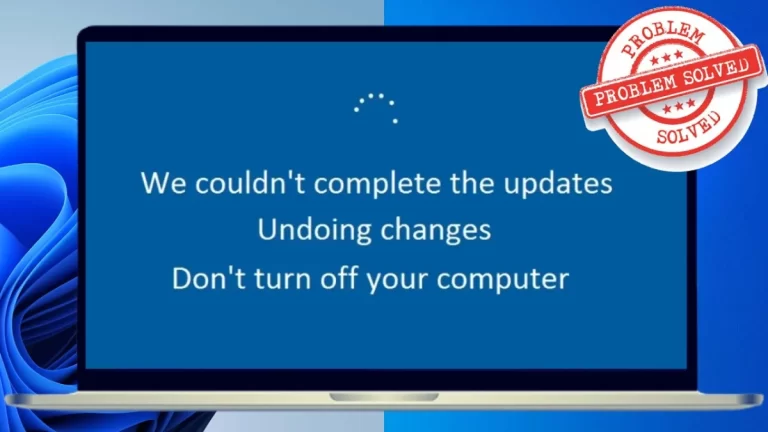
Top 8 Ways to Fix Undoing Changes Made to Your Computer

Your computer may get stuck in a boot loop with the “undoing changes made to your computer” error message after installing the Windows 10/11 upgrade.

The error message “undoing changes made to your computer” is something that many Windows 11/10 users have reported seeing. The error message suggests that the computer attempted to roll back the modifications after failing to install the upgrades. Nevertheless, following the guidelines can permanently resolve the “Undoing changes made to your computer” error. Now, let’s get going.

Ways to Fix Undoing Changes Made to Your Computer

1. Boot your PC into safe mode

Undoing changes made on your computer

To troubleshoot Windows, if it gets stuck on the undoing changes page, you will need to boot your computer into Safe Mode first. Use these actions to do that:

Step 1: Press and hold the physical power button on your PC while it is booting up until it restarts. Repeat this to stop the boot process three times in a row. On the fourth attempt, Windows will present you with the “Automatic Repair” screen. To continue, select Advanced options.

Step 2: Choose Troubleshoot from the list of options.

Step 3: Select the Advanced menu.

Step 4: Select Startup Settings from the Advanced Settings menu.

Step 5: To access the Startup Settings menu, click the Restart button.

Step 6: To restart your computer in safe mode, hit 4 or F4 on the keyboard.

2. Run Windows update troubleshooter

undoing changes made to your computer

If the notification “Undoing changes made to your computer” keeps popping up while an update is installed, you might want to use the Windows Update troubleshooter. This application will scan your computer for common update-related problems and attempt to resolve them.

Step 1: Type troubleshooter settings into the taskbar search box and hit Enter.

Step 2: Choose an alternative troubleshooter.

Step 3: To launch the utility, click the Run icon next to Windows Update and adhere to the on-screen instructions.

3. Uninstall recent updates

Undoing changes made on your computer

Your computer is likely stuck on the “Attempting to recover installation” screen because of a recently installed Windows update. You are reverting screen modifications that were performed on your computer. If so, you should be able to resolve your issue by removing the problematic update.

Step 1: To launch the Settings app, press the Windows key + I. After selecting the Windows Update tab, click on Update History.

Step 2: Select Uninstall Updates under Related Settings.

Step 3: To uninstall an update, click the Uninstall icon next to it.
After that, restart your computer to see if the problem persists.

4. Delete the folder for software distribution

Before installing them, Windows keeps all of the update files in the “SoftwareDistribution” folder. If Windows is unable to retrieve these files for whatever reason, you’ll receive the message “We couldn’t complete the updates,” and the upgrade won’t proceed. Error message: Undoing changes.

To resolve this, you must delete the SoftwareDistribution folder and download the update again.

Step 1: Press the Windows + R keyboard shortcut to open the Run dialogue box. In the box, type C:\Windows\SoftwareDistribution, then hit Enter.

Step 2: Click the trash symbol at the top after selecting every file in the folder.

Step 3: Press the Windows key + I to launch the Settings app. To download and install any pending updates, select the Windows Update tab and click Check for updates.

5. Install the update manually

Undoing changes made on your computer

You can attempt to resolve the issue by obtaining the update from the Microsoft Update Catalogue and applying it manually if Windows keeps displaying the “Undoing changes made to your computer” error while installing a particular update. Here’s how to do it:

Step 1: Open the Settings app by pressing the Windows key + I. Then, select the Windows Update tab. Note the knowledge base number (KB) (KB5015814) of the update you wish to download.

Step 2: Use your browser to access the Microsoft Update Catalog website.

Step 3: Fill in the search box with the KB number and hit Enter.

Step 4: Get the update pack that is appropriate for your system.

6. Perform a system restore

Undoing changes made on your computer

One helpful function is system restoration, which creates a full backup anytime it notices significant changes. This function allows you to reverse any recent modifications to your computer that might be the cause of the “Undoing changes made to your computer” issue.

Step 1: Type “create a restore point” into the taskbar search box and hit Enter.

Step 2: Click the System Restore button after selecting the System Protection option.

Step 3: To proceed, click Next.

Step 4: Click Next after selecting the suggested restore point.

Step 5: To confirm, click Finish.

After that, adhere to the on-screen directions to finish the system restoration procedure.

Conclusion

Installing Windows updates is essential for maintaining your system’s seamless operation. While errors such as “Undoing changes made to your computer” can occasionally cause problems, you can resolve them on your own by using the previously suggested solutions.

We hope you liked our article on how to fix undoing changes made to your computer. Feel free to add your suggestions in the comment box below. For more such content, stay subscribed to Techniblogic.

50+ Steal-Worthy Love Bios For Instagram For 2024

Looking for the ideal love bios for Instagram to document your romantic occasion? If you’ve ever struggled to find the appropriate words to communicate your emotions or to write an engaging Instagram bio about heartfelt topics, you’ve come to the correct place.

In this thorough guide, we’ve chosen over 50 of the best, cutest, most romantic, and heartfelt love bios for Instagram for both girls and guys, to help you craft the perfect bio to display your love story or simply add a touch of romanticism to your online profile.

best love bios for Instagram

Love Bios For Instagram

A profile bio is an ideal way for you and your lover to express some extra love on Instagram. Whether you want to flaunt your relationship, warn your followers you’re taken, prevent anyone from sliding into your DMs, or simply share a little inside joke with your partner,. Here is our list of the best love bios for Instagram to pick from.

  1. “In love with the moments that take my breath away 💕”
  2. “I’m just a hopeless romantic searching for my next great love story.”
  3. “Living life one love song at a time 🎶❤️”
  4. “My heart is happiest when it’s with you 💑”
  5. “Love like there’s no tomorrow because today is all we have.”
  6. “Chasing dreams and love stories.”
  7. “Lost in the world of love and laughter 💫”
  8. “Soulmates navigating life’s beautiful chaos together.”
  9. “Believe in love, miracles, and happily ever afters.”
  10. “Every day with you is a new page of our love story 📖❤️”
  11. “In a world full of trends, I choose timeless love 💖”
  12. “My heart’s compass always points to you.”
  13. “Lover of sunsets, starry nights, and your smile.”
  14. “Love is not something you look for; it’s something you build.”
  15. “Exploring life together, one adventure at a time.”
  16. “Love is the answer, no matter the question.”

love bios for Instagram for boys

Boys like to add love bios to their Instagram profiles, that’s why here we have shared love bios for Instagram for boys. Copy your favourite bio and paste your Instagram bio now.

  1. “Chasing dreams, catching feelings. ❤️”
  2. “Explorer of life’s adventures, seeker of true love.”
  3. “Heart on my sleeve, love in my soul.”
  4. “I’m in love with the journey, and you’re my favourite part of it.”
  5. “Spreading love, one post at a time.”
  6. “Believe in love, laughter, and the power of a good hug. ✨”
  7. “Living my life, loving my story.”
  8. “Making memories with the one who holds my heart.”
  9. “Not a poet, just someone who’s fallen in love with words.”
  10. “Smiling because of you, living for love.”
  11. “Creating my own love story, one chapter at a time. 🤗”
  12. “On a mission to make the world a better place, one act of kindness and love at a time.”
  13. “Finding strength and purpose in the power of love.”
  14. “Captivated by your smile.
  15. “In a world of trends, love is my timeless style. 💌”
  16. “Always up for a good love story—especially ours.”

love bios for Instagram for girls

Dear Girls, If you want to write love bios for Instagram and you do not have any idea how to do so, then do not worry at all because in this post we have listed love bios for Instagram for girls. From here, you can choose the bio of your choice and copy & paste it into your Instagram bio.

  1. “Dancing through life’s journey with love as my rhythm. 💕”
  2. “Collecting moments, and you’re my favourite snapshot. 📸❤️”
  3. “Filling my world with love, one heartbeat at a time.”
  4. “Beneath the stars, I found a love that shines brighter. 🌌”
  5. “Wrapped in the warmth of love’s embrace. 🤗❤️”
  6. “Dreaming big, loving bigger. 🌟💖”
  7. “Painting my world with the vibrant colours of love. 🌈”
  8. “On a journey of self-love and spreading it everywhere I go. 🌻❤️”
  9. “In love with life’s imperfections and all its beautiful surprises. ✨😊”
  10. “A heart full of love and a spirit full of wanderlust.”
  11. “Finding peace in the chaos of love’s sweet melodies. 💕”
  12. “Exploring the universe of love, one constellation at a time. ✨”
  13. “Every day is Valentine’s Day when you’re in love with life. 💘📆”
  14. “Creating love stories that even fairy tales envy. 📜🏰”
  15. “Hearts connect, souls entwine, and love becomes divine.”
  16. “Navigating life’s labyrinth with love as my guiding star.”
  17. “Living the adventure of a lifetime, hand in hand with love. 🌄👫”
  18. “In love with the beauty of the present moment. 🌼✨”
  19. “Writing love letters to life’s limitless possibilities.” 💌❤️”
  20. “Embracing every season of love with an open heart. 🌸🍁”

love bios for Instagram for couples

Love Bios For Instagram

Many couples like to add love bios to their Instagram profiles; that’s why here we have shared love bios for Instagram. Choose your favourite bio and update your Instagram bio now.

  1. “Two hearts, one love story. 💑❤️”
  2. “Living life in love’s embrace.”
  3. “Every moment is a memory when we’re together.”
  4. “Exploring the world, hand in hand.”
  5. “Love is in every step of our journey.”
  6. “Creating our own happily ever after. 🏰💫”
  7. “Together is our favourite place to be. 💏❤️”
  8. “Making memories with my favourite person. 📷💖”
  9. “Our love story is my favourite story.”
  10. “Forever and always, it’s you and me. 💑”
  11. “Soulmates navigating life’s adventures together. 👫”
  12. “In your arms, I’ve found my forever home. 🏡❤️”
  13. “Two hearts, one rhythm. 💞”
  14. “Our love is the greatest adventure.”
  15. “Love is our anchor in the storm of life.”
  16. “Together, we are unstoppable.”
  17. “Writing our love story, one chapter at a time. 💖”
  18. “Where there is love, there is us. 💑❤️”
  19. “Lucky to love you today and always.”
  20. “Life is sweeter with you by my side. 🍭❤️”
  21. “Every day spent with you is a day well-lived. 🌞💕”
  22. “Silly and cute since day one.”
  23. “Creating unforgettable memories.”
  24. “A couple of weirdos in love. 🌹”
  25. “Love is our addiction.”
  26. “You and me against the world.”
  27. “Finding joy in the simplest moments with you. 🌼😊”
  28. “Loving you is the best adventure.”
  29. “You’re my sunshine on the cloudiest days. ☀️💑”
  30. “Words cannot express my love for you.”
  31. “I don’t know how to thank you, but I am lucky to have you in my life.”
  32. “You are mine.” And I don’t enjoy sharing.

Final Words!

Your Instagram bio is your digital introduction to the world, and selecting the ideal love bio can leave an indelible impact on your followers. We hope this collection of heartfelt love bios for Instagram has inspired you to express your love in a unique way. So, choose one love bio and express your feelings on Instagram right now!

We hope you liked our Instagram bio article and are now ready to rock your Instagram profile. Feel free to add your suggestions in the comment box below. For more such content, stay subscribed to Techniblogic.

4 Best Ways To Fix Google Assistant Is Not Available on This Device Error

The “Google Assistant is not available on this device” problem is one of the numerous drawbacks some users of the Google Assistant’s mobile app have encountered. Although the exact origin of the error is unknown, we know it is related to some problems with the Google app on various Android smartphones.

In the following paragraphs, we outline four ways to fix if Google Assistant is not available on this device. One of these would restore your device’s Google Assistant to functioning correctly.

How To Fix Google Assistant Is Not Available on This Device Error

Google Assistant Is Not Available on This Device

1. Reboot your device

Rebooting your smartphone and other electrical devices may resolve common problems. Try restarting your tablet or smartphone if the “The Google Assistant is not available on this device” error notice suddenly appears on the screen and prevents you from using the Google Assistant.

Although we’re positive you know how to restart or reboot your smartphone, we’ll list the instructions just in case.

Step 1: Hold the power button of your smartphone for about two (2) seconds.

Step 2: Tap Restart.

That’s all there is to it. Once the phone has rebooted and turned back on, the Google Assistant should function flawlessly. If the Google Assistant is not available, an issue notice persists whenever you try to use the assistant; try the next repair below.

2. Re-enable the Google maps

Google Assistant is not available on this device

If you turn off the Google app or any other Google services on your smartphone, the Google Assistant may stop working correctly. If it’s been disabled, you ought to enable it. Additionally, you can manually disable and re-enable the Google app if it is enabled and functions normally. Still, the assistant is displaying the unavailable message.

To finish it, adhere to the instructions below. Of course, the Settings menu may look slightly different depending on your phone’s make and model.

Step 1: Open the Settings app on your phone.

Step 2: Select Notifications & Apps.

Step 3: Select “View All Apps.”

This includes the App Info tab, where all your smartphone’s apps are visible. 

Step 4: Scroll down to find the Google app. Tap on it to access its information page.

Step 5: To start the Google app and its related features, press Enable if it is currently disabled.

Disabling and re-enabling the Google app is another way to fix the “The Google Assistant isn’t available on this device” error if Step #6 enabled the Google Assistant. 

Step 6: Press the icon for Disable.

That will cause a pop-up warning that if you turn off the app, it might not work correctly on your device.

Step 7: To continue, tap Disable App.

Step 8: Select Enable, and the Google App (and Assistant) should start operating error-free from now on.

3. Clear app cache

Google Assistant is not available on this device

Clearing the Google app’s cache may also resolve this issue and restore the Assistant’s functionality. Here’s how to do it.

Step 1: Open the Settings app on your phone.

Step 2: Select “Notifications & Apps.”

Step 3: Select ‘See All Apps’ by tapping on it.

Step 4: Find the Google app and tap to open the settings and information menu.

Step 5: Select “Cache & Storage.”

Step 6: Press the symbol for Clear Cache.

After completing that, try utilising your device’s assistant. If the assistant isn’t working, try the following procedure:

4. Update the Google app

It’s critical to keep an application up-to-date. This ensures you receive the most recent app features and frequent bug and error fixes. Updating the Google App may be helpful if your Google Assistant keeps crashing or you cannot use it because it keeps flashing the error message “The Google Assistant is not available on this device.”

Some users experiencing this error said they could resolve it and have their phone’s assistant working generally by updating the Google app. Here’s how to update your Google application.

Step 1: Go to the Play Store on Google.

Step 2: Enter Google into the search bar and tap the appropriate result.

Step 3: Click the Update button on the Google app page.

Try using the Google Assistant after updating the Google app on your phone; everything ought to function flawlessly. If you are installing the Google app from the Play Store, you are advised to do so if it still needs to be added to your device. This may also help resolve any issues preventing your device’s Google Assistant from operating normally.

Conclusion

Errors are common while attempting to use your Android smartphone’s Google Assistant. One of the four solutions listed above should assist you in fixing your phone if it indicates that Google Assistant is not available.

We hope you liked our article on how to fix Google Assistant is not available on this device error. Feel free to add your suggestions in the comment box below. For more such content, stay subscribed to Techniblogic.

Flipkart Upcoming Sale 2024: Expected Sale Date, Best Deals

Eagerly waiting for the Flipkart upcoming sale dates? If yes, you’ve come to the correct place. Flipkart’s upcoming discounts this year are intended to maximise your savings through a carefully curated selection of offers and bargains.

Our site provides all the information you need about Flipkart upcoming sale, including discounts, offers, and everything available for purchase. We have information on the greatest deals for electronics, fashion items, lifestyle staples, home decor, and appliances. Keep reading to learn more.

List of all Flipkart upcoming sale dates and offers


Flipkart Upcoming Sales
Flipkart Sale Dates

Grand Kitchen Sale
April 16, 2024, to April 19, 2024.

Flipkart TV Sales
April 20, 2024.

Super Cooling Days
April 20, 2024, to April 24, 2024.

Back to College Days
March 16, 2024, to March 19, 2024.

Flipkart Moto Days Sale
May 14, 2024, to May 18, 2024.

1. Flipkart Grand Kitchen Day sale

With Flipkart’s Grand Kitchen Sale, you can put an end to your search for the best kitchen appliances. At this event, you’ll find the best bargains and deals to spice up your kitchen. It offers a wide array of kitchen products, and consumers can receive savings of up to 70 per cent off on electric jugs and kettles, induction cooktops, vacuum cleaners, air and water purifiers, and more with no-cost EMI.

Key Features

  • 5 per cent cashback on the Flipkart Axis Bank Card.
  • Get up to 80 per cent off plus an extra 10 per cent instant discount on chimneys, microwaves, and small home and kitchen appliances worth Rs. 4999 or more with ICICI credit and debit cards up to Rs. 1500.

2. Flipkart TV Sales

Flipkart TV Sales

If you’re seeking to buy a new TV or upgrade, the Flipkart TV Sale is an excellent opportunity. The sale includes a wide variety of TVs, including modern smart TVs and affordable selections appropriate for every home. You can find the best bargains based on your preferences for model, colour, and price range. Flipkart upcoming sale offers a wide range of options to suit your unique needs.

Key Features

  • A flat 10% discount of up to Rs 1500 is available on all Samsung HD LED TVs.
  • Users can save up to 40 per cent to 60 per cent on 50-inch TVs from all manufacturers.
  • TVs priced under Rs. 15000.

3. Flipkart Super Cooling Days Sale

Flipkart Super Cooling Days Sale

A flat 10% discount of up to Rs 1500 is available on all Samsung HD LED TVs.
Users can save up to 40% to 60% on 50-inch TVs of all manufacturers.
TVs priced under Rs. 15000.

  • Up to 70% off + an extra 10% off on air conditioners, refrigerators, air coolers, and more.
  • Enjoy an instant 10% discount (up to Rs 3000) with bank credit and EMI.
  • Refrigerators from all leading brands are up to 30%–40% discount.

4. Flipkart Back to College Days Sale

The Back to College Days Sale on Flipkart is designed to meet the needs of each student, ensuring that you have all you need to succeed in the forthcoming academic year. This offer includes a wide variety of student necessities, such as laptops and study desks, as well as stylish backpacks and comfortable beds. This implies that you should be prepared to take advantage of Flipkart upcoming sale and save a lot of money.

  • Enjoy up to 80 per cent off on gadgets and a 10 per cent discount with your ICICI card.
  • Save up to 70 per cent on party speakers and Bluetooth.
  • Users can save up to 45 per cent on tablets and gaming displays.

5. Flipkart Moto Days Sale

Flipkart Moto Days Sale

The Flipkart Moto Days sale is a limited-time event that offers fantastic bargains on Motorola handsets. This deal, which includes discounts, exchange incentives, and bank-specific offers, allows customers to purchase their favourite Moto gadgets at affordable prices. The sale caters to a wide range of preferences, including budget-friendly selections and high-end models.

See the Key Offer Highlights for additional information on all of the wonderful prices to be found during this Flipkart upcoming sale!

Key Features

  • Exchange your old smartphone for further savings when purchasing a new Motorola smartphone.
  • Save 30% to 40% on all high-end Moto devices.
  • Additional cashback is available when using certain bank cards.

Conclusion

Flipkart upcoming sale promises to be a treasure mine of savings and shopping opportunities for people across India. Flipkart is planning to reinvent the online shopping experience with a varied range of sales events, including festive extravaganzas and category-specific bonanzas. From exclusive releases and limited-time specials to big reductions on popular products, these sales meet a wide range of consumer demands and tastes.

We hope you liked our Flipkart upcoming sale article. Get ready to wishlist your favourite products and feel free to add your suggestions in the comment box below. For more such content, stay subscribed to Techniblogic.


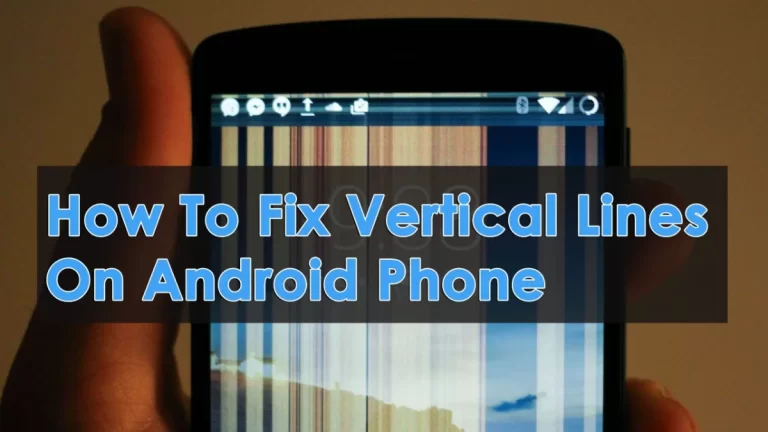
Best 8 Ways To Fix Horizontal or Vertical Lines on Phone

Horizontal or vertical lines on phone screen can be very dangerous to your device. Let’s jump right in, shall we? Well, they don’t usually seem all of a sudden. Something’s caused them, mostly related to accidental drops or water damage, among other things. This guide explores what might be causing those unusual effects and how to fix horizontal or vertical lines on phone screen.

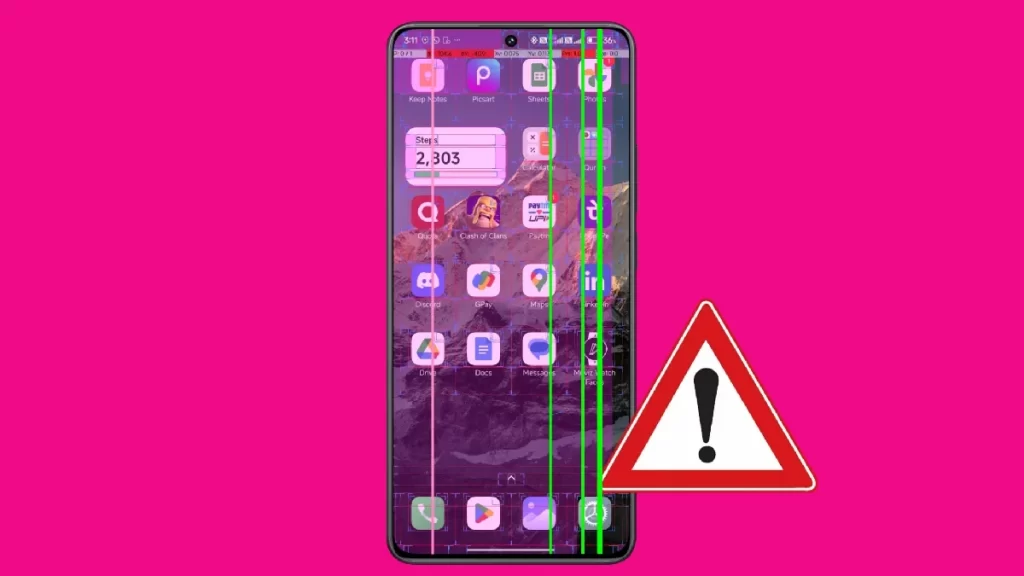
It’s never ideal to see vertical white or black lines on your Android phone. The problem isn’t exclusive to any one brand. It is noticeable on Samsung, Xiaomi, OnePlus, and iPhone phones with AMOLED screens. Additionally, green horizontal or vertical lines on phone occasionally appear out of nowhere. Try the solutions listed below before you head to the closest services.

What causes horizontal or vertical lines on phone screen?

Horizontal or Vertical Lines on Phone

The panel on your Android phone may be affected by several things. A malfunctioning screen, display settings, excessive temperatures, liquid or moisture damage, malfunctioning hardware, a damaged screen, and more can all cause black or white lines to show on your screen. To remove such horizontal or vertical lines on phone screen, we’ll start with the fundamentals and work our way up to more complex techniques.

1. Let your phone cool down

If your phone’s temperature is very high, it may exhibit vertical or horizontal lines. The device temperature may rise after a protracted video recording session or after playing games with a lot of graphics for a few hours. Give your phone some time to cool down before trying again.

2. Restart your phone

Restarting the device can quickly resolve such issues. Continue to press the power button to choose Restart. Use the instructions below if the power button has been designated for a different purpose.

Step 1: Swipe down from the home screen to enlarge the notification centre.

Step 2: To enlarge the fast toggles menu, swipe down one more.

Step 3: Select Restart by tapping the power symbol.

3. Remove the battery, the case, and the SIM card

If you’re using a phone case to safeguard it, take it off for a short while. Then, switch off your phone and remove your SIM card if your battery is detachable. Place your gadget on a cold surface and let it cool down for a few minutes. Then, put the SIM card and battery back in. This will help your device cool down a little if it’s overheating.

4. Enable safe mode

If specific installed applications on your terminal are causing problems with your display, the issue should be resolved in Safe Mode. To enter safe mode again, press and hold the power button and long-tap Power Off.

If the problem goes away in Safe Mode, it means that one of your apps is the source of the issue. Uninstall any recently installed software and perform a standard terminal reboot until you’ve found the offender. If your phone is stuck in safe mode, see our dedicated tutorial.

5. Fix water damage

If you used the phone in the rain, drops of water might have gotten inside the device. Or maybe you accidentally spilled water on it. You can let it dry or use a hack below to generate some heat and get rid of moisture.

Step 1: Open a website that’s mostly in white.

Step 2: Go to Settings and select Display.

Step 3: Tap Brightness and increase it to 100%. Disable the adaptive brightness toggle.
Step 4: Enable developer options on your Android phone and open the same.

Step 5: Switch on the Stay Awake toggle, put your phone on charge, and leave it for hours.

To get rid of horizontal or vertical lines on your phone, you might need to keep doing this while you sleep for a few days. I hope you will see them disappear.

6. Update your phone

Horizontal or vertical lines on phone screen may appear due to an outdated build. To download and install the newest version on your phone, navigate to Settings and scroll to System Update.

7. Reset your phone

If none of the tips work, it’s time to factory reset your Android phone. Prioritize backing up critical data, then take the actions listed below.

Step 1: Go to Settings and select Reset Settings by scrolling.

Step 2: Make a choice. Proceed with the on-screen instructions and erase all data.

8. Find a repair shop

If those obtrusive lines don’t go away, your hardware is likely broken. Visit a certified repair facility and have a professional examine your gadget. Depending on what they discover, you may have to get the display changed. If your phone is still under warranty, the manufacturer should replace the defective panel at no cost.

Final Words!

Horizontal or vertical lines on phone screen can quickly destroy your phone. They annoy, divert, and interfere with your daily activities. The above tips should solve the issue. Have you been able to resolve the issue? Was there a hardware, software, or app-related problem? Tell us in the comments section below.

We hope you liked our article on how to fix horizontal or vertical lines on phone screen. Feel free to add your suggestions in the comment box below. For more such content, stay subscribed to Techniblogic.

9 Best Ways To Download WhatsApp Status In 2024

If you use WhatsApp and are wondering how to download WhatsApp status photos and videos, don’t fret. We have your back!

A simple way to see your loved ones’ most recent updates is to check their WhatsApp status. However, WhatsApp statuses vanish after a day. Thus, FOMO, or the “fear of missing out,” Although you cannot store status updates from WhatsApp natively, we will walk you through the nine simplest methods to download WhatsApp status images and videos to your iPhone, Android device, or web browser.

How To Download WhatsApp Status On iPhone

 Download WhatsApp Status

Don’t worry if you’re using WhatsApp on your iPhone and are wondering how to download WhatsApp status or store a user’s photographs and videos from their status updates. These are the easy ways to download WhatsApp status:

1. Take a Screenshot

Step 1: Select the Status tab after opening WhatsApp.

Step 2: Touch the person whose status you wish to save on your iPhone.

Step 3: To capture a snapshot of your iPhone’s state, simultaneously press the power and volume-up buttons. 

Note: To take a screenshot on an older iPhone with a home button, press the home button rather than the volume-up button.

2. Record Your Entire Screen

If someone posts a video on WhatsApp, you have the option to record your whole screen and store it. Let’s examine the easy steps for utilising your iPhone’s Control Center.

Quick Tip: Discover how to alter the Control Center’s appearance.

Step 1: Open the Status tab on your iPhone after launching WhatsApp.

Step 2: To access the Control Center, swipe down from the right corner of the screen. Swipe up from the bottom if you have an earlier iPhone.

Step 3: To begin recording, tap the Screen Recording option.

Step 4: Tap to view the status in full-screen mode and allow recording. When you’re done, press the red button to end the recording.

Step 5: Press the Stop button.

3. Link to an Android Device

There needs to be more flexibility in storing WhatsApp status videos and photographs on iOS. Fortunately, connecting your WhatsApp account to other devices is possible. Let’s link your Android phone to WhatsApp and retrieve the status. The actions to take are as follows:

Step 1: Launch the freshly installed version of WhatsApp on your Android smartphone. Click “Agree” to proceed. 

Step 2: Press the “kebab menu” three dots.

Step 3: Select “Link to existing account” in step three. 

Step 4: Now that a QR code has appeared on the screen, open your iPhone.

Step 5: Go to Settings > Linked Devices after opening WhatsApp on your iPhone. 

Step 6: Select Link a Device

Step 7: Press the OK button. 

Step 8: To access WhatsApp on your Android smartphone, scan the QR code on your phone using your iPhone’s scanner.

Here are more instructions on downloading WhatsApp status on Android since your account is currently signed into the Android smartphone.

4.  Log in to WhatsApp Web

Download whatsapp status

Using the WhatsApp web app, you may also download a WhatsApp status. It is straightforward to log onto the WhatsApp Web by just connecting it to another device. Let’s examine the actions that need to be taken:

Step 1: Wait for the QR code to load after launching WhatsApp Web on your browser.

Step 2: Now open WhatsApp on your iPhone, then select Linked Devices under Settings.

Step 3: Select Link a Device

Step 4: Now, use your iPhone to scan the QR code.

That’s all there is to it. Currently, you can download WhatsApp status via WhatsApp Web (the ways are covered in the section that follows this one).

How To Download WhatsApp Status On Android

5. Copy-Paste From WhatsApp Media Folder

Step 1: Turn on your Android phone’s Files app and press the hamburger menu.

Step 2: Select Settings.

Step 3: Enable Show Hidden Files and tap the back arrow to go back.

Step 4: Tap internal storage.

Step 5: Select Android > Media from here.

Step 6: Visit com. WhatsApp> WhatsApp once more.

Step 7: Select Media >.Statuses at this point.

Step 8: Tap and hold the images and videos you wish to save and choose them.

Step 9: Press the trio of dots.

Step 10: From the drop-down option, select Copy to.

Step 11: Tap internal storage.

Step 12: To paste the WhatsApp status, navigate to the folder of your choice and select Copy here.

Conclusion

Using any of the aforementioned techniques, you can download as many of your loved ones’ WhatsApp status pictures and videos as you like.

The simplest method to download WhatsApp status on iOS is to snap a screen capture or record your screen. If you’re using an Android device, you can download and save media locally by dragging and dropping it to the desktop from the web or the WhatsApp media folder.

We hope you liked our 9 Best Ways to Download WhatsApp Status article. Feel free to add your suggestions in the comment box below. For more such content, stay subscribed to Techniblogic.

Unlist Phone Number From Truecaller in Just 5 Minutes

Sometimes, you may wish to unlist phone number or contact details from Truecaller. Following Truecaller’s instructions to unlist phone number, we will now examine how to unlist phone number from Truecaller.

Before moving forward, you must be aware of the following: if the number is removed from the Truecaller database, it will no longer be searchable or visible to other users when you call. You should only unlist phone number if necessary because the free Truecaller phone number search feature aids users in rapidly determining who they are and helps them avoid spam calls.

Truecaller is the best caller ID software available for iOS and Android and the most widely used accurate number-searching service globally. Today, we will discuss the Truecaller Unlist Feature and how to unlist phone number from Truecaller.

Steps to Unlist Phone Number from Truecaller Website

Unlist Phone Number

The first step should be to deactivate the Truecaller account for the number you want to remove from the list. Assume the phone number you wish to have removed from the Truecaller list or deleted is already linked to your Truecaller account. You must deactivate it first. Take these measures to achieve this.

Step 1: On your phone, launch the Truecaller app.

Step 2: Select the menu from the upper left corner.

Step 3: From the list, select the settings option.

Step 4: Next, select the Privacy Center by clicking.

Step 5: Select the deactivate option from the newly displayed page. A new window for confirmation will now open. Press the “Yes” button. You will now have your Truecaller account deactivated.

You can go to the following step: the www.truecaller.com unlist page after the Truecaller account has been deactivated. Go to https://www.truecaller.com/unlisting to access the Truecaller.com website using your desktop or mobile browser.

There are two alternatives on the page. The first is to remove the number from the list, and the second is to change the name. Two buttons will be visible to you. I wish to unlist and change my name. Select “no” by clicking. To unlist is my desire.

In the past, after choosing the nation on the TrueCaller website, you only had to input the phone number or cell number in the designated field. However, as of now, the phone number and country code must be manually entered. Thus, remove the phone number from TrueCaller by following the + sign or 00 pattern, the country code, and the actual phone number.

To remove a US phone number from TrueCaller, such as 234 567 7890, you must enter +1234567890. This will remove the US phone number from the TrueCaller system. Similarly, if you unlist an Indian number, such as 9012345678, provide the number with the Indian country code as +919012345678. Here, the international formatted country codes for the United States and India are +1 and +91. As a result, in your situation, you must appropriately provide your country code.

To verify, click the “I am not a robot” option after entering the number. You will also see one question about feedback. From the options, you can choose the appropriate response. In the end, press the unlist button.

An OTP request confirmation window will now appear. Truecaller will send one OTP to your unlisted number using the recent modification. Proceed after entering the OTP. At last, another popup will appear with a message stating that TrueCaller will delete the number from the database in the following 24 hours.

It may take some time for a number to be removed from the search results. After a day, the number will likely be completely erased from the results, though it may still be accessible for a few hours.

Can I unlist phone number from the mobile app?

No, you must go to www.truecaller.com, the official Truecaller website, to unlist phone numbers. The True Caller website can be accessed by both a PC and a mobile device.

Conclusion

Therefore, you must cancel the Truecaller account using the Truecaller app on your mobile device to have the Truecaller phone details removed from your name. Next, you have to use the www.truecaller.com unlist page to remove the actual caller number from the list. Lastly, you can remove the Truecaller app from your smartphone. By following these instructions alone, you can delete the number from Truecaller and erase all of the account’s data.

We hope you liked our article on how to unlist phone number from Truecaller in Just 5 Minutes. Feel free to add your suggestions in the comment box below. For more such content, stay subscribed to Techniblogic.

How to Fix Instagram Black Screen Problem in 2024

Recently, many Android users have reported facing Instagram black screen issues. The app occasionally has a dark screen when watching reel movies. Thus, if you are also experiencing the Instagram black screen issue, you’ve come to the correct place.

Many Android users have expressed displeasure with a recurrent problem: a black screen that appears while scrolling through the Instagram app and remains there. This phenomenon occurs not just during the app’s initial launch but also interferes with other platform features, particularly while playing videos. This persistent issue has led many users to look for fixes because it interferes with the smooth experience they expect while using Instagram’s many functions.

Ways to fix Instagram black screen problem

Instagram Black Screen

We’ve provided a few easy tips below to help you fix the Instagram black screen problem. They will be quite simple to follow; just do as we have instructed. Now, let’s get going.

Restart or relaunch:

1. Problems with Closing and Reopening Instagram Accounts: 

You can swipe up or tap the square symbol at the bottom of your screen to open your Recent Apps menu. Look at the list, swipe it off, and then launch Instagram again from your Android app drawer. This gives the app a new start, which can fix the Instagram black screen problem.

2. Restart your Android device:

Press and hold the volume up and power buttons until the power menu displays. To restart your phone, tap “Restart.”. This frees up memory on the smartphone and may fix any underlying problems causing the black screen problem on Instagram accounts as you go through your feed.

Force Stop Instagram

1. Accessing App Info:

Long press the Instagram app icon on your home screen or in the app drawer. Choose “App Info.” from the display option.

2. Forcing the app to stop

On the Instagram App Info screen, select “Force Stop.” This stops all of the application’s processes. Relaunch Instagram after that to see whether the black screen Instagram account problems still exist.

Check Your Internet Connectivity

1. Wi-Fi or mobile data:

Verify that your connection is operational and functioning correctly. To check connectivity, open a web browser or another application. A shaky or unreliable internet connection may result in Instagram showing a black screen or not loading any content at all.

Check Instagram Server Status:

Go to the Downdetector Instagram page by opening your web browser. Real-time updates on server problems are available on this website. Black screen Instagram account troubles may arise if there are server issues with the Instagram feed black screen. Awaiting the restoration of the server might fix the problem.

Update the Application

To access the Google Play Store, use the Android app for the Google Play Store. Tap the three horizontal lines in the upper-left corner and choose “My apps & games.” Check the list of apps with updates waiting, and look for Instagram. To install the most recent version of Instagram, tap “Update” next to it.

Empty the Cache and Data

To clear the Instagram cache and data, navigate to Settings > Apps > Instagram on your device. After tapping on “Storage” or “Storage Usage,” choose “Clear cache” and then “Clear data.” This could fix the Instagram black screen issue because it deletes the temporary cache and login data files and resets the application.

Disable Dark Mode

Launch the app to turn off Instagram’s dark mode

  1. Tap the three horizontal lines in the upper-right corner after tapping your profile image in the bottom-right corner.
  2. Choose “Accessibility,” “Settings,” and lastly, “Dark Mode.”
  3. Try turning off Dark Mode to see if that fixes the Instagram black screen problem.

Modify the Activity Settings

  1. Go to Settings > Apps > App Management > Instagram on your Android device.
  2. Select “Battery Usage” or perhaps “Battery Optimization.”
  3. Ensure that foreground and background activities are permitted to avoid battery-saving limitations that could lead to the Instagram black screen problem.

Disable Data Saver Mode

Instagram users can turn off the data saver by tapping on their profile image. This will take them to the profile menu, where they can choose “Settings.” Go to “Account” and select “Mobile data usage.” Turn off Data Saver mode and see if that fixes Instagram’s black screen issue by letting full content load.

Reinstall the App

Instagram Uninstall and Reinstallation: If all other options have been exhausted, long-pressing the Instagram app icon and choosing “Uninstall” will delete the app from your device. Go to the Google Play Store and type in “Install” to download and reinstall Instagram. To use Instagram without running into the black screen issue, log in using your login credentials.

Conclusion

You may end your Android device’s bothersome Black Screen Instagram Problem Fix by following these thorough troubleshooting instructions. Nevertheless, please get in touch with us in the comments section below if you continue to experience problems or need help. Give this article to friends with similar issues, and together, we can ensure everyone has a flawless Instagram experience!

We hope you liked our article on how to fix Instagram black screen. Feel free to add your suggestions in the comment box below. For more such content, stay subscribed to Techniblogic.

Unlock The Butterflies Lens On Snapchat In 4 Simple Ways

Butterflies Lens on Snapchat is one of the most popular filters currently available, with thousands of people enjoying the fun. You’re presumably here to learn how to use this effect and make your articles look prettier. It adds a swarm of vibrant, fluttering butterflies to your selfies to enhance them and create a lively impact that you can share with friends or add to your story. So, how can this filter be unlocked? All of the information is here.

This lens adds a butterfly-like touch of life, elevating your photo to a new level. Thus, this post can assist you if you cannot access butterflies lens on Snapchat. This post will discuss the best ways to unlock the butterflies lens on Snapchat. Now, let’s move forward.

What Is Butterflies Lens On Snapchat?

Butterflies Lens On Snapchat

It is essential to comprehend the purpose of the Butterflies lens on Snapchat before discussing how to unlock it. As the name implies, you can see a lot of butterflies flying around your face when you use the Butterflies lens on Snapchat. It is entirely up to you to select one of the many free butterfly filters the programme offers.

How to unlock the butterflies lens on Snapchat?

butterflies lens on Snapchat

Now that you know what the Snapchat Butterflies lens is, let’s examine how to access and use it.

1. Lens Link

You can ask your friends to share the link with you if they have or are currently using the butterflies lens on Snapchat. It’s widespread to share lenses via URL; you can also quickly gain from it. Here’s how to use Lens Link to unlock the lens:

  • Click on the Snapchat lens link that your friend sent you.
  • After that, instructions on how to unlock the lens will appear.
  • It would only prompt you to unlock the Butterflies lens if you were using a mobile device.
  • If you are using a different device, it will take you to the website, where you can use the lens and see the snap code.

2. Via the Snap of another person

butterflies lens on Snapchat

Using other people’s photos is another way to use the Butterflies Lens on Snapchat. From there, you can unlock a picture you see with a Butterfly lens. Here’s how to go about it:

  • Locate the picture with the butterfly lens on it.
  • You will notice a “Try Lens” button on the Snap. Could you give it a tap?
  • To add the Lens to the “Lens Section,” tap on it.
  • You can then use the Butterflies Lens on Snapchat after finishing.

3. Making use of Snapchat Lens Studio

Butterflies lens on Snapchat

One of the best ways to unlock the Butterflies lens on Snapchat is through Snapchat Lens Studio. This is how it operates:

  • Navigate to the Snapchat Lens Studio section after opening Snapchat on your smartphone.
  • You may see numerous lenses made and shared by Snapchat users.
  • You can either use the Search option to find the Butterfly lens or explore all the lenses until you locate it.
  • To utilise the lens, find it and tap on it. The lens can also be stored for subsequent use.

4. Search for the lens

Finally, you can use Snapchat’s lens gallery to search for the Butterflies lens. Here’s how to go about it:

  1. Get your smartphone and open the Snapchat app.
  2. There’s a Search icon next to your profile.
  3. To input the text “Butterfly lens,” tap on it.
  4. You’ll receive a selection of butterfly lenses.
  5. Alternatively, look through your Snap camera’s available lenses and filters to find the butterfly lens.
  6. To access the Butterfly lens, swipe all the filters to the right. Select the “Explore Lens” option at the end of the section and look for the Butterflies lens on Snapchat if you cannot locate the lens.

Conclusion

With Snapchat, you may have fun communicating with friends and family through short films and pictures. With its many features, like filters, effects, lenses, and more, Snapchat adds even more intrigue to the experience. Snapchat Lens enhances your Snaps using a lens. Many Snapchat users wish they could own this lens since it looks adorable and friendly. However, in actuality, you must first unlock the lens to use it. This guide covered the fundamentals of Snapchat Lens and a summary of well-known lenses. We saw a few methods for unlocking Snapchat’s Butterflies lens.

We hope you liked our article on how to unlock the butterflies lens on Snapchat and are now ready to take some amazing selfies. Feel free to add your suggestions in the comment box below. For more such content, stay subscribed to Techniblogic.

150+ Facebook VIP Bio To Captivate Your Audience

Your Facebook VIP Bio is a digital business card that displays your personality and hobbies, making a lasting impression on those who visit your page. Creating an amazing Facebook VIP account profile is essential for anyone looking to stand out, whether they are a social media influencer or a business professional.

The use of smart keywords is essential when creating a distinctive Facebook VIP bio. These keywords establish your identity and help people locate you. Whether you’re developing your own brand, marketing your business, or expressing your interests, we’ll look at how to incorporate a Facebook VIP bio that describes you well.

Facebook VIP Bio Ideas with Emoji

  1. 💪 Workout Addict 🖤
  2. I enjoy football and having fun 😆😆😉.
  3. I adore vehicles. 🚘🚘🚔🚔
  4. I cried first on March 1st. 🍃🌞
  5. ★Total Devil★
  6. ♥️ Official ID 👑
  7. 😎 I am single by choice.
  8. 😊Proud Indian ♥️.
  9. 🔥Facebook King👑
  10. 💔 Shayar 💔
  11. 🔥Bullet Lover ♥️
  12. ⚔Cake Murder 🎂August 30th 🎂
  13. 😎Loafer Ladka 🔥.
  14. I’m addicted to music.
  15. I love eating. 🍦🍰🍗🍔
  16. I adore dogs 🐕🐶🐩
  17. I adore my parents.
  18. 👑 Official Account.

Facebook VIP Bio Attitude

Facebook VIP Bio
  1. I am a believer ♥️.
  2. Please wish me on October 1st 🎉.
  3. I love you all💓💓.
  4. 👑 Mr. Perfect👑.
  5. ❤️ Taken🌍💍.
  6. ❤️ Book Lover📖.
  7. 👻 Happy soul 👑 ❤️.
  8. Rajputana lover ❤️
  9. Dharmveer⚔️.
  10. Total Foodie🍕🍟🍔.
  11. 😊 Jay Shree Ram 🙏.
  12. Desi Boy 💝.
  13. 😇 Thakur Saab 😎.
  14. 🏏 I enjoy cricket 🏆.
  15. 😂 Naam Hero Ka😌.
  16. Kaam Shaitan Ka😈.
  17. 👉I can die for my friends🥰.
  18. 👉Wish Me On May 1st🎂.
  19. 😎Jatt Attitude😎.
  20. I am the King👑.
  21. VIP player.
  22. Playing 24×7.
  23. There’s no time for games.
  24. VIP accounts only.
  25. Like for like.
  26. Follow to follow.
  27. Important games are being played.

Best Facebook VIP Bio for Boys

  1. I enjoy photography.
  2. I’m a photography junkie.
  3. I am a sports addict.
  4. I enjoy sports.
  5. I enjoy drama.
  6. Drama junkie.
  7. Facebook is king.
  8. Facebook King.
  9. Facebook junkie.
  10. My name is important.
  11. My name is important enough.
  12. My name is sufficient.
  13. All I need is myself.
  14. Myself is all I need.
  15. A very significant individual.
  16. An extremely essential individual.
  17. I’m the best.
  18. I adore myself the most.
  19. I’m immortal.

Best Facebook VIP Bio for Girls

  1. I’m queening my way through life.
  2. A very significant girl.
  3. This is very essential, gal.
  4. Important girl
  5. It’s important, gal.
  6. Too valuable for you.
  7. Too adorable for you.
  8. Too wonderful for you.
  9. Too beautiful for you.
  10. Too lovely for you.

Attractive Facebook VIP Bio

  1. Heart stealer.
  2. Player.
  3. As pretty as I can be.
  4. As pretty as I can be.
  5. Being gorgeous is a full-time job!
  6. Being attractive is exhausting.
  7. I am rare, not common.
  8. I’m too unique to fit into a stereotype.
  9. Playing with flames since 1989.
  10. Play games rather than expressing your emotions.
  11. Beautiful girl.
  12. Beautiful girl.
  13. A beautiful chick is here.
  14. A beautiful queen is here.
  15. A beautiful princess is here.
  16. It’s time to be magnificent.
  17. Too beautiful for you.
  18. My nature is stunning.
  19. Lady Killer is a heartbreaker.

Love Facebook VIP Bio

Facebook VIP Bio
  1. Love is what happened when I saw you.
  2. Love is a feeling.
  3. Being in love is incredible.
  4. Being in love is a fantastic feeling.
  5. Being in love with you feels fantastic.
  6. Love is poisonous.
  7. Love dies slowly.
  8. Do not fall in love.
  9. Falling in love is perilous.
  10. Falling in love is taxing on the knees.
  11. Love causes the brain to cease working.
  12. In love.
  13. I am in love!
  14. Love is the best feeling.
  15. Being in love is the finest.
  16. I love being in love.
  17. In love forever.
  18. I’m in love with you.
  19. I fell in love with you as soon as I saw you.
  20. I fell in love just looking at you.

Facebook VIP Bio Symbols

Facebook VIP Bio
  1. ❖♥️❖
  2. ◢◤🖤◥◣
  3. ◆☬❉KiNg❉☬◆
  4. ◢◤💙██❤️◥◣
  5. ☬❣●▬▬๑♥️๑▬▬●❣☬
  6. ꧁➖🧡King🧡➖꧂
  7. ◥◣💙██❤️◢◤
  8. 🖤⭕🖤
  9. ꧁➖⭕♠️⭕➖꧂
  10. ꧁➖🖤⭕🖤➖꧂
  11. ██✮┼✮♦️✮┼✮██
  12. ♦❖♠️❖♦
  13. ◥◣♦️◢◤
  14. 🔴Attitude Boy🔴
  15. ██✮┼✮♦️✮┼✮██
  16. ◢♦️Fb King♦️◣
  17. ✌❤
  18. ❤️🧡🖤💙💜🤎
  19. ꧁◥◣♦️◢◤꧂
  20. ꧁♦️⛓♦⛓♦️꧂
  21. ❣☬❣●▬▬๑🟣๑▬▬●❣☬❣
  22. ●⬤🧡⬤●
  23. ❣☬❣●▬๑🔴๑▬●❣☬❣
  24. ◈★◈■⚀■◈★◈
  25. ꧁█⚅█༒KiNG༒█⚅█꧂
  26. ꧁█⚅█༒🔥༒█⚅█꧂
  27. ꧁━•❃🟣∆🟣❃•━꧂
  28. ꧁💠⛓♦⛓💠꧂
  29. ꧁◥◣♦️◢◤꧂
  30. ꧁💠Killer💠꧂
  31. ⭕Branded Kamina⭕
  32. 🖤𝐊𝐈𝐍𝐆🖤
  33. ꧁𑁍Love𑁍꧂

Facebook VIP Bio in Stylish Font

  1. ✦✗✦❚❚❤❚❚✦✗✦
  2. 👌❚❚❤❚❚👌
  3. ✦✗✦❚❚🌷❚❚✦✗✦
  4. માં ka લાડલા
  5. ⭕«ɸ။⸽🖤⸽။ɸ»⭕
  6. ❥❥━──➸➽❂❥❥━──➸➽
  7. બચપન થી SMARTY
  8. ꧁❪█♥️🔵⚫🟢♥️⚀█❫꧂
  9. ꧁❪█♥️🔵King🟢♥️⚀█❫꧂
  10. No. Car🚐
  11. Player here
  12. Don’t play games with me
  13. My_fiRSt_sMiLe_wAs_oN_9/9🍰
  14. ╔═❣️⊰❂⊱❣️═╗
  15. ⊰💚⊱
  16. ﷽◣⊰🖤⊱◢﷽
  17. ╱◣🌹◢╲
  18. ◥▔◣🖤◣◈◢🖤◢▔◤
  19. 🔷◣★◢🔷
  20. ◥🌹◤

Swag VIP Facebook Bio

  1. ➡Ppl Call me BAPU 😉
  2. ⚫💯 Official account 🔐
  3. ⚫😘Music enthusiast 🎶
  4. ⚫😍.I am a sports bike enthusiast
  5. ⚫😭.I cried for the first time in my life on November 25, 1999.
  6. ⚫📷 Photography. ⚫
  7. ⚽Sports enthusiast ♳
  8. ⚫💰ßig Dreamer
  9. 😍My Day on June 17th 🎂
  10. 😣No Crazy 😬.
  11. Check out my stuff.
  12. Always dripping with swag.
  13. My swag is my attitude.
  14. My attitude determines my life.
  15. My life, my rules.
  16. 🔥Mr. Perfect, Single 😃
  17. 🍟 Foodie🍕
  18. Landed on Earth on September 13th.🎂
  19. ➡ Haq se Single 😆

Tips for Choosing an Attractive VIP Bio on Facebook

  1. Use terms like importance, attitude, swag, and king. The appropriate words can have a significant impact on your followers and friends. Choose terms for your bio that will leave a lasting impact and make your VIP profile stand out.
  2. Demonstrate your principles and passions by linking your VIP bio to a cause or movement you support. By expressing your commitment to a significant cause, you position yourself as someone who stands for something bigger than oneself, attracting like-minded others who share your ideas.
  3. Add some personality to your profiles with weird emoticons and symbols that nonetheless make an effect. In this way, people will know that you also have a lighter side to your personality.

We hope you liked our Facebook bio article and are now ready to rock your Facebook profile. Feel free to add your suggestions in the comment box below. For more such content, stay subscribed to Techniblogic.

Best Facebook Bio For Boys in 2024

Are you trying to find a distinctive and fashionable Facebook bio for boys? Or how about a humorous, bizarre, or attitude-filled Instagram bio? We have the entire list of Facebook bio for boys.

Everyone is aware of the pervasiveness of social media in our daily lives. People adore using well-known apps like Facebook, Instagram, and Snapchat to display their flair and draw attention from others through their bios. You’ve come to the perfect spot if you’re searching for a stylish, attitude-filled Facebook bio for boys in 2024! This post features a selection of more than 100 Facebook bio for boys. These bios have been thoughtfully written to draw attention to your profile and increase your followers.

Top 15 Facebook bio For Boys!

Facebook Bio For Boys

Here, we’ve compiled the top Facebook bio for boys for 2024: something different, fashionable, swagger, friendship, inspirational, travel, and more.

  1. Accepting life and savouring each second.
  2. Fervent about sports, music, and video games.
  3. Living heart and soul in Mumbai.
  4. Scorpion, celebration of a turning point.
  5. Devoted to health and fitness.
  6. A celebration of life every day.
  7. Art, photography, and dancing come to life.
  8. Growing and being positive every day.
  9. A loyal companion who loves animals.
  10. Music lover, Bollywood devotee.
  11. Thriving on wild adventures.
  12. Daytime entrepreneur, nighttime dream-weaver.
  13. Engineering graduate, nocturnal party king.
  14. Dancing to life’s sweet melody.
  15. Coding through challenges, triumphant.

Stylish Facebook Bio For Boys

Stylish Facebook Bio For Boys

Writing a stylish Facebook bio for boys is a trend that will always stay in style, especially among young guys and girls. The first thing someone sees when they visit your Facebook account is your bio. For our readers, we have prepared some elegant Facebook bio for boys that they can copy and paste onto their Facebook profiles, perfectly fitting their style and speaking for them.

  1. Dancing through life 🕺
  2. Capturing moments 📷
  3. Ready to conquer the world 🌍
  4. Glam and grace 💅
  5. Fall vibes all year 🍂
  6. Coffee connoisseur ☕
  7. Tech enthusiast 📱
  8. Ready for takeoff 🚁
  9. Blossoming in style 🌼
  10. Singing my heart out 🎶
  11. Making memories ✈️
  12. Starry-eyed dreamer ✨
  13. Fitness freak 💥
  14. Exploring the world 🗺️
  15. Gaming is my world 🎯
  16. Beach bum for life 🏖️
  17. Sun-kissed and happy ☀️
  18. Night owl by choice 🌌
  19. Words are my art 📜
  20. Burger aficionado 🍟

Unique Facebook bio for boys

Facebook bio for boys

Looking for the best unique Facebook bio for boys to post on your timeline? Please check out the list of attitude bios for the Facebook timeline below! 

  1. A student of life, always learning 📚
    Loves movies 📽️
    Foodie on travel mode 🍕🏍️
  2. Growing one experience at a time ⏲️
    Capturing moments 📸
    Animal lover 🐕
  3. Stardust with a sprinkle of imagination ✨
    Loves nightlife 🌃
    Wish me on (birthday) 🎂
  4. On the road to self-discovery 🛣️
    Willing for something different 🫤
    Obedient and sincere 🙂
  5. Sippin’ on inspiration, one cup at a time 🍵
    Writer ✍🏻
    Book worm 📗
  6. Adventuring into the golden hours ⏳
    Life’s an adventure 🏔️
    Bicyclist 🚴🏻‍♀️
  7. Marathon runner 🏃🏻‍♂️
    Setting records ⌚
    Nature lover 🌿
  8. Being ruggedly handsome 😎
    Car lover 🚗
    Wish me on (birthday) 🎂
  9. They said I couldn’t, so I did.
    Winning in life 🚩
    Student 📖
  10. Impossible is not in my dictionary ❌
    Attitude is everything 💪🏻
    Bulking up 🏋🏻
  11. Being fabulous is a full-time job ⭐
    Lover of tech ⚙️
    Fitness enthusiast 💪🏻
  12. Everyone has weaknesses, but I’m not everyone 😏
    Camera lover 📸
  13. Creating my own soundtrack to life 🎶
    Cool dude 😎
    Lover of tunes 🎵
  14. Lost in the beauty of the cosmos 💫
    Creating own rules 🏴‍☠️
    Music addicted 🎧
  15. Living in a world of technology & dreams ⚙️
    Tech enthusiast 💻
    Science geek 🥼

Attitude Facebook bio

Facebook bio for boys

Are you trying to find the best attitude Facebook bio for boys to share on your wall? Please have a look at the following list of Facebook timeline attitude bios!

  1. I am not perfect, but I am unique.
  2. One snarky comment at a time 💬
  3. Keeping it real
  4. Attitude Is Everything.
  5. If you don’t like my attitude, stay away.
  6. Don’t mind if I flaunt my attitude.
  7. Attitude is made of emotions
  8. Slaying with attitude.
  9. Attitude on display, effortlessly.
  10. Elegance meets audacity here 💫
  11. Confidence is my accessory.
  12. Don’t mind if I flaunt my attitude.
  13. Keeping it real.
  14. Attitude galore.
  15. Slaying with attitude.

Classy Facebook bios for boys

  1. No limits, just opportunities.
  2. Love for cars, burning rubber on the track 🚗
  3. Hitting life’s curveballs with style.
  4. Thriving in the fast lane of life.
  5. Born for the outdoors, thriving in nature.
  6. Beard game strong, heart even stronger 🧔🏻‍♂️
  7. Sports fanatic and proud of it.
  8. Wine and dine connoisseur 🍷
  9. Tech whiz with a passion for innovation.
  10. Fitness is my lifestyle, not a phase.
  11. Born to explore, destined to wander.
  12. Chasing dreams and scoring goals.
  13. Skydiver, taking life to new heights.
  14. DIY enthusiast, crafting my destiny 🛣️
  15. Making history, one day at a time.

Conclusion

We can help if you’re having trouble developing an interesting Facebook bio for boys. Look at these succinct yet compelling Facebook bios for boys to see how they may help you stand out from the competition and improve your profile’s engagement. Instead of settling for outdated bios, discover the difference with our freshly baked ones.

We hope you liked our article on Facebook bios for boys and are now ready to rock your Facebook profile. Feel free to add your suggestions in the comment box below. For more such content, stay subscribed to Techniblogic.

4 Simple Ways To Download Facebook Stories in 2024

Download Facebook Stories

Since the introduction of Facebook Stories, it has become much easier to download them. Would you like to download Facebook stories whenever you’re on the go? We offer four simple methods.

Snapchat Stories gained popularity a few years ago because social media content has a limited shelf life. Facebook immediately adopted the idea, extending its use to other social media networks like Instagram and WhatsApp. On Facebook, though, many friends might post exciting anecdotes about their experiences. As was previously indicated, Facebook stories disappear 24 hours after they are posted. As a result, keep them so you can watch that brief video or that lovely image again.

To solve this problem, you can download Facebook stories to watch later. Various methods could be applied in this situation. There are several ways to download Facebook stories to your computer or mobile device, which we shall discuss in this article. You can also be guaranteed that every method on the list will download any story’s video along with the soundtrack. So, let’s get started.

What is a Facebook story?

Download Facebook stories

Facebook Stories are compilations of photos or videos uploaded by users that can be seen on their timelines. They were first made available on March 28, 2017. They are considered an additional news stream for the Meta-owned Facebook website or app.

Facebook’s in-app camera toggle allows you to upload images and films and adds graphic geolocation marks to your photos and videos. Additionally, you can add humorous filters and lenses, like Snapchat, to the content. Furthermore, the media item can be sent directly to a friend or shared publicly on the Facebook app for 24 hours. Now, let’s look at how you can download Facebook Stories.

4 Simple Methods To Download Facebook Stories

You can download Facebook stories in four different ways for offline reading. Every technique on the list is simple to use and requires only a few fundamental steps. Furthermore, you won’t need to register again or create a new account. So, let’s start with each technique individually.

1. Download Facebook Story On a PC

Download Facebook stories

You can download Facebook stories easily from the BraveDown website, a third-party resource. This free online resource is open to all users. The simple guidelines provided below explain how to use the website.

  1. To access the necessary website, copy the URL or type bravedown.com/facebook-video-downloader into your browser’s address bar.
  2. Now, copy the URL of the narrative, photo reel, or video you wish to download.
  3. Copy and paste the story’s URL into the Enter your URL tab.
  4. Then, you can choose whether or not to download the movie with audio in addition to the specified video quality.
  5. Next, choose the desired quality for the video and hit Download.

Therefore, save any Facebook story or video to your PC for offline viewing by following these simple steps.

2. Download Facebook Story With Chrome Extensions

Download Facebook Stories

Moreover, you can download Facebook stories or videos using the well-known Story Saver Chrome plugin. Story Saver allows you to download and store Facebook stories rapidly. This add-on also allows you to save stories from WhatsApp and Instagram.
Click on Add to Chrome after opening the Story Saver URL to get this extension for Chrome.

  1. Launch the Facebook website once the download is complete.
  2. Next, open the story you wish to download and select the Download option under the Story Saver Extension menu.
  3. Your video will download automatically; you can view it on your PC anytime.
  4. Click the Extension icon and pin the Story Saver symbol if the extension isn’t visible on the extension tab next to the address bar. You can also reposition the icon.

3. Download Facebook Story On Android Mobile

Download Facebook Stories

You may also store your phone’s pictures and videos directly using the Facebook app on your Android smartphone. To download any video with the app’s assistance, you only need the Story Saver for Facebook app. Let’s start by examining how to download any story using the application.

  1. To download Story Saving for Facebook, open the Google Play Store on your Android smartphone and search for it, or use this link.
  2. After installing the app, give it permission.
  3. Next, select the article you wish to download by opening it in the Facebook app.
  4. Click on the dot icon to copy the video’s URL. Then, paste the URL link into the app’s home screen.
  5. You can download stories from the app’s homepage using your Facebook account.

This program downloads Facebook stories at remarkable speed and efficiency. It has an intuitive user interface. Users can also access the app directly and download their preferred video story by logging in.

4. Download Facebook Story On iPhone

You can also download Facebook stories to your Apple iPhone. Downloading the video to your iPhone to watch it offline is also very simple. So, let’s get the process started.

  1. On your iPhone, launch the Facebook app and log in.
  2. Look for and open any story or video you find if you are already signed in.
  3. Then click Share and choose Copy link.
  4. Launch the Safari browser at this point and look up Snapsave. You can try opening the webpage manually.
  5. You can paste the link from the icon next to the download button or double-tap the homepage link.
  6. Upon selecting “Download,” you can select the preferred video quality. After choosing your favourite video quality, the narrative will start to download.
  7. The progress of the video can be monitored under the Downloads tab. Once it has finished downloading, you can watch it from the Downloads area.

Conclusion

If you like a picture or video in a Facebook story, you can use the techniques above to download Facebook stories to your smartphone or computer. Facebook story downloads can be time-consuming. As a result, we have chosen a few simple methods to help you along your journey. The options on this page primarily pertain to third-party websites, Chrome extensions, and applications.

We hope you liked our article on how to download Facebook stories. Feel free to add your suggestions in the comment box below. For more such content, stay subscribed to Techniblogic.

Instagram Status Download: Use These 3 Simple and Free Ways!

Are you trying to find a rapid and easy method of Instagram status download? Downloading the status update is necessary for practically everyone who uses Instagram. Here are some of the most excellent methods for Instagram status download so that you can set the record straight and begin answering questions similar to yours.

For practically everyone who uses Instagram, downloading the status update is necessary. Here are some of the most excellent methods for downloading an Instagram status so that you can set the record straight and begin answering questions similar to yours.

Also Read: 200+ Best Instagram Username for Girls That Are Not Taken Yet

Instagram Status: How to Download?

When you search for an Instagram status download, we assume that you are looking for Instagram stories. Here are a few methods for downloading an Instagram story.

1. Directly using Instagram

Download Instagram Status

Through the Instagram app, you can easily save your own Instagram story. Once your tale is ready, select Save by tapping the three dots in the screen’s upper-right corner. This saves the narrative for your neighbourhood gallery.

Also Read: 50+ Best Sad Bios For Instagram That Can Express You Well

After posting the story to your Instagram, you can even save it. There are several ways to go about doing this:

  1. To download your Instagram story, open it.
  2. In the lower right corner of the screen, tap the More option.
  3. Select Save > Save Story. Your tale is immediately saved to your phone’s picture gallery.

2. Mobile Applications

Instagram status download

Certain smartphone apps have been created to download Instagram stories easily. Major operating systems, like iOS and Android, support them. Here, we’ll examine a handful of them. But first, let’s review the fundamental procedures at play here.

  1. To download an Instagram story, open the desired story.
  2. Three dots are located next to the X sign in the upper right corner of the screen. Give it a tap.
  3. Click the copy link.
  4. This makes a copy of the clipboard’s narrative link.
  5. Now launch the mobile app (which we describe below) and copy the link straight into the insert bar.
  6. To download the story, click Download or Submit, depending on the option.
  7. You save the story to your downloads.

Also Read: 200+ Best Motivational Bios For Instagram To Spice Up Your Profile

To download the Instagram status through a mobile application, you must retrieve the story’s Instagram URL. Here’s how to go about it:

You may download Instagram stories using the following Android apps:

Apps for Instagram Status DownloadLink To Download

Story Saver
Story Saver

Video Downloader for Instagram
Video downloader for Instagram

Video Downloader: Story Saver
Video Downloader – Story Saver
  1. With Story Saver, you can download a profile’s highlights and stories.
  2. An Instagram video downloader allows you to save reels and stories and manage all associated downloads.
  3. With Video Downloader—Story Saver, you can browse, download, and save videos to your smartphone.

Some iOS apps that can help you download stories are:

Apps for Instagram Status DownloadLink To Download

Story Saver for Instagram IG

Instore- Story Saver
Instore- Story Saver 

Story Viewer + Saver
Story Viewer + Saver 
  1. Instagram Story Saver Instagram allows you to browse and bookmark stories.
  2. Stories can be saved, reposted, and viewed with Instore-Story Saver.
  3. The Instagram story can be viewed and saved using Story Viewer + Saver.

3. Online Websites

Online Websites

Several websites can assist you in Instagram status download. This could be an easy solution if you want to avoid dealing with the inconvenience of downloading an app. The websites listed below can help you download the Instagram story.

  1. All you have to do with iGram is add the narrative link (the steps for this are outlined in the previous section).
  2. For the story to download rapidly, Inflact Story Downloader needs to know your Instagram user name.
  3. StorySaver downloads the story automatically and requires the URL to the Instagram profile.

Instagram status download: Instagram Bio vs. Instagram Story

The upper left corner of the Instagram app displays a little circle when you access your profile. In addition, the top right corner of the screen has a plus symbol. To begin uploading the Instagram story, tap on one of them. Your Instagram story can include text, images, GIFs, music, and videos.

To make your Instagram story more interesting, you may also tag the Instagram location, stickers, polls, and other features. Generally speaking, Instagram bios are the first few phrases on your social media page. It provides a quick overview of who you are and informs visitors about your past interests. If you are not sure about what to add to your Instagram bio, these articles may be helpful.

Conclusion

There are various ways to Instagram status download, so you can select the one that works best for you. It would be more handy to have an app if you want to keep downloading the stories and sharing them on Facebook and other social media platforms. However, utilizing the website will save you the necessary in-app storage if you need it for one use.

We hope you liked our article on Instagram status download and are now ready to rock your Instagram profile. Feel free to add your suggestions in the comment box below. For more such content, stay subscribed to Techniblogic.

The Best Instagram Story Saver App in 2024 That You Can Use!

Are you looking for the best Instagram story saver app in 2024? If yes, then you are in the right place. Instagram is one of the best social networking apps for instantly connecting with others and sharing your daily activities. When posting on Instagram, adding photographs and clips to the tale has become increasingly common. Unfortunately, Instagram does not provide a mechanism to download stories. You may wish to download another Instagram user’s story for a variety of reasons. So, in this article, we’ll tell you about the Instagram story saver app that you can use.

What is the Instagram story saver app?

This is a free tool that allows you to save and share all of your movies and photographs from various social networking platforms.

Find the top ten recommendations for the best Instagram story saver app. 

1. StorySaver.net 

Instagram Story Saver App

What is StorySaver Net? StorySaver.net on PC is a top choice for the finest Instagram story saver app. How can I save Instagram stories to the web? This Instagram story saver app allows you to effortlessly grab any of the stories of any person you want on the internet. The steps in the process are rather easy.

All you have to do is enter the Instagram user’s username, select the stories you wish to download, and choose the Save As option. Because this site is so dependable and simple to use, it is one of the best choices for your Instagram story saver app.

2. Story Saver

Instagaram Story Saver

Among the top ten Instagram story saver apps, the Story Saver on PC program with LDPlayer 9 comes in second. This tool allows you to download any Instagram user’s story, photograph, or video. Is the Story Saver application safe? This is a frequently asked question, and everyone wants to know the answer.

Yes, this application is really safe therefore, there is no need to worry about privacy or security issues when using it. This application allows you to effortlessly download any story you choose. Once downloaded, you can share them on your Instagram story. As this is one of the greatest Instagram Story Saver net applications, attempt

3. StorySaver+

StorySaver+

If you ask us which is the greatest story saver, we’ll recommend StorySaver+, which is another top selection for the Instagram story saver online programme. You can use this app to download any person’s Instagram stories. Furthermore, this programme does not notify the user that you have downloaded their articles, allowing you to do so anonymously.

This programme allows you to see stories anonymously without revealing your identity to the users. Are you ready to go through the speedy download process for an Instagram story? Then install StorySaver+ on your PC, which is one of the best suggestions for the best Instagram story saver app.

4. Video Downloader for Instagram

This is a multi-purpose programme for downloading Instagram stories, videos, and photos. When you use this Video Downloader for Instagram on PC you’ll appreciate how simple it is to download a story from your favourite Instagram user.

Once you’ve downloaded the stories with this Instagram story saver net software, you may view them offline and even after they expire. There are numerous options for downloading Instagram stories while using our Instagram story saver software. You can use any approach you like and get your work done.

5. FastSave:Video Downloader

FastSave:Video Downloader

FastSave: Video Downloader is also a great alternative for your favourite Instagram story saver app. This programme allows you to download Instagram reels, photographs, stories, and even highlights, making it an excellent Instagram story saver. This programme allows you to effortlessly download your favourite tales from your favourite people, which you wish to keep forever.

As this is a simple operation, try FastSave: Video Downloader for PC and enjoy downloading stories. This program eliminates the need to capture screenshots of your favourite narrative images because you can easily download them. Furthermore, this application has no constraints; you can download as many stories as you like during the day.

6. Story Downloader

Which is the best Instagram story saver app? Story Downloader can be included in the list of Instagram story saver apps. This application allows you to save Instagram stories, movies, and photographs. It has a very user-friendly layout, so you should have no trouble utilising the story saver Instagram app.

In addition, this Story Downloader for PC application allows you to download higher-quality stories. After you’ve downloaded them, you can share them with your friends. If you’re interested in the Instagram story saver app, you may use it to download Instagram stories.

7. Story Saver & Video Downloader

Story Saver & Video Downloader is another Instagram story saver programme that allows you to download stories from Instagram. In addition to Instagram stories, this Instagram Story saver online program allows you to download photographs and videos.

Anyone can use this Story Saver & Video Downloader for PC applications because it is completely free. In addition, our Instagram story saver net programme allows you to download all of your Instagram stories, photographs, and videos in high quality. Now that you have this app, you no longer need to look for other apps to download your favourite Instagram stories.

8. Video downloader, Story saver

Story Saver, a video downloader, is one of our top choices for the best Instagram Story Saver software. This programme allows you to download the Instagram stories of any Instagram user you desire. Aside from Instagram stories, you can download any Instagram user’s photos, videos, and highlights.

You can use this programme because the Video Downloader, Story Saver on PC application to immediately download stories to your devices. This application also includes an in-built player, which allows you to play downloaded movies, tales, and reels.

9. Insget – Instagram Downloader

Insget

The next best choice for an Instagram story saver app is Insget—Instagram Downloader. This program allows you to download photos, videos, and even stories from your favourite Instagram users. It features a smooth UI, so you won’t feel nervous when using it. Also, the procedure of downloading all of the stories is pretty simple here.

All you have to do is copy the link to the story and paste it into the appropriate area of our application, and the download will begin.

10. Story Downloader & IG Saver

How do you save Instagram stories on Android? If you still have trouble with this issue, use this Story Downloader & IG Saver on the PC app with LDPlayer 9. Through this application, you can save the stories of your favourite users to your devices directly. In this story saver Instagram app, you can download your favourite stories in a higher quality, which is awesome.

This is a free Instagram story saver net app that anyone can use. Also, saving your favourite stories of other Instagram users here is very easy.

Conclusion

Here we come to the end of the article about the top ten Instagram story saver app picks. These Instagram Story Saver Net applications and sites are ready to solve your issue in downloading stories; now it is your time to try these applications and sites and download any story of any user you want.

We hope you liked our article on Instagram story saver. Get ready to save up your favourite stories and feel free to add your suggestions in the comment box below. For more such content, stay subscribed to Techniblogic.


What Should Be Instagram Post Size: A Guide For 2024

With so many different post options, it’s hard to know which Instagram post size to use and when. Instagram is a platform that offers a wide range of content alternatives, including live videos, IGTV videos, stories, and posts. For each type of material, you must follow specific image requirements.

This page contains everything you need to know about Instagram post size guidelines. We’ll discuss the aspect ratios and resolutions required for various kinds of Instagram content and provide easy ways to resize photos.


A complete guide for Instagram post size

Images on Instagram can be between 320 and 1080 pixels in size; however, adding images to posts, stories, and IGTV requires following certain rules. Instagram enlarges images that are smaller than 320 pixels. Additionally, if they exceed the top limit, they will be scaled to 1080 pixels or less. Therefore, you shouldn’t worry too much about image size because Instagram handles it for you automatically.

You should be aware of the minimum and maximum image sizes for various kinds of Instagram posts, though. These are the detailed instructions.


Instagram post size

Each photograph on social media must have the correct file size and resolution for posting. Social media image specifications are essential to marketers because they affect post engagement, account legitimacy and attractiveness, and content quality. Unfortunately, resizing photographs on Instagram without adhering to the correct file specs can lessen the visual impact of your post.

Previously, Instagram post sizes comprised square photos with a 1:1 aspect ratio. Users had to crop larger images to fit their photographs into the designated size, making the compression process less effective and producing pixelated photos.

1. 1:1 Square Images

Ideal image size: 1080px by 1080px

Instagram Post Size

These are the typical square photos that you see on Instagram. Instagram offers a very simple auto-cropping feature if you would like to employ this option. It used to be hard to upload square photos because most cameras could only take portrait or landscape orientations. You can snap a square photo straight from your iPhone or Android phone with the gadgets and camera apps available today.


2. 1.91:1 Landscape

Ideal image size: 1080px by 608px

1.91:1 - Landscape
Ideal image size - 1080px by 608px

You may have seen some of these horizontal photographs on Instagram posts. It can be challenging to include these kinds of photos because most landscape photos have a 16:9 aspect ratio rather than a 1.91:1. Once posted, your picture will have a black border around it when it is in the gallery.

A black border around a post is generally not visually appealing. This may cause the post to look out of place because it is inconsistent with other posts on the user’s or brand’s Instagram account.

3. 4:5 Portrait

Ideal Instagram post size: 1080px by 1350px

4:5 Portrait

Ideal image size: 1080px by 1350px

Images in posts with a 4:5 aspect ratio are in portrait format. Since you may take them using your mobile device’s camera, uploading them is simple. Furthermore, you might still crop your portrait photo for Instagram even if it doesn’t have the same aspect ratio as the post.


Stories

Instagram allows you to generate many kinds of material, including posts, stories, and IGTV videos, which is one of its most outstanding features. Additionally, there are various image size requirements for each of them, as well as the ability to upload photographs. After talking about the different image sizes permitted for Instagram posts, let’s look at the rules for Instagram Stories.

Stories

The recommended size for an Instagram post size is 1080 pixels by 1920 pixels with a 9:16 aspect ratio. This is the ideal image size to guarantee that the picture fits the story precisely and that no black border exists.

On the other hand, you can upload any photograph between 1.91:1 and 9:16 to Instagram Stories. The image can be easily cropped to suit the story, or it will automatically fill in the space with a black border.

Does your choice of image size impact your feed?

Many individuals are concerned that using a combination of square, portrait, and landscape photos may make their Instagram feed appear disorganized and uneven. That isn’t the case, though, as all of your photos show up on your stream automatically as square images.

This implies that landscape or portrait-style photos will be seen when someone opens a post. But because the preview image for every post will be square by default, your feed will seem consistent from top to bottom. Consequently, your Instagram grid will seem flawless regardless of the image you use.


Conclusion

Instagram automatically resizes photos to the proper size for every kind of content. You must be aware of the image sizes to prevent that and ensure your photos fit precisely without cropping.

Black borders are frequently displayed on cropped photographs, detracting from their aesthetic appeal. To avoid this, you should upload your photos in a size that precisely fits the dimensions of your post or story. With the help of this article on Instagram post size, you can produce excellent Instagram image content.

We hope you liked our article on Instagram post size and are now ready to rock your Instagram profile. Feel free to add your suggestions in the comment box below. For more such content, stay subscribed to Techniblogic.

Amazon Upcoming Sale 2024: Your Ticket To Best Deals

Looking for inexpensive shopping options? In this blog, we will talk about Amazon upcoming sales and bargains in India. Staying informed is critical for clever buyers, and we’re here to help you navigate the money-saving options that Amazon provides through its promotions throughout the year.

Rest assured, Amazon offers reasonable rates in a variety of categories, including electronics, smartphones, clothes, gadgets, kitchen appliances, furniture, consumables, and more. If you’re looking for amazing deals, our site contains all you need to know about Amazon upcoming sales.

List of all Amazon upcoming sales, dates, and offers

Amazon Sales (Ongoing & Upcoming)Amazon Sale Dates

Amazon Baisakhi Sale
April 12- April 14, 2024

Amazon Summer Sale
May 4 – May 8, 2024

Amazon Summer Appliance Sale
May 14 – May 18, 2024

Amazon Father’s Day Sale
June 17 – June 19, 2024

Amazon Wardrobe Refresh Sale
June 19 – June 23, 2024

1. Amazon Baisakhi Sale

Amazon Baisakhi Sale

Next on the list is the Amazon Baisakhi Sale, one of the most popular Amazon upcoming deals, where people shopping for electronics, fashion, home, kitchen, and beauty products may make a purchase and receive a significant discount during Amazon upcoming sale.

Vaisakhi, also known as Baisakhi, is a festival celebrated throughout India to mark the start of a new harvest season. It is also celebrated as the start of the New Year by Bengalis and Sikhs. This year’s Baisakhi will be held on April 14, 2024. Understandably, there are many family gatherings and pleasantries. Gifts are also an important aspect of Baisakhi. If you are unsure what to provide, the approaching Amazon Baisakhi Sale 2024 is your best option.

Key Features

  • Up to 70 per cent discount on electronics.
  • Save up to 60 per cent on home decor and kitchen equipment.
  • Significant savings on fashion, clothes, and other accessories.

2. Amazon Summer Sale

Amazon Summer Sale

Are you anxiously anticipating the Amazon Summer Sale 2024? Then, this was your chance to take advantage of the summer season and receive incredible prices on everything you needed. With up to 50 per cent off a wide assortment of things, there’s something for everyone.

Key Features

  • Special deals on groceries, home, and kitchen items.
  • Up to a 50 per cent discount on home appliances.
  • Discounts of up to 40 per cent on mobile phones, electronics, and accessories.
  • Save up to 70 per cent on men’s and women’s apparel.
  • Additional cashback on payments made with ICICI, Kotak, and RBL Bank debit/credit cards.

3. Amazon Great Indian Summer Sale

Amazon Great Indian Summer Sale

This annual sale event normally takes place during the summer months, and it offers clients fantastic deals and discounts on a wide range of products. During the sale, shoppers can get huge savings on electronics, apparel, home appliances, books, and other items.

Furthermore, the sale usually lasts a few days and provides a fantastic opportunity for buyers to get some great prices on things they’ve been eyeing for a while during Amazon upcoming sale.

Key Features

  • Customers will receive a 70 per cent discount on numerous electronic items.
  • You can also take advantage of no-cost EMI alternatives, exchange offers, and cashback deals on select products.
  • Customers can also receive discounts on home and kitchen items such as appliances, cookware, furnishings, and more.

4. Amazon Father’s Day Sale 

Amazon Father’s Day Sale 

Father’s Day is an annual celebration honouring fathers and father figures. Furthermore, the well-known online platform Amazon offers some incredible bargains and promotions for a variety of occasions, including Father’s Day. The Amazon Father’s Day Sale will most likely include discounts and special offers on a wide range of things that would make excellent Father’s Day gifts. This could include appliances, electronics, clothing, tools, smartphones, literature, and so forth. Furthermore, the specifics of the sale, such as the products for sale and the discounts offered, may vary from year to year.

Key Features

  • Grooming kits are available for up to 35 per cent discount.
  • Up to 40 per cent savings on selected items such as smartphones and smartwatches.

5. Amazon Prime Days

Amazon Prime Days

During Prime Day, Amazon offers significant discounts on a wide range of products, including electronics, household appliances, apparel, cosmetics, books, and more. Prime members can also take advantage of lightning deals, in which a small number of products are sold at a significant discount for a limited time.

There are also exclusive premieres for well-known brands and exceptional discounts, giving clients a good opportunity to get affordable pricing during Amazon upcoming sale.

Key Features

  1. You can earn up to Rs. 5,000 in cashback rewards.
  2. Get up to 60 per cent savings on small Indian companies.
  3. Get up to 40 per cent off mobiles and accessories.
  4. Save up to 75 per cent on laptops, smartwatches, headphones, and more.
  5. Get up to 70 per cent discounts on home & kitchen.
  6. Get up to 65 per cent off smart TVs and gadgets.

Conclusion

Every year, Amazon runs enticing promotions with unique bargains and incentives for loyal consumers. If you enjoy shopping, you’ll appreciate the significant reductions offered during Amazon’s upcoming promotions. Simply add your favourite things to your wishlist, track them, and buy them at a lower price during sales events.

We hope you liked our Amazon upcoming sale article. Get ready to wishlist your favourite products and feel free to add your suggestions in the comment box below. For more such content, stay subscribed to Techniblogic.

Top 8 Indians With Highest Followers On Instagram Revealed!

Have you ever wondered who the top eight Indians with the highest followers on Instagram are? We’ve got you covered. The days of getting to know our favourite celebrities through TV and print interviews are long gone. Because of the emerging social media age, we may more readily glimpse their lives. These are the most famous Indians on Instagram, according to their number of followers.

Instagram is a social networking platform that serves as a library for images and videos. Images, reels, narratives, and other materials can be shared. It has significantly developed into a platform for people to use influence to make ever-increasing amounts of money. The more followers you have, the more likely it is that a brand will contact you about running advertisements that will increase sales. When it comes to the list of eight Indians with the highest followers on Instagram, it’s essential to realize that they have a sizable following. This contributes to substantial brand value, widespread recognition, and constant media attention.

Indians With Highest Followers On Instagram

1. Virat Kohli

highest followers on Instagram

Cricket player and fitness enthusiast Virat Kohli has the most Instagram followers in India. The athlete is renowned for keeping his social media presence authentic, attributing his fan base to those who like and respect him the most.

He posts about his family, diet, fitness, and other topics on the network and endorses brands, which earn him vast sums of money. He is also the most popular Asian on Instagram, far ahead of the other Indians, with 225 million followers.

2. Priyanka Chopra

highest followers on Instagram

Priyanka Chopra, our modern-day version of the Desi girl, comes in second among Indians and has the most Instagram followers. She has retained a sizable fan base among the Indian audience for her talent and work, even after migrating to the United States of America after getting married.

Chopra has received recognition for being the voice of the voiceless due to her active participation in numerous international groups, including UNICEF. This, together with her acting career in Hollywood, has made her a popular figure abroad. She is a very active social media user who frequently shares updates about her job, family, and other topics!

3. Shraddha Kapoor

highest followers on Instagram

Shraddha Kapoor is an unwavering social media sensation despite her lack of success as an actor and her lack of tens of films per year.

The multi-talented actor has a large worldwide following due to her success as a singer and dancer. In addition, despite being a celebrity, she is renowned for maintaining a social media presence by sharing candid photos of herself with no filters and BTS from her job, exercise, and family.

4. Alia Bhatt

highest followers on Instagram

There is fierce competition between Bhatt and Kakkar (now ranked fifth) for the fourth spot on the list of the top eight Indians with the highest followers on Instagram, with 68.8 million followers. Her fame reached heights following back-to-back hits in Bollywood films like Darlings, Brahmastra, RRR, and Gangubai Kathiawadi. Her unexpected marriage with Bollywood actor Ranbir Kapoor also garnered stunning media attention. Her latest work on Hollywood productions and images featuring actress Gal Gadot attracted much attention from worldwide media.

5. Neha Kakkar

highest followers on Instagram

Millennials, who look up to Indian singer and entertainer Neha Kakkar, are buzzing about her. Nearly every age group, including the young, middle-aged, and elderly, follows her.

In addition, she has maintained constant communication on social media with each and every one of her admirers. She is actually one of the very few celebrities who posts fan-made reels and movies on her social media feed and tales.

6. Narendra Modi

Narendra Modi

Narendra Modi, the prime minister of India and a prominent figure in world politics, is number six on the list of the top eight Indians with the highest followers on Instagram, with 68.8 million followers. He is the only politician among the top-followed Indians on Instagram, a list that includes actors and athletes. His social media crew deserves special recognition for their timely postings and clips on social media that provide information about his travels.

7. Deepika Padukone

Deepika Padukone

Deepika Padukone, the global celebrity and love interest of millions, boasts an impressive following of 70 million on Instagram. The performer and actor has received a lot of praise for her roles in films. In addition, she has been an outspoken supporter of mental health and regularly emphasises it on her social media pages.

She is currently second last on the list of the top eight Indians with the highest followers on Instagram, with 70.1 million followers.

8. Katrina Kaif

Katrina Kaif

Bollywood actress Katrina Kaif frequently uses social media. When she established her cosmetics brand, Kay Beauty, to attract the interest of online users, she enlisted social media influencers to handle all of the business activity and advertisements.

She has also been a frequent member of the networking site. Kaif keeps her followers updated on her career, exercise regimens, wardrobe, and other topics. She is the last on the list of the top eight Indians with the highest followers on Instagram, with 68.8 million followers.


Final Words!

The list of the top eight Indians with the highest followers on Instagram. It’s clear that the audience appreciates those who post relatable content on social media. More users than ever before are present on the site. Examining minute details and adhering to them in real life has become the norm in the modern world. We hope that this list of the top eight Indians with the highest followers on Instagram.

We hope you liked our article on the top eight Indians with the highest followers on Instagram. Feel free to add your suggestions in the comment box below. For more such content, stay subscribed to Techniblogic.

200+ Unique Instagram Names Ideas You Can Steal

Having unique Instagram names can grab you more views and attention. On the well-known social media site Instagram, you can keep your username separate from your actual name. When someone searches for your ID, they first notice your username, which is in the upper-left area of your page. Thus, we can assist you if you’re trying to develop the ideal Instagram names for girls. However, there isn’t a set rule on what should be the username; you can choose whatever works for you.
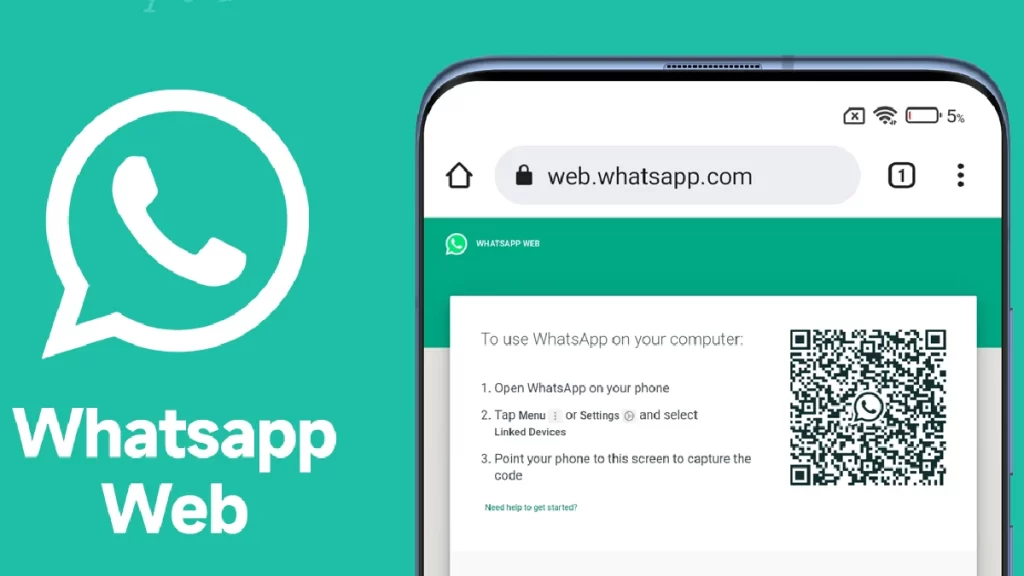
Therefore, to help quell the frenzy, we have included over 100 unique Instagram names for everyone in this post. Now, let’s get going.

What is an Instagram username?

Unique Instagram Names

Your Instagram account name serves as your username. It is the first thing people notice about your profile and is in the upper-left corner. It’s time for you to post something intriguing to get additional followers and attention.

Unique Instagram Names For Girls

Creating unique Instagram names is essential to standing out from the crowd. Let’s have a peek at some adorable Instagram usernames for women. You can also copy and paste any of the unique Instagram names listed below.

Unique Instagram Names For Girls
  1. QueenlyVibes
  2. RebelChic
  3. SassySiren
  4. BadassBabe
  5. FearlessFashionista
  6. GirlbossGlow
  7. ChicChick
  8. GlamGoddess
  9. StyleSiren
  10. BossBabeVibes
  11. TrendsetterTales
  12. ClassyCouture
  13. EdgyElegance
  14. FashionFrenzy
  15. GlamorousGirl
  16. FierceFemme
  17. HighFashionista
  18. BoldBeauty
  19. LuxeLady
  20. MajesticMaven
  21. PoisedPrincess
  22. RadiantRebel
  23. DaringDiva
  24. ChicConfidence
  25. EmpoweredEnchantress
  26. FabulousFierce
  27. GlitterGoddess
  28. HighHeelHottie
  29. IconicImpressions
  30. JetsetJewel
  31. KillerKouture
  32. LavishLifestyle
  33. ModelMaterial
  34. NaughtyNinja
  35. OutrageousOpulence
  36. PrincessPosh
  37. QuirkyQueen
  38. RedCarpetReady
  39. StylishSoul
  40. TastefulTrendsetter
  41. UnapologeticallyUnique
  42. VIPVixen
  43. WittyWoman
  44. XquisiteXpression
  45. YummyYogini
  46. ZenZephyr
  47. AmbitiousAngel
  48. BeautifulBadass
  49. ConfidentChick
  50. DivineDame
  51. ElegantEmpress
  52. FlawlessFemme
  53. GorgeousGuru
  54. HeavenlyHoney
  55. InspiringIcon
  56. JazzyJewel
  57. KineticKitten
  58. LivelyLady
  59. MysticMuse
  60. NobleNymph
  61. OptimisticOracle
  62. PassionatePrincess
  63. QuaintQueen
  64. RadiantRose
  65. SereneSiren
  66. TrailblazingTigress
  67. UniqueUnicorn
  68. VibrantVixen
  69. WonderWoman
  70. XoticXcellence
  71. YouthfulYogi
  72. ZanyZephyr
  73. AdventurousAngel
  74. BeautifullyBold
  75. CourageousCouture
  76. DazzlingDame
  77. EnchantingEmpress
  78. FearlessFlame
  79. GraciousGoddess
  80. HeavenlyHues
  81. InspiringInnovator
  82. JoyfulJourneyer
  83. KindheartedKitten
  84. LovelyLioness
  85. MajesticMermaid
  86. NurturingNoble
  87. OptimisticOasis
  88. PowerfulPrincess
  89. QuirkyQuartz
  90. RadiantRaven
  91. SpiritedSoul
  92. ThrivingTrendsetter
  93. UnconventionalUnicorn
  94. VibrantVenus
  95. WhimsicalWarrior
  96. XceptionalXperience
  97. YouthfulYearner
  98. ZenZone
  99. AdventurousAurora
  100. BraveBeauty

Unique Instagram Names For Boys

Hi, guys! Want to step up your Instagram game? Finding unique Instagram names for boys that can set your profile apart from the crowd can be challenging. But if you’re a male searching for trendy Instagram names that match your interests, hobbies, and personality, you’ve come to the correct spot.

Unique Instagram Names For Boys

You can look through our list of unique Instagram names for boys in this article to find the ideal one to set your profile apart. You’ll become an Instagram celebrity quickly with these original and stylish handles! Additionally, you may select the top boy-friendly unique Instagram usernames from our list and add them to your profile by copying and pasting them.

  1. Kheladi_786
  2. AlphaMale
  3. TheRealDeal
  4. KingKong
  5. BossMan
  6. SwaggerMaster
  7. MrPerfectionist
  8. TheGentleman
  9. TheMaverick
  10. MrAttitude
  11. TheRider
  12. TheWarrior
  13. MrConfident
  14. TheLegend
  15. TheOutlaw
  16. MrIndependent
  17. TheRebel
  18. MrCharmin
  19. TheLoneWolf
  20. TheExplorer
  21. MrCool
  22. Badmash_Boy
  23. Nalayak_Bacha
  24. Khooni_number_one
  25. Attitude_Wale
  26. TheAdventurer
  27. MrMystery
  28. TheEnigma
  29. MrStyleIcon
  30. TheTrendsetter
  31. TheIcon
  32. MrHandsome
  33. ThePhenomenon
  34. TheProdigy
  35. MrIntellectual
  36. TheSpartan
  37. TheSurvivor
  38. TheFuture
  39. The_Viking
  40. MrInnovative
  41. TheDreamer
  42. TheChampion
  43. MrPowerful
  44. TheTrailblazer
  45. Attitude_Boy
  46. Attitude_wala
  47. Kheladiyo_Ka_Kheladi
  48. TheNomad
  49. MrMotivated
  50. TheRockstar
  51. TheFierce
  52. MrVisionary
  53. TheAmbitious
  54. TheProdigal
  55. MrFearless
  56. TheGladiator
  57. ThePhoenix
  58. TheConqueror
  59. TheWarriorKing
  60. MrWild
  61. TheLegendMaker
  62. TheProdigyChild
  63. MrUntouchable
  64. TheSurvivalist
  65. TheNavigator
  66. MrMacho
  67. I’m_not_Sanskari_Boy
  68. Pyar_se_bhara
  69. Cute_Bacha
  70. Royal_Maratha
  71. Jigra_Hai_Tiger
  72. ThePioneer
  73. TheVagabond
  74. MrBadass
  75. TheRogue
  76. TheOutsider
  77. MrInfluential
  78. TheTrailblazingTrendsetter
  79. TheRebelHeart
  80. MrOutspoken
  81. TheIconoclast
  82. TheMaverickMindset
  83. MrDaring
  84. TheAdventurousSoul
  85. TheMasterMind
  86. MrAwe-Inspiring
  87. Mr Cool
  88. Dreamer
  89. Mind Gamer
  90. Shiv Premi
  91. True lover
  92. King Of Devil’s
  93. Soul Hacker
  94. Loffer Boy
  95. Cyber Warrior
  96. Sar fira boy
  97. Pagal Boy
  98. Lover Boy
  99. King of haters
  100. Haaram Khor

Funny Instagram Names Ideas For Everyone

Funny Instagram Names Ideas

Posting a meme is usually a good way to make your followers laugh, or you could just make them smile with a humorous Instagram username like the ones below.

  1. Oops_SpammedAgain
  2. SpamwichTime
  3. JustForGiggles_007
  4. LaughOutLoudSpam
  5. NotThisAgain_911
  6. QuirkyClickbait_212
  7. SpamMemeMe
  8. BaitBinge_303
  9. ChucklesChain_404
  10. JokeJunction_505
  11. GagGrid_606
  12. HaHaHavoc_707
  13. TickledTroll_808
  14. SpamSnicker_909
  15. PrankPixel_010
  16. BaitBellyLaugh
  17. ChuckleChain_111
  18. JestJumble_212
  19. MirthMuddle_313
  20. TeeHeeTangle_414
  21. LaughLink_515
  22. GiggleGrid_616
  23. PrankPuzzle_717
  24. SnickerSlice_818
  25. JestJam_919
  26. HumorHub_020
  27. TeeHeeTapestry_121
  28. SnickerSphere_222
  29. JestJunction_323
  30. MirthMatrix_424
  31. HumorHavoc_525
  32. GiggleGalaxy_626
  33. PrankPortal_727
  34. ChuckleCosmos_828
  35. LaughLabyrinth_929
  36. BingeBuddies
  37. FloodFriends
  38. PixelPals
  39. ClickClan
  40. BaitBunch
  41. ChaosComrades
  42. JunkJuniors
  43. RiotRookies
  44. SurgeSiblings
  45. PulsePack
  46. MuddleMasses
  47. JumbleJoint
  48. SpamSorority
  49. TrollTroop
  50. BaitBattalion
  51. SurgeSquad
  52. VexVanguard
  53. BingeBrigade
  54. TrollTribeTales
  55. ClutterCrew
  56. MemeMates
  57. PestPossePals
  58. BingeBuddies
  59. FloodFriends
  60. PixelPals
  61. ClickClan
  62. BaitBunch
  63. ChaosComrades
  64. JunkJuniors
  65. RiotRookies
  66. SurgeSiblings
  67. PulsePack
  68. MuddleMasses
  69. TrollTroop
  70. BaitBattalion
  71. ChaosCohort
  72. PixelParty
  73. SurgeSquad
  74. VexVanguard
  75. BingeBrigade
  76. JunkJesters
  77. MemeMob
  78. TrollTeam
  79. EchoEntourage
  80. FloodFellowship
  81. RiotRally
  82. SurgeSociety
  83. BestBuzz_626
  84. PrimePandemonium_727
  85. EliteEcho_828
  86. SuperiorSurge_929
  87. FirstFlood_030
  88. PremierPulse_131
  89. StellarSpam_232
  90. TopNotchTangle_333
  91. AlphaAvalanche_434
  92. BestBinge_535
  93. PurePandemonium_313
  94. TopNotchTroll_414
  95. QualityQuake_515
  96. EliteEra_616
  97. BestBait_717
  98. SuperiorSurge_818
  99. ChoiceClutter_919
  100. PremierPest
  101. PurePrank_222
  102. StellarSpam_323
  103. AceAttack_424
  104. RefinedRumble_525
  105. BestBuzz_626
  106. PrimePandemonium_727
  107. EliteEcho_828
  108. SuperiorSurge_929
  109. FirstFlood_030
  110. PremierPulse_131
  111. StellarSpam_232
  112. TopNotchTangle_333
  113. AlphaAvalanche_434
  114. BestBinge_535

What to Do If the Instagram Username is Already Taken?

If your preferred Instagram handle is already taken, don’t let it depress you—there’s always room for ingenuity! You can add a personal touch by making minor changes to your username.

Think about changing “Amazing Adventures” to “Amazing_Adventures” or “Amazing. Adventures” by putting underscores or dots between the words. Alternatively, you may use numbers meaningful to your company, like “AmazingAdventures2024.”

Final Thoughts

That concludes our discussion of the top unique Instagram names. We assume that you have identified a username for your ID by now. To make your Instagram ID stand out, copy and paste any name from the list above. You can also read our other articles about Facebook, WhatsApp, Instagram, and other topics.

We hope you liked our article on the unique Instagram names and are now ready to rock your Instagram profile by using these best Instagram fonts. Feel free to add your suggestions in the comment box below. For more such content, stay subscribed to Techniblogic.