LATEST ARTICLES

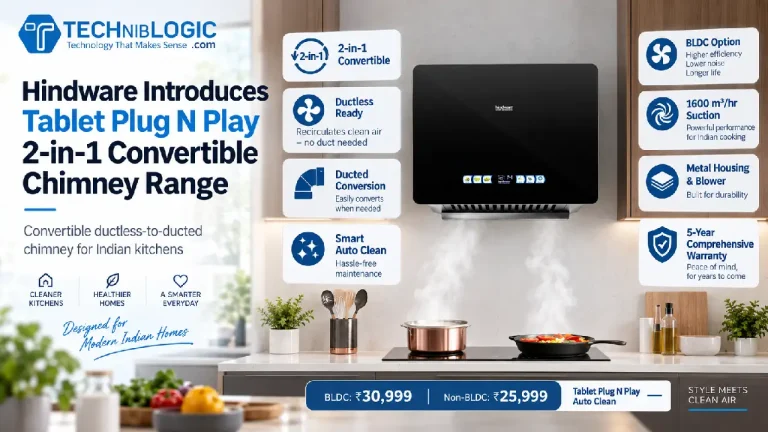
Hindware Launches Tablet Plug N Play Convertible Chimneys: Powerful Suction, Zero Duct Drama

Anyone who loves Indian cooking knows the bittersweet truth: that mustard-and-chili tadka smells like heaven, but five seconds later, your kitchen feels like a tear gas training chamber. We have all sneezed our way through dinner prep, haven’t we?

Traditional kitchen chimneys usually come with a major catch: you have to drill a massive hole through your wall to run an exhaust pipe outside. If you live in a modern high-rise apartment or rent your place, that is often a flat-out dealbreaker.

Also Read: Croma Slashes iPhone 17 Pro Down to ₹69,990

Enter Hindware Home Innovation Limited with its newly launched Tablet Plug N Play 2-in-1 Convertible Chimney lineup. It is engineered specifically for Indian homes, tackling the three biggest kitchen headaches in one go: heavy smoke, messy maintenance, and installation headaches.

Let us dig into what makes this kitchen tech worth your attention.


The 2-in-1 Magic: Why Does “Convertible” Matter?

Why is a convertible chimney such a big deal? Answer: Total installation freedom.

Think of the Tablet Plug N Play like premium wireless headphones that also come with an optional aux cable. Right out of the box, it operates in ductless recirculation mode. It draws in the smoky air, filters out the grease and odours, and pushes clean air right back into your kitchen. No hacking through exterior brickwork, no landlord arguments, and no ugly plastic pipes snaking across your cabinets.

If you own your place and prefer direct outdoor venting, you do not need to buy an entirely different chimney. Simply grab Hindware’s separately sold duct kit, and it converts into a standard ducted exhaust system. Smart and painless.


Muscle and Motors: BLDC vs Non-BLDC

Hindware is offering the Tablet Plug N Play in two distinct hardware configurations:

1. The BLDC Powerhouse (₹30,999)

  • Suction Capacity: A massive 1600 m³/hr
  • The Tech: Driven by a Brushless DC (BLDC) motor. Think of a BLDC motor like an electric vehicle powertrain: it delivers immense pulling power, draws significantly less electricity, and runs whisper-quiet. You can actually hold a normal conversation by the stove without shouting over a miniature jet engine.
  • Extras: Features a slick multi-colour display on the front panel.

2. The Non-BLDC Workhorse (₹25,999)

  • Suction Capacity: 1400 m³/hr
  • The Tech: A traditional, reliable motor setup that still packs plenty of airflow to clear heavy smoke before it creeps into your living room furniture.
  • Extras: Keeps things clean and functional with dual LED cooktop lights illuminating your pots and pans.

Both variants are built tough, featuring full metal housing and blowers designed to withstand years of high-heat cooking and humidity.


Goodbye, Weekend Scrubbing: Smart Auto Clean

Ask anyone what they hate most about owning a chimney, and they will give you the same answer: cleaning sticky, yellow grease off the filters.

Hindware addresses this with its Smart Auto Clean technology. Instead of forcing you to spend your Sunday afternoon elbow-deep in degreaser and scouring pads, the chimney uses heat to melt and burn off stubborn trapped oils, channeling the residue away automatically. It keeps airflow operating at peak efficiency without requiring you to turn into an amateur appliance technician every few weeks.


Peace of Mind: Warranties That Actually Last

Appliances that handle heat and oil take a beating, so warranty coverage matters. Hindware is backing these models with serious long-term support:

  • BLDC Variant: 5-year comprehensive warranty and an impressive 15-year warranty on the motor.
  • Non-BLDC Variant: 2-year comprehensive warranty paired with a 10-year motor warranty.

A 15-year motor warranty is rare in home appliances, and it signals that Hindware is confident its BLDC powertrain will not quit on you mid-sauté.


At the end

Kitchen appliances rarely get the spotlight in mainstream tech news, but when a brand solves genuine everyday friction, it deserves credit. Hindware’s Tablet Plug N Play convertible lineup hits a sweet spot for urban Indian kitchens: high suction power, quiet operation, and zero installation stress for apartment dwellers and renters alike.

Also Read: Apple iPhone 18 Pro Series Lands at Lotus Electronics

If your kitchen air quality currently relies on opening the balcony door and praying for a breeze, Hindware’s latest convertible range makes a very compelling upgrade.

Happy cooking, minus the tears!

Croma Slashes iPhone 17 Pro Down to ₹69,990 While Opening iPhone 18 Pro Pre-Bookings: Here is the Math

You knew this was coming. The moment Apple pulls the curtain back on a brand-new iPhone generation, the previous year’s flagship quietly becomes the smartest buy in tech. Seriously, think about it.

Tata Group’s Croma has just kicked off a massive push across its retail stores and digital platforms, dropping the iPhone 17 Pro down to an effective starting price of ₹69,990. At the same time, it has laid out all the pre-booking details for the shiny new iPhone 18 Pro and iPhone 18 Pro Max.

Whether you want the latest toy or just want a monster discount on last year’s powerhouse, let us break down what is actually on the table.


The ₹69,990 Price Tag: How Does the Math Actually Work?

Retail math can sometimes feel like solving a quadratic equation in your head. So, how do you actually take an iPhone 17 Pro home for ₹69,990? Answer: Stacking your trade-in, bonuses, and bank discounts.

Also Read: Apple iPhone 18 Pro Series Lands at Lotus Electronics

Here is how Croma builds that deal in its physical stores:

1. iPhone 17 Pro

  • Effective in-store price: ₹69,990 for 256GB (or ₹88,490 for 512GB).
  • The breakdown: You get up to ₹44,500 trade-in value for an older iPhone 15 Pro (depending on its condition), plus a flat ₹12,000 exchange bonus, and ₹4,000 bank cashback on select credit cards.

2. iPhone 17 Pro Max

  • Effective in-store price: ₹74,990 for 256GB (or ₹94,990 for 512GB).
  • The breakdown: You get up to ₹53,000 for trading in an iPhone 15 Pro, along with that same ₹12,000 exchange bonus and the ₹4,000 bank cashback.

What if you do not have an old phone to trade in?

You can still pick up the devices directly on Croma.com starting September 15. The iPhone 17 Pro starts at ₹1,26,490 (256GB) and ₹1,45,990 (512GB), while the 17 Pro Max sits at ₹1,39,990 (256GB) and ₹1,59,990 (512GB), both inclusive of the ₹4,000 bank cashback.

To sweeten the pot, Croma is throwing in a free Hyphen case combo worth ₹3,499, a flat 10% discount on AppleCare+, and a 6-month No Cost EMI plan that includes ₹4,000 cashback. If you carry an HDFC Tata Neu card, you can squeeze out up to an additional 10% in savings through NeuCoins. Not too shabby, right?

You can reserve an iPhone 17 Pro in-store today with a token amount of just ₹2,000.


Eyeing the New Hotness? iPhone 18 Pro Pre-Bookings Start September 12

If you do not want last year’s hardware and only have eyes for the brand-new iPhone 18 Pro and iPhone 18 Pro Max, Croma is ready for you, too.

Here is the rundown for Apple’s newest flagships:

  • Pre-order launch time: September 12 at 5:30 PM IST.
  • In-store booking: Walk into any of Croma’s 560+ stores across 200+ Indian cities and lock in your order with a ₹5,000 advance deposit.
  • Online pre-orders: Available through Croma.com, the Tata Neu app, and even BigBasket (requires full upfront payment).
  • Exchange sweetener: Croma is extending an exclusive exchange bonus of up to ₹12,000 on the iPhone 18 Pro lineup as well.

Got wearable fever? The Apple Watch Series 12Apple Watch Ultra 4, and new AirPods can also be pre-booked right now for a ₹2,000 deposit in-store, or via full payment online across Croma and Tata Neu.


The Dilemma: iPhone 17 Pro or iPhone 18 Pro?

Should you snap up the discounted 17 Pro or shell out for the 18 Pro?

Buying last year’s flagship Pro phone right after a new launch is like buying a top-spec sports car from last season off the showroom floor. It still accelerates like a rocket, turns every head at the traffic light, and handles like a dream. You get 90% of the thrill without paying the day-one novelty tax.

On the other hand, if you live for mobile photography, that new variable aperture lens on the iPhone 18 Pro along with the A20 Pro chip might be impossible to resist. I know the feeling.


At the end

Croma is playing a clever game here. By opening up steep discounts on the iPhone 17 Pro family while simultaneously rolling out the red carpet for the iPhone 18 Pro, they have set a trap for your wallet no matter which camp you fall into.

If you have an iPhone 15 Pro sitting in your pocket that is ready for retirement, that ₹69,990 entry point on the 17 Pro is easily one of the best value-for-money upgrade paths we have seen all year. And if you want the absolute cutting edge, set an alarm for 5:30 PM tomorrow.

Apple iPhone 18 Pro Series Lands at Lotus Electronics: Pre-Orders, India Pricing, and Everything You Need to Know

So, Apple just dropped its latest heavyweights, and if you have been eyeing that shiny upgrade, you are in the right place. Yes, grab your coffee first.

Following Apple’s grand reveal of the iPhone 18 Pro and iPhone 18 Pro Max, leading Indian electronics retailer Lotus Electronics has officially opened the runway for buyers across the country. If you are itching to get your hands on Apple’s top-tier flagships before stock runs out, mark your calendar: pre-orders kick off on September 12 at 5:30 PM IST, with in-store and online sales beginning on September 18.

Just in time for the Indian festive shopping rush, too. Coincidence? Absolutely not.

The Price Tag: What Does It Cost?

Let us address the elephant in the room right away: your wallet. Deep breaths.

In India, flagship hardware comes with a flagship price tag, and the iPhone 18 Pro lineup does not pull punches:

  • iPhone 18 Pro: Starts at ₹1,64,900
  • iPhone 18 Pro Max: Starts at ₹1,79,900

Both models arrive in four storage configurations: 256GB, 512GB, 1TB, and a gargantuan 2TB option. If you are shooting 4K ProRes video every weekend, that 2TB option is basically like slipping a full desktop SSD into your pocket.

Under the Hood: The A20 Pro Chip and iOS 27

What actually makes these phones tick this year? Answer: Raw horsepower and smarter brains.

Powering both devices is Apple’s brand-new A20 Pro silicon. Think of the A20 Pro like an ultra-tuned racecar engine that somehow sips battery like a hybrid. It is engineered to tear through high-end mobile gaming and heavy computational workflows while keeping heat and battery drain well under control.

Running alongside the silicon is iOS 27, packed with next-generation Apple Intelligence. This is not just gimmicky software flair; it is machine learning working quietly in the background to automate routine tasks, rewrite notes, and handle on-device AI processing without breaking a sweat.

The Camera: Variable Aperture Changes the Game

If mobile photography is your main reason to upgrade, this is where things get interesting. Apple has outfitted both Pro models with a 48MP Fusion Main camera featuring a variable aperture.

Why does that matter to you?

Think of a traditional fixed smartphone lens like a room with the blinds stuck wide open. It lets in plenty of light at night, but in harsh sunlight, you have to compensate purely through software. A variable aperture works like the human eye: it dilates in a dim restaurant to pull in clean, crisp light, and contracts under bright sunlight to deliver razor-sharp detail and genuine, creamy depth-of-field without relying on artificial software blur. Pretty slick, right?

New Shades of Pro

Apple has also refreshed the color palette this cycle. The iPhone 18 Pro family lands in four finishes:

  • Burgundy (the standout hero shade this year)
  • Glacier
  • Silver
  • Black

Whether you prefer the stealth look of classic Black or want to turn heads with the rich, deep tones of Burgundy, there is a flavor for every desk setup.

Where and How to Buy

Lotus Electronics will offer both the iPhone 18 Pro and iPhone 18 Pro Max across its network of physical multi-brand retail stores and via its official online portal.

Also Read: Meet the Acer Swift Neo

With the festive season kicking into high gear, demand for premium flagship upgrades will undoubtedly be steep. If you want launch-day bragging rights, make sure your alarm is set for September 12 at 5:30 PM IST, because shipments start rolling out on September 18 (subject to stock availability).

At the end

Every September, Apple unleashes its latest hardware, and every September, we ask ourselves if it is worth the splurge. Between the A20 Pro chip, genuine mechanical camera innovation with that variable aperture, and up to 2TB of storage, the iPhone 18 Pro family makes a seriously compelling pitch.

If your current device is starting to feel its age, or you just want the absolute peak of Apple engineering for the festive season, Lotus Electronics has the front door open.

Happy pre-ordering, folks!

What Car Accident Data From Connected Vehicles Reveals and How It Shapes Legal Accountability for Injured Drivers

Modern vehicles are no longer just machines that get people from one place to another. They are data-generating systems that record speed, braking behavior, and road conditions in real time. When a car accident occurs, that embedded data becomes one of the most consequential pieces of evidence for determining what actually happened. Most injured drivers and passengers have no idea this information exists until it surfaces during a legal dispute.

The rise of connected vehicle technology has shifted how accident reconstruction works at its core. Sensors, telematics systems, and onboard computers continuously log information that can survive a crash and be retrieved afterward. For injured parties trying to piece together liability after a collision, this data often tells a clearer story than eyewitness accounts or physical damage alone. Knowing what vehicles record and how that information enters legal proceedings matters more today than at any previous point in automotive history.

The Data Vehicles Capture Without You Knowing

According to Weston & Pape based in West Palm Beach, Florida, car accidents happen in seconds, but the consequences stretch far beyond the moment of impact. A driver runs a red light, a rear-end collision occurs at highway speed, or a vehicle crosses the center line at the wrong moment, and everything changes for the people inside those cars. What most people never think about in those moments is that the vehicle itself is recording everything. From speed and steering inputs to throttle position and seat belt status, onboard systems capture a detailed account of exactly what happened without any action from the driver.

After a car accident, that data becomes one of the most objective accounts of what took place. Hard braking events, acceleration patterns, GPS coordinates, and collision force measurements all get captured and stored in ways that survive the crash. For anyone dealing with injury, property damage, and a disputed account of who caused the collision, this information can be the difference between a case that holds together and one that falls apart. Across Palm Beach County, where road congestion and high-traffic corridors contribute to serious accidents on a regular basis, this kind of evidence is increasingly central to how fault gets established.

How Legal Teams Are Using Vehicle Data to Build Cases

When a car accident results in serious injury and the at-fault driver cannot be identified through traditional means, legal teams increasingly turn to vehicle data as their primary evidentiary resource. Attorneys subpoena event data recorder files, request telematics reports, and cross-reference GPS logs to build a factual timeline of the collision. This approach has changed how accident liability is argued in court, making objective digital records far more persuasive than conflicting driver statements. The strength of a case often comes down to how quickly and correctly that data is preserved after the crash.

Also Read: How Drones, Thermal Imaging, and AI Are Reshaping Roof Inspection for Homeowners

Palm Beach Gardens has seen significant residential growth paired with expanding commuter corridors, and collision cases there increasingly involve multiple data sources that must be carefully matched against each other. A legal team that knows how to pull, interpret, and present vehicle data can establish liability with a precision that traditional investigation methods rarely achieve. That level of documentation matters to injured drivers trying to hold another party accountable without depending on that party’s cooperation. When a fault dispute arises, the vehicle’s own records often resolve it more effectively than any other evidence presented.

What Happens When the Data Points in Two Directions

Vehicle data is powerful, but it is not infallible, and disputes often arise when two sets of records appear to contradict each other. One driver’s telematics system may show a hard stop while the other’s logs show no collision avoidance activity at all, leaving attorneys and reconstructionists to reconcile the discrepancy. The interpretation of data becomes as important as the data itself in those situations, and legal experience handling connected vehicle evidence makes a significant difference in how that argument gets framed. Those without legal representation often find themselves at a disadvantage when the opposing party’s counsel controls the narrative around technical evidence.

Residents of Ibis frequently travel I-95 and other high-speed roads to reach work, schools, and commercial centers, and that driving pattern creates consistent exposure to serious accident risks. When a serious crash occurs on those routes and the at-fault driver challenges the injured party’s account, data inconsistencies become the central battleground of the case. An attorney who brings in accident reconstruction experts to analyze vehicle records objectively gives the injured driver a viable route to recovery. Without that expertise, critical data can be misrepresented or overlooked entirely during proceedings.

Medical Documentation and Vehicle Data Work Together

Legal accountability after a collision does not rest on vehicle data alone. Medical documentation of the injuries sustained plays an equally important role in establishing the full scope of harm and connecting it directly to the crash. When medical records, imaging results, and treatment timelines align with the physical evidence captured in vehicle data, the case for liability becomes substantially more difficult to dispute. Those who delay treatment or fail to document their injuries thoroughly often find that gap used against them, particularly when the at-fault driver’s capacity to compensate is also in question.

Forest Hill Boulevard carries a consistent volume of daily commuter traffic, and accidents on that corridor frequently involve injuries that do not present immediate symptoms. Soft tissue damage, concussions, and spinal strain can take hours or days to fully manifest, making early medical evaluation after any collision essential regardless of how minor the initial impact appears. When legal action follows, the combination of vehicle data and a complete medical record creates a documented chain of causation that courts and opposing counsel cannot easily dismiss. For injured drivers and pedestrians without that documentation, the path to recovery becomes significantly harder to argue.

Why the Work Done After a Crash Defines What Injured Drivers Actually Recover

A collision case is built from the moments immediately following the crash, not weeks later when an attorney first reviews the file. Preserving vehicle data, seeking prompt medical attention, and documenting the scene thoroughly are actions that directly affect how a legal team can construct and defend a claim. Drivers across Greenacres and the broader county have learned that these early decisions carry more weight than most people realize when they are disoriented and managing the shock of a serious injury. The window for collecting intact data from connected vehicles can close quickly, especially if the vehicle is repaired or totaled before anyone secures the records.

Residents of Jupiter Farms travel longer distances on rural roads that bring distinct accident risks differing from urban intersections, and legal guidance that accounts for those specific conditions is not a small advantage. A car accident involving a driver who cannot satisfy a judgment leaves the injured party in a difficult position, one where every piece of documentation and digital evidence carries heightened significance. Legal representation that knows how to leverage vehicle data, medical records, and accident reconstruction together gives injured drivers the strongest possible foundation for recovery. Without that preparation, even the most detailed telematics record offers little protection on its own.

How Drones, Thermal Imaging, and AI Are Reshaping Roof Inspection for Homeowners

Roof inspection has historically depended on a contractor physically climbing onto a structure and walking across its surface looking for visible damage. That approach has practical limits. A visual inspection only reveals what is obviously apparent, and even experienced contractors miss moisture trapped beneath shingles, deterioration hidden under surface materials, or heat loss patterns that indicate insulation failure. The inspection is also brief by necessity, constrained by safety, weather conditions, and the realistic time a professional can spend on a single residential job.

Those limitations have real consequences for homeowners making maintenance decisions based on incomplete information. Damage that goes undetected during a standard inspection can progress significantly before it becomes visible from inside the home or from the ground, at which point what might have been a targeted fix has often expanded into a much larger structural problem. The technology now entering residential roof inspection addresses those gaps directly, giving homeowners access to methods that capture far more data than any manual walkthrough can produce.

When Inspection Data Translates Into Action

When drone footage and thermal scan data confirm that a structure has sustained damage beyond what routine maintenance can address, homeowners face a clear decision. According to www.roofsoveryourhead.com, professional roof repair is the appropriate course of action, targeting the specific problem areas the inspection identified and resolving them before they expand into structural issues that cost significantly more to fix. The precision of the inspection data defines the scope of that repair from the start, meaning contractors arrive with a detailed picture of what needs to be done rather than a general assessment that broadens once work begins.

That level of documented detail changes how the repair process plays out. Contractors who receive inspection reports in advance can plan the job accurately, source the right materials, and submit estimates grounded in actual findings rather than assumptions made during a brief walkthrough. The homeowner gets work that is scoped to exactly what the technology identified, with a clear before-and-after record that serves as the baseline for every future inspection.

What Drone Inspection Brings to the Process

Drones equipped with high-resolution cameras have become one of the most practically useful tools in residential roof assessment. A drone covers the full surface of a roof in a fraction of the time a manual inspection takes, capturing imagery at angles and resolutions a person on the roof cannot replicate. The footage produced gives contractors and homeowners a complete visual record of the entire surface, including areas that are difficult or dangerous to access on foot, all documented in a format that can be reviewed, shared, and referenced over time.

Many professional-grade drones now carry multispectral sensors that detect data beyond the visible spectrum, enabling identification of moisture and surface irregularities that would not appear in standard photographs. When integrated into mapping software, drone inspection data produces overlay reports that show the full roof with problem areas marked and measured. That kind of structured output is considerably more useful as a basis for scope-of-work discussions than a verbal summary from a contractor who made notes during a brief manual walkthrough.

The Role of Thermal Imaging in Identifying Hidden Problems

Thermal cameras detect surface temperature differences that reveal where heat is escaping from a building or where moisture has infiltrated roofing materials. On a roof, those temperature differentials expose information that is completely invisible to the human eye. Areas with failed insulation allow heat to move through the roof deck more readily, showing as warmer zones in a thermal scan. Moisture trapped within roofing layers holds heat differently than dry material, creating distinct signatures that identify infiltration points before they produce any visible interior damage.

Also Read: 6 Best Youtube Tools to Grow your Channel

The practical value of thermal imaging for homeowners is that it shifts inspection from reactive to proactive. A thermal scan conducted during routine maintenance can identify a developing moisture problem before it causes mold growth or structural deterioration. Identifying the issue early means intervention happens while it is still contained, rather than after the problem has expanded to the point where it produces visible interior symptoms. Thermal inspection is available through specialized roofing and building inspection services, and its cost is consistently justified by the expense it prevents.

How AI Is Making Sense of the Data

The volume of data produced by drone and thermal inspections creates an analysis challenge that artificial intelligence handles efficiently. Machine learning models trained on large roofing imagery datasets identify damage patterns, grade material condition, flag moisture anomalies, and prioritize areas for attention with a consistency that manual review cannot match. These systems do not replace contractor judgment, but they process inspection data systematically and faster, reducing the chance that a problem area is overlooked because it appeared late in a large image dataset.

Several platforms now offer AI-powered roof assessment services that accept drone footage as input and return structured reports with damage categorization and severity ratings. Commercial property managers and insurers are already incorporating these tools into standard workflows. As training datasets grow and models improve, the accuracy of AI-assisted assessment continues to increase. For homeowners, the result is access to inspection outputs that are more consistent, more detailed, and more actionable than traditional inspection methods have historically produced.

The Direction Home Maintenance Technology Is Heading

The convergence of drone hardware, thermal sensing, and AI-driven analysis represents a meaningful shift in what residential property inspection can deliver. These tools are not experimental. They are available now, offered by a growing number of inspection and roofing companies, and producing measurably better outcomes for homeowners who use them compared to those relying on traditional methods alone. The cost of technology-assisted inspection has decreased as adoption has widened, making these services accessible to a broader range of homeowners than was the case even a few years ago.

What this technology trajectory means for homeowners is that the information gap between them and the professionals they hire is narrowing. Homeowners who understand what inspection technology reveals are better positioned to evaluate contractor recommendations, ask informed questions, and base maintenance decisions on documented data rather than verbal assessments they cannot independently verify. As these tools become standard practice rather than premium additions, the quality of information available to homeowners about the condition of their properties will continue to improve.

How to Scale Customer Acquisition in Highly Competitive Niches Without Overspending

Every marketer vying for attention in a saturated competitive set will reach a similar breaking point: The auction is too costly to win in a profitable manner. Your hope is to increase budgets, throw elbows with your bids, or write better ad copy. But none of that addresses the real issue. You’re overpaying to battle over the same eyes, with everyone, on the same two platforms.

If you want to scale acquisition in a competitive niche without overpaying, you need to change where you’re buying attention, not just how much you’re spending on it.

The Walled Garden Cost Problem Is Structural, Not Fixable

Google Search and Meta are not unbiased marketplaces. They’re essentially auction models designed to get the highest amount possible from whoever is willing to fork it over, and in a buzzy vertical, that’s typically a few deep-pocketed advertisers footing the price tag for the rest of the room. If you sell insurance, legal counsel, finance, or anything else with high lifetime values, you’re in the auction with companies backed by VC or over a decade of name recognition. You don’t out-bid them. You pay more per click for fewer clicks.

Looking at WordStream’s ad benchmark stats, which pull from roughly $3 billion in annual ad spend, search network average CPCs hover at $2.69, with display network clicks bringing it down to closer to $0.63. The spread should really tell you all you need to know there: the closer you get to high-intent search inventory, the more it costs to play the game everyone else is playing too. Display, native, open programmatic inventory – they’re pennies by comparison, mostly because fewer advertisers know to bid there or bother setting up campaigns outside the two dominant platforms.

There’s also a problem of attribution the vast majority of advertisers flirt dangerously with or just straight up don’t care about. Reach numbers and impressions from Google and Meta include overlap, bot traffic, and inflated view-through windows that make performance look better than it is. Treat their dashboards as sales tools, not ground truth. The real signal is in your own conversion data, not the platform’s self-reported metrics.

Why “Just Spend More” Doesn’t Scale In A Saturated Auction

CPC doesn’t scale in a straight line once a niche gets competitive. Double your Google Ads budget and you won’t see double the conversions – you’re now bidding into diminishing returns because you’ve already picked off your highest-intent keywords. The auction adjusts the floor price the moment demand goes up, so you end up paying more for clicks that aren’t any better than the ones you were getting before. That’s how so many accounts end up stuck at a CAC ceiling that no amount of extra budget seems to move.

Meta runs into the same wall, just dressed up differently. CPMs climb as your audience gets smaller and more contested, and creative burns out fast if you’re rotating the same three ad variants through the same lookalike audience week after week. A campaign that performs well in week one can lose 30-40% of its efficiency by week four – same targeting, same bids, nothing changed except frequency. At that point, throwing more money at it isn’t buying growth. It’s just buying more expensive top-of-funnel waste.

Stop Treating Google And Meta As Your Only Options

This is the point in your CAC journey where most advice will turn dangerously vague, telling you to “diversify channels” without any guidance on how to do that in a way that won’t just result in you paying higher prices right alongside your competitors who drove up search in the first place. True diversification means buying attention intentionally in places where the auction isn’t already crowded with your direct competitors.

Programmatic advertising through ad exchanges is a good first stop here. It gives you access to inventory across the open web, which is priced through an external auction rather than the internal auction of one specific walled garden. You can bid on this inventory based on the audience you want to reach, rather than the keyword you hope they search for. Private marketplaces and direct deals, meanwhile, let you lock in fixed pricing without competing bid-for-bid against the rest of the internet.

Independent ad networks, particularly ones that have inventory mainstream advertisers haven’t prioritized, are a unique source of potential scale here. If a particular network or exchange has traffic made up of publishers and apps not closely tied to the Google/Meta duopoly, your bids won’t be directly read by the exact same competitive set that’s driving up your social ad prices. When sizing up the long list of contenders in any roundup of the best ad networks for advertisers, the question shouldn’t be which one says they reach X million unique visitors per month. It should be which one reaches visitors your competitors haven’t already bid up.

Native advertising is also one to prioritize here. It doesn’t interrupt the page but instead blends into the content it’s displayed alongside, which means user attention is a lot easier to come by. There’s no jarring sidebar of generic ads instantly flagged for being in the sidebar. And because fewer advertisers understand the native format and have taken the time to build out mobile and app-friendly creatives, the effectiveness for those who have invested the time is even better.

Build A Funnel, Not A Single-Channel Bid War

Advertisers who scale successfully in expensive niches tend to follow the same basic playbook: cheap top-of-funnel awareness through low-cost nets or programmatic display, disciplined retargeting of the audience that’s already shown interest, and a landing page that sells harder than the ad ever needed to.

Top-of-funnel doesn’t have to run on premium, expensive inventory. Its only job is exposure, not conversion, so it should be bought as cheaply as possible – display networks, native placements, programmatic exchanges. Save the expensive real estate for later in the funnel, where it actually earns its keep.

Retargeting is where the real efficiency shows up. Someone who’s already clicked through, browsed a product page, or abandoned a cart is worth far more than a cold impression – and it costs next to nothing to put another ad in front of someone who’s already interacted with you and didn’t convert the first time. Your first-party data – cart abandoners, past purchasers, email subscribers – becomes the one list you upload and run everywhere. Same audience, plug it into any channel.

Then there’s CRO, the part that gets skipped most often when a team is purely focused on media buying. But it’s the piece that multiplies everything else. Go from converting at 1% to 2%, and you’ve just cut your CAC in half without spending an extra dollar on ads. Every dollar you’re already spending stretches twice as far once the landing page is actually doing its job.

Treat Creative As A Cost Lever, Not An Afterthought

Experienced media buyers often notice that the most hidden and underestimated cost in a scaling campaign is not the bid, it’s the creative. Fatigue quietly weakens performance. This is the silent killer. CPMs might look stable on paper while your click-through rate quietly declines, and your CPA creeps up week over week because the ads the audience has seen fifty times haven’t changed. Week after week, refreshing creative, testing new angles, and rotating formats is what keeps your cost per action low when scaling, even if your budget doesn’t.

This dynamic is exacerbated in competitive niches, and overall it matters more, because the audience overlap is higher. If five competitors are all targeting the same lookalike segment, that segment is getting hit with ads constantly. And generic creative gets tuned out the fastest. This is why we generally see higher CPAs in more competitive niches – not necessarily because the traffic is more expensive, but because you have to bid more to win auctions when the click-through rate is lower because the generic over-used creative isn’t resonating.

Run A Real Testing Budget

Allocate a testing budget of 10-20% of your total spend for smaller networks, niche publishers, and unproven placements. Invest at least five to seven days in testing a placement before making a consolidated decision. This timeframe is just long enough to get past initial auction learning curves but short enough not to risk a substantial blow from a complete bad bet. If it exceeds the KPIs you’ve set as your performance floor, increase the budget by 20-30% and test it again. If it doesn’t perform, immediately block the impression source.

Also Read: 6 Best Youtube Tools to Grow your Channel

This is the stage where most marketing managers lose their discipline. They keep subpar publishers running for weeks “because that’s what you do” or try to multiply the investment on a promising placement by 200% with overnight scaling. Double down in tiny increments, with the same budget you’d use to test new inventory.

Measure Incrementality, Not Just Last-Click Credit

One of the steps that people don’t give enough importance to when they start to increase their investment is checking whether the new channel is actually bringing you net-new customers, or just claiming credit for conversions that would have happened anyway. Run a holdout group – a segment of your audience that sees no ads from the channel you’re testing – and compare their conversion rate to the group that was exposed. If the lift is minimal, you’re not acquiring new customers. You’re paying to take credit for organic behavior.

This single practice separates advertisers who genuinely scale efficiently from those who just move budget around and call it growth. Attribution models built into ad platforms tend to overstate their own contribution, which is exactly why an independent incrementality test matters more as your spend grows.

Tighten The Account Before You Scale It

Making gradual enhancements may not seem very impactful, but it all turns into a significant advantage in a highly competitive field. Dayparting ensures you don’t pay the highest cost per click during non-converting hours. Geo-targeting ensures your budget doesn’t go to areas with low commercial intent. Device-level bid adjustments recognize that mobile and desktop don’t convert at the same rate. Suppressing branded search from prospecting campaigns ensures you don’t pay for people you were going to get anyway.

None of this will get you a promotion. But it will keep your account from throwing away money on impressions that were never going to convert anyway. And you need this grit in the details to unearth room for the exciting, high-level optimizations to actually move. That level of tracking simply isn’t possible without monitoring daily CPA by channel, and the level of detail required for that isn’t possible without UTM parameters and server-side conversion tracking.Competitive niches will always have an expensive default option sitting right in front of you. The advertisers who scale profitably are the ones who look past it, test where the crowd isn’t, and let creative and conversion work as hard as the media budget does.

Meet the Acer Swift Neo: Your Lightweight, AI-Powered Sidekick

Hey, you! Yes, you… the one trying to juggle 50 browser tabs while editing a presentation and wondering why your current laptop sounds like an airplane taking off. I feel you’re asking a very specific question right about now: “Is it time for an upgrade?” Answer: Absolutely, yes!

Enter the brand new Acer Swift Neo AI laptop. Acer just dropped this sleek machine in India, and it’s built for people who want the perfect blend of productivity, mobility, and modern tech. Let me tell you why this might be the exact device you’ve been looking for.

1. The Brains (and Muscle) of the Operation

What happens when you stuff gaming-grade power into a super thin laptop? Answer: Pure magic.

The Swift Neo is powered by the latest Intel Core Ultra 5 and Ultra 7 H Gaming-Grade Processors. But here is the kicker… it also features Intel AI Boost. Think of your laptop’s main processor as the head chef in a busy restaurant. The AI Boost is like having a team of highly caffeinated sous-chefs who prep all the ingredients before the head chef even asks for them. It just makes everything run incredibly smoothly.

Paired with up to 32GB of LPDDR5 memory and a massive 1TB PCIe NVMe SSD, this laptop handles demanding workloads like it’s nothing. Multitasking? Easy. Content creation? A breeze. Faster boot times? You bet! Plus, Windows 11 Home with Microsoft Copilot is built right in to give you that sweet AI-powered assistance.

2. A Feast for the Eyes

Let’s talk about the screen. The Acer Swift Neo rocks a 14-inch WUXGA IPS display. And if you’re feeling fancy, there’s an optional OLED version on select models. It gives you a 16:10 aspect ratio, 1920 × 1200 resolution, and up to 300 nits of brightness.

What does all that technical jargon mean for you? Answer: Vibrant colors and wide viewing angles.

The narrow bezels give you maximum screen real estate. It’s like looking through a clear window rather than staring at a cramped box. Sounds exciting, isn’t it… Whether you’re binging videos, joining a virtual meeting, or just trying to get some actual work done, the visual experience is top-notch.

3. Featherweight Champion

If you’re constantly on the move, you don’t want to lug around a heavy brick in your backpack. The Acer Swift Neo gets this. It features a premium metal top and bottom cover, but it weighs an ultra-light 1.25 kg and is just 17.2 mm thin. It’s basically the featherweight champion of laptops.

Oh, and it has a 180-degree hinge. You can lay it completely flat on the table. Why would you do that? Maybe you’re collaborating on a project, or maybe you just like weird viewing angles. Whatever your preference is, I’m game. It also comes with a backlit keyboard, a precision touchpad, and an integrated fingerprint reader for quick, secure access.

4. The Unsung Heroes (Ports and Battery)

Connectivity is a big deal. You don’t want to carry a bag full of dongles everywhere you go. The Acer Swift Neo comes loaded. You get two full-function USB Type-C ports. These support high-speed data transfer, display output, and 65W fast charging. There is also an HDMI port and multiple regular USB ports. It’s like the Swiss Army knife of connectivity.

Toss in Wi-Fi 6 for faster wireless, a Full HD 1080p webcam for crisp virtual meetings, and dual built-in speakers. To keep all this running, you have a solid 52Wh battery. It’s designed to keep you productive all day long. No more hunting for wall outlets!

Final Verdict

At a starting price of Rs. 67,999, the Acer Swift Neo packs serious value. It’s available at Flipkart, the Acer E-store, and other channels. Acer really hit the nail on the head here. They managed to bring together intelligent AI performance, a premium design, and effortless portability.

Whether you’re a professional trying to crush deadlines, a student running between classes, or a creator bringing ideas to life, the Swift Neo is ready to keep up with your dynamic lifestyle. Goodbye!!!

Sekyo Wi-Fi Smart Door Sensor Review: A Tiny Bodyguard for Your Room

0

Hey, you! Are you still trusting that flimsy wooden door lock to keep your stash of secret snacks safe? I know… we all do. But what if I told you there’s a little gadget that screams its lungs out the moment someone tries to sneak into your room? Sounds exciting, isn’t it…

Let me introduce you to the Sekyo Wi-Fi Smart Door and Window Sensor. It’s a tiny security guard for your home, office, or even that one drawer you don’t want anyone opening.

Think of it like this. Imagine you have a highly trained guard dog, but instead of needing food and walks, it just needs a couple of AAA batteries and a Wi-Fi connection. Whenever someone opens the door, it barks directly into your phone.

Sekyo Wi-Fi Smart Door Sensor Box

Let’s dive into what makes this little device tick.

The Looks and Feel

The Sekyo sensor comes in two pieces. You get a main unit that houses the brains and a smaller magnetic companion unit that is roughly the size of an eraser. Both are completely wireless.

Sekyo Wi-Fi Smart Door Sensor

The main unit takes two AAA batteries (which you have to buy yourself, sadly). But guess what happens if a clever intruder tries to rip the batteries out? Answer: It alerts you instantly! The battery compartment is fully tamper-protected.

There are two versions available. The standard model simply shoots notifications to your phone when triggered. The higher-end version takes things up a notch with a built-in siren.

Is there a downside to the design? Well, yes. It only comes in white. If you have a dark aesthetic going on with your wooden doors, this bright white sensor is going to stick out like a sore thumb. I know, design choices matter!

Slapping It on the Door

Installing this thing is ridiculously easy. You don’t need drills or a degree in engineering.

Find a flat spot on your door or window. You just use the provided double-sided tape to stick the main unit to the frame and the smaller unit to the moving door panel. Just make sure the arrows on both units line up closely when the door is shut. That’s it. You are officially in the home security business.

How Smart Is It Really?

Once you pop the batteries in, the main unit pairs with the companion automatically. The moment those two pieces are separated, a blue light flashes. If you bought the siren variant, it also unleashes a seriously loud alarm.

Sekyo Wi-Fi Smart Door Sensor App

You control the whole show through the SmartLife app, which is available for both Android and iPhone. Connecting takes about a minute. The app lets you do all the cool stuff: adjust the siren volume, mute it, check the battery health, and look at the history log to see exactly how many times someone opened your door.

But hold on, because there is one major flaw you need to know about.

How does the sensor talk to your phone? Answer: Through your home Wi-Fi. So what happens if your internet goes down? The sensor stops sending phone alerts. That makes sense, right? However, the real problem is that the device does not notify you when it loses that Wi-Fi connection. If your router trips while you are on vacation, your sensor goes offline and you won’t even realize it until you get home. Gotcha!!! That is a pretty big blind spot for a security device.

Pricing

Sekyo Wi-Fi Smart Door Sensor

You can pick up the standard version for Rs 999 on Official Website. If you want the one with the built-in siren (which I highly recommend for the scare factor), it will cost you around Rs 1,300. For a device that keeps a digital eye on your stuff while you are away, that is a very solid deal.

Final Verdict

At the end of the day, the Sekyo Wi-Fi Smart Door Sensor nails the basics perfectly. Every time I tested it, the phone notification popped up within seconds.

If you want an affordable way to add some high-tech security to your home, this is a great pickup. Just make absolutely sure your internet connection is as reliable as you want your security to be. Goodbye!!!

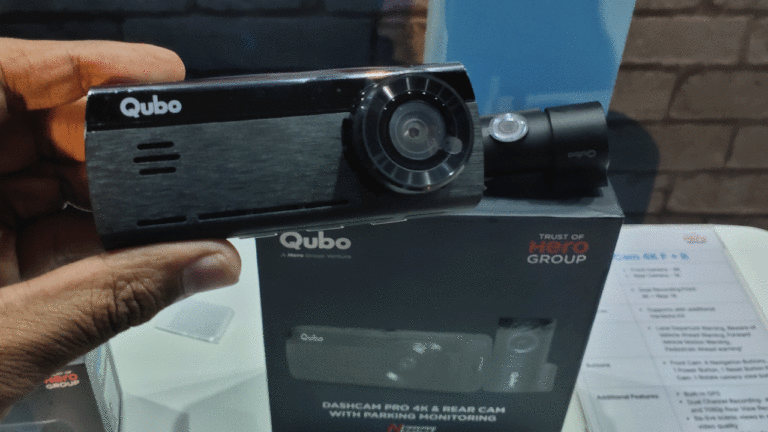
Why Dash Cams Have Quietly Become Standard Equipment for Everyday Drivers

A decade ago, a dash cam was the kind of gadget only a small group of enthusiasts bothered installing, usually people who drove for a living or had a specific reason to worry about a dispute on the road. That has changed considerably. Walk through the parking lot of any big box electronics store and it’s common to spot a small lens mounted behind the rearview mirror of an ordinary sedan, not just delivery vans or rideshare cars. Prices have dropped enough that a decent unit costs less than a tank of gas, which removed one of the biggest reasons people used to skip buying one.

Part of the shift comes from how much easier these devices are to use now compared to earlier models. Older dash cams required fiddling with menus, swapping memory cards, and manually pulling footage onto a laptop after anything happened. Current models connect to a phone app, save clips automatically when they detect sudden braking or impact, and upload footage to the cloud without the driver doing much of anything. Removing that friction turned a gadget that used to feel like a hassle into something closer to a set it and forget it purchase.

What a Dash Cam Actually Proves After a Crash

Footage from one of these cameras ends up mattering most in the moments right after a crash, when memories are shaky and stories from different drivers rarely line up cleanly. A recording that shows exactly when a light changed, how fast a car was actually going, or which vehicle drifted into the wrong lane can settle a disagreement that would otherwise depend entirely on conflicting accounts. Once someone involved in that crash is actually hurt, this kind of footage stops being a minor convenience and starts playing a real role in how a personal injury claim gets built and argued.

According to www.lawyersforinjuryclaims.com, a personal injury claim generally requires showing that another driver acted carelessly and that carelessness caused the harm someone experienced, and proving that without solid evidence can turn into a frustrating back and forth between two people who each remember the same five seconds differently. Clear footage removes a lot of that guesswork, since it shows the actual sequence of events rather than a reconstructed version based on skid marks and vague recollection. Attorneys handling these cases have said that footage showing fault clearly can shorten the entire process considerably, since there’s simply less room for the other side to argue a different version of what happened.

Picking the Right Dash Cam Involves More Than Price

Picking a dash cam involves more variables than most first time buyers expect, and price alone rarely tells the full story. Resolution matters, but a camera advertised at a high resolution can still produce blurry footage at night if it has a weak sensor, which is a common gap between marketing copy and real world performance. Field of view matters just as much, since a narrow lens might miss a car that merges in from the side, leaving exactly the moment someone needed captured just outside the frame.

Mounting position and stability turn out to matter more than most buyers realize until their footage comes out shaky or partially blocked by a windshield reflection. A camera mounted too low picks up glare off the dashboard, while one mounted too high can end up partially obstructing the driver’s own view if it isn’t a slim enough unit. Reviewers who test these devices extensively tend to recommend checking sample footage from the exact model under both daylight and nighttime conditions before buying, rather than trusting a manufacturer’s specification sheet alone.

Storage and Footage Management Trip Up a Lot of Buyers

Storage tends to be the part new dash cam owners understand least going in, and it causes more disappointment down the line than any other feature. Most cameras record continuously and overwrite older footage in a loop once the memory card fills up, meaning routine driving footage from last week is almost always gone by the time someone realizes they needed it. Only clips manually saved or automatically flagged by an impact sensor tend to survive that overwrite cycle, which means a card can be completely full of useless footage while the one moment that mattered got recorded over days earlier.

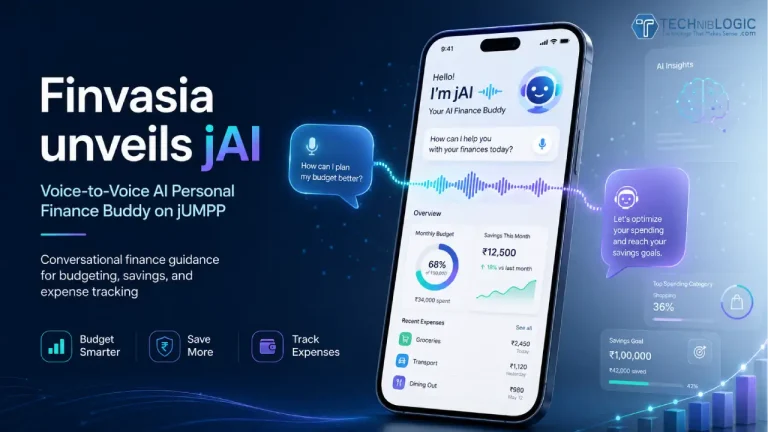
Also Read: Finvasia Launches jAI, a Voice-to-Voice AI Finance Buddy on jUMPP

Cloud backup has become the fix most manufacturers now push toward, letting flagged clips upload automatically over a phone’s data connection or home WiFi once the car is parked. This solves the overwrite problem but introduces a new one, since spotty cell coverage in rural areas or parking garages can delay or block an upload entirely. Buyers who drive mostly in areas with weak signal often end up relying on the physical memory card as a backup anyway, checking it manually after anything unusual happens rather than trusting the cloud upload alone.

Dual Channel Cameras Are Becoming the New Standard

Dual channel systems, which record both the front and the rear of the vehicle at once, have moved from a niche option to something close to the expected standard within the past couple of years. A rear facing camera catches details a front facing lens simply cannot, like a vehicle that rear ends someone at a stoplight or a hit and run that happens while a car is parked. Buyers who only considered single camera setups a few years back are now often surprised by how much a rear channel adds for a relatively small increase in price.

Some newer systems have added a third channel aimed at the cabin itself, originally marketed toward rideshare drivers who wanted a record of what happened inside the car. That interior view has found a wider audience than expected, since it can clarify details in a dispute that has nothing to do with another vehicle at all, like confirming who was actually driving at the time of an incident. Reviewers testing these three channel setups note that the extra footage rarely gets used, but on the occasions it does, it tends to matter quite a bit.

A Small Gadget With an Outsized Job

A dash cam remains a small, unassuming piece of hardware tucked behind a rearview mirror, easy to forget about until the exact moment it becomes essential. Its job isn’t glamorous and most owners go years without ever needing the footage it quietly records every single day. What has changed is a growing recognition that this small gadget can carry outsized weight in a dispute that might otherwise come down to nothing more than two conflicting versions of the same five seconds on the road.

7 AI Tools That Help Small Businesses Build and Run Their Website Without a Developer (2026)

0

There’s a quiet shift in how small businesses get online. A few years ago, putting up a decent website meant one of two roads: hire a developer and wait weeks for a quote that started in the thousands, or wrestle a drag-and-drop editor at midnight, second-guessing every font choice. Both roads ended in the same place — a half-finished site, a stalled launch, and a business owner who’d rather be doing the actual work.

AI has collapsed most of that. Not by replacing the craft entirely, but by handling the repetitive, intimidating pieces — the blank page, the first draft, the asset cleanup — so a non-technical owner can go from idea to live site in an afternoon. The tools below each tackle one real job in that chain. None of them require you to write code, and most of them didn’t exist in a usable form two years ago.

A quick note before the list: AI is good at speed, not judgment. It will confidently produce a logo, a headline, or a layout that’s technically fine and strategically wrong. Treat every output as a strong first draft you steer, not a finished decision. Frameworks like the NIST AI Risk Management Framework exist precisely because automated systems need a human keeping watch on quality and bias. Keep that posture and these tools earn their keep.

Here are seven that cover the full job of building and running a small-business website without a developer.

1. Copywriting — Jasper

The hardest part of any website isn’t the design. It’s the words. Most owners freeze at the “About” page and never recover.

Jasper takes a few prompts — what you sell, who buys it, the tone you want — and drafts homepage copy, service descriptions, and calls to action you can actually edit instead of facing an empty screen. It’s strongest when you feed it specifics: your real differentiators, a couple of customer phrases, the objection you hear most. Vague inputs give you vague copy; specific inputs give you a draft that sounds like an actual business.

Use it for the rough shape, then rewrite the parts that matter most in your own voice. The header and the buttons are worth your personal attention; the boilerplate isn’t.

2. Logo and Branding — Looka

A logo used to mean a freelancer, a brief, and a week of back-and-forth. Looka compresses that into a short questionnaire about your industry, colors you like, and the vibe you’re after, then generates a stack of logo options plus a basic brand kit — fonts, palette, and social avatars that match.

It won’t replace a seasoned brand designer for a company betting everything on identity. But for a plumber, a bakery, or a bookkeeper who just needs a clean, professional mark that looks intentional, it’s more than enough. The trick is restraint: pick something simple and legible, resist the urge to cram in three icons, and make sure it reads at the size of a phone-screen favicon.

3. Image and Asset Cleanup — Photoroom

Your photos are probably fine. They’re just shot on a phone against a cluttered counter.

Photoroom handles the unglamorous-but-essential work of making product and service images look deliberate: removing busy backgrounds, standardizing sizes, cleaning up lighting, and dropping subjects onto clean backdrops so a row of images looks like a set instead of a scrapbook. For an online store or a services gallery, consistent imagery is the difference between a business that looks established and one that looks improvised.

It matters for performance, too. Bloated, unoptimized images are one of the most common reasons a site feels sluggish, and Google’s Core Web Vitals guidance treats loading speed and visual stability as direct ranking and experience signals. Lean, properly sized assets help you on both fronts.

4. AI Page Builder — Framer

For owners who want hands-on control of layout without touching CSS, Framer’s AI features turn a text prompt into a working page you can then drag, restyle, and publish. You describe the site you want, it scaffolds a responsive starting point, and you refine from there.

It sits in a useful middle ground — more guided than a raw website builder, more flexible than a rigid template. The tradeoff is that you’re still the one making design decisions, so it rewards people who enjoy tinkering and have a clear picture of what they want. If “I’ll know it when I see it” describes you, you’ll like it. If the thought of choosing a layout makes you want to close the laptop, the all-in-one option further down will suit you better.

5. SEO and AEO Assistant — Surfer SEO

A polished site nobody can find may as well not exist. Search is how most local customers actually discover a business, and increasingly that means answer engines — AI Overviews and chatbots that summarize rather than just link.

Surfer SEO analyzes what’s already ranking for your terms and tells you, in plain language, what your pages are missing: topics to cover, questions to answer, structure that helps both Google and AI assistants understand and quote you. For a small business, the value isn’t chasing a hundred keywords — it’s nailing the handful of “[service] near [town]” queries that bring in real calls. Feed it your core services and let it sharpen the pages that already exist before you build new ones.

6. Analytics Helper — Microsoft Clarity

Most owners install analytics, glance at it once, and never open it again because the dashboards bury the useful part under charts nobody reads.

Microsoft Clarity is free and refreshingly concrete: it records anonymized session replays and heatmaps so you can literally watch where visitors click, where they hesitate, and where they leave. Seeing three people in a row abandon your contact form tells you more than any bounce-rate chart. It turns “my site isn’t converting” into “people can’t find the phone number,” which is a problem you can actually fix this afternoon.

7. GrowLocal

The previous six tools assume you’re willing to assemble the pieces yourself — write here, design there, host somewhere else, schedule social separately. For plenty of owners, that’s still a part-time job they don’t have time for. This last category is for everyone else: tools that do the assembling for you.

GrowLocal is built around that idea, and it works differently from a typical website builder. Instead of handing you an empty editor, it’s an AI website platform that builds and hosts the site for you from your public business information — then lets you preview the finished result for free before you ever enter a card. The sites aren’t generic templates with your logo dropped in; they’re category-tailored, researched across 90-plus business types, so a plumber gets a plumber’s site and a musician gets a musician’s, down to the sections and language that fit the trade.

What makes it land for non-technical owners is how much is bundled into one subscription instead of stitched across vendors. A free custom domain and hosting are included. You get a CMS dashboard to edit text and images without touching code, plus a dedicated developer and unlimited revisions at the entry price — the kind of human help most platforms lock behind their expensive tiers. Social posting is included on every plan, and on the higher tiers the AI writes those posts from your actual services, hours, and brand voice, because the same system that built your site already understands your business. That’s the real distinction from a scheduling app that just hands you a blank box to fill.

Pricing runs $10 to $50 a month, with hosting and a custom domain folded in, and the preview-first model is the part worth underlining: you see your actual finished site before committing, which removes the usual gamble of paying first and hoping the result resembles the demo. For an owner who wants to be online without becoming a part-time webmaster, that’s a different proposition than buying six separate tools and learning to operate all of them.

Choosing What You Actually Need

You don’t need all seven. The point of this list is that the work of getting online has been broken into solvable parts, and you can pick up only the pieces you’re missing.

If you already have a site and just want it found, an SEO assistant and an analytics helper might be your whole toolkit. If you’re starting from nothing and the idea of assembling tools makes your eyes glaze over, a done-for-you platform replaces most of this list with a single subscription. And if you love the craft and want control over every pixel, the copywriter, the logo maker, the asset cleaner, and the page builder will take you a long way.

Whatever you choose, keep two habits. Treat AI output as a draft you direct, not a verdict you accept — the tools are fast, not wise. And measure what happens after launch, because a site that looks great but never gets a call needs different fixes than one nobody visits. Get online, then keep an eye on it. The tools above make both of those far easier than they were even a year ago — no developer, no all-nighter, and no thousand-dollar invoice to get started.

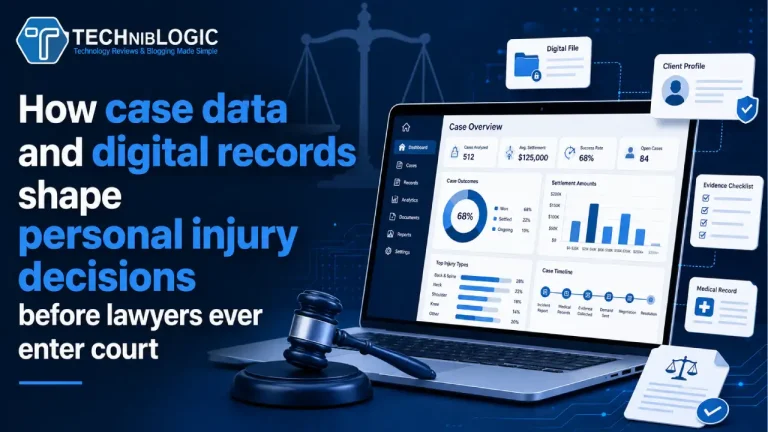
How case data and digital records shape personal injury decisions before lawyers ever enter court

Law firms increasingly rely on organized digital information before they decide how to evaluate a matter. Photos, medical records, repair estimates, messages, location details, and insurance letters can shape the earliest view of what happened. This does not replace legal judgment, but it gives lawyers a clearer starting point. When information arrives in a structured way, the case can be reviewed with fewer gaps and less confusion.

For injured individuals, the early record often matters as much as the first conversation with a lawyer. A person may remember the main event clearly, yet smaller details can fade quickly as recovery demands attention. Digital records help preserve dates, symptoms, treatment notes, and communication with insurers. That foundation can affect how personal injury questions are reviewed long before a court filing exists.

Why early documentation matters before legal strategy develops

According to accidentjusticepro.com based in Fort Myers, Florida, a legal team often starts by looking for consistency across records rather than relying on one version of events. Medical visits, photos, witness names, payment records, and insurance messages can either support or weaken the broader timeline. When those records match, lawyers can better identify liability disputes and possible defenses. When they conflict, the team may need to clarify facts before deciding how to proceed.

This early review also helps lawyers understand what the injured person is dealing with after the incident. Medical recovery and documentation are closely linked because treatment records show both the physical harm and the effort to address it. A missed appointment, delayed diagnosis, or incomplete note can create questions that insurers may later use. Lee County traffic patterns, commuter routes, and rush hour conditions can add background context when a case involves movement through busy public spaces.

How case data helps lawyers evaluate what happened

Case data can show patterns that a single conversation may not reveal. A lawyer reviewing a matter from Fort Myers may compare medical timing, photographs, vehicle damage, work absences, and insurer responses to see whether the facts move in the same direction. This process helps separate assumptions from details that can actually be supported. It also gives the injured person a more practical view of what may need further documentation.

Technology makes this review more precise because records can be sorted by date, source, and relevance. Fort Myers can appear in the narrative as part of a person’s daily routine, while the legal focus stays on what the evidence shows. A passenger, pedestrian, or driver may not know which records matter at first, so the lawyer’s role includes identifying what deserves attention. Good organization can make the difference between a scattered file and a case that is ready for serious review.

Why digital timelines can affect liability questions

A digital timeline can help reveal whether the account of an incident fits the available records. A person living in Winkler may have medical notes, photos, employer messages, and repair documents created at different times after the same event. When those materials line up, they can help explain the path from the incident to treatment and recovery. When they do not line up, the legal team may need to address those gaps before an insurer does.

This matters because liability disputes often depend on small details. A timestamped photo, a treatment record from the same week, or a message sent to an insurance adjuster can support the broader picture. However, technology does not automatically make a case stronger unless the information is accurate and complete. Lawyers still need to connect the records to the personal injury consequences the person is experiencing.

How modern records support communication with insurers

Insurance communication can become difficult when the person recovering from harm is also expected to provide detailed information. A file that includes treatment notes, wage details, photos, and correspondence gives the lawyer a stronger basis for responding. The Daniels Parkway and I-75 interchange can serve as a practical roadway context when timing, traffic volume, or commuter movement becomes relevant. That type of local detail should support the facts, not distract from the legal issues.

Also Read: Acer Launches Iconia 5G Tablet in India

Digital records also help reduce confusion when multiple parties are involved. Passengers, pedestrians, medical providers, repair shops, and insurers may all create separate documents after the same incident. A lawyer can use those records to determine what still needs confirmation and what already supports the case. This process can also show why legal representation after an incident may be necessary when an insurer challenges treatment, fault, or the seriousness of the harm.

Better records can lead to clearer legal decisions

A well-organized file gives lawyers a practical way to evaluate risk, timing, and next actions. Someone whose daily routine takes them through Page Field may have records from work, transportation, medical visits, and insurer calls that all matter in different ways. Those details help build a fuller view of how the incident affected ordinary responsibilities. The goal is not to overwhelm the case with documents, but to use the right records at the right time.

Modern law firms can make better decisions when digital information supports the human story behind the file. The records show dates, treatment, communication, and financial pressure, while the person explains how recovery changed daily life. Together, those pieces help lawyers assess personal injury matters before they ever enter court. Clear documentation does not guarantee an outcome, but it can make the legal path more organized, credible, and easier to evaluate.

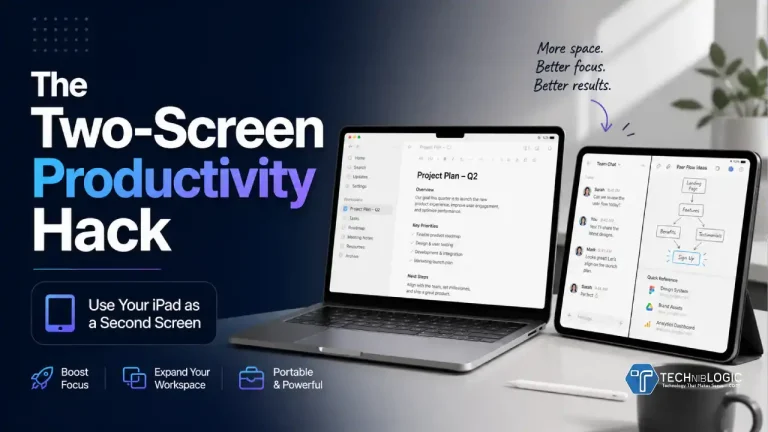
The Two-Screen Productivity Hack: Using Your iPad as a Second Screen

There’s a quiet shift happening in how people work, and it’s not about buying bigger desks or more expensive monitors. It’s about working smarter with the devices you already own.

For many professionals, creatives, and students, the answer isn’t a second monitor anymore. It’s sitting right next to them: their iPad.

What used to be a “nice-to-have” tablet has evolved into something far more powerful. With the right setup, your iPad can become a fully functional second screen—boosting productivity, reducing clutter, and giving you a flexible workspace that travels with you.

Welcome to the two-screen productivity hack.

Why Two Screens Instantly Make You More Productive 

If you’ve ever tried juggling multiple tabs, apps, or documents on a single screen, you already know the pain. Constant switching breaks your focus and slows you down.

That’s where a second screen changes everything.

Also Read: Acer Launches Iconia 5G Tablet in India

Instead of flipping between windows, you can:

  • Keep your main task front and center
  • Reference documents, emails, or notes alongside it
  • Drag and drop content between screens
  • Maintain your flow without interruption.

This isn’t just anecdotal either. Studies consistently show that dual-screen setups improve efficiency and reduce task completion time.

But here’s the catch: traditional dual-monitor setups are bulky, expensive, and tied to a desk.

That’s where the iPad changes the game.

The iPad as a Second Screen: What’s Changed?

Not long ago, using a tablet as a second display felt clunky or limited. Now, thanks to improvements in iPadOS and Apple’s ecosystem, it’s seamless.

Features like Sidecar and Universal Control allow your iPad to integrate directly with your Mac, while cloud-based tools and apps make cross-device workflows smoother than ever.

More importantly, modern iPads are powerful enough to hold their own.

Devices like the Apple M4 iPad Air aren’t just passive displays — they’re active workstations. You can run full apps, edit files, take notes, and manage tasks independently, all while supporting your primary device.

This transforms your iPad from a secondary gadget into a core part of your workflow.

How People Are Actually Using This Setup

The beauty of the two-screen iPad setup is its adaptability. It works differently depending on how you work.

For Remote Workers

  • Main screen: video calls or project work
  • iPad: Slack, email, or notes
  • Result: fewer distractions during meetings.

For Creatives

  • Main screen: editing software
  • iPad: reference images, mood boards, or drawing apps like Procreate
  • Result: a more fluid creative process.

For Writers and Marketers

  • Main screen: writing or CMS
  • iPad: research, outlines, or SEO tools
  • Result: less tab switching, more focus.

For Students

  • Main screen: lectures or assignments
  • iPad: handwritten notes using GoodNotes
  • Result: better retention and organization.

No matter the use case, the principle is the same: separate your active work from your supporting information.

The Setup: Simple, Flexible, Powerful

One of the biggest advantages of using an iPad as a second screen is how easy it is to get started.

You don’t need:

  • A dedicated monitor
  • Extra cables
  • A permanent desk setup.

Depending on your device, you can:

  • Use Apple’s built-in Sidecar (for Mac users)
  • Connect via Wi-Fi or USB
  • Use third-party apps for Windows setups.

Within minutes, your iPad becomes an extension of your workspace.

But here’s where many setups fall short — and where small details make a big difference.

The Overlooked Factor: Positioning and Stability

Most people focus on software when setting up a second screen. But the real difference between a frustrating setup and a productive one often comes down to something much simpler:

How is your iPad positioned?

If your tablet is:

  • Lying flat on a desk
  • Propped up awkwardly
  • Constantly shifting or slipping.

…it quickly becomes more of a distraction than a productivity tool.

To truly function as a second screen, your iPad needs to be:

  • At eye level or comfortably angled
  • Stable enough for tapping, scrolling, or drawing
  • Easy to adjust depending on your task

This is where a well-designed case becomes essential—not optional.

Turning Your iPad Into a True Second Screen

A high-quality case doesn’t just protect your iPad — it transforms how you use it.

For example, something like the ZUGU iPad Air 13 Case is designed specifically with real-world use in mind. Instead of a single fixed angle, it offers multiple viewing positions, allowing you to switch between:

  • Upright “monitor mode” for productivity
  • Lower angles for note-taking or sketching
  • Side-by-side positioning with your main device.

This flexibility is what turns your iPad into a true second screen — not just a tablet sitting nearby.

It also solves a common issue: stability.

When you’re interacting with your iPad — scrolling, tapping, or drawing — you need it to stay exactly where you put it. A premium case provides that confidence, making your workflow smoother and more natural.

If you’re using a device like the iPad Air M4, pairing it with the right setup ensures you’re actually taking advantage of its full potential.

The “Side-by-Side” Advantage

One of the most effective ways to use an iPad as a second screen is by placing it directly beside your main device — creating a clean, dual-display layout.

This “side-by-side” setup allows you to:

  • Mirror a traditional dual-monitor workflow
  • Keep everything within your natural field of vision
  • Reduce neck strain from looking down or away.

It’s especially powerful for:

  • Comparing documents
  • Monitoring communication channels
  • Following tutorials while working.

But again, this only works if your iPad can hold a stable, consistent position.

That’s why the physical setup matters just as much as the digital one.

A More Minimal, Portable Workspace

Beyond productivity, another reason this setup is gaining traction is simplicity.

Traditional desk setups often involve:

  • Multiple monitors
  • Mounts and stands
  • Tangled cables
  • Limited flexibility.

In contrast, an iPad-based second screen setup is:

  • Lightweight
  • Portable
  • Easy to reconfigure
  • Ideal for small spaces or travel.

You can move from your desk to a café, a co-working space, or even your sofa—without losing your workflow.

This aligns perfectly with how people are working today: flexible, mobile, and less tied to a single location.

Is This the Future of Productivity?

It’s starting to look that way.

As tablets become more powerful and software ecosystems improve, the line between devices continues to blur. The iPad is no longer just a companion device; it’s becoming a central part of how people work. If you’re still relying on a single screen, you’re likely working harder than you need to.

Also Read: 5 Indian AI Products Are Building Smarter Consumer Experiences

The two-screen productivity hack is a perfect example of this shift. Adding a second screen doesn’t require a full desk overhaul. It might just mean rethinking the role of your iPad. Instead of investing in more hardware, people are rethinking how they use what they already own.

With a bit of setup — and the right support to position it properly — you can create a flexible, efficient workspace that adapts to you.

No extra monitor required.

Acer Launches Iconia 5G Tablet in India with Android 15, 2.2K Display, Stylus and Keyboard Support

Acer India has announced the launch of the Acer Iconia 5G tablet series, a new range of Android tablets built for professionals, students, digital creators, and everyday users. The new tablet series comes in four variants and offers a mix of fast connectivity, strong performance, immersive display quality, and productivity-focused accessories.

The Acer Iconia 5G tablet is available with optional stylus and keyboard bundle options, allowing users to use it not only as an entertainment device but also as a portable workstation for writing, note-taking, sketching, editing, online classes, and remote work.

Performance Powered by MediaTek Processor and Android 15

The new Acer Iconia 5G tablet is powered by the MediaTek MT8791 processor and runs on Android 15. The chipset is designed to support smooth multitasking, responsive app performance, and a better overall Android tablet experience.

The processor features 2 Cortex-A78 cores clocked up to 2.4GHz and 6 Cortex-A55 cores clocked up to 2.0GHz, offering a balance of power and efficiency. This makes the tablet suitable for productivity tasks, content consumption, light creative work, video calls, and day-to-day usage.

Acer has also added a dedicated Artificial Intelligence Processing Unit, which supports edge-AI applications and delivers up to 2.6 TOPS of AI performance. This helps enable faster on-device AI experiences and improved responsiveness across supported features.

11.45-inch 2.2K Display for Work and Entertainment

The Acer Iconia 5G tablet features a large 11.45-inch 2.2K IPS display with a resolution of 1440 × 2200 pixels and brightness of up to 450 nits. The display is designed to offer sharp visuals, vibrant colours, and a comfortable viewing experience for streaming, reading, browsing, gaming, and creative work.

Also Read: 5 Indian AI Products Are Building Smarter Consumer Experiences

The tablet also comes with an in-cell touch panel, which improves touch response and supports more precise stylus input. This makes the device useful for users who want to take notes, draw, sketch, annotate documents, or work on digital design tasks.

Storage, Cameras and Connectivity

The tablet comes with 8GB RAM and 128GB internal storage. It also supports expandable storage of up to 1TB via microSD card, giving users more space for apps, documents, videos, photos, and professional files.

Connectivity is one of the biggest highlights of the Acer Iconia iM11-22M5G. The tablet supports 5G, 4G LTE, Wi-Fi 6, and Bluetooth 5.2, making it suitable for users who need fast and stable internet access while working, studying, or travelling. It also includes GPS support for navigation and location-based services.

For video calls and photography, the tablet includes an 8MP front camera, a 16MP rear camera, and an additional 2MP macro camera. Acer has also integrated a fingerprint sensor into the power button, allowing quick and secure access to the device.

Built for Productivity with Stylus and Keyboard Support

The Acer Iconia 5G tablet supports productivity accessories such as an active stylus pen with 4096 levels of pressure sensitivity. This makes it useful for digital artists, students, note-takers, and professionals who need accurate input for writing or sketching.

The tablet also supports a keyboard cover connected through POGO pins, helping users turn the device into a more laptop-like workstation. This can be useful for typing documents, emails, reports, assignments, presentations, and other productivity tasks.

Acer has also included multiple sensors such as a gyro sensor, compass, light sensor, proximity sensor, and G-sensor, which improve usability across navigation, orientation, and app-based experiences.

Battery, Audio and Entertainment Features

For entertainment, the Acer Iconia 5G tablet comes with stereo speakers that deliver an immersive audio experience for streaming movies, watching videos, attending virtual meetings, and casual gaming.

The device is powered by a 7400mAh battery, designed to support long usage sessions. It also supports PD fast charging up to 9V/2A, helping users reduce downtime and stay productive throughout the day.

Acer India on the New Iconia 5G Tablet

Speaking about the launch, Sudhir Goel, Chief Business Officer at Acer India, said that tablets today are expected to go beyond entertainment and support productivity, creativity, and seamless connectivity in a hybrid world.

He added that the Iconia series continues to be an important part of Acer’s tablet portfolio. With the new Iconia iM11-22M5G variants, Acer aims to offer users a balanced tablet experience with strong performance, an expansive display, reliable connectivity, and productivity-focused accessories such as stylus and keyboard support.

Acer Iconia 5G Tablet Price and Availability in India

The Acer Iconia Tablet iM11 is available in India at a starting price of Rs 25,499.

It will be available through Acer exclusive stores, the Acer online store, Amazon, and Flipkart.

With its 5G connectivity, Android 15 software, 2.2K display, stylus support, keyboard compatibility, and AI-ready processor, the Acer Iconia 5G tablet is positioned as a versatile Android tablet for users looking for a single device for work, learning, creativity, and entertainment.

5 Indian AI Products Are Building Smarter Consumer Experiences

0

India’s AI ecosystem is growing rapidly, with a new wave of consumer-focused platforms changing how people manage money, invest, learn, search, and interact with digital services. As artificial intelligence becomes a part of everyday life, Indian companies are building AI-first products that are practical, scalable, and designed for real consumer needs.

From conversational finance apps and AI-powered investment platforms to personalised learning tools and LLM SEO solutions, these products show how AI is moving beyond experimentation and becoming a core part of digital consumer experiences in India.

Top 5 Indian AI Products

Here are 5 Indian AI Products that are helping build smarter, more personalised, and more accessible consumer experiences.

1. jUMPP

jUMPP is an emerging AI-powered conversational financial super app designed to simplify personal finance for everyday users. The platform allows users to interact in their preferred language and receive hyper-personalised financial insights based on their financial behaviour.

The app aims to bring banking, savings, investments, credit, payments, and money management into one integrated experience. Instead of using multiple apps to track expenses, monitor income, view investments, or manage financial goals, users can access a unified dashboard to see their complete financial picture in one place.

Also Read: Finvasia Launches jAI, a Voice-to-Voice AI Finance Buddy on jUMPP

jUMPP also helps users track income and expenses, monitor net worth, and explore investment options such as mutual funds and digital gold. By combining conversational AI with personal finance tools, the platform is making wealth creation and money management more accessible for Indian consumers.

2. Shoonya

Shoonya is a trading and investment platform built to make market participation simpler, more transparent, and more cost-efficient for modern investors and traders.

The platform offers access to equities, derivatives, commodities, currencies, and mutual funds, helping users manage multiple investment and trading needs through a technology-driven interface. Shoonya has built its positioning around affordability, accessibility, and transparency, aiming to reduce the traditional barriers that many users face while entering the financial markets.

With increasing use of automation, AI-led tools, and user-focused design, Shoonya continues to enhance the investing and trading experience. Its focus on smarter decision-making and simplified market access makes it relevant for both new-age investors and active traders.

3. Neurorank

Neurorank is positioned as India’s first comprehensive LLM SEO platform, built to help brands improve their visibility in AI-generated search results.

As users increasingly turn to AI tools and large language models for answers, brands need to think beyond traditional search engine optimisation. Neurorank helps businesses understand how AI models interpret their content, identify visibility gaps, and optimise their digital presence for AI-led discovery.

The platform is especially useful for companies that want to improve their chances of appearing in AI-generated responses. By focusing on LLM SEO, Neurorank is addressing a fast-growing need in digital marketing, where brand visibility is no longer limited to conventional search engines.

4. Aaditri by PhysicsWallah

Aaditri by PhysicsWallah is an AI-powered learning initiative focused on making education more personalised, adaptive, and outcome-driven.

The platform uses intelligent learning tools and adaptive content delivery to support students with a more customised academic experience. By integrating AI into the learning process, Aaditri aims to help students access relevant content, receive better academic support, and engage with learning in a more structured way.

As digital education continues to expand in India, AI-powered platforms like Aaditri are helping make learning more accessible and student-centric. The initiative reflects how AI can be used to support personalised education at scale.

5. CRED Garage

CRED Garage is a digital vehicle management platform that helps users manage different aspects of vehicle ownership through a single interface.

The platform offers features such as vehicle tracking, document management, service reminders, FASTag monitoring, challan tracking, and resale insights. These tools are designed to simplify vehicle ownership and reduce the need for users to depend on multiple apps or offline processes.

By bringing automotive services and vehicle-related information into one digital experience, CRED Garage is making vehicle management more seamless for modern consumers. It shows how AI and smart digital tools can improve everyday convenience beyond finance and education.

The Rise of AI-First Consumer Platforms in India

These five platforms highlight how Indian companies are using AI to solve real consumer problems. Whether it is managing personal finances, improving investment access, optimising brand visibility in AI search, personalising education, or simplifying vehicle ownership, AI is becoming a practical layer in everyday digital experiences.

The next phase of consumer technology in India will likely be shaped by products that are simple to use, deeply personalised, and capable of delivering real-time insights. As adoption grows, AI-first platforms like jUMPP, Shoonya, Neurorank, Aaditri, and CRED Garage are helping define what smarter consumer experiences can look like in India.

EvoluteIQ Strengthens Global Leadership Team with Two New C-Suite Appointments

EvoluteIQ, an AI-native enterprise automation company, has announced two key additions to its global executive leadership team. The company has appointed Paul Maguire as Chief Growth Officer, based in London, and Abhinaya S R as Chief Human Resources Officer, based in Bengaluru.

The appointments come after EvoluteIQ’s recent $53 million investment from Baird Capital, strengthening the company’s focus on international growth, enterprise adoption, and organisational scale.

Bengaluru Remains Central to EvoluteIQ’s Global Strategy

The leadership expansion is especially important for India, where Bengaluru plays a major role in EvoluteIQ’s global operations. The city serves as one of the company’s core technology and innovation hubs, supporting research and development for the EIQ platform and its proprietary Agentic Mesh Architecture {aMa}.

Sameet Gupte, CEO and Co-Founder of EvoluteIQ, said India has been fundamental to the company’s success. He highlighted Bengaluru’s engineering strength, intellectual capital, and problem-solving capabilities as the engine behind EvoluteIQ’s global ambitions.

Also Read: Finvasia Launches jAI, a Voice-to-Voice AI Finance Buddy on jUMPP

According to him, Paul Maguire brings the commercial and strategic discipline needed to accelerate global expansion, while Abhinaya S R will help the company scale its organisation with structure, integrity, and a strong people-first culture.

Abhinaya S R to Lead Global People Strategy

As Chief Human Resources Officer, Abhinaya S R will lead EvoluteIQ’s global people strategy, talent development, leadership depth, and organisational culture.

She brings more than two decades of HR leadership experience across fast-growing technology companies, including Abnormal AI, Soroco, ThoughtWorks, and Infosys. Her role at EvoluteIQ will focus on building the talent architecture and cultural foundation required to support high-performance growth across multiple global locations.

Speaking on her appointment, Abhinaya said India has long been recognised as a global talent powerhouse, and that talent is now helping define the future of technology. She added that EvoluteIQ’s work in Agentic AI gives the company an opportunity to build a culture where people grow alongside the technology being created for global enterprises.

Paul Maguire Takes Charge of Global Growth

Paul Maguire, who has served as a Board Advisor to EvoluteIQ for more than three years, will now join the company full-time as Chief Growth Officer.

In this role, he will lead EvoluteIQ’s global go-to-market strategy, with a focus on enterprise market expansion, strategic partnerships, and the adoption of the company’s end-to-end agentic automation model across North America, Europe, and Asia-Pacific.

Paul said enterprises are increasingly looking for scalable, outcome-driven automation solutions that can work across complex business environments. He added that EvoluteIQ’s approach to combining workflows, data, and AI creates a strong opportunity for growth in the enterprise automation market.

EvoluteIQ Targets the Growing Agentic AI Market

The appointments come at a time when demand for Agentic AI and intelligent automation is growing rapidly. Enterprises are moving beyond isolated automation pilots and looking for enterprise-wide AI systems that can deliver measurable business outcomes.

With the Agentic AI market projected to grow from $7 billion in 2025 to $93 billion by 2032, EvoluteIQ aims to position itself as a key player in this shift. The company’s native AI architecture and outcome-driven automation model are designed to help enterprises unify workflows, data, and AI across business operations.

Finvasia Launches jAI, a Voice-to-Voice AI Finance Buddy on jUMPP

Finvasia, a global organisation focused on building a digital financial ecosystem, has announced the launch of jAI, a voice-to-voice AI finance buddy integrated into its jUMPP platform. The launch has been made in partnership with YES Bank and marks Finvasia’s move toward conversation-led personal finance management.

With jAI, users can talk about their finances in a natural way and receive real-time guidance. Instead of depending on complex dashboards, manual expense entries, or traditional app-based financial tools, users can simply speak to the AI assistant to track spending, manage budgets, plan savings, and understand their financial behaviour.

A Voice-First Approach to Personal Finance

Most personal finance apps require users to interact with structured menus, charts, and reports. While these tools can be useful, they often feel complicated for everyday users. jAI takes a different approach by allowing people to manage money through natural conversations.

The platform is designed to offer human-like responses and contextual financial guidance. Users can ask questions, review their expenses, understand savings opportunities, and receive budget-related alerts in their preferred language.

Currently, jAI supports Hindi and English, with more Indian languages expected to be added in the future. This multilingual approach is aimed at improving financial inclusion and making digital wealth management easier for a wider audience.

Powered by Multi-Agent AI Architecture

At the technology level, jAI uses a multi-agent AI architecture. This means different AI agents are responsible for specific areas of a user’s financial life, such as expense tracking, budgeting, savings, income analysis, credit insights, and long-term financial planning.

Also Read: Best OnePlus 8 Pro and OnePlus 8 Cases

These agents work together to create a unified view of the user’s money habits and provide real-time insights. The system is also designed to be proactive, not just reactive. It can detect spending patterns, warn users when they are close to budget limits, flag higher-than-usual expenses, and suggest ways to save.

Focus on Personalised Wealth Creation

Speaking about the launch, Sarvjeet Singh Virk, CEO of jUMPP, said that the future of money management should be deeply personal and based on each user’s own financial behaviour.

According to him, jAI has been built as a hyper-personalised conversational layer that turns everyday financial interactions into meaningful insights. Instead of relying on static screens, users can talk to jAI, explore their financial position, and get clearer direction toward their wealth creation goals.

Finvasia says the larger purpose of jAI is not just to help users manage money, but to support wealth creation. The platform is especially focused on middle-class users who may feel that wealth creation is difficult or out of reach. By offering simple, accessible, and unbiased financial guidance, jUMPP aims to help users add momentum to their money.

Security and Compliance

jUMPP runs on a secure, cloud-native AWS infrastructure with encrypted data systems. Finvasia says the platform follows strong data protection practices aligned with the newly introduced DPDP Rules 2025.

Finvasia is also ISO 27001:2022 certified and PCI DSS compliant. The company operates an NBFC under licence N-06.00609 and has partnered with YES Bank as its banking partner.

The platform combines Agentic AI, behavioural analytics, and structured knowledge retrieval to deliver accurate and context-aware financial responses.

Availability

The jUMPP app is now available for download on the Google Play Store and Apple App Store. Users can access jAI directly within the jUMPP platform.

With the launch of jAI, Finvasia is positioning jUMPP as a voice-led personal finance platform built for India’s diverse and growing digital finance market.

Overlooked Infrastructure Problems That Affect Performance Across Digital and Physical Environments

Modern environments depend on systems that operate quietly in the background, yet their role becomes obvious the moment something fails. Whether it involves digital platforms or physical frameworks within a property, consistent performance relies on stability, upkeep, and proper integration. Small irregularities often begin unnoticed, but they tend to accumulate over time and disrupt efficiency in ways that are difficult to ignore.

At the same time, many individuals focus only on visible outcomes rather than the processes that support them. This approach creates gaps in maintenance habits and delays action until issues grow larger. As a result, productivity slows down, costs increase, and everyday routines become harder to manage. Recognizing the connection between infrastructure and daily output allows for more proactive decisions that support long term stability.

Another factor that often goes unnoticed is how dependent different systems are on one another. When one element begins to decline, it can influence multiple areas without clear warning signs. This interconnected structure makes it even more important to maintain awareness of how everything functions together, rather than treating each issue as isolated. A broader perspective helps prevent repeated disruptions and supports a more stable environment overall.

Where Plumbing Systems Fit Into Broader Infrastructure

According to a plumber company, within any property, the role of a plumber becomes essential when water systems fail to perform as expected. Pipes, drainage systems, and pressure regulation all influence how smoothly daily tasks unfold. A skilled plumber can identify inconsistencies that are not immediately visible, such as minor leaks or pressure imbalances, which may seem small at first but often develop into larger complications.

In many cases, these issues mirror the kind of hidden disruptions found in digital systems. Just as a malfunctioning application can slow down a workflow, an overlooked plumbing concern can interrupt routine activities. Addressing these concerns early with the help of a qualified plumber helps maintain consistency, prevents unnecessary strain on the system, and supports the overall functionality of the environment.

There is also a tendency to underestimate how much strain builds up within these systems over time. Gradual wear, small blockages, or unnoticed pressure changes can reduce efficiency without causing immediate failure. A plumber who performs regular checks can detect these subtle changes and correct them before they escalate. This kind of attention helps maintain steady performance and avoids sudden disruptions that affect daily operations.

How Small Disruptions Expand Over Time

Minor issues rarely remain isolated. A small inefficiency within any system tends to trigger a chain reaction that affects other components. For instance, a slight delay in response time within a digital tool can reduce productivity across multiple tasks. Similarly, a minor irregularity in a physical system can place additional stress on surrounding structures.

Over time, these compounded effects create noticeable disruptions. What could have been resolved quickly becomes a larger and more expensive concern. This pattern highlights the importance of addressing early warning signs rather than postponing action. Timely attention not only resolves the immediate issue but also protects the integrity of the entire system.

Another important point is that delayed action often increases complexity. What starts as a simple fix can evolve into a situation that requires more time, effort, and resources to resolve. As systems continue to operate under strain, the likelihood of additional issues also increases. Taking early action helps limit this progression and keeps problems from spreading further.

The Role of Consistency in System Performance

Consistency plays a central role in maintaining reliable performance across different types of systems. When routine checks and updates are performed regularly, potential issues can be identified before they escalate. This approach reduces unexpected failures and allows systems to function as intended without interruptions.

In addition, consistent oversight supports better planning and resource allocation. Instead of reacting to emergencies, individuals and businesses can operate with a clearer understanding of their system’s condition. This shift from reactive to proactive management improves efficiency and reduces the likelihood of sudden breakdowns that disrupt operations.

Maintaining consistency also builds familiarity with how a system behaves under normal conditions. This awareness makes it easier to detect unusual patterns or early warning signs. When changes are identified quickly, corrective action can be taken with minimal disruption. Over time, this habit strengthens overall system reliability and reduces uncertainty.

Practical Ways to Reduce System Disruptions

Preventing disruptions begins with awareness and structured maintenance practices. Regular inspections, whether digital or physical, help identify irregularities early. Establishing a routine for checking system performance creates a reliable baseline and makes it easier to detect changes that require attention.

Equally important is the willingness to address issues without delay. Ignoring early signs often results in more complex challenges later. By prioritizing timely intervention and maintaining consistent care, systems can operate more smoothly and support daily activities without unnecessary interruptions.

Also Read: 6 Best Youtube Tools to Grow your Channel

It is also useful to document recurring issues and track patterns over time. This information provides valuable insight into which areas require more attention and which systems perform reliably. With this knowledge, adjustments can be made to improve efficiency and prevent repeated disruptions. A structured approach supports long term stability and reduces unexpected complications.

Building Stability Through Ongoing Attention

Long term stability does not come from occasional fixes but from continuous attention to system performance. Environments that function efficiently are usually supported by regular monitoring, timely adjustments, and a clear understanding of how different components interact with one another.

When this level of attention becomes part of routine practice, disruptions become less frequent and easier to manage. The result is a more stable environment where both digital and physical systems support productivity rather than hinder it. This balanced approach allows individuals and businesses to maintain consistent performance while reducing the risk of unexpected setbacks.

Sustained attention also creates confidence in the reliability of systems over time. When issues are handled early and consistently, the overall environment becomes more predictable and easier to manage. This reliability supports smoother operations and allows individuals to focus on priorities without constant concern over unexpected failures.

Why Advanced Vehicle Systems Still Leave Drivers Vulnerable on Modern Roads

Modern vehicles look very different from the cars people drove twenty years ago. Digital dashboards have replaced many traditional gauges, touchscreens control everything from navigation to climate settings, and vehicles now communicate with smartphones and cloud services. These additions are often marketed as improvements that make driving easier, more efficient, and safer. Many drivers welcome these tools because they simplify routine tasks and offer features that older vehicles never had.

At the same time, the driving experience has become more complex in ways that are not always obvious. A single vehicle may contain dozens of sensors, cameras, and computer systems working simultaneously. These tools monitor lane position, traffic conditions, and nearby objects. While these innovations provide helpful information, they also introduce new layers of interaction between driver and machine. As drivers rely more on digital systems, their expectations about how vehicles behave on the road have gradually shifted.

Drivers also face a learning curve when adjusting to these digital environments. A touchscreen interface requires attention that once stayed on physical buttons and simple controls. Voice assistants respond to spoken commands but still require drivers to think about phrasing and timing. Even small adjustments, such as selecting music or reviewing navigation directions, can involve several seconds of attention. These small interactions accumulate over time and subtly influence how drivers divide their focus while operating a vehicle.

When Road Incidents Still Occur

Even with sophisticated safety systems installed in many modern vehicles, a car accident remains a common event on roads around the world. The presence of digital assistance tools does not remove the human element involved in driving. Drivers still make decisions based on judgment, attention, and reaction time. Technology can assist with warnings and alerts, but it cannot fully replace awareness and responsibility behind the wheel.

According to Weston & Pape, a car accident often occurs when several factors combine at the same time. Traffic congestion, sudden changes in speed, unpredictable driver behavior, and environmental conditions can quickly create a situation where reactions must happen in seconds. Sensors and cameras can provide warnings, yet those alerts only matter if the driver notices them and responds appropriately. The gap between technological capability and real world behavior continues to play a role in many road incidents.

Another factor is the pace of modern traffic environments. Urban roads contain more vehicles, more delivery services, more ride sharing drivers, and more people moving through the same spaces. Drivers must process information from multiple directions while maintaining safe distances and reacting to sudden movements. Even with digital tools monitoring surroundings, real world traffic conditions can change faster than software systems can interpret and communicate those changes.

Digital Assistance Tools and Their Limitations

Driver assistance systems have improved dramatically during the past decade. Lane alerts notify drivers when a vehicle begins to drift. Automatic braking systems monitor the distance between cars and react when traffic slows suddenly. Cameras and radar sensors track movement around the vehicle in ways that human eyesight alone cannot achieve. These systems represent genuine progress in vehicle design and safety engineering.

However, these tools operate within limits that drivers may not always recognize. Sensors can become obstructed by rain, dust, or poor lighting. Cameras rely on visible lane markings and clear road surfaces. Software can interpret traffic patterns, but it cannot fully predict the actions of every driver nearby. Because of these limitations, driver attention remains essential even when advanced features are active. The technology supports awareness, yet it cannot replace it.

Manufacturers typically design these systems as assistance rather than full automation. Many alerts are intentionally subtle so they do not overwhelm the driver with constant warnings. As a result, drivers may overlook some notifications or misunderstand their purpose. If a person expects the system to correct every situation automatically, that expectation can create a false sense of security when the technology is only designed to provide guidance.

The Influence of Mobile Devices and Connectivity

Modern vehicles are closely connected to digital ecosystems that extend beyond the car itself. Smartphones link with vehicle dashboards, allowing drivers to answer calls, send messages, stream music, and follow navigation instructions. Cloud services update maps, track maintenance data, and even monitor vehicle performance remotely. These connections provide convenience that drivers increasingly expect when they enter their cars.

At the same time, constant connectivity introduces new distractions that earlier generations of drivers never experienced. Notifications, incoming messages, and application alerts compete for attention while a person is operating a vehicle. Even when these features are designed with safety in mind, they still require visual or mental engagement. Drivers who shift focus toward screens, voice commands, or notifications may not fully notice subtle changes happening around them on the road.

Also Read: 6 Best Youtube Tools to Grow your Channel

Connectivity also encourages drivers to interact with information continuously during a trip. Navigation updates suggest alternate routes, music platforms recommend new content, and communication apps deliver real time messages. Each interaction may appear brief, but repeated engagement with digital interfaces divides attention into smaller fragments. Over the course of a drive, this fragmented attention can reduce a driver’s ability to recognize hazards developing on the road.

Human Behavior Still Shapes Road Outcomes

No amount of vehicle technology can eliminate the role of human decision making. Drivers determine how closely they follow other cars, how quickly they react to traffic signals, and how carefully they observe surrounding vehicles. Even with advanced warning systems, the outcome of many road situations still depends on judgment and attention. Technology can warn a driver about potential problems, but it cannot force someone to behave responsibly.

Different drivers also interact with technology in different ways. Some treat safety features as supportive tools while maintaining full awareness of the road. Others become overly comfortable with automated systems and allow their attention to drift. When technology becomes familiar, drivers may gradually rely on it more than intended. This subtle shift in behavior can influence how people react in situations where quick decisions are required.

Experience and driving habits also shape how individuals respond to alerts from digital systems. A driver who has encountered many warnings without experiencing real danger may start ignoring notifications over time. Another driver may react too quickly to alerts and create sudden movements that confuse surrounding traffic. Human behavior remains unpredictable, which means even advanced vehicle systems cannot guarantee consistent outcomes on the road.

The Road Ahead for Vehicle Technology

Vehicle technology will continue to evolve as manufacturers invest in new sensors, artificial intelligence systems, and data processing tools. Future vehicles may detect hazards earlier, interpret traffic behavior more accurately, and assist drivers in ways that current systems cannot. Engineers and software developers are constantly refining these technologies in an effort to improve safety outcomes on busy roads.

However, the presence of advanced systems does not remove the need for responsible driving habits. Technology can guide, warn, and assist, yet the person behind the wheel still determines how those tools are used. As vehicles become more intelligent, drivers must remain aware of both the capabilities and the limits of the technology surrounding them. Real progress on the road depends not only on better machines, but also on thoughtful human interaction with those machines.

Public awareness and education will likely play a greater role as these technologies continue to expand. Drivers need clear explanations about how digital safety systems operate and what they are designed to do. When people understand the strengths and boundaries of vehicle technology, they are more likely to use it correctly. Combining technological innovation with informed driver behavior offers the most realistic path toward safer roads in the years ahead.

How Smart Infrastructure Is Reshaping Modern Property Management

Property management no longer revolves solely around physical inspections and manual maintenance logs. Today, digital systems collect performance data in real time, allowing property owners and managers to make informed decisions based on measurable patterns. Smart sensors monitor humidity levels, structural movement, energy usage, and security activity. As a result, maintenance shifts from reactive repairs to planned interventions supported by data. This change improves efficiency while reducing unexpected costs that often disrupt operational budgets.

At the same time, integrated dashboards centralize information from multiple building systems. Heating, ventilation, lighting, and access control platforms now communicate within unified management software. This connectivity reduces downtime because managers identify irregularities quickly and assign corrective action without delay. Instead of relying on periodic physical walkthroughs alone, digital tools provide continuous oversight. Consequently, properties remain compliant with safety standards while maintaining consistent performance across seasons.

In addition, cloud based platforms allow stakeholders to access building data remotely without compromising security. Property owners can review reports, compare monthly performance trends, and authorize maintenance decisions from any location. This accessibility improves response time when urgent issues arise and supports collaboration between facility managers and technical consultants. Over time, consistent digital documentation builds a reliable performance archive that strengthens operational accountability and long term planning accuracy.

Coordinated Exterior Maintenance and Specialist Oversight

Exterior building components demand precise oversight because they face constant exposure to environmental stress. Weather fluctuations, UV radiation, and airborne debris gradually weaken structural materials. While internal smart systems can monitor indoor conditions, exterior surfaces require scheduled assessment supported by both data and professional evaluation. According to www.skqualityroofing.com, collaboration with a Roofing contractor becomes relevant within the broader property management strategy. Their role extends beyond surface repairs, contributing to long term structural reliability and operational continuity.

Advanced property platforms now store maintenance histories, inspection records, and performance metrics related to roof systems. This information allows managers to identify patterns such as recurring moisture intrusion or insulation inefficiencies. Instead of responding only when visible damage appears, they coordinate timely evaluations that reduce long term deterioration. A qualified Roofing contractor integrates seamlessly into this digital workflow, providing technical insight that aligns with smart infrastructure planning rather than isolated repair tasks.

Furthermore, coordinated scheduling between digital alerts and on site assessments reduces unnecessary service visits while ensuring no critical issue goes unaddressed. When performance data indicates abnormal moisture levels or insulation shifts, managers can arrange targeted inspections rather than broad exploratory work. This precision lowers operational disruption for occupants and protects exterior assemblies from progressive wear. Over time, structured oversight preserves durability while keeping maintenance budgets aligned with measurable building needs.

Data Driven Energy Optimization

Energy management stands at the center of modern infrastructure planning. Smart meters and automated climate controls track usage trends and adjust output based on occupancy and weather conditions. These systems minimize waste while maintaining indoor comfort. Over time, consistent monitoring reveals inefficiencies that might otherwise remain hidden, such as insulation gaps or ventilation imbalances. By analyzing this data, property managers reduce operational expenses and support sustainability objectives.

Moreover, predictive analytics tools forecast seasonal demand shifts. This foresight allows proactive calibration of building systems before peak consumption periods occur. Managers can compare historical energy reports against current metrics to measure improvement accurately. When infrastructure components perform efficiently, properties experience fewer system failures and lower strain on mechanical equipment. As a result, digital oversight transforms energy management from a reactive expense into a controlled operational asset.

Also Read: How Online Case Management Are Reshaping Disability Benefit Claims

Detailed consumption breakdowns also assist in identifying how structural components influence thermal retention. For example, discrepancies between expected and actual heating output may indicate compromised insulation or exterior degradation. By correlating system performance with structural data, managers address inefficiencies at their source rather than compensating with higher energy output. This disciplined approach protects mechanical systems from overuse and contributes to consistent indoor climate regulation throughout the year.

Risk Reduction Through Predictive Monitoring

Smart infrastructure reduces structural risk by identifying early warning indicators. Sensors detect unusual vibrations, moisture accumulation, and temperature irregularities within concealed spaces. These alerts allow intervention before minor defects escalate into structural damage. Consequently, property managers maintain safer environments while limiting liability exposure. Instead of discovering problems after visible deterioration, teams respond to measurable deviations in real time.

Insurance providers increasingly recognize the value of predictive monitoring. Buildings equipped with continuous tracking systems often demonstrate reduced claim frequency because potential hazards receive prompt attention. This proactive approach strengthens financial stability and operational transparency. In addition, digital documentation supports compliance reporting, ensuring that inspection records remain accurate and accessible when required by regulatory bodies.

Continuous monitoring also strengthens emergency preparedness planning. When digital systems record environmental stress patterns over time, managers can evaluate which structural areas require reinforcement before extreme weather events occur. This foresight supports coordinated response strategies that prioritize occupant safety and asset preservation. By integrating predictive data into safety planning, property operations shift toward prevention rather than post incident recovery.

Financial Planning and Long Term Asset Value

Strategic infrastructure management directly influences property valuation. Buyers and investors assess not only physical appearance but also system efficiency and documented maintenance performance. Digital records create transparency, which builds trust among stakeholders. When infrastructure data confirms consistent upkeep and optimized performance, properties maintain stronger market positioning. This data driven credibility becomes a competitive advantage in crowded real estate sectors.

Operational forecasting also benefits from integrated analytics. Budget planning relies on accurate projections of repair cycles, component lifespan, and energy costs. Smart systems provide quantifiable benchmarks that replace guesswork with measurable expectations. As managers allocate resources more effectively, they preserve structural integrity while maintaining predictable expenditure patterns. This balance strengthens long term financial resilience across portfolios.

In addition, lenders and financial partners often review maintenance documentation when evaluating refinancing or expansion proposals. Comprehensive digital records demonstrate responsible oversight and reduced exposure to structural risk. This transparency can influence borrowing terms and investor confidence. Over extended holding periods, consistent infrastructure investment protects resale value and reinforces a reputation for disciplined property stewardship.

Technology as the Foundation of Responsible Property Operations

Smart infrastructure establishes a practical framework for responsible property management. By combining digital oversight with professional expertise, property owners maintain structural reliability and operational consistency. Coordinated systems prevent small defects from escalating into disruptive failures. Over time, this discipline fosters stable environments for tenants and protects long term investments.

As technology continues to evolve, integration will deepen across building components and service providers. Data transparency, predictive tools, and coordinated maintenance planning will define industry standards rather than optional enhancements. Property managers who adopt these systems position their assets for durability, efficiency, and sustained value within an increasingly technology driven market.

Ultimately, responsible property operations depend on consistent evaluation, measurable benchmarks, and collaboration between technical specialists and management teams. Digital infrastructure supports informed decision making while preserving physical assets against gradual decline. When managers align technology with disciplined maintenance practices, they secure both operational continuity and long term portfolio strength in a competitive environment.

How Digital Documentation and Online Case Management Are Reshaping Disability Benefit Claims

Technology has transformed how government agencies and legal professionals manage benefit claims. What once required stacks of paper files, in person appointments, and mailed correspondence now operates through secure portals, cloud storage systems, and digital communication platforms. Applicants can upload records, track case status, and receive updates without repeated office visits. This shift has improved efficiency while also increasing transparency in how cases move through review stages.

Digital systems also reduce processing delays caused by missing paperwork or administrative backlogs. Automated notifications alert applicants when documentation is incomplete, allowing quicker corrections. Case tracking tools provide clearer timelines, which helps individuals plan financially during review periods. As agencies continue modernizing infrastructure, applicants and representatives rely heavily on structured digital workflows to maintain organization and accuracy.

In addition, centralized databases allow faster coordination between departments reviewing medical eligibility and employment history. Instead of transferring physical files, reviewers can access synchronized records instantly. This reduces duplication and lowers the chance of misplaced documentation. For applicants, it creates a more predictable administrative experience supported by measurable progress rather than prolonged uncertainty.

The Role of a Social Security Disability Lawyer in a Digital Environment

While online portals simplify submission, the legal standards governing disability eligibility remain complex. As mentioned by DW SSD, a social security disability lawyer evaluates medical evidence, employment history, and functional limitations to determine whether an applicant meets federal criteria. Digital platforms may collect information, but professional legal analysis ensures that submissions align with regulatory definitions and evidentiary expectations.

A social security disability lawyer also uses electronic case management tools to organize medical records, prepare arguments, and communicate with administrative offices. Virtual hearings and remote consultations have become more common, requiring both legal expertise and technical coordination. In this digital environment, representation combines legal knowledge with efficient use of secure technology systems to support stronger case presentation.

Digital analytics tools further assist representatives in identifying documentation gaps before submission. By reviewing electronic timelines and flagged inconsistencies, legal professionals can correct weaknesses early. This proactive review strengthens the overall structure of the application. Technology therefore enhances precision, but legal expertise remains central to building a persuasive claim.

Secure Medical Records and Evidence Management

Medical documentation forms the backbone of disability claims. Today, electronic health record systems allow faster retrieval of treatment histories, diagnostic tests, and physician statements. Secure file sharing reduces delays that once occurred when waiting for mailed records. This accessibility supports more complete submissions and fewer missing documents during review.

However, digital storage also requires careful attention to data protection. Sensitive health information must remain confidential and comply with privacy regulations. Applicants and representatives must use secure channels when transmitting files to prevent unauthorized access. Responsible digital management protects both the integrity of the claim and the privacy of personal information.

Also Read: 6 Best Youtube Tools to Grow your Channel

Encrypted storage platforms and multi factor authentication now add additional layers of protection. These systems limit unauthorized entry while preserving accessibility for authorized reviewers. Consistent file labeling and organized digital folders also simplify review by administrative staff. Structured evidence presentation reduces confusion and supports faster evaluation.

Virtual Hearings and Remote Representation

Administrative hearings increasingly take place through video conferencing platforms. This development allows applicants to appear before judges without traveling long distances. Remote participation reduces logistical barriers, particularly for individuals with limited mobility or chronic health conditions. Technology therefore expands access to the legal process.

Preparation remains critical despite the convenience of virtual settings. Clear audio, stable internet connections, and organized digital exhibits support smooth proceedings. Representatives must ensure that evidence is submitted electronically in advance and that applicants understand how to present testimony effectively. When properly managed, virtual hearings maintain procedural fairness while improving accessibility.

Technical rehearsal sessions often help reduce avoidable disruptions during scheduled proceedings. Testing camera angles, reviewing digital documents, and confirming connectivity prevent unnecessary delays. Structured preparation reflects professionalism and reinforces credibility before the administrative judge. When technology functions smoothly, attention remains focused on the merits of the case rather than logistical interruptions.

Online Communication and Case Transparency

Digital communication tools have improved interaction between applicants and legal representatives. Secure messaging systems allow timely updates about deadlines, evidence requests, and hearing schedules. Instead of waiting for mailed correspondence, clients receive notifications in real time. This transparency helps reduce confusion and keeps cases moving forward efficiently.

Case management software also tracks important milestones, including filing dates and appeal deadlines. Automated reminders prevent missed submissions that could jeopardize eligibility. Organized digital calendars and document logs strengthen accountability on all sides. Structured communication supports a more predictable and manageable process for individuals seeking benefits.

Clear digital timelines also give applicants greater visibility into the procedural sequence of their case. Seeing progress markers within an online dashboard reduces speculation about delays. When communication remains consistent and documented, misunderstandings decrease. Technology supports clarity, which in turn supports informed participation throughout the claim process.

Technology as a Tool for Greater Access to Support

The modernization of disability claim systems reflects broader technological progress across public institutions. Online filing, digital evidence storage, and remote hearings have reduced administrative barriers that once discouraged applicants. These advancements create more accessible pathways for individuals who may already face significant health limitations.

At the same time, technology does not replace professional judgment or careful preparation. Digital tools function best when paired with accurate documentation and informed legal strategy. When applicants combine secure technology use with knowledgeable representation, they improve clarity, organization, and overall efficiency within the disability claim process.

As digital systems continue evolving, applicants and representatives must remain adaptable. Software updates, regulatory adjustments, and cybersecurity standards will continue shaping how claims are processed. Staying informed about these developments ensures continued compliance and efficiency. Thoughtful integration of technology strengthens access to benefits while preserving procedural integrity.

How Grammar Checkers Help With Punctuation And Sentence Structure

Have you ever typed a message or an email and then paused, thinking, “Is this comma in the right place?” 

Or maybe you wrote a full paragraph and felt it sounded okay, but still,, something felt slightly off. If yes, you are not alone. Punctuation and sentence structure can feel simple, but when we are writing fast, small mistakes can easily slip in. 

That is exactly where grammar checkers can help in a very practical way.

Grammar Checkers Make Writing Feel More Clear And Natural

Grammar checkers are tools that review your writing and point out small improvements. They help you place commas, full stops, question marks, and other punctuation marks correctly. They also help you fix sentence structure, so your writing feels smooth and easy to read.

The best part is that you do not need to be a grammar expert to use them. Many people use grammar checker while writing emails, school work, blog posts, captions, and even daily chat messages. It feels like having a friendly writing buddy who quietly checks your work in the background.

How Grammar Checkers Support Correct Punctuation

Punctuation is like traffic signals for your sentences. It tells the reader when to pause, stop, or move forward. Grammar checkers help you add the right punctuation in the right place, so your meaning stays clear.

For example, they can help you add commas in long sentences so they do not look confusing. They can also help you fix missing full stops or correct a sentence where you used too many commas.

Another helpful thing is that they often explain the change isimply So slowly, you also start learning while writing.

How They Improve Sentence Structure Without Stress

Sentence structure means how words and phrases are arranged in a sentence. Many times, we write in a hurry, and the sentence becomes too long, or the order of words feels mixed up. Grammar checkers help by showing a cleaner version of the same sentence.

They can suggest splitting one long sentence into two smaller ones. They can also suggest small changes, like moving a phrase to a better place. This makes the writing easier for the reader and also makes your tone sound more natural.

This is very useful for people who write in English as a second language, because sometimes we think in our own language first and then translate it into English.

How Grammar Checkers Help With Common Writing Habits

In daily writing, many of us repeat words, use the same sentence style again and again, or write in a slightly informal way,y even when the writing is meant to be professional. Grammar checkers help you notice these small habits.
They can suggest better word choices or show when your sentence can be shorter and clearer. They also help you keep the same tone across your writing, which is very useful when you are writing for work or for a blog.
It does not change your personality in writing. It just makes your writing more polished and easier to read.

Grammar Checkers Help Different Types Of Writers In Real Life

Grammar checkers are not only for students or professional writers. They help almost everyone. If you write even a little, you can get value from them.
For example, if you are writing a job email, you want it to sound clean and confident. If you are writing a social media post, you want it to sound friendly and clear. If you are writing a school assignment, you want it to look correct and well-structured.
Grammar checkers fit into all these situations in a very simple way. They work quietly and save time.

They Save Time While Editing And Rewriting

Editing takes time, and not everyone enjoys it. Many people write a draft and then keep reading it again and again, trying to find mistakes. Grammar checkers make this process faster.
Instead of searching for errors manually, you can get quick suggestions while you write. This helps you finish your writing faster and with more confidence.
It is like checking your shirt in the mirror before leaving the house. You feel more relaxed because you know things look proper.

They Help You Write With More Confidence

One big benefit is confidence. When you know your punctuation and sentence structure are correct, you feel more comfortable sharing your writing.
This is especially useful for people who feel shy about writing in English. Grammar checkers give support and help you feel sure about what you wrote.

Also Read: What Riders Should Know When Accidents Meet Modern Tech

Over time, many people also notice that they start making fewer mistakes naturally, because they learn from the repeated suggestions.

They Keep Your Writing Simple And Reader-Friendly

Good writing is not about using big words. It is about making the reader understand your message without effort. Grammar checkers support this by helping you keep sentences clean and easy.
They often suggest shorter sentences, better punctuation, and smoother structure. This makes your writing feel friendly and readable, which is perfect for blogs, emails, and daily writing.
When your writing feels clear, your message becomes stronger, and the reader stays connected from start to end.

Final Thoughts

Grammar checkers help in a very practical way by improving punctuation and sentence structure while you write. They make your sentences clearer, your punctuation more correct, and your writing easier to read. They also save time, build confidence, and support better writing habits in a simple and friendly way.